


Communications presentation templates

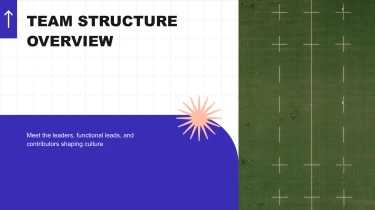

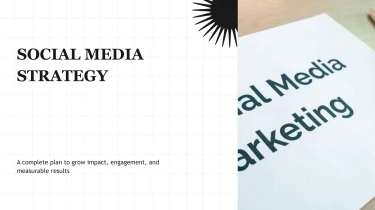


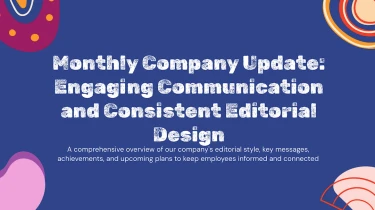
Create communications presentation templates with AI
Decksy’s Communications Presentation Templates give your message a ready-made visual structure, while its automated AI engine turns your content into a polished deck. Pairing these layouts with the AI presentation generator eliminates manual formatting by handling text placement, spacing, and visual consistency for you. Whether you’re sharing team updates or outlining a communications strategy, you can focus on what needs to be said instead of adjusting every slide.
Build finance presentations from working files
Financial reporting often starts with scattered inputs: analyst notes, spreadsheet exports, budget outlines, and narrative updates. Decksy helps turn these materials into a structured finance presentation, reducing the time spent copying figures, arranging slides, and rebuilding bullet lists before a deadline.
Start with the content you have
Feed Decksy raw text, an outline, a Word document, an MD file, or a spreadsheet. Your source material provides the foundation for the deck: the reporting period, financial metrics, commentary, and supporting detail.
- Raw text and outlines: Turn earnings notes or meeting agendas into sections for performance, drivers, risks, and next steps.
- Word documents and MD files: Use headings and written analysis to establish slide topics and nested bullet hierarchies.
- Spreadsheets: Bring financial figures into data tables, with related metrics organized for comparison.
- PDF reports: If your source is a PDF, convert financial PDFs to PowerPoint before developing the presentation further.
Organize the financial story
Decksy uses supplied content to build a logical structure tailored to finance presentations. An executive summary can lead into revenue and cost performance, followed by cash flow, forecasts, and decisions needed. Detailed explanations become supporting bullets rather than competing with headline results.
For clearer data presentation, provide labeled columns, consistent units, and explicit time periods. Separate actuals from budgets and forecasts in your inputs so those distinctions remain clear when reviewing the resulting tables.
Review before presenting
Automated structure reduces manual formatting, but financial accuracy still requires review. Check totals, currencies, percentages, reporting dates, and the relationship between every table and its commentary. Confirm that bullet hierarchies preserve important qualifications, especially around assumptions and projections.
With organized inputs and a focused review, finance teams can spend less time assembling slides and more time explaining results, tradeoffs, and the decisions behind the numbers.
Communications presentations ready for your next conversation
Turn communication plans, campaign updates, and stakeholder briefings into presentations your team can actually use. After generation, you receive a structured deck that helps you move from draft to delivery without spending hours aligning text boxes or rebuilding slides before a deadline.
Get a native PowerPoint file, not a static preview
Your presentation exports as a 100% native .pptx file, giving you a practical deliverable for internal reviews, leadership meetings, and external presentations. Open it in PowerPoint or import it into Google Slides to continue working in your preferred environment.
With full editability in both PowerPoint and Google Slides, you can refine messaging, update figures, adjust layouts, and apply brand guidelines. Your deck remains a working document, ready for new information rather than locked to the first generated version.
Make your message easier to follow
Communications teams often need to explain complex developments to audiences with different priorities. A clear slide structure helps you separate the central message from supporting detail, so people can understand what happened, why it matters, and what comes next.
- Campaign reporting: Present performance data alongside context and recommended actions.
- Internal communications: Organize announcements, timelines, and responsibilities into focused slides.
- Stakeholder updates: Adapt the narrative for executives, partners, or employees without starting over.
Use the Decksy text-to-PowerPoint generator to turn your source text into an editable starting point, then tailor the language and visual emphasis to encourage audience engagement.
Keep sensitive communications protected
Enterprise-grade data privacy matters when presentations contain confidential announcements, strategic plans, or unpublished results. It belongs alongside output quality and editability as a core requirement for business communications.
The value is straightforward: less manual formatting, faster revisions, and more control over the final message. Spend your review time checking accuracy, sharpening the story, and preparing for the conversations your presentation needs to support.