


Strategy presentation templates
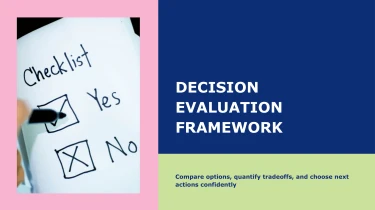
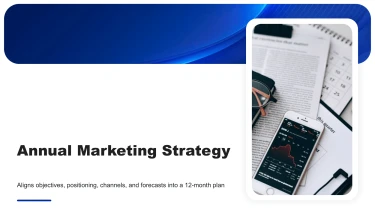
Make strategy presentations using pre-made templates powered by AI
Strategies AI presentation templates offer a pre-made framework for your concepts, and a free presentation AI assists in transforming that framework into a completed deck. By integrating AI with these layouts, you no longer need to manually arrange your presentations; instead, you can devote your time and energy to more important matters, such as prioritising initiatives. This is the quickest way to get from a static template to a well-organized presentation that lays out your plan.
Turn strategy inputs into a clear structure
Strategy teams rarely start with slide-ready content. They start with research notes, planning documents, financial models, and competing priorities. Decksy lets you bring raw text, outlines, Word docs, MD files, or spreadsheets into your presentation workflow, reducing the manual work between analysis and a usable first draft.
Use a rough brief to define the strategic question, paste an outline to guide the narrative, or upload a document with existing headings. Decksy uses that source material to build a logical slide structure for strategy presentations, organizing the story around context, objectives, strategic options, recommendations, and next steps.
Build hierarchy without manual formatting
Long paragraphs can become concise slide content, with main points separated from supporting details. Existing headings and nested lists provide cues for bullet hierarchies, helping distinguish business priorities from initiatives, actions, and dependencies. This gives your strategy deck a readable structure without requiring you to format every text box or rebuild each section by hand.
Make strategy data easier to present
Spreadsheets supply the numbers behind the narrative. Bring in market comparisons, budget allocations, performance metrics, or scenario assumptions to build data tables suited to strategic discussion. Organizing figures alongside the relevant recommendations helps stakeholders compare options rather than search through disconnected slides.
If your supporting research is stored in a PDF, use PDF strategy report conversion to bring that material into PowerPoint before developing the wider presentation.
For tight deadlines, start with the clearest source available: label sections, identify key metrics, and separate conclusions from background information. Better inputs give Decksy stronger signals for organizing your strategy narrative. Review the generated structure, verify figures and assumptions, and refine the emphasis for your audience. Spend your preparation time testing the recommendation and preparing for stakeholder questions, not adjusting indentation and spacing.
Strategy decks ready for your next decision
After generation, you get a presentation built for action, not another formatting project. Strategy AI presentation templates organize your priorities, market insights, and recommendations into a clear narrative, helping you move from initial analysis to stakeholder review with less manual work.
Native PowerPoint files, fully editable
Download your presentation as a 100% native .pptx file. Your content stays fully editable in PowerPoint and Google Slides, so you can refine the message without rebuilding the deck.
Update text, adjust layouts, change colors, and revise data visuals as your strategy develops. Whether leadership requests a sharper executive summary or your team needs to update quarterly targets, you retain control over the final presentation.
Start with Decksy AI’s strategy presentation builder, then shape the output around your organization’s priorities, brand standards, and review process.
Make complex strategy easier to follow
A useful strategy deck does more than look polished. It helps audiences understand the situation, compare options, and decide what comes next.
Give market data, competitive positioning, roadmaps, and resource plans a clear visual structure. Consistent formatting reduces distractions, while focused slides make key takeaways easier to discuss. The result supports audience engagement in board meetings, planning sessions, and client presentations without overwhelming viewers with dense information.
Meet deadlines without losing control
Spend less time aligning objects and fixing inconsistent slides. Use the generated deck as an editable foundation, then focus your effort on:
- Validating numbers
- Strengthening recommendations
- Preparing for questions
That flexibility matters when deadlines tighten and strategic assumptions change.
Keep sensitive strategy information protected
Strategy presentations often contain confidential forecasts, internal priorities, and competitive insights. Enterprise-grade data privacy is essential to handling that information responsibly.
Build your presentation workflow around both practical output and privacy: editable files your team can use, clear communication your audience can follow, and appropriate protection for business content.