


Training presentation templates
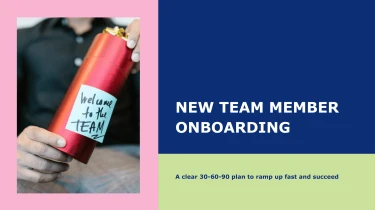
Create presentations with AI-powered training presentation templates
Turn ready-made training presentation templates into tailored slides with Decksy’s AI presentation generator. Pairing structured layouts with an automated AI engine lets you shape your training content without manually formatting each slide. Instead of adjusting text boxes and aligning elements, you can focus on clear explanations, practical examples, and lessons your audience can apply.
Turn source content into structured PowerPoint presentations
Building a presentation should not start with copying paragraphs into slides. Decksy turns existing material into a structured starting point for PowerPoint presentation templates, helping you move from scattered inputs to clear slide sections without spending your deadline on manual formatting.
Start with the files you already have
- Raw text: Paste notes, research, or draft copy to establish the main topic, supporting points, and presentation flow.
- Outlines: Provide headings and subheadings to guide slide order and preserve the relationships between ideas.
- Word documents and MD files: Use longer documents or Markdown content as source material for sections, slide titles, and concise talking points.
- Spreadsheets: Bring in tabular information so figures can become readable data tables rather than manually typed slide content.
How input becomes a presentation
Decksy uses your source material to identify key topics and organize them into a logical slide sequence. Main ideas become section headings or slide titles, while supporting details form bullet hierarchies. This gives dense content a clearer structure and reduces the need to split paragraphs across individual slides yourself.
For spreadsheet inputs, the focus is on presenting rows, columns, and labels in a format that supports comparison. Review the generated tables for accuracy and keep only the information your audience needs to understand the point.
Prepare better inputs for faster results
Add a clear objective, specify your audience, and separate essential facts from background detail before generating your deck. Consistent headings and labeled spreadsheet columns give Decksy clearer signals for building the presentation structure.
Working from a PDF instead? Explore Decksy’s PDF to PowerPoint converter for that source format. Once your draft is built, check the slide order, tighten bullet wording, and confirm the numbers before applying your final presentation styling and sharing it with your audience.
Training presentations ready to deliver and easy to update
Turn training content into a presentation you can use, not a static preview you need to rebuild. Decksy AI gives you a 100% native .pptx export, with fully editable slide content for PowerPoint and Google Slides. Move from generation to review, customization, and delivery without spending your deadline fixing layouts.
Get an editable deck, not flattened slides
Your training materials should adapt to your organization. Update terminology, replace examples, adjust learning objectives, and apply your brand styling directly in your presentation editor. Native PowerPoint output means your slides remain working documents rather than images with locked content.
- Edit text and layouts: Refine instructions, reorganize sections, and adjust slide elements.
- Work in familiar tools: Open your .pptx in PowerPoint or import it into Google Slides for editing and collaboration.
- Reuse your content: Adapt one training deck for onboarding, compliance refreshers, or team workshops.
Spend less time formatting and more time teaching
Tight deadlines leave little room for manually arranging every slide. Start with Decksy AI’s text-to-PowerPoint generator to turn source material into a structured deck, then focus your review on accuracy, relevance, and delivery.
Make dense policies, process instructions, and performance data easier to follow. Edit the generated presentation to highlight essential takeaways, simplify explanations, and introduce information at a pace that suits your audience.
Build engagement into every session
Use your editable slides to add discussion prompts, practical scenarios, knowledge checks, and recap sections. Tailor examples to participants’ roles so the training feels relevant. Clear structure supports understanding, while opportunities to participate help keep learners involved.
Keep sensitive training content protected
Internal training often includes proprietary processes and confidential business information. Enterprise-grade data privacy supports responsible handling of that material. The result is a flexible presentation asset your team can review, maintain, and reuse as training needs change.