


Project Management presentation templates
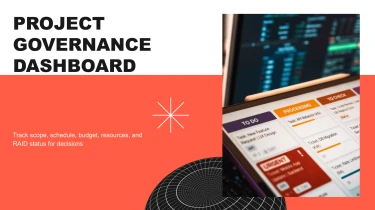
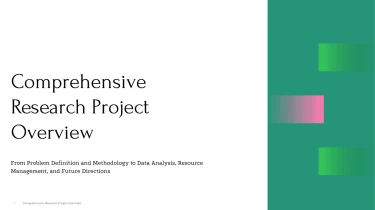
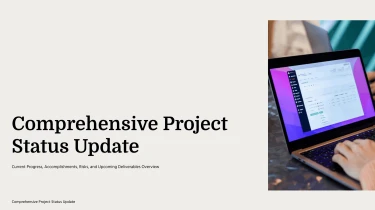
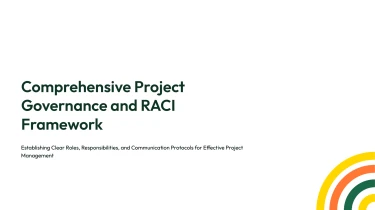
Create project management presentation templates with AI
Decksy’s Project Management Presentation Templates give your timelines, milestones, and status updates a ready-made structure, while its automated AI engine helps turn your content into slides. Pair these layouts with Decksy’s AI presentation generator to eliminate manual formatting and keep your presentation visually consistent. Instead of adjusting text boxes and aligning every element, you can focus on explaining project priorities, progress, and next steps.
Build education presentations from the materials you already have
Lesson plans, lecture notes, and assessment results rarely arrive ready for slides. Decksy helps educators turn existing content into structured education presentations, reducing manual formatting when preparation time is limited.
Start with familiar teaching files
Paste raw text or an outline, or upload Word documents, Markdown (MD) files, or spreadsheets. Use your syllabus, lesson summary, research notes, or classroom data as the starting point for a presentation.
- Raw text: Give unstructured notes a clearer sequence, with related ideas grouped into sections.
- Outlines: Use your existing topic order to guide slide sections and supporting points.
- Word and MD files: Turn headings, paragraphs, and lists into slide titles and bullet hierarchies.
- Spreadsheets: Organize tabular information into data tables for results, attendance, budgets, or comparisons.
Build around the learning sequence
Decksy uses the supplied content to build a logical presentation structure. For education, that means organizing material around a teachable progression: introduction, key concepts, supporting explanations, examples, and recap. Clear bullet hierarchies distinguish main ideas from details, helping you avoid slides that read like copied textbook pages.
For better results, include the audience, learning objectives, and intended lesson length in your input. Label essential concepts and optional background so the source material provides a clear basis for deciding what belongs on each slide.
Make classroom data easier to present
Use clearly labeled spreadsheet columns to give tables meaningful context. Keep units, assessment periods, and group names explicit, then review the generated tables before sharing. This is particularly useful for progress updates, departmental meetings, and education reports.
Working from a PDF handout? Explore Decksy’s PDF to PowerPoint converter for educators to reuse existing material. Always check the finished presentation for subject accuracy, appropriate reading level, and alignment with your specific teaching goals before presenting.
Project management presentations ready for delivery
Turn project updates into a presentation your stakeholders can use. After generation, you receive a structured deck that helps communicate progress, priorities, risks, and next steps without spending hours on manual formatting. Whether you are preparing a steering committee review or a weekly status meeting, your slides provide a starting point for decisions, not another design task.
A native PowerPoint file, not a static result
Download your presentation as a 100% native .pptx file. Your output is a working presentation, not a collection of flattened images. Keep full control over the content as project requirements change, feedback arrives, or deadlines move.
- Edit in PowerPoint: Update text, adjust layouts, change colors, and refine slide elements to match your organization’s presentation standards.
- Work in Google Slides: Import your deck and continue editing with your team using familiar collaboration tools.
- Reuse across reporting cycles: Adapt existing slides for new milestones, revised timelines, and recurring stakeholder updates.
Make project information easier to understand
Dense reports and scattered notes can hide the message your audience needs. Use Decksy’s project briefing presentation generator to turn written project information into slides you can review, refine, and present.
A clear visual hierarchy helps stakeholders follow status changes, understand dependencies, and identify decisions requiring attention. Tailor the detail for executives, delivery teams, or clients, keeping each audience engaged with relevant information rather than crowded slides. Use the editable output to emphasize important metrics and explain what they mean for delivery.
Practical value with enterprise-grade data privacy
Project presentations often contain sensitive plans, budgets, and internal performance information. Enterprise-grade data privacy matters throughout generation, not just after export. Combine that privacy focus with editable output to maintain control over what you share.
Spend less time rebuilding presentations and more time checking accuracy, aligning stakeholders, and moving your project forward.