


Economics presentation templates
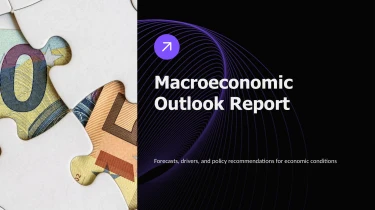

Create economics presentation templates with AI
Turn Economics Presentation Templates into a starting point for an AI-powered workflow with Decksy’s AI presentation generator. Pairing ready-made layouts with automated slide creation lets you shape your economic narrative without manually arranging text boxes or adjusting formatting slide by slide. From market trends to fiscal policy, the templates provide the visual framework while AI helps turn your ideas into a cohesive presentation.
Turn startup inputs into structured presentations
Startup teams rarely begin with a finished pitch deck. More often, the story lives across founder notes, planning documents, and financial spreadsheets. Decksy turns these inputs into a structured presentation, helping you move from scattered material to an investor narrative without manually arranging every slide.
Start with the material you have
Feed raw text, an outline, a Word document, an MD file, or a spreadsheet into Decksy. Use the format that already holds your information instead of rewriting everything for a presentation editor.
- Raw text and outlines: Turn product descriptions, customer research, and fundraising notes into sections covering the problem, solution, market, and business model.
- Word and MD files: Use headings and supporting paragraphs to establish slide topics and organize detail into readable bullet hierarchies.
- Spreadsheets: Bring revenue assumptions, acquisition metrics, and operating costs into structured data tables that support your startup’s financial story.
Build a pitch around clear logic
Decksy uses your source content to build a logical structure tailored to startup presentations. Broad ideas become slide topics, while supporting points sit beneath them. This hierarchy helps separate the core pitch from operational detail, keeping the narrative focused when preparation time is limited.
For number-heavy sections, tables give metrics a consistent structure. Review labels, units, and reporting periods before presenting, especially when combining historical results with forecasts. Clear inputs make it easier to explain traction and funding needs without burying key figures in dense paragraphs.
Prepare your inputs for better results
Include descriptive headings, identify your audience, and label financial assumptions. If existing material is locked in a PDF, explore Decksy’s PDF to PowerPoint converter as another starting point. Then check the generated structure against your fundraising goal, refine the emphasis, and verify every claim before sharing your deck with investors or partners.
Economics presentation templates built for delivery
Economic analysis needs more than a polished cover slide. It needs readable charts, clear comparisons, and a structure that helps audiences understand what the numbers mean. With DecksyAI, your generated economics presentation becomes a practical working file, ready for review, revision, and delivery without hours of manual formatting.
Get a native PowerPoint file, not a static preview
Export your presentation as a 100% native .pptx file. Your output is a fully editable deck, not a collection of flattened slide images. Open it in PowerPoint or upload it to Google Slides to keep working in the environment your team already uses.
- Update your analysis: Revise forecasts, assumptions, labels, and supporting explanations as new figures arrive.
- Adjust the presentation: Edit text, layouts, colors, and visual elements to match your organization’s standards.
- Adapt for different audiences: Rework the same deck for an economics seminar, executive briefing, or policy discussion.
Make complex economic stories easier to follow
Dense tables and disconnected statistics can hide your central argument. Economics presentation templates help organize topics such as inflation, employment, trade, and market performance into a clear narrative. Use editable visuals to highlight trends, compare scenarios, and explain relationships without overwhelming the room.
That clarity supports audience engagement: less time deciphering slides, more attention on your findings. Under tight deadlines, a structured starting point also leaves more time for checking sources and refining recommendations.
Keep control of your content and workflow
Economic presentations may contain sensitive forecasts, internal research, or unpublished results. Enterprise-grade data privacy supports a professional workflow where confidentiality matters alongside presentation quality.
Use the DecksyAI text-to-PowerPoint generator to turn your economic narrative into an editable presentation. You get a reusable deliverable that your team can update, share, and present, with less formatting work between analysis and the final discussion.