


Social Media presentation templates
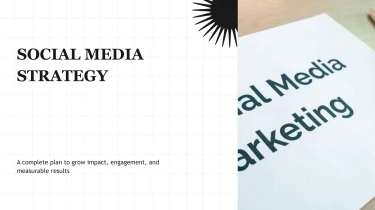

Social media presentation templates powered by AI
Decksy’s Social Media Presentation Templates give your content a ready-made visual foundation, while its automated AI engine helps turn your ideas into organized slides. Pairing these layouts with the AI presentation generator eliminates manual formatting by fitting your content into a consistent design. From campaign proposals to performance reports, you can focus on the story behind your social strategy instead of adjusting text boxes and aligning slide elements.
Turn medical source material into structured slides
Medical presentations often start with scattered notes, study summaries, and spreadsheets rather than a finished narrative. Decksy helps turn these inputs into an organized presentation, reducing manual formatting when clinical updates, research briefings, or training sessions are due. Prepare your source material, choose a medical presentation template, and build from the information you already have.
Add content in the format you have
- Raw text and outlines: Paste clinical notes, learning objectives, or a draft agenda to establish the presentation’s main sections.
- Word documents: Upload reports or teaching materials so headings and paragraphs can become slide titles, supporting points, and speaker context.
- MD files: Use Markdown headings and nested lists to guide section order and preserve relationships between topics.
- Spreadsheets: Supply organized rows and columns for data tables covering patient cohorts, outcome measures, laboratory results, or treatment comparisons.
Build a clear medical narrative
Decksy uses your content to generate a logical structure, such as background, clinical question, methods, findings, and conclusions. Longer passages become bullet hierarchies that separate key messages from supporting detail. Structured numerical inputs can become readable tables, helping you present comparisons without rebuilding every cell. For educational decks, organize material around symptoms, assessment, diagnosis, and management rather than forcing every topic into the same layout.
Review details before presenting
If your source is a PDF, use Decksy’s PDF to PowerPoint converter to bring existing medical material into your presentation workflow.
Before sharing, check clinical terminology, units, reference ranges, citations, and statistical context against the original sources. Confirm that each table retains its labels and that shortened bullets preserve essential qualifications. Remove identifiable patient information before uploading. Decksy handles presentation structure while you remain responsible for medical accuracy, audience suitability, and the final interpretation of every relevant finding you choose to include.
Social media presentation templates built for delivery
Turn campaign briefs, content plans, and performance reports into presentations your team can use immediately. After generation, you get a structured deck that makes social media activity easier to explain, review, and act on. Spend less time aligning text boxes and more time refining your strategy before the next stakeholder meeting.
Get a 100% native .pptx file
Your presentation exports as a 100% native .pptx file, not a collection of flattened slide images. Open it in PowerPoint or import it into Google Slides with full editability. Update messaging, adjust layouts, replace visuals, and apply your brand styling without rebuilding the deck.
- For campaign pitches: refine concepts and creative examples before approval.
- For monthly reports: update metrics and commentary as results arrive.
- For content planning: revise calendars, channel priorities, and ownership as plans change.
Make social performance easier to understand
Reach, engagement, clicks, and conversions need context, not just space on a slide. Use editable layouts to organize results by platform, campaign, or reporting period. Highlight the numbers that matter, explain what changed, and connect performance to your next recommendation.
A clear visual hierarchy helps keep your audience engaged, whether you are presenting to clients, leadership, or colleagues. Build your starting point with Decksy’s text-to-PowerPoint generator, then tailor the output to your audience and meeting goals.
Keep control of your content and workflow
Tight deadlines should not force a choice between presentation quality and flexibility. Editable output supports quick feedback rounds, last-minute updates, and reuse across recurring reports.
Enterprise-grade data privacy supports work involving sensitive campaign plans, internal performance figures, and client information. Your team gets a practical presentation workflow focused on usable output, clear communication, and responsible handling of business content.
The result is a deck you can revise, present, and reuse as your social strategy evolves.