


Staffing presentation templates

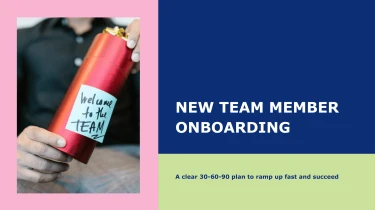
Create staffing presentation templates with AI
Decksy’s Staffing Presentation Templates provide ready-made layouts for presenting hiring plans, workforce insights, and team structures. Pair them with Decksy’s AI presentation generator to turn your staffing content into organized slides without manually formatting each element. The templates establish a consistent visual style, while the AI handles the layout work so you can focus on your staffing story.
Turn management inputs into a structured presentation
Management presentations often start as disconnected updates, planning notes, and performance figures. Decksy helps turn those inputs into an organized draft, reducing manual formatting when leadership reviews, strategy discussions, or operational meetings are approaching. Start with the material you already have rather than rebuilding every slide from scratch.
Choose your starting material
Feed Decksy the source format that matches your workflow:
- Raw text: Paste meeting notes, departmental updates, or an executive summary to establish the main narrative.
- Outlines: Supply agenda items and section headings to guide the presentation’s sequence.
- Word documents: Bring in management reports or project briefs so written content can become focused slide sections.
- MD files: Use existing headings and lists as a foundation for clear bullet hierarchies.
- Spreadsheets: Provide budgets, KPIs, or resource plans to build data tables for management review.
Build around management decisions
Decksy uses your source content to organize related information into a logical structure: business context, current performance, priorities, risks, and next steps. Detailed updates can be condensed into main bullets with supporting points beneath them, helping separate key messages from operational detail.
For financial and operational inputs, structured tables make comparisons easier to review. Keep reporting periods, units, column labels, and totals clear in the source material so the resulting draft has useful context. You can then check figures, sharpen recommendations, and adjust the emphasis for your audience.
Prepare a clearer first draft
If supporting material is locked in a PDF, explore Decksy’s PDF to PowerPoint converter as another starting point.
For the strongest management presentation, label each input by topic and identify the decision you need. Clear source material helps shape a presentation that supports discussion without burying leaders in unnecessary detail. Review the generated structure before sharing it with your management team.
Staffing presentations ready for review, not rework
A staffing presentation should help stakeholders understand your workforce plan—not leave you fixing layouts before a meeting. After generation, you get a structured deck that turns headcount requirements, hiring priorities, resource allocation, and workforce costs into a clear presentation. Spend less time formatting slides and more time preparing the decisions your audience needs to make.
Get a 100% native .pptx file
Export your staffing presentation as a 100% native .pptx file, not a collection of flattened slide images. Your output is a working presentation you can update, share, and reuse as staffing needs change. Whether you are presenting a recruitment proposal or a quarterly capacity review, the deck remains useful beyond the first meeting.
Keep full control in PowerPoint and Google Slides
Your presentation is fully editable in PowerPoint and Google Slides. Adjust text, replace visuals, refine layouts, and apply your company’s branding without rebuilding the deck. When hiring targets shift or budget feedback arrives, you can revise the relevant slides quickly.
- Update role requirements, timelines, and departmental headcounts.
- Adapt messaging for leadership, finance, HR, or hiring managers.
- Reuse slides for recurring workforce planning discussions.
Make staffing data easier to discuss
Clear visual hierarchy and focused content help audiences follow the relationship between staffing gaps, operational demands, and proposed investment. Instead of presenting dense notes or disconnected figures, use the deck to highlight priorities, explain trade-offs, and encourage productive questions. This keeps attention on your recommendations rather than on deciphering the slides.
Build with privacy in mind
Staffing plans can contain sensitive business information. Enterprise-grade data privacy supports confident preparation of workforce presentations while your organization’s internal data-handling policies remain essential.
Facing a tight deadline? Start with your outline using Decksy’s staffing presentation generator and get an editable foundation for your next workforce planning conversation.