


Venture Capital presentation templates

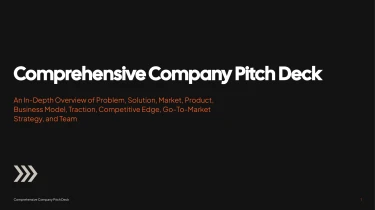
Create venture capital presentation templates with AI
Decksy’s Venture Capital Presentation Templates give your pitch a ready-made visual foundation, while its automated AI engine turns your content into structured slides. Pairing these layouts with the AI presentation generator eliminates manual formatting by letting AI handle text placement, spacing, and visual consistency. Instead of adjusting slide elements one by one, you can focus on making your market opportunity, traction, and funding story clear to investors.
Build PDF presentations from the content you already have
Preparing a PDF presentation should not mean rebuilding every heading, table, and bullet by hand. Decksy turns source material into an organized presentation draft, helping you move from scattered information to pages ready for review and PDF export.
Start with your source material
Paste raw text or an outline, or upload Word documents, MD files, and spreadsheets. Give Decksy the information that matters: your topic, audience, key messages, and supporting figures. A clear brief helps shape a structure suited to a presentation that readers may view without a presenter.
- Raw text and outlines: Turn notes into a logical sequence of sections, with main points separated from supporting details.
- Word and MD files: Use existing headings and lists as starting points for slide titles, content blocks, and nested bullet hierarchies.
- Spreadsheets: Organize relevant rows, columns, and labels into data tables that support comparisons rather than overwhelm the page.
Build for a fixed page format
PDF presentations need clear reading order and enough context to stand alone. Decksy uses your inputs to build a content hierarchy, grouping related ideas and distributing information across slides. This reduces manual restructuring when deadlines are tight and keeps dense material from becoming one oversized text block.
Review the details before export
Treat the generated structure as a working draft. Check figures, table labels, bullet levels, and page density before sharing. Keep essential explanations on the page, since exported PDFs cannot rely on animations or hidden speaker notes to communicate meaning.
Already working from a finished PDF? Explore Decksy’s PDF to PowerPoint converter to bring that material into an editable presentation workflow. Then refine the organization and choose a PDF presentation template that gives your narrative, tables, and key takeaways room to read clearly on every exported page.
Venture capital presentations ready for real decisions
Venture capital teams rarely have time to rebuild slides before a partner meeting or investor update. After generation, you get a presentation designed to turn your investment narrative into a clear, usable deck, without hours spent adjusting layouts, aligning elements, or restructuring dense information.
Native files, complete control
Your output is a 100% native .pptx file, not a collection of flattened slide images. Open and edit your presentation in Microsoft PowerPoint or Google Slides, keeping control as your numbers, messaging, and audience requirements change.
- Revise investment theses, market sizing, and portfolio updates without rebuilding the deck.
- Adjust text, colors, layouts, and visual elements to match your firm’s identity.
- Share editable files with partners and colleagues for review before important meetings.
Use Decksy AI’s text-to-PPT generator to move from written material to an editable presentation, then refine the details that matter most.
Make investment information easier to follow
Strong venture capital presentations help audiences understand both the opportunity and the evidence. Clear slide structure and visual hierarchy make complex material easier to navigate, whether you are presenting fund performance, comparing opportunities, or explaining a startup’s growth trajectory.
An editable deck lets you tailor the level of detail for limited partners, investment committees, or founders. Highlight the metrics that support your argument, simplify crowded slides, and keep attention on the decisions ahead.
Protect sensitive information while moving faster
Fundraising plans, financial projections, and portfolio information require careful handling. Enterprise-grade data privacy supports the confidentiality expectations of professional investment workflows.
The value extends beyond the first export: you retain a reusable, editable presentation that can evolve across meetings and reporting cycles. Spend less time on manual formatting and more time validating data, sharpening your narrative, and preparing for questions. Keep the final review focused on investment judgment, not slide maintenance.