


Talent Acquisition presentation templates
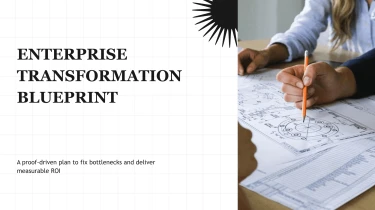
Create slides with AI-powered talent acquisition presentation templates
Turn Decksy’s Talent Acquisition Presentation Templates into a starting point for AI-powered presentations, from hiring strategies to candidate pipeline reviews. Pairing ready-made layouts with Decksy’s automated AI engine lets you organize recruiting content into slides without manually adjusting text boxes, spacing, or alignment. With the AI presentation generator, you can focus on your hiring story while AI handles the formatting.
Turn corporate content into a structured presentation
Corporate presentations often start as scattered notes, lengthy reports, and spreadsheets that need to become a clear story before the next meeting. Decksy helps you build that structure from existing content, reducing the time spent reorganizing information and formatting slides. Start with your source material rather than rebuilding every section manually.
Choose the input that matches your workflow
- Raw text: Paste company information, project updates, or meeting notes to establish the presentation’s main topics.
- Outlines: Provide section headings and supporting points to guide slide order and keep the narrative focused.
- Word documents: Upload reports or proposals so longer passages can become concise sections and supporting bullets.
- MD files: Supply Markdown content with headings and lists that give the presentation a clear starting hierarchy.
- Spreadsheets: Bring in business figures to build data tables for financial summaries, performance reviews, or operational updates.
Build around corporate decision making
Decksy uses your input to organize related information into a logical slide sequence. For corporate presentations, that can mean moving from an executive summary to business context, key metrics, recommendations, and next steps. Bullet hierarchies separate main messages from supporting details, while tables give structured data a readable place within the deck.
If your source material is a PDF, use Decksy’s PDF report to PowerPoint converter to bring existing business documents into your presentation workflow.
Spend your review time on substance
Instead of adjusting every indent or rebuilding tables under a deadline, focus on whether the presentation supports the meeting’s purpose. Review the generated structure, check figures against your source files, and refine the emphasis for leadership, clients, or internal teams. Clear inputs help produce clearer slides: include meaningful headings, label spreadsheet columns, and distinguish conclusions from background information before generating your corporate presentation in Decksy.
Talent acquisition presentations ready for your next meeting
Hiring updates should move decisions forward, not keep your team stuck adjusting layouts. Get a structured, editable presentation that turns recruiting plans, pipeline metrics, and employer branding messages into slides your audience can follow. Whether you are preparing a leadership review or a hiring manager briefing, your generated deck gives you a practical starting point under tight deadlines.
Native PowerPoint output, not a static preview
Download your presentation as a 100% native .pptx file. Your output is a working presentation, not a collection of flattened slide images. Keep refining the content in Microsoft PowerPoint or Google Slides, with full editability for the changes your stakeholders request.
- Update hiring targets, recruitment timelines, and role requirements.
- Revise pipeline figures, sourcing results, and cost-per-hire summaries.
- Adjust fonts, colors, layouts, and messaging to match your brand.
- Reorder slides for executives, recruiters, or department leaders.
Present hiring data with a clear purpose
Recruiting presentations often combine operational detail with a request for action. Give each slide a focused message: where candidates drop off, which channels deliver qualified applicants, or why a team needs additional hiring capacity.
Clear visual hierarchy and concise content help maintain audience engagement without overwhelming stakeholders. Spend less time on manual formatting and more time checking the numbers, explaining priorities, and preparing for questions.
Keep control of your content and data
Talent acquisition materials can contain sensitive workforce plans and internal performance data. Enterprise-grade data privacy is essential when generating these decks, alongside editable output that remains useful after the first download.
Use the Decksy AI talent acquisition presentation generator to turn your recruiting brief into a deck you can review, adapt, and present. The value continues after generation: reuse approved slides, refresh reporting periods, and tailor your narrative without rebuilding every presentation from scratch for each new stakeholder meeting.