


Teaching presentation templates
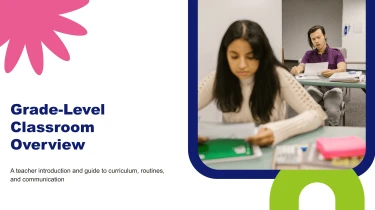
Teaching presentation templates powered by AI
Decksy’s Teaching Presentation Templates provide ready-made layouts that you can pair with its automated AI engine to build lesson slides without manual formatting. The AI presentation generator arranges your teaching content within these layouts, handling spacing, alignment, and visual consistency for you. Instead of adjusting text boxes and slide elements, you can focus on explaining concepts and creating lessons that connect with your students.
Turn strategy inputs into a structured presentation
Strategy presentations need a clear path from business context to priorities, actions, and measures of success. Decksy helps you build that path from existing material, reducing time spent organizing notes, formatting slides, and rebuilding tables. Start with your source content and use strategy presentation templates to shape a focused narrative for leadership discussions or planning reviews.
Bring your source material
- Raw text and outlines: Paste research notes, strategic priorities, or an initial agenda. Decksy uses these inputs to organize sections and establish a logical slide sequence.
- Word documents and MD files: Upload planning documents or Markdown briefs to turn headings, supporting arguments, and action points into slide sections and bullet hierarchies.
- Spreadsheets: Supply budgets, forecasts, benchmarks, or KPI trackers to build data tables that support strategic comparisons and make performance targets easier to review.
Build a strategy narrative, not a document dump
Decksy’s AI organizes supplied content into a presentation structure suited to strategic decision making. Broad themes become sections, key points become slide content, and supporting details sit beneath them in a clearer hierarchy. This helps separate objectives from initiatives and evidence from recommendations, so dense source material does not become a series of crowded slides.
Prepare inputs for stronger results
For more useful output, label your goals, audience, timeframe, and key metrics. Keep spreadsheet headers descriptive and distinguish confirmed figures from assumptions. These cues help guide the structure and make the resulting strategy deck easier to check against your original sources.
If an existing strategy report is stored as a PDF, explore Decksy’s PDF to PowerPoint converter to bring that material into your presentation workflow.
Before presenting, review the generated narrative, validate figures, and refine current priorities to match the decisions your audience needs to make during the strategy discussion.
Teaching presentations ready to use and easy to adapt
Teaching deadlines leave little room for rebuilding slides, fixing layouts, or turning dense material into readable visuals. Get a presentation you can teach from, not a static preview that needs recreating. After generation, download a 100% native .pptx file and keep control of your lesson content, structure, and design.
Native PowerPoint output, without the formatting workload
Your teaching presentation gives you an editable starting point for classroom lessons, lectures, workshops, and training sessions. Instead of manually arranging every heading and text box, focus on checking accuracy, adjusting the learning sequence, and preparing your delivery.
Use Decksy’s teaching notes to PowerPoint converter to move from written material to a downloadable deck, especially when preparation time is limited.
Full editability in PowerPoint and Google Slides
Open your exported presentation in PowerPoint or import it into Google Slides to continue editing. Your slides remain flexible as your teaching needs change.
- Update content: Revise explanations, examples, questions, and instructions.
- Adjust the design: Change fonts, colors, layouts, and visual emphasis.
- Reshape the lesson: Reorder, duplicate, add, or remove slides.
- Present data clearly: Refine supporting visuals and simplify information for your audience.
More attention on learning, less on slide maintenance
Clear structure and readable slides help students follow the lesson without competing with your explanation. Adapt the deck for different ages, knowledge levels, or session lengths, and add discussion prompts or comprehension checks to encourage participation. Reuse the presentation next term rather than starting again.
Enterprise-grade privacy for teaching materials
Lesson preparation can involve unpublished research, internal training content, and sensitive institutional information. Enterprise-grade data privacy supports a protected workflow for your materials. Follow your institution’s policies when uploading content, particularly anything containing student information. The result is a reusable, editable teaching asset that saves preparation time while leaving instructional decisions firmly in your hands.