star

AI PowerPoint generator

Generate professional presentations in no time for any topic

Create polished, ready-to-share slides fast with our premium AI PowerPoint generator that understands your style. Turn your ideas into a memorable slideshow through an easy-to-use platform.
Generate presentation

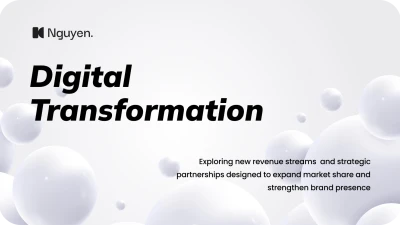
Easy AI PowerPoint maker for stunning presentations

Create an engaging PowerPoint presentation outlining your thoughts. You may take advantage of our AI presentation maker, which automatically generates high-quality content and design.

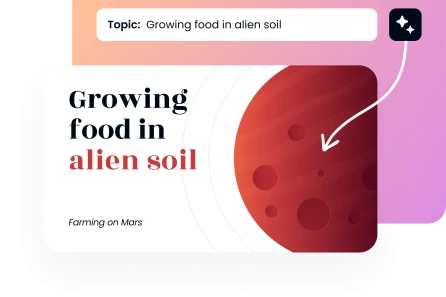
All the way from the subject to the PowerPoint

Just enter your topic of choice and our tool will generate a comprehensive, high-quality file for you. To help improve the output, make sure to include specifics about the necessary outline, your main message, and the desired number of slides.
Generate Presentation
All the way from the subject to the PowerPoint

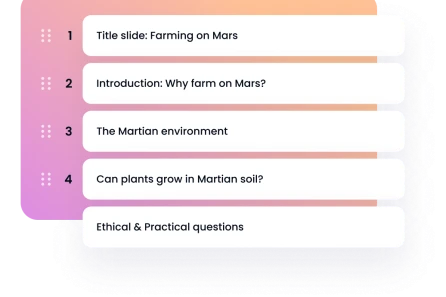
Convert text into visually engaging tales powered by AI

Automate the presentation-making process by pasting in your outline, notes, or entire paragraphs. Animate simple words into captivating narratives. By using our specialised AI techniques, we can organise raw text into gorgeous presentations while preserving your structure and tone.
Convert text into visually engaging tales powered by AI

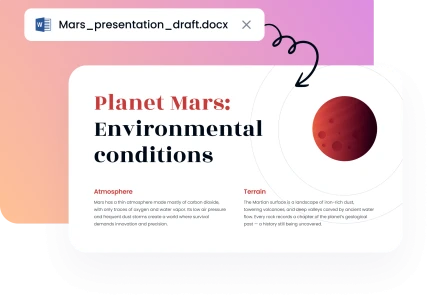
Use AI-powered processes to convert documents to PowerPoint

Our website allows you to quickly generate layout possibilities by uploading Word or PDF files. This PowerPoint presentation maker automates the process of organising your complicated material into a polished, professional final product.
Use AI-powered processes to convert documents to PowerPoint

Powerpoint maker with high-quality layouts

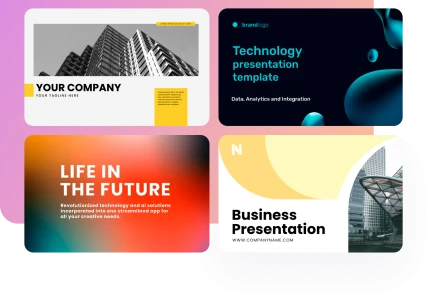
Find a presentation template that fits your content's style and topic in our large library. By using a template, you can ensure that your pitch remains entirely on-brand by creating a visually consistent deck.

Generate Presentation
Powerpoint maker with high-quality layouts
Relied upon by over 200K people
image
image
image
image

A three-step process for creating and organising PowerPoint slides

1

Just type in your subject or paste in your file

Just type in a brief prompt or upload a Word, TXT, or PDF file. Doing so will cause the AI presentation creator to automatically create your first layouts.
2

Pick a theme and a presentation style

You may tailor your AI presentation to your material and audience by selecting a layout from the available options. To make the deck reflect your brand's style, you may change the pieces, layout, and fonts.
3

Bring your presentation to life by downloading it
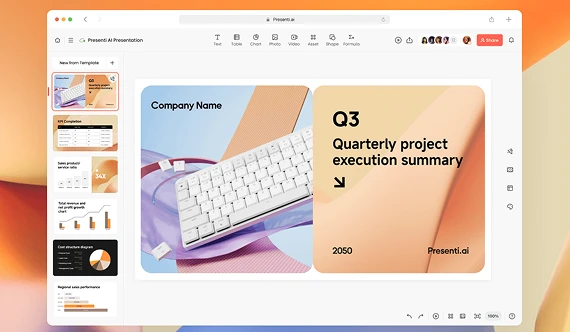
Pick out the version of your presentation you like most, and then download it. Get your meeting started with a native PPTx file.
image
image

For all your PowerPoint needs, why not use our AI presentation generator?

Learn more about our system's advantages. You can focus on developing your tale and expanding your creativity since AI handles all the design details.
image

Completely protected

Everything you work on is kept secret. Your data is safeguarded so that no one else than you may access it. At all times, your data is securely secured.
image

Saves time

Thanks to our efficient automation, you can focus on honing your message. A flawless first draft will be at your fingertips in a matter of seconds, saving you many hours of frustrating workflow.
image

Easy to use

Because of its user-friendly design, straightforward controls, and intuitive controls, our AI business presentation maker requires no training to create professional-quality slides.
image

Expert designs that are ready to be used

Look through a plethora of designs created by designers that offer top-notch visualisation, clarity, and impact. In a matter of seconds, you may change any piece or add a chart.
image

Efficient and reasonably priced

Produce expert results ten times quicker. You'll just need to click a few times. To try out an AI presentation tool without paying for expensive agencies, check out our premium pricing or join us for free.
image

Works in any situation

Great for business presentations, sales decks, client pitches, and academic assignments. If you want to show off your ideas, our automatic features are perfect for you.
Show more

Powerful AI PowerPoint tool for expert presentations
You may rest certain that we will meet the needs of everyone from business executives to educators to students. Everything you need to create professional-quality presentations is right here in our automated process.

Business
Business
Business
Business
Business
Business
Business
Business
Business
Business
Business
Business
Business
Business
faces

Why Decksy's AI PPT creator is so popular

Discover how our text-to-PPT generator has revolutionised the way professionals operate by cutting down on tedious manual layout tweaks and streamlining their daily routine. When it comes to client presentations, this technology is revolutionary since it improves teamwork.
stars
Changer in client presentations
Our team used to spend hours perfecting pitch decks, but now we can whip up engaging presentations in a flash. Our audiences are consistently amazed by their exceptional quality.
icon
Sarah M., Sales Director
stars
Good for classroom use
The use of this application has revolutionised the way I prepare for several courses every week. Artificial intelligence can understand complex topics and presents them in a reasonable way for pupils.
icon
Dr. James R., University Professor
stars
Reduces workload for our marketing group
On a daily basis, we put together campaign presentations. Our production time is cut in half with our AI PowerPoint maker, and our brand identity is uniformly applied throughout the whole deck.
icon
Emily C., Marketing Manager
stars
Impressive in business pitch situations
I need to wow investors quickly as a business entrepreneur, and I need presentations that are visually spectacular. I was able to secure Series A finance with the push of a button using this technology.
icon
Michael T., Founder & CEO
stars
It is a huge hit with my students
I demonstrated to my class how to use AI PowerPoint maker for teachers and class projects. It has enough features to make presentations suitable for college, yet is still straightforward to use.
icon
Anna K., High School Teacher
stars
Reworked our instructional resources
Creating training decks was a major roadblock for us as HR training facilitators. New presentations for training and staff onboarding may now be made in record speed.
icon
David P., HR Training Specialist
Show more

Frequently asked questions (FAQs)

Is it possible to edit the AI slides once they are generated?

All you have to do to make your file editable in Google Slides or Microsoft PowerPoint is download it in the usual PPT format. An editable collection of slides will be at your disposal.

What file types can I upload to generate PowerPoint slides?

Our top-rated AI presentation tool makes it easy to convert between these file types: Microsoft Word (DOC, DOCX), Portable Document Format (PDF), Microsoft PowerPoint (PPT, PPTX), Microsoft Excel (XLS, XLSX), and text (TXT).

How many slides can your solution produce when creating AI presentations?

Our online editor allows you to specify the precise amount of slides you need, ranging from 5 to 25, when you're building up your file. Based on your recommendation, the tool will arrange your information in a certain way.

Am I safe when using this AI tool?

Confidential and encrypted files may be uploaded and presentations can be made. Beyond the creation of your unique professional presentation, we will not share, retain, or utilise your text in any way.

Is it possible to tailor the tone and style of my presentation?

It is possible to set the voiceover's parameters before the file is even created. You may also choose a template from our library that you think would work best for your purpose and high-quality content.

What’s the difference between this and making presentations with ChatGPT?

If you want to use ChatGPT as a slide tool, you'll need to manually prepare the raw text it delivers. Create PowerPoint slides from Excel data by our specialised program, on the other hand, are immediately usable upon download.

Am I required to have design skills to make professional presentations?

Every design decision is taken care of by our AI pitch deck creator. Let us take care of making your material seem interesting and clear so you can focus entirely on your content.

Create your next PowerPoint presentation using AI at the speed of thought

Create AI presentation