


Pitch Deck presentation templates

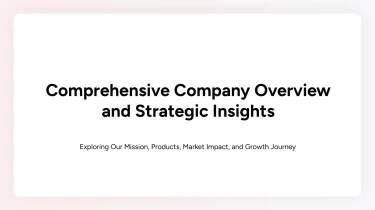
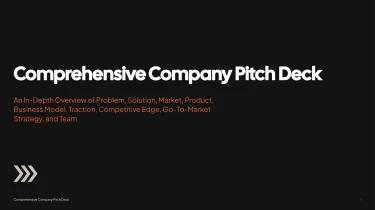
Use AI-powered templates to create pitch deck presentations
With the help of a free AI presentation maker, you can transform the pre-made visual foundation provided by the Pitch Deck AI presentation templates into a presentation tailored to your ideas. By integrating AI with these templates, you can avoid tedious manual adjustments to spacing, text boxes, and slide formatting while still maintaining a consistent appearance for your content. You can put more effort into honing your story and creating an engaging pitch rather than creating each slide from beginning.
Turn raw inputs into a structured pitch deck
When fundraising deadlines are close, turning scattered notes into a clear investor narrative can take longer than writing the pitch itself. Decksy helps you move from source material to an organized presentation, reducing the manual work of arranging slides, formatting bullets, and rebuilding tables.
Start with the content you have
Paste raw text or an outline, or upload Word documents, Markdown (MD) files, or spreadsheets. Use founder notes to explain the problem, a product brief to describe your solution, and financial forecasts to support your business model. You do not need to format everything as slides before you begin.
If your existing material is stored in a PDF, explore Decksy’s PDF-to-PowerPoint conversion as another starting point for your presentation.
Build a pitch-specific slide structure
Decksy uses your input to build a logical presentation structure tailored to a pitch deck. Content can be organized around:
- Problem
- Solution
- Market opportunity
- Product
- Traction
- Business model
- Team
- Funding ask
An existing outline gives the structure a starting direction; raw text provides the material to group into focused sections.
Long passages become clearer bullet hierarchies, with headline points separated from supporting details. This helps prevent crowded slides and keeps each section focused on the questions investors need answered.
Make your numbers easier to present
Spreadsheet inputs can become structured data tables for revenue projections, customer growth, unit economics, or funding allocation. Instead of manually copying figures into separate text boxes, you get an organized basis for presenting the data behind your pitch.
Review the generated structure, check every figure against its source, and refine the emphasis for your audience. Clear labels, consistent time periods, and explicit assumptions in your inputs help produce a stronger draft without replacing your judgment about what belongs in the deck.
A pitch deck you can actually use
Your generated pitch deck should move you closer to the meeting, not leave you with another formatting project. Pitch Deck AI presentation templates give you a structured, presentation-ready starting point for explaining your business, presenting your numbers, and making a clear ask.
Turn your outline into a working deck with the Decksy AI text-to-PowerPoint generator, then spend your time sharpening the pitch instead of aligning text boxes.
Native PowerPoint output, complete editing control
Export your presentation as a 100% native .pptx file, not a collection of flattened slide images. Your content remains fully editable in PowerPoint and Google Slides, so the generated deck is yours to refine.
Update your positioning, revise financial projections, adjust colors, or reorder slides as your story develops. Adapt the same presentation for an investor introduction, a partner discussion, or an internal review without rebuilding it from scratch.
When feedback arrives shortly before a meeting, you can make changes in the presentation tools your team already uses. No need to regenerate the entire deck for a single revision.
Clearer slides that hold attention
A strong pitch helps an audience understand what matters quickly. Organized layouts and clear visual hierarchy make room for your opportunity, traction, business model, and funding needs without overwhelming each slide.
Present data with context, highlight the metrics that support your argument, and keep the narrative moving toward your ask. Less manual formatting means more time to:
- Check the numbers.
- Rehearse your delivery.
- Prepare for questions.
Practical value with enterprise-grade privacy
Pitch materials often contain sensitive plans, customer insights, and financial information. Enterprise-grade data privacy supports a workflow built around protecting that business content.
The result: an editable, reusable presentation asset that helps your team meet tight deadlines while retaining control over the final message.