


Recruitment presentation templates
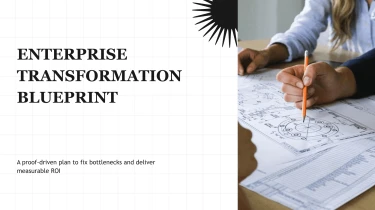
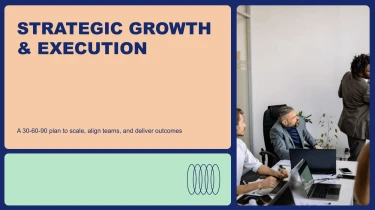
Generate slides with AI using recruitment presentation templates
Turn Decksy’s Recruitment Presentation Templates into polished hiring presentations by pairing ready-made layouts with its automated AI engine. The AI presentation generator adapts your recruitment content to a structured design, eliminating manual formatting so you can focus on the message. From introducing your employer brand to outlining open roles, this combination helps you build a cohesive deck without adjusting every slide by hand.
Turn research inputs into structured analysis
Analysis presentations often begin with scattered findings, inconsistent tables, and notes that lack a clear narrative. Decksy helps turn those inputs into a presentation structure, reducing the manual work of organizing evidence, formatting slides, and preparing an executive summary. Start with your source material rather than rebuilding every insight from scratch.
Bring your source material
- Raw text and outlines: Paste research notes, observations, or a draft agenda to establish the analysis scope and key questions.
- Word documents and MD files: Use existing reports or Markdown content to provide headings, supporting arguments, and detailed findings.
- Spreadsheets: Supply structured data for comparison tables, performance summaries, and breakdowns that make numerical evidence easier to present.
If your source report is a PDF, explore PDF to PowerPoint conversion as another route from existing material to presentation slides.
Build a clear, logical analytical narrative
Decksy uses the supplied content to organize a progression from context and methodology to findings, implications, and recommendations. Headings and recurring themes guide section structure, while supporting details become bullet hierarchies instead of dense paragraphs. Spreadsheet inputs can inform data tables, helping keep comparisons organized around the metrics and categories that matter to your audience.
Guide the output with better inputs
For a more focused first draft, state the business question, intended audience, and decision the presentation should support. Label spreadsheet columns clearly, include units and time periods, and distinguish confirmed findings from assumptions. These details give Decksy clearer material to organize and help prevent ambiguous labels from carrying into your slides.
Review before presenting
Treat the generated deck as a structured starting point. Check calculations, source references, table labels, and the strength of each conclusion. With less time spent arranging content, your team can concentrate on interpreting results and explaining what should happen next.
Recruitment presentations ready for your next conversation
Turn hiring plans, employer brand messaging, and candidate insights into a presentation your team can use immediately. Recruitment Presentation Templates help reduce manual formatting when deadlines are tight, whether you are pitching an open role, briefing interviewers, or presenting workforce priorities to leadership.
Use Decksy AI’s recruitment presentation generator to transform your brief into a structured deck. After generation, you receive a practical starting point for review, customization, and delivery—not a static document that needs rebuilding.
Native PowerPoint output with full editing control
Export your presentation as a 100% native .pptx file. Your slides remain fully editable in PowerPoint and Google Slides, so recruiters, hiring managers, and talent leaders can revise content using familiar tools.
- Update hiring details: Change role requirements, interview stages, compensation information, and onboarding timelines.
- Match your employer brand: Adjust fonts, colors, layouts, and visuals for different departments or locations.
- Refine your data story: Revise hiring funnel figures, sourcing performance, and recruitment targets as priorities change.
Keep control of the final message without recreating the presentation whenever a stakeholder requests changes.
Clearer communication, stronger audience engagement
Recruitment decks need to do more than display information. They should help candidates understand an opportunity and help decision-makers evaluate hiring needs. Organize complex details into focused slides that make benefits, expectations, and next steps easier to follow.
Spend less time aligning text boxes and more time checking accuracy, sharpening your narrative, and preparing for questions. Reuse and adapt your deck for candidate meetings, agency presentations, campus outreach, or executive updates. Tailor the level of detail to each audience while keeping your core recruitment message consistent across presentations.
Enterprise-grade privacy for sensitive recruitment content
Recruitment information deserves careful handling. Enterprise-grade data privacy supports work involving internal hiring strategies and business priorities. Follow your organization’s policies when including candidate information, reviewing access, and sharing exported presentations.