


Teachers presentation templates
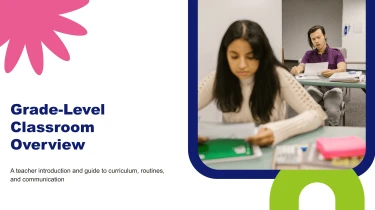
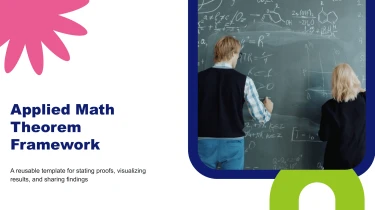
Teachers presentation templates powered by AI
Decksy’s Teachers Presentation Templates give educators ready-made layouts that can be paired with its automated AI engine to turn lesson ideas into organized slides. Instead of manually adjusting text boxes, spacing, and slide structure, teachers can use the AI presentation generator to fit their content into a cohesive design. This combination takes manual formatting out of the workflow, leaving more time to refine explanations and plan classroom activities.
Turn publishing inputs into structured presentations
Publishing teams work with manuscripts, editorial briefs, title lists, and sales reports—not slide-ready content. Decksy turns these inputs into a structured first draft for acquisition meetings, seasonal catalogs, author pitches, and publishing plans. Start with your source material instead of rebuilding every slide under deadline pressure.
Add the material you already have
- Raw text: Paste book descriptions, audience notes, or campaign details to establish the presentation’s core message.
- Outlines: Supply section headings and talking points to guide the order of an editorial proposal or launch presentation.
- Word documents: Upload manuscript summaries or publishing briefs as source content for concise slide sections.
- MD files: Bring in Markdown notes with headings and nested lists that provide clear cues for bullet hierarchies.
- Spreadsheets: Use title metadata, sales figures, or budget breakdowns to build data tables for comparison and discussion.
Build a publishing narrative, not a document dump
Decksy uses your content to organize related ideas into logical sections. A title pitch can move from premise and readership to comparable books, positioning, and launch priorities. An editorial review can separate manuscript strengths, revision needs, and next steps.
Main points become primary bullets, with supporting details grouped underneath. Tabular information becomes easier to review alongside the narrative, reducing manual formatting when presenting multiple titles, reporting periods, or production costs.
Use existing PDFs and review the result
If your starting point is a PDF catalog or rights brochure, explore Decksy’s PDF to PowerPoint converter for a presentation-based workflow.
Before sharing, check the generated structure against your publishing objective. Confirm title names, author credits, publication dates, currencies, and numerical totals. Review which details belong on slides and which need fuller explanation. Decksy provides the organized starting point; your team supplies the editorial judgment that makes the presentation accurate and useful.
Teachers presentation templates built for classroom use
Lesson preparation should focus on teaching, not fixing slide layouts. Turn your lesson outline, topic notes, or curriculum content into a presentation that gives you a practical starting point under tight deadlines. After generation, you receive a structured deck ready to review, adapt, and deliver to your students.
Get a native PowerPoint file, not a static preview
Download your presentation as a 100% native .pptx file. Your slides remain fully editable in PowerPoint and Google Slides, so you can make changes using the tools you already know. You are not limited to flattened images or a locked design.
- Rewrite explanations to match your students’ reading level.
- Adjust fonts, colors, and layouts to meet school guidelines.
- Reorder slides, add examples, or expand difficult concepts.
- Update lesson content without rebuilding the entire presentation.
Spend less time formatting and more time engaging students
Clear slide structure helps you present information in manageable sections. Adapt the generated deck with discussion prompts, quick knowledge checks, and relevant visuals that encourage participation rather than passive reading.
For data-heavy lessons, use editable layouts to clarify comparisons, highlight key figures, and explain results step by step. Whether you are preparing a science lesson or a staff briefing, the output stays flexible enough for your audience.
Keep control of your content and your workflow
Use the Decksy AI text-to-PowerPoint generator to move from written material to an editable teaching resource. Review the content for accuracy, make your final adjustments, and reuse the deck across classes or terms.
Enterprise-grade data privacy supports responsible use in education settings. Follow your institution’s policies and avoid including unnecessary student identifiers or sensitive records in prompts.
The value continues after download: an editable presentation helps reduce repetitive formatting, supports last-minute revisions, and gives you a reusable foundation for future lessons and classroom activities.