


Creative presentation templates

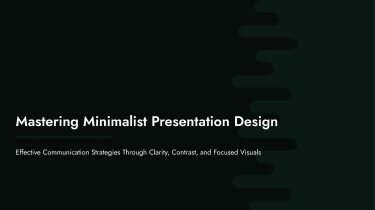


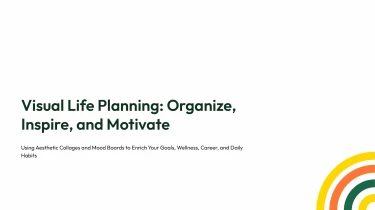

Creative presentation templates to generate slides with AI
Creative presentation templates give your slides a polished starting point, while Decksy’s automated AI engine adapts those ready-made layouts to your content. Pairing these designs with an AI presentation generator eliminates manual formatting by handling text placement, spacing, and visual consistency for you. Instead of adjusting every slide element, you can focus on shaping your message and let Decksy bring the presentation together.
Turn automotive inputs into structured presentations
Automotive presentations often start with scattered material: engineering notes, sales forecasts, vehicle specifications, and launch plans. Decksy helps turn these inputs into an organized presentation structure, reducing manual formatting when deadlines are tight. Start with the information you already have, rather than rebuilding every slide from scratch.
Choose your starting material
- Raw text: Paste product descriptions, dealership updates, or research notes to establish the presentation’s core topics.
- Outlines: Provide section headings and talking points to guide the slide sequence for a vehicle launch or quarterly review.
- Word docs and MD files: Bring in detailed briefs, technical documentation, or market summaries without manually transferring each paragraph.
- Spreadsheets: Supply pricing, production volumes, sales performance, or model comparisons as the basis for structured data tables.
Build a logical automotive narrative
Decksy uses your source content to organize related information into sections and bullet hierarchies. A vehicle overview can lead into specifications, competitive positioning, pricing, and launch priorities. Detailed notes become supporting points beneath broader themes, helping technical and commercial audiences follow the same story.
Make automotive performance data easier to review
Spreadsheet inputs give numerical content a clearer structure. Use tables to compare trim levels, regional sales, or manufacturing targets. Include descriptive column names, units, reporting periods, and model labels in your source files so the resulting presentation has useful context for review.
Working from an existing PDF? Use Decksy to convert automotive PDF reports into PowerPoint before refining the presentation for your audience.
Prepare inputs for stronger results
Keep assumptions separate from confirmed figures, identify the intended audience, and state the decision your presentation should support. After generation, check specifications, calculations, terminology, and slide emphasis. Decksy handles the initial organization; your review ensures the final deck reflects the right automotive context and your current business priorities.
Creative presentation templates built for real work
A creative presentation should give you more than attractive slides. It should give you a usable deck, ready for review, revision, and delivery. With Decksy AI, your generated presentation becomes a practical starting point for pitch meetings, campaign proposals, strategy updates, and visual storytelling—without hours spent manually arranging every slide.
Get a native PowerPoint file, not a static preview
Export your presentation as a 100% native .pptx file. Your output is an editable presentation, not a collection of flattened slide images. Open it in PowerPoint or import it into Google Slides to continue working in the environment your team already uses.
- Edit every slide: Revise text, adjust layouts, change colors, and refine visual elements.
- Make it your own: Adapt the presentation to your brand, audience, and speaking style.
- Keep projects moving: Share the deck for feedback and make last-minute updates without rebuilding it.
Turn creative structure into audience engagement
Tight deadlines often leave little time to balance design with clarity. Creative templates provide a visual framework that helps organize ideas, establish hierarchy, and keep slides focused. Use that structure to highlight key figures, explain complex information, and guide your audience through a clear narrative.
Start with the Decksy AI text-to-PowerPoint generator, then refine the output around your message. Full editability in PowerPoint and Google Slides means your final presentation can evolve as your data, priorities, or audience needs change.
Keep control of your content and your time
Enterprise-grade data privacy supports confident use of business content during generation. Combined with an editable export, it helps teams move from initial draft to presentation-ready material while retaining control over the final result.
The value is straightforward: less repetitive formatting, faster revisions, and more time to check your facts, sharpen your story, and prepare for the conversation that follows.