


Nursing presentation templates

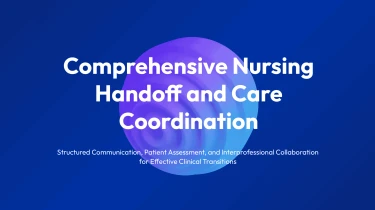


Use templates powered by artificial intelligence to build nursing presentations
Use an AI slides creator to quickly create slides using the Nursing AI presentation templates that were listed above. You can arrange nursing content into slides using pre-made layouts and AI-driven formatting; no more fiddling with text boxes, spacing, or alignment by hand. With these two things in place, you won’t have to worry about presentation design getting in the way of your ability to clearly explain care methods, clinical findings, and patient education.
Turn nursing content into structured slides
Nursing presentations often start with scattered shift notes, care protocols, training outlines, and outcome reports. Decksy helps turn those working materials into an organized presentation, reducing time spent copying content, formatting slides, and deciding what belongs where. For nurse educators, clinical leads, and students, that means a clearer starting point when deadlines are tight.
Start with the materials you have
Paste raw text or an outline, or upload Word documents, MD files, or spreadsheets. Use:
- Lecture notes for staff education
- A draft care plan for a case presentation
- Audit data for a quality improvement update
Existing headings and lists provide cues for slide sections and bullet levels, while spreadsheet content supports structured data tables. If your source material is a PDF, explore PDF to PowerPoint conversion for nursing resources as another starting point.
Build a clear nursing narrative
Decksy uses your input to build a logical slide structure rather than repeating every paragraph. A patient case can be organized around assessment findings, nursing priorities, interventions, and evaluation. A training deck can move from learning objectives to procedures, safety considerations, and key takeaways. Bullet hierarchies distinguish main points from supporting details, helping dense clinical content stay readable.
Make data easier to present
Spreadsheets containing staffing figures, patient education completion rates, or quality indicators can become tables suited to nursing presentations. Clear labels and consistent organization make comparisons easier to follow without manually rebuilding each row. For better results, include descriptive column names, reporting periods, and measurement units in your input.
Before uploading, remove identifying patient information. Before sharing, review the generated structure and confirm that clinical terminology and numerical values match your sources. Decksy handles presentation organization; your review keeps the final deck appropriate for its nursing audience and intended level of detail.
Nursing presentations ready for your next shift
Patient care comes first. Formatting slides should not take time away from it. Nursing AI presentation templates turn your content into a structured deck for staff training, clinical education, quality improvement reviews, and leadership updates. After generation, you get a presentation you can download, refine, and prepare for your audience, not a collection of static images.
A native PowerPoint file you control
Export your presentation as a 100% native .pptx file, with full editability in PowerPoint and Google Slides. Update text, adjust layouts, replace visuals, and apply your organization’s branding without rebuilding the deck.
When a protocol changes or a supervisor requests revisions, you can edit the relevant slides directly. That flexibility matters when training materials need frequent updates and approval deadlines are close.
Use Decksy AI’s text-to-PowerPoint converter to turn nursing content into an editable starting point, then review clinical details and tailor the presentation before sharing.
Clearer information, stronger audience engagement
Dense notes and crowded slides can make essential information harder to follow. A structured presentation helps you organize care pathways, explain procedures, and highlight priorities so your audience knows where to focus.
For audit findings, staffing updates, or patient safety metrics, editable slides let you refine how information is presented. Add context, clarify labels, and emphasize the figures that support your message. Keep teaching sessions focused with concise takeaways and discussion prompts suited to nursing teams.
Practical value with enterprise-grade privacy
Reduce manual formatting, respond faster to revision requests, and spend more time checking accuracy and preparing your delivery. The value continues after generation because the file remains yours to adapt and reuse.
Enterprise-grade data privacy supports professional use. Follow your organization’s information governance policies, remove patient identifiers where required, and confirm that any uploaded material is approved for use with the platform.