


Human Resources presentation templates
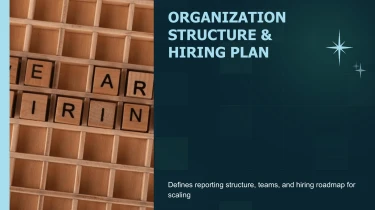
Create human resources presentation templates with AI
Decksy’s Human Resources Presentation Templates give onboarding guides, recruitment updates, and employee training decks a ready-made visual foundation. Pair these layouts with Decksy’s automated AI presentation generator to turn HR content into organized slides without manually adjusting text boxes, spacing, or alignment. The templates establish the design, while AI handles the formatting, leaving your team free to focus on the people and policies behind the presentation.
Turn energy inputs into structured slides
Energy teams often work across technical reports, project notes, operating data, and executive briefs. Decksy helps turn these disconnected inputs into a presentation structure suited to energy topics, reducing manual formatting when deadlines are tight and the numbers need to stay clear.
Choose your starting material
Paste raw text or an outline, or upload Word documents, MD files, or spreadsheets. Give Decksy the source material behind your energy presentation, whether you are explaining renewable capacity, reviewing grid performance, or presenting an investment case.
- Raw text and outlines: Develop scattered notes into a logical sequence, from market context and project objectives to results and next steps.
- Word documents and MD files: Translate section headings and supporting details into slide topics, with bullet hierarchies that separate key findings from technical context.
- Spreadsheets: Organize supplied figures into readable data tables for capacity, generation, costs, emissions, or project milestones, using clear labels and consistent units.
Guide the presentation logic
Add a short brief identifying your audience, purpose, and preferred emphasis. An executive update may prioritize performance and financial implications; a technical review may need assumptions, operating constraints, and detailed comparisons. This context helps Decksy build an appropriate narrative rather than simply distribute text across slides.
If your source is a published energy report, explore PDF report to PowerPoint conversion to bring that material into a presentation workflow before refining the structure for your audience.
Review before presenting
Check source figures, reporting periods, units, and assumptions before sharing. Energy comparisons can become misleading when installed capacity, actual output, and forecast values are presented without distinction. Use the generated structure as a working draft: confirm table relationships, adjust bullet depth, and keep the evidence behind each conclusion visible. You spend less time arranging content and more time validating it.
Human resources presentations ready for real work
HR teams rarely have time to rebuild slides before an onboarding session, leadership review, or policy rollout. After generation, you get a structured presentation that turns your source content into a clear narrative, reducing manual formatting and helping you meet tight deadlines without sacrificing clarity.
Get a native PowerPoint file, not a static preview
Your presentation exports as a 100% native .pptx file. That means you receive a working deck, not flattened slide images. Open it in PowerPoint or import it into Google Slides to keep refining the content with your team.
- Edit every element: Update text, adjust layouts, change colors, and replace visuals.
- Match your organization: Apply brand guidelines and tailor messaging for employees, managers, or executives.
- Reuse your work: Adapt onboarding decks, training materials, and recruitment presentations as priorities change.
Make HR information easier to understand
Headcount updates, retention trends, benefits explanations, and performance frameworks need more than dense bullet points. Clear visual hierarchy and focused slides help your audience follow the information, understand its relevance, and recognize what happens next.
Full editability in PowerPoint and Google Slides lets you simplify complex sections, add discussion prompts, or adjust the level of detail for each audience. The result is a presentation designed to support engagement, not just display information.
Protect sensitive information while moving faster
HR presentations can involve confidential workforce information. Enterprise-grade data privacy is essential when preparing these materials. Follow your organization’s data policies and include only the information your audience needs.
When the next deadline approaches, turn your HR brief into an editable presentation. Start with your content, generate a usable deck, and spend your remaining time checking accuracy, refining the message, and preparing for the conversation. You retain control over the final slides and how they are shared across your organization.