


Students presentation templates
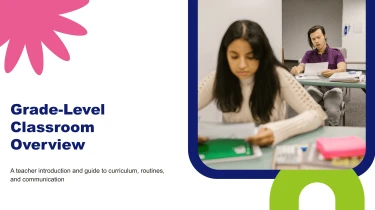

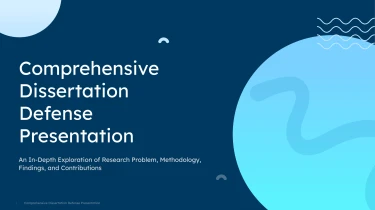
Students presentation templates powered by AI
Decksy’s student presentation templates give your ideas a ready-made structure, while its automated AI engine helps turn your content into organized slides. Pair these layouts with the AI presentation generator to handle formatting automatically instead of manually adjusting text boxes, spacing, and alignment. From class reports to group projects, you can focus on explaining what you’ve learned rather than arranging every element on the slide.
Turn design inputs into a structured presentation
Design presentations need more than attractive slides. They need a clear path from the brief to the final recommendation. Decksy helps you turn scattered project notes, client requirements, and supporting data into an organized starting point, reducing manual formatting when deadlines are tight.
Start with the material you have
- Raw text: Paste research notes, creative direction, or client feedback to establish the presentation’s core topics.
- Outlines: Provide section headings and key points to guide the sequence from problem and audience to concepts and next steps.
- Word documents and MD files: Bring in detailed briefs or project documentation so existing headings and supporting explanations can inform slide structure.
- Spreadsheets: Use project budgets, research results, or concept comparison data to build readable tables instead of copying individual cells into slides.
Build a narrative around design decisions
Decksy uses your input to organize related ideas into logical sections. For a design presentation, that can mean separating the challenge, research insights, design principles, proposed concepts, and implementation plan. Detailed descriptions become bullet hierarchies, helping distinguish primary recommendations from supporting rationale.
Structured spreadsheet content can become data tables for comparing options, timelines, or costs. Keep column labels descriptive and units consistent to give the system clearer context.
Prepare for review, not reformatting
If your source material is locked in a PDF, convert your design brief from PDF to PowerPoint before continuing your presentation workflow.
For stronger results, identify the audience, presentation goal, and preferred section order in your input. Label essential findings and separate recommendations from background notes. Once the deck is generated, review the narrative, check figures against source files, and refine emphasis for your stakeholders. You retain responsibility for the design argument while Decksy handles the initial slide organization, tables, and clear, layered bullet structure.
Student presentations ready to submit, present, and edit
Tight deadlines should not mean spending hours aligning text boxes or rebuilding slides. Students Presentation Templates help turn your material into a structured deck, giving you more time to check your arguments, rehearse your delivery, and prepare for questions. After generation, you get a presentation you can keep refining, not a static preview that leaves you starting again.
A native PowerPoint file you control
Download your presentation as a 100% native .pptx file. Your slides remain fully editable in PowerPoint and Google Slides, so you can adapt the deck to your assignment requirements, lecturer feedback, or group project contributions.
- Revise your content: Update explanations, correct figures, and add references before submission.
- Adjust the design: Change fonts, colors, layouts, and slide order to match your course or university guidelines.
- Work with your team: Continue editing in familiar presentation tools without recreating the deck.
Make your research easier to follow
A strong student presentation needs more than attractive slides. It needs a clear path through the topic. Use the editable output to break up dense findings, highlight key comparisons, and give each slide a focused message. This helps classmates follow your reasoning and keeps your audience engaged during seminars, project defenses, and assessed presentations.
When your notes are ready, use Decksy’s text-to-PowerPoint generator to create a starting deck, then refine the details that matter for your audience.
Practical value, dependable privacy
Reduce repetitive formatting work while retaining control over the final result. Whether you need last-minute corrections or a reusable structure for future assignments, an editable file keeps your work useful beyond the first draft.
Enterprise-grade data privacy supports confident use when working with academic material. Follow your institution’s rules for uploading sensitive research or personal information, and check the final deck for accuracy before sharing it with others.