


Consulting presentation templates


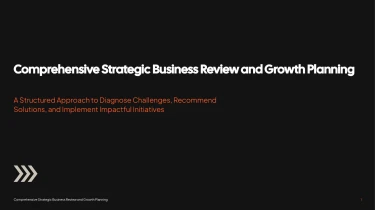
Leverage AI to design consulting presentation templates
The aforementioned Consulting AI presentation templates are a great place to begin when crafting a proposal, strategy review, or pitch to a client. Learn how to create a presentation with AI in conjunction with these pre-made layouts to transform your content into organised slides without having to manually prepare each element. As your ideas develop, AI takes care of the template’s layout to provide a visually consistent presentation. Instead of fiddling with slides, focus on creating a practical advice for your clients.
Turn consulting inputs into structured presentations
Consulting teams rarely start with a clean slide outline. They start with discovery notes, stakeholder interviews, research summaries, and financial models. Decksy turns these inputs into a structured presentation draft, helping you spend less time formatting and more time developing recommendations. Consulting AI presentation templates give that material a clear framework for client discussions and executive reviews.
Feed in the material you already have
Paste raw text or an outline, upload a Word document or Markdown (MD) file, or bring in a spreadsheet. Use interview notes to introduce business challenges, a project outline to establish the narrative, and spreadsheet data to support findings. If your source material is a PDF, explore Decksy’s PDF to PowerPoint converter to prepare it for presentation work.
Build a consulting story, not a document replica
Decksy uses your content to build logical sections and bullet hierarchies suited to consulting presentations. A long assessment can become a sequence covering context, key findings, implications, recommendations, and next steps. Main points become slide priorities, while supporting details sit beneath them.
Rather than copying every paragraph onto a slide, start with the intended storyline. Clear headings, labeled assumptions, and explicit recommendations help guide how the draft is organized.
Make data easier to review
Spreadsheets provide the basis for structured data tables, making comparisons, performance gaps, and business case inputs easier to present. Keep column labels, units, and time periods clear so the source data carries useful context.
Under tight deadlines, this approach reduces repetitive work: rebuilding tables, splitting dense text, and adjusting bullet levels. Your team can focus on checking figures, refining the argument, and adapting the deck to the client. Before presenting, review the generated structure against your source material and confirm that each recommendation is supported by the evidence you supplied.
Consulting presentations ready for the next decision
Consulting teams rarely have time to rebuild slides before a client meeting. After generation, you get a structured presentation that turns your brief into a clear narrative, with layouts designed to make recommendations, findings, and next steps easier to follow.
Instead of spending hours aligning text boxes or fixing inconsistent formatting, your team can focus on the work that matters: validating the analysis and sharpening the client recommendation.
Native PowerPoint output, fully editable
Your presentation exports as a 100% native .pptx file, not a collection of flattened slide images. Text, layouts, and slide elements remain editable in PowerPoint and Google Slides, so the generated deck becomes a working deliverable rather than a fixed draft.
Update a headline, adjust the visual hierarchy, revise a recommendation, or apply client branding without starting again. When stakeholders request changes close to a deadline, you can respond directly in the tools your team already uses.
Use Decksy AI to convert consulting briefs into editable PowerPoint decks and move from initial content to a presentation your team can refine, review, and deliver.
Make complex findings easier to act on
A consulting deck needs to do more than look polished. It must help an audience understand the evidence and decide what happens next.
Clear sectioning, readable data presentation, and focused slide messages support audience engagement without distracting from the substance. Refine each slide for executive discussions, project updates, or detailed client workshops, keeping the level of detail appropriate for the room.
Protect sensitive client work
Client strategies, commercial figures, and internal recommendations demand careful handling. Enterprise-grade data privacy supports the confidentiality expectations of consulting work.
The value extends beyond faster generation: an editable, presentation-ready file reduces manual production work while giving your team control over the final story, visual standards, and client-facing delivery.