star

AI Word to PowerPoint Converter

Turn your Word document into stunning PowerPoint slides

Produce professional PowerPoint slides within seconds. Upload your document, choose a design style, and let AI convert Word to PPT for immediate use. Say goodbye to starting from a blank page; our artificial intelligence handles the heavy lifting.
Convert Word to PPT

Use AI to effortlessly transform Word into a presentation

You won't even have to lift a finger to make your Word documents seem like polished presentations thanks to our AI slideshow creator. Whether you're looking to optimise text structures or convert Word to PowerPoint, our AI presentation tool takes care of all the formatting concerns.

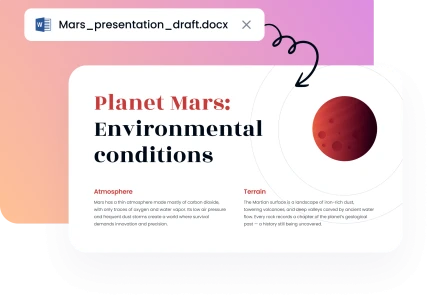
Step 1: First, bring in your Word file

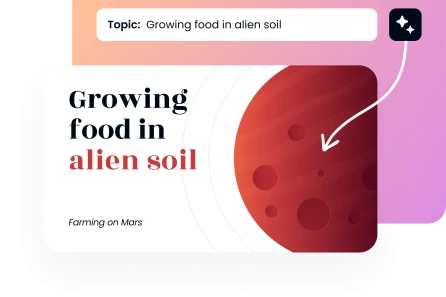
Place your DOC or DOCX file into the specified spot by dragging and dropping it. Dropping a DOCX file or even just a regular DOC file will allow you to upload Word documents. In order to generate slides and extract important facts, the Word to PPT AI tool will instantly examine your document's structure and content.
Create Presentation
Step 1: First, bring in your Word file

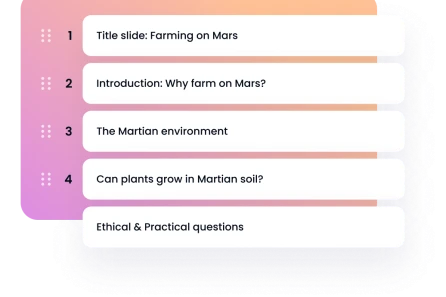
Step 2: Pick your preferences

Go with a more formal, informal, persuasive, or instructional tone for your presentation. You may choose from five different styles: Professional, Creative, Minimal, Corporate, Academic, and Startup Pitch. And whatever number of slides you need, from five to twenty-five. Everything is set up in a logical order by our presentation builder.
Step 2: Pick your preferences

Step 3: Select a template

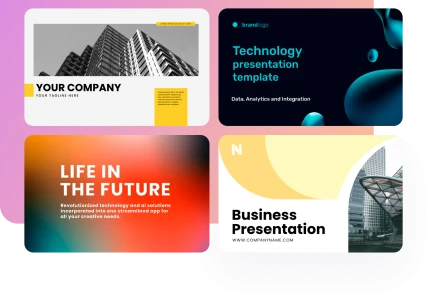
Explore the many expert-level templates we have available. Ensure visual cohesion and maximum impact across your presentation deck by choosing a design template that matches your content and purpose. We have well crafted templates that can take plain text and turn it into eye-catching images.
Step 3: Select a template

Step 4: Save your PowerPoint file

Quickly and easily create a whole presentation with our online Word to PPT converter. For easy exporting, save the PowerPoint file as PPTx. To finish editing your editable slides, open it in PowerPoint or Google Slides.

Create Presentation
Step 4: Save your PowerPoint file
Relied upon by over 200K people globally
image
image
image
image

Benefits of our Word to PowerPoint converter

The AI presentation creator and other sophisticated tools on Decksy make it easy to go from Word to PowerPoint. Quickly finish all of your chores with the help of our professional tools made for automated workflows.
image

Confidentiality-first approach

At no point throughout the Word to PowerPoint conversion process will anybody else be able to access your sensitive data since they are secured.
image

Constructing PPTs quickly

Quickly convert Word to PowerPoint or simple plain text to PPT. You may focus on honing your message and main points as you save time.
image

Simple user interface

Thanks to the intuitive interface, built-in shortcuts, and tidy controls, users of any ability level may convert Word documents with ease. Gone are the days of tediously pasting phrases by hand.
image

High-quality templates for presentations

Take a look at our large library of customisable templates and premium slide decks made to be easy to understand and aesthetically pleasing in any corporate setting. Expand your audience with each polished presentation slide.
image

Economical effectiveness

Produce high-quality results with minimal effort and time spent searching for outside designers. Make stunning visual components out of any heading or bullet point in text to hone your message. You can cut costs and save time.
image

Constant adaptability

Whatever you need it for, from client pitches to academics, our converter can handle it. Because of this, the best option for creating new presentations is to convert documents to PowerPoint.
Show more

Customisable Word to PowerPoint templates
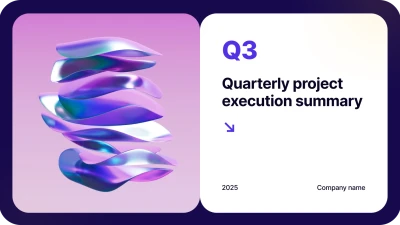
Make an impression with an annual report presentation maker and transform your message by selecting from our extensive template collection, which has hundreds of styles. With Word, you can easily create captivating presentations. All of the templates are polished to a professional standard and match the brand's aesthetic.

Business
Business
Business
Business
Business
Business
Business
Business
Business
Business
Business
Business
Business
Business
faces

Why people love DecksyAI Word to PPT AI tool

Find out how our AI PowerPoint technology improved the workflow of experts across sectors by converting Word documents to PowerPoint layouts easily and refining their files. This platform produces high-quality outputs, in contrast to any simplistic PPT converter that lacks capabilities.
stars
Efficiently Managed Our Proposal Process
Time was spent transforming reports into presentation formats. Word to PowerPoint is now our go-to, and we get decks instantly. We have seen an uptick in output and fantastic response from our target demographic.
icon
Amanda C., Corporate Strategy Consultant
stars
Essential for scholarly talks
It was a hassle to transform research papers into presentations for a conference. Produce compelling presentations that leave a lasting impression on your academic cohort with the help of our Word to PowerPoint AI solution that automatically extracts important facts.
icon
Dr. Robert M., Research Director
stars
Rapid Campaign Implementation
Our department creates white papers that we need to reuse as presentations. This converter reduces our production time significantly, making it an essential part of our workflow.
icon
Sophia B., Content Marketing Director
stars
Fundraising Game-Changer
We would have to hire costly designers to transform business plans into pitch decks. This tool assisted me in developing investor-ready presentations based on Word documents.
icon
James F., Startup Founder
stars
Empowers Students
My students use this tool to turn essays into presentations. This platform is advanced enough to generate results that work well during science fairs and parent nights.
icon
Ms. Laura T., High School Teacher
stars
Streamlined Training Development
We keep on updating policy documents to use in training presentations. However, we no longer have to spend hours creating manual slides. This converter provides our team with professional materials.
icon
Marcus J., Compliance Officer
Show more

Frequently asked questions (FAQs)

Is it possible to convert Word documents with complicated formatting?

The Word documents can have text, pictures, tables, charts, lists, and PDF references all converted by our technology. Intelligently constructing well-structured presentations, our PPT AI is built on sophisticated algorithms that maintain the text value by preserving the content hierarchy, presentation format, and readability.

Is my Word document information secure during the slide generation?

Without a doubt. All files uploaded throughout the Word to PowerPoint conversion process are securely protected. We guarantee the utmost secrecy of your information and delete your Word document as soon as we convert it to a PowerPoint template.

What is the number of presentations I can make?

You may a couple complete PowerPoint presentation with our free tries. Upgrade to our premium subscription if you want unrestricted use of our AI tool. In order to turn your Word document into a polished PowerPoint presentation, try out our Word to PPT platform right now. It's driven by artificial intelligence. Put your content into the system, and it will automatically create stunning slide decks.

Generate presentations with Decksy AI tools

Create AI presentation