star

AI Excel to PowerPoint

For free, use Decksy to try Excel to PowerPoint automation

Enough with the chart copying and pasting! No more tedious pasting of charts. Convert complicated spreadsheets into visually appealing presentations with the help of Decksy's Excel to PowerPoint AI.
Convert Excel to PPT

Steps to extract compelling narratives from complex spreadsheets

Decksy is the best Excel to PowerPoint converter if you want to change the format of your spreadsheet without spending a ton of time on the layout.

Step 1: First, get your Excel file uploaded

Our safe uploader allows you to simply drag and drop files with extensions .XLSX, .XLS, or .CSV. Decksy knows how to transform Excel into PowerPoint by rapidly analyzing your data in rows, columns, formulae, and existing tables.

Create Presentation
Step 1: First, get your Excel file uploaded

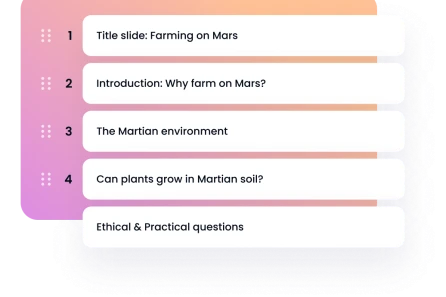
Step 2: Craft a narrative around your facts

The primary goal of your presentation should be briefly summarized. To make PowerPoint presentations using Excel data, choose the style you choose (e.g., financial review, QBR, executive summary, sales report), and then tell us the data ranges to emphasize.
Step 2: Craft a narrative around your facts

Step 3: Allow AI to choose the perfect arrangement

If you have raw facts, our Excel to PowerPoint layout engine can turn them into visually appealing charts, graphs, and overview presentations. Using your Excel data, Decksy may create a high-impact PowerPoint with a minimalist or corporate feel.

Step 3: Allow AI to choose the perfect arrangement

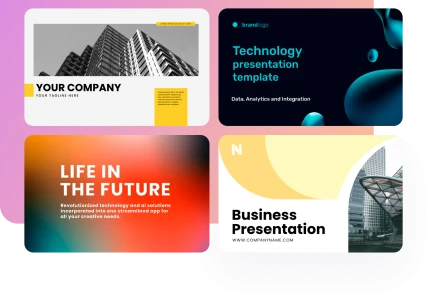
Step 4: Acquire and present with assurance

Create a native pptx or pdf file and export it as your final presentation. Launch it in PowerPoint or Google Slides to fine-tune the axes, brand colors, and speaker notes.

Create Presentation
Step 4: Acquire and present with assurance
Relied upon by over 200K people globally
image
image
image
image

Reasons for developing the top Excel to PowerPoint converter

Transform your writing into a PowerPoint presentation with ease. If you're a professional, educator, or student in need of a quick, efficient, and high-quality presentation, our AI-powered skills are here to help.
image

Keeping confidential data secure on a company size

We will keep all of your financial and operational information private. With Decksy AI MD to PPT maker, your spreadsheet is processed in memory, deleted shortly after creation, and all file transfers are encrypted at the bank level. Your confidential corporate data is never used to train public models by our firm.
image

Spending less time on physical work

Reclaim your afternoons. Instead of spending hours upon hours attempting to manually load PowerPoint from Excel spreadsheets, you can focus on making strategic decisions since our automation takes care of the layout logic.
image

Data visualization that is automated

Our Excel to PowerPoint automation makes formatting charts a breeze. Decksy will analyze your data and select the best visual representation for it, whether it a line graph, pie chart, or key performance indicator callout box.
image

Visual, data-driven deck templates

The days of default charts are over. Using Decksy, you can easily convert your numerical data into visually appealing and understandable layouts.
image

Experts in marketing

Make the campaign's influence on the company's bottom line stand out with the help of ROI spreadsheets, data on performance across channels, and analytics.
image

Supervisors of complex projects

Create open and comprehensible status reports using budget worksheets, resource diaries, and Gantt charts.
Show more

Use Decksy to import Excel files and then convert them to PowerPoint

With our Excel to PPT AI solution, you won't have to lift a finger to build PowerPoint slides from rows in Excel or manually cut charts. We can handle the graphic layouts, visual charts, and data storytelling in PowerPoint automatically from Excel data; all you need is your spreadsheet.

Business
Business
Business
Business
Business
Business
Business
Business
Business
Business
Business
Business
Business
Business
faces

The reviews of those who uses Decksy's XLS-to-PPT AI generation

Excel data analysis is easy; learning how to make PowerPoint presentations using Excel data to present to a group of stakeholders is a whole other ballgame. We created Decksy AI sldie maker, a top Excel to PowerPoint converter, to fill that need.
stars
Decksy saved me 4 hours every single week
For Monday's leadership meeting, I would manually copy sales figures from Excel and spend Fridays working out how to convert it to PowerPoint. Currently, I use Decksy's Excel to PowerPoint converter to import my xlsx file, and it generates a fully functional deck in under thirty seconds.
icon
Sarah K., oversees finance operations
stars
A game-changer for our finance department.
Constructing board decks from uncooked financial models used to be a major pain. Decksy goes beyond just being an Excel to PowerPoint converter; it also lets you make beautiful native charts that you can update without ever leaving PowerPoint.
icon
David M., CFO
stars
Essential for high-stakes consulting decks
Management consulting places a premium on clarity. Decksy always manages to generate neat presentations by arranging the logic correctly, regardless of how complex your survey data or financial models are.
icon
Marcus T., Operations Lead & Senior Consultant
stars
We deliver client reports in half the time
We handle dozens of client accounts at our firm. Improving the weekly data spreadsheets into visually appealing presentations was an arduous task. Decksy analyzes the data and builds client-ready slides with key takeaway bullet points.
icon
Elena R., a senior marketing analyst
Show more

Commonly requested information

Is all Decksy does with my Excel files is copy and paste static images?

Decksy makes entirely editable PowerPoint charts and text boxes natively. You have the option to amend the data within PowerPoint or Google Slides in case your figures undergo any changes in the future. Also useful for: 1) Departments of finance and accounting. Get the quarterly models, balance sheets, and profit and loss statements ready for executive review by cleaning them up. 2) Product marketing groups. Convert CRM data exports and pipeline spreadsheets into visually appealing AI QBR decks.

Can large, multi-tab workbooks be handled using Decksy?

Decksy allows you to keep your deck organized by letting you choose which tabs or data ranges to focus on when you submit files. Financial reports, operational indicators, and raw data may be easily transformed into polished Excel and PowerPoint presentations with our help. After you submit your spreadsheet, our artificial intelligence (AI) Excel to PowerPoint engine will analyze the data and create a comprehensible visual story.

Is it true that Decksy can also convert PowerPoint to Excel?

Many customers wonder if we provide a ppt to excel converter or how to convert powerpoint to excel, even if Decksy is mostly known as an excel to ppt converter. With Decksy's bidirectional workflow features, you can easily transfer data from PowerPoint to Excel anytime you need to, whether it's to convert PowerPoint to Excel or extract tabular data back into spreadsheets.

Is Decksy going to protect my private spreadsheet data?

Upon processing with our AI proposal presentation maker, all data is promptly erased and encrypted both while in transit and while stored. We will never construct an AI model using private information about your business.

What do I do now that my Excel file has several complex formulas?

Decksy will show you the precise results of your formulae' evaluations on your slides. Creating a polished deck from scratch in only four easy stages. Decksy can help you convert Excel to PowerPoint right now. Manual formatting is a thing of the past. Give Decksy a chance to turn your spreadsheets into stunning presentations right now.

With our help, you can make your numbers speak for themselves.

Make presentations from Excel