


Back to School presentation templates
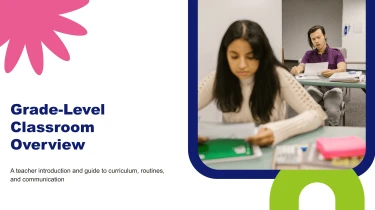
Create back to school presentation templates with AI
Turn Decksy’s Back to School Presentation Templates into a polished classroom deck by pairing ready-made layouts with its automated AI engine. The AI presentation generator fits your content into coordinated slides, eliminating the need to manually adjust text boxes, spacing, and alignment. Whether you’re introducing class routines or welcoming families, you can focus on the message instead of formatting each slide.
Turn hospitality source material into structured presentations
Hospitality teams often need to turn scattered operating notes, service plans, and performance figures into presentations under tight deadlines. Decksy accepts raw text, outlines, Word documents, Markdown (MD) files, and spreadsheets, helping users build a logical slide structure without manually arranging every heading, table, and bullet.
Start with the material you already have
- Raw text and outlines: Add hotel concepts, guest journey notes, or event proposals. Decksy uses the content to organize sections and establish a clear sequence.
- Word and MD files: Upload property briefs, standard operating procedures, or restaurant plans to turn document headings and supporting details into slide titles and nested bullets.
- Spreadsheets: Bring in occupancy, average daily rate, revenue per available room, catering budgets, or staffing figures to build data tables for review and reporting.
Give the AI hospitality context
Specify the audience, presentation goal, and preferred order before generating slides. A hotel owner update might prioritize revenue performance and investment needs; a venue sales pitch might lead with capacity, facilities, and package options. Include explicit labels for properties, reporting periods, currencies, and units so the resulting tables and bullet hierarchies have useful context.
Move from source files to review
If supporting material arrives as a PDF, use Decksy’s PDF to PowerPoint converter to prepare an editable presentation from that source. Keep related material grouped by topic to make the intended structure easier to follow.
After generation, check the narrative, confirm figures against the original files, and adjust emphasis for your audience. Keep executive summaries concise, separate operational detail from commercial recommendations, and check that each table includes readable labels. This workflow reduces repetitive formatting work while keeping hospitality presentations focused on the decisions that matter: improving guest experience, managing costs, and communicating property performance clearly across teams and stakeholders.
Back-to-school presentations ready to teach, share, and update
The first weeks of school leave little time for fixing layouts. Back-to-school presentation templates help you turn classroom expectations, course introductions, and parent orientation notes into a structured deck. After generation, you get a presentation you can download, revise, and use—not a collection of static slide images.
Get a 100% native .pptx file
Your generated presentation exports as a 100% native .pptx file, with full editability in Microsoft PowerPoint and Google Slides. Update text, adjust layouts, replace visuals, and adapt content for different classes without rebuilding the deck. When schedules change or a new policy arrives, make the correction directly in your slides.
- For teachers: Personalize introductions, learning goals, and classroom routines.
- For school leaders: Revise staff briefings, school updates, and orientation materials.
- For families: Share clear schedules, expectations, and contact information.
Spend less time formatting and more time connecting
Start with the Decksy AI text-to-PPT tool to turn your outline into an editable starting point. Instead of manually arranging every heading and text box, focus on what your audience needs to understand.
Use concise slides to explain procedures, introduce discussion prompts, or present attendance goals and assessment timelines. Editable content makes it easier to adjust reading levels, simplify dense information, and add relevant examples. That flexibility supports audience engagement, whether you are welcoming younger learners or presenting to parents.
Keep control of your content and your time
Enterprise-grade data privacy supports responsible presentation creation for school teams. Follow your institution’s policies when preparing content, particularly where student or staff information is involved.
The value extends beyond the first presentation: keep the exported file, refresh it each term, and adapt it across groups. You retain an editable resource that helps meet tight deadlines while keeping essential school information clear, current, and useful throughout the academic year.