


Professional Development presentation templates
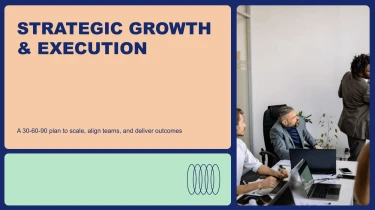
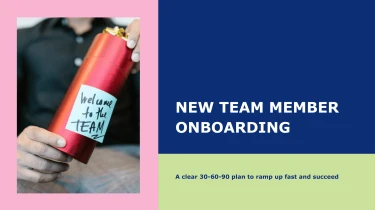

Create professional development presentation templates with AI
Turn Decksy’s Professional Development Presentation Templates into a tailored slide deck by pairing ready-made layouts with its automated AI presentation generator. The templates provide a visual foundation, while AI arranges your content within the layouts, eliminating the need to format each slide manually. Whether you’re outlining a training session or mapping career growth goals, this combination lets you focus on the message instead of adjusting text boxes and spacing.
Turn source material into an investor-ready pitch
Pitch decks often start as scattered notes, founder narratives, financial models, and copy from earlier rounds. Decksy turns those inputs into structured presentation content, helping teams spend less time arranging slides and more time sharpening the investment story.
Bring your existing content
Add raw text or an outline, upload Word documents or MD files, or provide spreadsheets containing business metrics. Start with the material you already have rather than rewriting everything inside a template.
- Raw text and outlines: Turn founder notes into a sequence covering the problem, solution, market, product, traction, business model, and funding ask.
- Word documents and MD files: Use existing headings and sections as the basis for slide topics, supporting points, and bullet hierarchies.
- Spreadsheets: Organize revenue, growth, customer acquisition, and other supplied figures into readable data tables for financial and traction slides.
Build a logical pitch structure
Decksy uses your source content to establish slide topics and group related information. Broad statements become slide headlines, supporting details become bullets, and numerical inputs become structured tables. This helps prevent overloaded slides and keeps key evidence close to the claims it supports.
For investor presentations, the goal is a clear progression: explain the opportunity, show evidence of demand, describe how the business makes money, and clarify what funding will enable.
Prepare inputs for stronger results
Label spreadsheet columns, include reporting periods, and distinguish actual results from projections. Keep essential context alongside each metric so investors can understand what the numbers represent.
If your source presentation is locked in a PDF, explore Decksy’s PDF to PowerPoint converter before refining your pitch.
Review the generated structure, verify every figure, and adjust emphasis for your audience. You retain editorial control while reducing repetitive formatting work under tight fundraising deadlines and preparing for investor conversations.
Professional development presentations ready to deliver
Turn training outlines, workshop notes, and career development plans into presentations your team can use. With Decksy AI’s professional development text-to-PowerPoint generator, you receive a structured deck that reduces manual formatting and helps you meet tight delivery deadlines. Spend less time aligning text boxes and more time refining the learning experience.
Get a native PowerPoint file, not a static preview
Your generated presentation exports as a 100% native .pptx file. You get editable slides rather than flattened screenshots, so the presentation remains useful long after the first session. Open your file in PowerPoint or import it into Google Slides to continue working in your preferred environment.
- Edit every slide: Update text, adjust layouts, change colors, and replace visuals.
- Apply your branding: Adapt fonts and design choices to match internal presentation standards.
- Reuse your content: Revise modules for onboarding, leadership training, or quarterly development reviews.
Make learning easier to follow
Professional development presentations need to do more than display information. They should help people understand expectations, discuss new ideas, and identify practical next steps. Use editable slides to break complex topics into manageable sections, highlight key takeaways, and add discussion prompts or exercises that encourage audience participation.
When presenting skills assessments, completion rates, or development goals, refine the supporting visuals and explanations to suit your audience. Keep the message clear without rebuilding the entire deck whenever priorities change.
Keep control of sensitive workplace content
Enterprise-grade data privacy matters when working with internal training materials, business priorities, and employee development information. Build your presentation workflow around that protection while following your organization’s policies for uploading and sharing workplace content.
The result is a flexible presentation asset: ready to review, easy to update, and built for repeated use. Your team retains control over the final message, design, and delivery.