


Publishing presentation templates

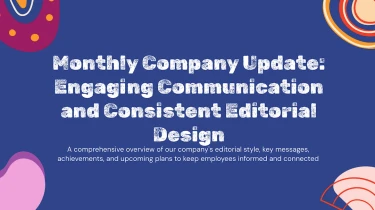
Use AI to make presentations for publishing
A pre-made visual framework for your ideas is provided by publishing AI presentation templates, and your material is integrated into the layout using AI to make presentation decks easily. When combined with AI, these templates remove the need for manual formatting, allowing you to concentrate on the story instead of fiddling with text boxes and slide spacing. The combination transforms static design into slides propelled by information, making them ideal for showcasing editing strategies or book launch plans. Use an appropriate template as a starting point, and then let AI take care of the formatting for your publishing project.
Turn publishing content into structured presentations
Publishing teams often need to turn editorial plans, manuscript summaries, sales reports, and launch schedules into presentations under tight deadlines. Decksy helps reduce the manual work between source material and slides, using your inputs to build a logical starting structure for acquisition meetings, author pitches, publishing proposals, and internal reviews.
Paste raw text or an outline when you need a quick first draft. Upload Word documents or MD files when your content already contains headings, notes, and sections. Decksy uses those cues to organize material into presentation sections, turning dense paragraphs into focused talking points and preserving the relationship between main ideas and supporting details.
For a book proposal, that structure can move from the title concept and target readership to competing titles, author credentials, and marketing plans. For an editorial update, it can group content by imprint, publication stage, or release window. Bullet hierarchies help distinguish strategic priorities from tasks, keeping details readable without flattening every point into the same level.
Spreadsheets provide the foundation for data tables covering title performance, print runs, production budgets, or distribution forecasts. Decksy organizes rows, columns, and labels into slide content suited to publishing discussions. Instead of rebuilding tables manually, teams can focus on checking figures, clarifying comparisons, and explaining what the numbers mean for the next publishing decision.
If your source material arrives as a PDF, explore PDF to PowerPoint for publishing briefs to bring existing documents into your presentation workflow. This gives teams another starting point when proposals or reports are shared as fixed layouts.
Once the initial structure is ready, review the narrative, confirm terminology, and adjust emphasis for editors, sales teams, or partners. Your source content supplies the substance; Decksy helps shape it into a presentation built around the publishing conversation at hand.
Publishing presentations ready for your next deadline
A generated presentation should move your publishing project forward, not create another formatting task. Get a structured deck for editorial meetings, acquisition pitches, title launches, or sales reviews, with content your team can revise, present, and reuse.
Turn manuscripts, campaign briefs, and performance summaries into presentations that make the key points easier to understand. Spend less time arranging slides and more time refining the story behind your next release.
Export a 100% native .pptx file
Your output is a 100% native .pptx presentation, not a collection of flattened slide images. Open it in PowerPoint or import it into Google Slides to continue working in the environment your team already uses.
Text, layouts, and visual elements remain fully editable. Update publication dates, replace cover artwork, adjust messaging for different markets, or apply your house style without rebuilding the deck from scratch.
Keep control as plans change
Publishing schedules shift. Sales figures change. Stakeholders request revisions just before a meeting. Full editability gives you control over those last-minute updates.
Adapt one presentation for authors, editors, distributors, and leadership. Refine individual slides, reorder sections, and bring in the latest figures while keeping the narrative focused on each audience’s priorities.
Make publishing data easier to follow
Give readers of your deck a clear path through:
- Sales performance
- Audience insights
- Campaign results
- Release plans
An organized presentation helps stakeholders identify key takeaways without searching through dense reports.
Build audience engagement around clear comparisons, relevant context, and a specific next step, not crowded slides.
Protect sensitive publishing information
Unreleased titles, commercial forecasts, and acquisition materials deserve careful handling. Enterprise-grade data privacy supports responsible work with sensitive publishing content.
Explore publishing brief-to-PowerPoint generation to turn source text into an editable presentation built for review, collaboration, and delivery on deadline.