


Management presentation templates

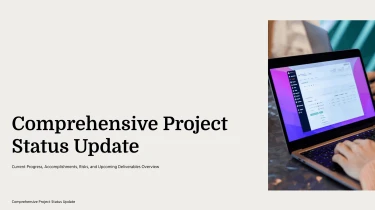
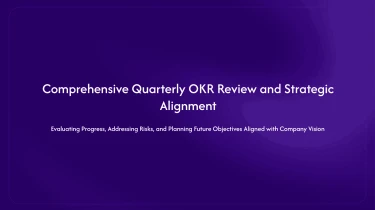
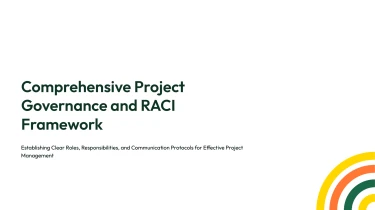
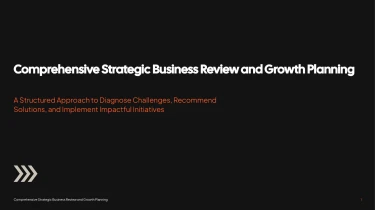
Use AI-driven presentation templates to make captivating management presentations
Use generate presentation AI tools in conjunction with the pre-made layouts of the Management AI presentation templates mentioned before to create professionally looking slides. With the help of AI, your material can be seamlessly integrated into the pre-existing templates, doing away with the need for tedious manual formatting. Your presentation’s focus should be on communicating management insights and decisions, not on aligning elements and altering text boxes.
Turn management inputs into structured presentations
Management presentations often start with scattered updates, planning notes, budget figures, and competing priorities. Decksy helps turn that material into a clear presentation structure, reducing the time spent sorting information and formatting slides before a leadership meeting or project review.
Start with the content you have
Paste raw text or an outline, or upload Word documents, MD files, or spreadsheets. Meeting notes can become an operational update; a strategy outline can provide the basis for a planning deck. Existing headings, lists, and numerical inputs give Decksy the material to organize topics around management priorities, including performance, resources, risks, and next steps.
Build a hierarchy, not a text dump
Decksy uses your source content to build logical slide sections and bullet hierarchies. Broad themes become section topics, key points become primary bullets, and supporting details sit beneath them. For management decks, this helps distinguish objectives from actions, progress from blockers, and recommendations from background context. Instead of manually breaking a long report into slides, you start with an organized draft to review and refine.
Make operational data easier to review
Spreadsheet inputs give Decksy a foundation for structured data tables, helping present budgets, staffing levels, departmental results, or project milestones in a consistent format. Organizing figures into readable rows and columns reduces repetitive formatting and makes comparisons easier to follow. Check labels, units, reporting periods, and totals against your source before sharing the deck.
If your management material is stored in a PDF, use Decksy to convert management reports from PDF to PowerPoint before refining the presentation. Whether you are preparing a review or a briefing, the goal is the same: spend less time rebuilding source material and more time checking the narrative, validating the numbers, and clarifying the decisions your audience needs to make.
Management presentations ready for action
Turn management updates into a presentation you can use, not another formatting task. After generation, you get a structured deck that helps you communicate priorities, explain performance, and guide decisions. From leadership briefings to quarterly reviews, Management AI presentation templates give your content a clear visual framework, so tight deadlines do not mean compromising on clarity.
Export a native PowerPoint file
Your presentation is available as a 100% native .pptx export, built for the tools your team already uses. You receive editable slides rather than flattened images, giving you control over the final result.
Open your deck in PowerPoint or import it into Google Slides to continue working. Adjust text, move elements, refine layouts, and apply your company’s branding. When a forecast changes or a stakeholder requests a revision, update the relevant slide without rebuilding the presentation.
Make management information easier to understand
Management audiences need the takeaway quickly. Clear headings, focused layouts, and a consistent visual hierarchy help you present complex information without overwhelming the room.
Use your generated deck to highlight key metrics, compare options, summarize risks, and clarify next steps. Spend less time aligning slide elements and more time checking the story behind your numbers. The result supports audience engagement by keeping attention on what matters: performance, accountability, and action.
Keep control of your content
Sensitive management information deserves careful handling. Enterprise-grade data privacy is a priority when working with internal plans, financial updates, and organizational information. Follow your organization’s data policies when selecting content for generation and sharing the finished deck.
Start with the DecksyAI text-to-PPT generator, then review, edit, and share your presentation on your terms. You get a practical starting point that reduces manual formatting while preserving the flexibility to tailor every slide to your audience, meeting, and business objectives.