


History presentation templates
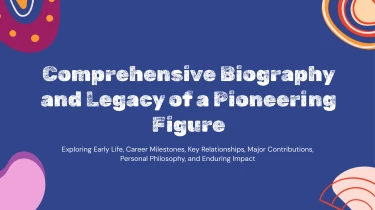

Get your hands on AI-powered templates to make history presentations
Use a free presentation maker AI to transform the History AI presentation templates provided above into a foundation for your next historical narrative. Integrating AI with pre-made layouts eliminates the need to manually rearrange text boxes or change spacing while you form your material into slides. Templates give a uniform aesthetic basis, while AI takes care of the formatting to put all your content in its proper position. Instead than wasting time making sure the slides are in the correct order, focus on making connections between the people, events, and ideas that make history interesting.
Turn historical material into structured slides
History presentations often start with scattered research, uneven notes, and more dates than a slide can comfortably hold. Decksy lets you begin with raw text, an outline, a Word document, an MD file, or a spreadsheet, then uses that material to build a presentation structure suited to historical topics.
Instead of formatting every section manually, you can organize the story around periods, key events, influential figures, or causes and consequences. A clear outline gives the AI a stronger starting point, especially when a deadline leaves little room for rebuilding slides.
Build chronology and hierarchy from your input
Paste lecture notes or upload a draft chapter to turn dense passages into slide sections and bullet hierarchies. Main arguments become primary points; supporting events, examples, and context sit underneath them. For a presentation on the Industrial Revolution, your content might follow technological developments, changes in labor, and longer-term social effects rather than an overloaded sequence of paragraphs.
Include dates, section labels, and source references where possible. These cues help define sequence and relationships across different periods, while you remain responsible for checking historical accuracy, attribution, and interpretation.
Give historical data a readable format
Spreadsheets can supply the underlying material for data tables, such as population changes, trade figures, election results, or military expenditure across periods. Clear column names, consistent date formats, and stated units make that input easier to organize and compare.
If your research arrives as a PDF, explore PDF to PowerPoint for historical research before building your deck. Keep quotations separate from commentary and identify missing values in datasets. With cleaner input, Decksy can build logical sections, tables, and nested bullets that reduce formatting work and leave you more time to refine the historical narrative for students, colleagues, or audiences encountering the topic anew.
History presentations ready for your next lesson
Turn historical research into a presentation you can teach from, present confidently, and update later. With Decksy AI’s text-to-PowerPoint generator, your generated history deck is a working PowerPoint file, not a collection of flattened images. Get a clear starting point for classroom lessons, museum talks, academic briefings, or internal training when deadlines leave little time for manual slide formatting.
A native file you control
Export your presentation as a 100% native .pptx file. Every slide remains fully editable in PowerPoint and Google Slides, so you can revise dates, refine interpretations, adjust layouts, and add source citations without rebuilding the deck.
Customize typography, colors, and spacing to match your institution’s style. Reorder sections to compare historical periods, or adapt one presentation for different age groups and levels of subject knowledge.
Make historical detail easier to follow
Help audiences follow chronology, understand causes and consequences, and compare competing perspectives. Use editable timelines to organize events, and refine charts or tables to explain population changes, economic trends, or election results.
Keep each slide focused on a clear takeaway rather than overwhelming viewers with dense text. Add discussion prompts, primary-source excerpts, and relevant visuals to encourage participation. You retain control over the evidence and narrative, including the final check of historical accuracy.
Enterprise-grade privacy with lasting value
Your research, drafts, and institutional materials receive enterprise-grade data privacy. Keep privacy requirements central to your workflow, especially when working with unpublished scholarship, restricted archives, or confidential training content.
The value continues after generation. Instead of spending your remaining preparation time fixing formatting, you can focus on checking sources, sharpening arguments, and preparing for questions. Save the editable deck as a reusable resource, then update it as new research emerges or your audience changes. Your presentation stays useful beyond delivery.