


Arts presentation templates
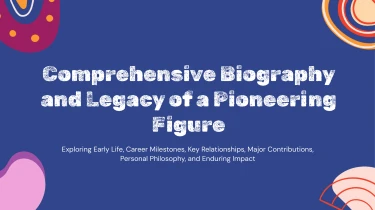
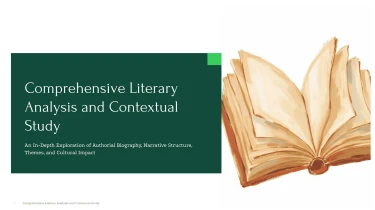

Arts presentation templates to create presentations with AI
Turn Decksy’s ready-made Arts Presentation Templates into a polished visual story with its automated AI presentation generator. Pairing predesigned layouts with AI lets you shape your ideas into slides without manually adjusting text boxes, spacing, or alignment. The templates provide a creative foundation, while the AI handles formatting so you can focus on the artwork, context, and narrative.
Turn manufacturing inputs into structured presentations
Manufacturing teams often start with scattered production notes, quality reports, planning spreadsheets, and process documentation. Decksy helps turn these inputs into a presentation structure suited to manufacturing reviews, reducing the manual work of sorting information and formatting slides under tight deadlines.
Feed in the material you already have
- Raw text and outlines: Paste shift summaries, improvement proposals, or meeting notes to establish the presentation’s main topics.
- Word documents and MD files: Import process descriptions or project briefs so headings and supporting details can inform slide organization.
- Spreadsheets: Use production figures, downtime logs, or cost breakdowns as source material for clear data tables.
If your source material is a PDF, explore Decksy’s PDF to PowerPoint converter to bring existing reports into your presentation workflow.
Build a logical manufacturing narrative
Decksy uses the supplied content to organize information into sections and supporting points. For a production review, that might be output performance, capacity constraints, downtime drivers, and corrective actions. For a continuous improvement proposal, the structure can follow the current process, identified losses, proposed changes, and expected outcomes.
Bullet hierarchies separate key findings from operational detail, helping audiences distinguish the issue, its impact, and the next step. Tables give numerical information a consistent layout for comparing lines, sites, products, or reporting periods.
Prepare inputs for clearer output
Label spreadsheet columns clearly, include units and reporting dates, and explain abbreviations that may be unfamiliar outside the plant. Keep targets separate from actual results and flag missing values instead of leaving their meaning ambiguous.
Before sharing, review the generated structure, verify figures against source records, and confirm that priorities match your audience. You can then focus on explaining manufacturing performance and decisions, rather than rebuilding tables and adjusting every bullet by hand during the final review cycle.
Arts presentation templates built for your next presentation
Museum proposals, exhibition pitches, artist portfolios, and arts education decks need more than attractive slides. They need clear storytelling, readable information, and room for the artwork to lead. With Decksy AI, generation produces a presentation you can download, refine, and deliver—not a fixed preview that leaves you rebuilding slides under pressure.
Get a 100% native .pptx file
Your output is a 100% native .pptx presentation, ready for editing in PowerPoint and Google Slides. Slides remain fully editable rather than flattened into images. Adjust text, reposition elements, replace artwork, and update layouts as your brief develops.
- Refine the visual direction: Change fonts, colors, and spacing to reflect your gallery, institution, or personal practice.
- Update the details: Revise artist biographies, exhibition dates, captions, and funding figures without recreating the deck.
- Work in familiar tools: Share the presentation with curators, educators, sponsors, or colleagues for further editing.
Spend less time formatting, more time communicating
Tight deadlines should not force you to choose between polished design and meaningful content. Start with the Decksy AI text-to-PowerPoint generator to turn your written material into a structured deck, then make the final creative decisions yourself.
Use editable layouts to balance artwork with context, break complex interpretations into accessible sections, and present budgets or attendance figures clearly. Shape the pacing around your audience: a concise sponsor pitch, a discussion-led classroom presentation, or a visual walkthrough for an exhibition committee.
Keep sensitive creative work protected
Unpublished concepts, private collection details, and internal funding plans deserve careful handling. Enterprise-grade data privacy supports work with sensitive presentation content, so privacy remains part of the value—not an afterthought.
The result is a reusable presentation asset: editable, adaptable, and ready to help your audience understand the work, follow the story, and engage with your ideas.