


Operations presentation templates
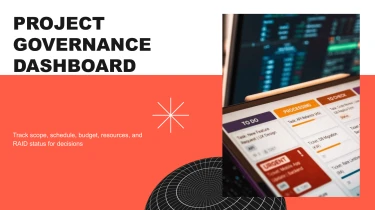

Use AI to make presentation templates for operations
Use a free powerpoint AI to transform pre-made Operations AI presentation templates into professionally finished slides. You no longer need to manually prepare your content because AI will adapt it to the layouts provided by the templates. Workflows, operational insights, and next steps can be better explained without having to worry about enlarging text boxes and altering spacing.
Turn operational inputs into structured presentations
Operations teams rarely start with presentation-ready content. Process notes sit in documents, performance metrics live in spreadsheets, and improvement plans arrive as scattered bullet points. Decksy helps turn these inputs into Operations AI presentations with a clear structure, reducing the time spent reorganizing information and manually formatting slides before a leadership review or planning meeting.
Paste raw text or an outline to establish the story: current operating conditions, key bottlenecks, proposed changes, and next steps. Decksy uses the supplied content to build a logical slide sequence. A rough list of priorities can become grouped sections for capacity, resource allocation, service delivery, and execution risks, helping stakeholders follow the operational reasoning rather than decode disconnected updates.
Upload Word documents or MD files when your starting point is a procedure, operating plan, or project brief. Headings and supporting details provide cues for organizing content into sections and bullet hierarchies. Main points stay prominent, while tasks, dependencies, and supporting context sit beneath them. This gives detailed operational material a readable presentation format without flattening every detail into one level.
With spreadsheets, operational data becomes the foundation for structured tables. Use inputs such as throughput reports, staffing plans, inventory summaries, or cost breakdowns to organize comparisons around the measures that matter. Keep periods, units, and column labels clear in the source so the resulting tables are easier to review. Check totals and definitions before sharing, especially when combining information from multiple teams.
If essential context is locked in a PDF, explore Decksy’s PDF to PowerPoint converter to bring that material into your presentation workflow. Whether you are preparing a weekly operations update or an urgent transformation proposal, start with the evidence you already have and refine the generated structure around decisions, ownership, and the actions your audience needs.
Operations presentations ready for your next decision
Turn operational updates into a presentation your team can use immediately. After generation, you receive a structured deck that helps you explain performance, highlight bottlenecks, and move stakeholders toward clear next steps, without spending hours aligning slides or rebuilding layouts.
Whether you’re reporting capacity, reviewing service levels, or presenting a process improvement plan, Operations AI presentation templates give your content a consistent, readable format.
Get a native PowerPoint file, not a static preview
Export your presentation as a 100% native .pptx file. Your output is a working presentation, not a collection of flattened slide images.
Open it in PowerPoint or Google Slides with full editability. Update text, adjust layouts, refine data visuals, and apply your company’s branding as priorities change. When a metric changes before a leadership meeting, you can revise the relevant slide instead of starting again.
Use Decksy AI’s text-to-PowerPoint generator to turn your operations brief into an editable starting point for reporting, planning, and review.
Make operational data easier to follow
Dense updates can bury the decisions that matter. A clear slide structure helps audiences distinguish results from risks and actions from background information.
Present KPIs, timelines, resource requirements, and process changes with a visual hierarchy that supports discussion. Keep executives focused on business impact while giving operational teams the context they need to act. Better audience engagement starts with information people can quickly understand.
Keep control of sensitive business information
Operational presentations often contain internal targets, staffing plans, supplier details, and performance data. Enterprise-grade data privacy is essential when working with this information.
The value extends beyond faster generation: less manual formatting, easier last-minute updates, and a reusable deck your team controls. Spend your deadline refining the message and validating the numbers, not fixing slide spacing before presenting to stakeholders.