


Psychology presentation templates
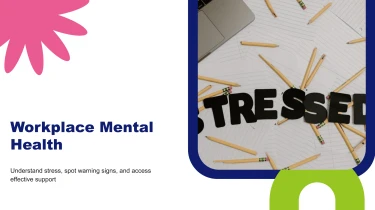
Use AI-driven presentation templates to craft your psychology presentations
Use these pre-made AI presentation templates for psychology as a foundation to create slides more quickly with a presentation builder AI. By combining AI-driven content placement with organised layouts, manual formatting is eliminated. This frees you up to focus on teaching psychological concepts instead of fiddling with text boxes and spacing. Without having to design each slide by hand, this combination helps mould your material into a cohesive presentation, whether it’s study findings or therapy frameworks.
Turn psychology content into structured presentations
Psychology presentations often start with scattered research notes, assessment summaries, lecture outlines, and study results. Turning that material into clear slides takes time, especially when deadlines leave little room for manual formatting. Decksy works from your source content to build a presentation structure suited to psychological concepts, evidence, and discussion.
Start with the files you already have
Paste raw text or an outline, or upload Word documents, MD files, or spreadsheets. Use:
- Research summaries to introduce a theory.
- Teaching notes to explain behavior.
- Tabular results to support a methods and findings presentation.
If your material is stored as a PDF, explore Decksy’s PDF to PowerPoint converter as another starting point.
Build a logical psychology narrative
Decksy uses the supplied content to organize ideas into sections and slides. A study outline can become a sequence covering the research question, theoretical background, methodology, results, and limitations. Longer explanations can be arranged into bullet hierarchies that separate core concepts from supporting details, helping audiences follow distinctions between theories, symptoms, measures, and interpretations.
Make study data easier to present
Spreadsheets provide a practical input for organizing participant characteristics, questionnaire scores, or experimental outcomes into data tables. Instead of rebuilding rows and labels manually, you can focus on whether each table supports the slide’s message. Keep variable names, units, and group labels clear in your source file to give the presentation a stronger foundation.
Review meaning, not just layout
Before presenting, check that the generated structure preserves essential nuance:
- Correlation versus causation.
- Diagnostic criteria versus examples.
- Findings versus hypotheses.
Verify statistics, citations, and terminology against the original material. Remove identifying participant or client information before uploading. With the initial organization handled, your review can prioritize scientific accuracy, ethical communication, and the needs of your intended audience.
Psychology presentations ready for your next step
Turn psychology content into a presentation you can use, revise, and share. After generation, you get a structured deck that helps you move from research notes, lecture material, or workshop outlines to a clear visual narrative, without spending hours adjusting layouts before a deadline.
A native PowerPoint file, not a fixed design
Download your presentation as a 100% native .pptx file. Your slides remain fully editable in PowerPoint and Google Slides, giving you control over text, colors, layouts, and visual elements.
Update terminology for a specialist audience, simplify explanations for students, or adapt examples for a workplace wellbeing session. You can refine individual slides without rebuilding the presentation or working around flattened images.
Clearer data, stronger audience engagement
Psychology presentations often combine complex theories, research findings, and sensitive topics. A useful deck needs to do more than display information: it needs to help people understand it.
Organize study results, compare psychological models, and break down concepts into manageable sections. Editable slides let you adjust emphasis, add discussion questions, and pace information for your audience. Whether you are explaining cognitive biases or presenting survey findings, you stay in control of the story and supporting evidence.
Less formatting, more time for substance
Use the Decksy AI text-to-PowerPoint generator to create your starting deck, then spend your time checking citations, refining interpretations, and preparing your delivery, not fixing inconsistent spacing.
The value continues after the first presentation. Reuse your editable file for another class, stakeholder meeting, or training session, adapting the content as your needs change.
Privacy that supports professional work
Enterprise-grade data privacy supports responsible presentation workflows. For psychology projects, follow your organization’s policies and remove identifying participant or client details before uploading content.
Your final output is practical: an editable presentation, a reusable asset, and more time to focus on your audience.