


















Technology presentation templates
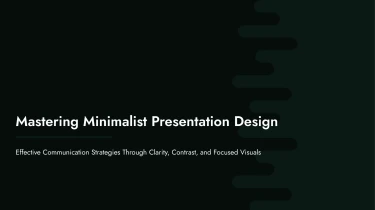


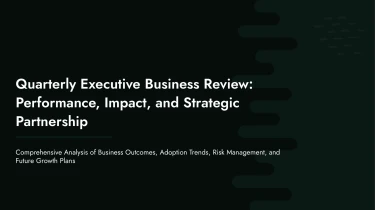

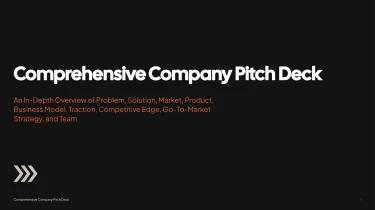







Create AI-powered technology presentations
If you want to start with a pre-made template for your Technology AI presentation, you can find one above. If you want to make sure that all of your information fits together, you may use a presentation AI free tool. By integrating AI with these designs, you no longer need to worry about manually formatting your content; instead, you can concentrate on crafting your message. Skip making each slide by hand and go from a static template to a presentation that fits your thoughts.
Turn technical inputs into structured presentations
Technology and AI presentations often start as scattered research notes, model specifications, benchmark spreadsheets, and product requirements. Turning those inputs into readable slides takes time, especially when a review or launch deadline is approaching. Decksy lets you bring source material into the presentation workflow and build a logical starting structure without manually formatting every slide.
Start with the content you have
Paste raw text or an outline, or upload Word documents, MD files, or spreadsheets. Use engineering briefs to introduce a system, research summaries to explain an AI approach, or evaluation data to support a technical recommendation. Existing outlines provide a starting sequence, while longer documents supply material that can be organized into focused sections. If your source is a PDF, use Decksy’s PDF to PowerPoint converter to bring that material into your slide workflow.
Build a clear technical narrative
Decksy uses your inputs to build logical structures suited to Technology AI presentations. Organize the story around the problem, proposed architecture, data inputs, model workflow, evaluation results, and next steps. Bullet hierarchies separate key messages from supporting details, helping you explain complex mechanisms without filling slides with dense paragraphs. Review the generated structure to match the technical depth your audience needs.
Make technical data easier to present
Spreadsheet inputs can become structured data tables for model comparisons, performance benchmarks, resource requirements, or implementation timelines. This reduces repetitive formatting and gives figures a clearer place in the presentation rather than leaving them buried in source files.
Before presenting, check units, labels, assumptions, and supporting context against your original material. Then refine the slide order and emphasis for researchers, product teams, executives, or customers. With the initial organization handled, you can spend more time clarifying technical decisions and less time rebuilding content slide by slide.
Technology presentations ready for real work
Turn technical source material into a presentation you can use, refine, and share. Technology AI presentation templates help teams move from product notes, architecture summaries, or performance updates to structured slides without spending hours on manual formatting. When deadlines are tight, you get a starting point built for clear communication, not another design task.
Get a native PowerPoint file
After generation, download a 100% native .pptx file. Your presentation is a working deck, not a collection of flattened slide images. Open it in PowerPoint or import it into Google Slides to continue editing in the tools your team already uses.
With Decksy AI’s text-to-PowerPoint generator, your content becomes an editable presentation that stays useful beyond the first draft.
Keep full control over every slide
Full editability in PowerPoint and Google Slides means you can revise text, adjust layouts, change colors, replace visuals, and reorganize the narrative. Adapt the same deck for engineering reviews, executive briefings, customer demos, or investor conversations without rebuilding it from scratch.
Update metrics before a meeting. Simplify a technical explanation for business stakeholders. Apply your company’s presentation standards. You remain in control of the final result.
Make technical information easier to follow
Dense specifications and disconnected data can lose an audience quickly. Use clear slide structures, readable comparisons, and focused visual storytelling to highlight what matters: the problem, the evidence, and the next decision.
Less formatting work leaves more time to check your data, sharpen your message, and prepare for questions. The value is practical: faster preparation and stronger audience engagement.
Protect sensitive business content
Enterprise-grade data privacy matters when presentations contain proprietary roadmaps, internal metrics, or confidential plans. Treat privacy as part of the workflow, alongside editability and output quality, so your team can create presentations with confidence.