Tome vs Gamma AI: Which Presentation Tool Is Better?
- Gamma came out ahead for speed, visual variety, charts, and editing freedom. TomeApp.ai is more traditional and guided, with useful PDF, Word, and Excel conversion tools for users who want a straightforward deck.
- That does not make the choice purely Gamma versus TomeApp.ai, though. Decksy is worth considering when verified content, slide-level regeneration, and editable output matter most.
- Choose TomeApp.ai if you want a conventional presentation, often work from documents or spreadsheets, and prefer a guided workflow.
- Choose Gamma if you want faster generation, stronger visuals, editable charts, Google Sheets syncing, and deeper browser-based editing.
- Choose Decksy AI if you want stronger content verification, single-slide regeneration, and a fully editable PPTX.
You’ve narrowed the long list of AI presentation makers down to Gamma and TomeApp.ai. Good shortlist, but there is a catch. A Tome vs Gamma AI comparison in 2026 is not the same as it was a few years ago. The original Tome at tome.app shut down its presentation product on April 30, 2025. Today’s tomeapp.ai uses the same name, but it is a different product with different features, pricing, and workflow.
This guide compares the tools that are actually available now. We look at pricing, templates, charts, document handling, editing, and exports, then test both with topic-led and document-based presentations. We paid particular attention to how well each tool organizes the story, supports the text with visuals, handles source material, and lets you fix the first draft without starting over.
| Parameter | Tome | Gamma |
| Price | From $9.50/month | Free, paid from $9/month |
| Free plan | 200 credits | 400 credits |
| AI slides | Traditional layouts | More visual layouts |
| Imports | PDF, Word, Excel | PDF, PPTX, webpages |
| Templates | Built-in + PPT upload | 100+ templates |
| Charts | Excel to PPT | Smart Charts + Sheets |
| Editing | Limited | More flexible |
| Sources | Shows sources | Supports sourced research |
| Export | Paid only | Free |
| Formats | PPTX, PDF, Slides, JPG, Word | PDF, PPTX, PNG, Slides |
| Best for | Standard presentations | Quick, visual presentations |
Pricing, Free Plans, and Features
The initial prices of Tome vs Gamma AI are nearly identical. The price of Gamma begins at $9 per month billed annually, and TomeApp.ai begins at $9.50 per month billed annually. The disparity of 50 cents is not that significant. The larger the disparity is in what each plan offers. You may need additional generations, branding controls, or additional export features, which may require you to upgrade to a higher plan. The initial price isn’t the final price.
TomeApp.ai Pricing
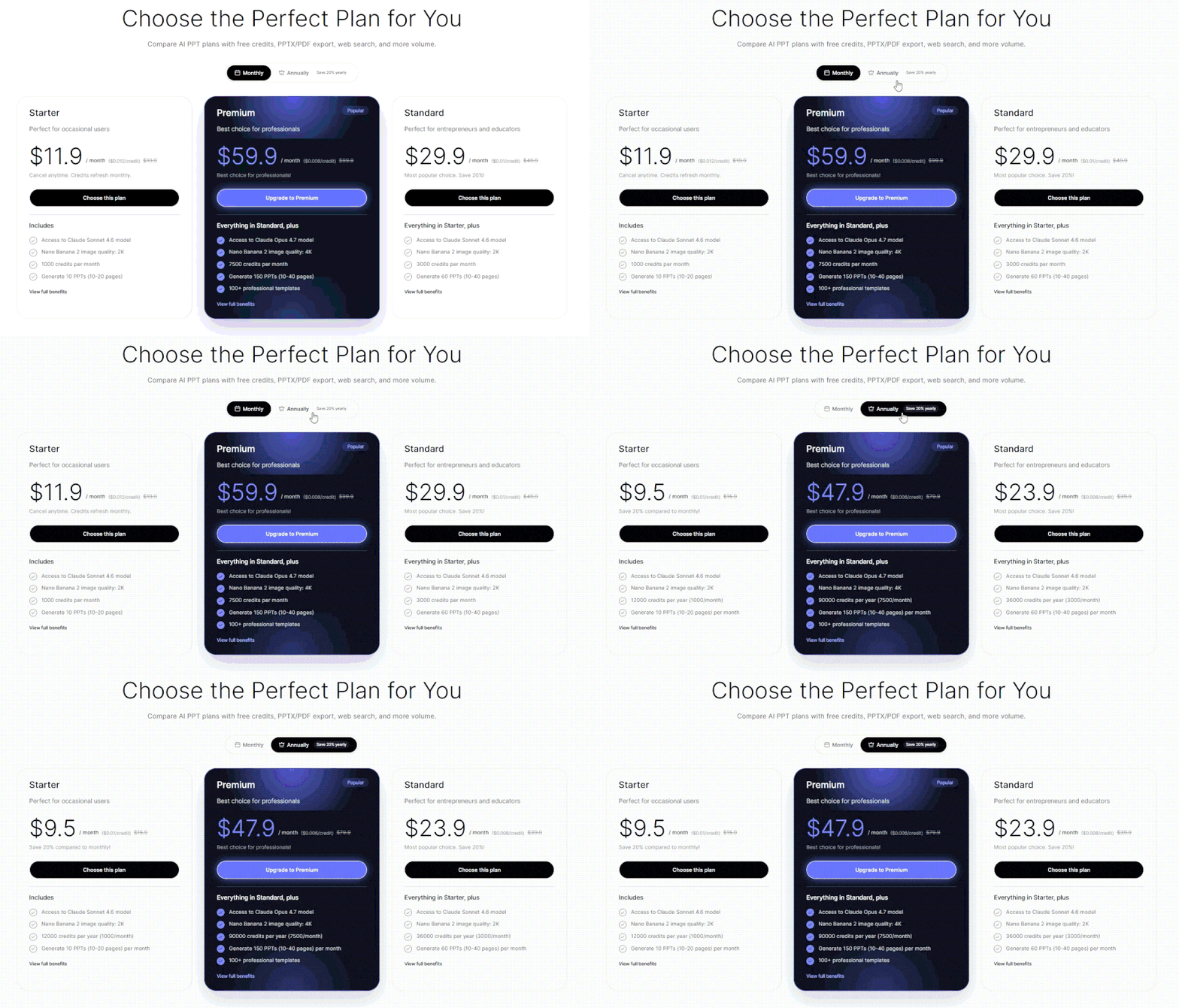
TomeApp.ai gives new users 200 credits to test the tool before paying. After that, there are three main paid plans. Each step gives you more credits, presentations, templates, and editing options.
- Starter starts at $9.50 a month with annual billing. You get 1,000 credits each month, up to 10 presentations, 10+ templates, basic styling, and PPTX export.
- Standard starts at $23.90 a month. The limits go up to 3,000 credits and 60 presentations. You also get 50+ templates, more styling options, PDF export, web search, and batch export.
- Premium starts at $47.90 a month. It comes with 7,500 credits, up to 150 presentations, and 100+ templates. It also removes the watermark and adds full styling, commercial licensing, and priority processing.
The main restriction is not generation itself, but what you can do afterward. Starter only exports to PPTX, while PDF export and more advanced styling require Standard. Full customization and commercial licensing are reserved for Premium.
Gamma Pricing and Free Plan
Gamma has a permanent Free plan, with 400 credits added when you sign up. That makes it easier to test Gamma as an AI presentation maker for teachers before paying. That’s enough to make a few presentations and see how the main features work. Exporting is available without upgrading too.
- Free lets you generate up to 10 slides per prompt. It supports PDF and PPTX imports, while exports include PDF, PPTX, PNG, and Google Slides.
- Plus starts at $9 a month with annual billing. It comes with 1,000 credits each month, removes Gamma branding, and gives you a higher generation limit.
- Pro starts at $18 a month. The credit limit goes up to 4,000 per month. This plan also adds custom branding, analytics, API access, more sharing controls, and premium AI image models.
- Ultra is a much bigger jump at $90 a month. You get 20,000 monthly credits and access to Gamma’s higher-tier text, image, and video models.
The free tier is one of the bigger points to consider in a Tome vs Gamma AI comparison. Gamma doesn’t lock exports behind a paid plan, so you can create a deck and export it before spending anything.

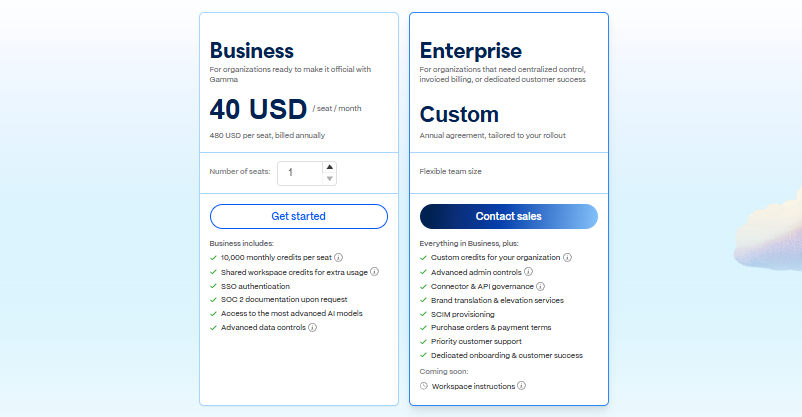
There are 2 more plans for teams at Gamma. When billed annually, Business will cost $40 per seat per month and have 10,000 credits per seat, SSO, additional data controls, and access to higher-tier AI models. Enterprise is available at custom pricing. It introduces SCIM provisioning, includes enhanced admin controls, introduces connector and API governance, introduces invoiced billing, introduces priority support, and introduces dedicated onboarding.
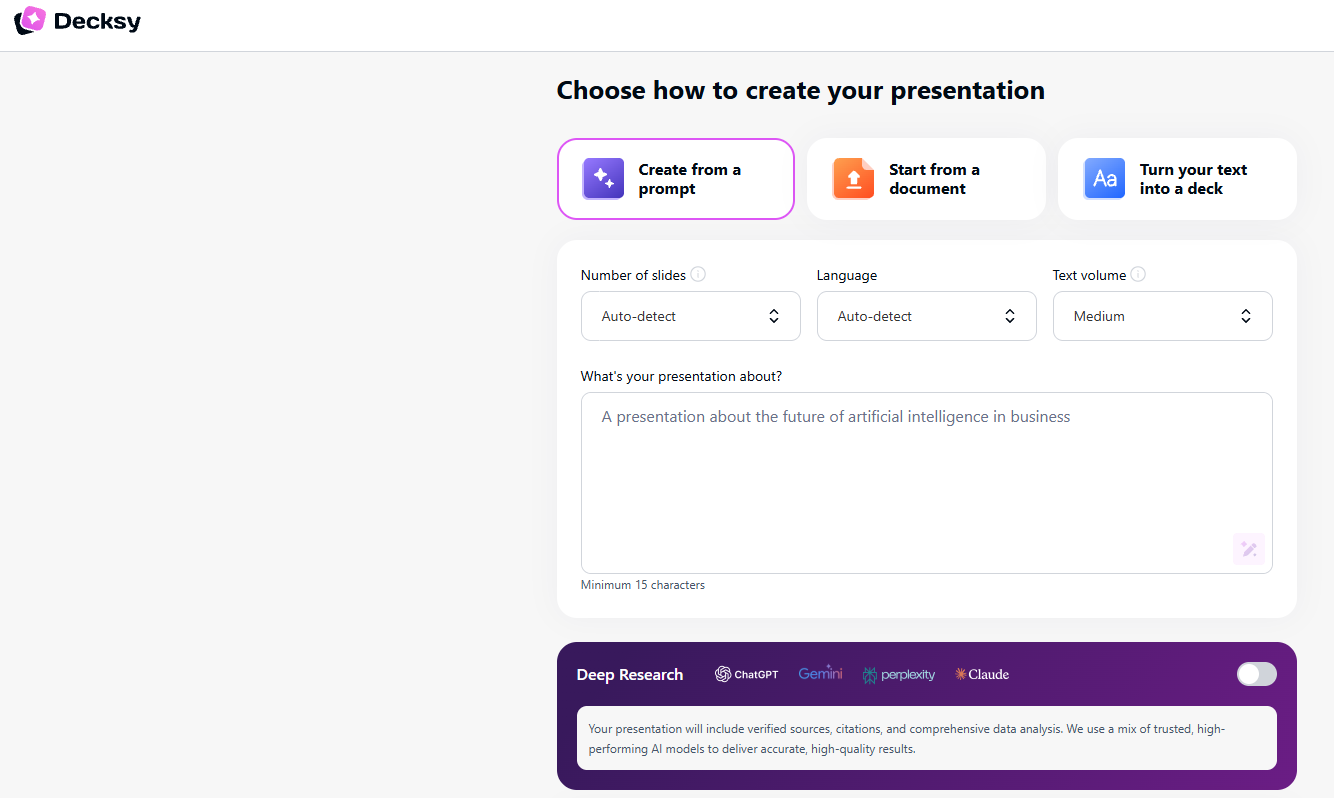
If neither pricing model fits what you need, Decksy AI offers an alternative for users who mainly want to turn existing content into editable slides. It works from prompts, PDFs, Word files, and other source material, then exports an editable presentation you can continue working on outside the platform.
You can try it for $2 for seven days. After that, the annual plan costs $10 a month and includes full export rights, so you do not need to move to a higher tier just to get an editable presentation file.
Tome vs Gamma: Design, Templates, and Customization
Design is one of the clearer differences. TomeApp.ai takes a more template-led approach, while Gamma offers a broader library alongside deeper theme and brand controls. That affects not only how the first draft looks, but also how much freedom you have to adjust the visual style once the presentation is generated.
Template Choice in TomeApp.ai
Tome AI lets you pick a design before generation or upload an existing PowerPoint to use as the template. The current picker covers quite a mix, from magazine-style layouts such as Ink Classic and Dune to AI, business, research, company-profile, and education designs.
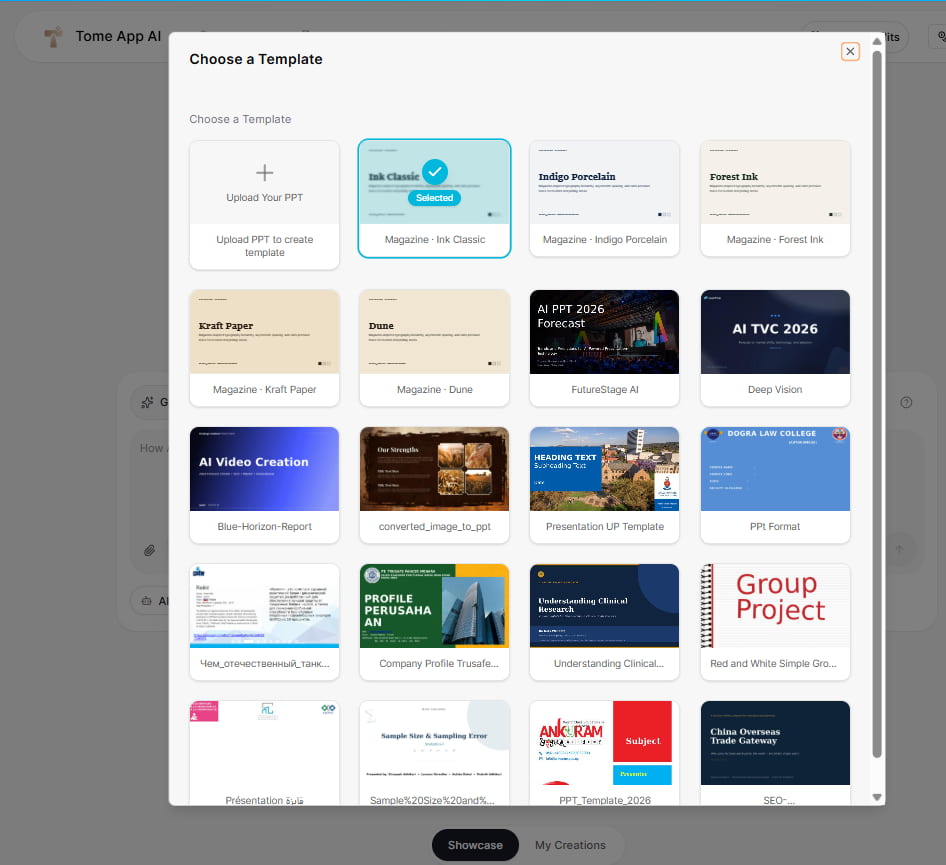
The template picker is only one part of the setup. You can also choose free images or AI-generated illustrations, with AI visuals consuming credits, while the uploaded-PPT option lets an existing presentation act as the design reference.
Gamma Templates and Brand Controls
Gamma’s official library has 100+ templates covering business, consulting, education, fundraising, marketing, reporting, sales, strategy, creative work, and project management. The choices range from pitch decks and quarterly reviews to lecture plans, portfolios, financial models, and research presentations.

It also gives you more control over the visual system itself. Themes can include uploaded fonts, logos, exact brand colors, typography, and reusable workspace styles, while images can come from AI generation, Unsplash, Giphy, web search, or personal uploads. That broader customization is also relevant in a Gamma vs Beautiful.ai comparison, particularly for teams that need several decks to stay on-brand.
Charts, Data, and Spreadsheet Workflows
Spreadsheet data works differently in TomeApp.ai and Gamma. Tome starts with the Excel file and turns its contents into slides. Gamma takes another route. You can create and edit charts inside the presentation, then connect them to Google Sheets when the data needs regular updates.
TomeApp.ai for Spreadsheet-Based Reports
Tome has an Excel-to-PPT tool for.xls and.xlsx files. Drop in a spreadsheet, and it reads through the sheets, looking for tables, charts, formulas, and useful numbers. It can then turn that data into presentation slides.
It’s a practical setup for budgets, sales figures, financial reports, and similar work kept in Excel. There’s no need to move every table or chart across by hand. The result may still need some cleanup, especially with larger spreadsheets, but much of the basic conversion is already done.
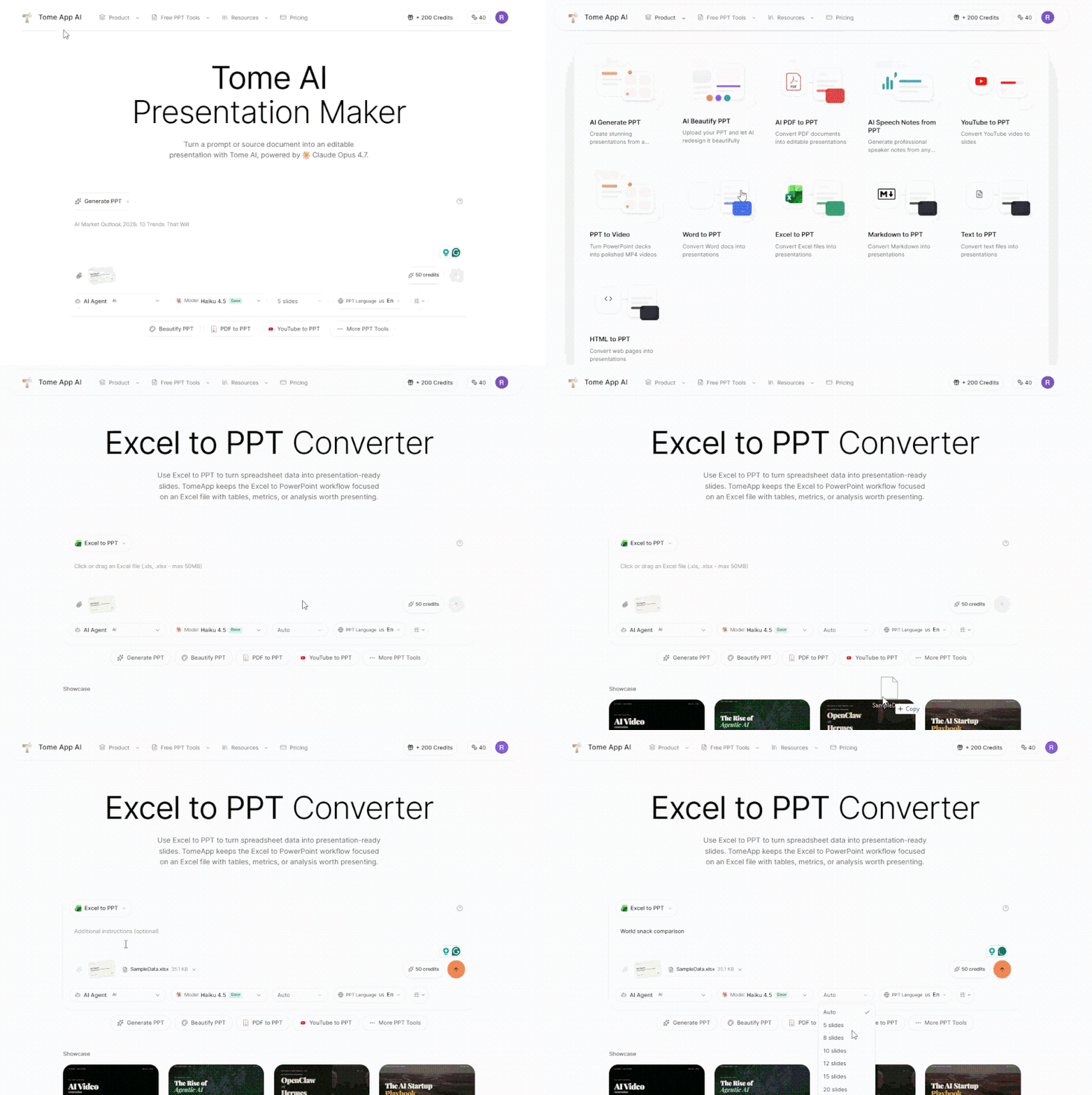
It can also use spreadsheet data to create charts rather than simply placing raw tables onto slides. That makes it useful when the source material already lives in a spreadsheet, and the goal is to turn it into a deck quickly.
Gamma Smart Charts
With Gamma, you can create Smart Charts within the editor. Values can be entered or edited in the chart table, and the type of chart changed, labels and axes adjusted, and the visual styling changed without rebuilding the slide.
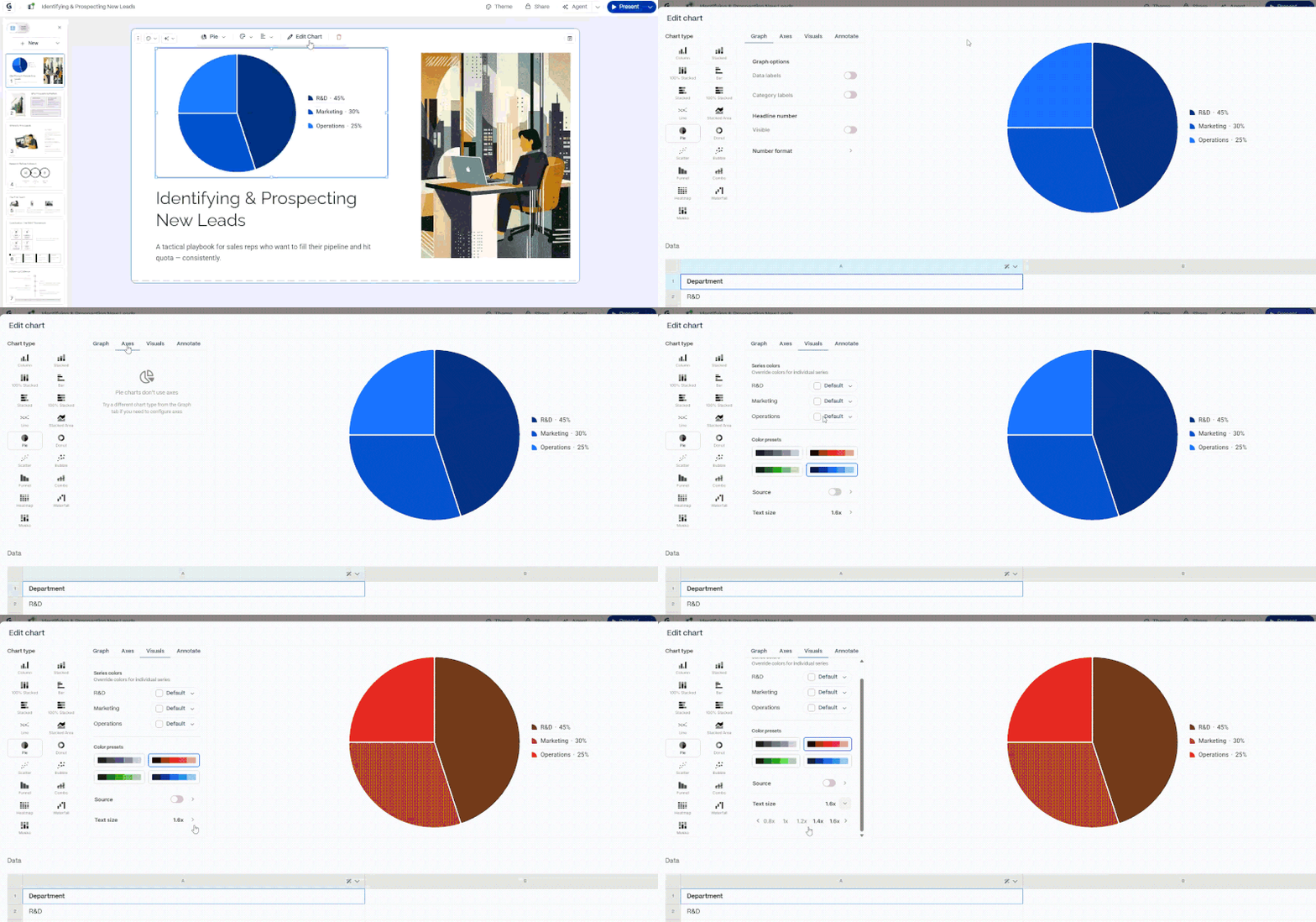
It can also add a Smart Chart to Google Sheets. You can use the Sync button to import the current values from the spreadsheet to Gamma if the spreadsheet is updated. The connection is unidirectional, meaning that edits to the original Sheet are not reflected in the connection. This is a plus for Gamma in a Gamma vs Tome comparison if data is needed to be updated regularly.
Tome vs Gamma AI Hands-On Test
We tested Tome and Gamma with two types of presentations: one made from a topic and another from an uploaded document. We checked the story, layouts, sources, speed, and editing. Both came back with facts and numbers we could actually use. Once we started editing, though, they felt quite different.
Narrative Logic
TomeApp.ai put the slides in a logical order and kept the text fairly short. It picked out useful facts instead of simply dropping chunks of the source document onto each slide. That worked well. We could also see the research sources in the sidebar. This made checking a number or claim much easier, especially on slides with several facts.
The images were more hit and miss. Some fitted the slide well. Others looked related to the general topic but didn’t really match the point being made, so we would replace those before using the deck.
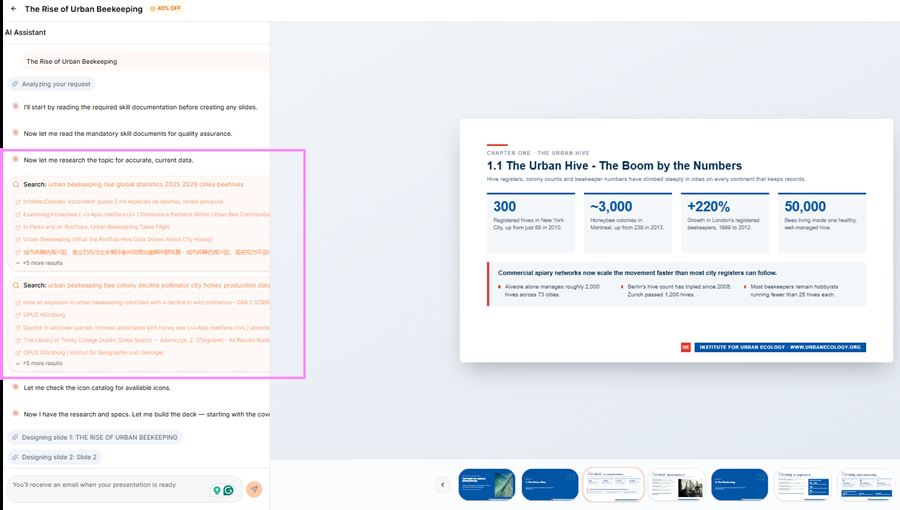
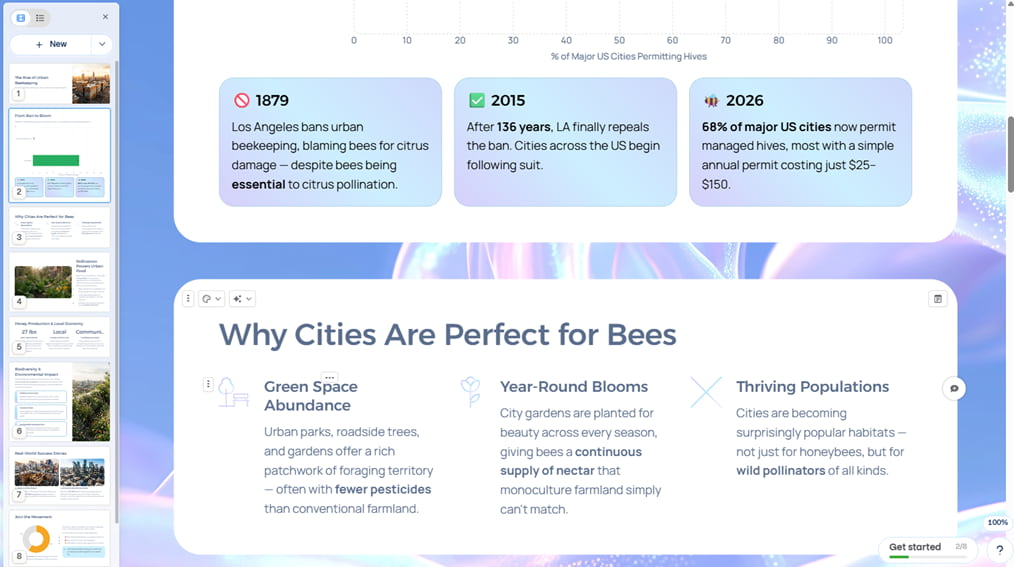
Gamma AI handled the story more deliberately. Before generating the full deck, it showed an outline that could be edited first, which made it easier to fix the structure before spending time on the final presentation. The generated slides also used more relevant images, charts, callouts, and varied content blocks, so the information felt easier to follow from one slide to the next.
Layout Quality
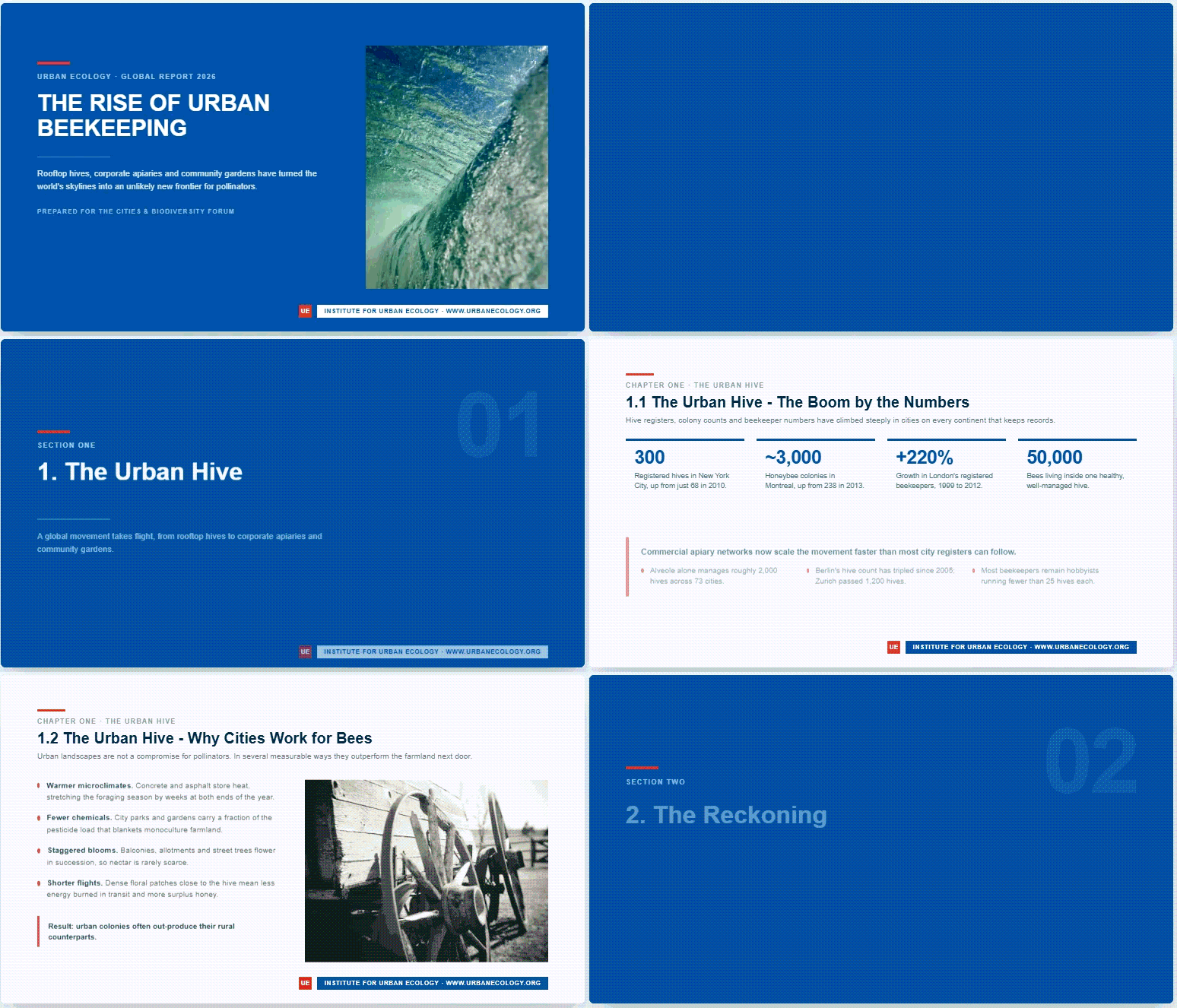
Tome App AI produced a more traditional presentation. The selected template kept fonts, colors, and slide styling consistent, but the overall layouts changed less from slide to slide.
Gamma presentations felt more dynamic. The tool adapted the design to the topic, asked follow-up questions during creation, and suggested visual directions that matched the subject. This can also be useful when comparing AI presentation tools for students. A business or accounting topic tended toward cleaner layouts, while creative topics produced more colorful options.
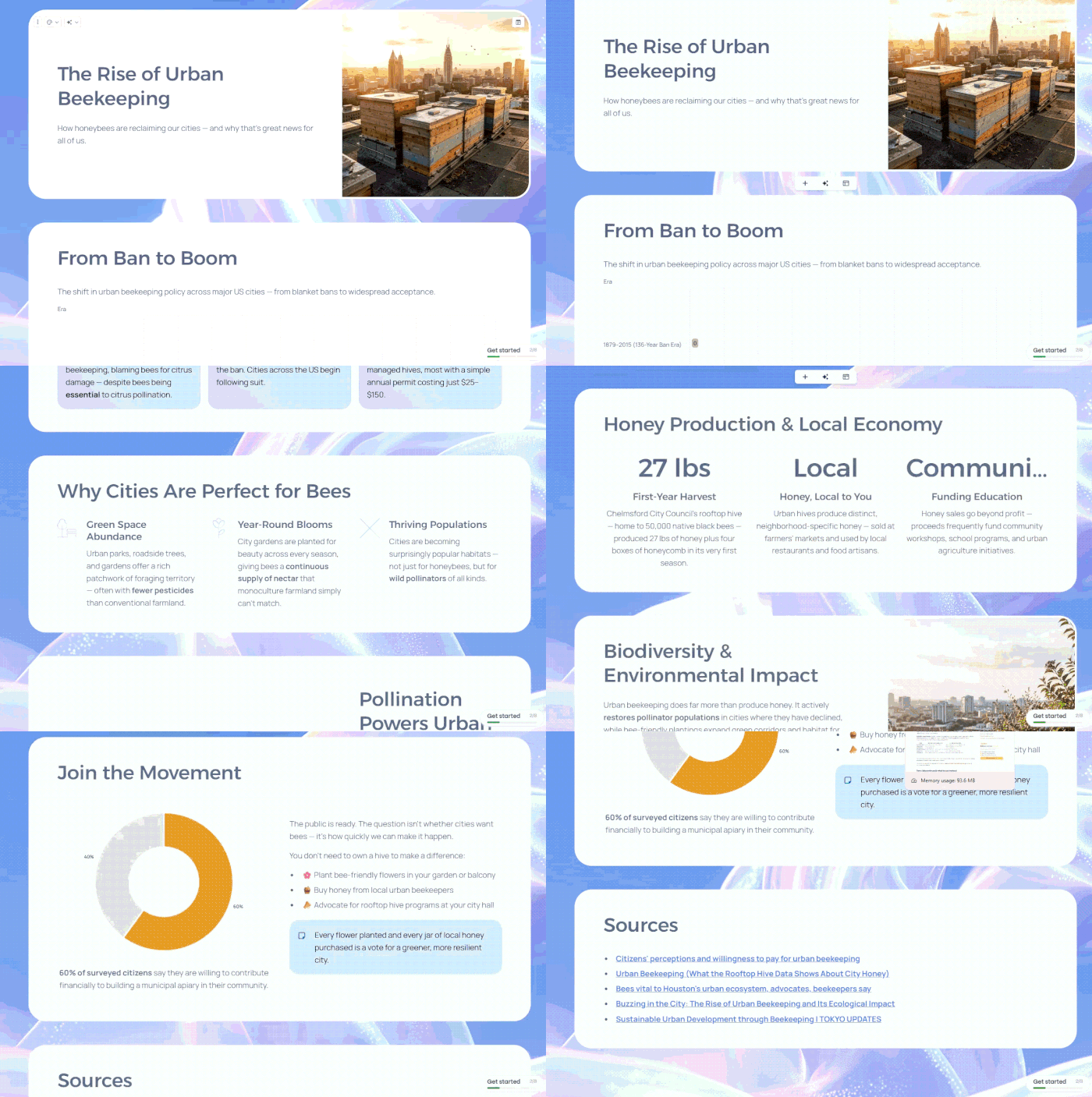
This is also where the current product differs from the original Tome. Older Tome.app vs Gamma.app comparisons covered a more web-native and multimedia-heavy tool, with flexible page layouts and interactive embeds. The current TomeApp.ai we tested feels much closer to a conventional slide deck.
Document Processing and Speed
Both tools handled source-based presentations without simply copying the original document. Tome supports dedicated PDF and Word conversion workflows, while Gamma can import files, webpages, and existing presentations into editable slides.
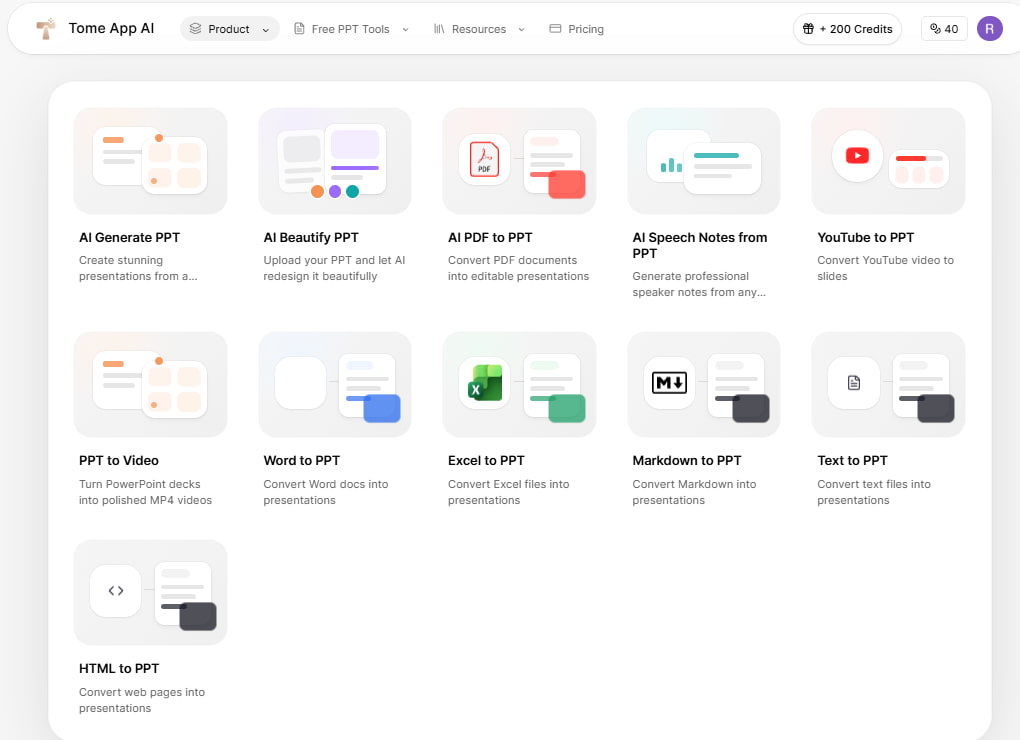
Gamma was faster in our tests. The difference was easy to notice. Still, giving an exact time wouldn’t say much, since the result changes depending on the topic, the source files, and the number of slides being created.
Editing Flexibility
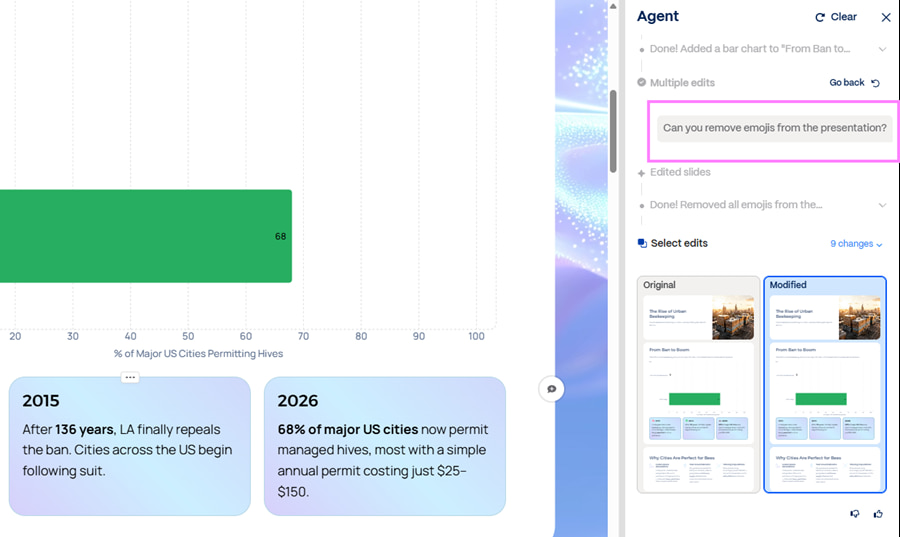
The free Tome workflow was more limited after generation. We could edit text and speaker notes, while the overall design stayed closely tied to the selected template.
Gamma goes further in day-to-day editing. You can move or resize elements manually, change layouts, restyle the deck, or ask Gamma Agent to edit one slide or even one element without rebuilding everything else.
How Decksy Handles the Same Problem
Decksy takes a different approach. TomeApp.ai gives you fewer options after the slides are generated, while Gamma gives you more room to edit. Decksy focuses more on getting the structure right first. It reads the source material, finds the main points, builds a story around them, and then creates the slides.
This works especially well with longer PDFs, Word files, meeting notes, and research-heavy documents. You can also regenerate one slide without rebuilding the whole deck, which is useful when only one part needs fixing. In our tests, Decksy gave us more editing control than TomeApp.ai. At the same time, it kept more attention on the story and order of the slides than Gamma.
Export Options and Ecosystem Compatibility
Export matters most when the deck needs more work outside the original tool. TomeApp.ai and Gamma both support common presentation formats, but the export experience is different. The main concern is whether the presentation will retain the characteristics of an editable deck when it’s converted to PowerPoint or Google Slides.
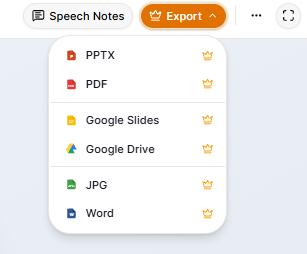
Tome allows you to show the slides directly in your browser. If you want to export the deck, you’ll need a paid plan. It can be presented in PPTX, PDF, JPG, Word, Google Slides, and Google Drive. If your shortlist also includes Prezi or Canva, the same principle applies. The right tool is the one that fits how you create, edit, and finish the presentation.
With Gamma, you can export to PDF, PowerPoint, Google Slides, and PNG. The presentation tool also gives you three export-quality levels and warns when slides contain overflowing content that may shift after export.
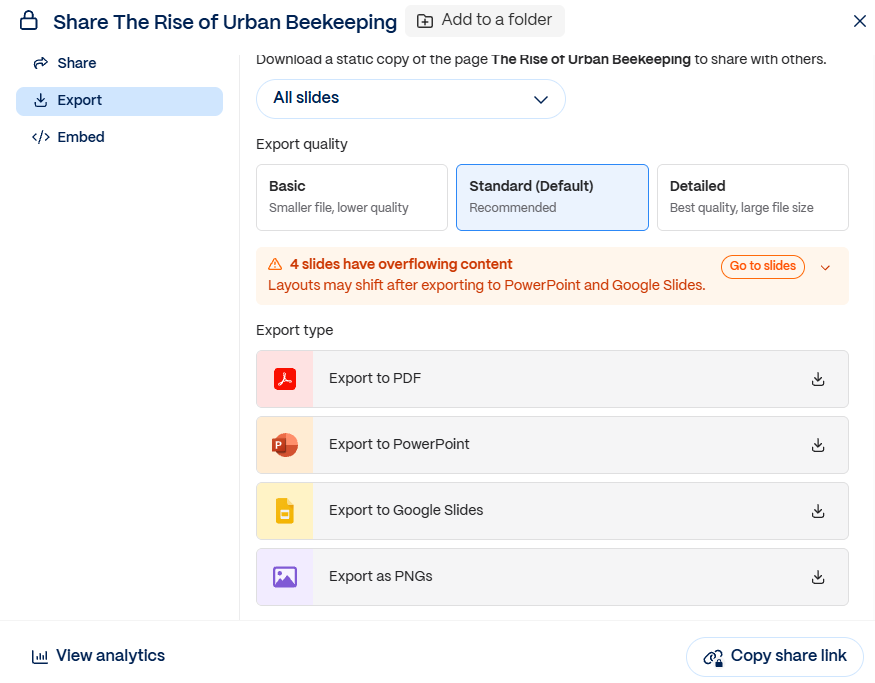
That warning is useful because Gamma’s browser-based layouts do not always translate perfectly into PowerPoint or Google Slides. Also, keep in mind that some styling can change and embedded fonts may be substituted in Google Slides.
For a Gamma vs PowerPoint comparison, this is one of the main trade-offs. Gamma gives you more design freedom in the browser, but the exported file may need cleanup once it moves into a traditional slide editor.
Decksy and Editable PPTX
Decksy is centered on removing the presentation from the platform without leveling the deck. Text boxes, shapes, charts, and icons remain independent elements that can be edited later in PowerPoint or imported into Google Slides.
The same type of portability is useful in other workflows across platforms, such as moving a file from one application to the other, between Visio vs PowerPoint, where it’s only useful if the content is actually usable in the other application.
When Decksy AI Makes More Sense
By this point, the trade-off is fairly clear. TomeApp.ai is straightforward but more rigid after generation, while Gamma gives you far more editing freedom and visual control. Decksy becomes more interesting when the priority is not just making slides quickly, but keeping the content reliable and easy to review.

More Focus on Source Accuracy
AI presentation tools can produce polished slides while still getting a number, claim, or source wrong. Decksy puts more emphasis on checking the information that goes into the deck, which matters for reports, research, client presentations, and other work where accuracy is more important than visual novelty.
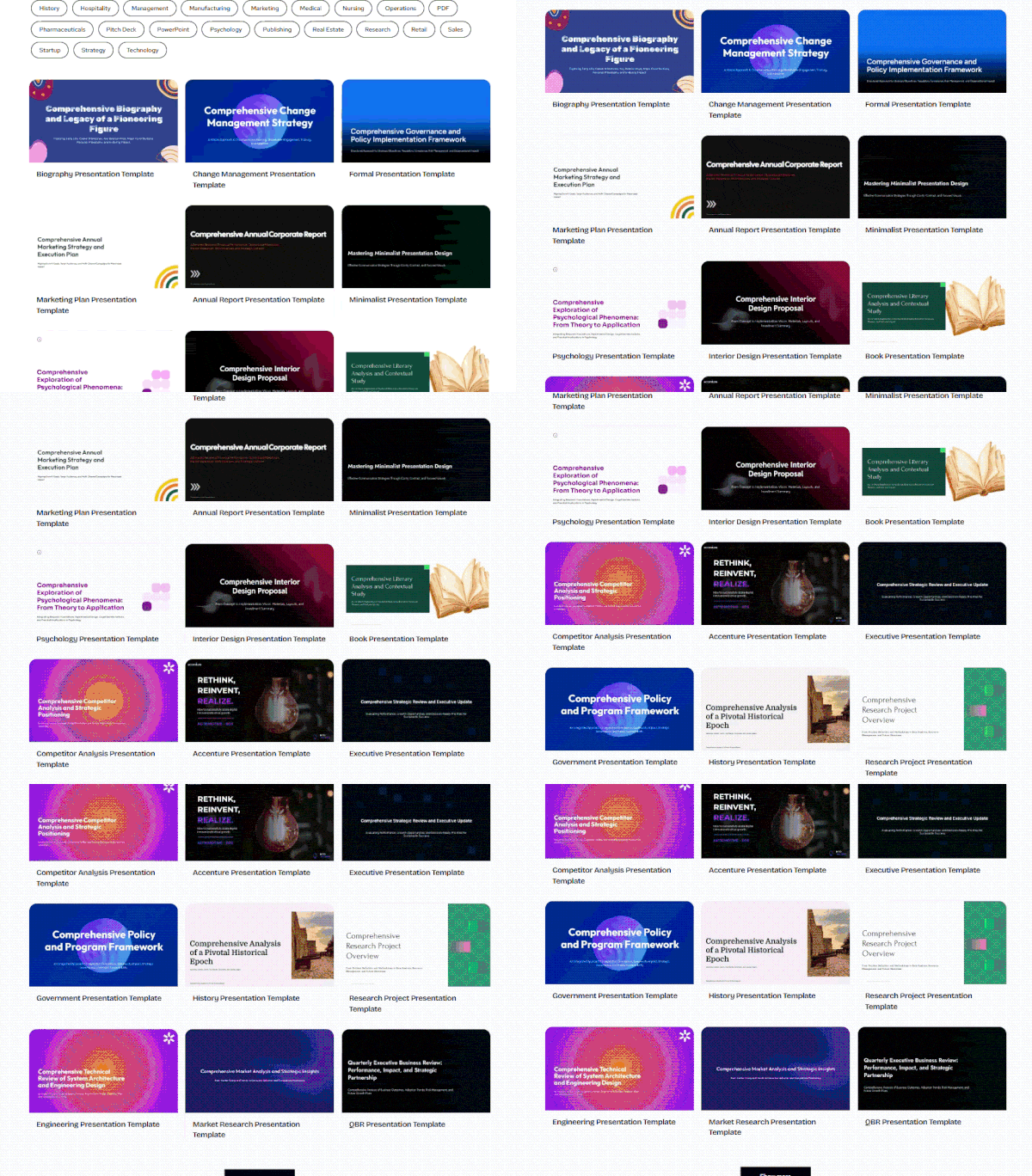
That becomes especially useful when the starting material is dense or source-heavy. The goal is not only to make the deck look finished, but to make it easier to trust what ended up on the slides.
A Better Fit When Accuracy Matters
That difference also matters in a Visme vs Prezi discussion, where visual style often gets most of the attention. With Decksy, the stronger point is being able to review the information behind the slides before the presentation is finalized.

On decksyai.com, where clarity still matters, but results matter just as much, Alyssa Johnson, Chief Revenue Officer, looks at messaging through a growth lens. She pays attention to how structure drives action, how a well-timed pause improves conversion, and how AI is reshaping all of it — without ever replacing the human instinct behind the message.