PowerPoint presentation alternatives in 2026: 7 popular tools compared
Picking the right tool starts with your workflow. Some PowerPoint presentation alternatives convert documents into editable decks. Others focus on design, storytelling, or automated layouts. Decksy and Slideonic handle source material. Gamma and Canva provide visual flexibility. Prezi is more of a storytelling tool, while Beautiful.ai and Plus AI serve different slide workflows.
We tested all seven using one simple business scenario to choose the best AI presentation generator.
| Tool Name | Primary Differentiator | Native Export Support | API Access | Prices |
| Decksy AI | Source-first presentation creation | Google Slides, PDF, PPTX | Not confirmed | $2 for 7 days; around $10/month |
| Slideonic.ai | File conversion and outline review | PPTX, PDF | Not confirmed | Free daily presentation; $9.99/month with annual billing |
| Gamma | Prompt-based visual drafts | PPTX, PDF, Google Slides | Not confirmed | Free plan; paid plans available |
| Plus AI | AI features inside existing slide tools | PowerPoint, Google Slides | Available | From $10/user/month annually |
| Canva | Templates, graphics, and branding | PDF, PPTX, and other formats | Developer platform available | Free plan; paid prices vary by region |
| Prezi | Zoomable visual storytelling | PDF and other options; check plan | Not confirmed | Free access and paid plans |
| Beautiful.ai | Automated slide layouts | PowerPoint and PDF options | Check current availability | Paid plans; check current prices |
How we assessed PowerPoint presentation alternatives
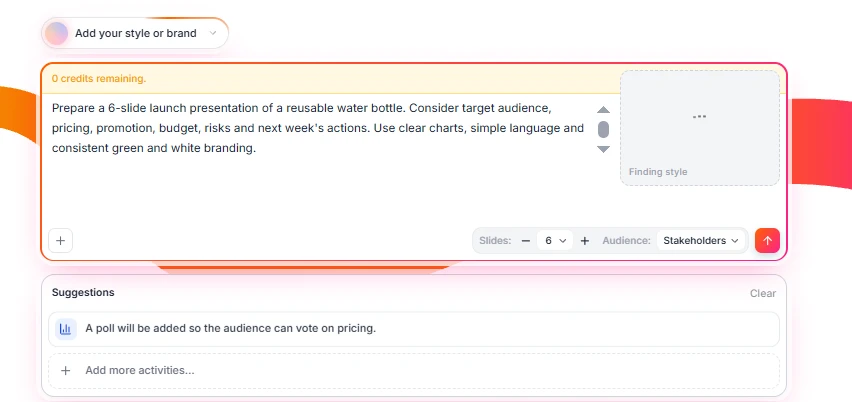
We tested the tools with a simple product-launch scenario. A small business was preparing to launch a reusable water bottle. The presentation needed to explain its audience, pricing, promotion, budget, risks, and next steps.
Here is our prompt:
| Prepare a 6-slide launch presentation of a reusable water bottle. Consider target audience, pricing, promotion, budget, risks and next week’s actions. Use clear charts, simple language and consistent green and white branding. |
We checked to see if each deck covered all six of the required topics. We also looked at the budget explanation and suggested promotional activities. Visual checks include readable charts, clear headings and consistent branding. Last but not least, we looked at editing, revision handling and export options.
Let’s look at the results that the PowerPoint alternatives presentation software showed.
1. Decksy AI
Concept & test results
Decksy AI turns source files into editable presentations. It supports documents, spreadsheets, presentations, text, and Markdown. In its source-first workflow, it places information before visual design. This is a good approach for reports, proposals, business plans and research-heavy material.
The deck made good sense as we went through it for our product launch. It covered the audience and then went into the pricing strategy. The budget then backed the proposed promotional activities. Risks and next steps completed the story.
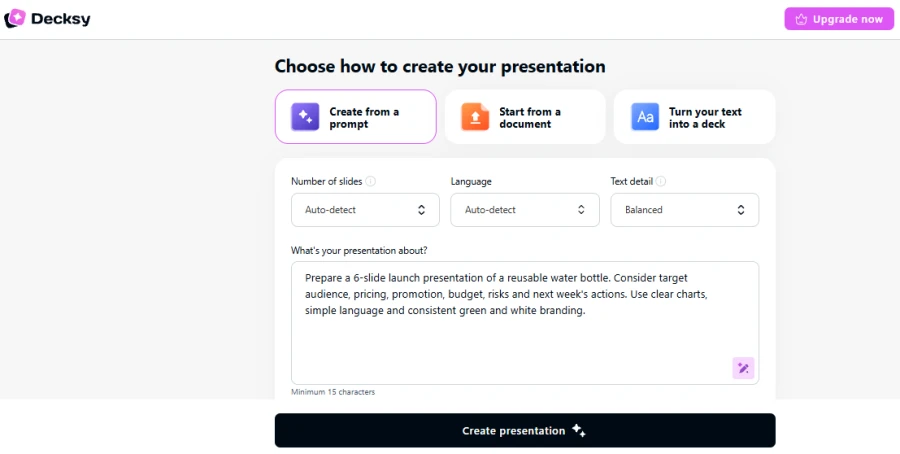
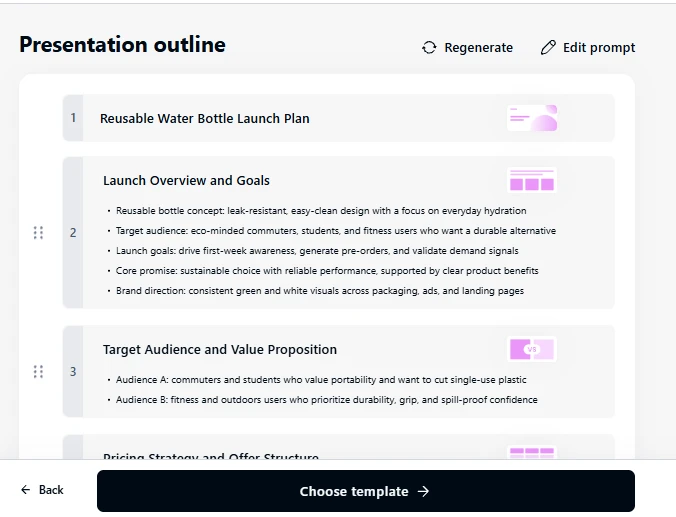
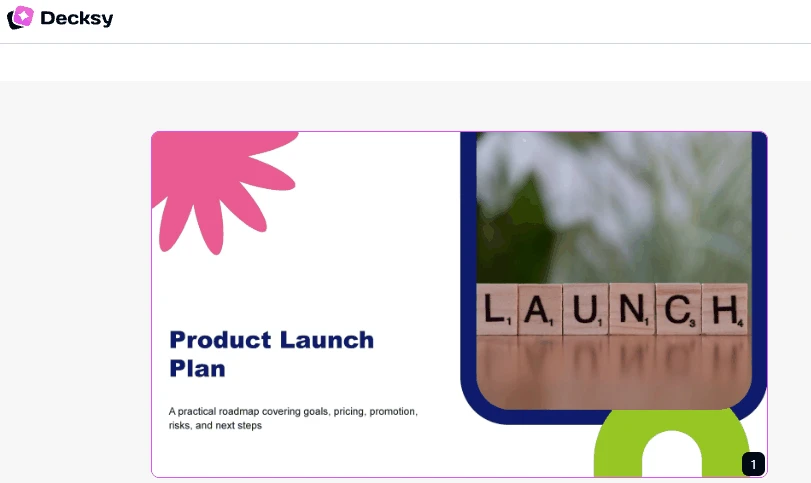
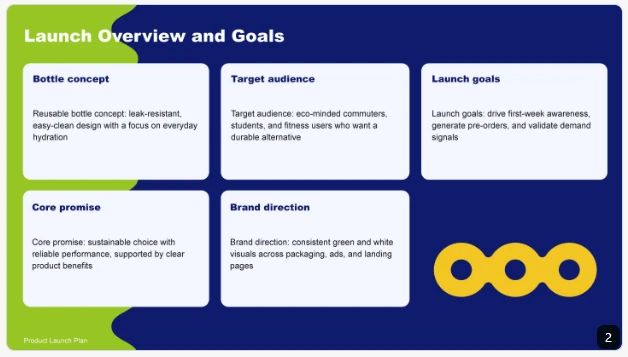
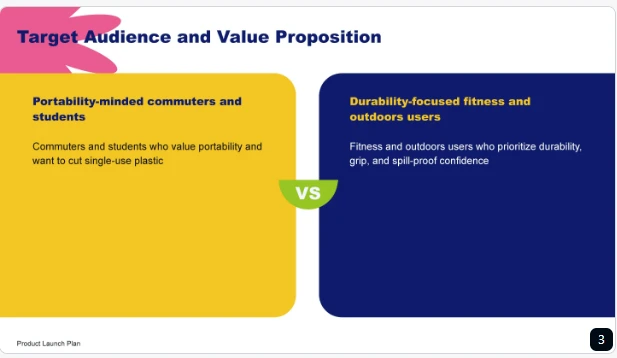
This structure helped connect spending with the proposed marketing plan. It also gave each required topic a clear place. We could see how the presentation supported the launch decision. But the numbers and recommendations had to be thoroughly checked.
Pros & cons
Decksy is great for turning existing material into presentations. It helps consultants, analysts, marketers and business teams. The source-first approach places the original information at the center. It also supports single-slide regeneration, making it useful among Manus AI alternatives for structured, editable presentations.
However, created content still requires human review. Check figures, dates, claims, and recommendations before sharing. Inspect the exported deck for formatting changes, too.
Pricing
Decksy has advertised seven-day access for $2. Its full plan is listed at around $10 per month.
2. Slideonic.ai
Concept & test results
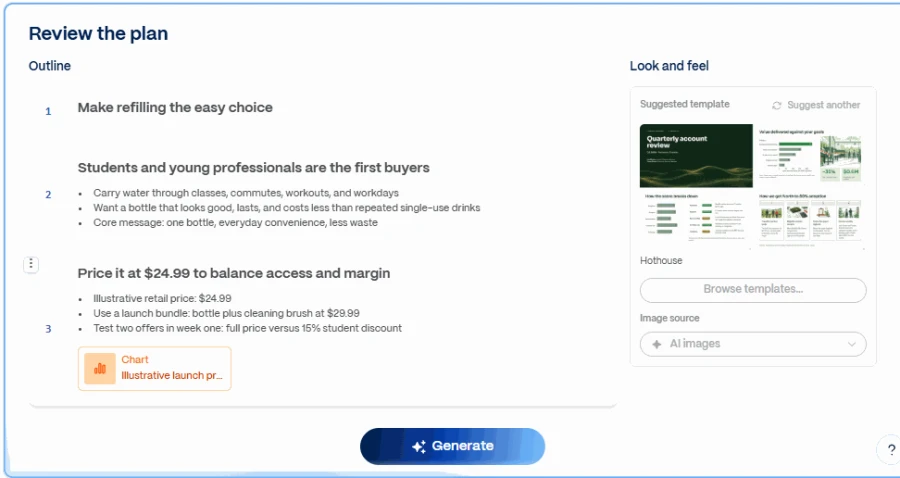
Slideonic turns prompts, notes, and files into presentations. It supports multiple formats: PDF, Word, PowerPoint, spreadsheets and Markdown. Users can review and reorder outlines before slide design. This allows them to organize the narrative first.
Our launch needed to have 6 different sections in the outline. Slideonic allows users to check their order. Pricing could have been done before the promotion plan. That sequence helped explain the budget more naturally.
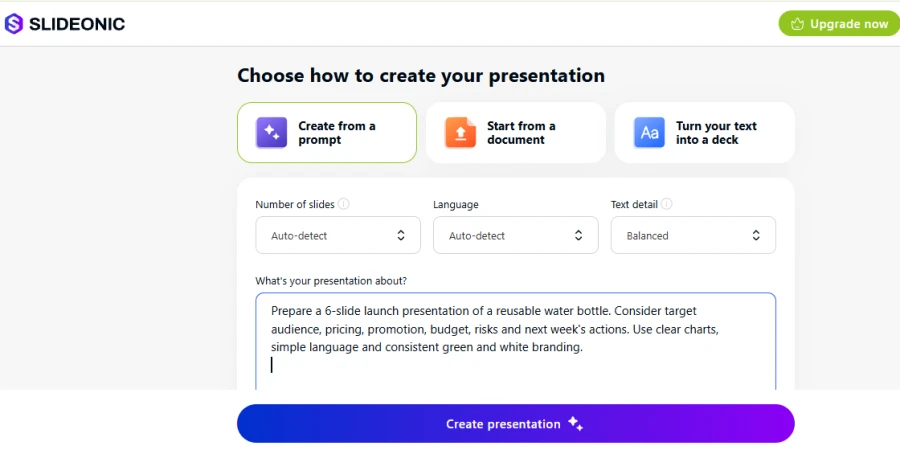
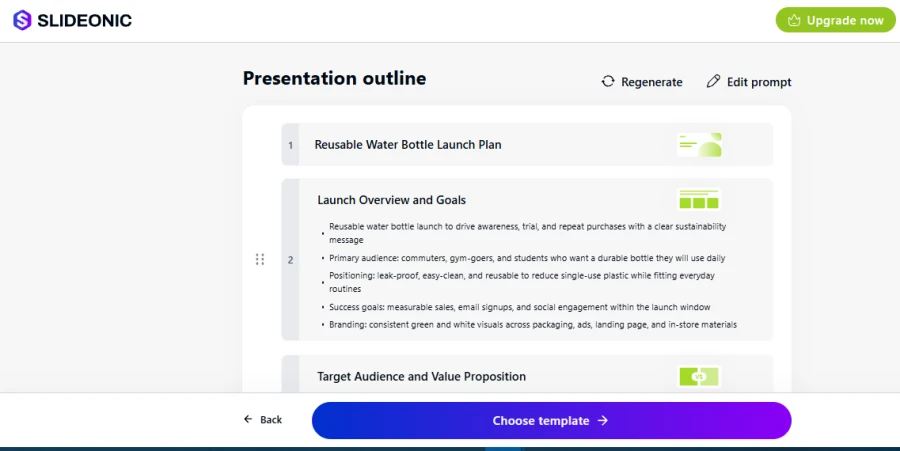
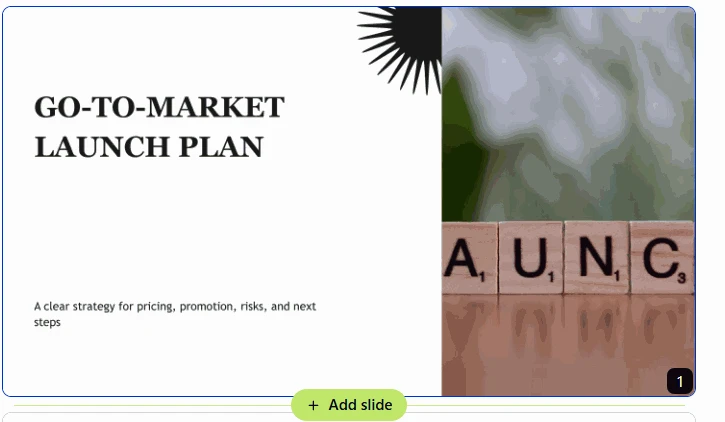
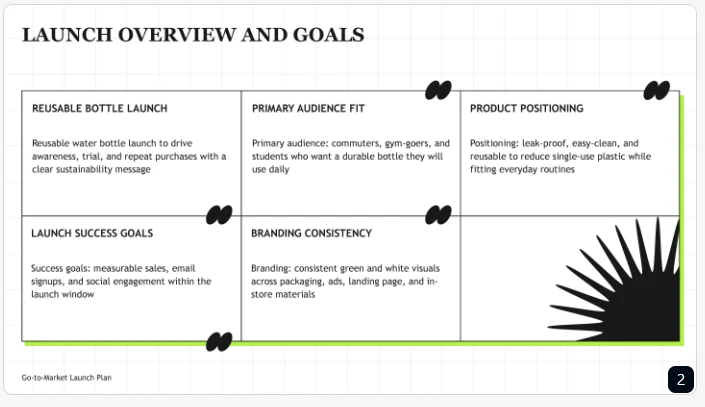
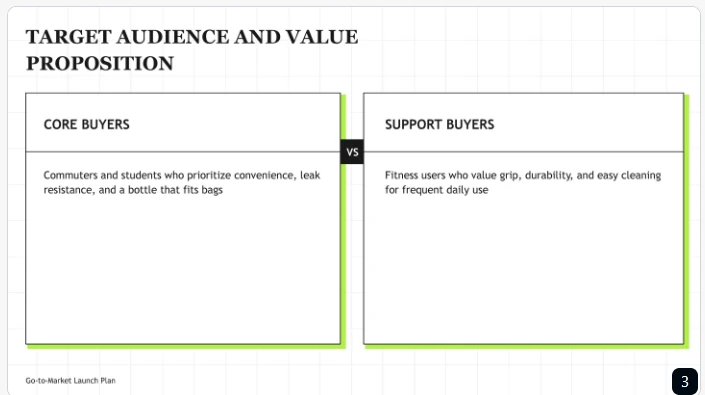
Users can modify the outline structure, then spend time on visual details. But a good outline does not guarantee that the final slides will be accurate. Still, we needed to check the budget, chart labels and exported formatting.
Pros & cons
Slideonic suits consultants, educators, and marketers. Source support and outline editing make restructuring easier. It gives the alternatives to PowerPoint presentations more freedom before design begins.
But the final deck may need some more editing. Check charts, figures, labels and slide density with care. Review exported files before sending them to clients.
Pricing
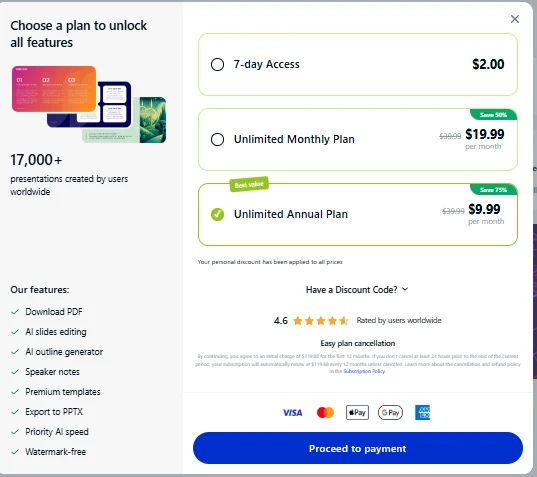
Slideonic is one of the best AI presentation tools alternatives to PowerPoint as it provides one free deck daily. Its annual plan is listed at $9.99 per month.
3. Gamma
Concept & test results
Gamma creates visual content from prompts and imported material. Its card-based format gives presentations a flexible feel. A user can change the order of topics and the visual structure.
Gamma clearly separated the main topics in our test. There was a section for audience, pricing and promotional ideas. The card format made it easy to scan through the presentation. But visual separation wasn’t the only thing at stake in budget decisions.
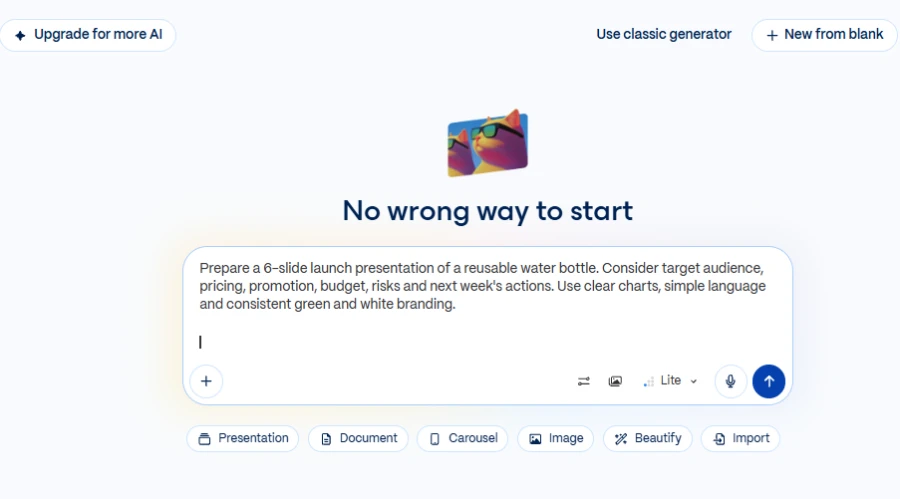
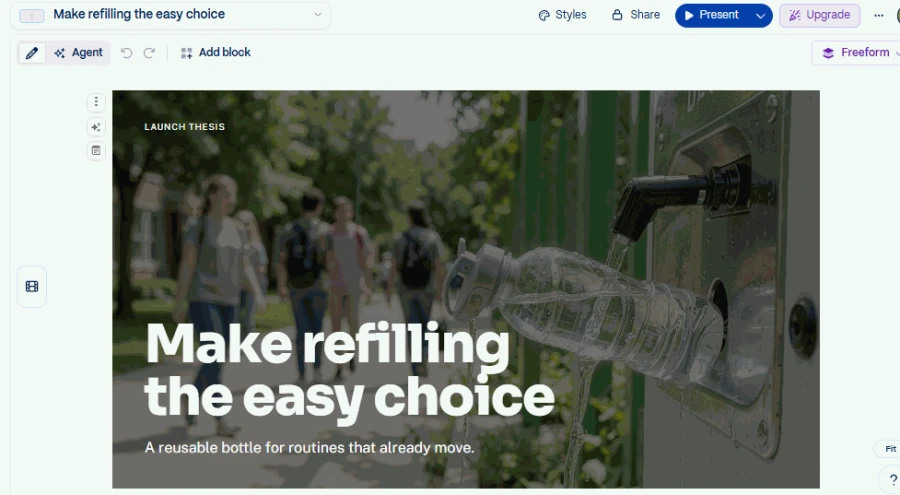
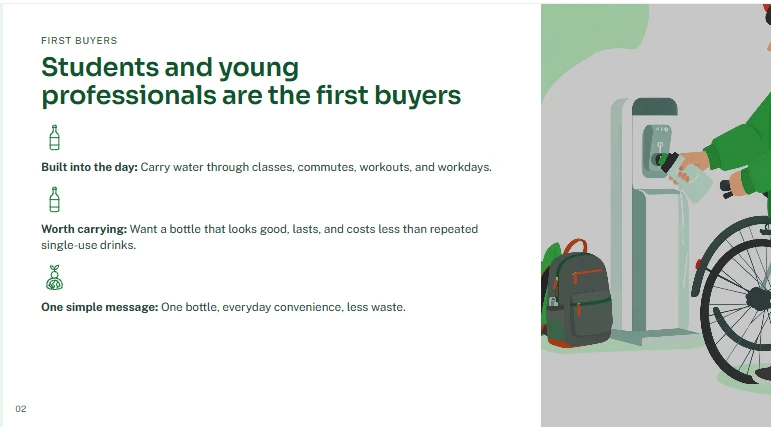
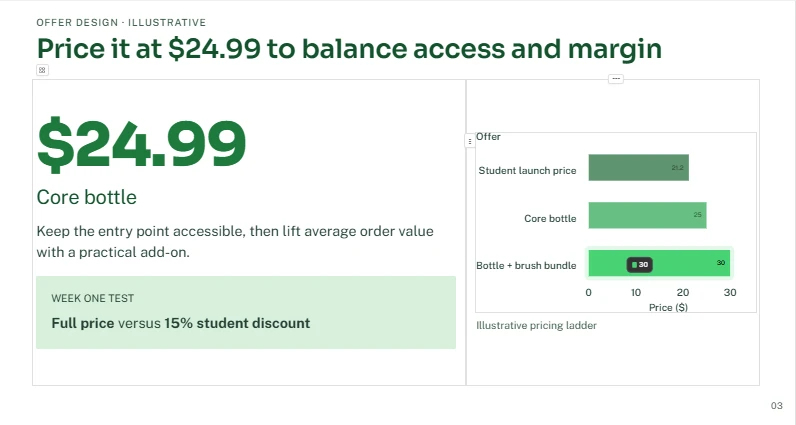
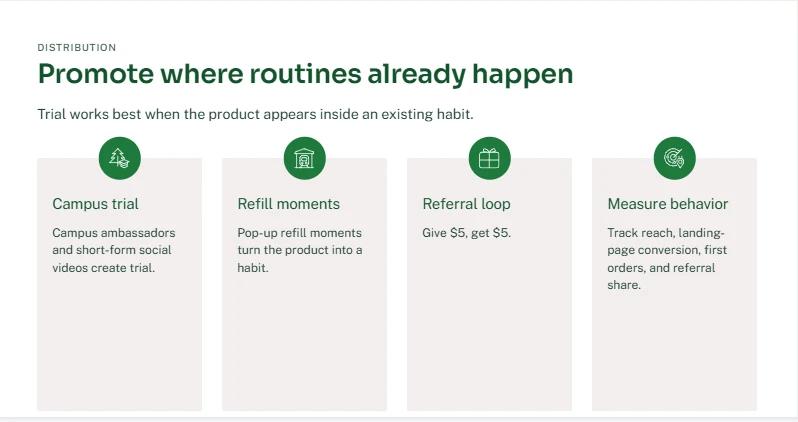
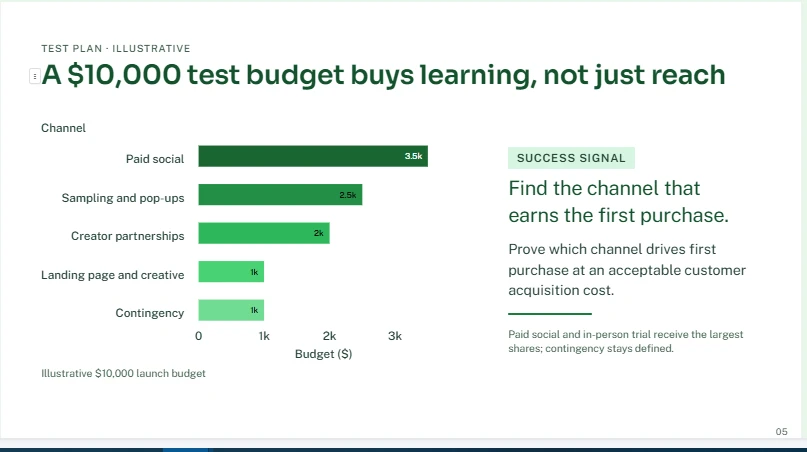
Some content needed stronger connections between spending and activities. The final action list also needed enough space. This showed why attractive layouts still need content review.
Gamma can also support AI Excel to PowerPoint workflows. Users can turn information from a spreadsheet into presentation content. But they should check imported figures and chart labels. More complex spreadsheets might need more detailed explanations.
Pros & cons
Gamma is excellent for rapid visual drafts and web presentations. With flexible cards, the user can reorder the information. The free plan is a way for new presenters to begin.
But detailed source material might need to be restructured. Check text density, slide order and export formatting. Ensure that the financial information is easy to understand.
Pricing
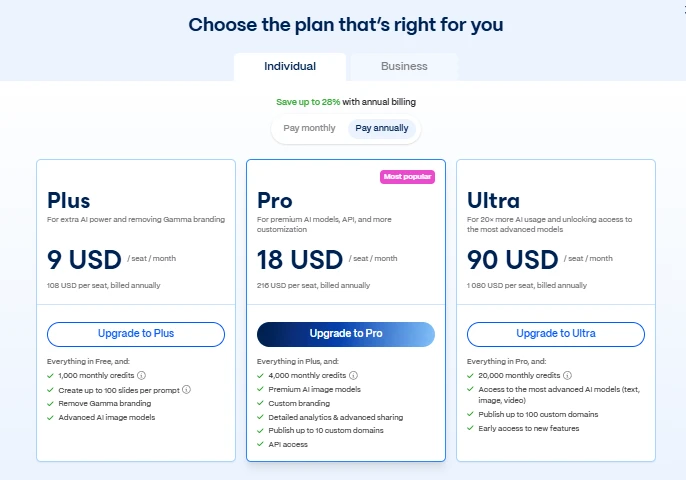
Gamma offers a free plan with limited generation. Paid plans offer additional features and usage.
4. Canva
Concept & test results
Canva has presentation creation with templates and images. It also supports posters, social posts and other promotional material. This makes it a good contender among Gamma AI alternatives for teams that create campaign assets on a consistent basis.
We needed green and white for our launch scenario. Each message was also required to have supporting promotion ideas with visuals. Each section can be styled with flexibility. Its templates kept a consistent visual direction.
But sometimes decorative elements compete with important information. Key players and budget labels got some breathing room. The risks and next steps should be easy to find. A clean design still requires a clear information hierarchy.
Pros & cons
For small businesses and creative teams, Canva is one of the fantastic creative alternatives to PowerPoint presentations. Its templates are good for branded slides and marketing materials.
But long documents might require manual reformatting. Check chart labels, text density and exported layouts before sharing.
Pricing
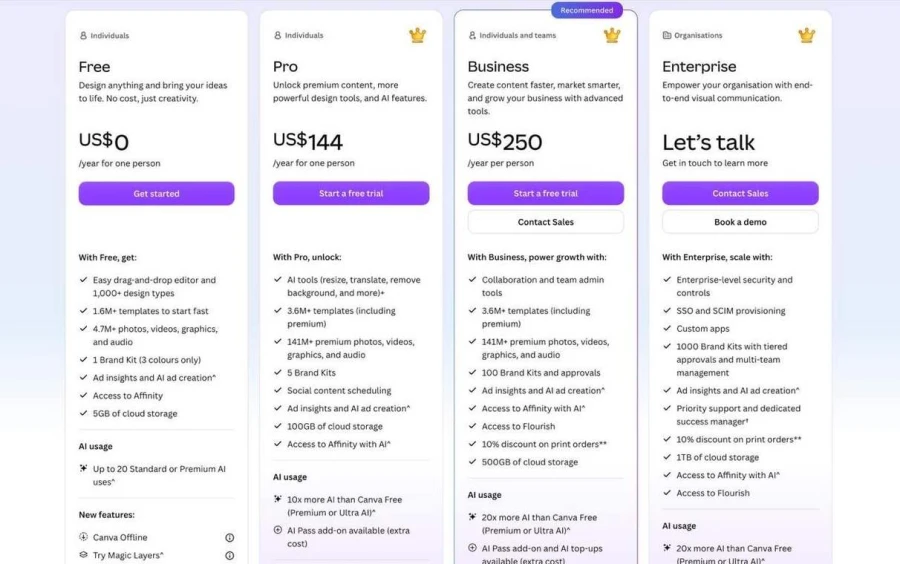
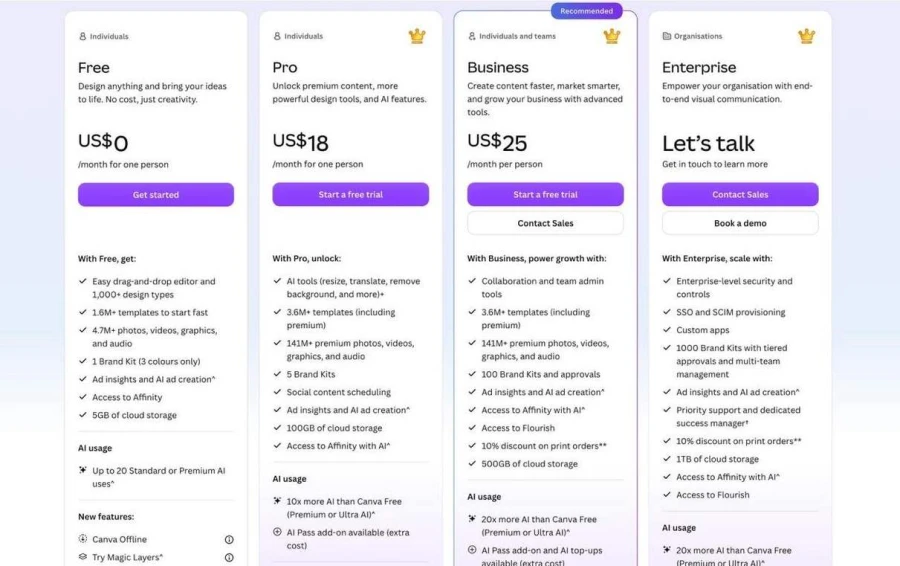
Canva has a free plan with limited features. Paid prices vary by region and subscription type.
YEARLY PLANS:
MONTHLY PLANS:
5. Prezi
Concept & test results
Prezi organizes presentations around a zoomable visual canvas. Instead of relying only on separate slides, it connects ideas spatially. This may help clarify relationships between topics. It is suitable for presentations with a single central idea.
The product may be the main attraction for our launch. Audience, pricing, promotion, and risks could spread out. This layout was a new way to explain relationships. It also provided opportunities for visual storytelling.
However, movement doesn’t automatically make the message better. In a budget, readable figures and clear explanations are still needed. Too many transitions can detract from key details. The presenter using a Prezi alternative needs to ensure that the order is easy to follow.
Pros & cons
Prezi can give presentations a more dynamic feel. Its canvas explains the relationship between connected ideas. It could be suitable for pitches, lessons, and storytelling sessions.
But the Zoom format won’t be for every audience. Detailed financial reviews may need a more conventional layout. Before you commit, take a look at the export options and presentation compatibility.
Pricing
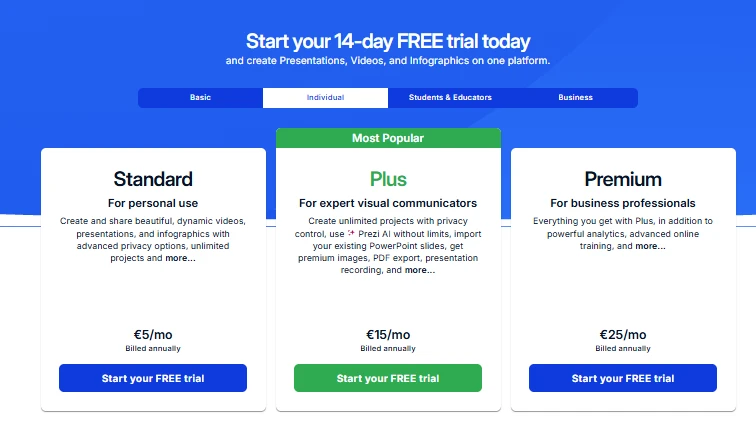
Prezi can be used for free and with paid subscriptions. Available features depend on the plan you select.
6. Beautiful.ai
Concept & test results
Beautiful.ai specializes in automatic slide layouts. Its design system allows users to maintain visual consistency. Elements change as users add or modify content. This makes it one of the real AI alternatives to PowerPoint for teams that want polished slides with less manual formatting.
We needed clear budget and pricing sections on the deck for our launch. Consistent layouts helped to separate each part of the story. The green and white theme tied it all together. But automatic layout cannot fix bad explanations.
Budget slides still need to be labeled properly and have useful context. The promotional ideas you create must appeal to your target audience. The last action slide should give practical next steps. After editing, users should check dense slides.
This makes Beautiful.ai a good option among presentation software alternatives to PowerPoint. It prefers design consistency to managing the details of the source. It’s very useful when you need to put a little shine on your presentation.
Pros & cons
Beautiful.ai is a good fit for teams that want consistent layouts. Automated formatting makes repetitive presentation work easier. It can also help non-designers make great slides.
But automated design may restrict some of the layout options. Users still need to check the content, spacing, and charts. Files exported may also need to be modified for later editing purposes.
Pricing
This platform has paid plans with varying features. Prices and export options may change over time.
7. Plus AI
Concept & test results
Plus AI works inside Google Slides and PowerPoint. It helps users create, insert and rewrite presentation slides. This is great for teams already using these apps. They can continue to work in familiar editing environments.
We wanted the launch presentation to have six readable sections. Plus AI helped in slide creation within the existing workflow. Teams could use familiar templates and edit the content that was generated. This helped to maintain consistency with the current business materials.
The results, however, depend on the chosen template. Some slides will require manual spacing adjustments. Also, the position on the chart and the content order require attention.
Pros & cons
Plus AI suits teams seeking alternatives to PowerPoint presentation software. It brings AI capabilities to familiar tools, enabling recurring reports without changing workflows.
However, the results may require additional formatting. Review hierarchy, spacing, charts, and export quality.
Pricing
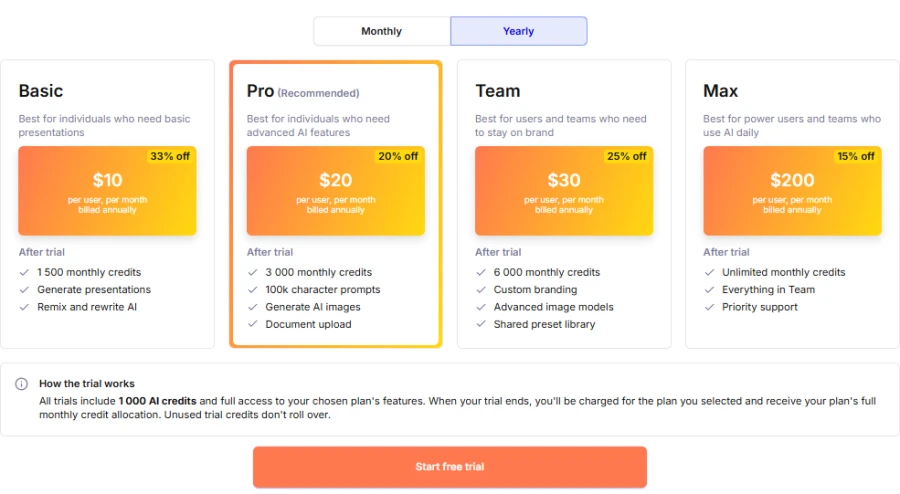
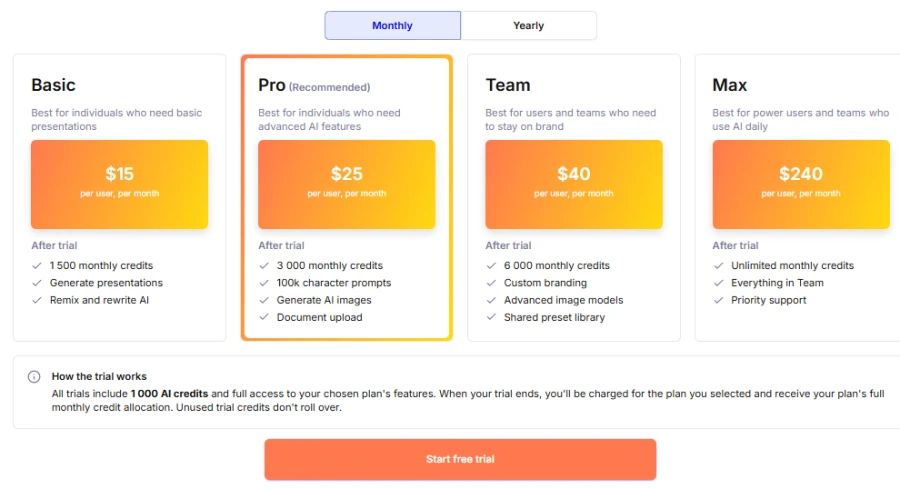
Plus AI has advertised plans starting around $10 per user monthly. That listed price applies to annual billing.
YEARLY PLANS:
MONTHLY PLANS:
Presentation alternatives to PowerPoint: overall comparison
| Tool | Best use | Primary strength | Main restriction |
| Decksy AI | Source-based presentations | Source-first layout and editable slides | Content verification required |
| Slideonic.ai | File-to-deck workflows | Outline review and content reordering | Exported details require checking |
| Canva | Branded presentations | Templates and overall design tools | Long sources may require manual work |
| Plus AI | Existing slide process | AI for daily applications | The results depend on the template |
| Gamma | Fast visual presentations | Flexible, prompt-based drafts | Content can be complex and may need to be restructured |
| Prezi | Storytelling through visuals | Zoomable, connected canvas | Not as good for normal layouts |
| Beautiful.ai | Professional business slides | Consistent automated layout | Less freedom in layout |
Final verdict
The strengths of each AI PowerPoint alternative were revealed in our product launch scenario, though none of these tools remove the need for content review.
Consider these alternatives to PowerPoint for presentations based on your workflow:
- Best for source-based decks: Decksy AI.
- Best for outline control: Slideonic.ai.
- Best for fast visual drafts: Gamma.
- Best for branded content: Canva.
- Best for visual stories: Prezi.
- Best for consistent layouts: Beautiful.ai.
- Best for existing slide workflows: Plus AI.
If your material is already in Markdown, you can use an AI MD to PPT workflow, though you still need to check headings, figures, and slide breaks after converting.
Don’t settle for the first generated draft—check source accuracy, editing choices, and export quality. Verify other alternatives to PowerPoint presentation tools that support your source formats, and pick a platform based on how you want to handle sources, design needs, and editing preferences.
FAQ
What are the best free alternatives to PowerPoint that use AI?
Canva and Gamma have free plans to get you going. Other tools might have a limited free trial or access.
Which tool performs best on the existing documents?
Decksy and Slideonic are source-based presentation workflows. They both can help you organize information from supported files. But always check extracted numbers and final slide content.
What is the best AI presentation generator for students?
We can propose two platforms. Canva has templates for visual projects and for assignments in the classroom. Decksy AI presentation generator for students helps you organize your existing source material and notes.
What tool offers the most design freedom?
Canva has lots of templates and design features. Prezi has a different approach with its zoomable canvas. The best choice depends on the purpose of your presentation.
What do I need to check before I pay?
Test the same brief in two or three platforms. Compare structure, accuracy, readability, editing, and export quality. Also check pricing, usage limits, and subscription terms.
Create editable presentations with Decksy
Need a clear and editable deck from existing documents? Decksy turns reports, spreadsheets, and notes into structured presentations. Try this alternative to PowerPoint presentation to build source-based pages. You can edit each slide individually, without having to rebuild the entire deck.

On decksyai.com, where clarity still matters, but results matter just as much, Alyssa Johnson, Chief Revenue Officer, looks at messaging through a growth lens. She pays attention to how structure drives action, how a well-timed pause improves conversion, and how AI is reshaping all of it — without ever replacing the human instinct behind the message.