Gamma alternatives in 2026: comparison of 7 best tools
Gamma makes it easy to turn ideas into presentations. You enter a prompt, and it builds a visual draft. But Gamma may not suit every project or workflow.
Some people need better control over existing documents, while others want editable PowerPoint files and familiar editing tools. Design teams, meanwhile, may care more about consistent layouts. Ultimately, the best Gamma alternatives will depend on your specific needs!
Decksy AI presentation generator focuses on turning source material into structured presentations. Slideonic lets you review the story before designing slides. Canva offers a broad visual-design toolkit. Plus AI works inside familiar office tools. Beautiful.ai focuses on polished, consistent layouts. Prezi takes a different approach to visual storytelling.
| Tool Name | Primary Differentiator | Native Export Support | API Access | Prices |
| Decksy AI | Source-first presentation creation | Google Slides, PDF, PPTX | Not confirmed | $2 for 7 days; around $10/month |
| Slideonic.ai | File conversion with outline review | PPTX, PDF | Not confirmed | Free daily presentation; $9.99/month with annual billing |
| Canva | Flexible design tools, templates, and AI features | PDF, PPTX, and other formats | Available through Canva’s developer platform | Free plan; paid plans vary by region |
| Plus AI | AI tools inside PowerPoint and Google Slides | PowerPoint, Google Slides | Available | From $10/user/month with annual billing |
| Beautiful.ai | Automated layouts and consistent design | Editable PPTX on eligible plans, PDF | Availability needs confirmation | From $14.50/month with annual billing |
| Prezi | Zoomable presentations that connect ideas | PDF and PowerPoint; options vary by plan | Not confirmed | From $7/month with annual billing |
| PowerPoint | Detailed editing and Microsoft 365 integration | PPTX, PDF, images, and other formats | Available through Microsoft’s developer ecosystem | Included in eligible Microsoft 365 plans |
How we evaluated the alternatives to Gamma AI presentation tool
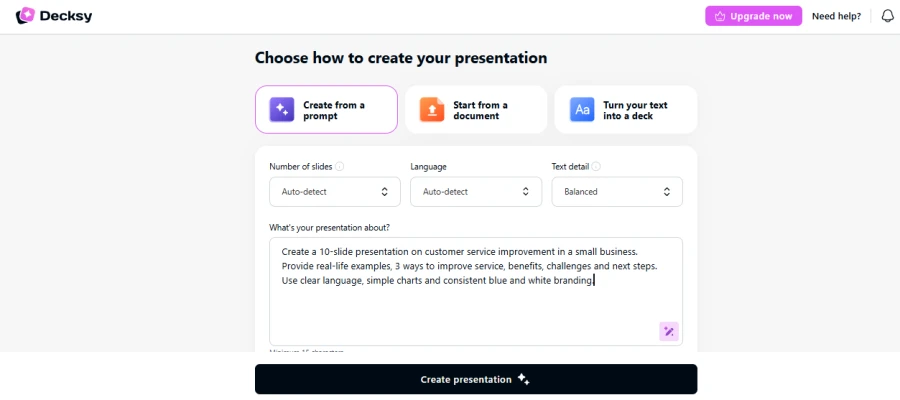
We used one prompt for all seven tools. It was about providing improved customer service at a small business.
Our test prompt:
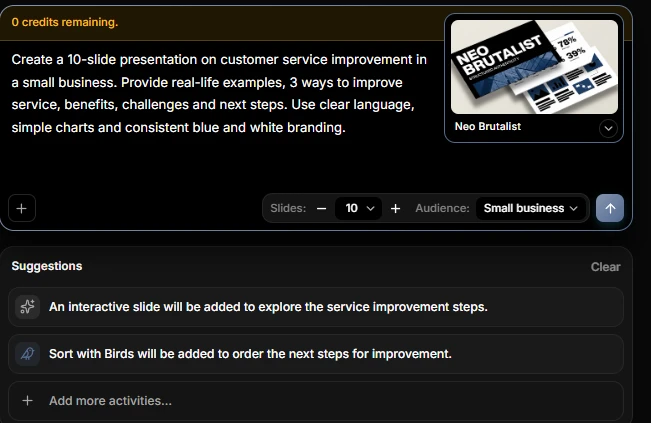
| Create a 10-slide presentation on customer service improvement in a small business. Provide real-life examples, 3 ways to improve service, benefits, challenges, and next steps. Use clear language, simple charts, and consistent blue-and-white branding. |
We looked at four practical areas.
- Content structure: Did the presentation cover every requested topic?
- Content quality: Were the examples clear, relevant, and easy to understand?
- Design & layout: Were the charts simple to read? Were the colors the same?
- Editing & export: Can users clean up the slides and share the output?
We also considered the intended workflow for each tool. Some work off cues. Some deal with existing files or with office applications.
1. Decksy AI
Concept and test results
Decksy AI is a Gamma app alternative with a source-first approach. It turns documents, spreadsheets, presentations, text & Markdown into editable decks.
Our test prompt asked for three customer-service methods, real-world examples, benefits, challenges, and next steps. We saw that this structure needs a clear sequence. Each example must show how its method works, not just repeat the recommendation. The final slide should turn the findings into practical actions.
🎯 The main point of the review was whether the examples supported each recommendation. This matters when source material contains overlapping points.
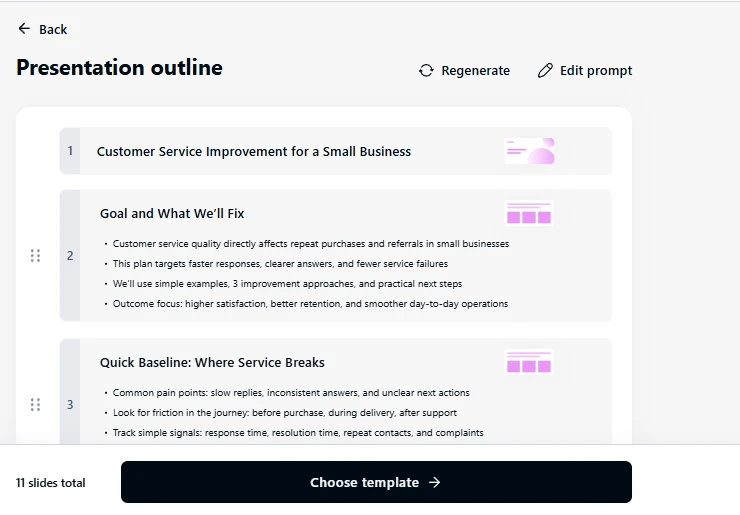
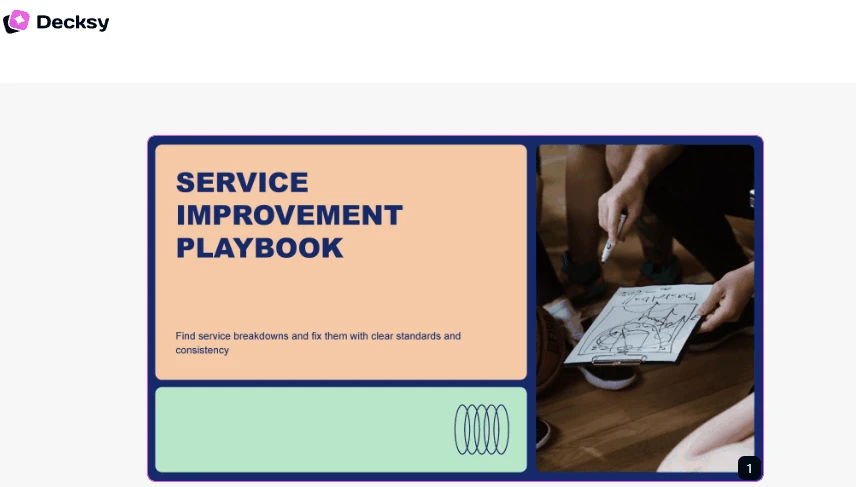
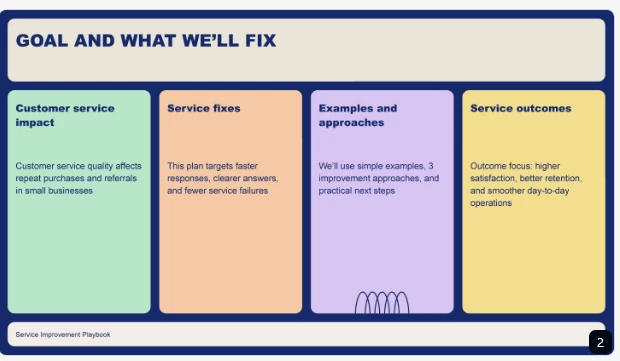
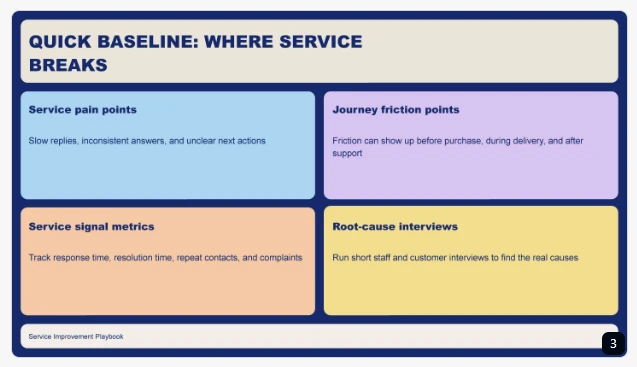
We see that Decksy’s source-first approach helps organize information before focusing on design. This is useful when building a deck from existing reports or business documents. It also helps keep recommendations connected to their supporting examples.
Decksy also supports single-slide regeneration. During revisions, users can simplify one example without rebuilding the deck. This makes Decksy a practical Gamma alternative for focused content edits.
Pros & cons
Decksy is a great platform when your presentation starts with source material. It suits reports, proposals, meeting notes and business documents. Single-slide regeneration also helps with focused revisions.
Still, don’t assume the first draft is ready to share. Check every claim and confirm that examples make sense. Review the exported file before sending it to clients.
Pricing
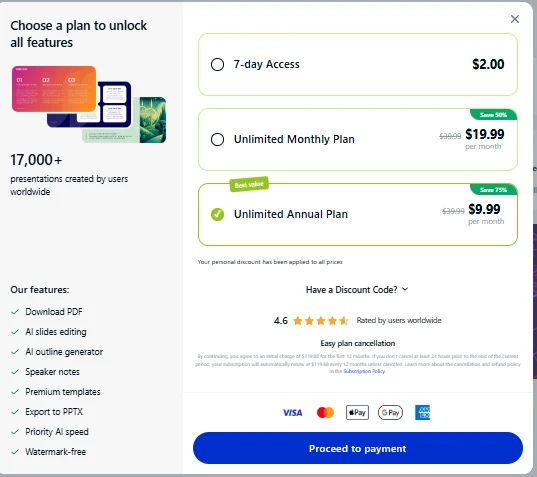
Decksy advertises seven-day access for $2. Its full plan costs about $10 per month.
2. Slideonic.ai
Concept and test results
Slideonic turns prompts, notes, and files into presentations. It supports DOC, PDF, TXT, PPT, XLSX, and Markdown. Users can review and reorder the outline before slide design.
Our test showed why this review stage matters. We checked if each method had a separate section and example. Benefits and challenges logically flowed. Next steps were provided at the end.
The outline helps to find missing topics before formatting. We also tested if the outline reordering maintained the desired flow.
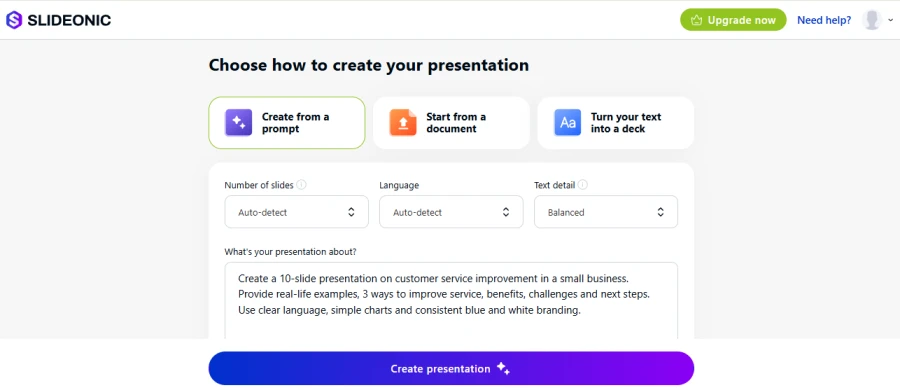
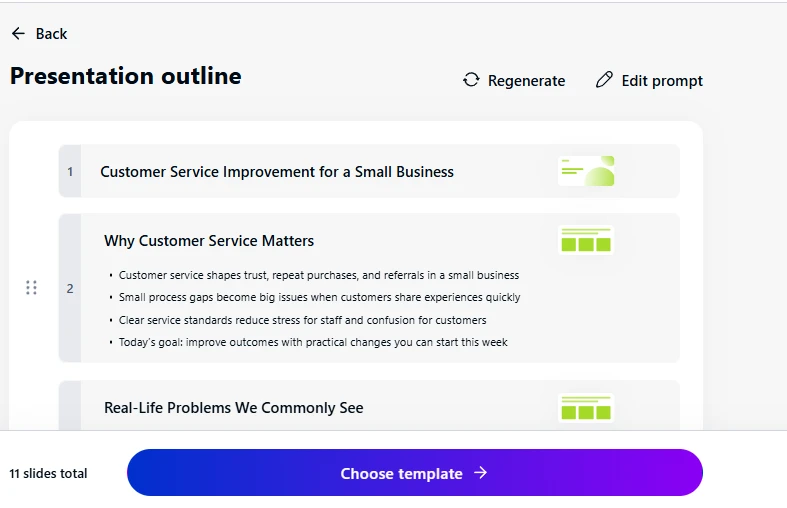
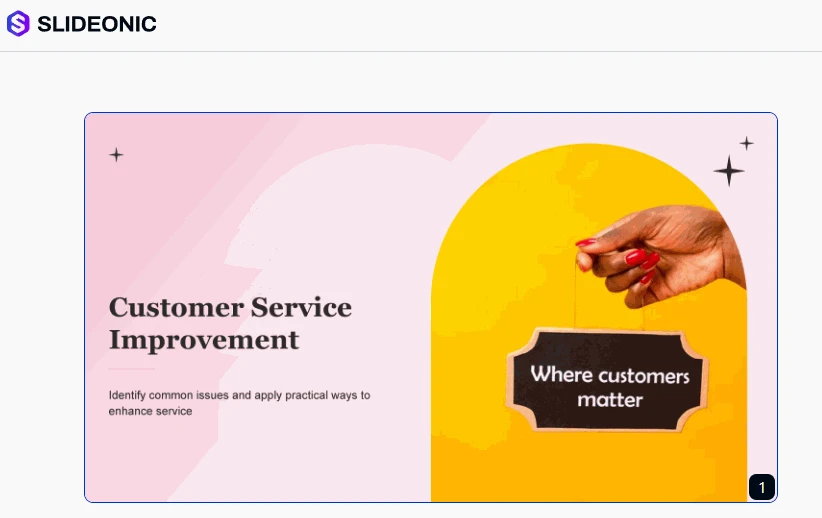
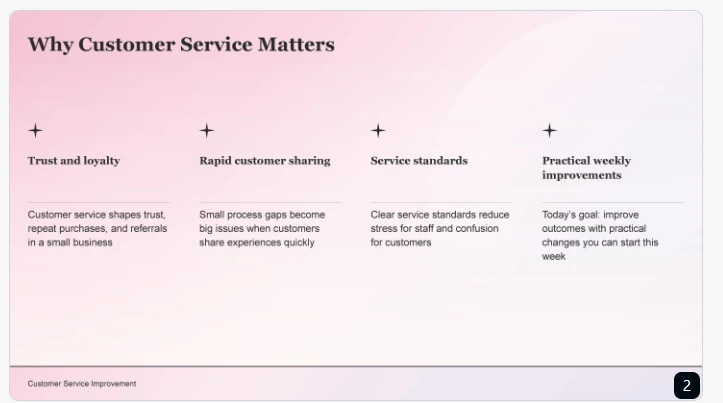
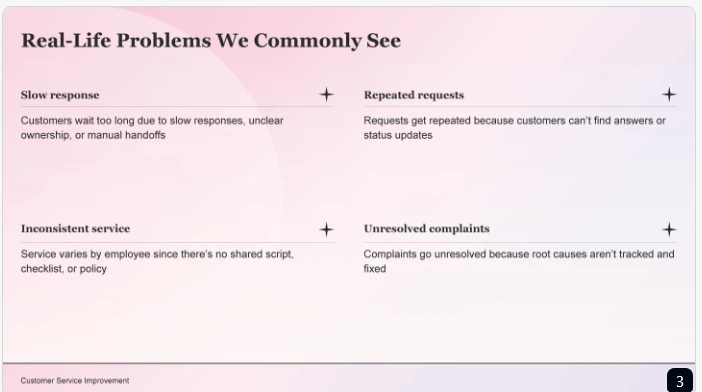
This workflow makes Slideonic a potential Manus AI alternative. It gives more control over structure, but the final slides still need checking.
Pros & cons
If you do a lot of file-to-presentation conversions, Slideonic is a good option. It can suit consultants, educators, marketers & analysts. The outline editor is useful when order matters.
However, check important facts and charts after generation. Also confirm that exported layouts remain readable in PowerPoint.
Pricing
Slideonic advertises one free presentation per day. Its annual plan is listed at $9.99 per month. Monthly billing may cost more. Still, it’s better to check current prices and renewal terms before subscribing.
3. Canva
Concept and test results
Canva combines presentation creation with flexible design tools. It offers templates, media assets, branding options, and AI features.
During our test, we looked at how clearly the three use cases could stand apart. To that end, Canva offered visual ways to distinguish examples. At the same time, we had to consider whether each slide left enough room for explanations, benefits, and challenges. Because decorative elements should not compete with the recommendations, we checked whether visual variety made the examples harder to compare. Ultimately, while brand consistency is helpful, the most important priority remains clear content.
So, if you like freedom in design, Canva is one of the Gamma AI alternatives for you! Long source documents may require some manual restructuring.
Pros & cons
If you want control over branding and visuals, use Canva. It’s good for marketers, small businesses and collaborative creative teams. It can also help with an AI presentation maker for HR. HR teams can use the platform to build onboarding materials, policy explainers, and training decks.
Still, when using this tool, you have to review the generated structure before polishing individual slides. Check text density, visual hierarchy, and export compatibility.
Pricing
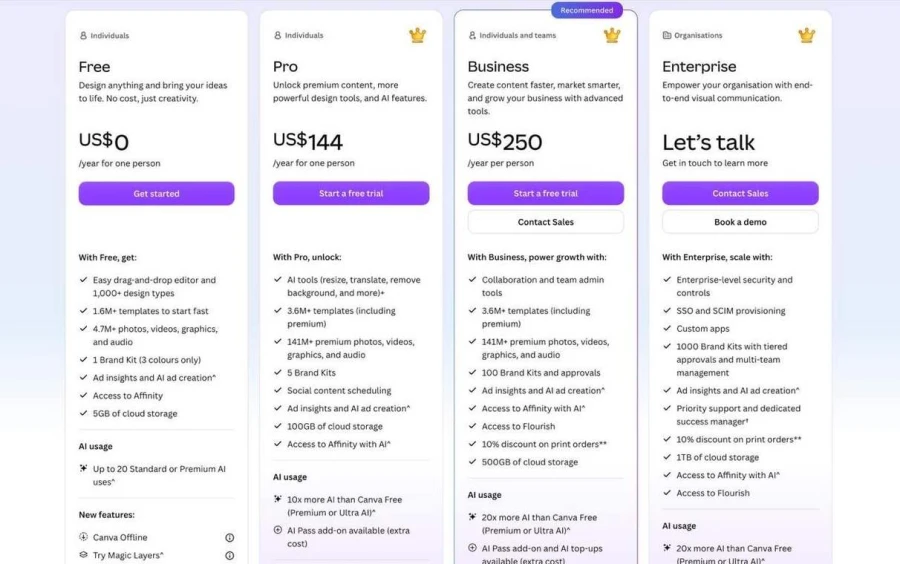
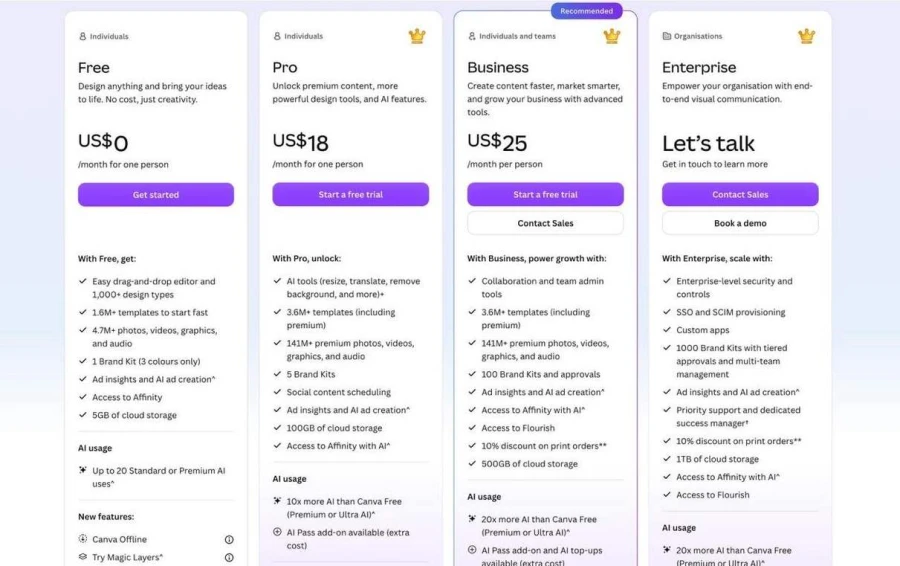
Canva offers a free plan with limited AI usage. Its US pricing page lists Pro at $144 annually. Business is listed at $250 per person annually. Prices and available plans may vary by region.
YEARLY PLANS:
MONTHLY PLANS:
4. Plus AI
Concept and test results
Plus AI works inside Google Slides and PowerPoint. It helps users create, insert, and rewrite slides.
Our test showed the value of working in familiar software. We could focus on arranging the three methods and their examples within an existing workflow. We still needed to make sure that benefits and challenges were separate. Template spacing, chart placement and slide order also had to be reviewed. We also checked the current layouts to see if there was enough room for explanations.
Plus AI is a good Canva AI alternative for teams. It integrates into existing workflows, but results depend on content and templates.
Pros & cons
If your team uses PowerPoint or Google Slides, Plus AI is worth your attention. This is great for recurring presentations and templates that have been in existence for a while. It also enables changes to localized content.
That said, verify your own templates before using them. Review the written material and fact-check each salient statement. Make sure the exports are in the right format.
Pricing
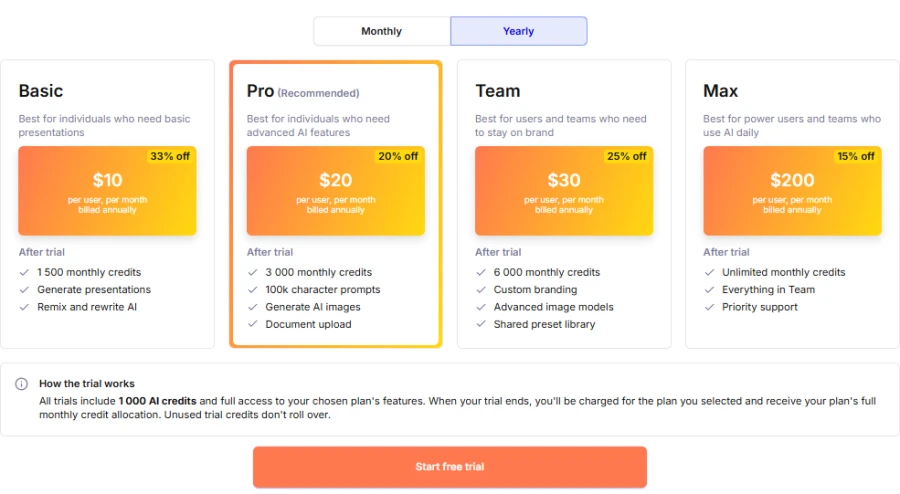
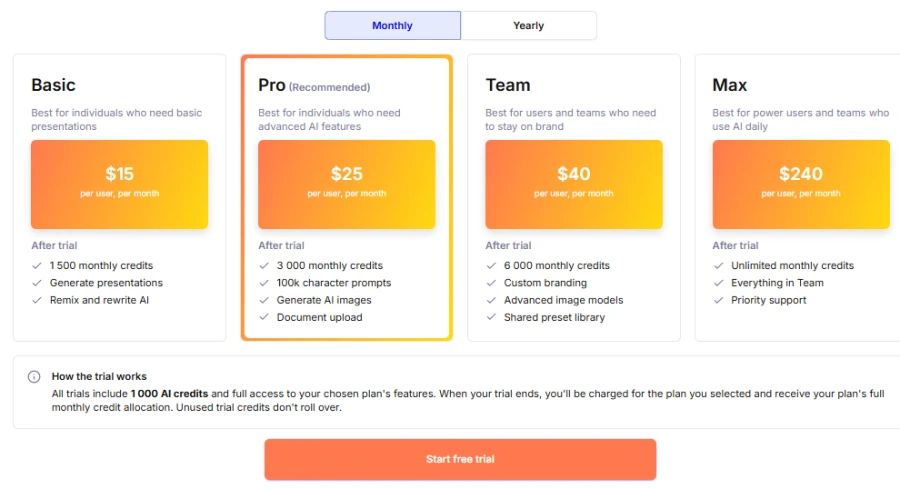
Plus AI offers paid plans with different features and usage limits. Basic is listed at $10 per user per month, billed annually. Monthly billing costs more.
YEARLY PLANS:
MONTHLY PLANS:
5. Beautiful.ai
Concept and test results
Beautiful.ai is an AI proposal presentation maker focused on automatic layouts. Its Smart Slides adjust as users add or remove content.
In our test, the content included problems, methods, examples, benefits & challenges. We needed each part to remain distinct without crowding the slide. Alignment is taken care of by the layout system, but dense explanations may be cut down. Charts and recommendations should be legible at normal presentation size. We tested for readability of headings and chart labels with automatic adjustments.
Beautiful.ai is one of the Gamma AI presentation tool alternatives for design-oriented teams. It prefers a uniform layout to free placement.
Pros & cons
If consistency in formatting is your number one priority, then Beautiful.ai is your go-to. It’s good for proposals, sales decks, and normal business updates. Automation of layouts can reduce manual alignment work.
But if each element requires its own custom positioning, it is better to skip it. Pay attention to chart labels, text size, and dense areas. Make sure your plan supports the necessary exports.
Pricing
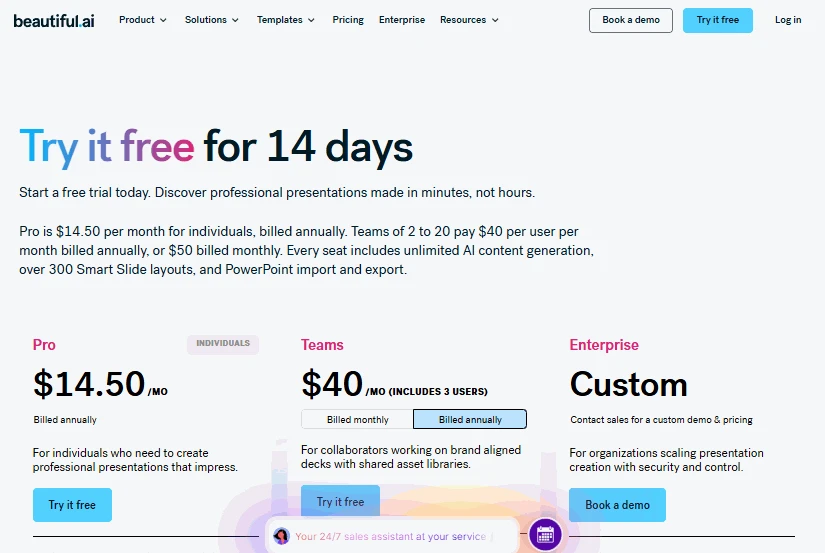
Paid plans for individuals and teams are available at Beautiful.ai. The Pro plan costs $ 14.50 per month if you pay yearly. Team pricing is more. Check the current prices and export features before buying.
6. Prezi
Concept and test results
Prezi uses a zoomable canvas instead of standard slides. Presenters move between topics to show their relationships.
Our test showed how the story could connect a customer problem with a solution. Each method could lead to its own example and benefits, followed by challenges and next steps. We would need to keep the route through these ideas clear. Too much movement could distract from the explanation. We also tested whether viewers could find each recommendation without any further movement.
Prezi is good for visual storytelling and related ideas. Dense information is probably better suited to traditional slides, so it is a good benchmark for Prezi alternatives.
Pros & cons
Prezi is your best option when relationships between ideas matter most. It can suit workshops, training, and explanatory talks. Use zooming to support the message, not decorate it.
But when viewers need to compare many figures, it’s better to avoid this tool. Keep key points easy to find. Check what remains interactive after exporting.
Pricing
Prezi offers several subscription plans. Standard is listed at $7 per month with annual billing. Higher plans ($19 for Plus and $29 for Premium) include different features and export options.
7. Microsoft PowerPoint
Concept and test results
PowerPoint has extensive editing and presentation capabilities that are well-known. Charts, text, images and layouts can be changed by users. We also have AI presentations for life sciences, available with a subscription and subject to account eligibility.
For our test, we broke down customer problems, methods, and examples into sections. That control helps fine-tune explanations, but users must ensure that every subject they ask for is included. Similarly, the benefits, challenges, and practical next steps need one final check. AI can certainly help, but it doesn’t replace human review — which is why we reviewed the order of the last slide and cleared up confusing transitions.
People looking for an alternative to the Gamma AI presentation tool are usually familiar with the PowerPoint workflow. It is suitable for users who want to edit details rather than design instantly.
Pros & cons
PowerPoint is suitable for detailed editing and precise formatting. It’s a good fit for organizations already using Microsoft 365. Native editing makes stakeholder revisions straightforward.
But don’t expect every source file to automatically become finished slides. Certain AI features require an eligible subscription. Check the content and exported files before presenting.
Pricing
PowerPoint is included with eligible Microsoft 365 subscriptions. Personal and business plans have different rates.
Overall comparison
| Tool | Best use | Main strength | Main limitation |
| Decksy AI | Source-based presentations | Document-first structure | Needs content verification |
| Slideonic.ai | File-to-deck workflows | Outline review | Exported details need checking |
| Canva | Visual and branded presentations | Flexible templates and design tools | Long source documents may need manual restructuring |
| Plus AI | Office workflows | Native editing | Template fit varies |
| Beautiful.ai | Polished business decks | Automatic layouts | Limited custom placement |
| Prezi | Visual storytelling | Connected canvas | Dense data is harder to scan |
| PowerPoint | Detailed editing | Flexible controls | More hands-on work |
Final verdict
The best tool will depend on what you make most often. Thus, consider your source files, your editing needs, and your audience. Also verify exports before subscribing.
- Best for reports and documents: Decksy. It converts source material into editable presentations.
- Best for managing outlines: Slideonic.ai. It lets you see the story before you design.
- Best for visual design flexibility: Canva. It provides templates, branding tools and flexible layouts.
- Best for familiar office workflows: Plus AI. It works in Google Slides and PowerPoint.
- Best for consistent layouts is Beautiful.ai. It does a lot of the formatting for you.
- Best for visual presentations is Prezi. It has a zoomable canvas connecting related ideas.
- Best for in-depth editing: PowerPoint. It gives you direct control of every single element.
For those who need a Gamma AI alternative, look at the whole workflow. Don’t judge a tool by its first draft alone. Check how easily you can edit and export the result.
If your deck should be built around existing documents, try Decksy AI. Start with a real report or business brief. Review its structure and check the facts carefully.
The best choice also depends on your audience. Business reports need clear figures and recommendations. Training decks need examples and practical exercises. Client presentations need consistent branding and readable layouts.
If you need a simple starting point, test two tools. Use the same prompt and compare the results. Check content, layout, editing, and export quality. And then make a decision.
FAQ
What is the best alternative to Gamma?
There isn’t one best choice for everyone. Decksy suits document-based presentations. Plus AI fits into existing office workflows. Beautiful.ai is all about consistent slide design.
Which platform, along with Gamma, works best with documents?
Both Decksy and Slideonic support document-based workflows. Decksy is all about turning source material into a presentation. Slideonic allows users to preview the outline first.
Are there some free Gamma app alternatives?
Gamma has a free plan with limited generation. Slideonic offers one free presentation per day. Check the branding, export limits and usage rules of each tool.
What is the best tool for business presentations?
PowerPoint is great for bettering existing business processes. If you’ve got tons of source material to include in your report, Decksy can help. Beautiful.ai ensures your layouts stay consistent. Choose the option that works best for your team.
Make editable decks from existing files
Decksy AI helps convert existing files into editable presentations. Start with a PDF, a Word document, or a spreadsheet. Check the structure generated and the details. Next, refine individual slides and export your deck.
Test it on an actual business document, and you’ll know if its workflow is right for you.

On decksyai.com, where people come looking for clarity wrapped in a bit of personality, Julia leans into the details that make a message land: the pause between two ideas, the subtle shift in spacing, the moment a visual finally clicks.