Prezi vs. Google Slides in 2026: Which Tool to Choose?
Not all presentations are built for the same stage. While some demand dynamic, visual storytelling that keeps an audience hooked, others just need clean slides and seamless real-time teamwork. Picking the right platform comes down to what you’re trying to say — and who’s in the room.
In this guide, we break down how Prezi vs Google Slides stack up across pricing, design flexibility, chart capabilities, and export options so you can choose the best fit for your next deck. We also test both tools on the same scenario.
| Feature | Prezi | Google Slides |
| Best for | Visual storytelling | Everyday presentations |
| Design | Zooming canvas and topic paths | Themes and familiar layouts |
| Collaboration | Shared presentation editing | Real-time browser collaboration |
| AI features | AI-assisted presentation creation | Gemini features on eligible plans |
| Free access | Limited free plan | Free personal account |
| Export options | PDF and other supported formats | PPTX, PDF, and images |
| Best audience | Speakers and trainers | Students, teachers, and teams |
Prices, Free Plans & Target Audiences
Cost matters when deciding which is better, Prezi or Google Slides. Both tools offer ways to begin without paying.
Prezi
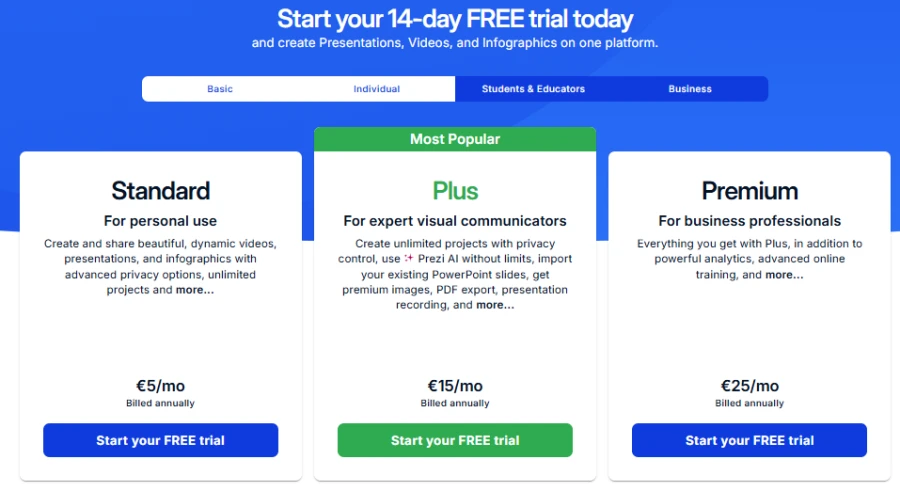
Prezi offers a free Basic plan with 500 monthly AI credits. The Standard plan costs €5 monthly with annual billing. Plus costs €15 and Premium costs €25 per month. The higher levels include AI tools, PDF exports, and analytics.
This presentation platform is ideal for users who want a greater visual impact. One deck of topics is linked by a zooming canvas. This format can make complex ideas easier to follow. However, the navigation may take practice.
Google Slides
Google Slides is free with a personal Google account. Google Workspace plans add business features and administration tools. Some Gemini features require eligible subscriptions or add-ons.
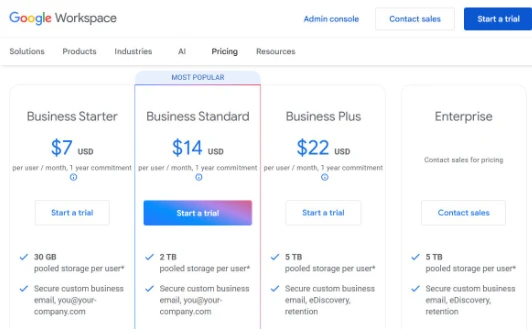
This tool will be useful for students, teachers, and workplace teams. Easy to edit your decks with its familiar layout. Sharing links also makes it easier to get feedback. This platform helps teachers to prepare lesson materials and is still useful for lessons that require simple editing.
When selecting Prezi vs. Google Slides for business, pick the right presentation style. The first can assist speakers in explaining related ideas. The second is for regular meetings, reports, and joint projects.
Another option for document-based work is Decksy AI. There’s a $2 trial and a $10 per month plan. Both options are fully export-eligible.
Design, Templates & Customization
A presentation should support your message instead of distracting from it. When you look for an effective tool for your decks, consider how each of them shapes ideas.
| Prezi | 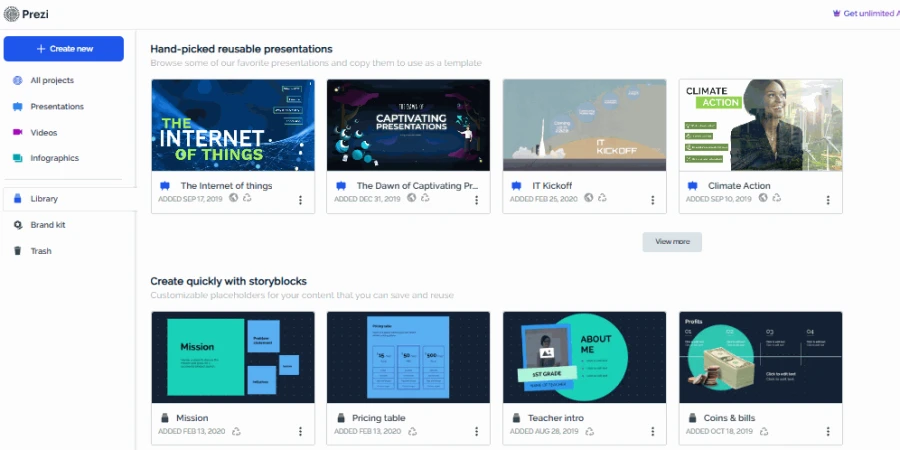 |
| Google Slides | 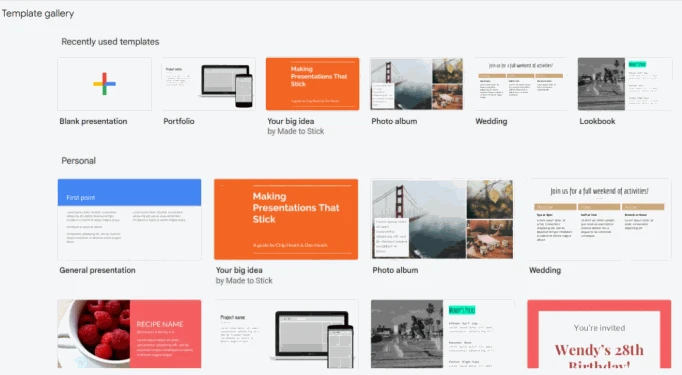 |
Prezi
Prezi uses a large canvas instead of standard sequential pages. You can zoom in and out on topics and see how they are related.
This tool is good for stories, lessons, and strategy maps. Templates are the basis of different types of presentations.
You can zoom in and out on topics and see how they connect. This is good for strategy maps, stories, and lessons. Templates are the basis for different types of presentations.
This AI presentation maker for education lets you change colors, text, images, and topic paths. The movement lends a dynamic quality to a presentation. Too much zooming, however, can distract the audience.
Google Slides
Google Slides uses a familiar page-by-page format. Themes, layouts, shapes, and images help build each page. You can change the colors, fonts, and background styles. It has support for custom themes for branding consistency.
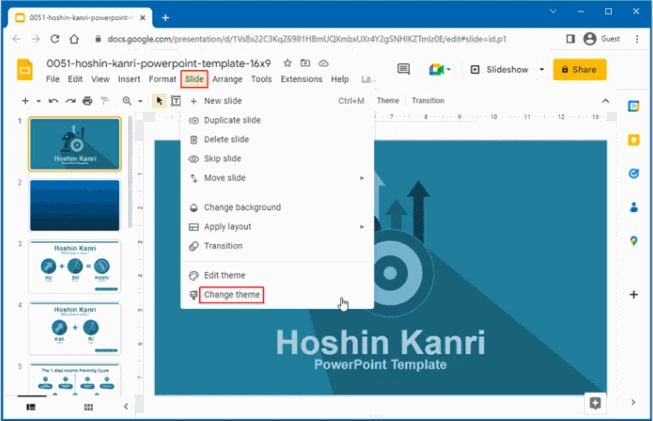
For most everyday tasks, the workflow is simple. Finished designs may need further formatting. However, the common layout might not look that unique. But it’s easier for beginners to make changes with controls they know.
Which Design Approach Works Best?
The Prezi vs. PPT choice often comes down to the presentation style. Prezi is more spatial and animated. PowerPoint and Google Slides have the traditional page layout. So, Prezi is good for visual storytelling, but Google Slides is more familiar to users.
Charts, Data & Spreadsheet Links
The figures should be visible and updated reliably. The choice between Google Slides vs Prezi also changes the way data flows.
Prezi allows you to add charts, images, shapes, and other visual elements. You can place them on related subjects. However, complex data may require careful manual formatting. Its zooming structure is not always ideal for dense tables.
Google Slides supports charts linked directly from Google Sheets. You can refresh linked charts after changing spreadsheet data. It assists with sales reports, budgeting, and month-end reviews. You can also add tables and charts manually.
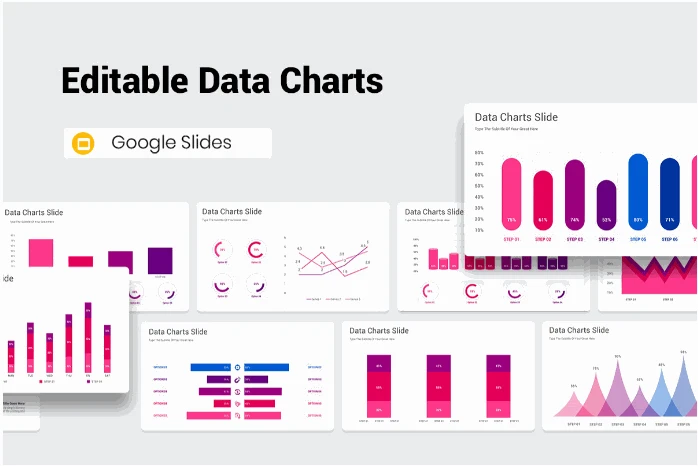
An accuracy check is needed finally for both tools. Check numbers, labels, and chart titles before you present. For reporting linked to spreadsheets, Google Slides has the advantage. Prezi is good for data that supports a larger story.
Deep 1-to-1 Test
To make this Prezi vs. Google Slides comparison practical, we have used one scenario.
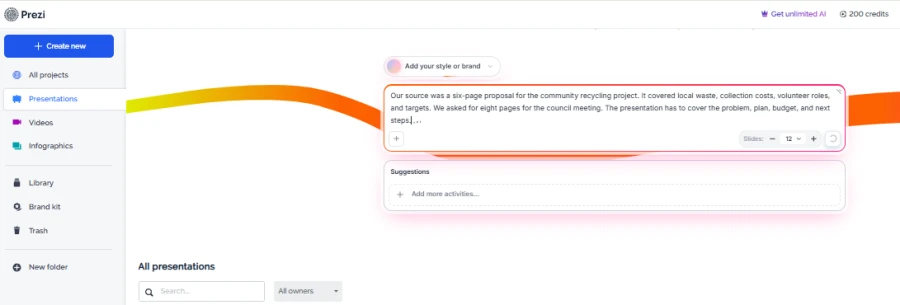
| Our source was a six-page proposal for the community recycling project. It covered local waste, collection costs, volunteer roles, and targets. We asked for eight pages for the council meeting. The presentation has to cover the problem, plan, budget, and next steps. |
Story Structure
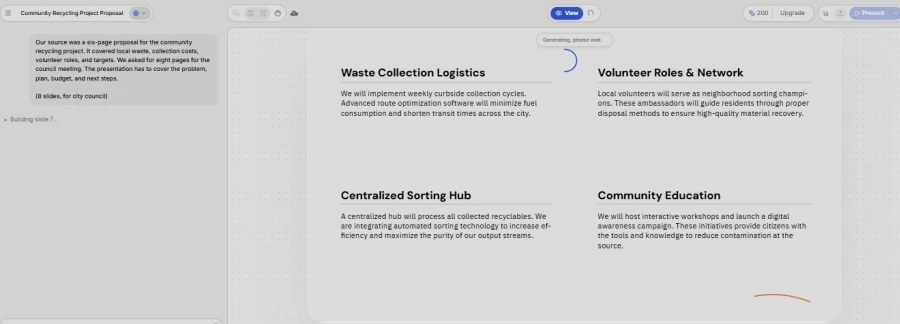
Prezi helped us to visually link problems, plans, and outcomes. We could zoom in from the big goal to the specific actions. However, the way had to be planned out more.
Google Slides had an easy-to-follow, familiar flow. Little setup was needed; the proposal fits its outline. Some of the jumps between ideas needed improvement.
🏆 Winner: Google Slides
Visual Design
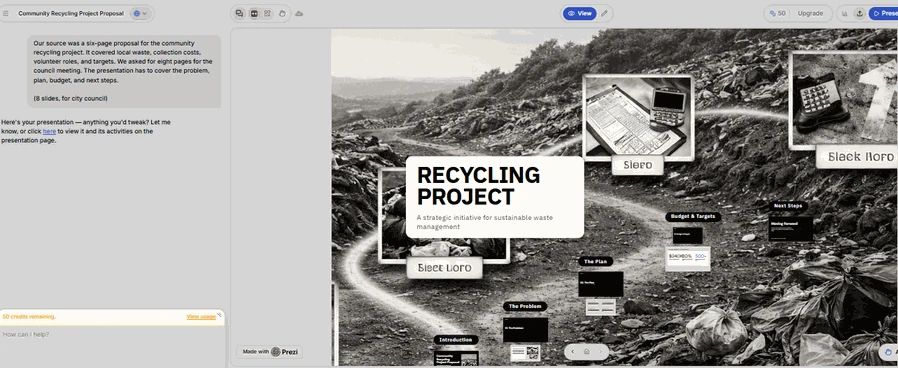
With Prezi, the project was connected and engaging. Its zooming canvas emphasized relationships between stages of a project. Too much movement could still distract attention from important individuals.
Google Slides made a clean and readable presentation. The themes kept the headings and content consistent. The result was more conventional, but required fewer design changes.
🏆 Winner: Prezi
Document Handling
Prezi created a visual journey for project phases. But the source information needed to be organized before a presentation could be created. With an AI PDF to PowerPoint tool, you can change your existing documents to editable pages.
In Google Slides, it was easy to paste in and edit the proposal contents. But we still had to stitch longer sections together by hand. The simple editing process helped to refine the final wording.
🏆 Winner: Google Slides
Editing Flexibility
With Prezi, we could change topics and paths of navigation. Occasionally, big changes affected the visual flow. A revisit to transitions was necessary for content reorganization.
It was easy to edit text and team comments using Google Slides. If access is shared, more than one reviewer can suggest changes. Detailed visual adjustments still required manual work. A Keynote vs. PowerPoint comparison also shows how editing needs vary between presentation tools.
🏆 Winner: Google Slides
Decksy takes a different approach to document-based presentations. It structures the story before adding visual design. This logic-driven workflow is good at integrating key ideas. You can regenerate a single page without rebuilding everything. That helps when only one section needs changing.
Test Summary
| Category | Prezi | Google Slides |
| Story structure | ⭐⭐⭐⭐☆ | ⭐⭐⭐⭐⭐ |
| Visual design | ⭐⭐⭐⭐⭐ | ⭐⭐⭐⭐☆ |
| Document handling | ⭐⭐⭐⭐☆ | ⭐⭐⭐⭐☆ |
| Brand consistency | ⭐⭐⭐⭐☆ | ⭐⭐⭐⭐☆ |
| Editing and teamwork | ⭐⭐⭐⭐☆ | ⭐⭐⭐⭐⭐ |
Export Options & Compatibility
When making the Google Slides vs. Prezi choice, pay attention to the fact that Prezi allows you to export your presentations as a PDF and other supported formats. Some export options depend on your subscription. Interactive zoom effects may be lost in static exports.
Google Slides exports to PPTX, PDF, and images. However, fonts and layouts may change across applications. An AI text to PowerPoint tool offers another way to create editable presentations.
Decksy follows a zero-lock-in approach. It exports fully editable, ungrouped .pptx files. These open in Microsoft PowerPoint and Google Slides. You retain control without depending on one platform.
The Smart Alternative
An alternative to Prezi and Google Slides may suit document-heavy work. Decksy AI starts with reports, Word files, PDFs, spreadsheets, or prompts. It then organizes the source into presentation-ready content.
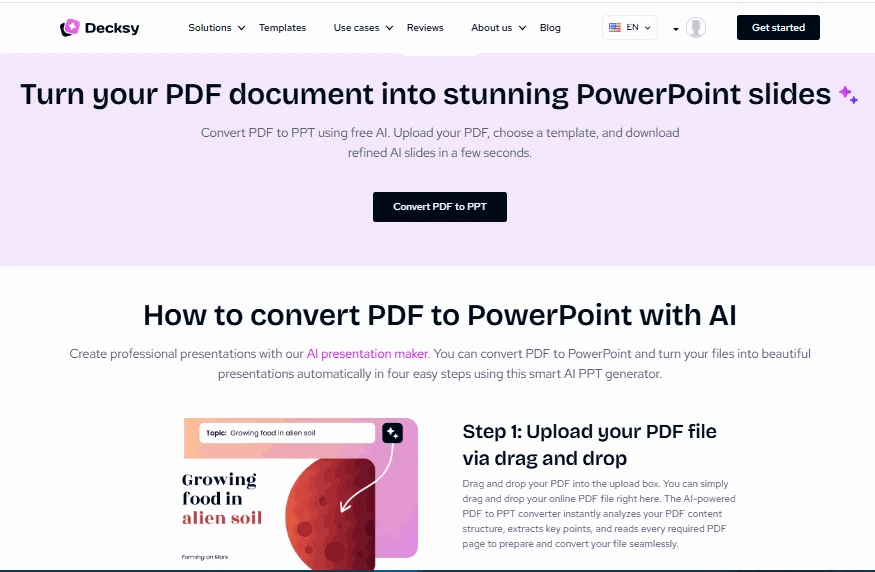
Instead of beginning with blank layouts, Decksy builds the story first. You can adjust tone, audience, vocabulary, and visual style. You can also regenerate individual pages when details change. This suits reports, proposals, business plans, and meeting notes.
Decksy : Best AI PPT Generator
For users considering Beautiful.ai vs. Canva comparison, design automation is often important. Some people may prefer to use Keynote or PowerPoint for desktop presentation workflows. Decksy is an app for converting existing source material to editable decks. This workflow is particularly helpful when content structure is a top priority.
Other Presentation Platforms
Outside of Prezi and Google Slides, other platforms serve very distinct workflows. PowerPoint remains the classic choice for deep manual formatting and familiar enterprise controls, while the choice between Slidebean vs Beautiful.ai usually boils down to pitch decks versus automated business design.
Slidebean specializes in structured fundraising slides for startups, whereas Beautiful.ai uses smart rules to keep everyday business decks visually balanced. Meanwhile, Prezi leans into an animated zooming canvas and Google Slides simplifies live teamwork — meaning each tool ultimately answers a different presentation need.
Final Verdict
So, when we compare Prezi and Google Slides, the final decision is all about what is important to you.
- Choose Prezi if: You tend to movement and visual storytelling in your decks.
- Choose Google Slides if: You need easy editing and teamwork.
- Choose Decksy AI if: You want editable decks from existing documents.
No matter which platform you select, matching your tool to your audience’s expectations will ensure your message lands with clarity and impact!

On decksyai.com, where people come looking for clarity wrapped in a bit of personality, Julia leans into the details that make a message land: the pause between two ideas, the subtle shift in spacing, the moment a visual finally clicks.