Keynote vs PowerPoint: Which Presentation Tool is Better?
- Which is better, Keynote or PowerPoint? Well, it all depends on who opens the file after you.
- If everyone in the room is on a Mac, you can't beat Keynote's free tier and cleaner default design. When a Windows laptop comes into the picture, then PowerPoint makes sense.
- Opt for Decksy <a href="https://decksyai.com/">AI slideshow generator</a> if you require quick assistance in converting lengthy documents, meeting notes, or a rough prompt into a well-structured, professional deck, while also retaining full editing flexibility and escaping any export gambling that both tools still carry.
- Choose Keynote if you're looking for a polished and presentable deck without having to wrestle with the software, or if you're Mac-only and do not mind an AI that is still in beta.
- Select PowerPoint if you require strong compatibility across various operating systems, more advanced options for charts, and an AI tool that has already matured past its early phase.
- On the Keynote vs PowerPoint comparison, the real question should not be about which application looks prettier.
- What's more important is who's next to open the file, and whether fixing one broken slide afterwards costs five minutes.
You’re getting ready for your customer pitch meeting tomorrow at nine, and you have two options: Keynote or PowerPoint. Which one do you pick? Everyone has had that moment when they wished they could easily turn their proposal into a professional presentation without having to start from scratch.
The good news is that you can now use powerful AI tools built right into Apple’s Keynote and Microsoft’s PowerPoint. Which one actually makes better presentations?
Let’s compare both side by side, from creating your first slide to adding charts and animations, to exporting the final presentation. We’ll also compare pricing, data handling, and how each platform’s AI performs once you give it a prompt.
Results of the comparison at a glance
| Feature | Keynote | PowerPoint |
| Free tier | Fully free with any Apple Account; no watermark | Free web version; full app needs Microsoft 365 |
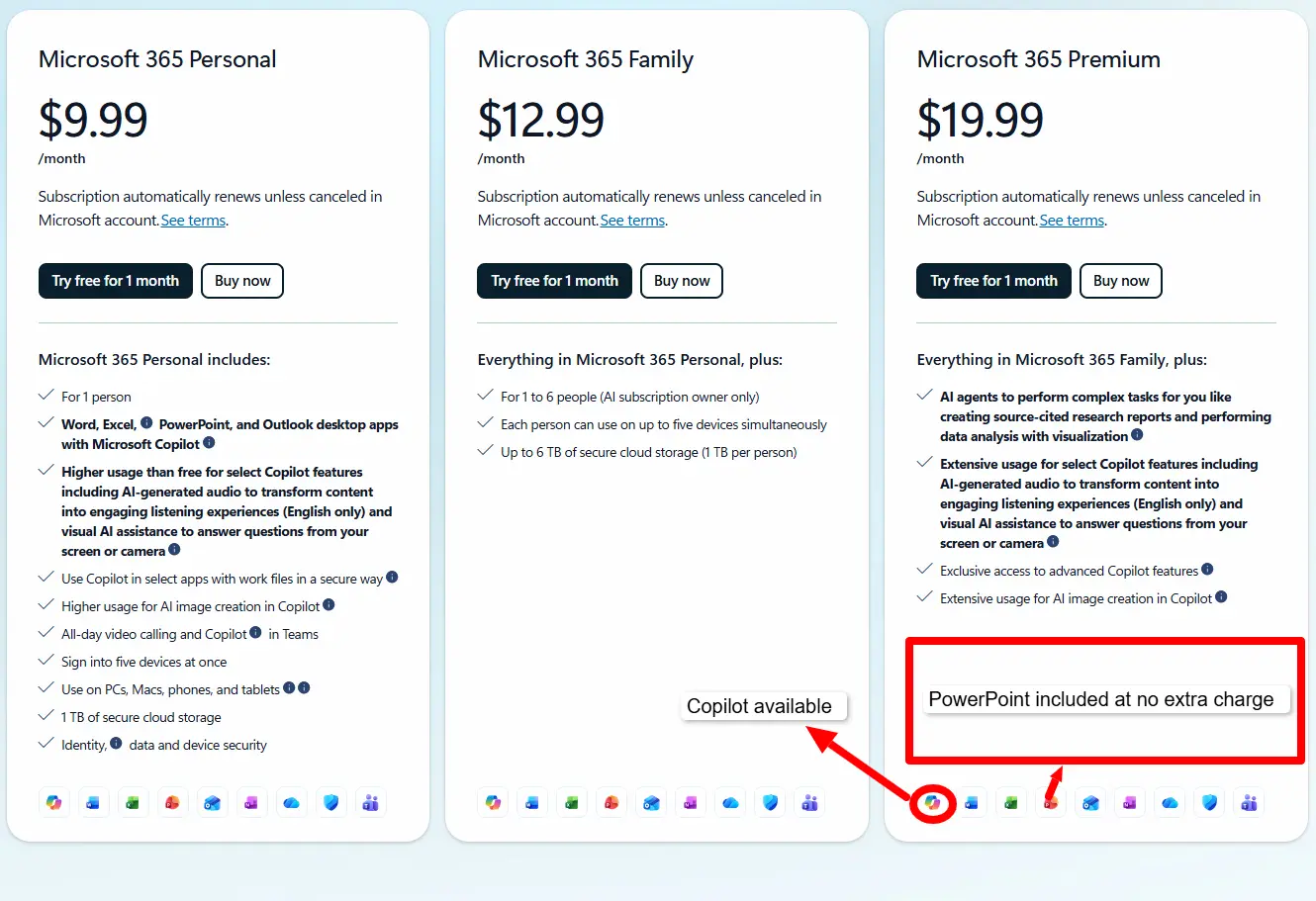
| Entry paid price | $12.99/month (Apple Creator Studio, adds AI features) | $19.99/month (Microsoft 365 Premium, adds Copilot) |
| Native AI generation | Text outline to first-draft slides (beta, subscriber-only) | Copilot, prompt-to-deck, document-grounded |
| Platform | Mac, iPad, iPhone, iCloud web; no native Windows app | Windows, Mac, web, mobile |
| Native PPTX export | Yes, built in; some font and animation loss on complex decks | Native format |
| Best suited for | Apple-only teams wanting clean, minimal design | Cross-platform teams needing broad compatibility |
Pricing, Free Plans and Who Actually Benefits
One detail catches many people off guard: one of these tools has been available for free for years, and it’s probably not the one most people expect. Before looking at features, it’s worth comparing PowerPoint or Keynote in terms of pricing to see which offers better value for your needs.
Keynote
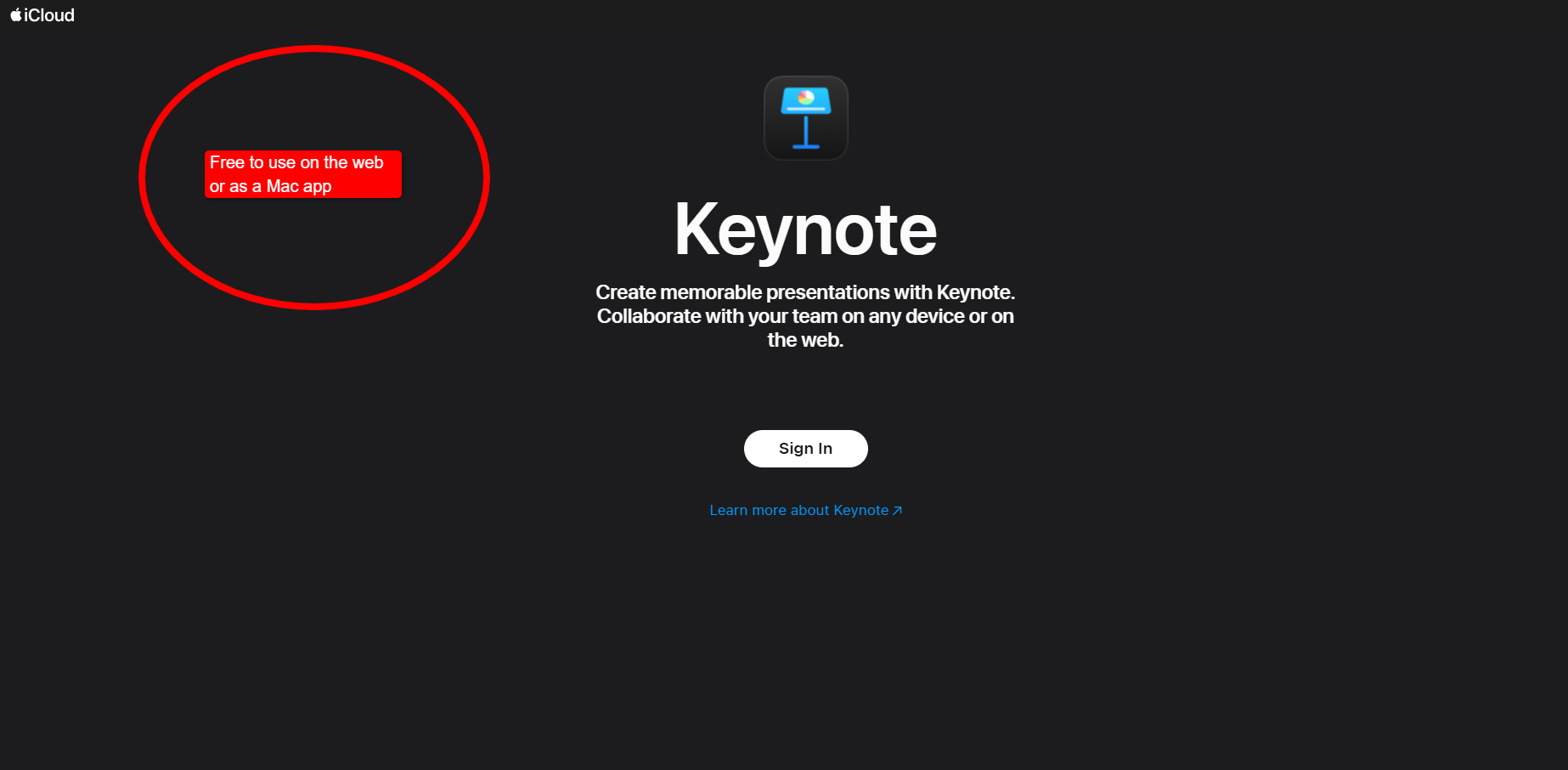
Keynote comes pre-installed on Apple devices, so you don’t have to pay to use it as long as you own an Apple device. You can also use the web version on Windows for free as long as you sign into iCloud.com. With this, you don’t get any watermark, and there’s no storage cap, which is rare in this category.
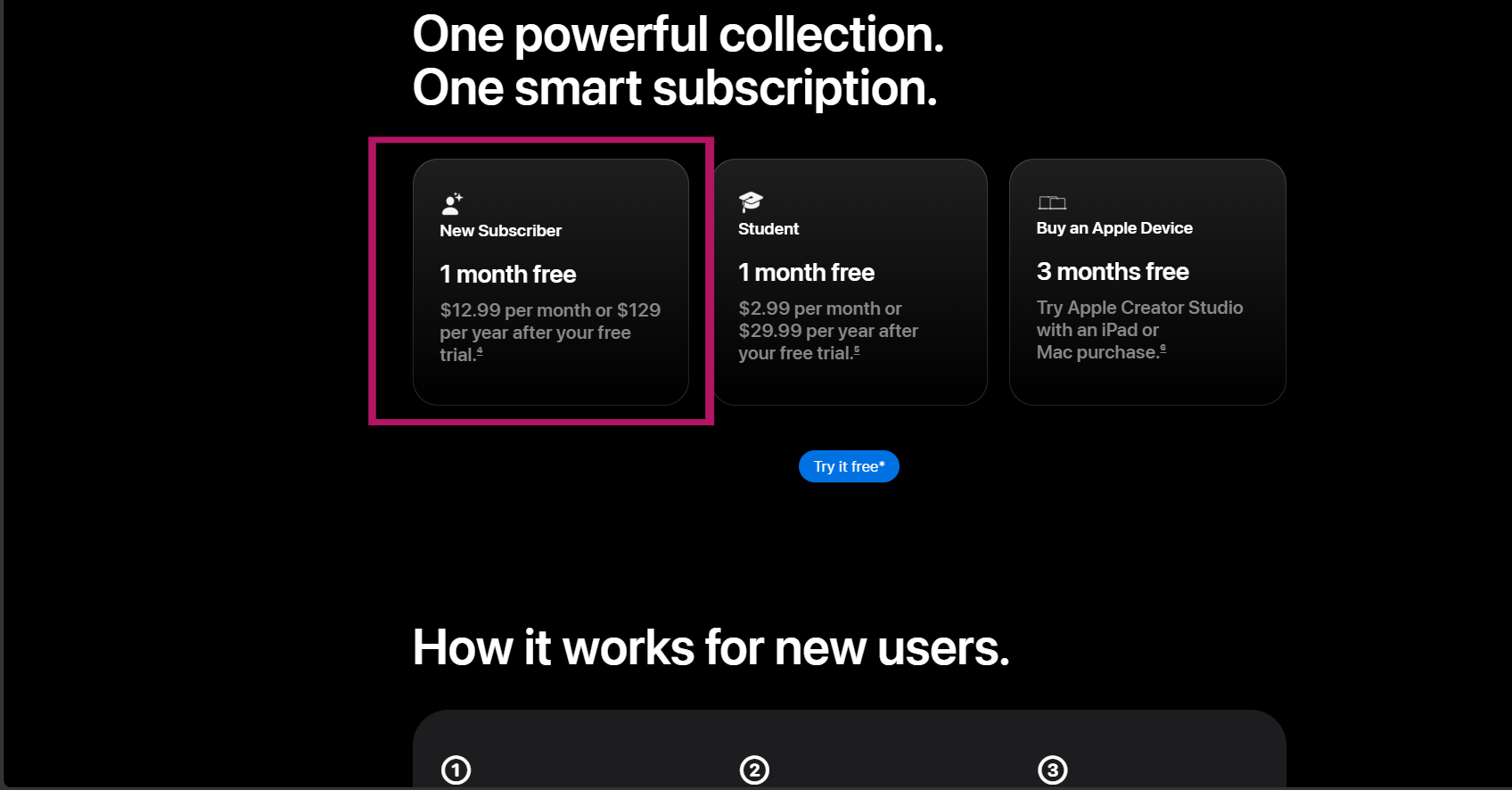
However, in January 2026, Apple complicated its own good thing when it launched Apple Creator Studio and put a $12.99 monthly price tag on it. The Creator Studio gives you access to premium themes, a bigger Content Hub of stock photography, and, notably, an early beta feature that turns a text outline into a first draft of slides. This is actually Keynote’s first real swing at prompt-to-deck generation, so it’s new territory for Apple.
PowerPoint
PowerPoint is also available for free in your browser, making it a good option for basic presentations. If you want the full desktop app and access to the complete Microsoft 365 suite, you’ll need a Microsoft 365 subscription, with plans for individuals starting at about $19.99 per month.
You can also read our comparison of Canva vs Prezi, the prices there might be suitable for you.
Which Tool Is Right for You?
Each tool works better for a different type of user. Keynote is a strong choice for freelancers and small teams using Macs because it is free and includes plenty of design features. PowerPoint is usually better for larger companies that use a mix of Windows devices, shared files, and client computers. In terms of cost, Keynote is the better option for solo Mac users, while PowerPoint is more practical for working across different devices.
If you’re a consultant who bounces between client offices, running both platforms is a good idea, as you get to open whichever file format lands in your inbox. This makes the PPT vs Keynote debate more about whatever the client’s IT department standardized on five years ago. Both tools give you access to their newest and most powerful AI when you purchase their paid plans.
The free plans are useful for getting started, but neither tool lets you create an unlimited number of AI-generated presentations at no cost. By comparison, DecksyAI presentation generator offers a flat $10 monthly plan. It also includes a $2 trial, so you can test the tool first before deciding to subscribe.
Design Assets, Templates and Customization
Templates and built-in graphics can save a lot of time, especially when you need to create a polished presentation without designing every slide from scratch. Keynote and PowerPoint both offer ready-made layouts and visual assets, but they give users different levels of support and creative control.
Keynote
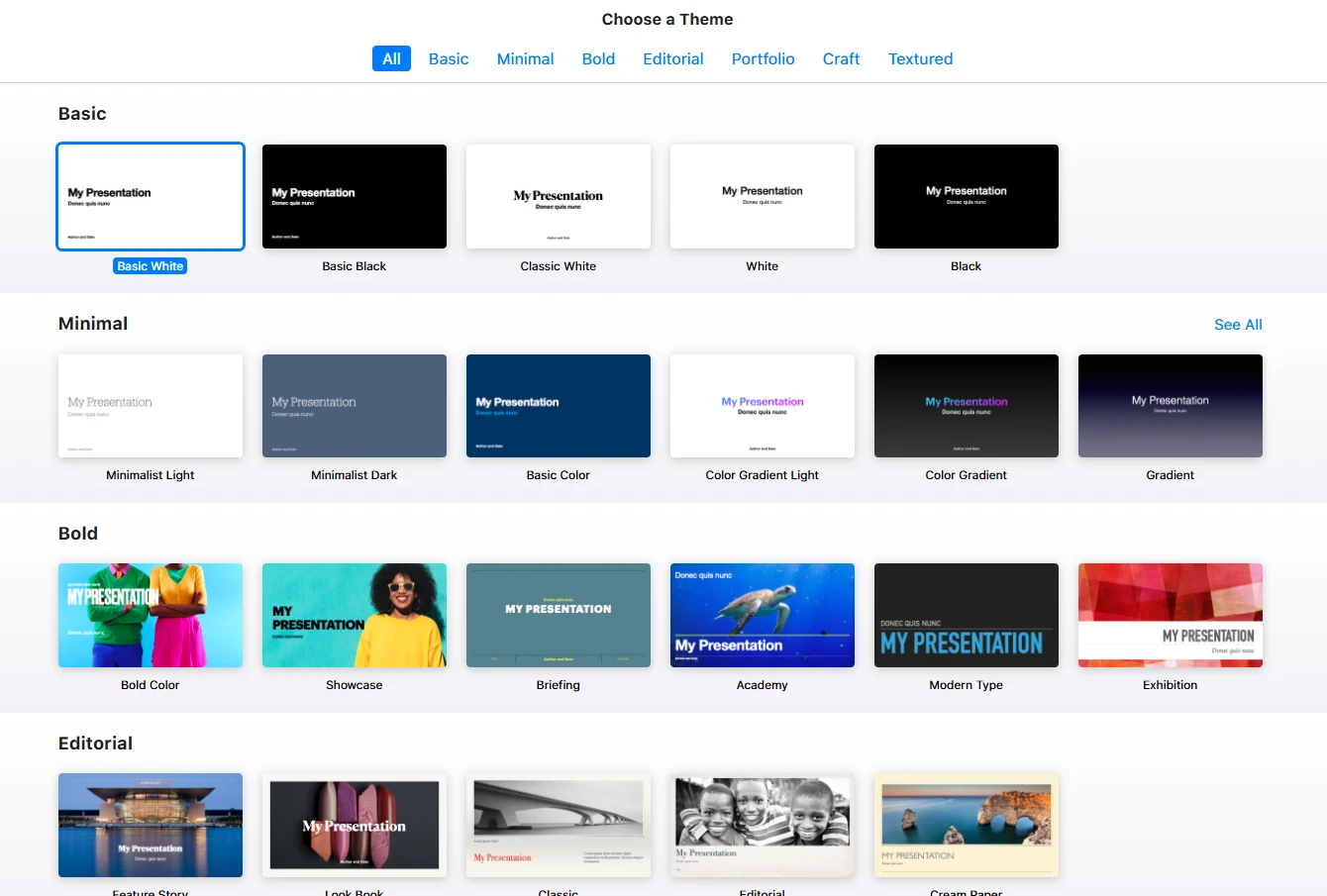
You immediately see the difference between Keynote and PowerPoint once you open a blank deck. Keynote’s themes are much more minimal and lean towards generous white space and restrained color palettes. That’s exactly the kind of design that photographs well on a projector without trying too hard.
PowerPoint
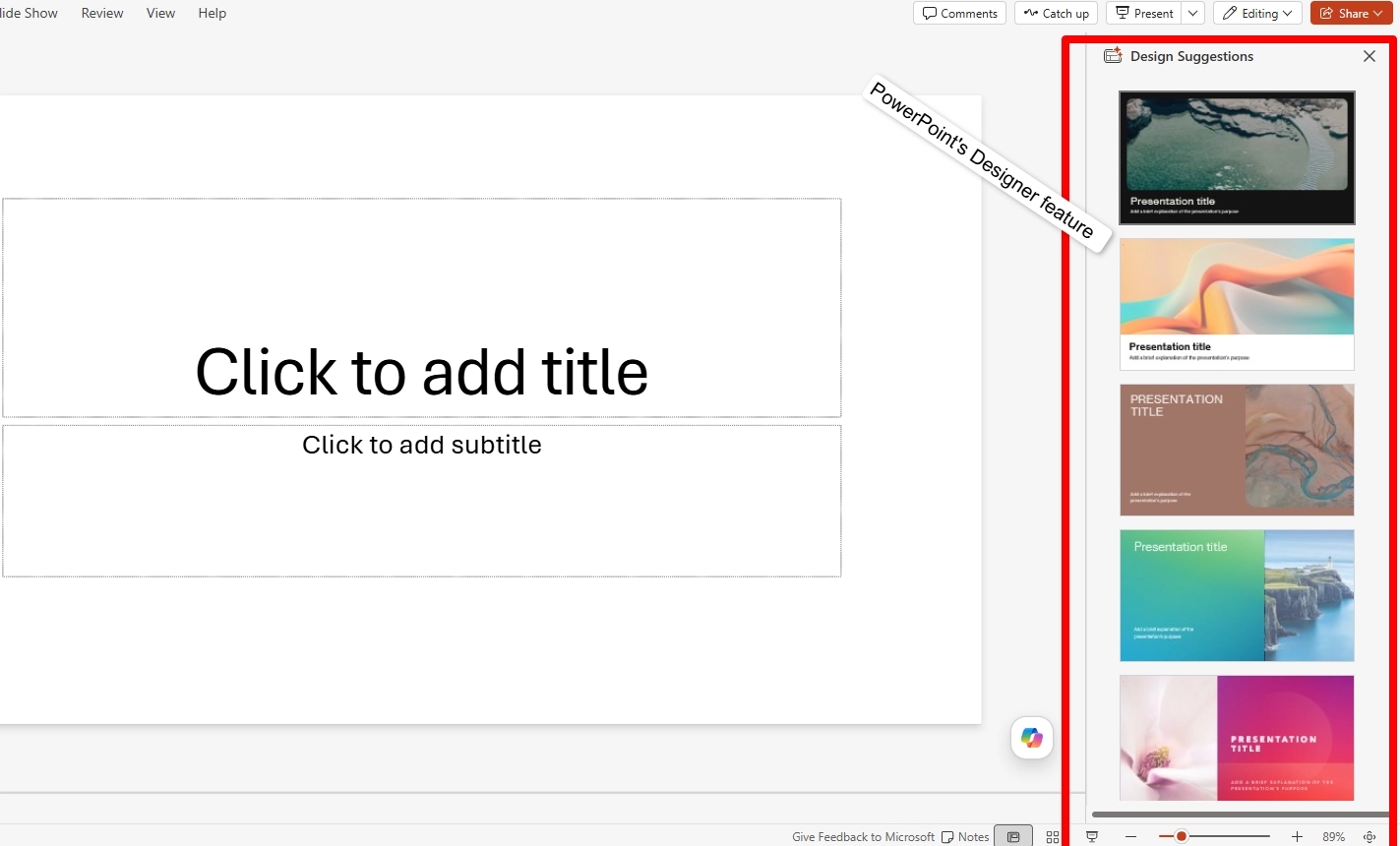
With PowerPoint, its Designer feature takes a more assistive approach by suggesting several high-quality, professional layouts once you throw content into the first slide. It pulls these suggestions directly from Microsoft’s own huge bank of stock photos and icons.
Stock Assets, Fonts and Collaboration
When it comes to stock assets, Keynote’s Content Hub, curated Apple photography, illustrations, and graphics, now splits between free content and a much larger premium collection which you can access through Apple Creator Studio. PowerPoint’s stock library, on the other hand, is available at whatever subscription tier already includes Copilot, so there’s no separate paywall stacked on top.
Custom fonts also work well on both platforms, but there’s a catch. Keynote, for example, embeds fonts quite well within its own ecosystem. However, when exporting to PowerPoint format, it can substitute an unfamiliar font with something plain like Arial the moment you open it on a machine that doesn’t have the original installed.
This is where PowerPoint does things better, as it handles font embedding more consistently across devices. This is mostly so because PowerPoint was built with cross-platform sharing as a baseline requirement from day one.
Neither template library feels dated. Keynote just optimizes for restraint while PowerPoint prioritizes flexibility. So, the Apple Keynote vs PowerPoint as a design question mostly comes down to whether your slides need to look effortless or need to survive being edited by six different people on six different laptops.
Beautiful.ai also has a good tempalte list, read our Beautiful AI vs Gamma App comparison too learn more about these two brands and their features.
Collaboration and Team Editing
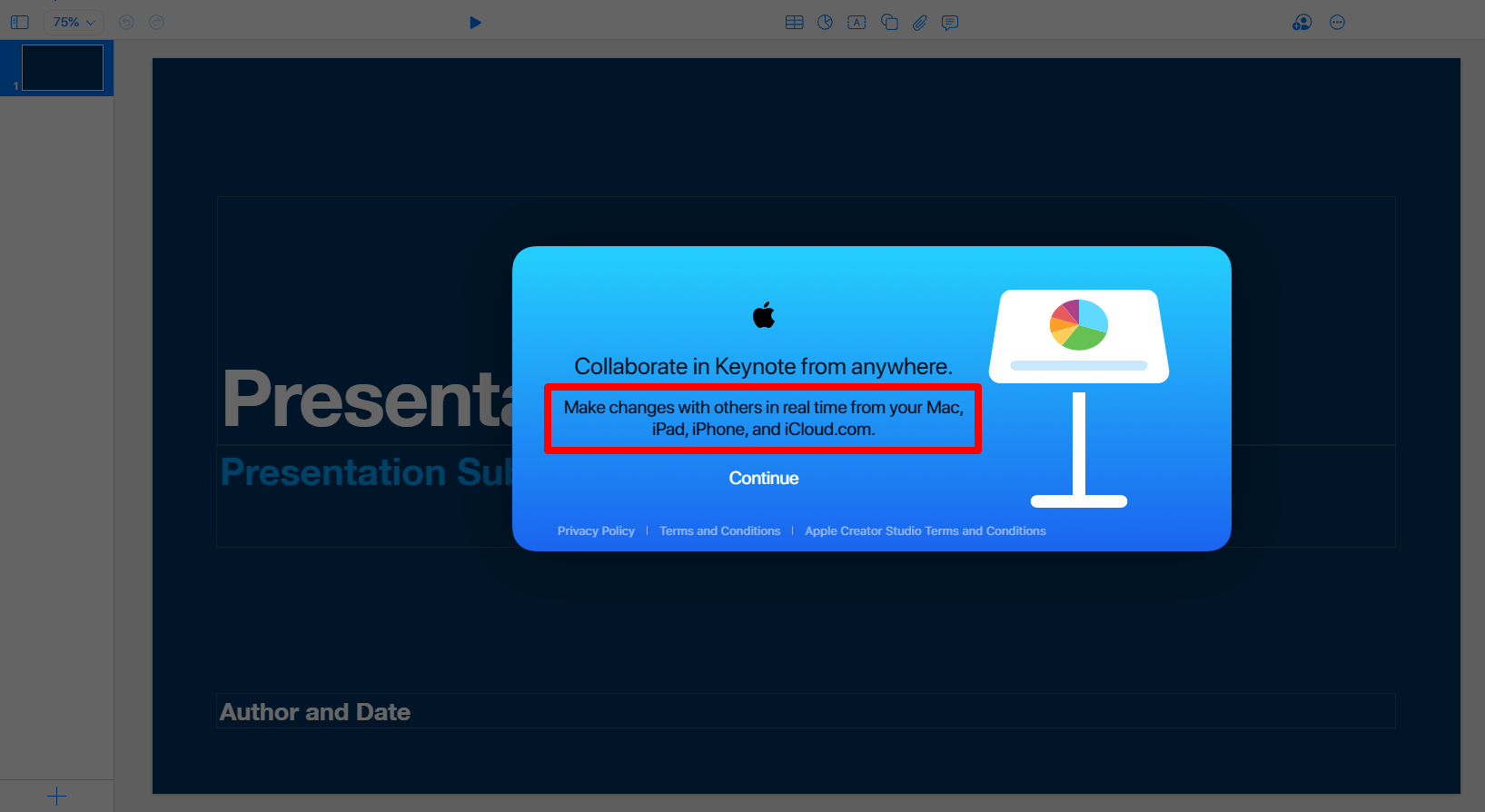
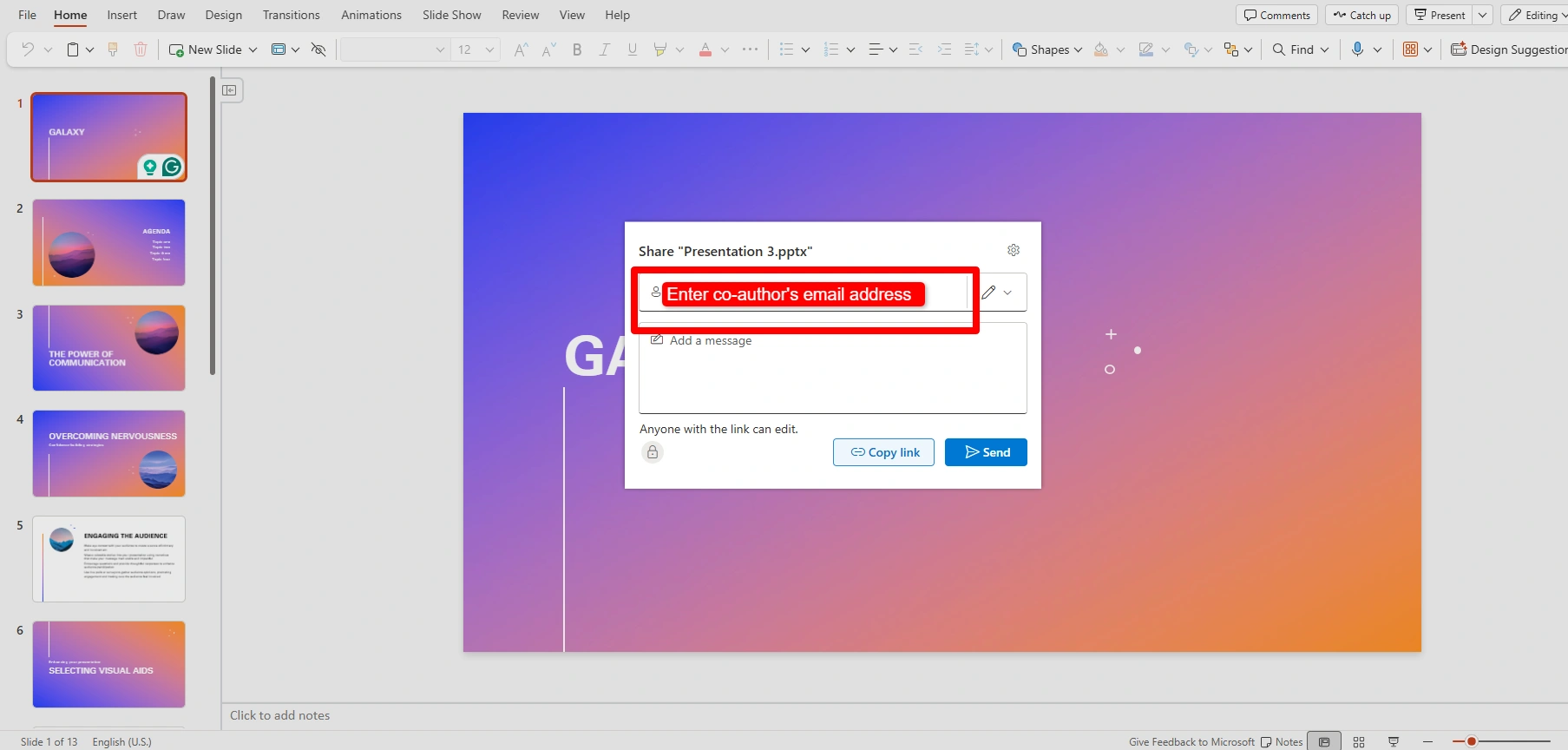
Let’s talk about collaboration, since it determines which tool teams actually stick with. Keynote’s real-time collaboration runs through iCloud, and it’s smooth as long as everyone involved has an Apple Account. It displays live cursors and comments the same way Google Docs does. However, the moment one team member is stuck on Windows, they can only view and edit through a browser at iCloud.com.
Co-authoring on Microsoft PowerPoint runs through OneDrive or SharePoint instead. Since it was designed with mixed operating systems in mind from the start, a Mac user and a Windows user editing the same deck simultaneously can hardly notice much difference in their experience.
Data Visualization and Spreadsheet Links
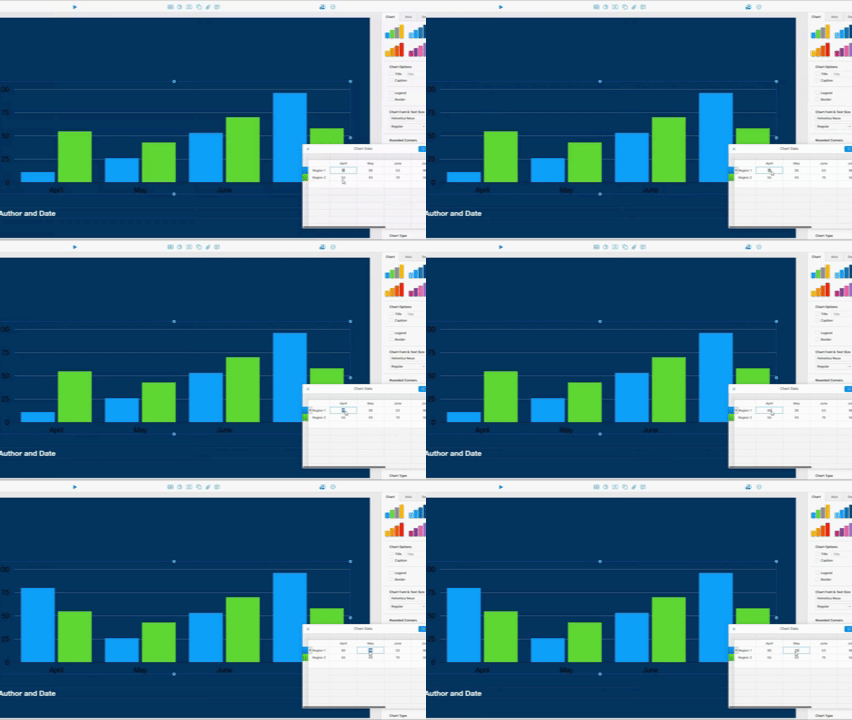
Keynote’s chart linking runs through Numbers, Apple’s own spreadsheet app. You can build a chart in Numbers, paste it into Keynote, and a small refresh button appears on the chart whenever the source data changes. It’s not fully automatic, as you do need that manual click, but it’s a clean workflow if you’re already inside Apple’s ecosystem.
PowerPoint’s Excel-linked charts work on a similar principle, refreshing when you tell them to. Where PowerPoint leads is chart variety and formatting depth. Waterfall charts, more complex combo charts, and deeper formatting controls all exist natively within PowerPoint. These are options Keynote’s charting engine simply doesn’t offer.
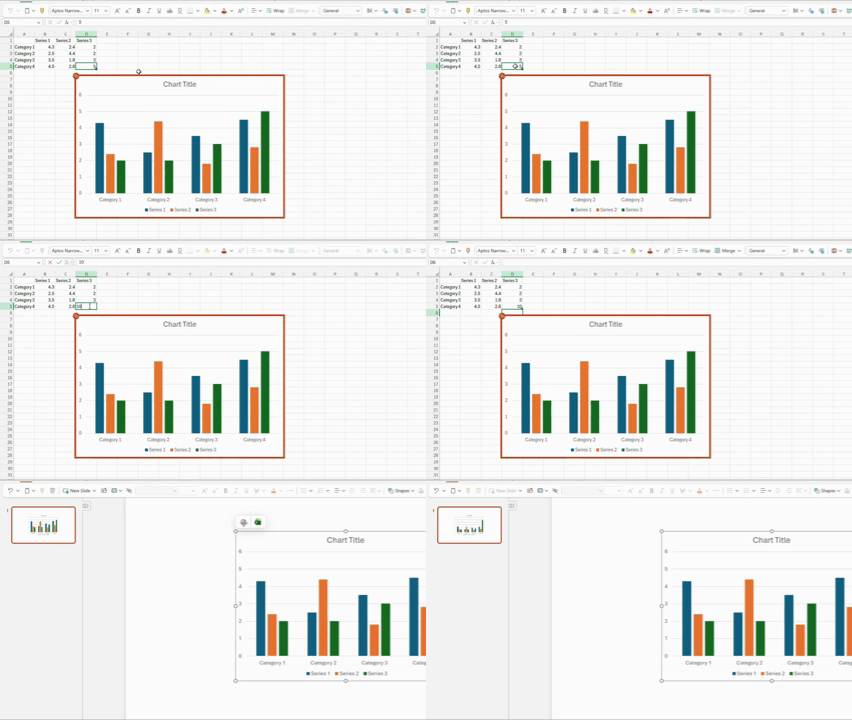
If your decks lean heavily on financial reporting or dense quarterly data, the PowerPoint vs Keynote comparison more than favors PowerPoint here. If you’re building something visual with the occasional simple stat, Keynote’s charts do the job well.
The Deep 1-to-1 AI test
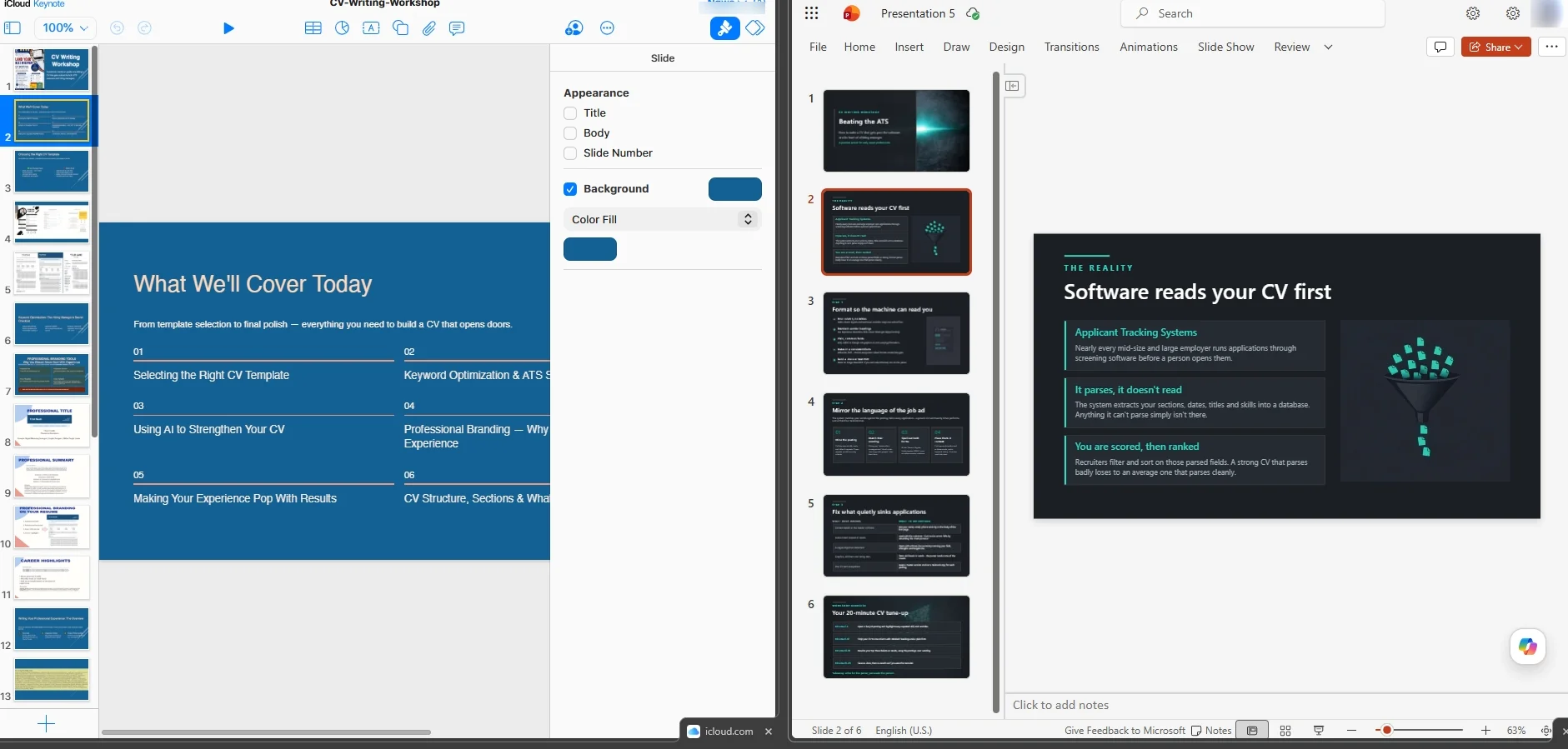
To compare them fairly, we ran the same prompt and uploaded the same document in both tools. We tested Microsoft Copilot in PowerPoint against Keynote’s new outline-to-slides beta to see how each handled the same task and where the biggest differences appeared.
Narrative Logic
Copilot builds a reviewable outline before it generates anything. This allows you to adjust the structure of the deck ahead of time, and it’s clearly the more mature of the two in this case. Keynote’s beta feature transforms a text outline into a first draft, which works, but it’s early. Apple’s own release notes still mark it “beta,” and it shows in how literally it interprets your outline rather than reshaping it into a stronger arc.
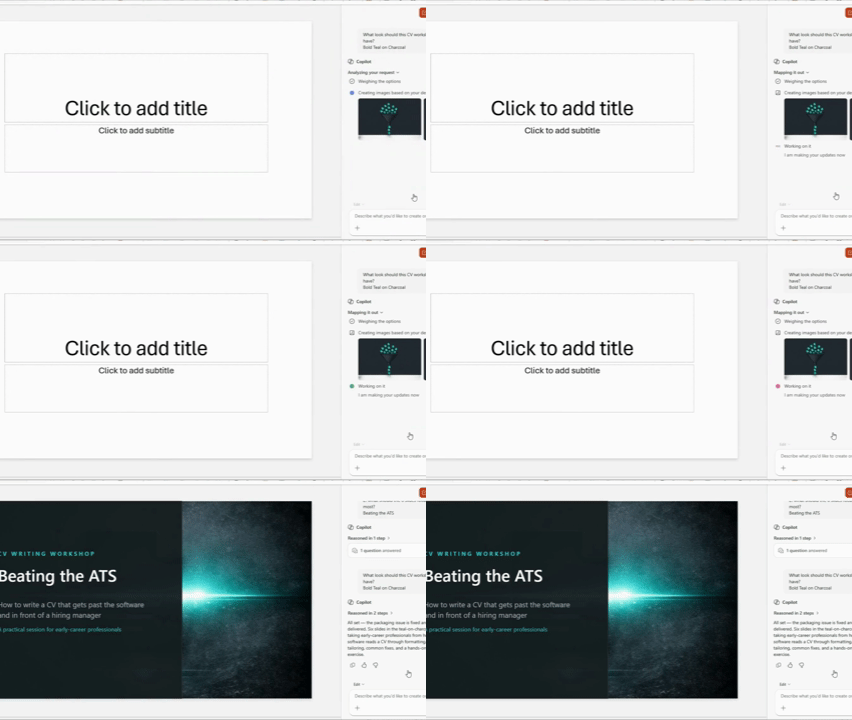
Apple’s beta can also create presenter notes automatically based on the content of your slides, so you do not have to write them yourself. Copilot offers something similar, but it usually adds the notes while generating the first version of the presentation.
Layout Quality
We noticed Copilot’s output was clean most of the time, although it was occasionally text-heavy, especially on dense slides. Keynote’s draft slides tend to lean more toward its usual minimal aesthetic by default, which looks nice but sometimes underexplains complex points. Much of this is because the beta doesn’t yet compensate for thin source material the way Copilot does.
Document Processing and Speed
Copilot, on its paid tier, allows you to directly upload PDFs and Word documents to turn them into PPT, completing a typical deck in less than a minute. As the beta for Keynote currently utilizes a typed or pasted outline and not a fully-fledged upload, actual document parsing is a PowerPoint strength for now, not a shared one.
Editing Flexibility
Both share the same weakness once slides exist. Neither lets you regenerate one flagged slide in isolation. Fix a bad slide in Copilot’s output, and you’re rebuilding it by hand or rerunning the whole generation. Keynote’s beta doesn’t offer single-slide regeneration either, being new enough that this level of control simply hasn’t arrived yet.
Once there are slides, both tools have the same weakness. Neither of them allows you to regenerate one flagged slide in isolation. For example, if a slide in Copilot’s output is broken, you’ll either have to rebuild it by hand or re-run the whole generation. Keynote’s beta also doesn’t offer single slide regeneration for the same reason. Seeing as it’s new, this kind of control hasn’t yet arrived.
Interestingly, the gap they share is exactly what Decksy free AI PowerPoint generator was built around. The story is structured by its logic-first design before any design is applied, and regenerating one weak slide takes seconds versus a full overhaul.
Export Options and Ecosystem Compatibility
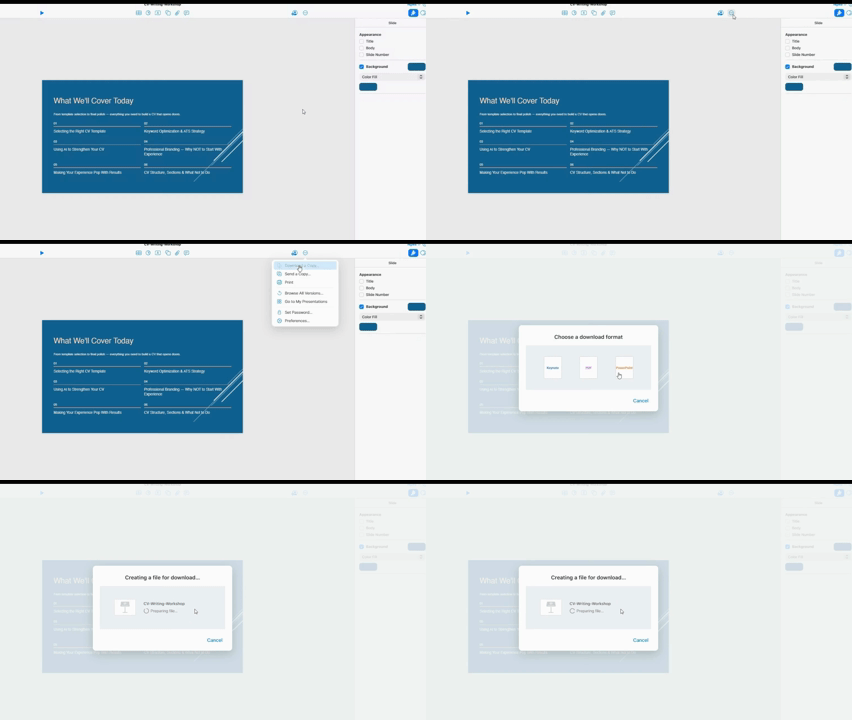
PowerPoint naturally saves files to the PPTX format, as it’s the program’s native format. Good news is that Keynote exports into PowerPoint in an editable format, so you can click into a headline in PowerPoint and retype it just fine. Fonts and animation cause the trouble here.
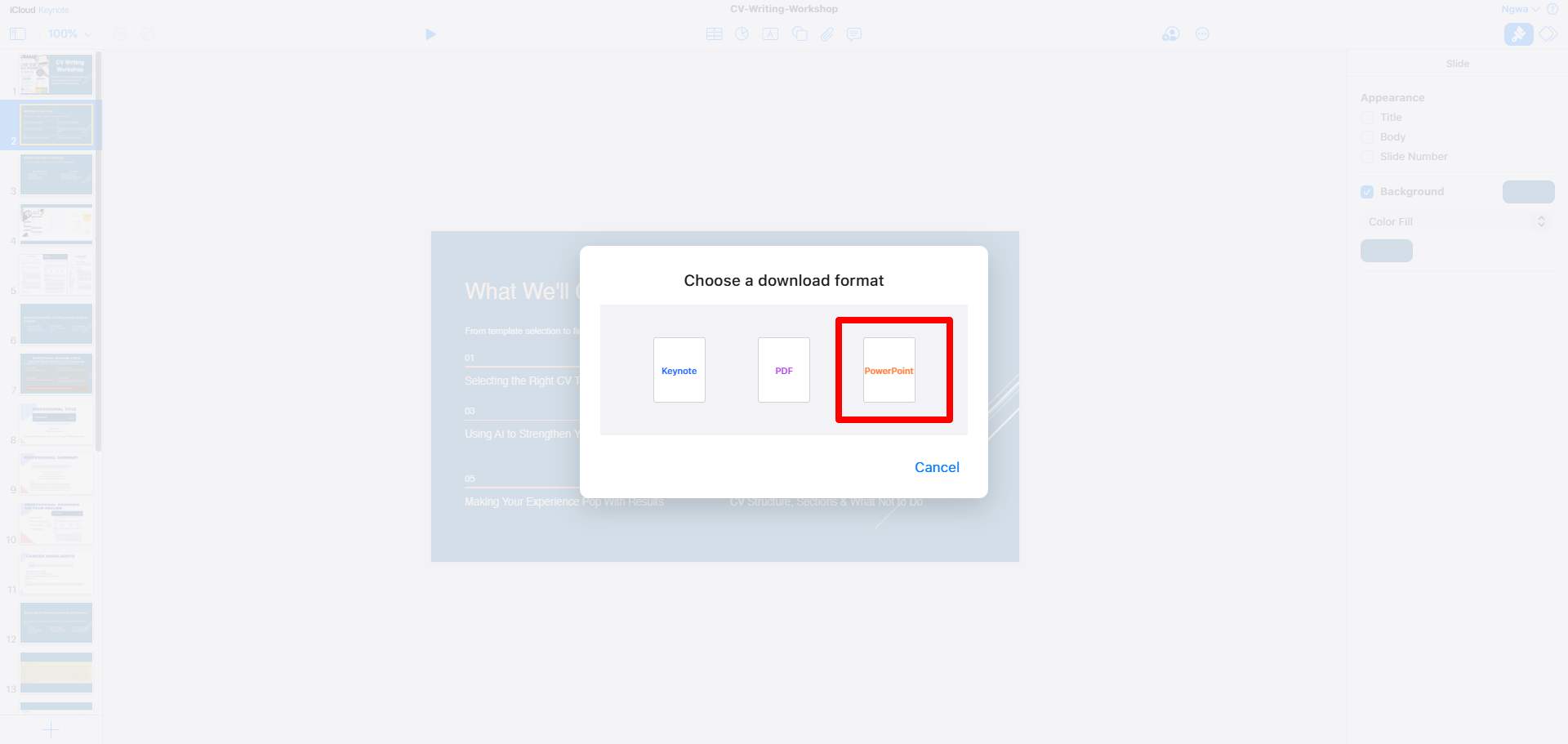
When you use Keynote on macOS to create a slideshow, the application adjusts anything Keynote-specific to PowerPoint. For example, custom fonts not recognized by PowerPoint get swapped for a generic substitute. Plus, transitions you designed in Keynote typically don’t get translated and sometimes just go away entirely once you open the file on a Windows machine.
When it comes to the Keynote vs PowerPoint on Mac question, both actually run fine locally; PowerPoint for Mac is a real full desktop app, not a stripped-down version. The compatibility issue mostly comes to light when a Keynote file leaves the Mac system and lands on someone else’s Windows machine, where font substitution and animation loss can be much more evident.
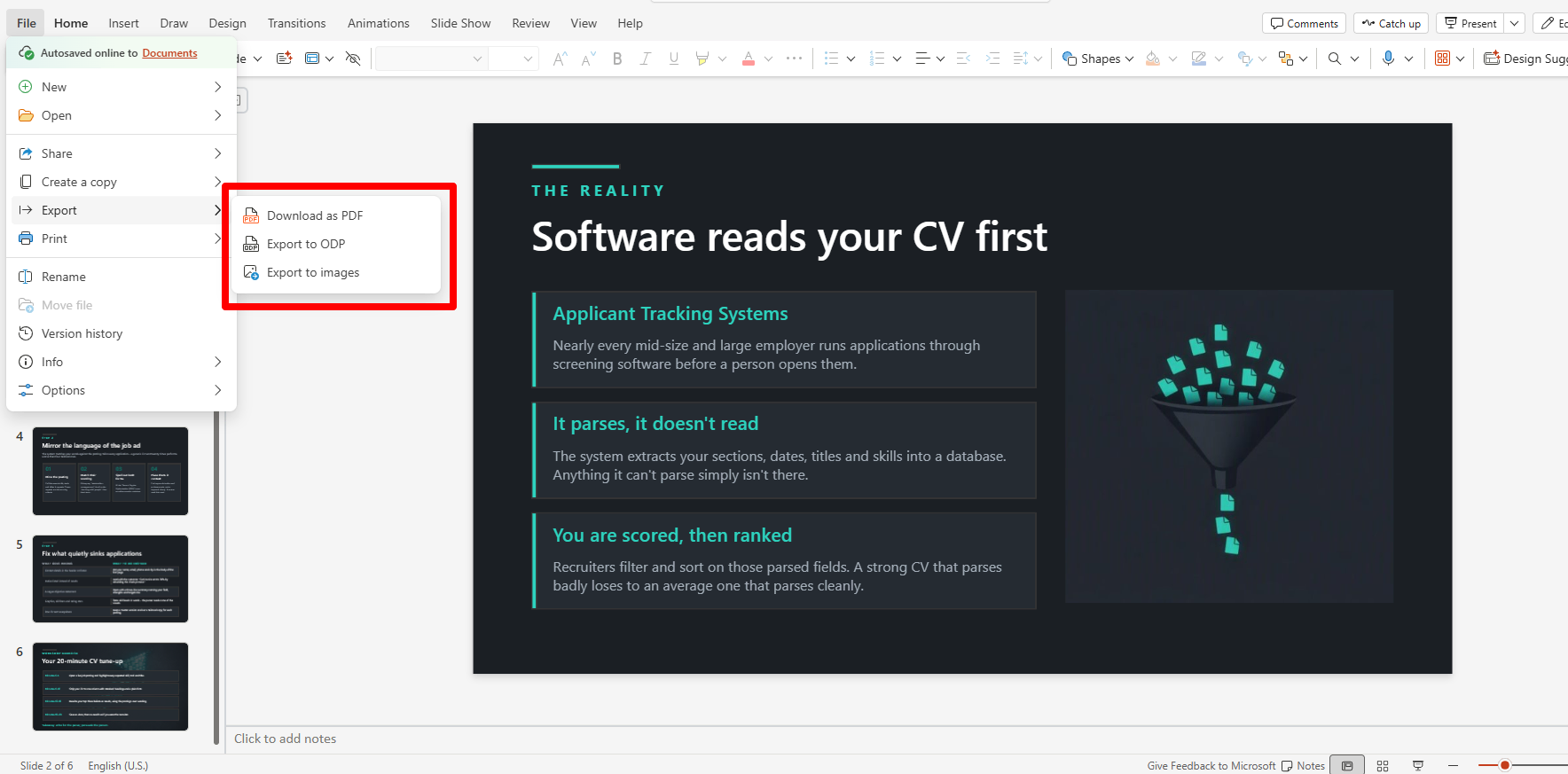
Decksy AI exports your deck natively into fully un-grouped, editable PPTX files that open cleanly in PowerPoint and Google Slides, without the font-roulette or vanishing transitions those platforms occasionally have.
Presenting live is another area both platforms struggle with. The Presenter Display in Keynote with its live notes and next slide preview works well on Apple hardware, but it assumes you’re hooked up to Apple-friendly hardware.
PowerPoint’s Presenter View essentially offers the same functionality and is more likely to just plug and play regardless of whose laptop is running the projector. In the Keynote vs PPT debate for anyone presenting away from their own office, that reliability difference is what matters most.
The Smart Alternative Worth Knowing About
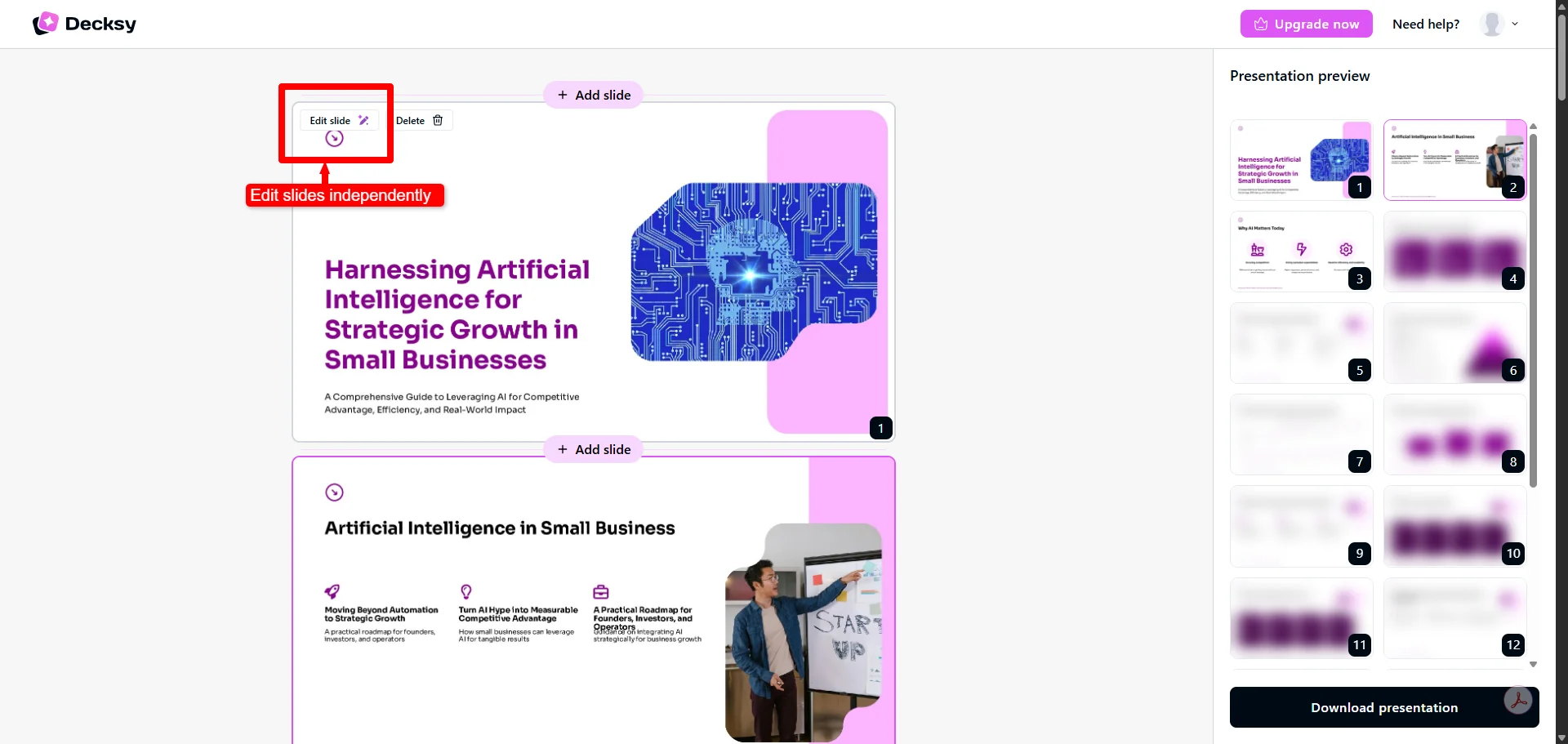
The beta AI in Keynote might still be too early for an actual deadline, while PowerPoint’s Copilot keeps making a full regeneration of the presentation over the weakness of a single slide. Decksy fills this gap between the two. It scans a raw PDF, Word document, or a rough prompt and builds a clear story arc first before generating a fully editable deck within minutes.
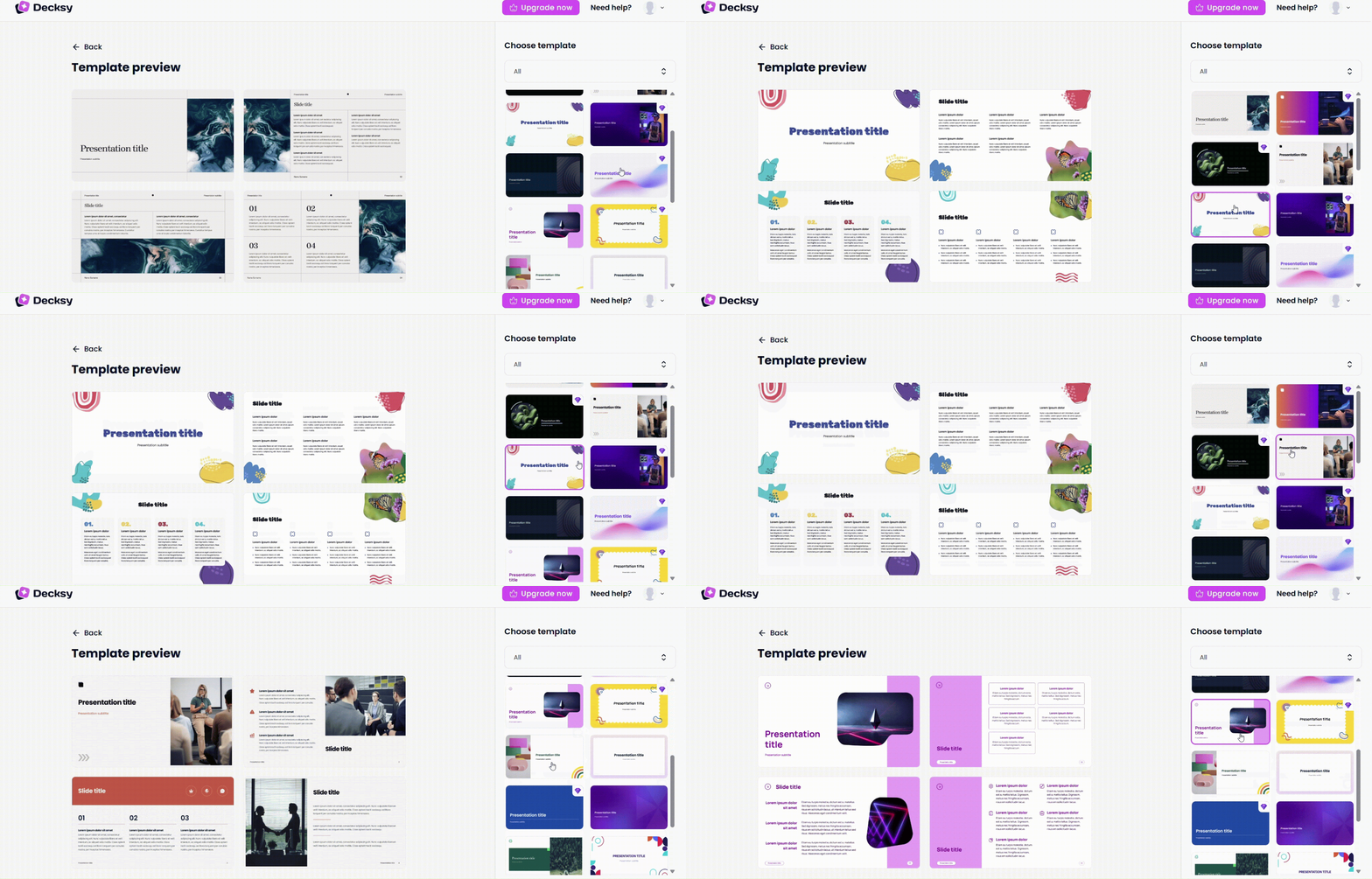
Where PowerPoint locks Copilot behind a $19.99 monthly plan, and Keynote’s new AI is behind Apple Creator Studio at $12.99, Decksy AI presentation maker for teachers gives you one free presentation generation to start with, a simple $2 trial, and a flat $10 monthly plan with full export rights included.

On decksyai.com, where people come looking for clarity wrapped in a bit of personality, Julia leans into the details that make a message land: the pause between two ideas, the subtle shift in spacing, the moment a visual finally clicks.