Manus alternatives in 2026: 7 tools for presentations and everyday work
Manus can run projects involving research, planning, and content writing. But there is no single AI agent that fits all workflows. Some users need polished presentations. Others want to turn spreadsheets into slides or edit files directly.
The best Manus alternatives depend on the work you do most often:
- Decksy AI presentation generator focuses on source-based presentations.
- Slideonic lets users review an outline before they design slides.
- Gamma converts prompts into visuals.
- Canva offers flexible design tools.
- Prezi mixes ideas with a zoomable canvas.
- Plus AI is integrated into presentation software.
- Full editing controls are provided by Microsoft PowerPoint.
None of these tools replace Manus in the same way. Some are targeted at presentations rather than general AI tasks. The right choice will always depend on your files, editing needs, and final output.
| Tool Name | Primary Differentiator | Native Export Support | API Access | Prices |
| Decksy AI | Source-first presentation creation | Google Slides, PDF, PPTX | Not confirmed | $2 for 7 days; around $10/month |
| Slideonic.ai | File conversion with outline review | PPTX, PDF | Not confirmed | Free daily presentation; $9.99/month with annual billing |
| Gamma | Prompt-based visual content creation | PPTX, PDF, Google Slides | Not confirmed | Free plan; paid plans available |
| Plus AI | AI tools inside PowerPoint and Google Slides | PowerPoint, Google Slides | Available | From $10/user/month with annual billing |
| Canva | Flexible design tools, templates, and AI features | PDF, PPTX, and other formats | Available through the developer platform | Free plan; paid prices vary by region |
| Prezi | Zoomable presentations that connect ideas | PDF and PowerPoint; options vary by plan | Not confirmed | From $7/month with annual billing |
| PowerPoint | Detailed editing and Microsoft 365 integration | PPTX, PDF, images, and other formats | Available through Microsoft’s developer ecosystem | Included in eligible Microsoft 365 plans |
How we evaluated the tools
Manus covers many tasks, including research, slide creation, and automation. Its official feature list also includes app building and connected tools. So, a replacement should match your actual needs.
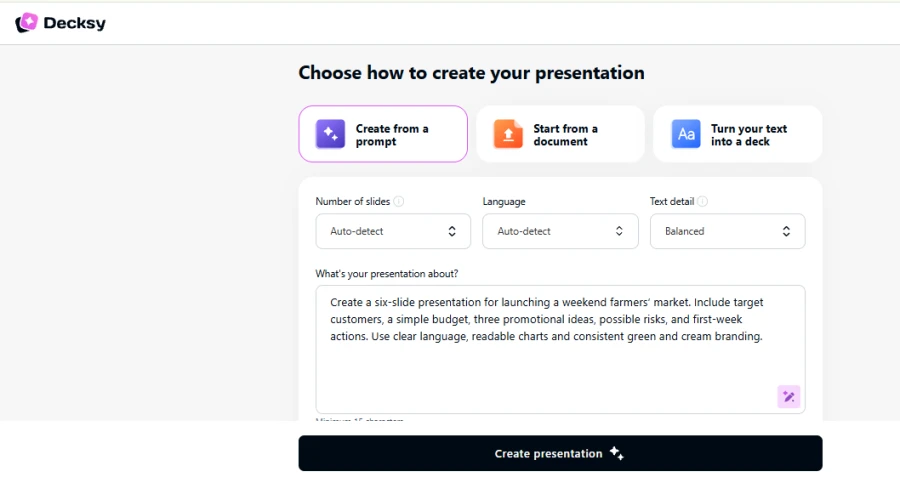
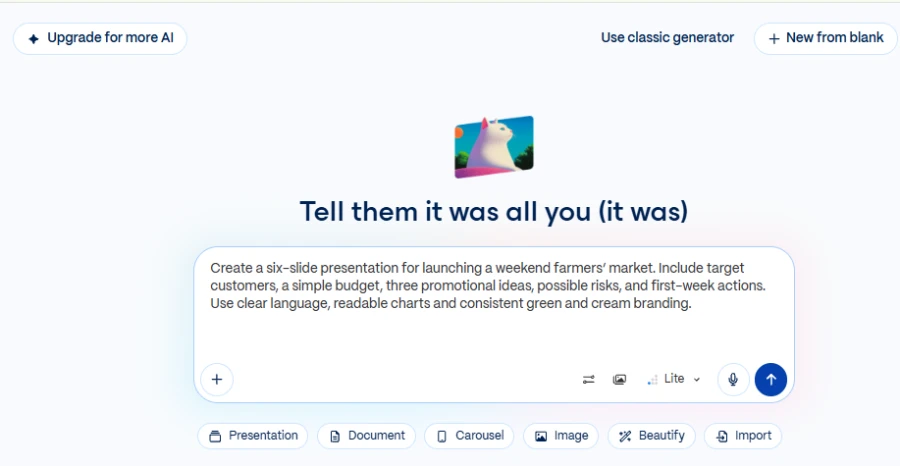
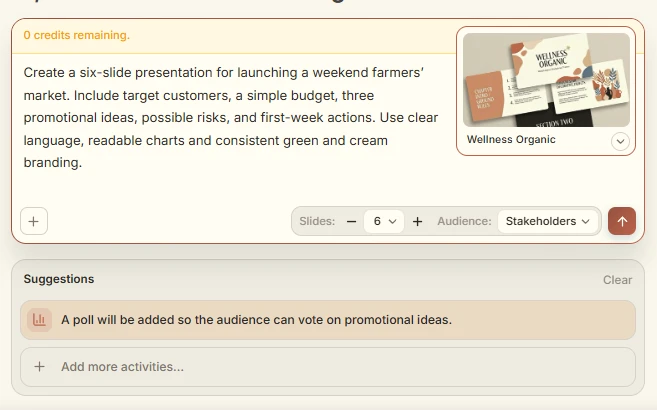
For this comparison, we used a simple scenario: launching a weekend farmers’ market.
Our test prompt:
| Create a six-slide presentation for launching a weekend farmers’ market. Include target customers, a simple budget, three promotional ideas, possible risks, and first-week actions. Use easy-to-read charts, simple language, and consistent green-and-cream branding. |
We considered four areas:
- Structure of presentation: Did the deck cover all 6 required topics?
- Content quality: Did the budget and activities make sense and help?
- Design & layout: Were the graphs easy to read? Was the branding on point?
- Edit and export: Can users edit and export the presentation?
So, let’s see what we found out when considering Manus AI alternatives!
1. Decksy AI
Concept & test results
Decksy AI turns source files into editable presentations. It supports documents, spreadsheets, presentations, text, and Markdown. Its main advantage is the source-first workflow. It helps users build a clear story before polishing the design.
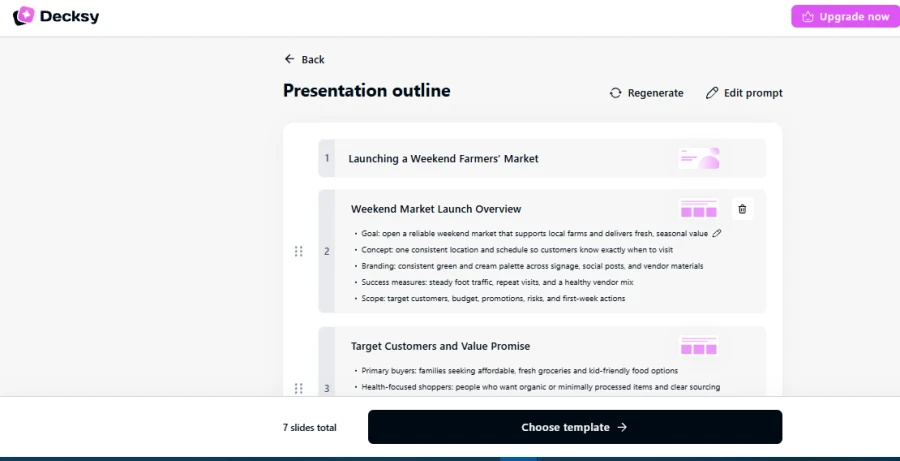
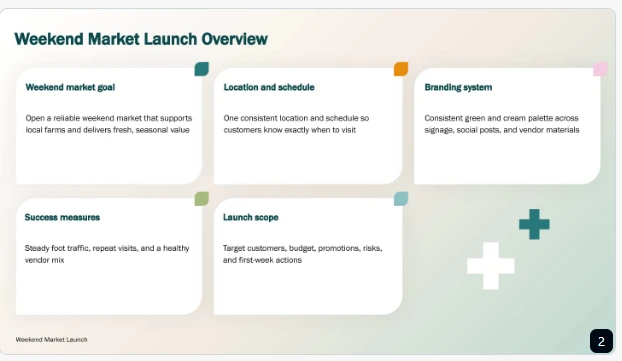
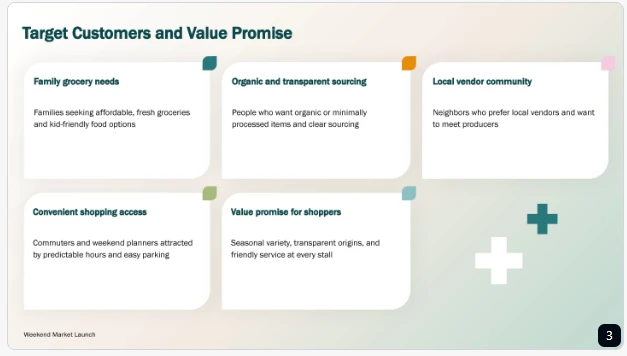
Decksy provided us with a practical way to organize the launch plan in our test. The content can tell a logical story from market opportunity to promotion and next steps. This helped in matching the budget with the planned activities. It also worked well on the final action slide, where clear tasks were more important than ornamentation.
Additionally, it had the advantage of single-slide regeneration. You can swap out one section without having to rebuild the entire deck. These features make Decksy one of the best Manus AI presentation tool alternatives.

Pros & cons
Decksy is great for reports, proposals, business plans, and meeting notes. If you want structure and clarity, you’ll enjoy its source-first approach. Slide-level editing also enables more focused editing.
Users should, however, check figures, dates, and recommendations. Reviewing the exported file before sharing helps catch formatting issues.
Pricing
Decksy advertises seven-day access for $2. Its full plan is listed at around $10 per month. Check current offers in your region and export terms before subscribing, as they can change.
2. Slideonic.ai
Concept & test results
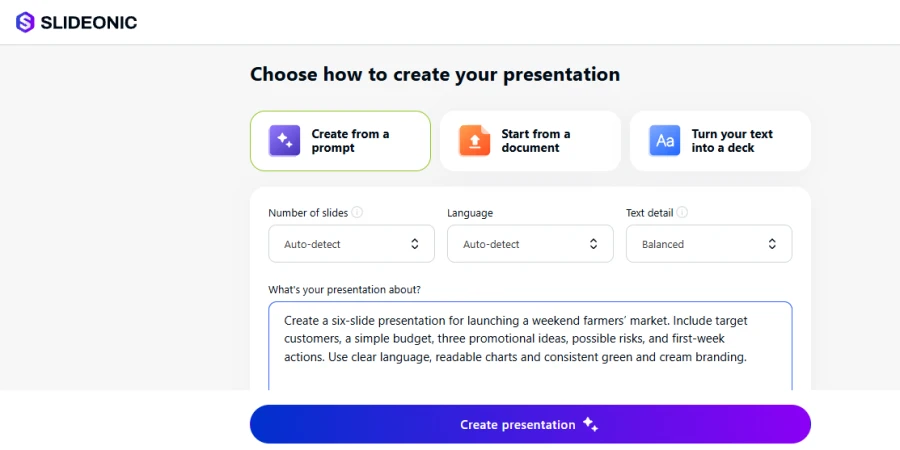
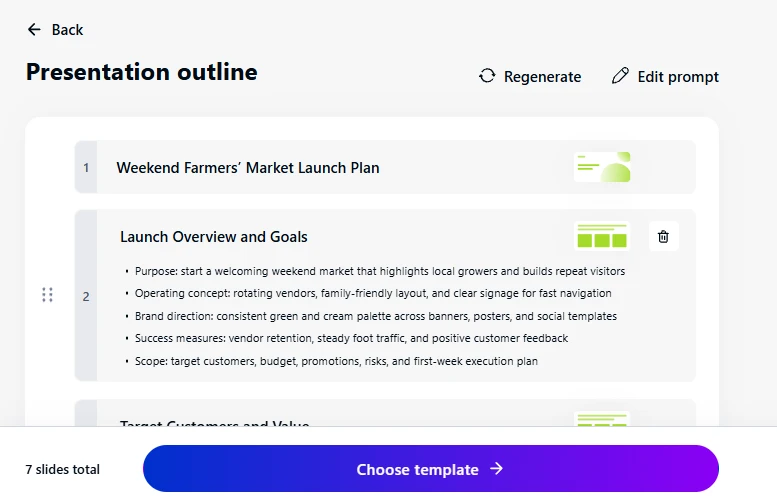
Slideonic turns prompts, notes, and files into presentations. Supports Markdown, spreadsheets, PowerPoint, Word, and PDF. Users can review and reorder outlines before slide design. It requires us to construct the story before we go to the visuals.
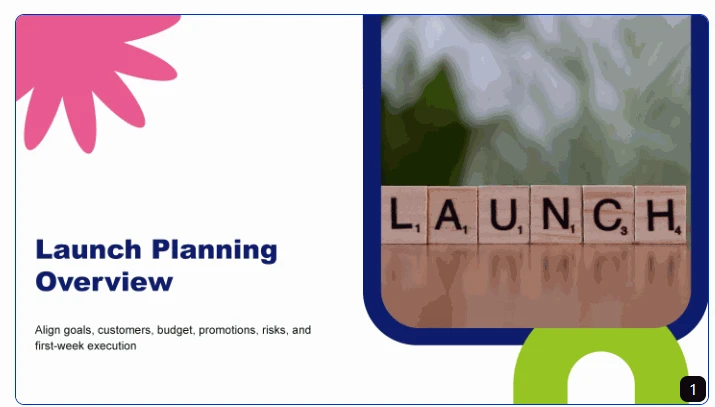
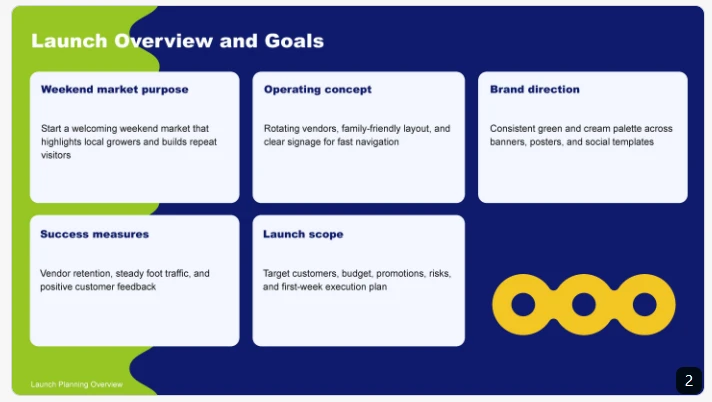
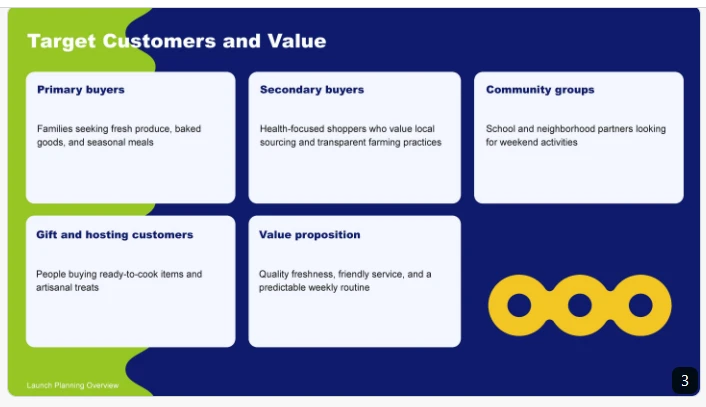
In our test, Slideonic provided a valuable way to structure the launch plan. The outline detailed customer details, budget, promotion, risks, and actions. We saw how the order could be altered to give a smoother presentation. Financially, the rationale was easier as the budget preceded the promotion. The outline also served to uncover any gaps before the slides were created. Still, numbers, chart captions, and exported layouts had to be checked.
This makes Slideonic a powerful Manus app alternative for file-based workflows.
Pros & cons
Slideonic suits consultants, marketers, educators, and analysts. Its outline editor makes content easier to organize. It also supports several common source-file formats. This is useful when work starts with existing documents. However, a strong outline cannot guarantee accurate slides. Users should check figures, charts, labels, and formatting before sharing.
Pricing
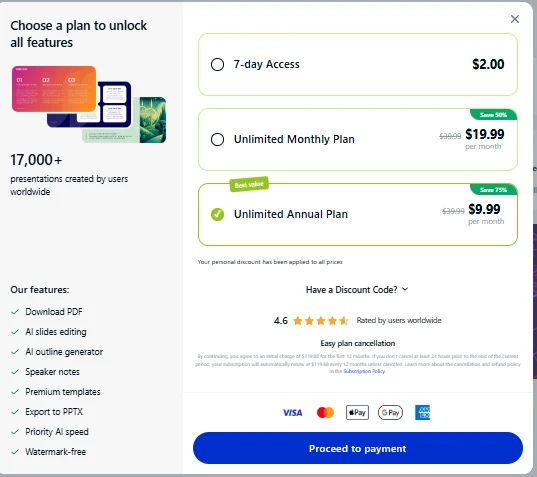
Slideonic suggests one free presentation per day. Its annual plan is listed at $9.99 per month.
3. Gamma
Concept & test results
Gamma creates visual presentations from prompts and imported material. It suits users who want a polished first draft quickly. Its card-based format makes it easy to arrange ideas. It can also help users turn written material into slides.
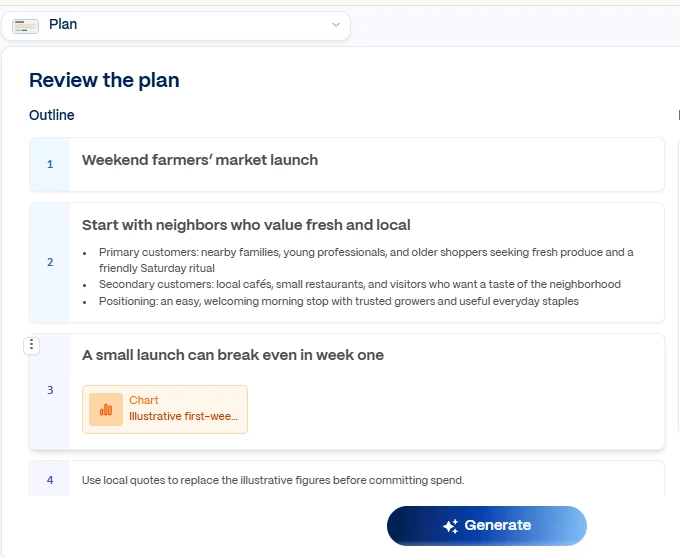
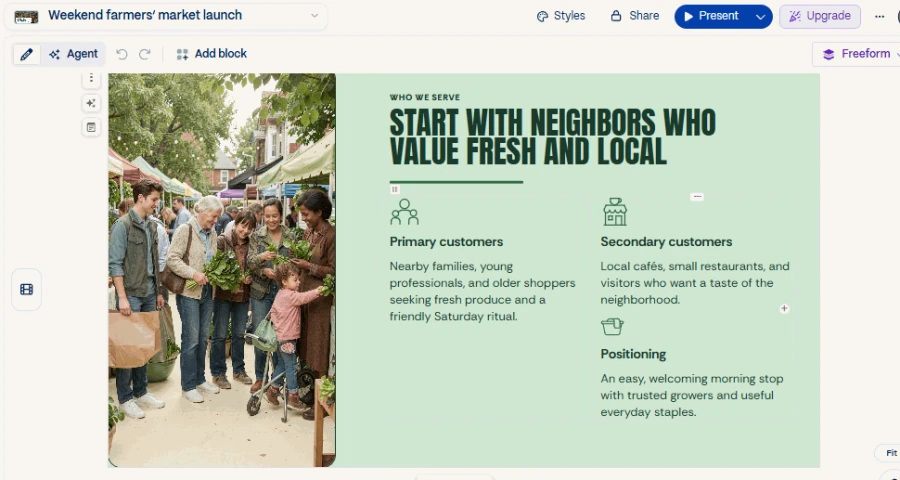
In our test, Gamma provided a visual way to present the market launch. The structure moved from the launch purpose to customers, spending, promotion, risks, and actions. We saw how quickly the content could take shape. The flexible layout made it easier to tell topics apart.

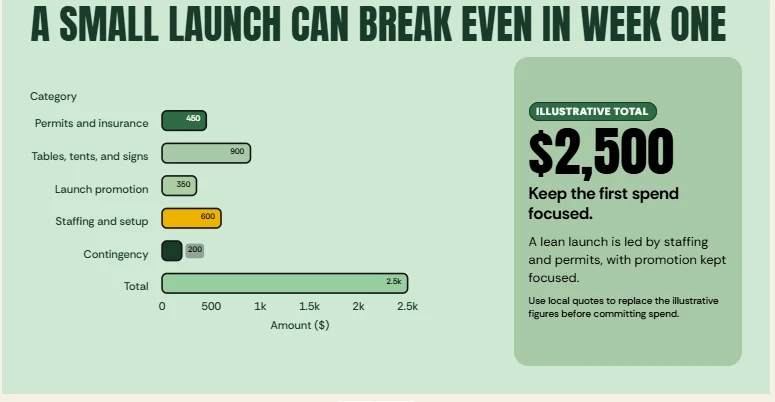
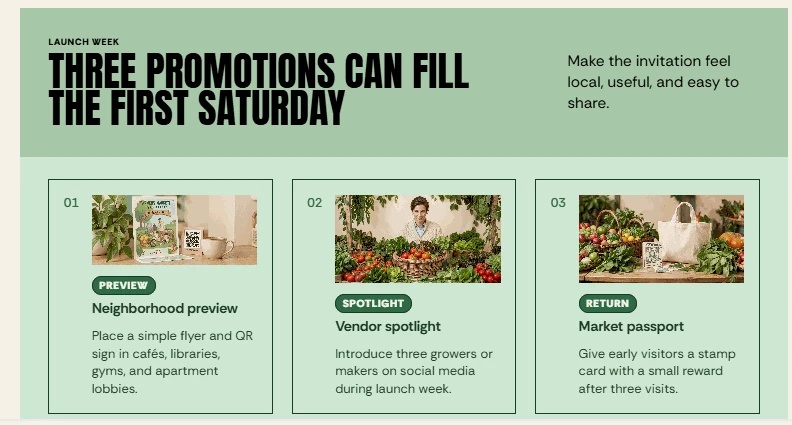
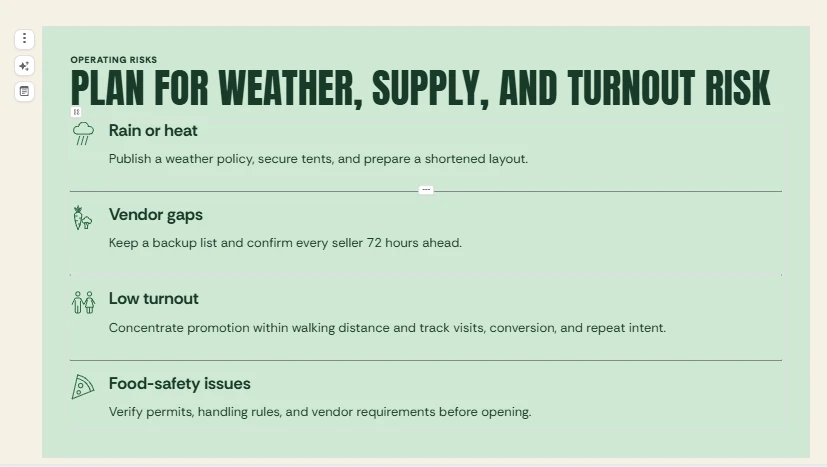
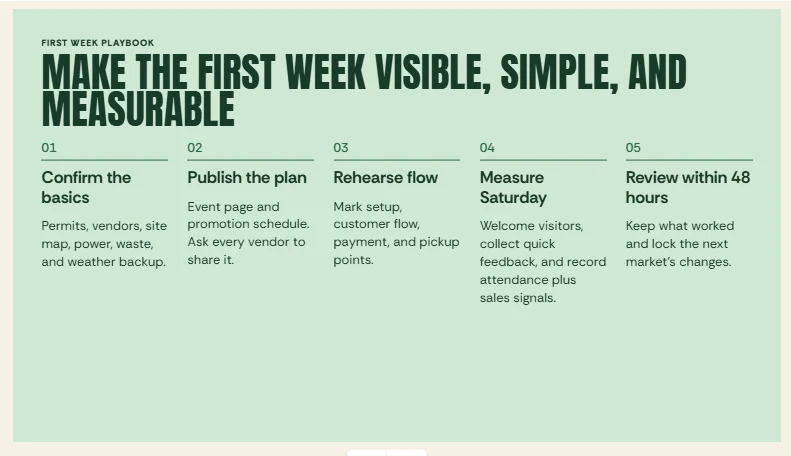
However, budget details and action items needed revisions. Some information required clearer wording and stronger links between plans. This is crucial when using AI Markdown to PPT tools for business presentations.
Pros & cons
Gamma is good for visual drafts and online presentations. It has a free plan for users to try the tool. The card-based design also makes early edits easy. But good-looking visuals can’t substitute for full information. Users should check slide order, text density, and exported formatting. Some restructuring of detailed source documents may be needed for the final deck.
Pricing
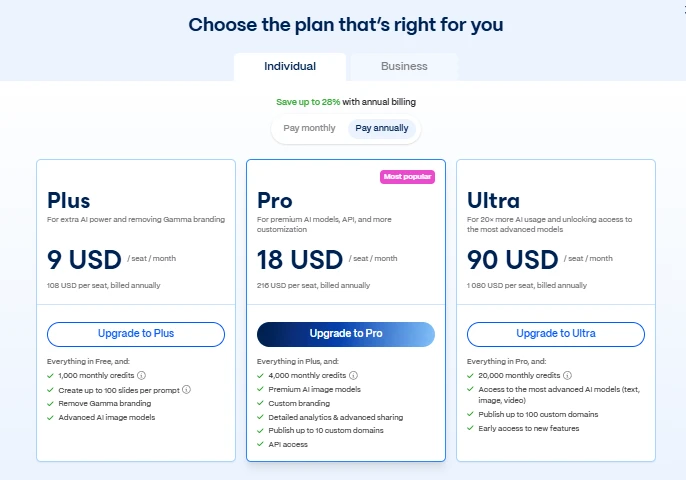
Gamma has a free plan with limited generation. Paid plans include additional features and usage.
4. Prezi
Concept & test results
Prezi isn’t a normal slideshow — it’s a zoomable canvas. It connects ideas by going from topic to topic. This is a more visual way to explain related decisions.
We found Prezi to provide a natural flow through the launch plan in our test. The slides begin with the local demand and then bring in the customers. From there, they tie promotion plans to the budget. Related topics are risk and launch actions. We saw how this format allowed us to present relations between decisions. It also gave the presentation a clear direction visually.
But movement requires a purpose! Too many zooms could distract viewers from key costs. The budget and final actions still demand clear, readable views. If linear slides feel too confining, a Prezi alternative might work.
Pros & cons
Prezi is good for workshops, training, and connected ideas. Its canvas allows presenters to show how topics relate. It can make the launch strategy feel more fun. But dense figures are harder to compare in this format. So, keep your next steps and budgets easy to find. Also, check which interactive elements remain after exporting.
Pricing
Prezi offers a basic option and several paid plans. Standard has been listed at $7 per month with annual billing. Higher plans offer different features and export options.
5. Canva
Concept & test results
Canva combines presentation tools with templates, graphics, and branding. Users can also create promotional materials in the same workspace.
Our market needed to appeal to nearby residents and families. Each promotional idea needed its own clear visual. The test showed why visual variety must support the message. Budget labels need to remain readable. Risks and launch actions also need enough space. Decorative elements should not compete with the key information.
So, Canva suits users seeking alternatives to Manus AI presentation tool workflows focused on design. It’s useful when you care about visual polish above all.
Pros & cons
Canva is a good fit for small businesses and creative teams. Branding tools and templates help us keep a consistent look. However, long source files may need manual restructuring. Check text density, chart labels, and exported slides.
Pricing
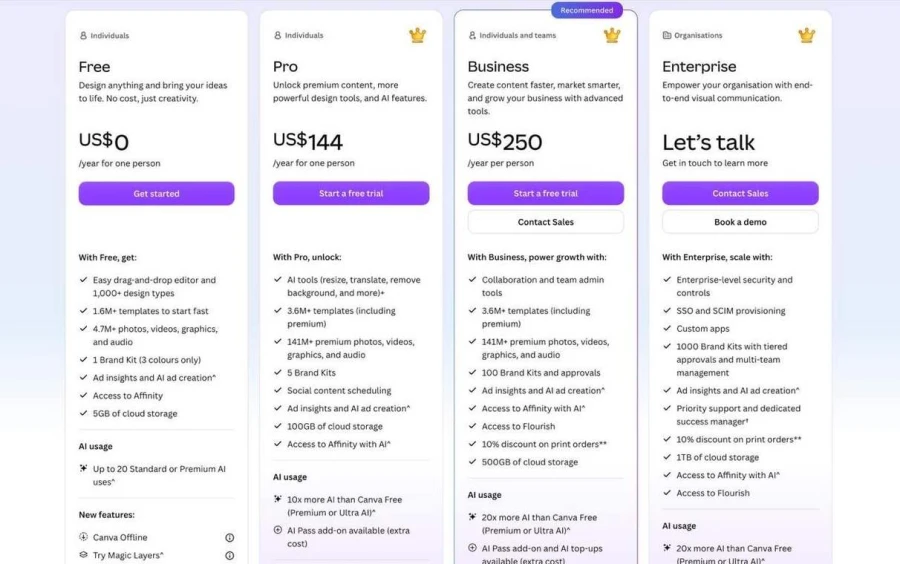
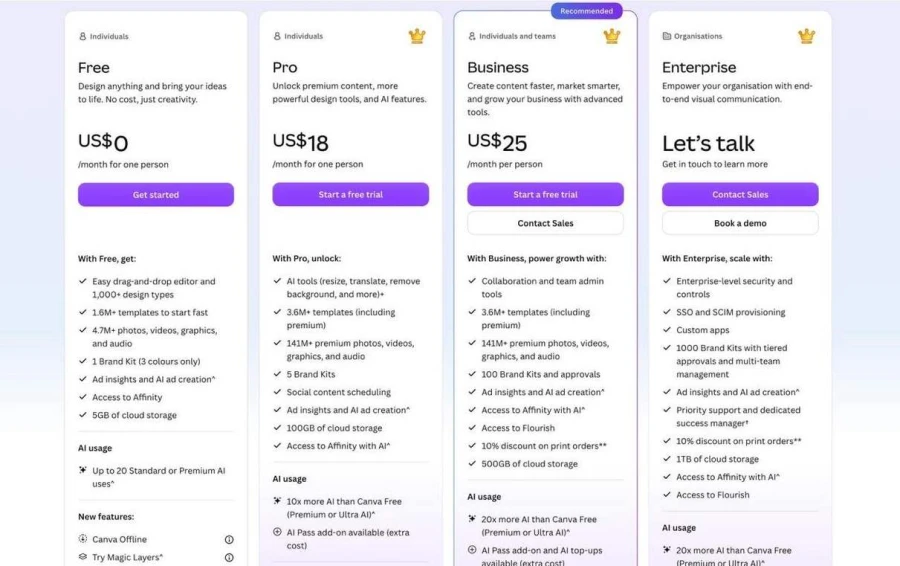
Canva offers a free plan with limited AI usage. Its US pricing lists Pro at $144 annually. Business has been listed at $250 per person annually. Prices may vary by region.
YEARLY PLANS:
MONTHLY PLANS:
6. Plus AI
Concept & test results
Plus AI works inside Google Slides and PowerPoint. It helps users create, insert, and rewrite slides.
For our test, the six topics needed separate, readable sections. The budget also needed space for labels and explanations. Needless to say, working in familiar software is a great advantage!
Revisions can be sped up by existing templates. However, some layouts might not suit all sections. We still need to look over chart placement and slide order.
Plus AI is useful when presentations are part of an existing workflow. It’s a good Manus AI alternative for users who are focused on slide creation, not general automation.
Pros & cons
Plus AI is a good fit for teams using Google Slides or PowerPoint. It supports recurring reports and existing presentation templates. However, results depend partly on the selected layout. Check spacing, content order, and export quality.
Pricing
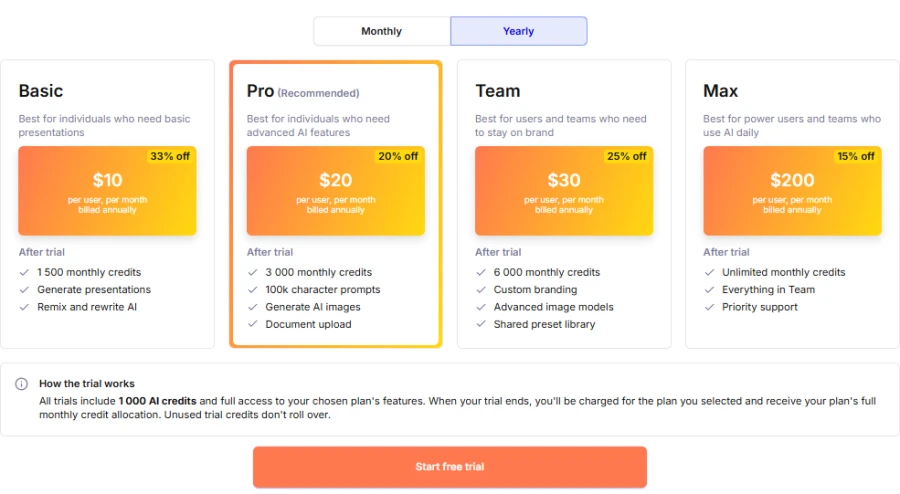
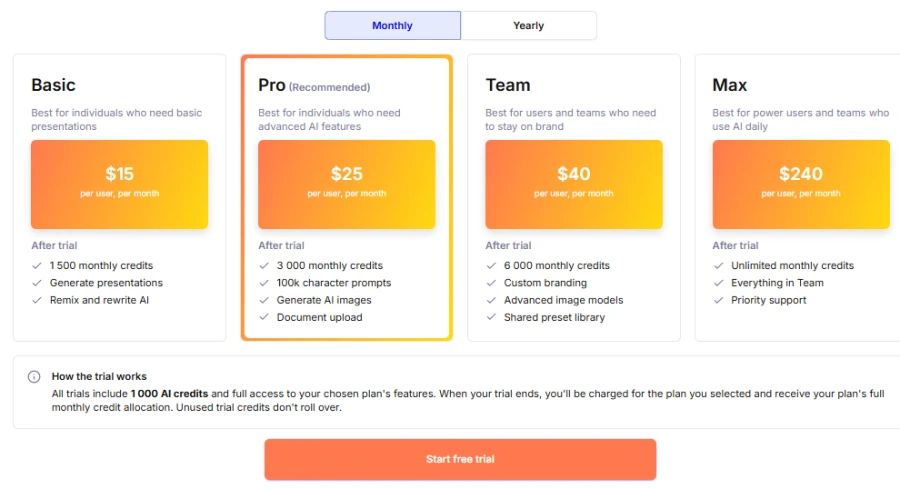
Plus AI offers several paid plans and usage limits. Basic has been listed at $10 per user monthly, billed annually.
YEARLY PLANS:
MONTHLY PLANS:
7. Microsoft PowerPoint
Concept & test results
PowerPoint gives you fine control over text, charts, images and layouts. It also supports Microsoft 365 workflows.
We wanted discrete sections in our market deck and readable budget figures. PowerPoint allows users to change labels and highlight launch priorities. We have seen the value of direct control of the formatting: every section can be refined by the users to fit their needs. However, they will have to check all the requested topics themselves. Formatting also takes more hands-on work.
Along with PowerPoint presentation alternatives, this tool is great for precise editing. It gives you flexibility and doesn’t make you completely dependent on auto layouts.
Pros & cons
PowerPoint works well for business presentations and team cooperation. It provides familiar controls and detailed formatting options. But it might involve more manual labor than prompt-based tools. AI features depend on subscription and account eligibility. So, it’s better to always check the content and the exported file before presenting.
Pricing
PowerPoint is included with eligible Microsoft 365 subscriptions. Personal and business plans have different prices. Check Microsoft’s current pricing for your region.
How do the test results compare?
The test proved that each workflow has its own benefits:
- Decksy is effective because it’s about source material and gives structure to its content.
- Slideonic lets you preview the outline before you start designing.
- Gamma is all about quick visual outlines.
- Prezi connects ideas on a moving canvas.
- Canva gives you flexibility in designing.
- Plus AI works on existing slide software.
- PowerPoint lets you edit manually in great detail.
We also considered content quality and practical usefulness. Design was significant, but clarity was more important. Charts and budget labels had to be readable. There was a need for space for details on the final action list.
Then came editing, export and the final check. Users can change prices or swap out a promotion idea. They might also want editable files for co-workers. An AI Excel to PPT workflow can help you deal with spreadsheet-based information. A text-to-presentation workflow can help structure text-based notes. In both cases, you should review charts, fonts and spacing after export.
At long last, this test does not establish one universal winner. It shows how different tools approach the same business task. So, try your own files before choosing a paid plan!
Overall comparison
| Tool | Best use | Main strength | Main limitation |
| Decksy AI | Source-based presentations | Source-first structure and editable slides | Needs content verification |
| Slideonic.ai | File-to-deck workflows | Outline review and content reordering | Exported details need checking |
| Canva | Visual and branded presentations | Flexible templates and design tools | Long source documents may need manual restructuring |
| Plus AI | Google Slides and PowerPoint workflows | Editing within familiar tools | Results depend on the chosen template |
| Gamma | Quick, prompt-based presentations | Fast visual drafts | Complex content may need restructuring |
| Prezi | Visual storytelling | Connected, zoomable canvas | Dense data is harder to scan |
| PowerPoint | Detailed presentation editing | Flexible layout and formatting controls | Requires more hands-on work |
Final verdict
There is no single tool that replaces every Manus feature. Pick according to the work you have to do:
- Best for existing documents: Decksy AI.
- Best for outline control: Slideonic.ai.
- Best for prompt-based decks: Gamma.
- Best for visual storytelling: Prezi.
- Best for design flexibility: Canva.
- Best for office workflows: Plus AI.
- Best for precise editing: PowerPoint.
If you’re looking for Gamma AI alternatives, check out source handling, editing, and exports. Do the same thing with 2 or 3 tools. Review the result, not the first draft. This will help you choose a tool that fits your actual workflow.
If you need alternatives to the Manus app, first determine if you need an agent or a presentation tool. Manus can research, build slides, build apps and automate tasks. For presentation-oriented projects, a dedicated slide tool might be better. Other workflows might require a more generic agent.
If you want a document-based deck, start with Decksy or Slideonic! If you want more generic automation, look separately for alternatives to Manus AI agent tools. They are different from the presentation makers in their abilities.
FAQ
What is the best Manus alternative?
There is no single choice for everyone. Decksy suits source-based presentations. Gamma suits prompt-based decks. PowerPoint suits detailed editing.
Can presentation tools really replace Manus?
Not all the time. They are able to create and edit presentations. They aren’t a replacement for research, app building, or complicated automation.
Which tool works best with existing docs?
Decksy and Slideonic support document-based workflow. Decksy is about source material. Slideonic allows users to preview the outline first.
Are there free Manus app alternatives?
Some tools offer free plans or limited access. Gamma and Canva are both free. Verify usage, branding and export limits.
How should I compare these tools?
Use the same short brief in each tool. Check content, accuracy, design, editing, and export quality. Then test your own files before paying.
Turn your source files into great presentations!
So, ready to build better presentations with less manual work? Try Decksy AI to turn reports, spreadsheets, and notes into editable Google Slides decks. Its source-first workflow leads with your main points. You can even regenerate individual slides without regenerating the entire presentation. This AI presentation maker is where you can start to make building your next deck easier.

On decksyai.com, where people come looking for clarity wrapped in a bit of personality, Julia leans into the details that make a message land: the pause between two ideas, the subtle shift in spacing, the moment a visual finally clicks.