Canva alternatives in 2026: 7 tools for better presentations
- Canva is great for design, but AI-generated decks often require a bit of extra editing. Some users want better document handling, editable exports, or lower costs.
- Decksy AI is good for a lot of reporting and source-material-driven stories.
- Slideonic helps turn existing files into decks.
- Plus AI fits teams already using Google Slides or PowerPoint.
- This detailed list of Canva alternatives below offers advantages for different workflows. Check them out!
| Tool name | Primary differentiator | Native export support | API access | Prices |
| Decksy AI | Converts reports into structured decks; supports targeted slide regeneration | Google Slides, PDF, PPTX | Not confirmed | $2 for seven days; full plan around $10/month |
| Slideonic.ai | Converts multiple file types and lets users review outlines before designing | PPTX; check other formats | Not confirmed | Free daily presentation; $9.99/month annually |
| Gamma | Creates polished web-based decks with shareable links and embedded content | PDF, PPTX, PNG, Google Slides | Depends on plan; verify current access | Free plan available |
| Plus AI | Generates and edits slides inside Google Slides and PowerPoint | Google Slides, PowerPoint | Not confirmed | From $10/user/month annually |
| Beautiful.ai | Automatically adjusts spacing and layouts as content changes | PowerPoint, PDF | Not confirmed | From $14.50/month annually |
| Prezi | Uses zoomable paths to connect ideas and explain complex relationships | PDF, PowerPoint; features vary by plan | Not confirmed | From $7/month annually |
| PowerPoint | Offers detailed control over charts, animations, formatting, and slide layouts | PPTX, PDF, and other formats | Available through Microsoft’s developer ecosystem | Included in eligible Microsoft 365 plans |
Export options depend on each tool and subscription. “Not confirmed” means API availability needs to be checked with the provider. Prices may vary by country, so verify current plans before purchasing.
How did we evaluate the tools?
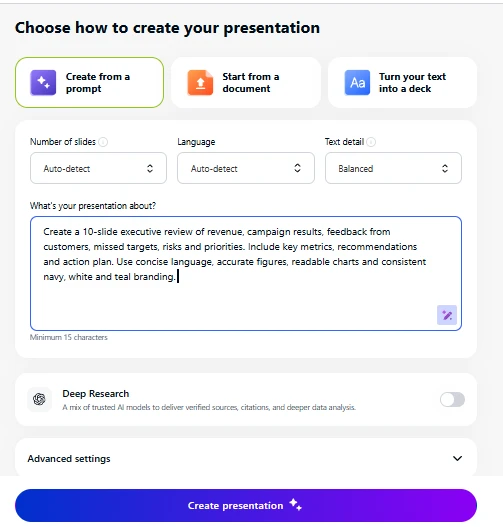
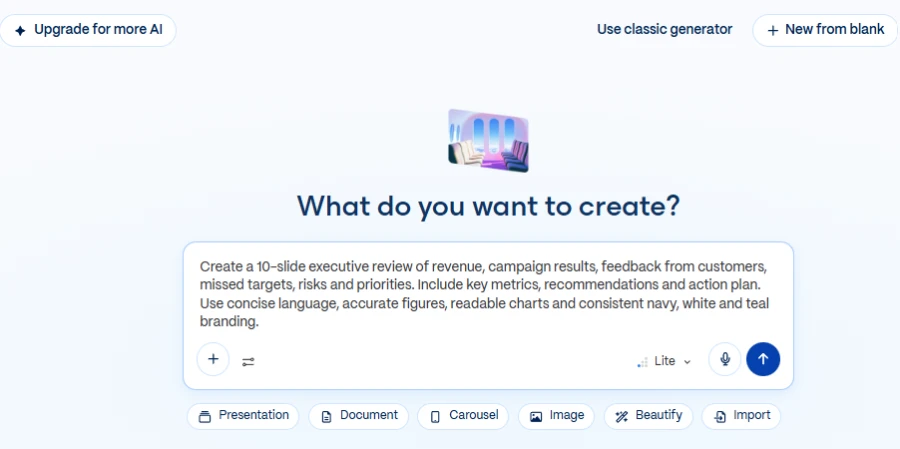
We used the same prompt for all seven tools:
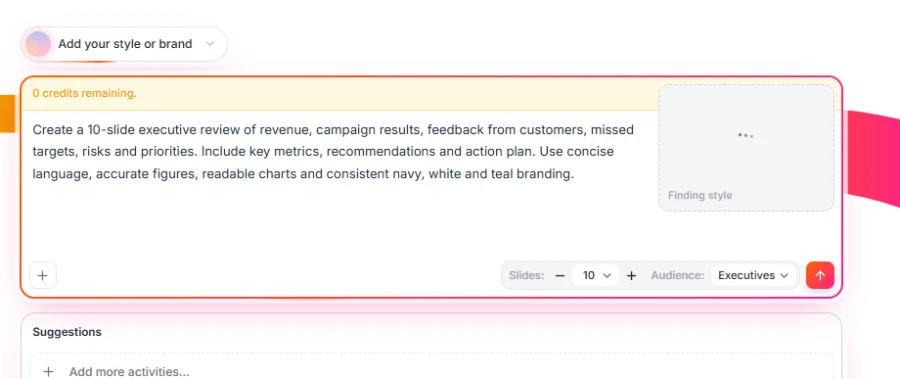
| Create a 10-slide executive review of revenue, campaign results, feedback from customers, missed targets, risks, and priorities. Include key metrics, recommendations, and an action plan. Use concise language, accurate figures, readable charts, and consistent navy, white & teal branding. |
The source included revenue, campaign results, customer feedback, missed targets, risks, and next-quarter priorities.
Each tool had to create ten slides for an executive meeting. We also considered its suitability for an AI presentation for annual reports.
Here are 4 points we measured
- Content structure: We checked whether the deck covered every required topic. We also checked recommendations, action owners, and deadlines.
- Source accuracy: We compared figures and claims against the original report. Any unsupported numbers are counted as errors.
- Export fidelity: We exported to PowerPoint or PDF and checked for text, charts, spacing, fonts, and missing elements. Each category was graded as pass or fail.
- Brand consistency: We looked at the colors, fonts, titles, spacing, and chart styles on all ten slides. We also verified that the rules were still preserved after editing using the tool.
We assess each tool against these criteria to see where it excels and where it falls short. At the end of our guide, the comparison table summarizes the results to help you choose the right tool.
1. Decksy AI
Concept and test results
Decksy AI is an effective AI alternative to Canva. It turns PDF, Word, PowerPoint, Excel, text, and Markdown files into editable drafts.
Our quarterly review covered revenue, missed targets, risks, and priorities. Decksy’s source-first workflow helps to structure such topics into a business story. Our test checked content completeness, recommendations, owners, and deadlines. Every figure still needed to be compared with the original report.
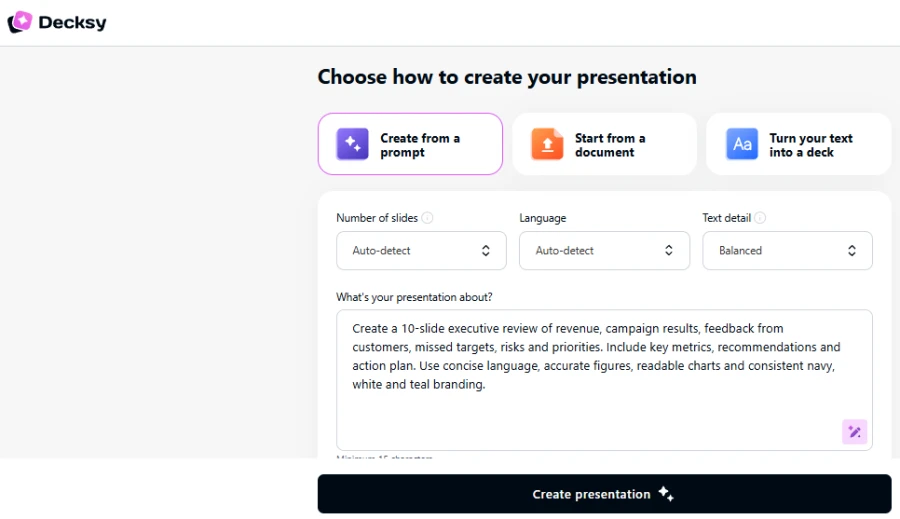
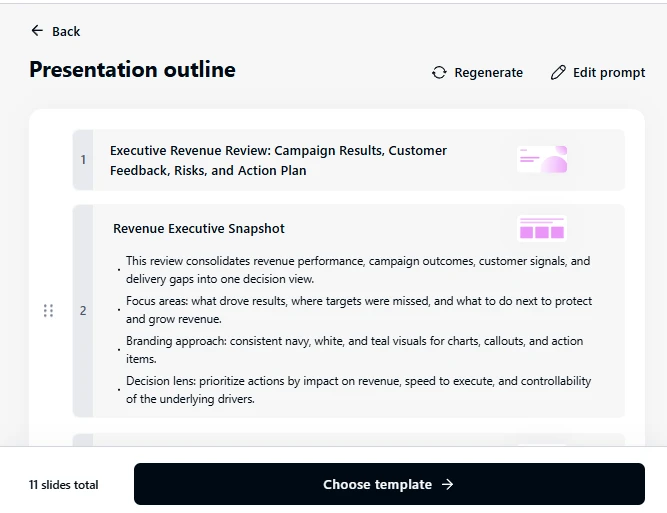
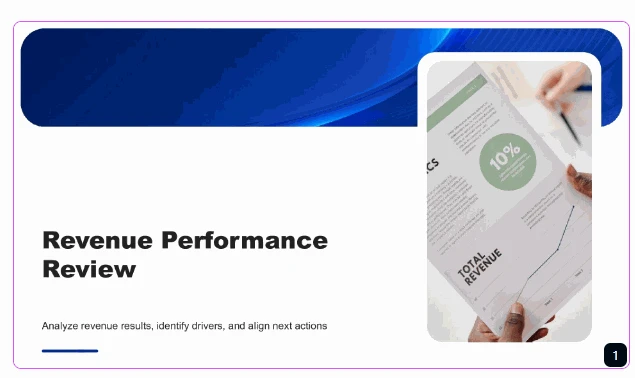
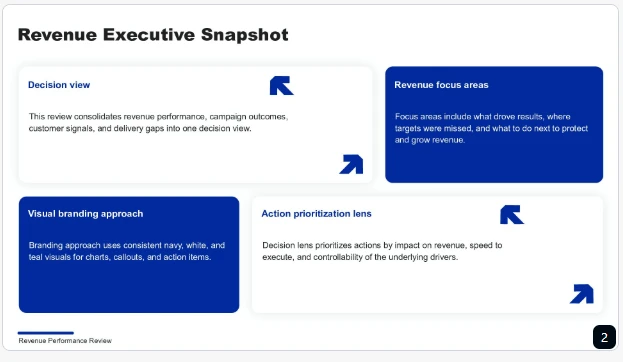
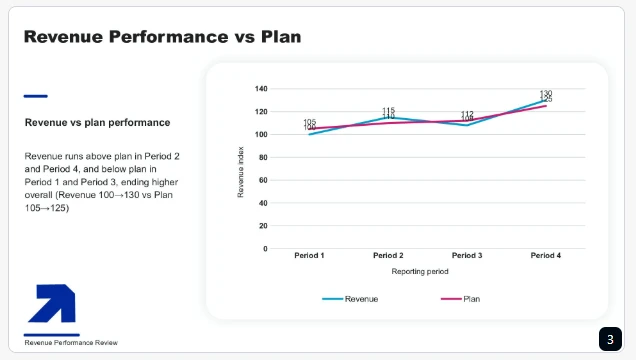
Single-slide regeneration supports targeted revisions without rebuilding everything. Reviewers should check whether edits preserve the original meaning. Exported charts, fonts, and spacing should also be checked. All 10 slides should include navy, white & teal branding.
Indeed, Decksy is one of the best alternatives to Canva for presentations. It prefers editable content to decorative effects.
Decision framing
Give Decksy a try for repetitive reports and document-heavy presentations. It suits teams that regularly convert existing source material. Still, always verify calculations, recommendations, and exported files.
Pricing
Decksy advertises seven-day access for $2. Its full plan is $10 per month with annual billing.
2. Slideonic.ai
Concept and test results
Slideonic converts prompts, notes and files into presentations. It supports DOC, PDF, TXT, PPT, XLSX, and Markdown. Users can review and reorder outlines before choosing designs. Among Manus AI alternatives, Slideonic is suitable for file-based presentation tasks.
Our test examined outline structure and content completeness. Revenue results had to come before missed targets and corrective actions. Feedback, risks & next-quarter priorities were also needed for the deck. Recommendations should include clear actions, owners and due dates.
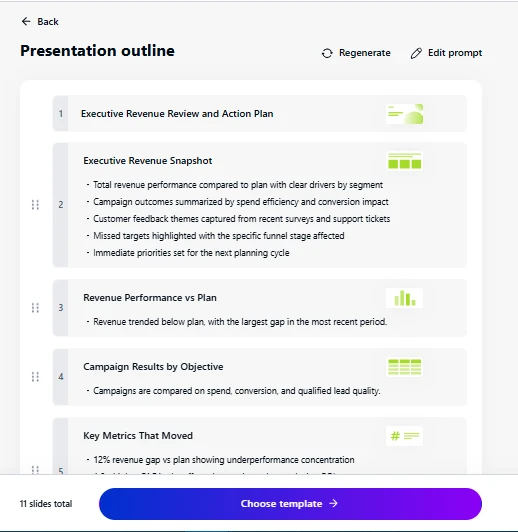
We also checked the accuracy of the source and export fidelity. Revenue numbers had to be in line with the initial report. Exported PPTX files need to have readable charts, fonts, and spacing. Brand colors and chart styles had to be consistently applied.
Slideonic is one of the most popular Canva presentation alternatives. Its outline-first process helps users correct the story early.
Decision framing
Choose Slideonic when converting source files into editable decks. It suits analysts, educators & consultants. Check numbers, tables, recommendations, and exported layouts carefully.
Pricing
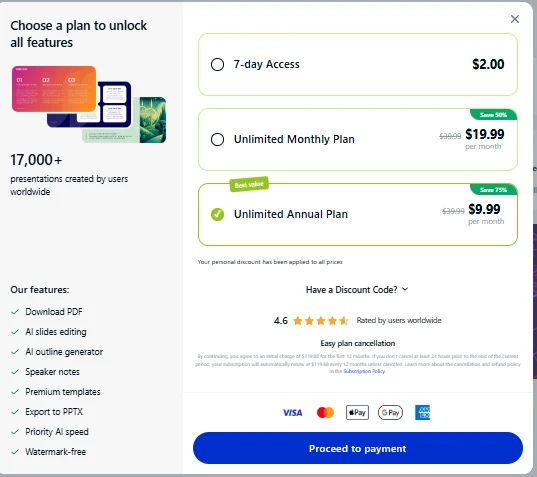
Slideonic advertises one free presentation daily. Annual billing is listed at $9.99 monthly. Monthly billing is listed at $19.99.
3. Gamma
Concept and test results
Gamma creates web-based presentations from prompts and source material. Its card-based format combines text, visuals, and embedded media. Users can share presentations through links or export them.
Our test requested ten slides for an executive review. The deck needed results, missed targets, risks, and actions. Recommendations had to follow the reported findings. Every figure required checking against the original report.
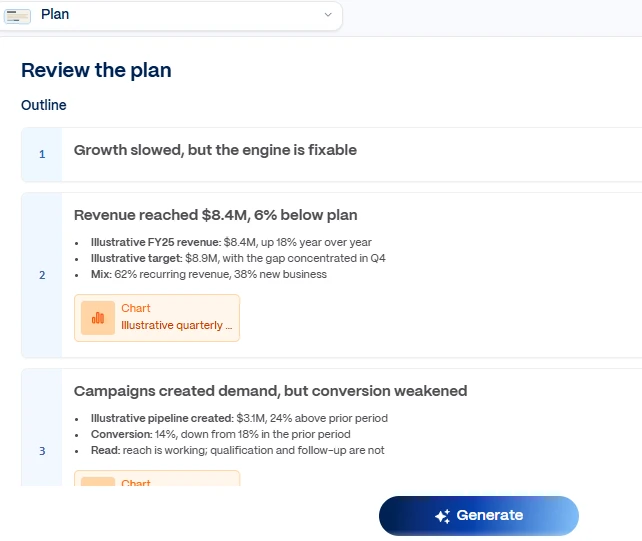

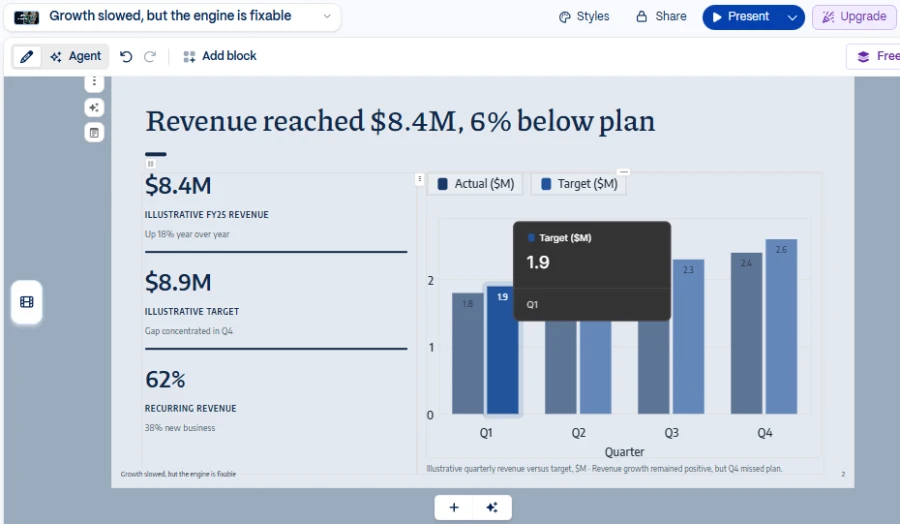
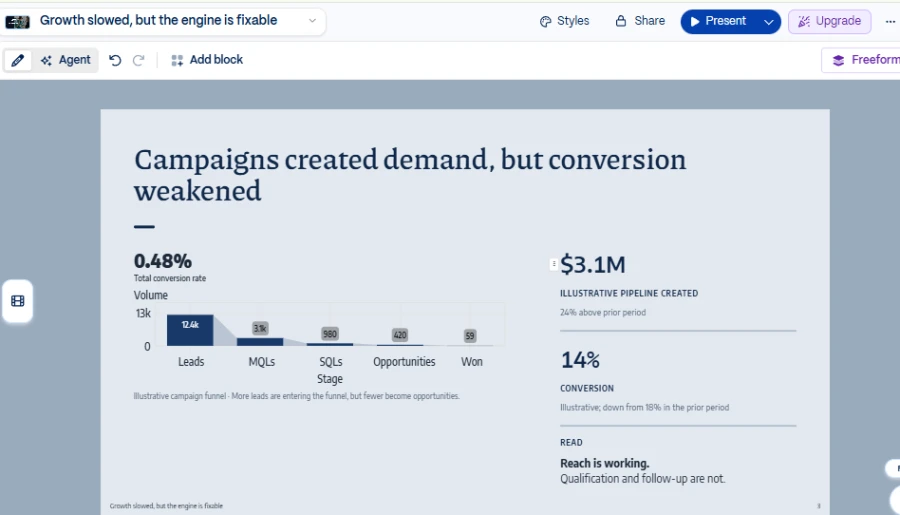
Gamma supports online sharing and several export options. These include PDF, PPTX, PNG, and Google Slides. Free-plan exports include Gamma branding, requiring extra cleanup.
Our export test focused on practical formatting problems. Reviewers needed to check fonts, spacing, charts, and text wrapping. Missing elements and unreadable figures counted as failures. Navy, white, and teal branding also needed review.
It’s a great tool for those who are looking for Gamma AI alternatives. Exported layouts may differ from the browser versions, however.
Decision framing
Select Gamma for fast visual drafts and easy sharing. It’s great for browser presentations and narrative abstracts. PowerPoint may require further adjustments for precise formatting.
Pricing
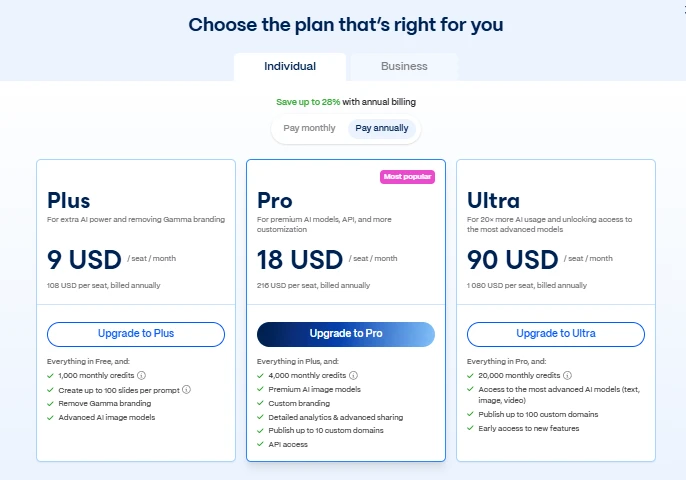
Gamma has a free plan that includes 10 slides per prompt. Paid plans unlock higher limits and additional features. Plan eligibility determines export options.
4. Plus AI
Concept and test results
Plus AI works inside Google Slides and PowerPoint. It generates presentations, inserts slides & rewrites existing content. Teams can continue working in familiar software.
Our test was on template compatibility and workflow continuity. The deck required revenue summaries, missed targets and action items. Recommendations, figures, owners and deadlines need to be checked carefully.
We also checked for brand consistency across all ten slides. The platform followed consistency in titles, colors, fonts, spacing and chart styles. Reviewers had to repeat these checks for individual edits. Exported files were to be checked for changes in layout and missing items.
Plus AI is a practical Canva AI alternative for office teams. Its primary advantage is continuity of the workflow.
Decision framing
If your team uses Google Slides or PowerPoint, go with Plus AI. It works well for recurring reports and standard presentation templates. Still, check template compatibility, figures, branding and export behavior.
Pricing
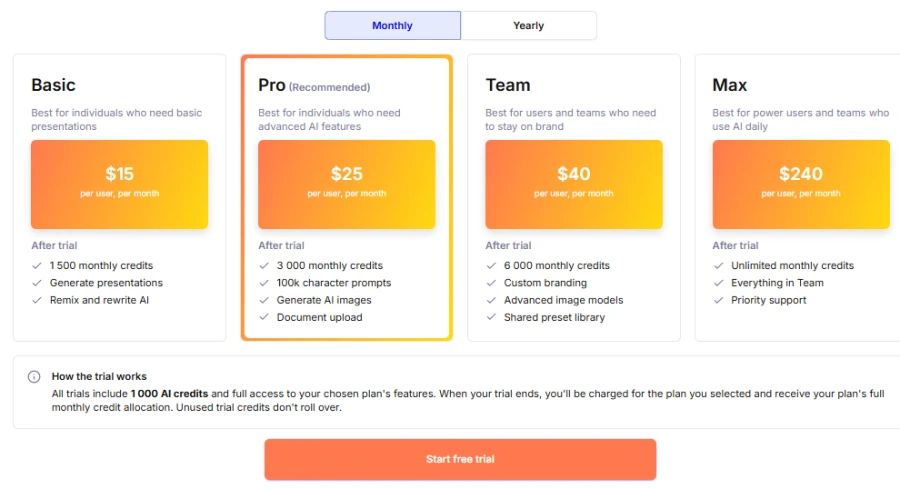
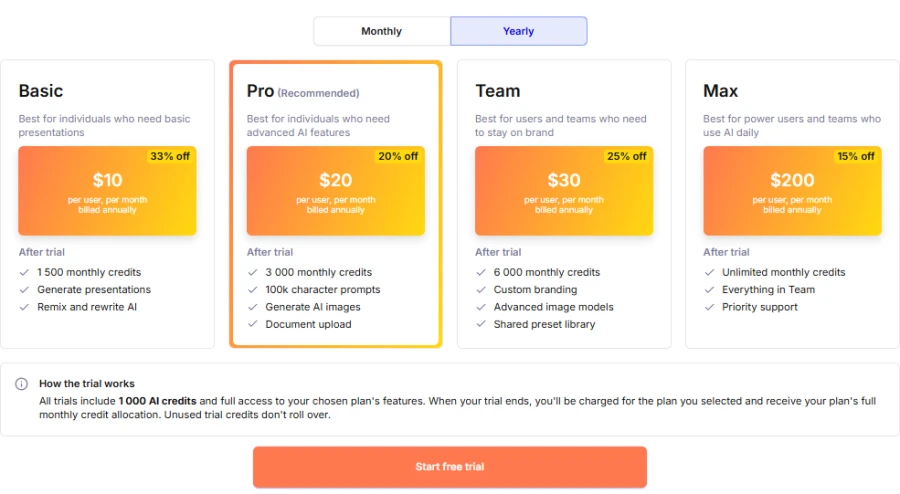
Plus AI lists Basic at $10 per user monthly with annual billing. Monthly billing is listed at $15 per user. Pro costs $25 per user monthly with annual billing. A seven-day trial includes 1,000 AI credits.
5. Beautiful.ai
Concept and test results
Beautiful.ai focuses on automated slide layouts. Its Smart Slides adjust elements as users add or remove content. This keeps spacing and alignment consistent.
Our quarterly review had several kinds of information. Revenue metrics, campaign results, and feedback needed distinct visual treatment. Automated layouts can help keep these sections consistent. They also help an AI generator for case studies organize challenges, solutions and results.
Our test checked readability and brand consistency. Figures needed to remain clear without shrinking text excessively. Titles, fonts, colors and chart styles should match. Spacing needs to remain consistent across all ten slides.
We also checked PowerPoint export fidelity. Reviewers needed to inspect fonts, charts, spacing and missing elements. More had to be done with thick financial tables.
Decision framing
If you like consistent visual formatting, then Beautiful.ai is the way to go. It’s good for sales decks, proposals and business updates. Layout automation minimizes manual alignment. It can also serve as an AI generator for QBR decks.
However, avoid this platform when slides require extensive custom positioning. Check tables, chart labels and export support.
Pricing
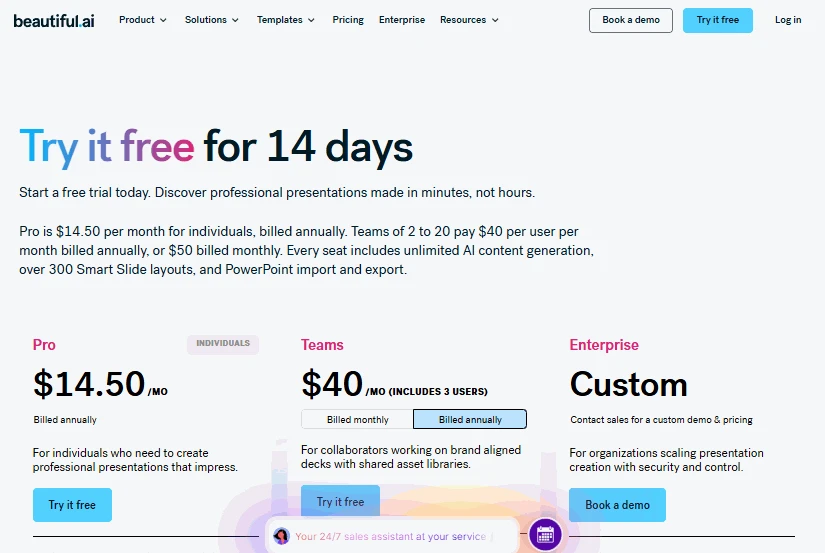
Beautiful.ai lists Pro at $14.50 monthly with annual billing. Team pricing starts at $40 per user monthly, billed annually.
6. Prezi
Concept and test results
Prezi uses a zoomable canvas instead of standard slides. Presenters move between topics to show their relationships. This approach can make connected ideas easier to explain.
Our quarterly review linked results with corrective actions. A visual path could connect missed targets with their causes. It could then introduce the proposed response.
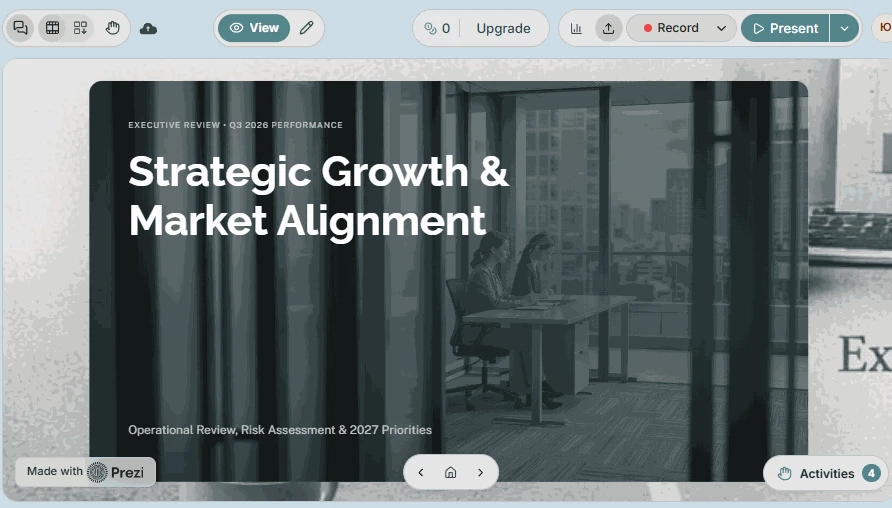
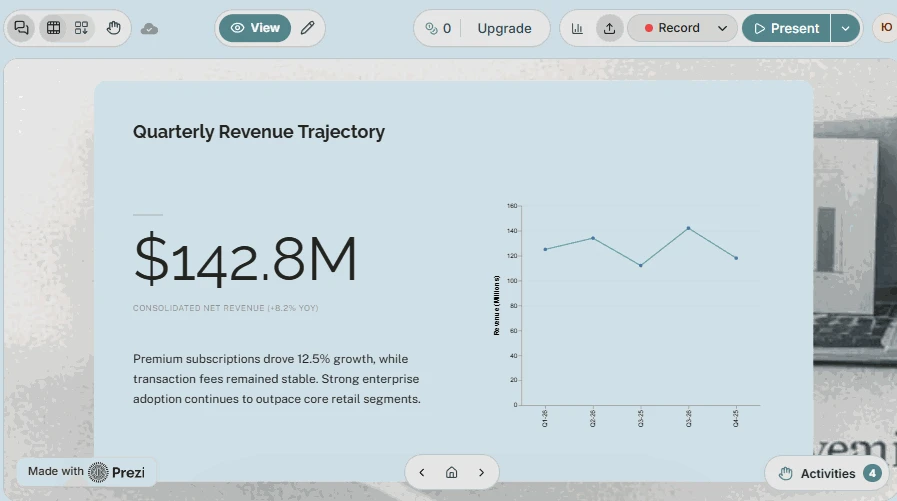
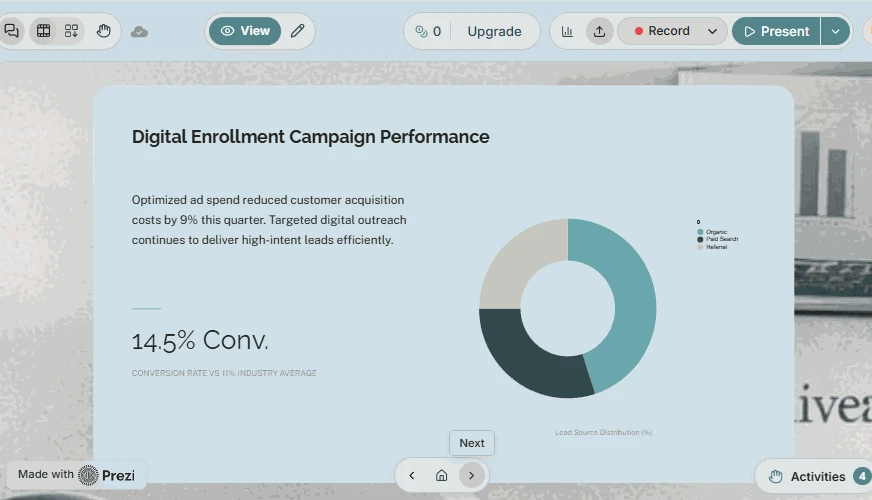
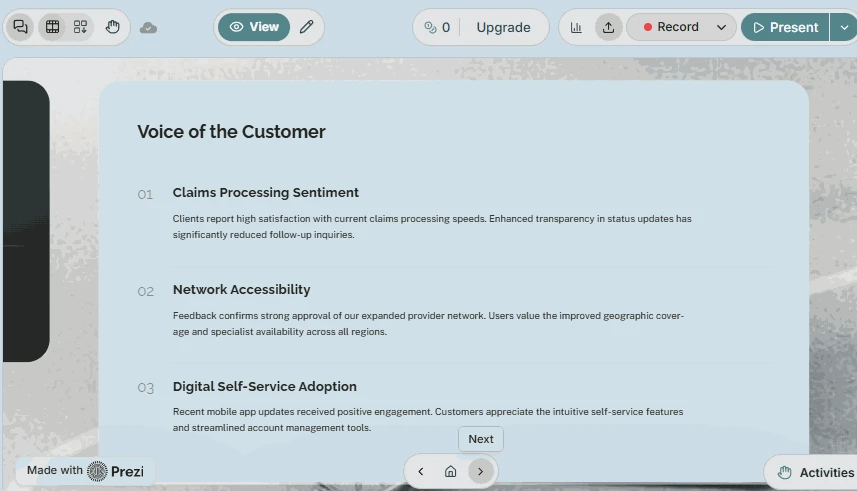
We tested for content structure and narrative clarity. The deck needed results, risks, and next-quarter priorities. Recommendations had to connect clearly with reported problems. Financial figures also needed to remain easy to find.
Prezi becomes less practical when audiences compare many figures. Revenue tables and campaign metrics may be harder to scan. Reviewers should check labels, branding & exported elements. A static PDF cannot preserve the full interactive experience.
This tool works effectively for visual storytelling. Traditional slides may suit detailed performance reviews better.
Decision framing
Don’t look for a Prezi alternative when your story depends on connected ideas. This tool is the best for workshops, training, and explanatory talks. Avoid it when audiences must compare many figures quickly.
Pricing
Prezi Standard starts at $7 monthly with annual billing. Plus costs $19 monthly, while Premium costs $29. The plans vary regarding AI access, privacy, and export options.
7. Microsoft PowerPoint
Concept and test results
PowerPoint has extensive editing, charts, templates & broad compatibility. AI features require Microsoft 365 plans and account eligibility. Copilot can help you create and revise presentation content.
Our test focused on source accuracy and editing control. Reviewers compared revenue, missed targets, and campaign results. They could then edit individual charts, labels and text. This works well for teams with detailed reporting needs.
PowerPoint allows you to control brand consistency directly. Reviewers can change colors, fonts, titles, spacing and chart styles. They can change slides without having to rebuild the whole deck.
We also verified the fidelity of the PDF export. The exported file should be identical to the presentation you can edit. Reviewers had to check for missing elements, fonts and charts.
PowerPoint gives you more precise editing, but you also have to work harder. Artificial intelligence is able to write content, but users need to check everything. It still applies to Canva alternatives no AI. It’s good for users who want manual control.
Decision framing
Use PowerPoint for detailed financial decks and tight formatting. It’s a good fit for organizations already using Microsoft 365. Native editing also supports revisions from stakeholders.
Pricing
This tool is available with eligible Microsoft 365 subscriptions. The cost for business and personal plans can vary by region and plan.
Overall comparison
| Tool | Best for | Main strength | Restrictions |
| Decksy AI | Reports heavy on data | Source-first architecture | Figures need to be checked |
| Slideonic.ai | Presentations based on files | Editable outline | Tables need to be checked |
| Gamma | Online sharing | Quick visual drafts | Branding and layout for export |
| Plus AI | Google Slides and PowerPoint | Existing workflows | Need to check the template |
| Beautiful.ai | Slide design consistency | Automatic layouts | Limited custom placement |
| Prezi | Visual storytelling | Related subjects | Dense data is harder to scan |
| PowerPoint | Comprehensive business reporting | Exact editing | More manual work |
Final verdict
The best AI alternative to Canva for presentations depends on your needs. Here is a quick guide on how to pick the right tool.
- Best for consultants with reports: Decksy AI.
Decksy AI presentation generator turns source files into presentations and allows you to regenerate individual slides.
- Best for file conversion: Slideonic.ai.
It supports a lot of formats and has outline reviews.
- Best for online sharing: Gamma.
It makes it easy to create web-based presentations that can be shared.
- Best for Microsoft 365 teams: Plus AI.
It adds AI tools to Google Slides and PowerPoint.
- Best for ongoing branding consistency: Beautiful.ai.
It automates nicely formatted client deck layouts.
- Best for visual narrative: Prezi.
It links ideas in zoomable presentations.
- Best for detailed editing: PowerPoint.
It puts you directly in charge of charts, text & layouts.
Looking for free AI Canva alternatives? Compare Slideonic, Decksy and Gamma first. Slideonic provides one free presentation per day. Gamma allows you to create 10 slides per free prompt, but exports are branded.
If you do report-heavy work, try Decksy with a real document. Check its figures and make a copy of one slide. You can see how it works in your workflow.
Choose according to your type of presentation, too. Annual reports need accurate figures and year-on-year comparisons. Case studies should link problems, solutions and results. QBR decks need clear metrics, missed targets, and next steps.
FAQ
What is the best Canva alternative for AI slides?
Decksy is great when you need document-based presentations. Gamma suits web-based decks and link sharing. Plus AI works inside PowerPoint and Google Slides, which is effective. So, test your source material before you choose.
Which alternative works best for business reports?
Decksy suits reports with structured content and editable slides. Beautiful.ai is good for its consistent layouts. Plus AI supports teams who already use office presentation software. But always double-check figures before passing on reports.
Are there Canva alternatives without AI?
Yes, PowerPoint has a lot of control for manual editing and formatting. It is suitable for users who like to build slides by themselves. Some Microsoft subscriptions also come with optional AI features.
Which has the best free plan?
Gamma gives you ten slides per free prompt. Slideonic advertises one free presentation daily. It’s better to compare branding, export options, and usage limits before deciding.
Turn your report into a presentation with Decksy AI!
So, is there an AI alternative to Canva? Yes!
Decksy helps turn reports into clear, editable presentations. Upload a real PDF, Word file, or spreadsheet to get started. Review the generated structure, check the figures, and refine individual slides.
Try Decksy with your next report or business brief. See how it organizes your source material into a presentation. Adjust the content to your audience, polish key slides, and export the finished deck. Our practical test lets you see if Decksy fits your workflow better than Canva.

On decksyai.com, where people come looking for clarity wrapped in a bit of personality, Julia leans into the details that make a message land: the pause between two ideas, the subtle shift in spacing, the moment a visual finally clicks.