Slidebean vs Beautiful.ai in 2026: Which One Is Better?
Some pitch decks have to tell a story. Others demand slick slides with little effort. Choose the right tool for your goals, audience, and workflow. In this guide to Slidebean vs Beautiful.ai, we’ll explore their key differences. We cover pricing, design, data, editing and export options. We also use the same business scenario to test both tools.
| Feature | Slidebean | Beautiful.ai |
| Best for | Startups pitch decks | Polished business presentations |
| Design | Templates targeted at pitch | Smart layouts and design automation |
| AI features | AI-assisted pitch generation | AI-powered slide building |
| Working together | Teamwork and sharing | Team features and collaborative editing |
| Open access | Restricted access options | Limited access options |
| Export options | Exporting presentations | PowerPoint and PDF export |
| Best audience | Founders and startups | Business teams and professionals |
Pricing, Free Plans & Target Users
Pricing can affect Slidebean vs. Beautiful.ai choices. Both tools are for people who need professional-looking presentations. But their primary use cases are different.
Slidebean
Slidebean is a startup that specializes in investor presentations and startup fundraising. Its tools let founders create pitch decks from their business ideas. The platform also includes tools for creating financial models for startups. These features are ways for founders to practice conversations with investors.
This is a great fit for early-stage startups and fundraising teams. It’s especially helpful when creating business plans and pitching to investors. But perhaps the focus is too narrow for the everyday presentation builders.
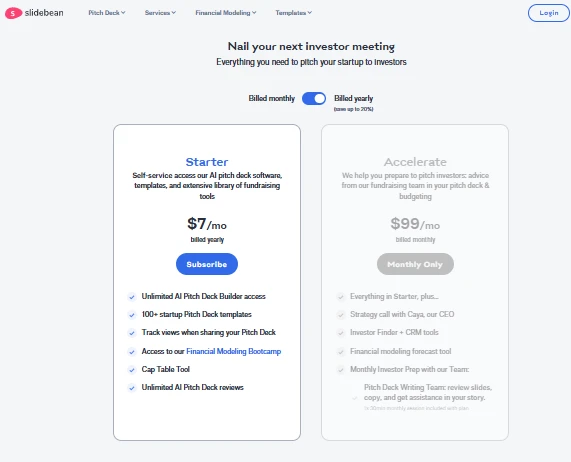
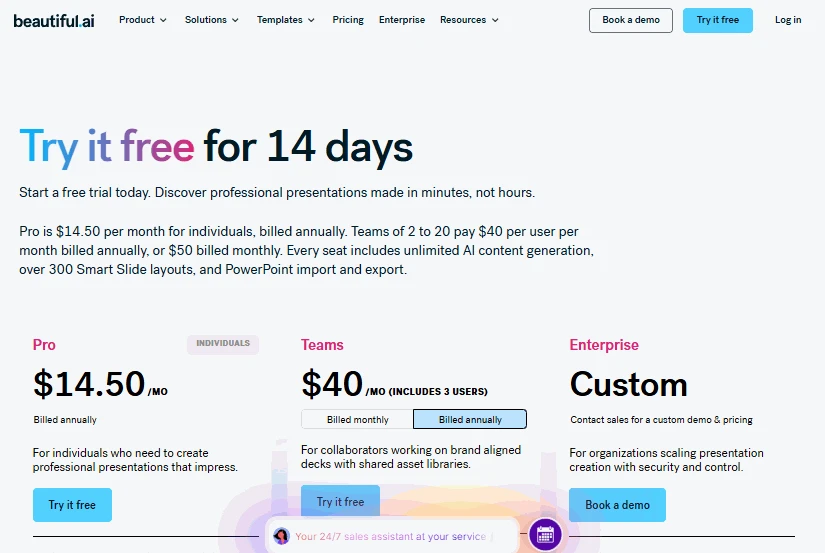
Pricing depends on the plan you pick and the billing terms. The Starter plan costs $7 per month with annual billing.
Beautiful.ai
Beautiful.ai is all about pretty slides and automated formatting. Its Smart Slides change layouts as content changes. This allows users to keep even spacing and even alignment.
The platform is ideal for consultants, managers, marketers and business teams. It can support proposals, reports, sales decks and internal presentations. Users spend less time messing around with individual slide elements.
Paid plans offer additional features and export options. The Pro plan costs $14.50 per month with annual billing. Team plans can share libraries and administration tools.
Which Audience Benefits Most?
For Slidebean vs. Beautiful.ai for business, consider your main goal. The priorities of Slidebean are fundraising and startup storytelling. Beautiful.ai offers more business presentation styles.
This tool can be used to generate content for investors. But founders must check financial claims and market assumptions. Automated layouts don’t replace a good business case.
Another alternative is Decksy AI for document-based presentations. Its plans have been priced at $2 for trial access. The full plan has been listed at $10 monthly. Check current terms and export access before purchasing.
Design, Templates & Customization
At the heart of the Beautiful.ai vs Slidebean decision is design. Both platforms allow users to create professional-looking slides. But the way they approach designing presentations is different.
| Slidebean | Beautiful.ai |
 |
 |
Slidebean
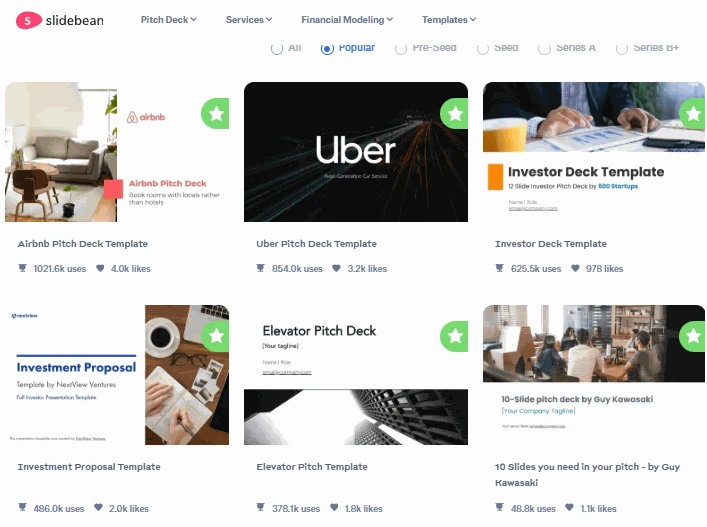
Slidebean offers a pitch deck and investor storytelling software. Its templates have sections for typical startup presentations. These include issues, solutions, market size and financial projections.
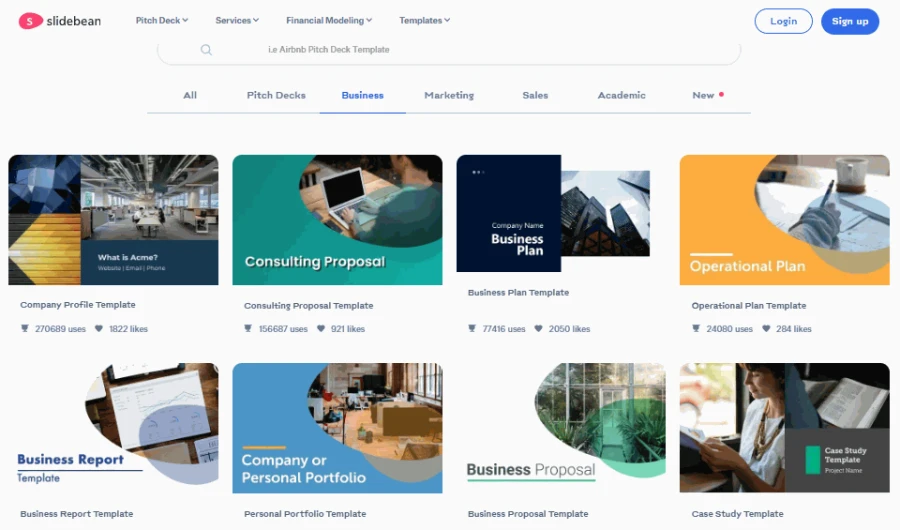
A familiar pitch structure helps users organize business information. That stops founders from skipping important sections. The design gives a clear story to potential investors.
But customization can require a bit of extra care. A template won’t correct bad messaging or faulty financial assumptions. So, check each slide before your presentation.
Beautiful.ai
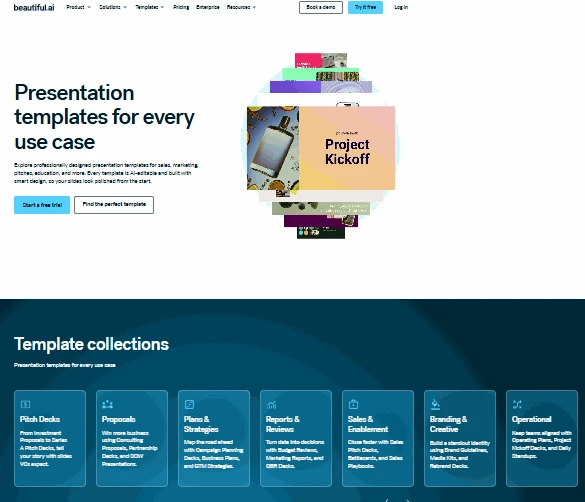
Beautiful.ai employs automatic layouts to ensure slides look consistent. Smart Slides change when you add or delete content. The selected design will be followed by text, images and charts.
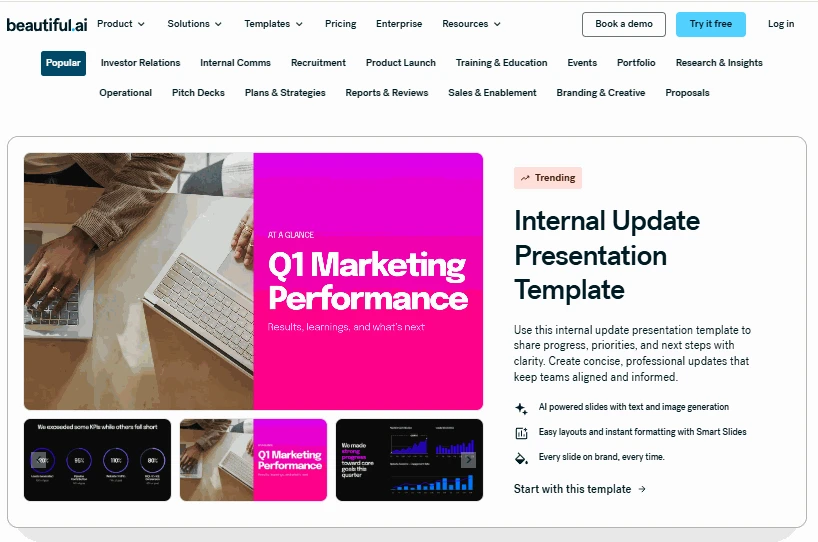
This is a good way to approach a polished business presentation. It could reduce the need for manual adjustment of spacing. Users can also set themes for their entire presentations.
The main trade-off is creative freedom. Layout automation can limit atypical design choices. Users may need to modify content to fit available layouts.
Which Is the Optimal Design Approach?
Consider the target audience when you compare Slidebean and Beautiful.ai. Slidebean is a more focused platform to begin your fundraising. Beautiful.ai has more general business design tools.
A clear pitch structure can be valuable to founders. Teams want consistent formatting across many slides. So, neither will produce a compelling presentation without careful editing.
Charts, Data & Financial Slides
Financial information often lends credibility to a pitch. In a Slidebeans vs. PPT workflow, users will need to double-check the data. The same principle applies to both platforms.
Slidebean
Slidebean is good for startup metrics and financial projections slides. These sections are especially relevant because of their focus on fundraising. Founders can describe revenue models, market opportunities and growth plans.
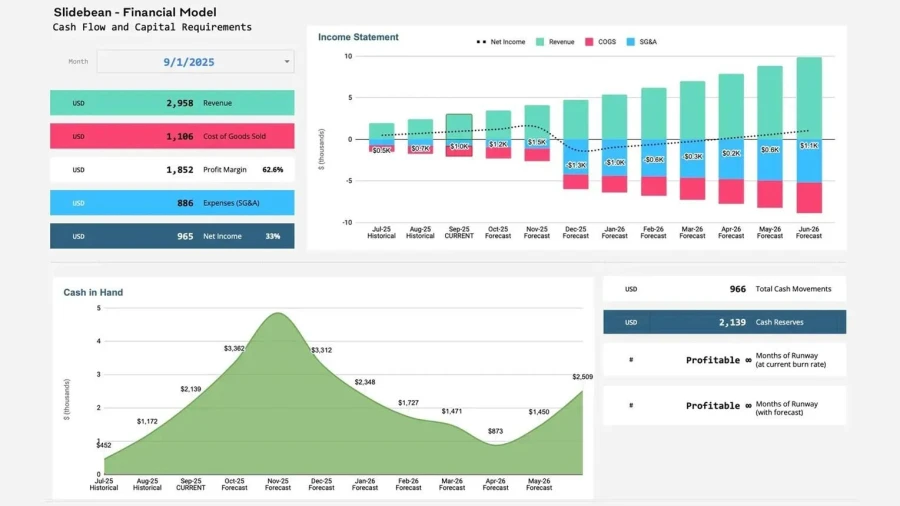
But the financials still have to be checked by hand. Verify all formulas, labels, units and assumptions against your source. The figures produced are not to be treated as confirmed business data.
Beautiful.ai
Beautiful.ai helps you display figures in charts and structured layouts. It comes with design tools that ensure consistent visual treatment across slides. This can make business metrics easier to scan.
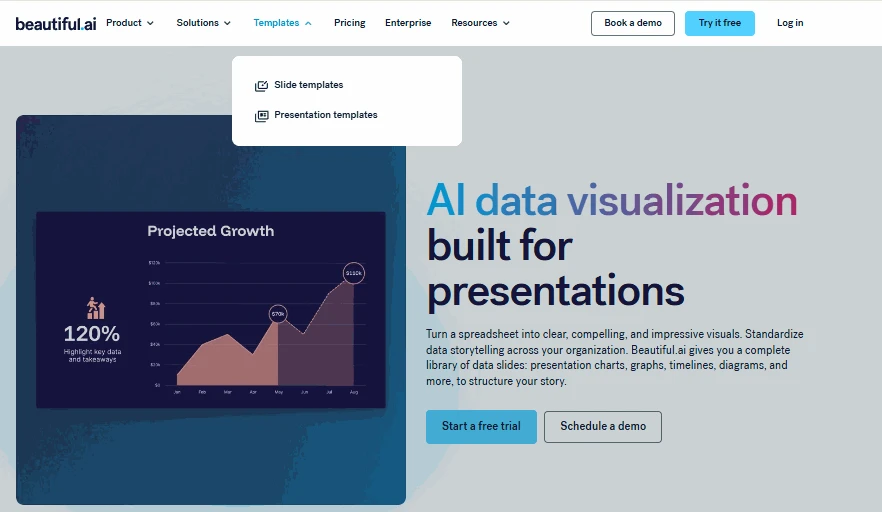
But pretty charts don’t guarantee accurate interpretation. Check that axes, labels, and values match the source. More complex financial tables may require additional formatting.
Which Tool Is Better with Data?
The question “Which is better, Slidebean or Beautiful.ai?” depends on context. Slidebean matches startup fundraising stories to financials. Beautiful.ai is great for clean, repetitive business reports.
For either tool, review every chart before presenting. Keep original spreadsheets available for cross-checking. This is especially important when investors review the figures.
Deep 1-to-1 Test
To make this Slidebean vs. Beautiful.ai comparison practical, we used one scenario.
Our source was a seven-page business proposal. It was a subscription service for reusable food containers. It included customer research, pricing, operating costs and sales forecasts. We requested ten slides for the seed funding meeting.
The deck had to explain the problem, solution, market and business model. It also needed competition, financial projections, funding needs and next steps. We looked at both the tools for structure, design, data and editing.
Story Structure
Slidebean helped me structure my business idea around the pitch. Its approach was suitable for the investor presentation requested. The structure was useful in tying the customer problem to the proposed solution.
Beautiful.ai made a nice presentation and had good flow. However, some business sections needed more manual organization. We checked whether the funding request followed naturally from the forecasts.
🏆 Winner: Slidebean
Its startup-focused structure suited this scenario well. A similar choice is highlighted in the Gamma vs PowerPoint comparison. Some tools are aimed at content structure. Others are aimed at flexibility.
Visual Design
Slidebean pitched the business idea in the traditional pitch presentation style. Its formats supported the problem section, market and financial sections. Still, some slides need text reduction and visual refinement.
Beautiful.ai kept the same spacing and visual hierarchy. The layout kept the ten slides in one place. So, much dense financial information had to be carefully tweaked to make it readable.
🏆 Winner: Beautiful.ai
The automated layouts provided a more consistent look to the overall presentation.
Document Handling
Slidebean helped shape the material into a startup pitch. But still, the proposal needed some reviewing and organizing. We verified the correctness of the key players included in the AI pitch deck generator.
Beautiful.ai was used to deliver content with structured slide layouts. The first proposal needed a lot of careful selection and rewriting. Long passages were not ideal to put right on slides.
🏆 Winner: Slidebean
Its pitch-centric workflow more closely matched the requested output. Both tools demanded checks against the original proposal.
Editing Flexibility
Slidebean helped us sharpen our investor story. A check was needed to verify the revised financial information. We also verified whether the edits disrupted the flow.
Beautiful.ai made it easy to change the layout with the content change. Collaborative editing also worked well for multiple reviewers’ feedback. However, some of the detailed changes required more formatting.
🏆 Winner: Beautiful.ai
It made it easier to make visual tweaks and review.
Test Summary
| Category | Slidebean | Beautiful.ai |
| Story structure | ⭐⭐⭐⭐⭐ | ⭐⭐⭐⭐☆ |
| Visual design | ⭐⭐⭐⭐☆ | ⭐⭐⭐⭐⭐ |
| Document handling | ⭐⭐⭐⭐☆ | ⭐⭐⭐⭐☆ |
| Data presentation | ⭐⭐⭐⭐☆ | ⭐⭐⭐⭐☆ |
| Editing and teamwork | ⭐⭐⭐⭐☆ | ⭐⭐⭐⭐⭐ |
Decksy approaches presentation creation in another way. Many tools focus on decorating layouts or generating entire decks. This can make targeted changes less convenient. Decksy structures your story before applying visual design. You can regenerate a single slide in seconds. This keeps useful content intact while refining specific sections.
Export Options & Compatibility
Sometimes, you’ll want to export files so that clients or colleagues can edit them. In Beautiful.ai vs. Slidebean, check your final delivery requirements.
Slidebean lets you export presentations in supported formats. What’s available will depend on your plan and the features you currently have. Check the exported slides for formatting changes before sharing when exporting.
On eligible plans, Beautiful.ai supports PowerPoint and PDF exports. PowerPoint files can be edited again using compatible software. Some layouts may, however, change on export. So, after conversion, check fonts, spacing & charts.
Decksy AI also gives you editable PowerPoint presentations as another workflow. It exports to PPTX files that can be opened in PowerPoint. They can also be used in Google Slides. This gives you flexibility if your team uses different platforms.
The Smart Alternative
Another alternative to Slidebeans and Beautiful.ai might be better for document-heavy workflows. Decksy AI starts with existing material, not blank slides. Upload reports, Word files, PDFs, spreadsheets, or text.
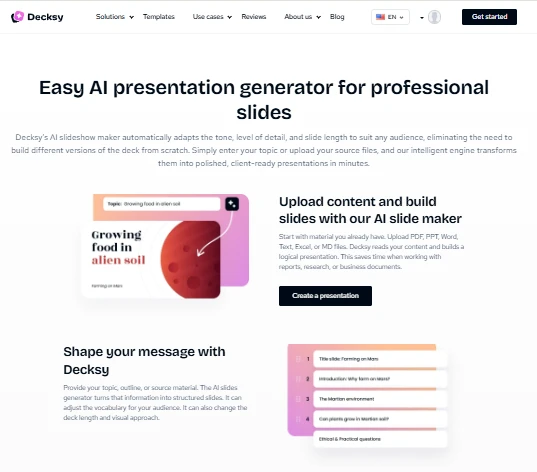
Its workflow structures the content and then applies visual design. Users can customize tone, audience, vocabulary, and style. They can also regenerate individual slides as details change.
Decksy : Best AI PPT Generator
This approach works well for business proposals, reports and meeting notes. It could also help translate research into presentation-ready content. But the source’s accuracy depends on thorough review.
When Document Conversion Is Important
An AI Word to PowerPoint workflow helps you convert written content into slides. It can come in handy for business plans and proposals. Users can concentrate on the message without reinventing the wheel.
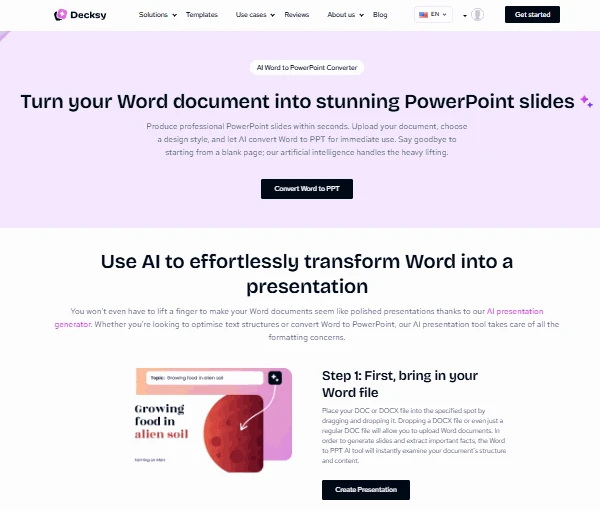
An AI MD to PowerPoint workflow has a similar goal. Markdown files can be used for headings, lists and structured content. They are therefore useful sources for organized presentations.
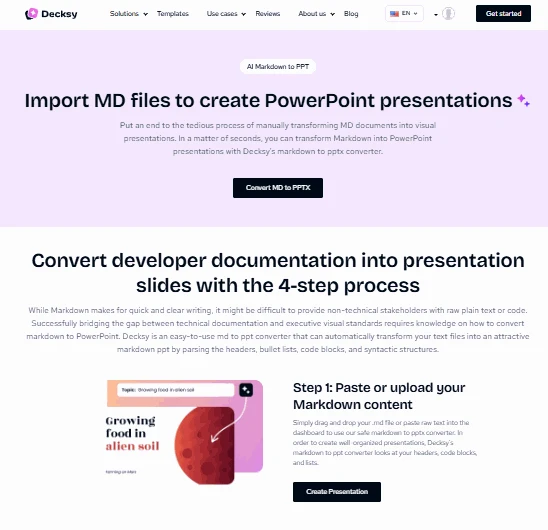
Decksy can help you turn existing material into editable decks. Users should still check the structure and length of the slides. Review important points for the final presentation.
Other Presentation Platforms
Other tools are better suited for other presentation needs. The Plus AI vs Gamma.app Design comparison is useful for people considering AI-assisted slide creation. Both have workflows that don’t resemble a dedicated pitch tool.
Other relevant options for everyday presentations are Gamma and PowerPoint:
- Gamma is about AI-assisted content creation and sharing on the web.
- PowerPoint offers a lot in terms of editing and familiar desktop workflows.
Meanwhile, Prezi vs Miro is a comparison of two different visuals:
- Prezi is an interactive, zoomable presentation and visual storytelling tool.
- Miro is all about collaborative whiteboards and visual teamwork.
Make a wise choice, as these platforms have different purposes. Consider your audience, your source materials, your editing needs, and your exports. Polished design is great, but clarity of content is greater.
Final Verdict
So, Beautiful.ai vs. Slidebean — which is better? It depends on what you value. Both can create professional business presentations. Think about your workflow, and your strengths become apparent.
- Choose Slidebean for a startup pitch deck. The focus of its fundraising helps shape the investor narrative.
- Choose Beautiful.ai if you value slick layouts. It formats automatically to keep your slides looking the same.
- Choose Decksy AI if you have source documents. Creates editable presentations from existing material.
There’s no platform replacement for good planning and fact-checking. Begin with your audience and the message they want. Then pick the one that best fits your process.

On decksyai.com, where people come looking for clarity wrapped in a bit of personality, Julia leans into the details that make a message land: the pause between two ideas, the subtle shift in spacing, the moment a visual finally clicks.