PowerPoint vs Gamma: Which AI Presentation Tool Wins?
- So, what is the bottom line, and what should you choose – PowerPoint or Gamma, or maybe Decksy? The final verdict depends on your exact needs, as all of them are great.
- Decksy AI if: you do not want to manually align layouts or stress over text, yet still want to keep everything editable. The AI does the routine and creates the structure, but leaves you in full control.
- Gamma if: you seek a modern aesthetic, need to quickly whip up stylish slides you can be proud of, and especially if you do not want to bother with extra editing and just want to share a link.
- PowerPoint if: you need 100% control over every element – from fonts to badge placement and corporate colors – and want to know your presentation opens correctly anyway.
- So go ahead! Try them out, weigh your options, and have fun making killer slides!
You have a bunch of ideas, tons of material, and just one day to lock in a killer presentation. What’ll you choose: something that gets the job done lightning-fast, or a tool that gives you absolute control over every single slide? Today, we are looking at both options and putting PowerPoint vs Gamma to the test.
| Parameter | Gamma.app | Microsoft PowerPoint (PPT) |
| Pricing | Free (400 credits) | Paid: $9-$90/mo | From $9.99/mo (Microsoft 365) or a one-time fee. Copilot paid extra |
| AI Quality | Very High (creates slides, text & images from text prompt) | Average/High (Designer updates layouts; Copilot requires paid plan) |
| Doc to PPT Parsing | Excellent (instant flawless parsing) | Limited (breaks formatting, needs manual cleanup) |
| Export Types | Web link/MD, PPTX, PDF | PPTX, PDF, MP4 video, JPEG/PNG, ODP |
Prices, free plans, packages & target audience/main features
Gamma.app is a relatively new platform with built-in AI and is actually focused on it. The AI here writes the structure, texts, and selects images in just a few seconds.
- Features flexible cards that adjust to the text volume instead of fixed slides.
- Generates not only presentations but also text documents and web pages.
- Allows embedding forms, YouTube videos, GIFs, and websites directly into blocks.
- Can be saved to PDF or converted to PowerPoint format.
PowerPoint (PPT), on the other hand, is the classic standard in the world of presentations. Although functionality was added with the development of AI, everything here is built for precise control, where you can manually adjust every pixel, object placement, and layer, without being limited by any templates.
- Features complex tools for transitions (like the Morph effect) and timings, which can look more professional.
- No internet connection is required, as it is a desktop program rather than a web platform.
- The .pptx format opens on any device and is supported by all business platforms.
So, what’s the damage for Gamma vs PowerPoint? What do you have to shell out for these features?
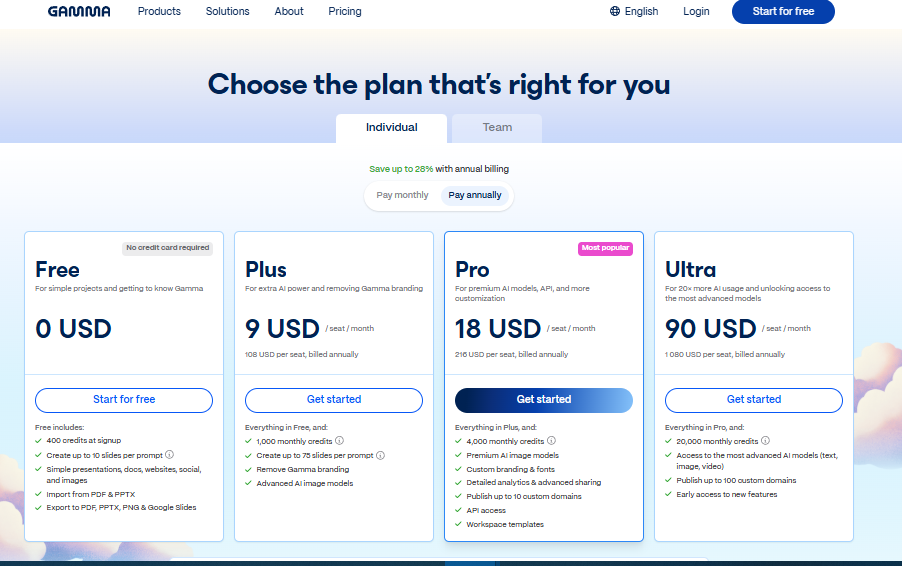
Gamma uses a credit system. The free version never expires, but it limits generations. Paid plans offer a 28% discount if billed annually.
The free version:
- 400 starter credits: one-time registration bonus (it’s ~8 – 10 slides).
- Limits: up to 10 cards per prompt; includes Gamma watermark.
Paid plans:
- Plus ($9/mo): 1,000 monthly credits, removes watermarks, 75 cards per prompt.
- Pro ($18/mo): 4,000 monthly credits, premium AI, customization, and analytics.
- Ultra ($90/mo): 20,000 monthly credits, most advanced AI, 20x AI usage.
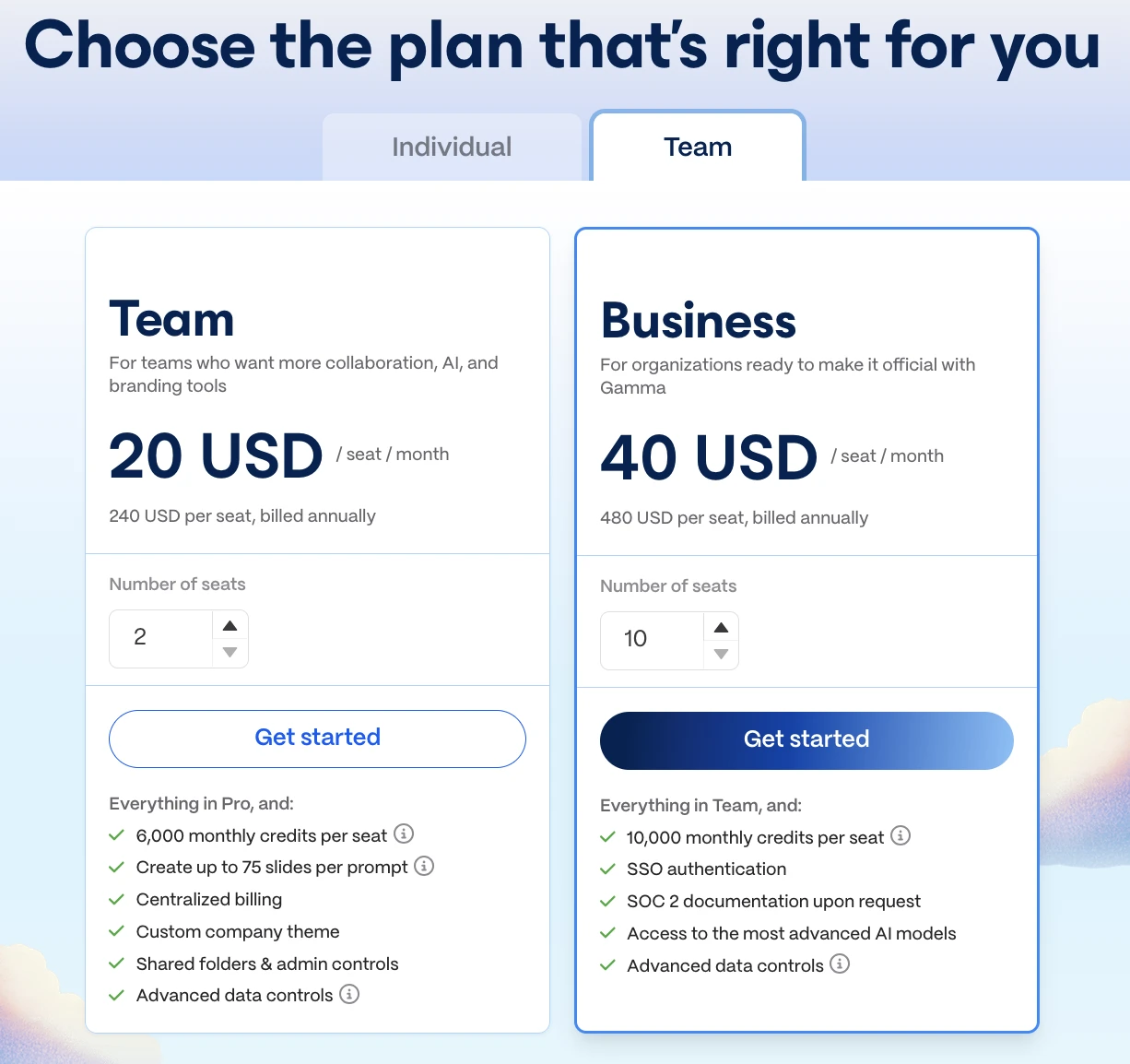
- Team & Business ($20 – $40/mo): adds shared folders and enterprise security.
While Gamma natively exports to PDF and PowerPoint (PPTX) for free, it adds a watermark unless you upgrade, and its PPTX export often “glues” complex blocks into static, uneditable background images. To solve this, Decksy AI operates as a “structure-first” slide generator, exporting files that remain completely flexible and fully editable in PowerPoint. Best of all, Decksy provides 1 free AI presentation generation to start, followed by an affordable $2 full trial and a simple $10/month plan with unrestricted export rights.
Microsoft PowerPoint’s pricing is structured completely differently. Instead of buying AI credits, you purchase a license for the entire software suite (Word, Excel, PowerPoint) or subscribe to Microsoft 365. However, you can actually use it for free.
The free version at Office.com:
- Full web editor and mobile apps are entirely free.
- Includes 5 GB of OneDrive storage, standard templates, and basic style suggestions.
- Limits: works online only; professional offline tools and Copilot AI are unavailable.
Microsoft 365 paid plans:
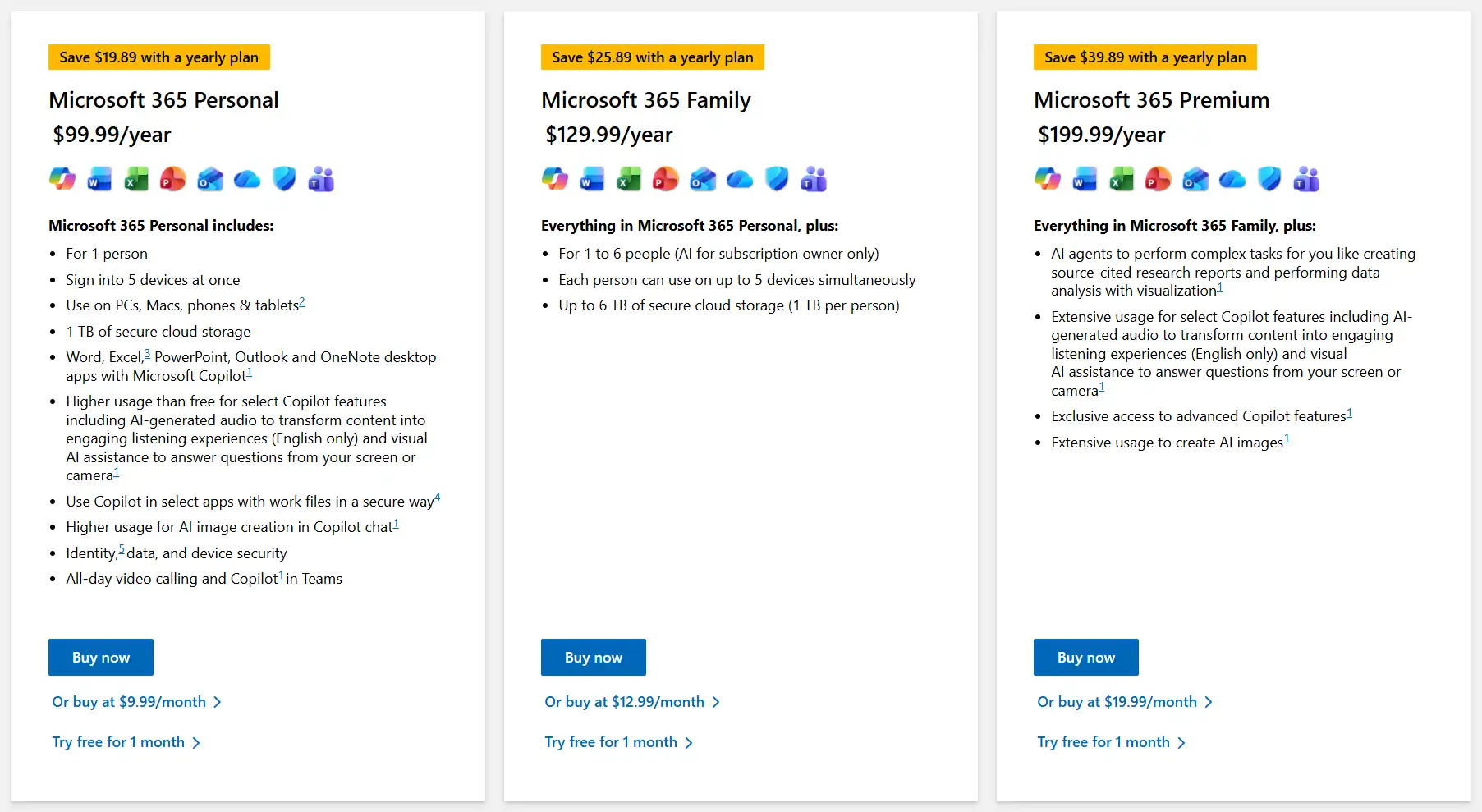
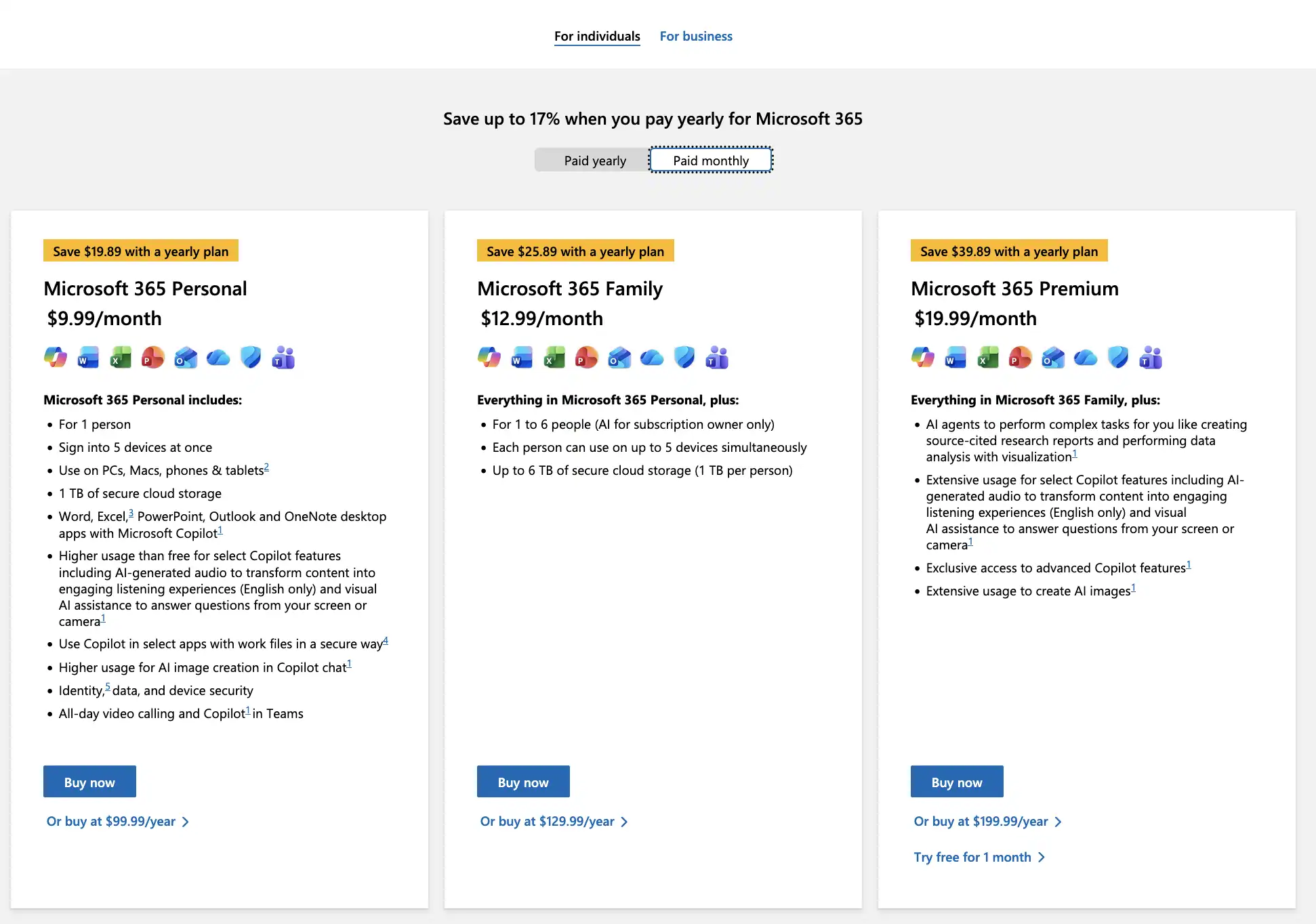
- Personal ($9.99/mo – ~99.99 $/yr): 1 user (up to 5 devices), and 1 TB cloud.
- Family (~12.99/mo – 129.99 $/yr): covers 6 users with 1 TB each, up to 5 devices each.gbfgbg
- Premium ($19.99/mo – 199.99 $/yr): unlimited AI for most complex tasks.
Business & lifetime options:
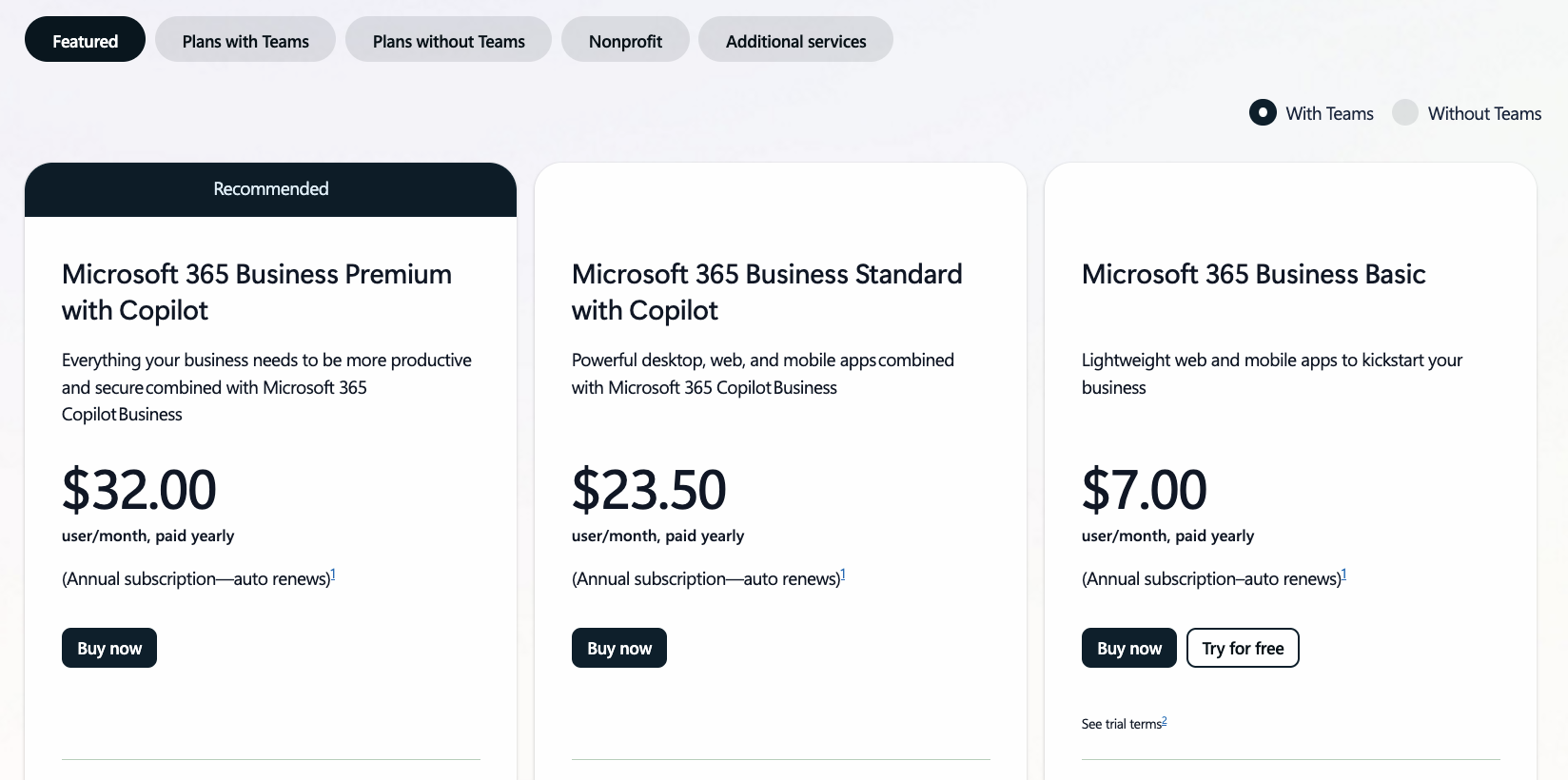
- Business Basic ($7/mo/user): web and mobile apps only + corporate email.
- Business Standard ($23.50/mo/user): full desktop versions for PC and Mac with Copilot.
- Business Premium with Copilot ($32/mo/user): full team suite.
There are plenty of other options to choose from – for teams or individuals, NGOs, with or without Copilot. You can also install separate add-ons.
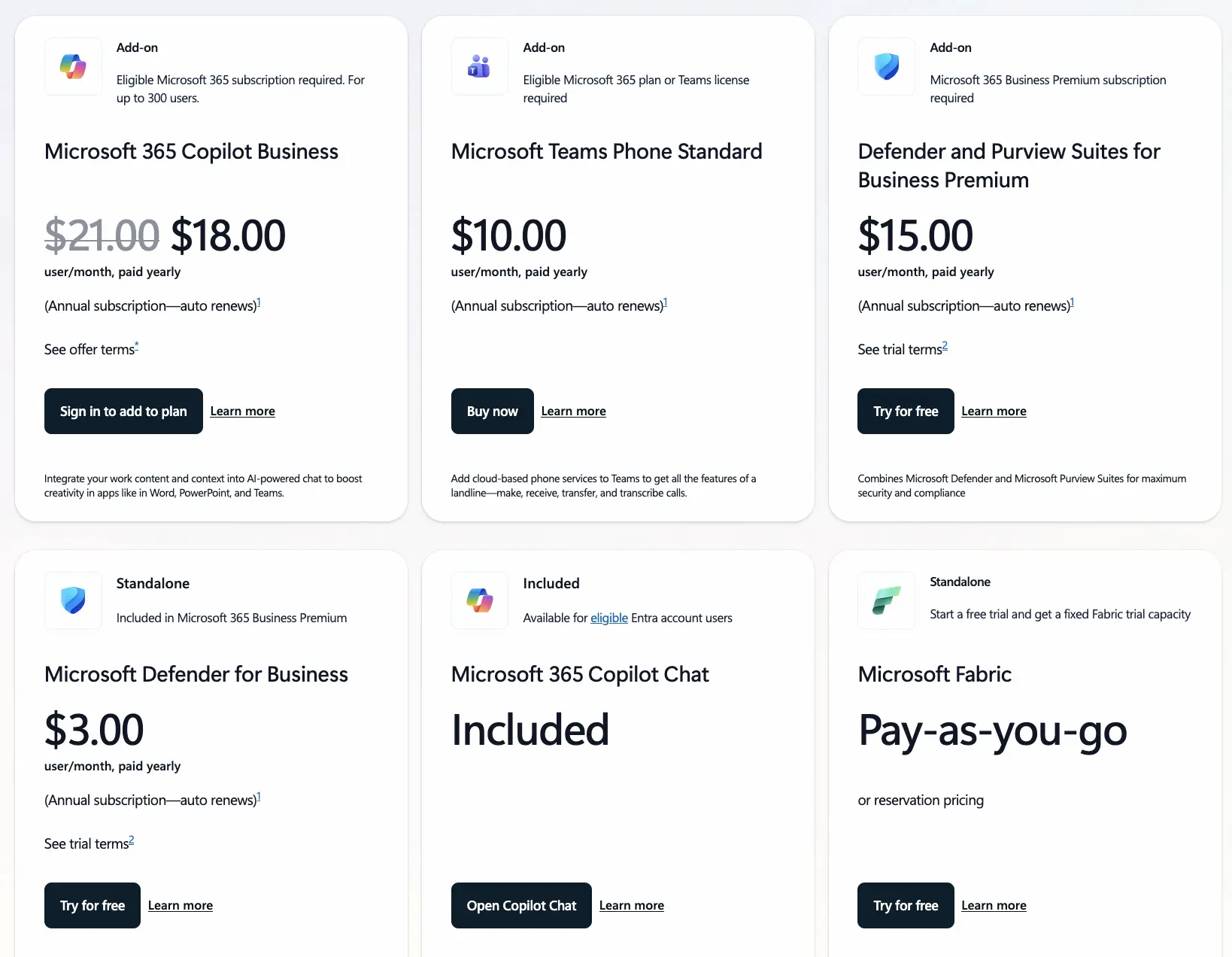
In short, the choice is vast, but in this PowerPoint vs Gamma battle, it is important to know who each tool is for.
Gamma is for:
- Entrepreneurs
- Marketers
- Students
- Those who prioritize speed over deep design control
PowerPoint is for:
- Corporations and large companies
- Analysts
- Professional speakers
- Those requiring precise financial charts, brand-compliant designs, and complex animation
Design assets, templates & customization
At first glance, Gamma wins with its ultra-modern, landing-page-style layouts. It’s physically hard to break the formatting, though options are somewhat limited.
With PowerPoint AI presentations, you get zero limits, but you need a design vision, manual alignment, and time. Its built-in templates look a decade old, but you can source millions of premium niche layouts online.
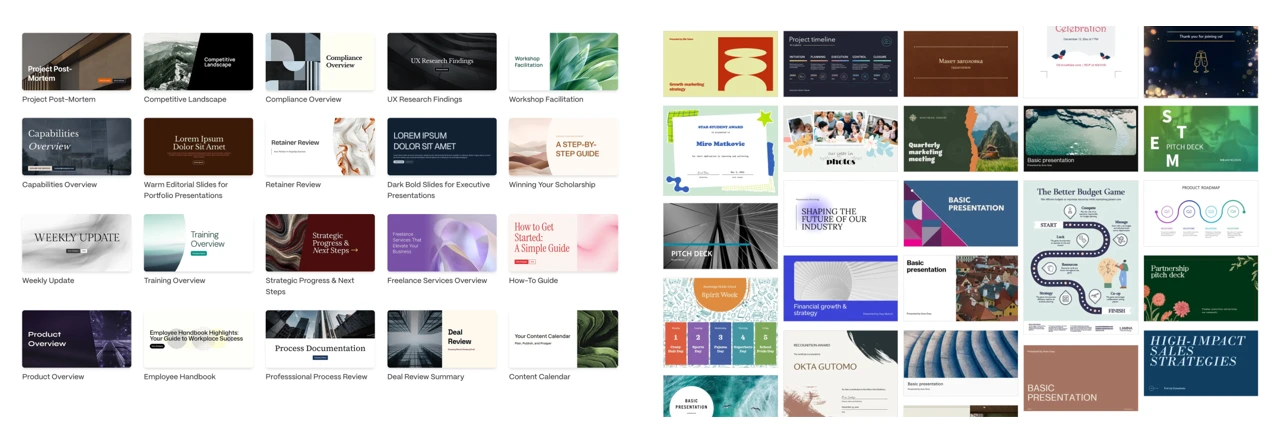
The difference between PowerPoint and Gamma at a glance: left – Gamma, right – PPT.
For media and branding:
- Images: Gamma has built-in Unsplash and AI generation. PowerPoint has a massive stock library but fewer artistic photos.
- Branding: Gamma offers custom fonts on Plus/Pro. PowerPoint is the absolute leader for strict, unchangeable corporate templates.
Data visualization, charts & spreadsheet links
When you actually test them with hard numbers, the difference between PowerPoint vs Gamma is huge.
PowerPoint is an absolute beast here – you just grab a chart from Excel, hit Paste Special -> Paste Link, and boom: any tweak you make in your spreadsheet instantly updates on the slide. It feels incredibly solid for financial reports, though if you don’t link the files, you’re stuck clicking through clunky mini-Excel windows.
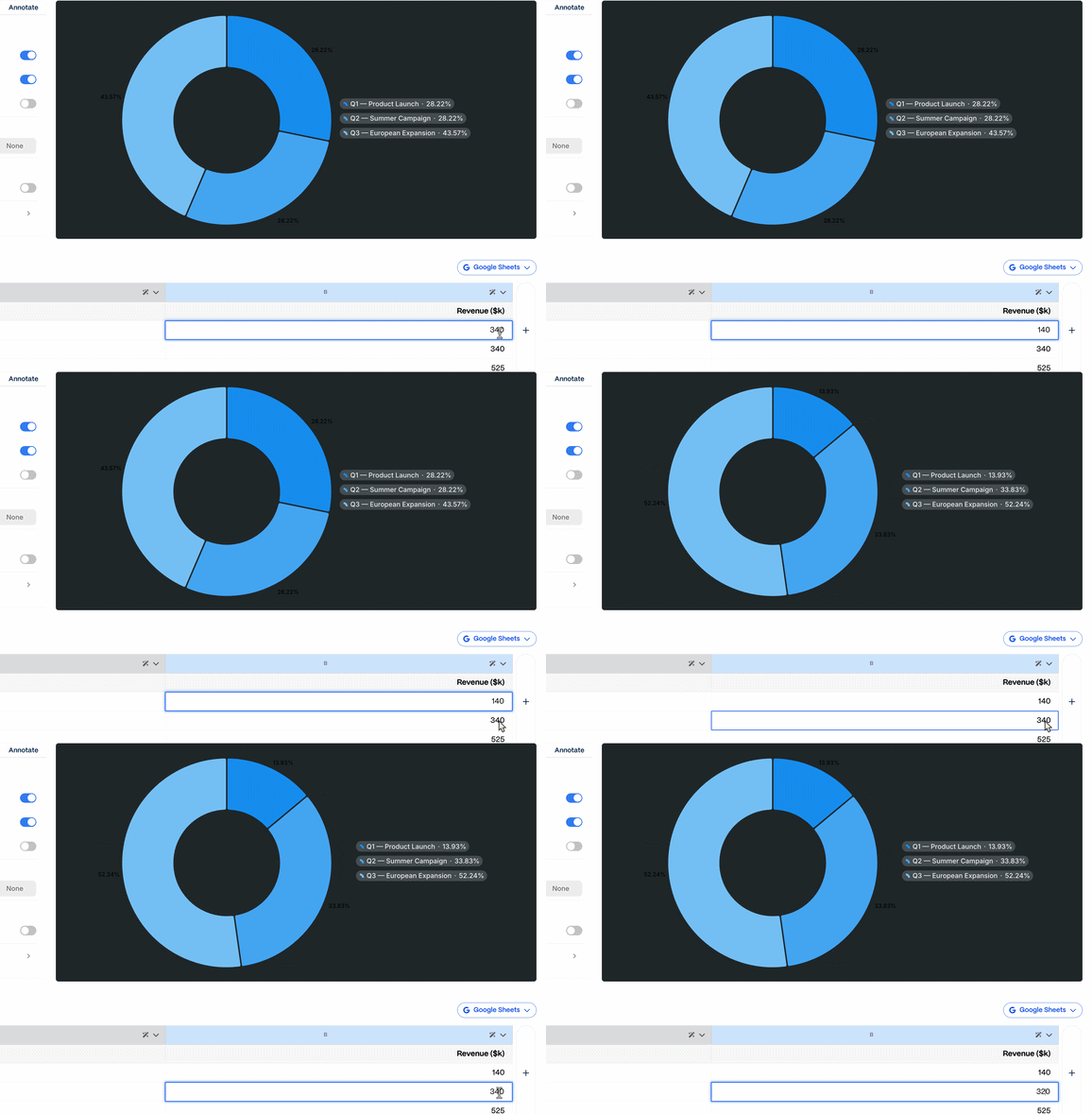
Gamma cannot link files directly, so you have to type in numbers manually or embed a live Google Sheet or Salesforce dashboard to see real-time data. On the bright side, Gamma lets you paste table data instantly or just ask the AI to turn a few paragraphs of text into a pie chart.
Here is how the process goes in Gamma:
Here is how it goes in PPT:
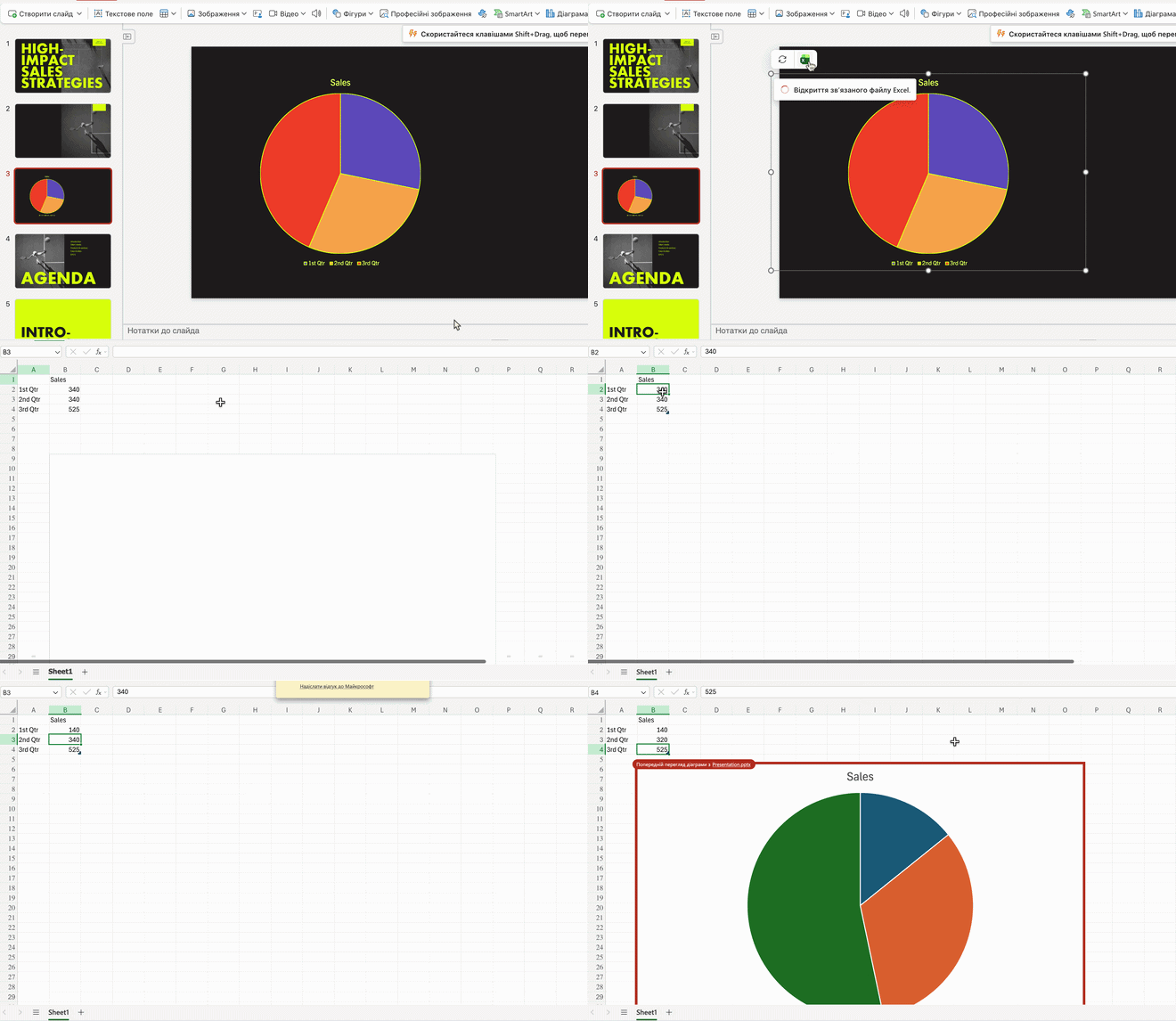
Of course, both tools allow customizing colors, not just numbers. But if you have to choose which is better, PowerPoint or Gamma “out of the box”, Gamma instantly feels simpler, while PPT feels clunky.
Deep 1-to-1 test
We tested Visio, PowerPoint, and Gamma by feeding them identical prompts for a 3-slide presentation. Gamma made four because the first became a cover slide. Here is how it turned out:
1. Narrative Logic
- PowerPoint strictly followed the given structure (Problem ➔ Solution ➔ Market). Everything is concise: the main idea sits in a large header on each slide, with details in short bullet points.
- Gamma has some quirks. While there is a full structure, the AI took the path of “adding” content and invented new related points. The logic is there, but the slides are overloaded with information not included in the original prompt.
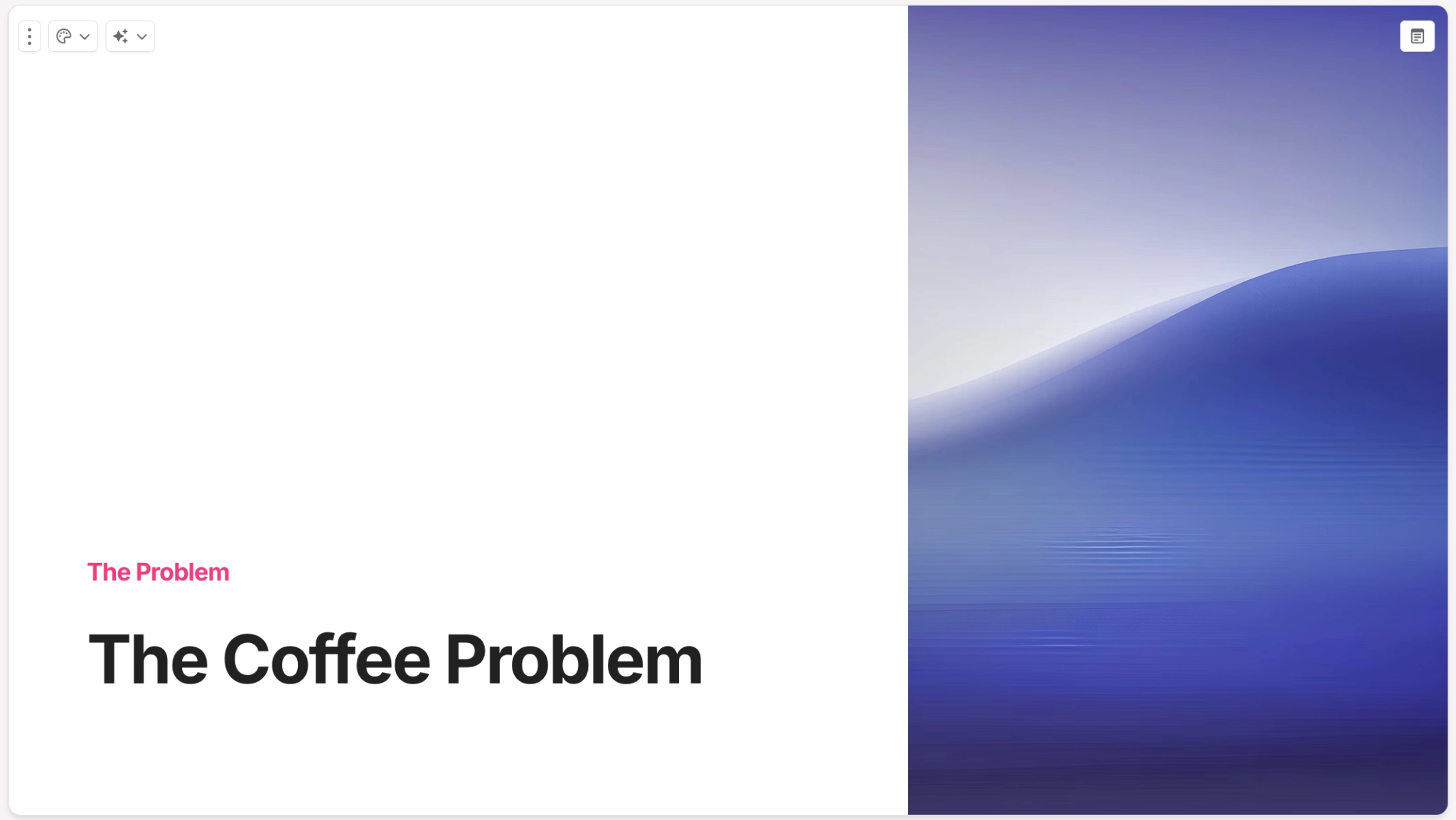
The cover slide in the Gamma presentation
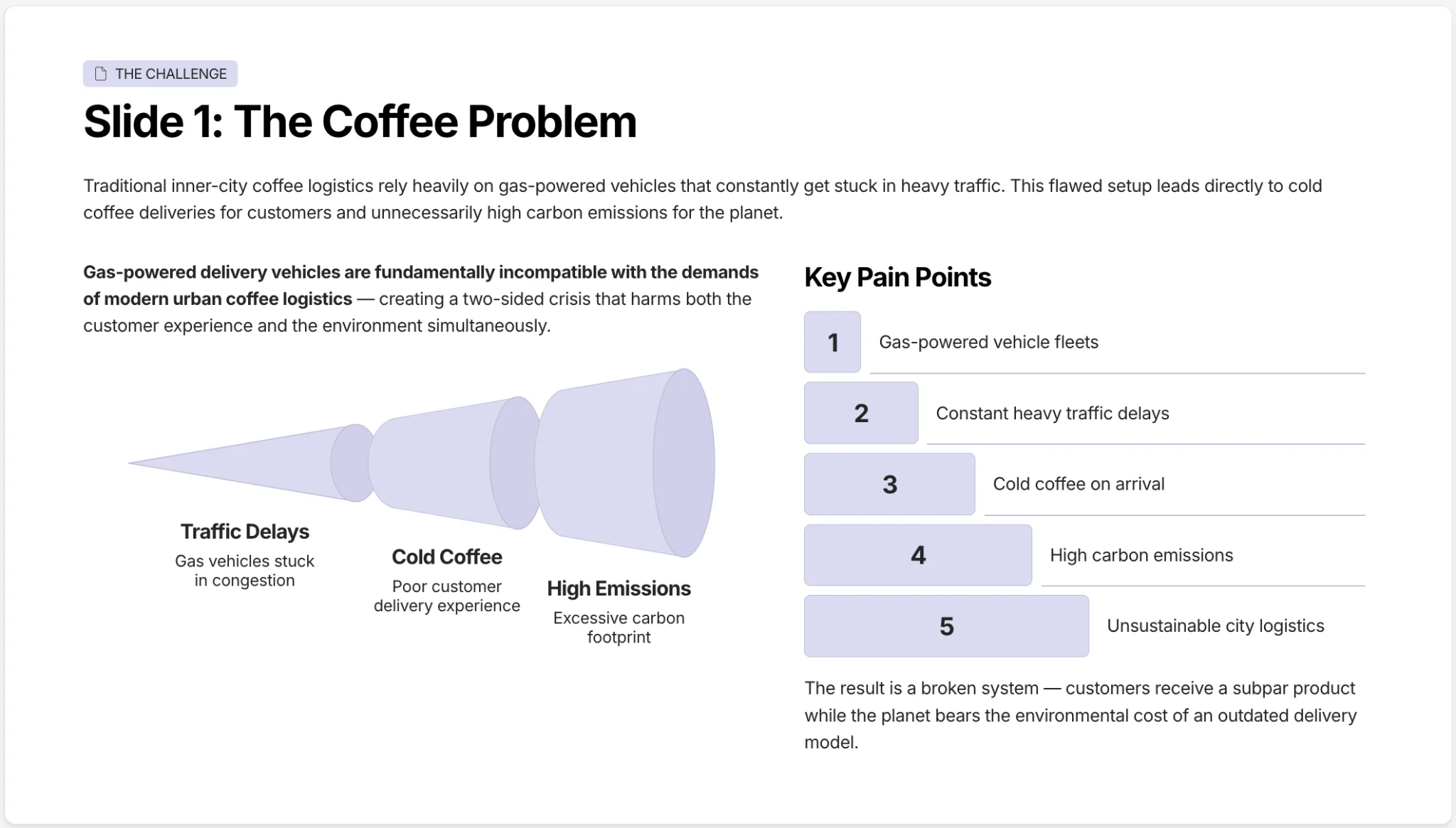
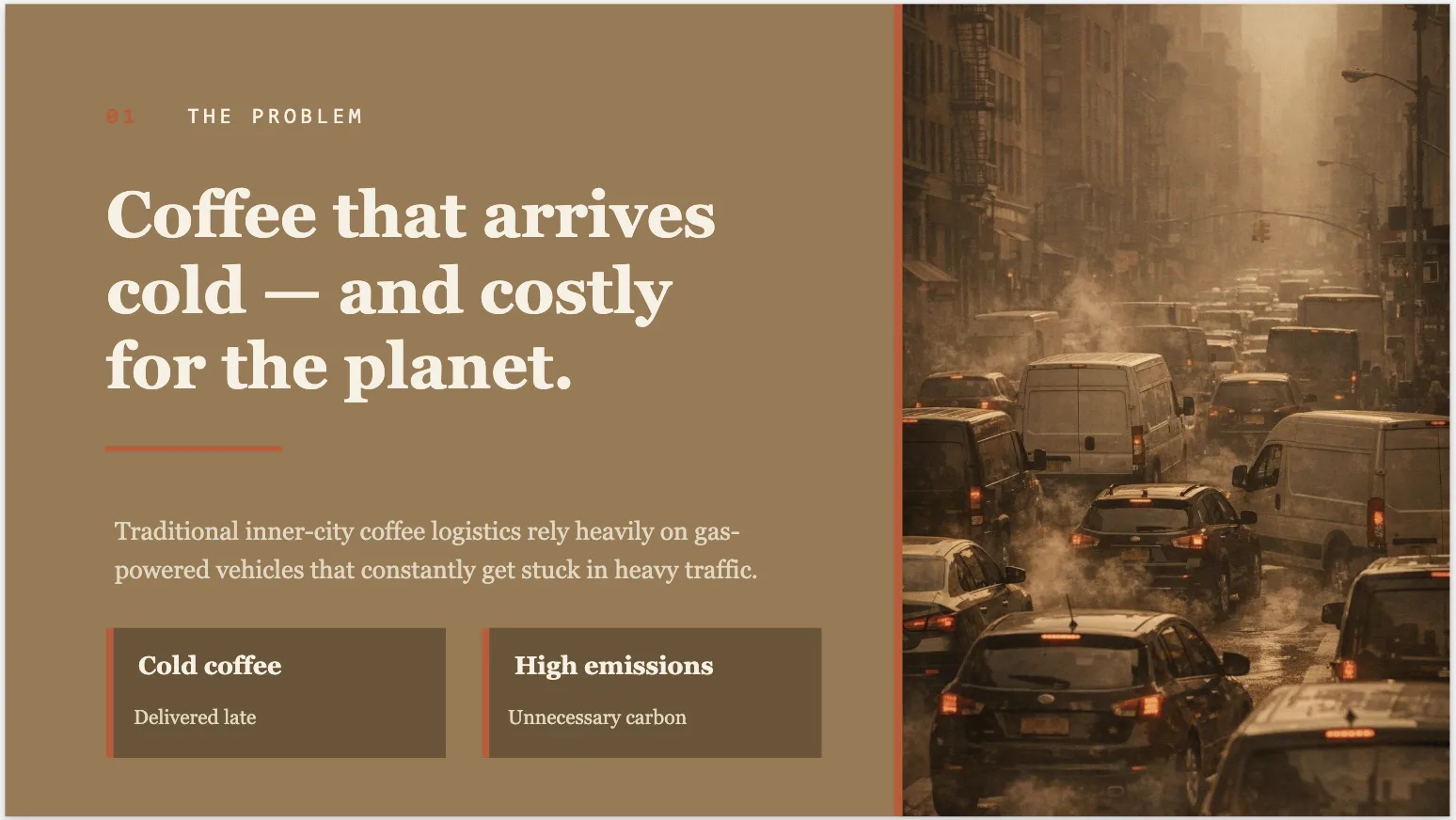
First topic-focused slides in PPT vs Gamma
2. Layout quality
- PowerPoint: within the chosen style. The AI used space smartly: slides are split in half – one part for a thematic image or large number, the other for text. The text is not cramped and reads easily.
- Gamma: modern but cramped. Features beautiful icons, linear timelines, and badges, but contains a lot of small fonts, making scannability difficult.
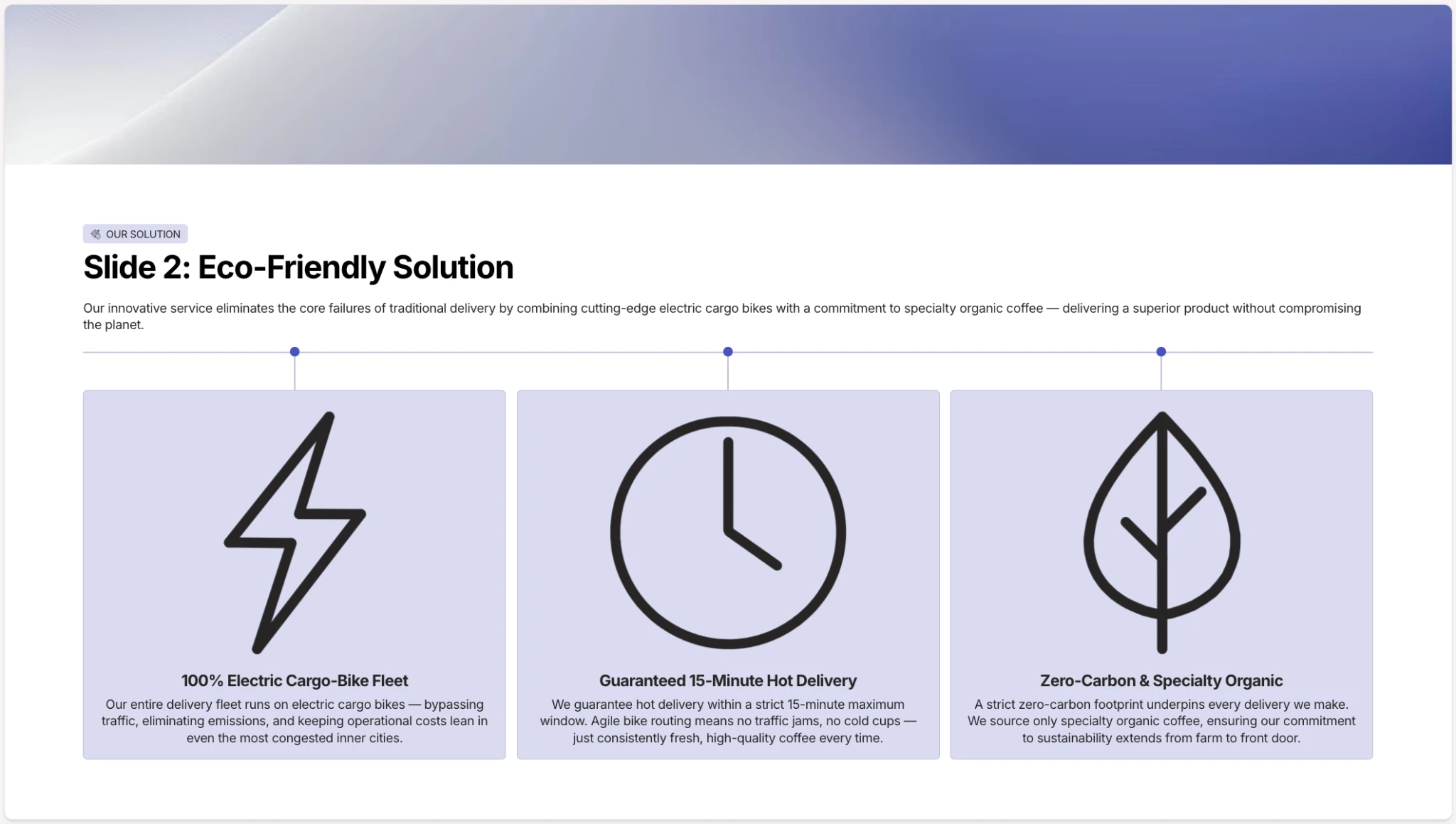

Let’s be honest, PP’s slides feel a bit outdated. Yet, Gamma’s slide, though lean and modernly, lacks layout logic (vast empty spaces + tiny text)
3. Document processing and speed
- PowerPoint (~5.50 min) perfectly parsed the structure we provided, generated appropriate images, and arranged the info as neatly as possible.
- Gamma went from prompt to finished presentation in ~1.40 min. Still, the AI lined up three numbers: $500M, 15min, and 0 – mixing market data and operational advantages, all into one pile.
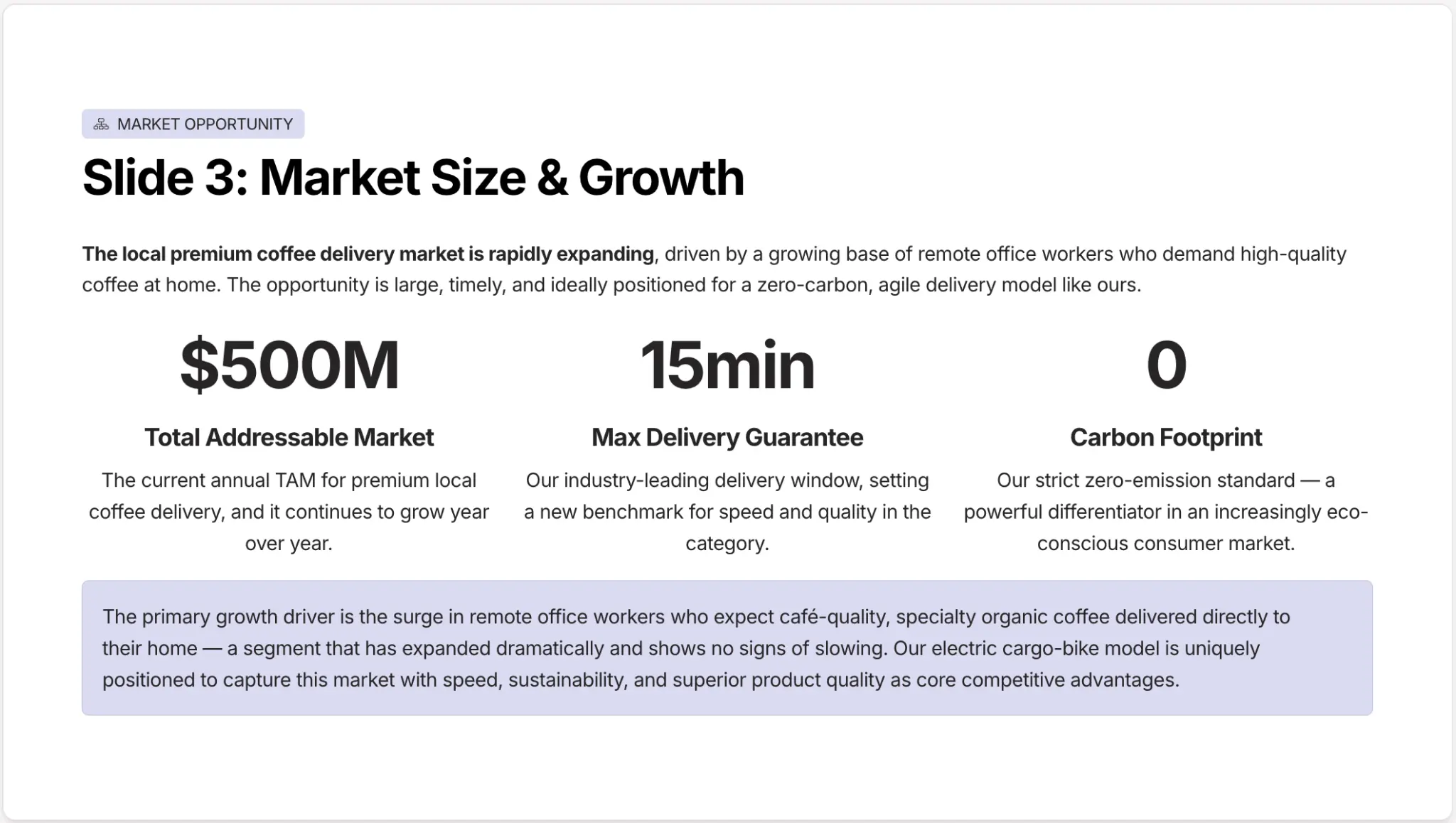

Closing PowerPoint vs Gamma slides
4. Editing flexibility
- PowerPoint: Absolute freedom. The presentation is saved in standard PPTX blocks; you can manually move an image, change a single badge’s color, delete a line, or reformat just one specific slide.
- Gamma: Manual editing flexibility is limited. Elements are strictly tied to the AI-generated grid. To fix an overloaded slide, you must either delete text manually or ask for the regeneration of that irrelevant block.
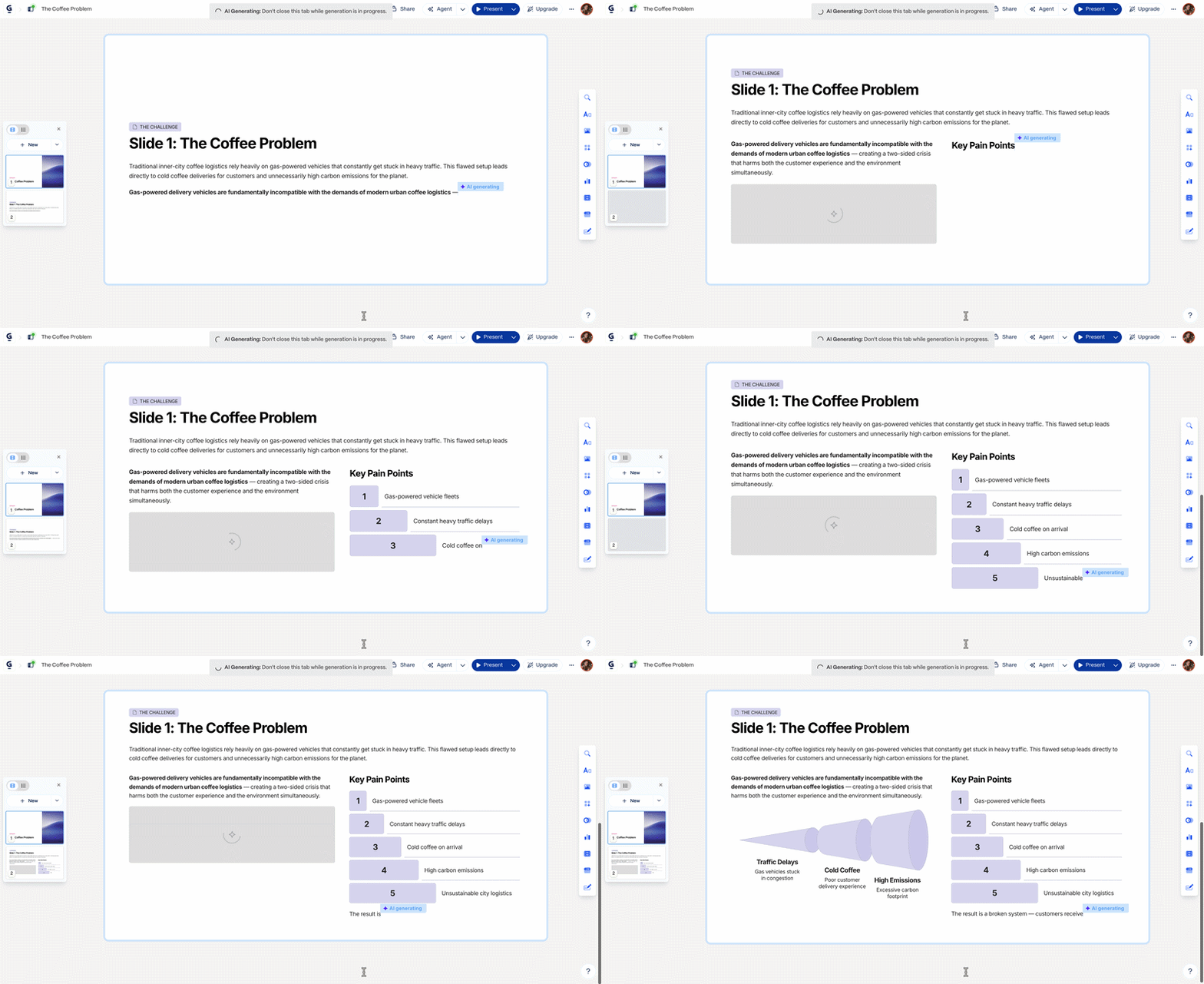
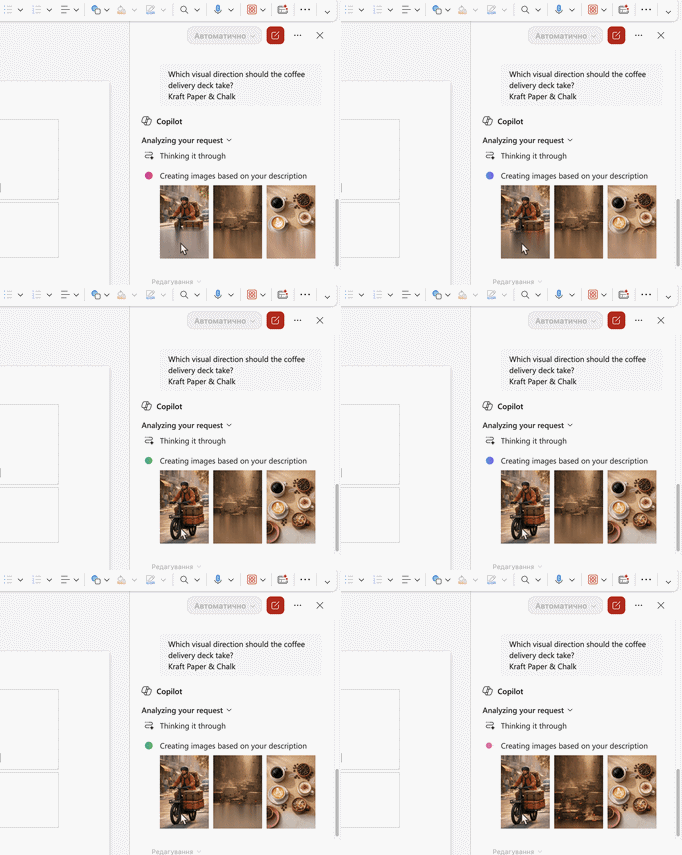
Ten seconds of AI work of both tools
Summary: Gamma vs. PPT in our 1-to-1 test
- Speed: Gamma is 3.5x faster and even created a cover slide.
- Style: PowerPoint turned out niche-specific, while Gamma chose a design unrelated to the product – but super stylish, high-tech, and trendy.
- Slides: PowerPoint has plenty of breathing room despite the colors, while Gamma features unjustified transitions between huge elements and tiny text in bulky blocks.
- Perception: PowerPoint is ideal for big screens to support a speaker. Gamma works perfectly without a speaker, so it’s excellent for self-reading.
If we look beyond the PowerPoint vs Gamma comparison, there’s an option like Decksy. Unlike its competitors, which love to “decorate” finished slides with pictures or invent non-existent details, Decksy AI first builds a rock-solid structure from your material and only then applies the design. You can also selectively update just the one specific slide you need in a few clicks, and edit it easily afterward.
Export options & ecosystem compatibility
Gamma’s options are more limited. You can export to PPTX, but complex blocks with heavy infographics, non-standard borders, or custom elements might get glued together, making them impossible to edit. Fonts can also be reset to defaults. Sure, you can just present in the browser, but still.
PowerPoint, on the other hand, is in its native environment. All text blocks, shapes, charts, and tables remain 100% editable. You can change every word or move any element on any computer. It also features an “Embed fonts” function.
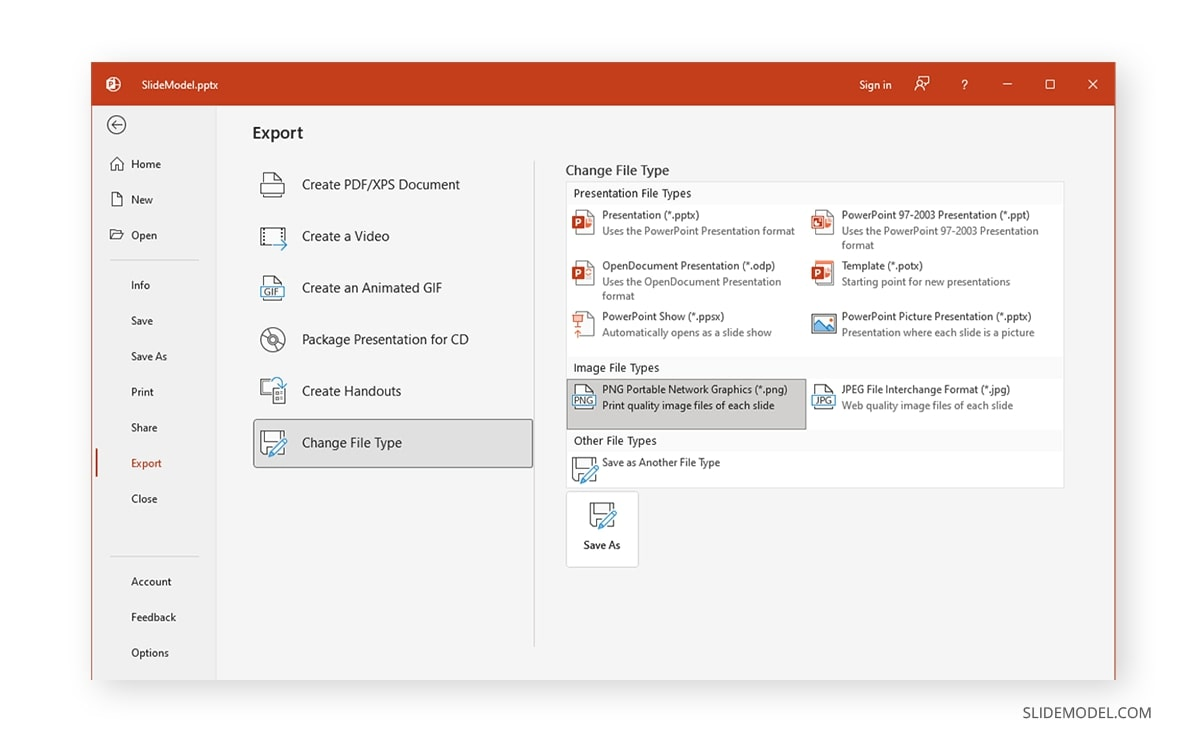
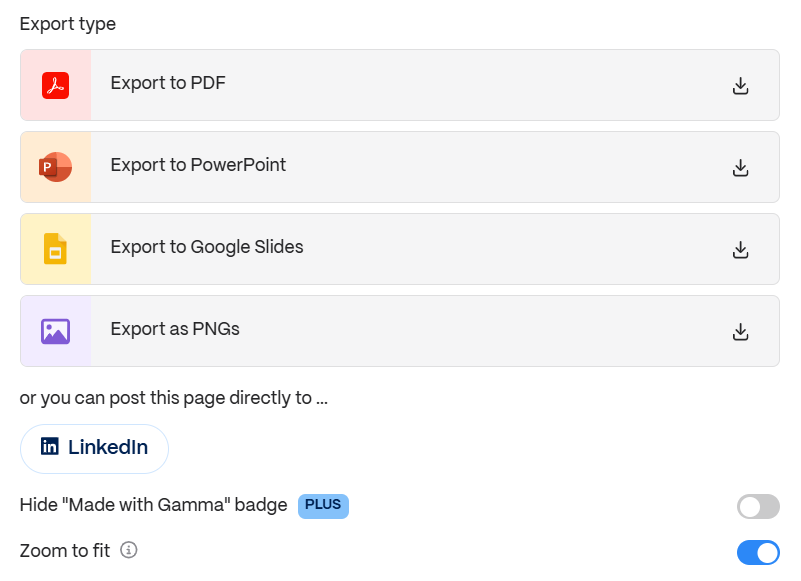
If we recall the previously mentioned Decksy outside of the PPT vs Gamma debate, its philosophy is zero-lock-in. Decksy exports to .pptx, leaving all elements completely ungrouped and available for editing. Such a file opens and edits without any glitches in Microsoft PowerPoint, Gamma, and Google Slides.
The smart alternatives
So, Gamma or PowerPoint or even Keynote? If the first seems too limiting and the second too tedious or expensive, the third is limited to Apple devices, the very first alternative is Decksy AI. What it does is simple: it takes your raw files or prompts, constructs the narration logic around them, and everything is ready in just a few minutes.
You get:
- Gamma’s speed
- PPT’s editing control
- Affordability
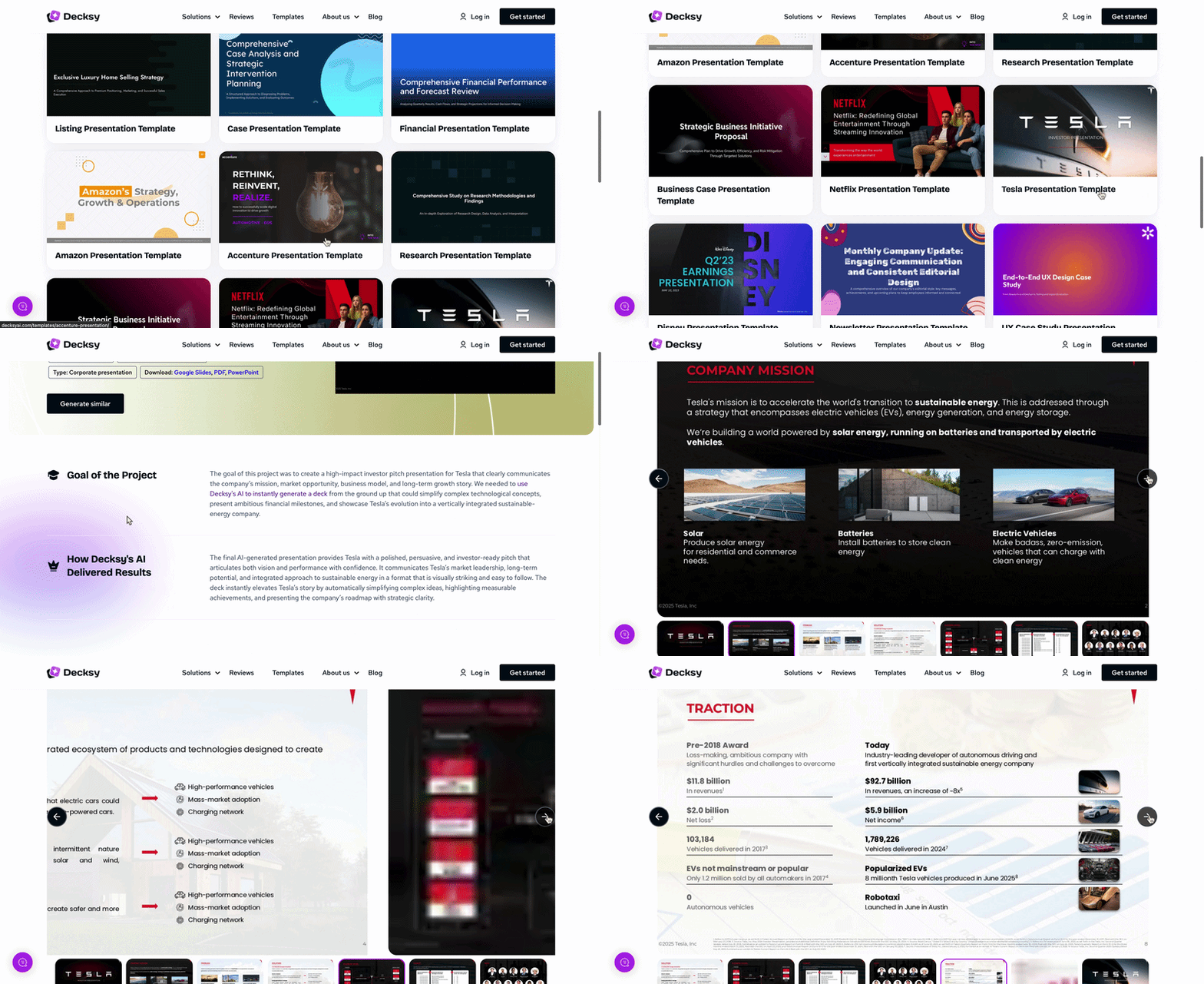
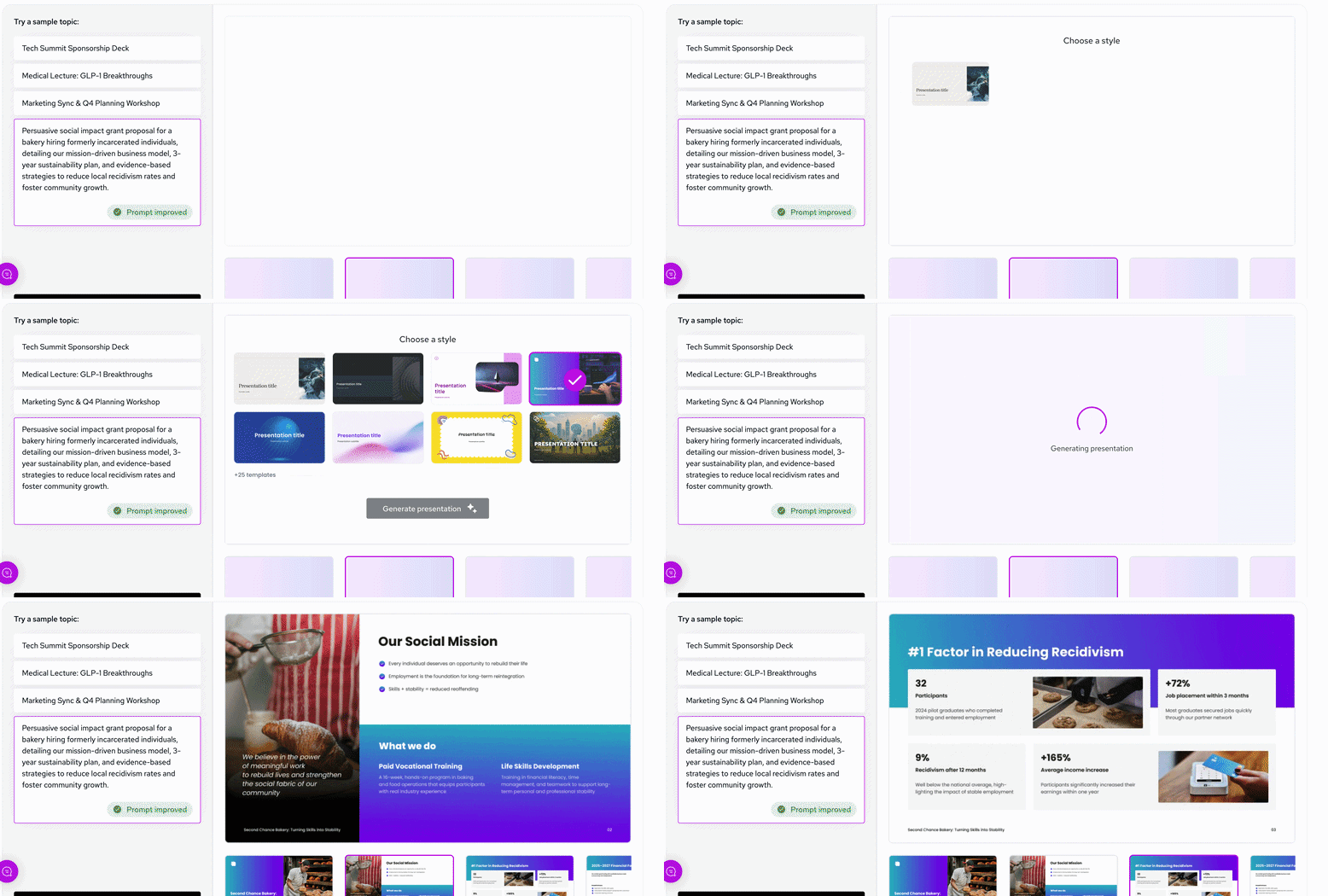
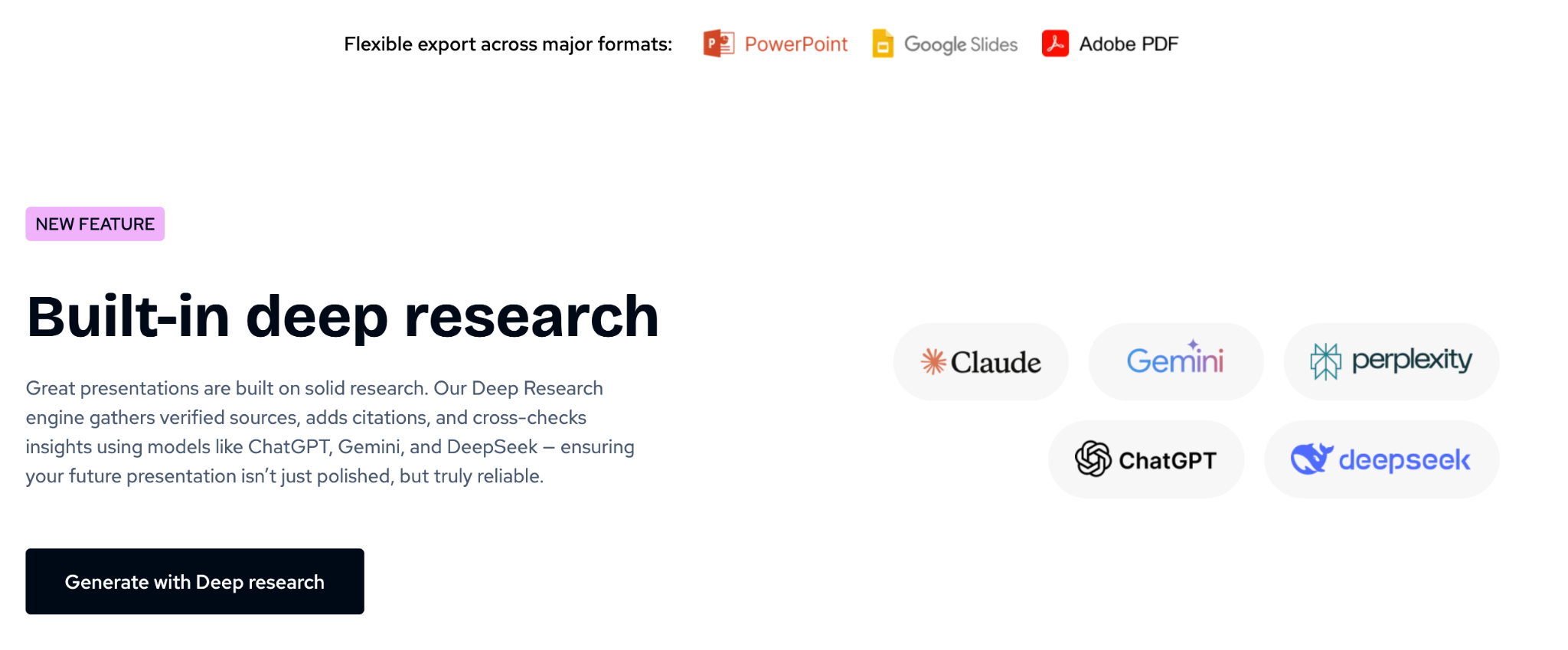
Pretty sweet, right?

Sarah Michelle Carter is the Chief Human Resources Officer at Decksy, and the person most likely to remind you that a company's culture is built in the small decisions, not the mission statement on the wall. She's pragmatic about AI — not an evangelist, not a skeptic, just someone who's watched it quietly clear out the repetitive parts of the job so there's more room for judgment and attention. Known for asking better questions than she answers, she's a go-to voice on culture, leadership, and where AI genuinely helps teams versus where it gets in the way.