Canva vs Gamma: Which One Actually Finishes Your Deck?
- There is no universal winner here. If you are still stuck on Gamma or Canva, match yourself to one of these scenarios.
- Choose Decksy AI if: you need long documents, notes, or prompts turned into structured, professional PowerPoint decks fast, and you need the exported file to stay genuinely editable when it lands in someone else's inbox.
- Choose Canva if: you want one subscription that covers social graphics, video, print, and slides, you have brand assets to enforce, and you accept that the layout work is yours. Canva is a design tool with AI bolted on.
- Choose Gamma if: you need a decent first draft fast, you convert existing documents into slides regularly, and your deck will mostly live in a browser or as a PDF rather than inside PowerPoint.
- The honest summary of Gamma vs Canva: Gamma gets you to a draft faster, Canva gets you to a brand-consistent finish, and both leave the hardest part (deciding what the deck should actually say) entirely to you.
Canva or Gamma are the two apps that come to mind when you’re pressed for time in creating a presentation. They’re both said to make the job easier and faster – but they’re actually pretty different. While most reviews will just list features or compare prices, that isn’t much help when you need to get a deck finished and put it together.
Both were tried with a short piece, exported, and opened in PowerPoint. It took Gamma less time to convert the text to slides. Canva had more flexibility when it came to the design and branding style. The best option depends on which one is more important to you: speed or visual control.
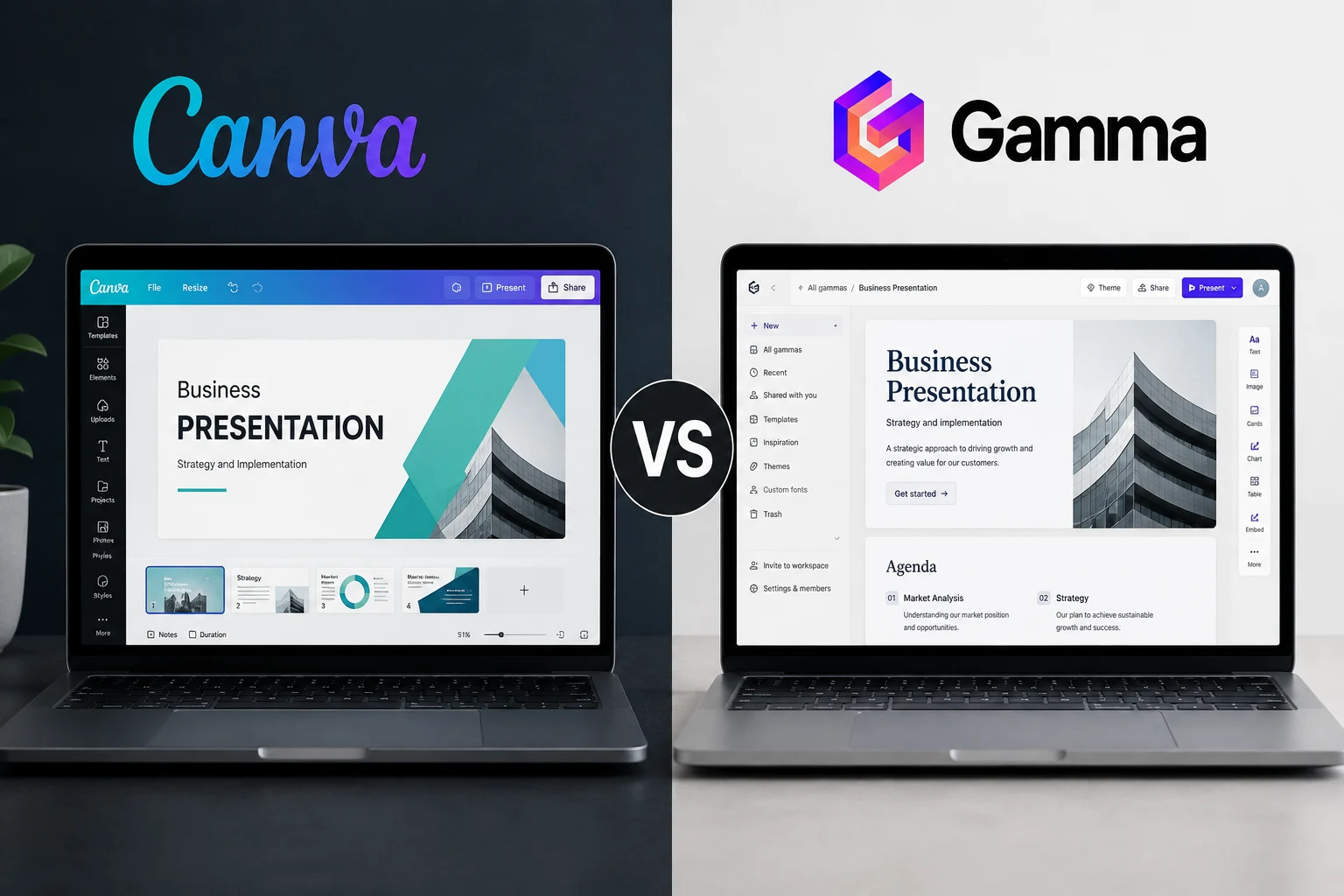
| Point | Canva | Gamma |
| Main use | Design for slides and other content | AI-made presentations |
| Free plan | Templates, 5GB storage, limited AI | 400 one-time credits |
| Paid plan | Pro from $15/month | Plus from $9/month |
| AI | Better for visuals | Better for quick drafts |
| Imports | Results can vary | Good PDF to PPTX import |
| Charts | No live sync | No live sync |
| PPTX export | Mostly editable | Complex slides may flatten |
| Best for | Branding and marketing | Fast business decks |
Prices, Free Plans, and Who Each Tool Is Actually For
Let’s take a glance at the prices and free plans of both tools. The difference between Canva and Gamma is the fees, of course. Canva offers numerous high-priced design tools and assets behind its paid plans, whereas Gamma does not have a credit system.
Also, there are different limits on their free options. It has a predetermined amount of credits for you to use that don’t renew after you use them, while Canva will be free for a lifetime but will retain some premium features for Canva Pro and Business users.
Gamma
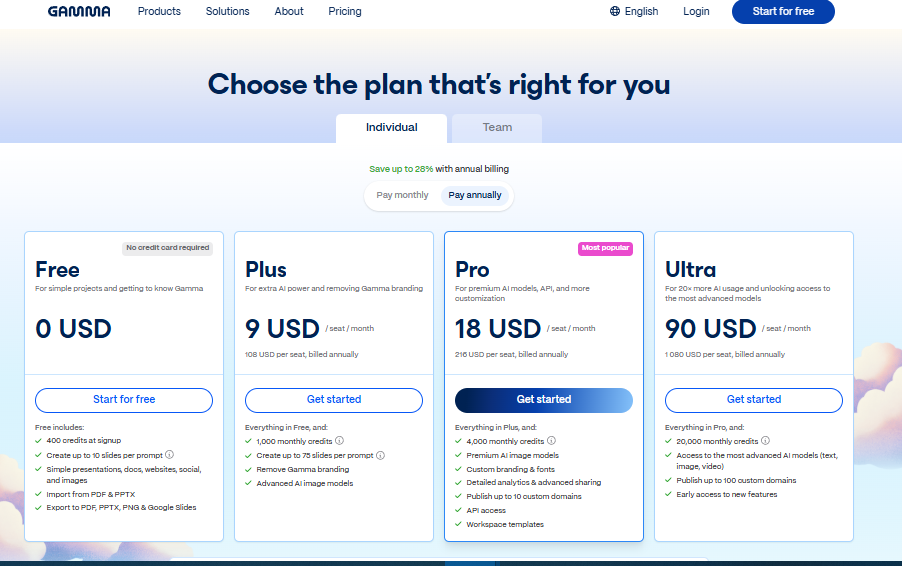
There is one free plan and three paid plans for Gamma. The free version is beneficial for testing the tool, and the paid versions have additional monthly credits, enhanced AI tools, and additional branding.
- Free: 400 one-time credits, up to 10 slides per prompt, PDF and PPTX imports, and exports to PDF, PPTX, PNG, and Google Slides. The credit is not renewable.
- Plus: $9 per user/month for annual billing ($108/year). It comes with 1,000 monthly credits, the removal of the Gamma branding, and the introduction of improved AI image models.
- Pro: $18 per user per month (annual billing) / $216 per year. It comes with 4,000 monthly credits, custom branding and fonts, analytics, API access, and up to 10 custom domains.
- Ultra: $90 per user/month. It comes with 20,000 monthly credits and early access to new AI models.
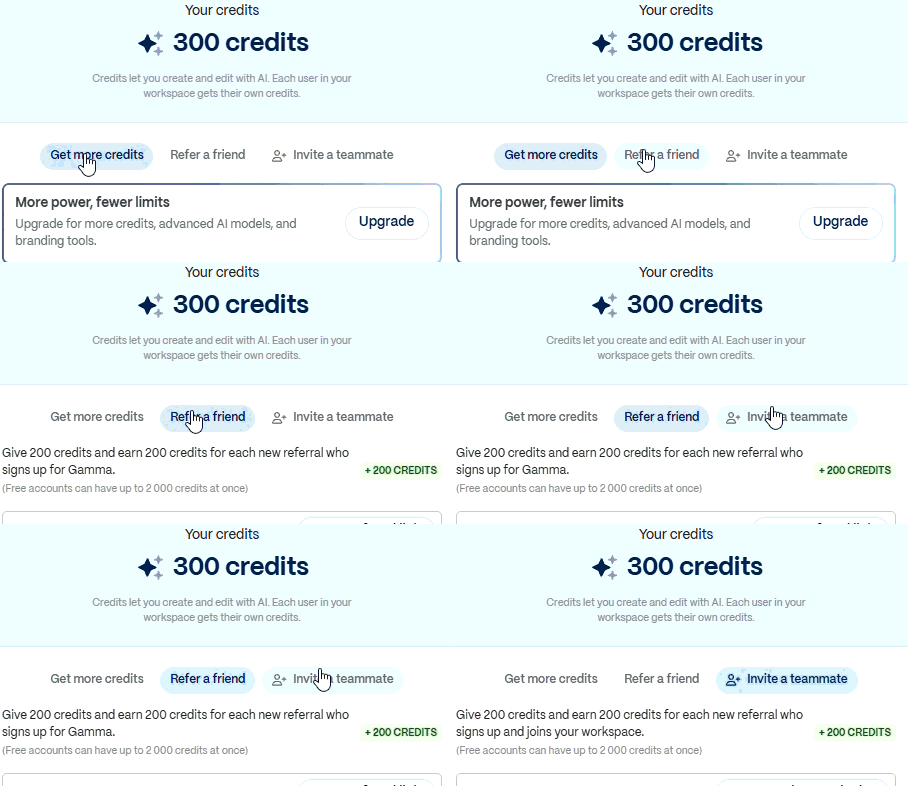
One small advantage in the Canva vs Gamma comparison is Gamma’s referral program. If you run out of free credits, you can earn more by inviting friends or teammates. This lets some users keep using the free plan for longer before moving to a paid subscription.
Canva
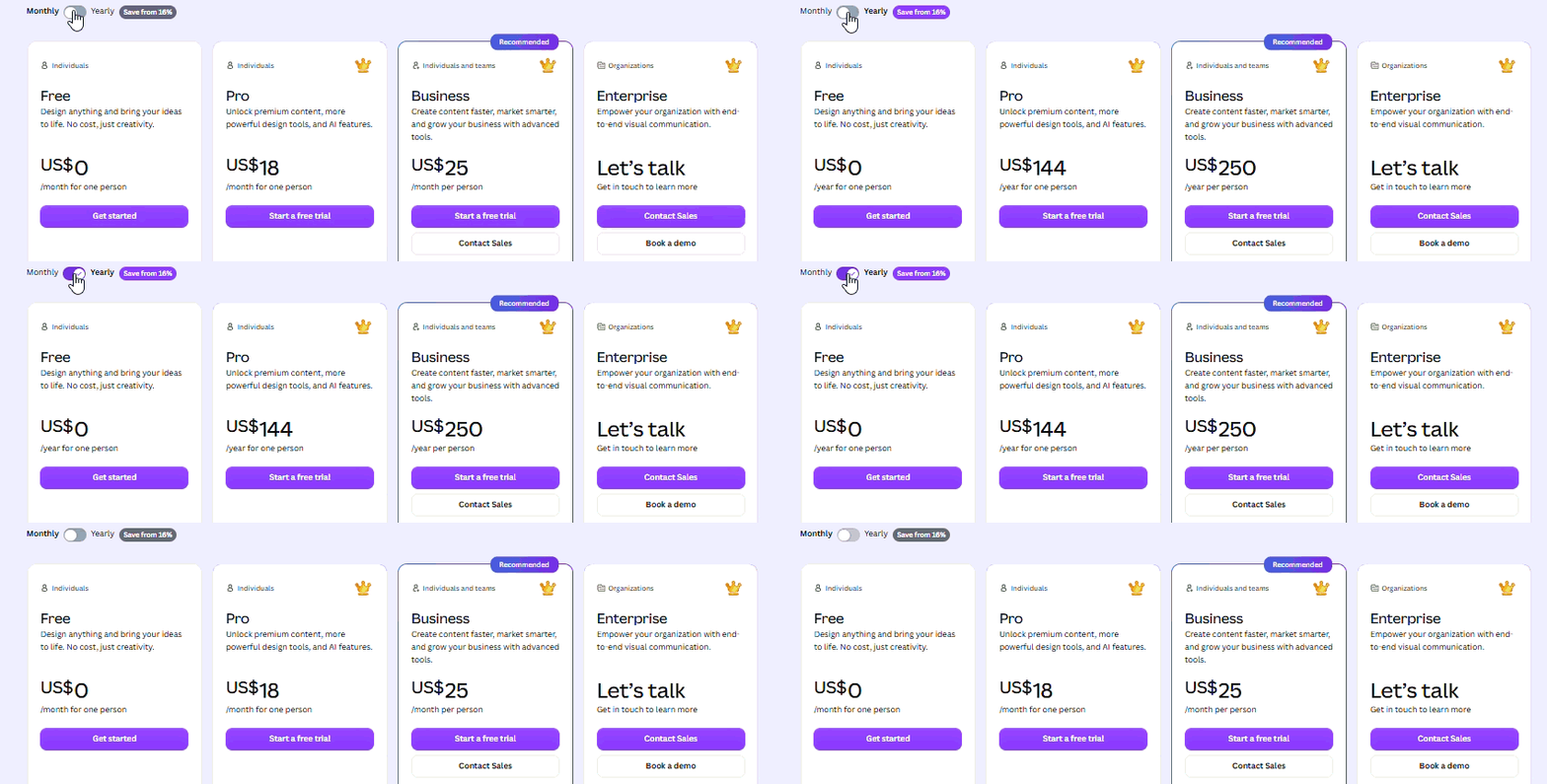
Canva’s basic plan is free for one individual user. It offers over 1.6 million templates, 4.7 million photos, videos, graphics, and audio files, a Brand Kit (3 colours), 5GB of storage, and some AI usage.
The price of Canva Pro is $18 per month. You receive all the tools you need, such as background removal, resizing, translation, and much, much more, plus 3.6 million templates, 141 million premium assets, 5 Brand Kits, social scheduling, and 100GB of storage. The AI limit is also much higher than on the free plan.
Canva Business is a team-based workspace for $25 per person per month. It includes admin tools, approvals, 100 Brand Kits, 500GB of storage, and access to Leonardo.Ai and Flourish. Custom pricing and enhanced security, SSO, priority support, 1TB of storage, and up to 1,000 Brand Kits are available with Canva Enterprise.
When it comes to comparing Canva vs Gamma, it is entirely dependent on the needs of the person. Canva is suitable for creators, teachers, and marketers who create slides, social posts, thumbnails, and print designs. Gamma is best suited for consultants, founders, and business users who need to get a first draft done quickly.
One other factor to take into account is file exports. There are some presentation tools that will unlock native PowerPoint exports only with the expensive ones. Instead, Decksy AI pitch deck maker provides a free $2 trial and a $10/month plan that includes full export rights, allowing you to retain and edit your presentation without needing to upgrade to a higher tier.
Design Assets, Templates, and Customization
Templates and themes dictate the speed of presentation creation and degree of control over presentation products. Some users prefer a complete design that they can modify in detail. Others like the MD to PPT tool to do much of the layout with the converter. One of the primary differences in the Gamma vs Canva comparison is this.
Canva has a much more extensive library of templates, particularly for presentations. There are designs to create pitch decks, portfolios, project updates, sales reports, lesson plans, campaign summaries, and internal meetings. Using the range is helpful if you have an idea of what kind of deck you want and want a starting point.
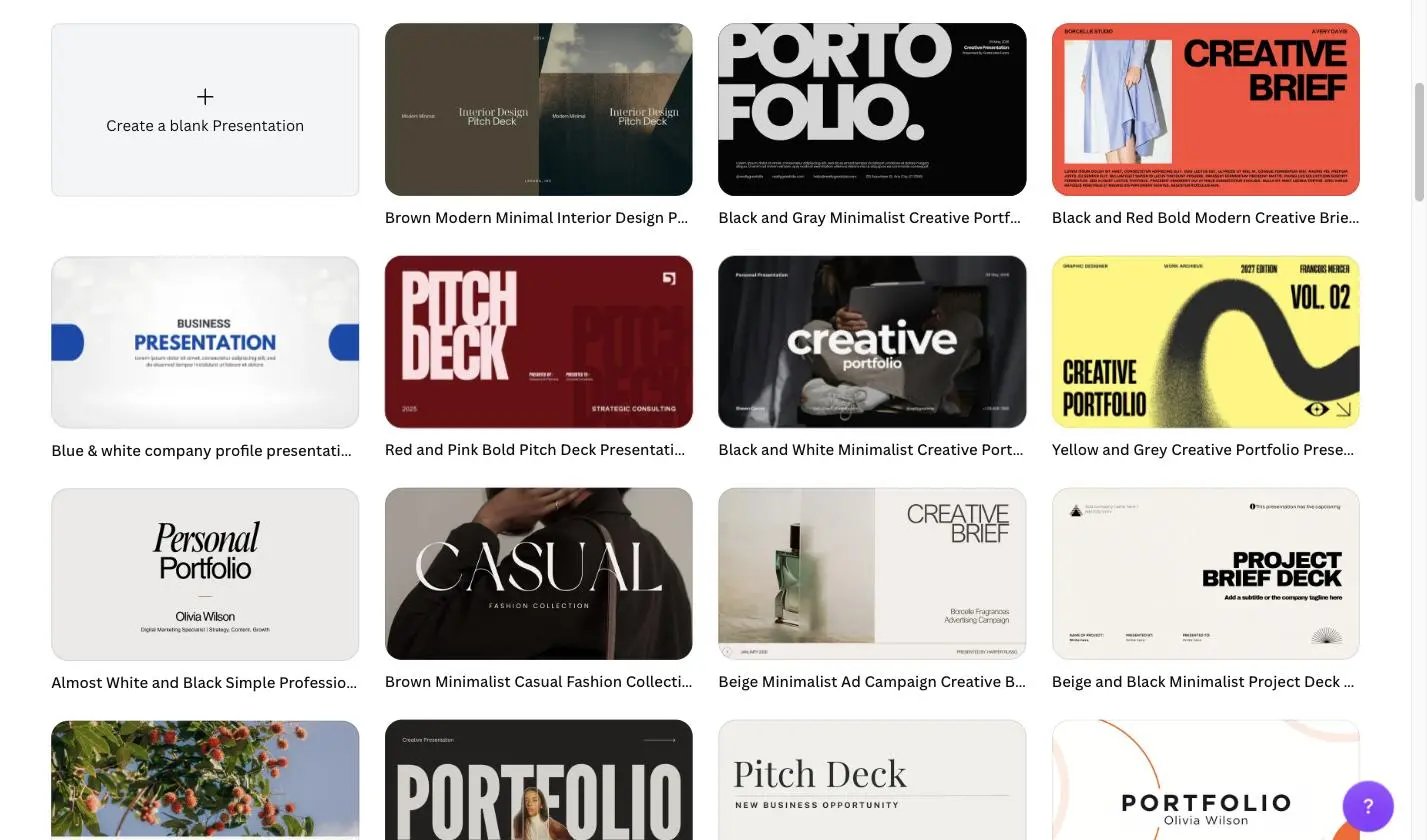
The quality is poor to good. There are templates that are dated, and others that are better, but only come with Canva Pro. However, the library provides you with a lot more options than Gamma, and you can search by topic, style, colour or format.
Canva
If you need to alter almost every aspect of the slide, you’ll find it better to use a tool like Canva. Fonts, colours, spacing, images, icons, charts and layouts can be edited. Elements can also be moved, resized, grouped or locked.
Brand Tools are additional tools available in paid plans. Pro users are able to create multiple Brand Kits, while Business users have additional Brand Kits, approval features and team controls. This will help you ensure that logos, colours and fonts are consistent across numerous presentations.
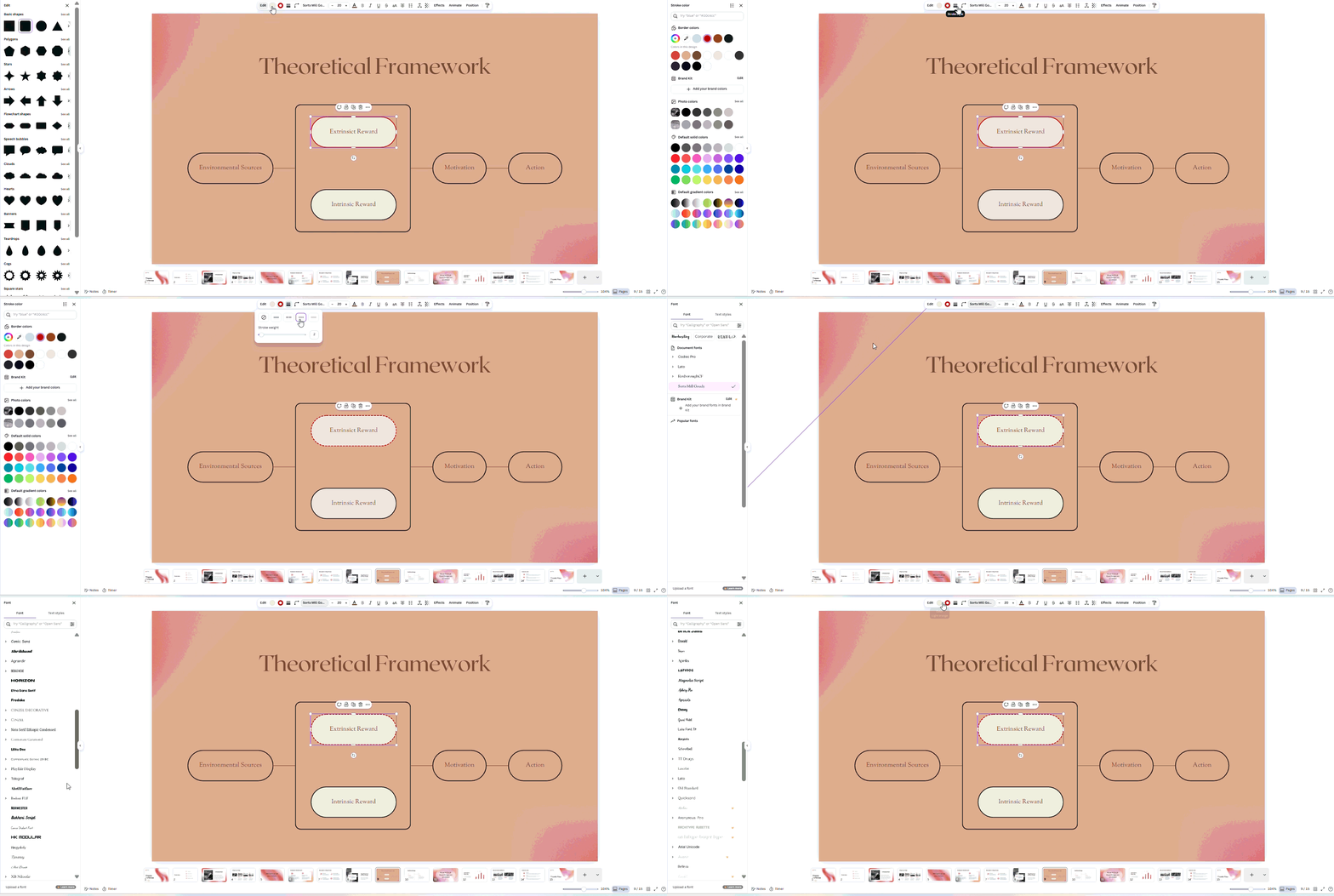
Canva is also a great solution when the same design is required in other formats. When you want to use the same look of a presentation in a social post, flyer, report, and so on, you can reuse it without starting over.
Gamma
Gamma takes a different approach. It employs themes instead of a long list of slide templates. The fonts, colours, spacing, and card layout are controlled by a theme, which the AI uses to create the presentation.
This is quite useful as it saves time, as most of the formatting is done by Gamma. Don’t have to re-align boxes and fix all the alignment problems manually. Typically, slides are cleaned on the first slide.
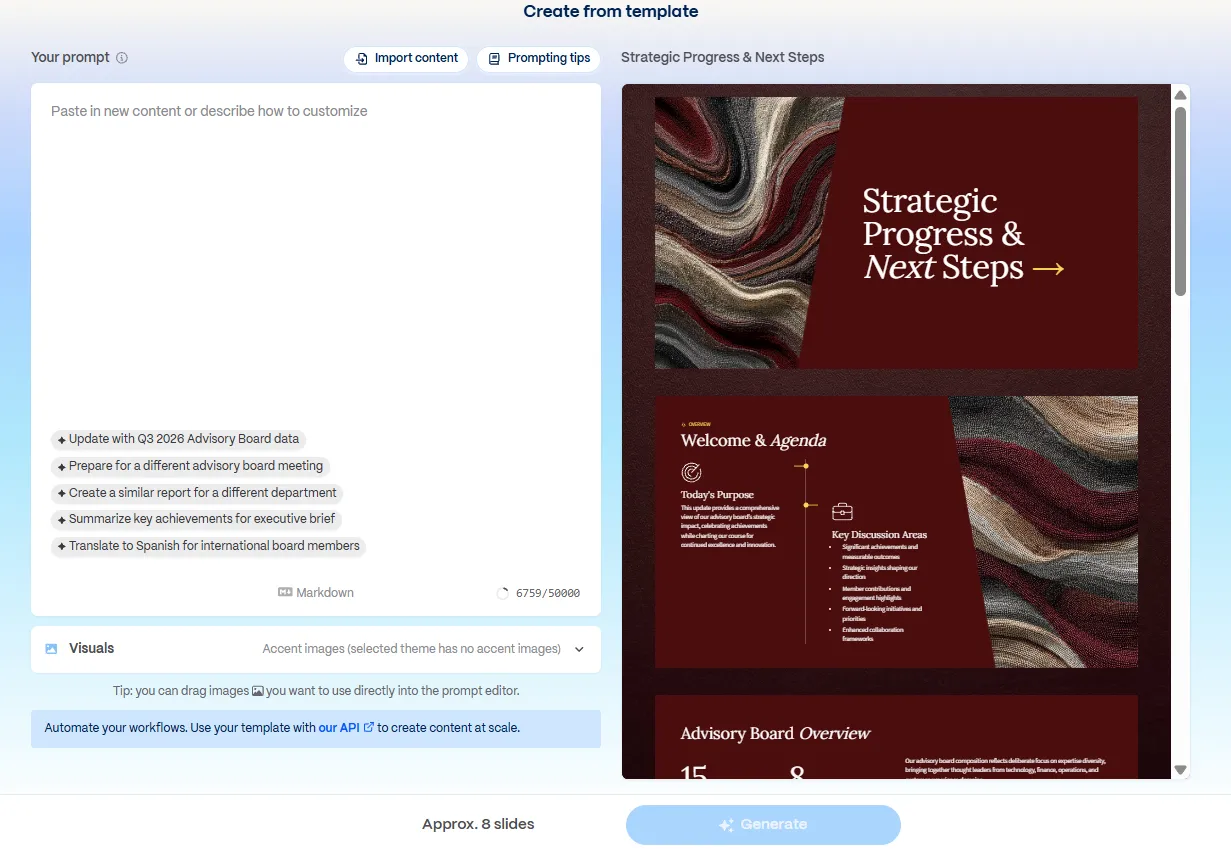
There is a trade-off as it reduces control. When teams begin to use the same themes, Gamma presentations can start to look alike. Custom fonts are also only available on higher plans, which might make it more difficult to adhere to brand rules.
Data Visualization, Charts and Spreadsheet Links
The finances reveal that there is a definite weakness in both Canva and Gamma. Each of these tools has a neat charting capability for use in a presentation, neither of which is designed for reports that rely on data coming from a spreadsheet. You can add numbers, paste a CSV, or import a spreadsheet, but the numbers will not remain linked after import.
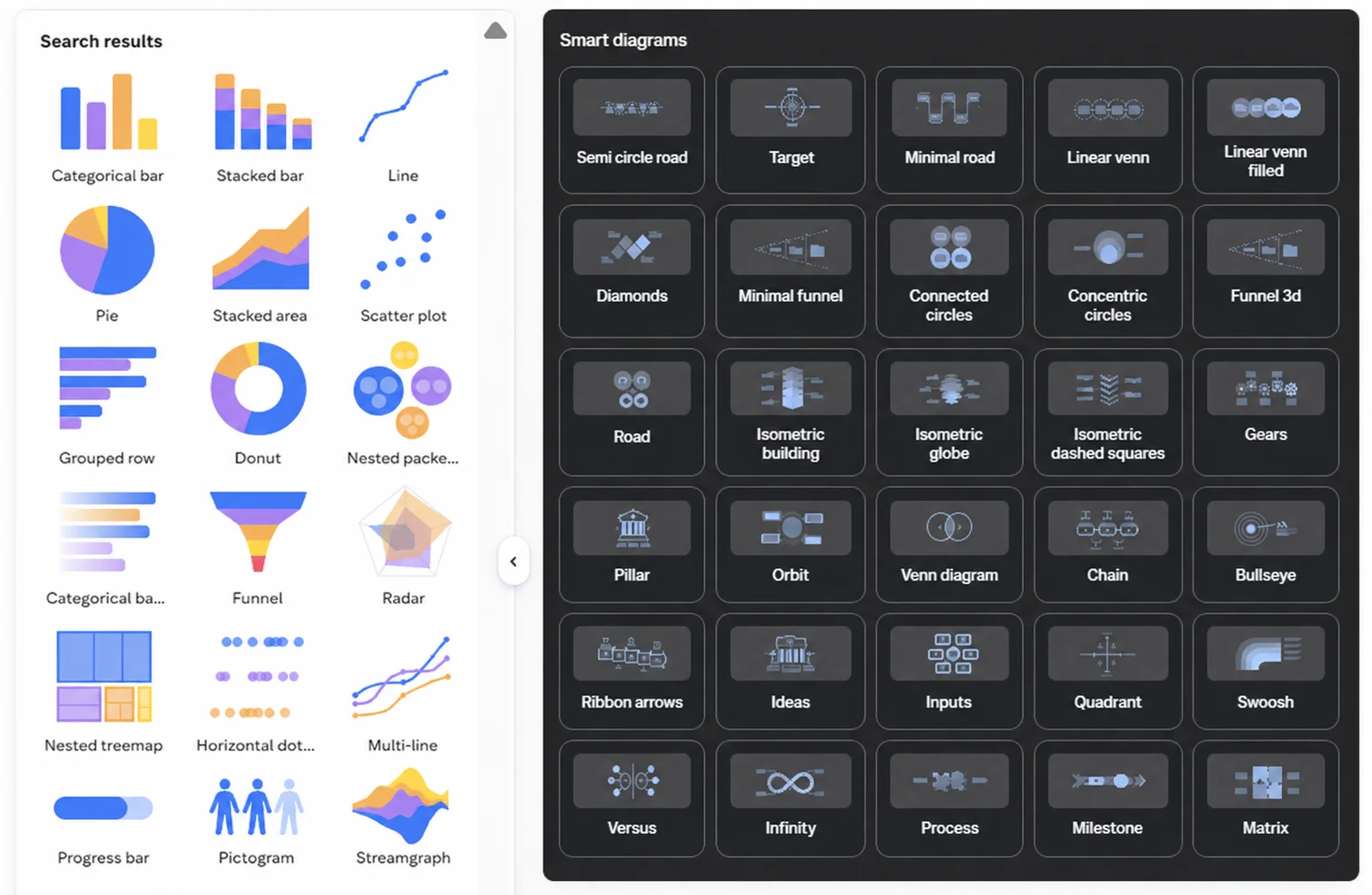
Canva has a very easy-to-use chart tool. Useful for simple bar, line, pie, and donut charts, and colours can align with the colours in your Brand Kit. Canva vs. PPT limit is shown when the report requires a more detailed answer. In more advanced charts, it’s usually necessary to create the chart in Excel or another program and import it into Canva as an image. That’s also the case with later changes, which will need to be made outside Canva before being uploaded back.
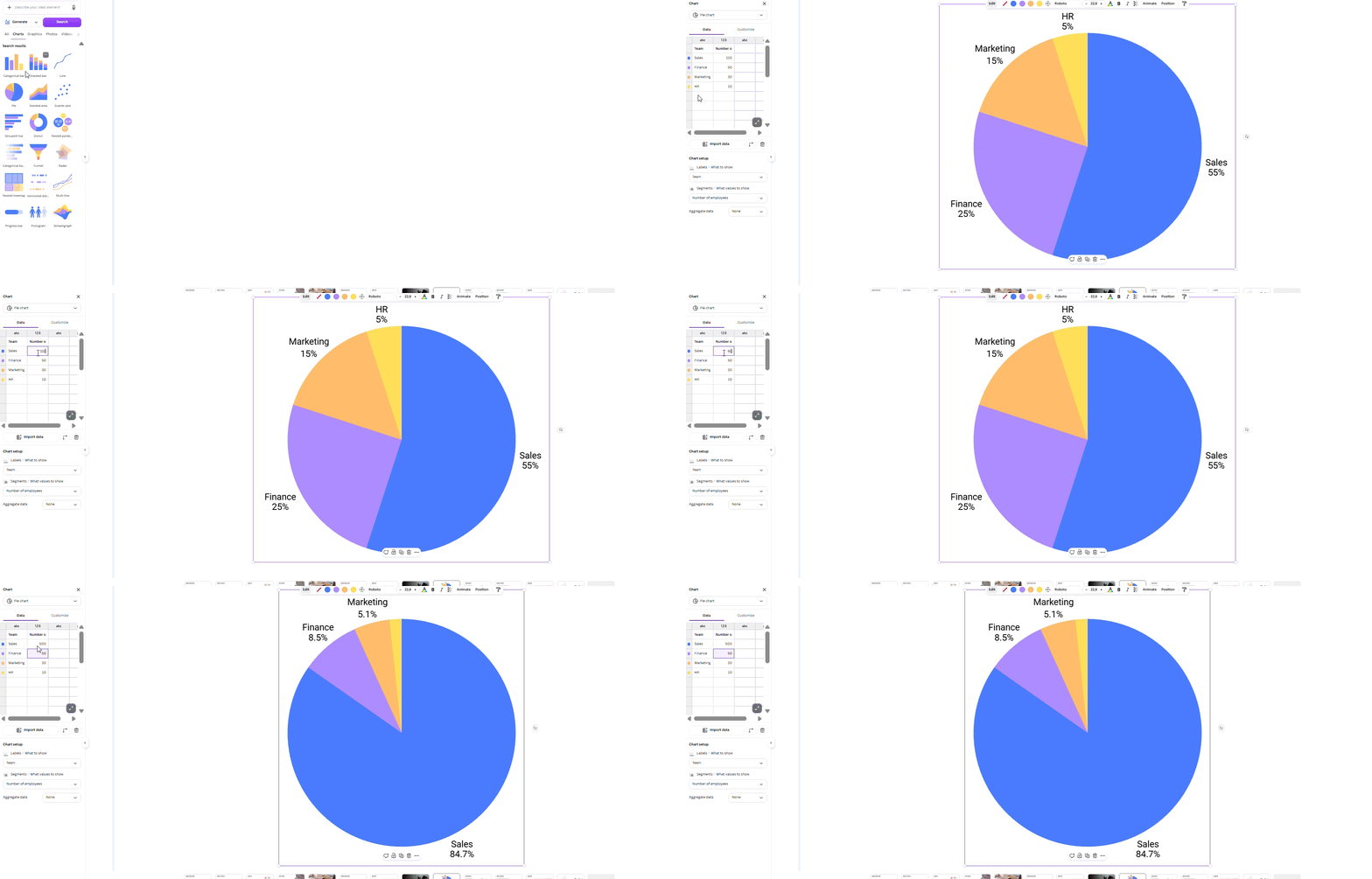
Gamma does the same. Numbers can be input into a chart block, or data can be cut and pasted from a table, and Gamma will format it for you. It helps create basic financial statements, internal reports, or updates on projects. However, there is no live connection with Google Sheets or Excel, so updates to the source file will have to be duplicated in the deck manually.
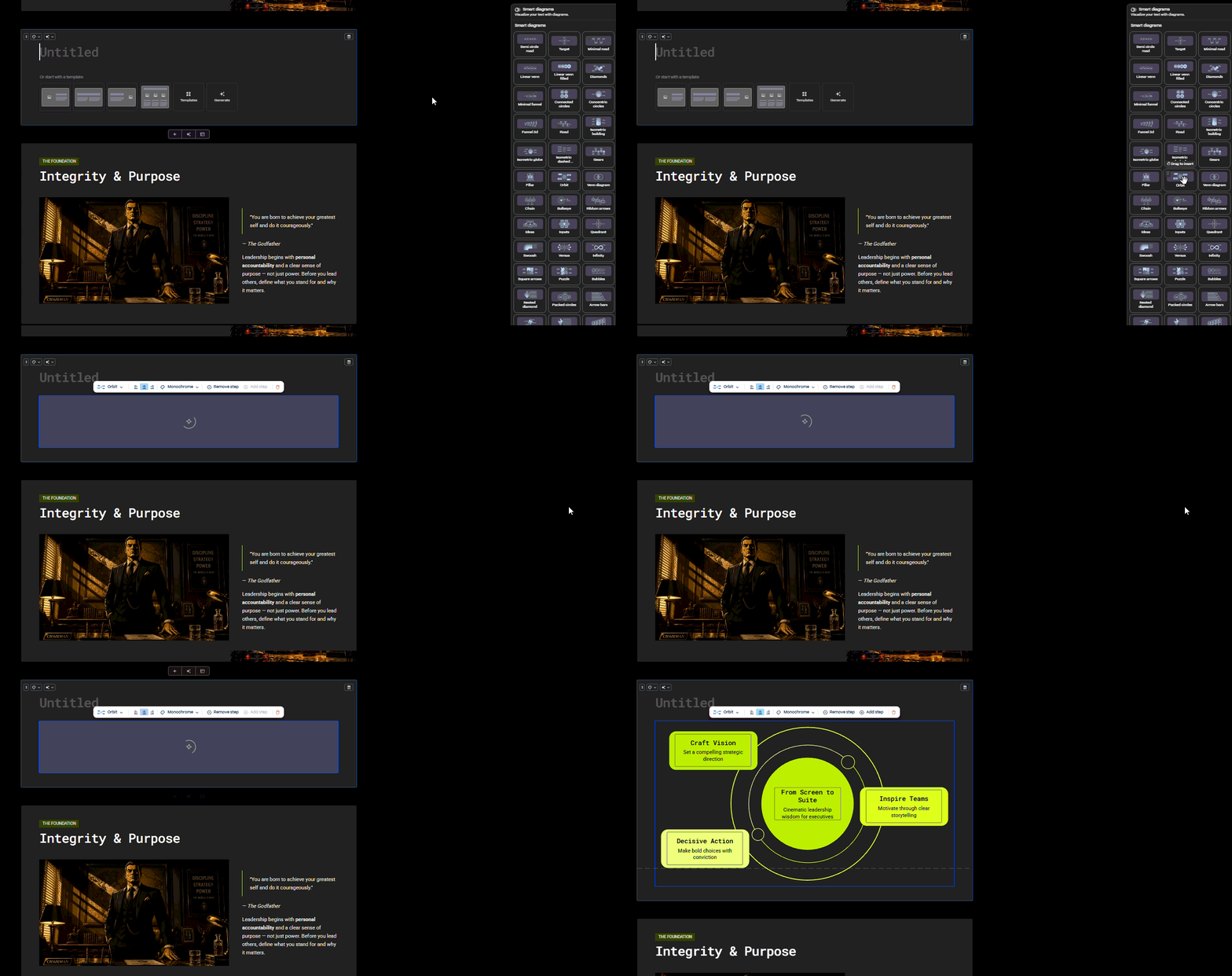
One place where PowerPoint is still ahead of Canva or Gamma. Useful for board packs, monthly reports, and presentations that require updated numbers every meeting, PowerPoint can continue to connect to Excel. Where the data is subject to regular updates, PowerPoint is a safer option than Canva and Gamma.
The 1-to-1 Test: Same Brief, Both Tools
Both tools were evaluated using the same task. An 11-page Word document containing a Q3 performance report, some text sections, and three data tables was uploaded. Next, we asked each tool to prepare a 12-slide executive summary. The test helped answer one main question: which is better, Canva or Gamma for turning a long document into a presentation?
Narrative Logic
Gamma established an easy hierarchy. It began with the background, covered the principal reasons, explained them, and concluded with the next steps. The structure was successful, but some headings were too broad, e.g., “Key Takeaways” and “Looking Ahead.” Nor did it reveal what aspect of the three findings was most important.
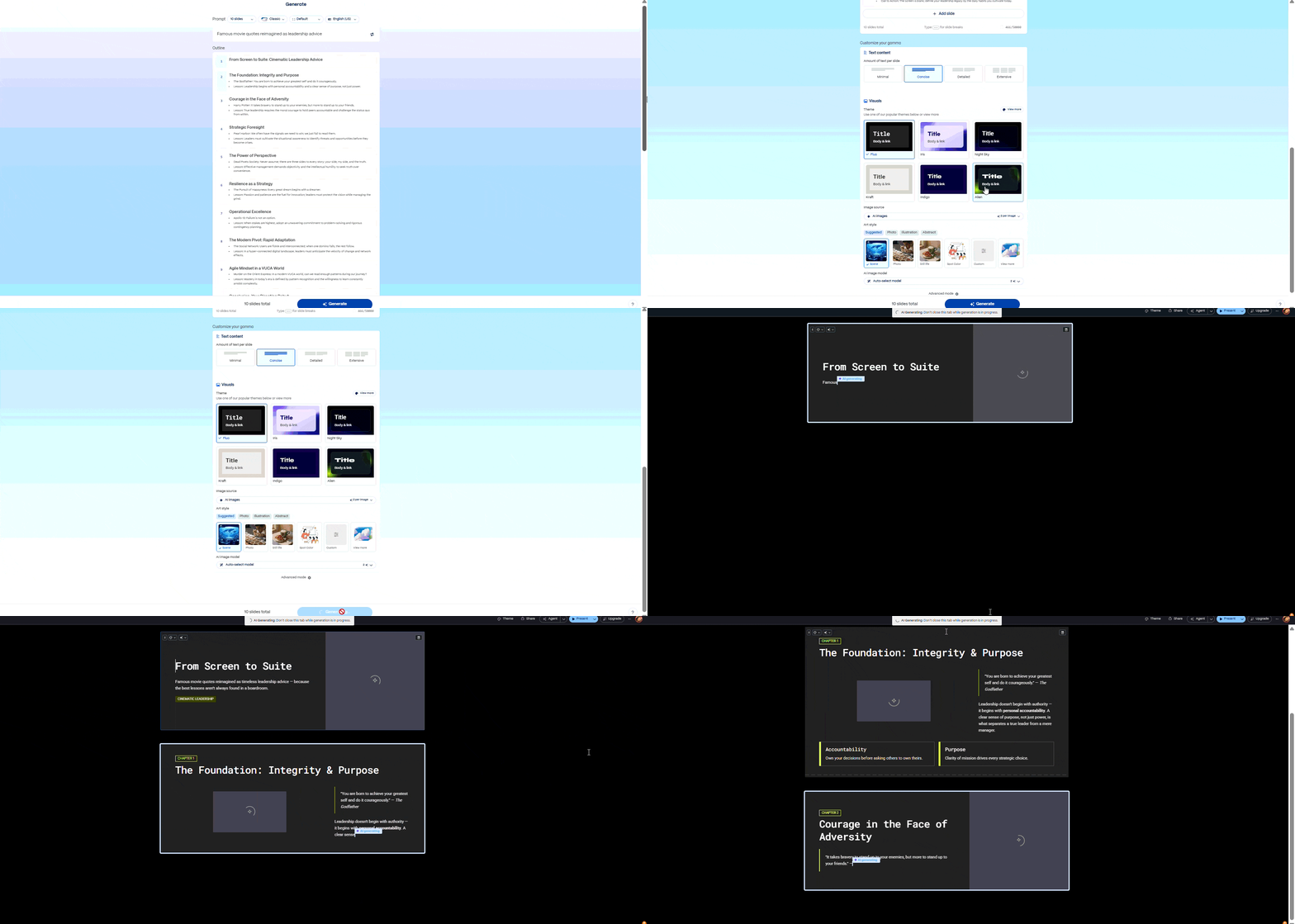
Canva emphasized text fitting into pre-designed templates. Slides were completed, but content was often light. It employed the source file well for content, but it was not as effective in weaving together the ideas to create a single unified story.
Layout Quality
The slides were kept clean by Gamma. There were several long paragraphs that were broken across cards, and text remained in place. There were no significant overflow or spacing issues. There were some problems with Canva. There were two slides containing paragraphs that extended outside the safe area. Other text printed over an image with low contrast, making it more difficult to read. The design seemed to be good initially, but there were still a few slides that required manual corrections.
Document Processing and Speed
Gamma created the deck in about 90 seconds. It also copied all three tables correctly and kept their structure. Canva took longer and missed one table. Instead of keeping it as a table, the tool turned the data into bullet points. That made the information less clear and changed how the slide worked.
Editing Flexibility
Gamma lets you regenerate one card at a time. This is useful when only one slide needs changes. Larger edits are harder. Moving an argument, combining two points, or changing the order often means editing by hand or generating new content.
Canva gives you more manual control. You can move, resize, restyle, or replace nearly every element. However, its AI gives little help with rebuilding the story. You still need to change the structure yourself.
This is also where PPT vs Canva becomes important. PowerPoint gives users more control over slide structure, charts, and detailed edits. Canva is faster for visual design, but PowerPoint remains stronger when a deck needs careful changes before a meeting.
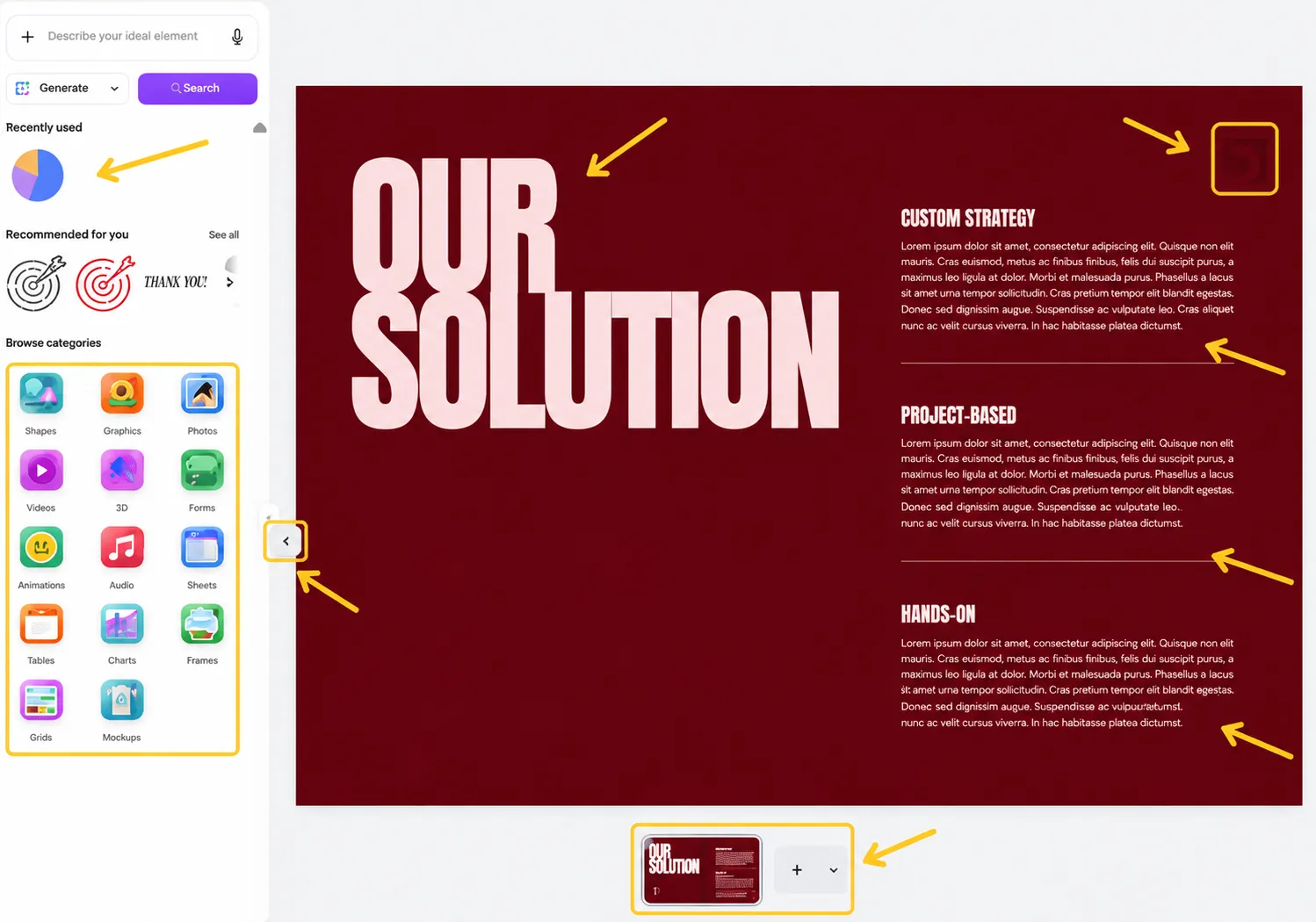
This is where Decksy AI comes into the picture. It begins by structuring the story before it incorporates the design, defining the role each slide plays in the deck. You can quickly recreate any slide for instant access without altering the layout, content, or edits in the other slides. This comes in handy when you need to add a few things to a chart, change a few things in a weak one, or rewrite one message without having to restart.
Export Options and Ecosystem Compatibility
The quality of the export is also a critical factor that can affect the final decision between Canva and Gamma; it is worth trying before buying the product. During our Canva vs Gamma comparison, both platforms accommodated the following standard file formats, but the PPTs were not always as expected.
Gamma
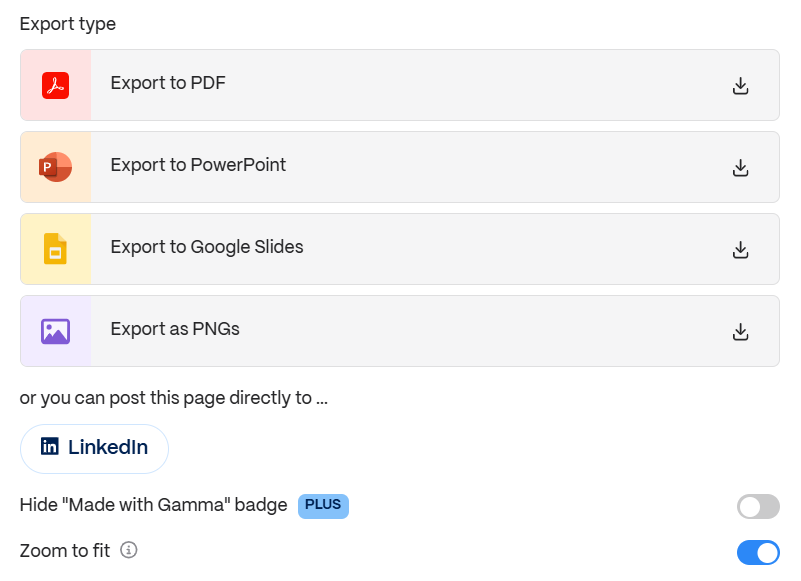
Exporting to PDF, PPTX, PNG, and Google Slides is possible in Gamma, even on the free plan. The issue will come after opening the PPTX. There are simple slides that retain the ability to edit text, but more complex cards can become a single flat image. This is often the case when using layered layouts, gradients, embeds, and interactive blocks. Fonts can also alternate, and spacing may vary on slides that contain a lot of text.
Canva
Typically, Canva will provide you with a more modifiable PPTX, though it still needs to be reviewed. Many objects are typically grouped, but text remains editable. Canva has some effects that are flattened, and missing fonts are substituted. Inside Canva’s own browser editor, features like Talking Presentations and animations are still available, too.
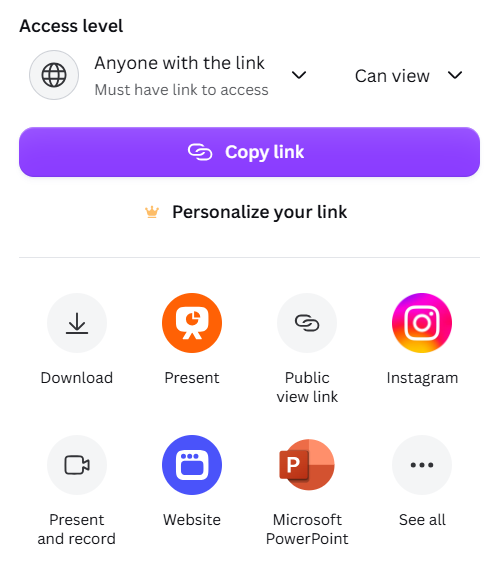
If you will be sharing the file with a colleague who will immediately need to open it and edit it in PowerPoint, both applications might need a bit of tidying up. Decksy AI presentation software is not doing this. It exports ungrouped, native PPTX files containing editable elements – opening the deck in PowerPoint or Google Slides will not require it to be rebuilt slide per slide.
The Smart Alternative
@yourdecksy Proud to be the best presentation tool for you. Try Decksy and notice your presentation upgrade #decksy #presentationtips #presentation ♬ original sound – yourdecksy
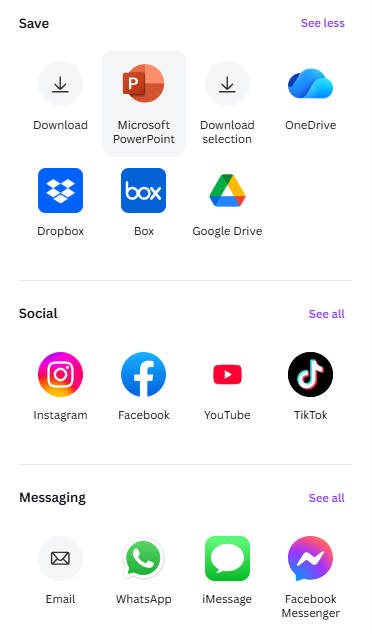
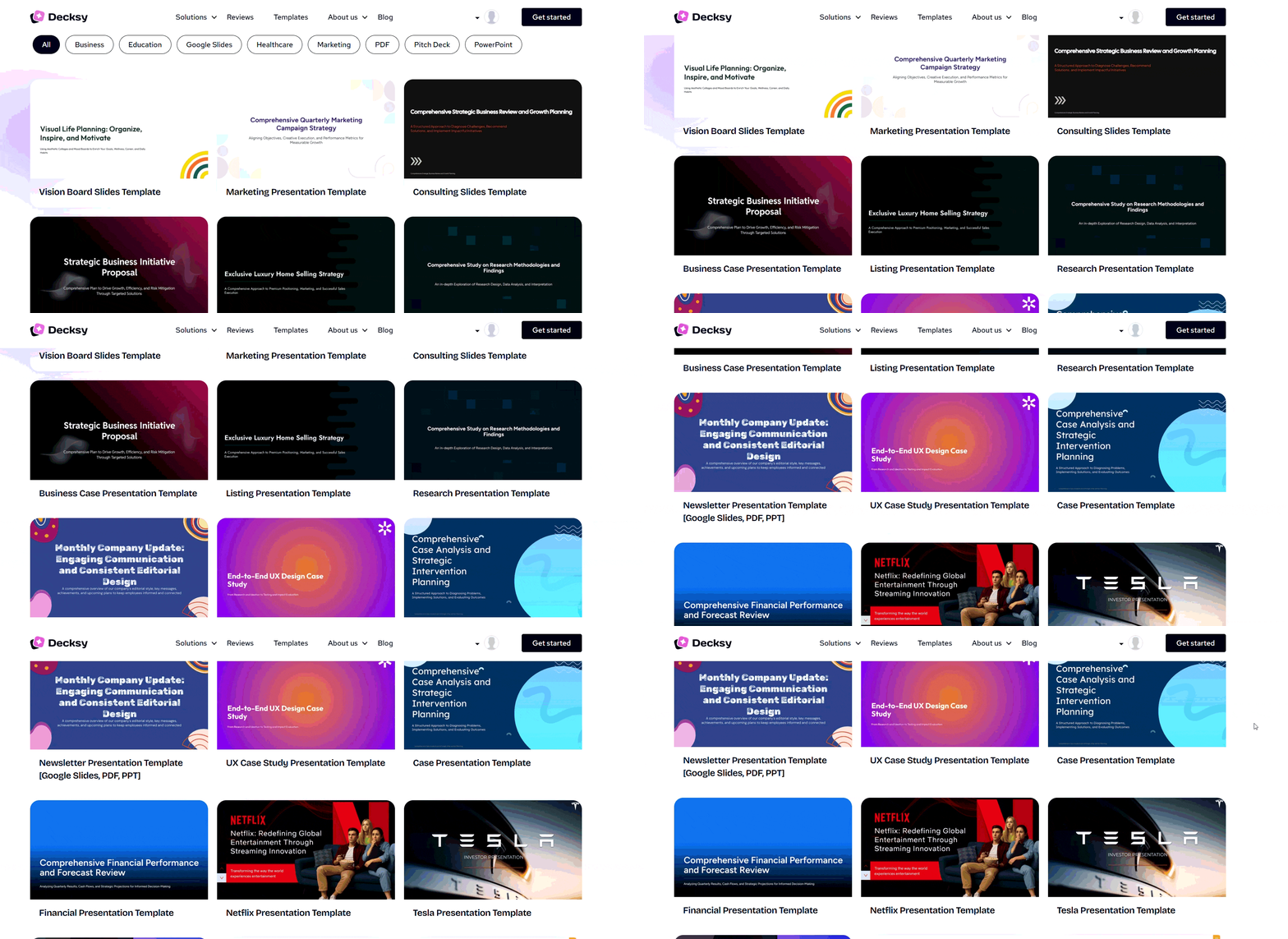
If Canva feels too visually rigid and slow to format, and Gamma takes your document but not your argument, Decksy AI PowerPoint creator bridges the gap. It reads raw PDFs, Word files, meeting notes, or a plain prompt, structures a clear narrative arc, and hands you a fully editable PowerPoint deck in minutes.

The practical differences: research and structure come before design, so headings reflect your actual findings instead of filler. Single-slide regeneration means a fix on slide 6 does not cost you slides 1 through 12. Export is native PPTX with real text boxes. And at $2 for trial access and $10/month after, it skips the annual commitment both bigger tools push at you.
Final Verdict: Which is Better, Canva or Gamma?
There is no universal winner here. If you are still stuck on Gamma or Canva, match yourself to one of these scenarios.
- Choose Canva if: you want one subscription that covers social graphics, video, print, and slides, you have brand assets to enforce, and you accept that the layout work is yours. Canva is a design tool with AI bolted on.
- Choose Gamma if: you need a decent first draft fast, you convert existing documents into slides regularly, and your deck will mostly live in a browser or as a PDF rather than inside PowerPoint.
- Choose Decksy AI if: you need long documents, notes, or prompts turned into structured, professional PowerPoint decks fast, and you need the exported file to stay genuinely editable when it lands in someone else’s inbox.
The honest summary of Gamma vs Canva vs Prezi: Gamma gets you to a draft faster, Canva gets you to a brand-consistent finish, and both leave the hardest part (deciding what the deck should actually say) entirely to you.

On decksyai.com, where people come looking for clarity wrapped in a bit of personality, Julia leans into the details that make a message land: the pause between two ideas, the subtle shift in spacing, the moment a visual finally clicks.