Prezi alternatives in 2026: 6 tools compared
Which presentation tool to pick? It depends on your workflow. Some users enjoy Prezi’s zoomable canvas for linking ideas. Others need editable slides, faster design or better source management.
The best Prezi alternatives depend on your starting point. Decksy is all about presentations from sources. Slideonic allows you to organize an outline before you design. In contrast, Gamma generates visual drafts based on prompts.
We tested six tools in the same practical scenario. Every tool has its own strengths and weaknesses. We wanted to know what workflows each tool supports.
| Tool Name | Primary Differentiator | Native Export Support | API Access | Prices |
| Decksy AI | Source-first presentation creation | Google Slides, PDF, PPTX | Not confirmed | $2 for 7 days; around $10/month |
| Slideonic.ai | File conversion with outline review | PPTX, PDF | Not confirmed | Free daily presentation; $9.99/month with annual billing |
| Gamma | Prompt-based visual content creation | PPTX, PDF, Google Slides | Not confirmed | Free plan; paid plans available |
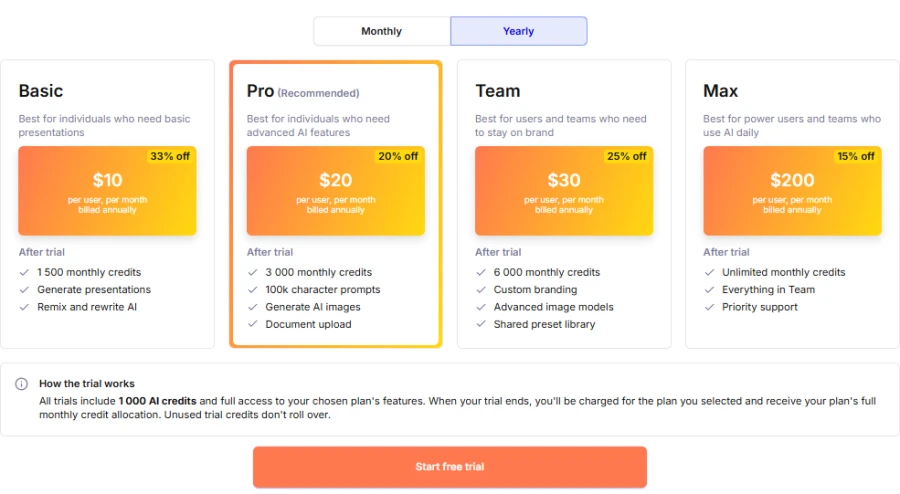
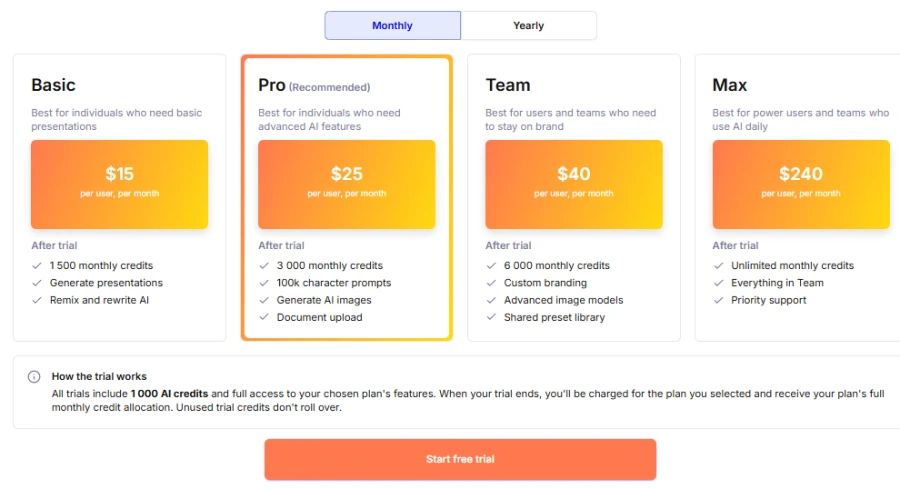
| Plus AI | AI tools inside PowerPoint and Google Slides | PowerPoint, Google Slides | Available | From $10/user/month with annual billing |
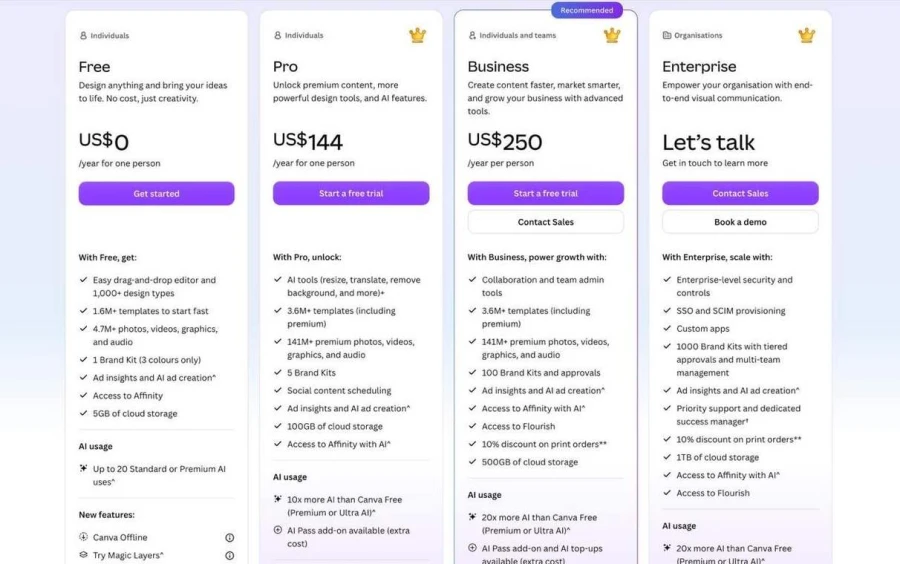
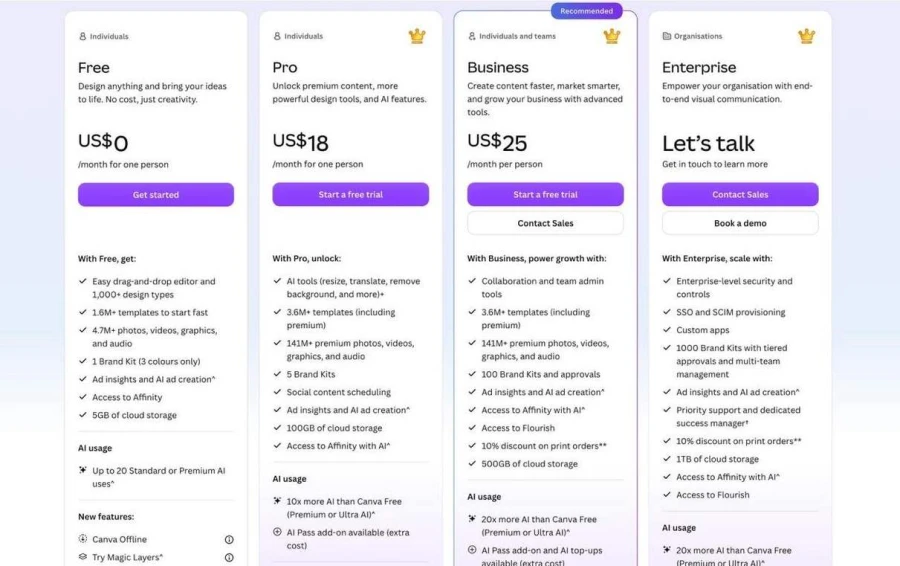
| Canva | Flexible design tools, templates, and AI features | PDF, PPTX, and other formats | Available through the developer platform | Free plan; paid prices vary by region |
| PowerPoint | Detailed editing and Microsoft 365 integration | PPTX, PDF, images, and other formats | Available through Microsoft’s developer ecosystem | Included in eligible Microsoft 365 plans |
How we assessed the tools
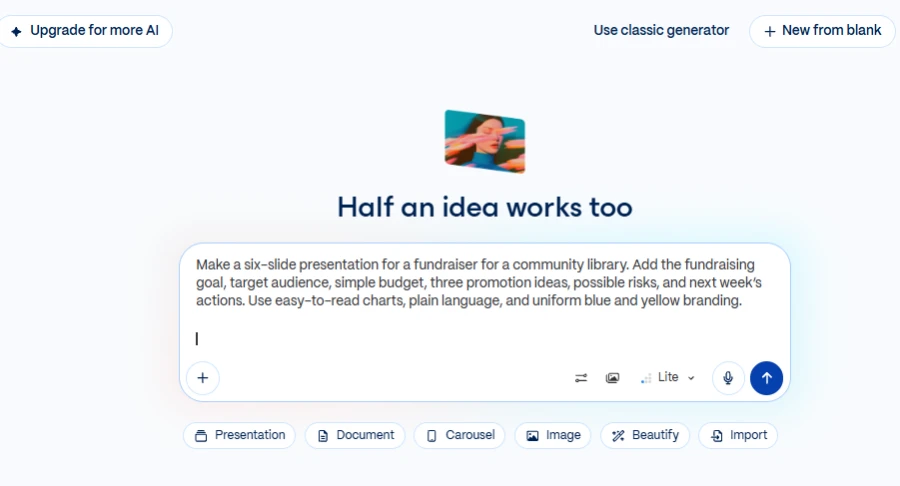
We tried out a few alternatives to Prezi AI presentation tool with one simple scenario: planning a community library fundraiser. Each tool had to present 6 slides on the goal, audience, budget, promotion, risks and next steps.
Our common prompt was:
| Make a six-slide presentation for a fundraiser for a community library. Add the fundraising goal, target audience, simple budget, three promotion ideas, possible risks, and next week’s actions. Use easy-to-read charts, plain language, and uniform blue and yellow branding. |
We checked that each deck contained all topics. We also examined the usefulness of its budget and suggestions. We looked at the readability of charts and consistent branding. Finally, we checked out editing options and export quality. We also noticed how easy the handling of revisions was on each Prezi app alternative.
1. Decksy AI
Concept & test results
Decksy AI turns source files into editable presentations. It deals with documents, spreadsheets, presentations, text and Markdown. Its source-first workflow helps structure information prior to design. This is useful for business presentations that have a lot of content.
This platform gave us a logical way to structure the story in our test fundraiser. The deck shifts from fundraising goals to promotion. The budget then supports the activities proposed. Risks and next steps come naturally. This structure helps us link fundraising goals to practical actions.
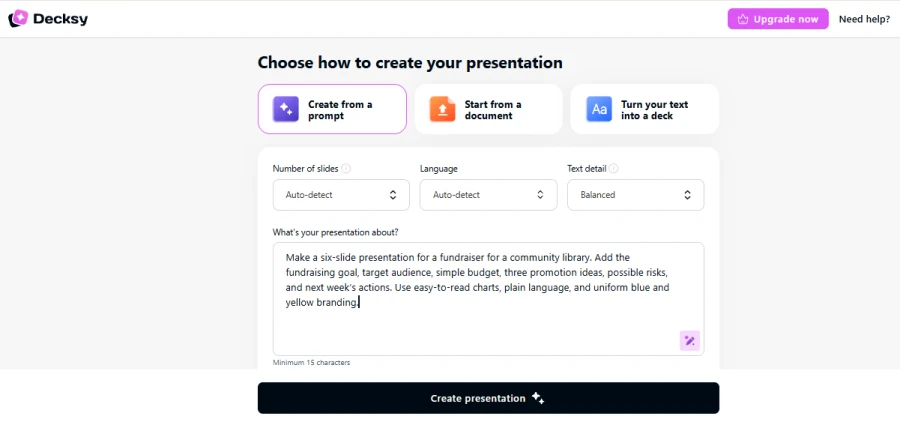
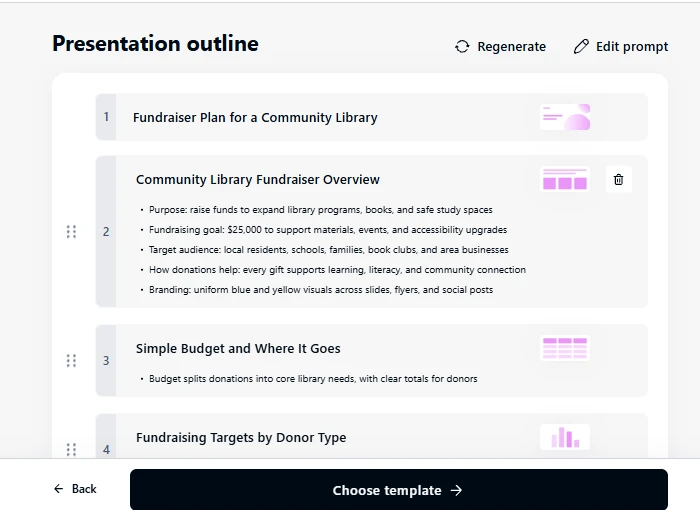

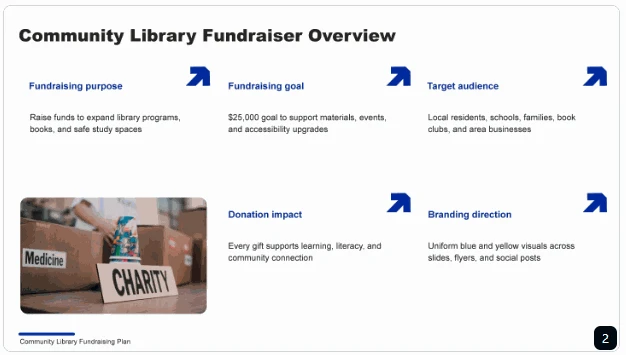
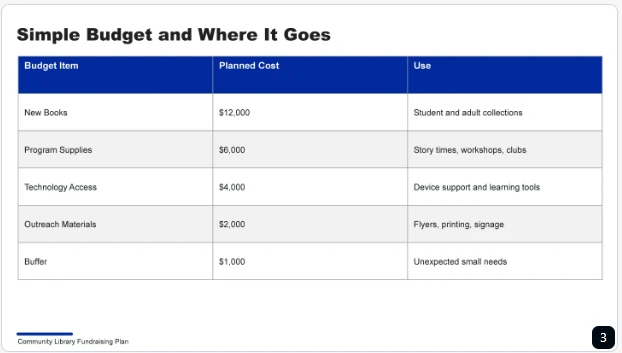
Single-slide regeneration also provides a focused editing option to users. They can alter one part without rebuilding the whole thing. This makes Decksy a useful Prezi AI alternative for document-based presentations. It favors organized clarity over dynamic movement.
Pros & cons
Decksy can handle reports, proposals, business plans and meeting notes. It helps users take existing information and turn it into editable Google Slides. The source-first approach works great for deep material.
However, users should verify figures, dates, and recommendations. They should also inspect the exported presentation before sharing.
Pricing
Decksy has advertised seven-day access for $2. Its full plan has been listed at around $10 monthly. Check current pricing and export terms before subscribing.
2. Slideonic.ai
Concept & test results
Slideonic turns prompts, notes and files into presentations. It supports PDF, Word, PowerPoint, spreadsheets & Markdown. You can reorder and review the outlines before you design slides. This allows you to shape the story before you start on visuals.
Our fundraiser outline had to break apart key topics. The goal, audience, budget, promotion, risks, and actions needed clear sections. Slideonic’s outline-first workflow made it easy to rearrange the order of content. We could add the budget next to the fundraising activities. That helped the financial explanation follow the promotional plan. Reviewing the outline also gave us a chance to spot any missing topics. But even so, the finished deck had to be checked for accuracy and readability.
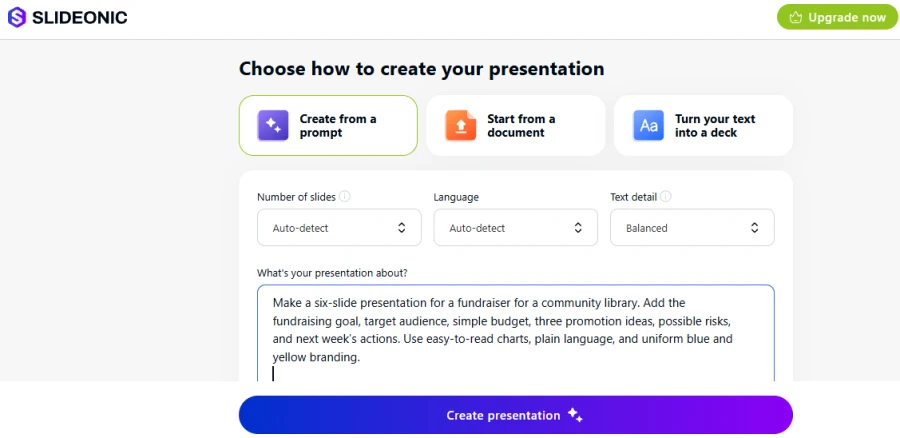
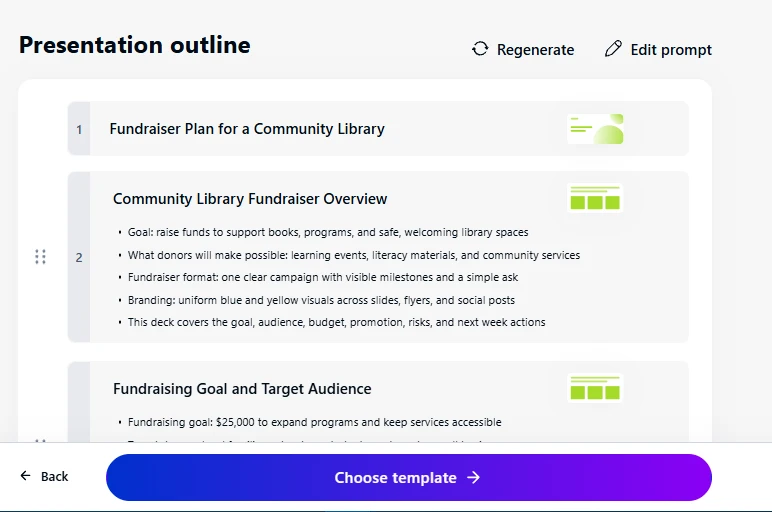

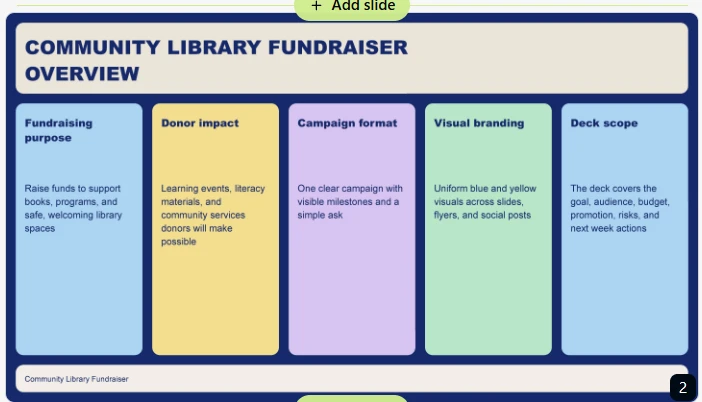
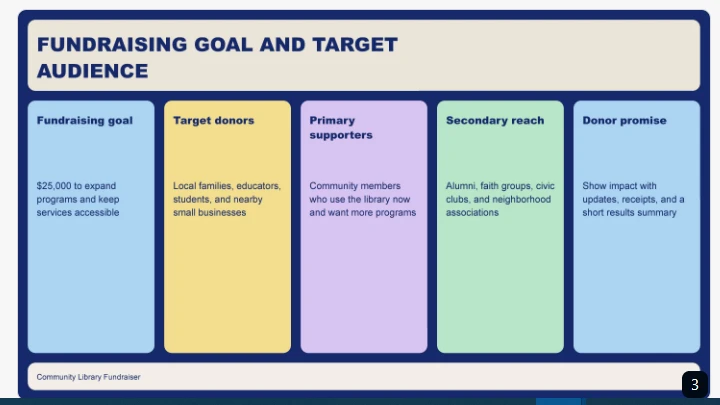
Slideonic is great for users seeking Prezi app alternatives for structured workflows based on files. It offers you more flexibility in planning than a purely visual canvas.
Pros & cons
Slideonic is great for consultants, marketers, educators and analysts. Editing outlines helps us move ideas around. It also helps support popular source formats. However, a good outline doesn’t guarantee accurate slides. Check figures, charts, labels, and exported formatting.
Pricing
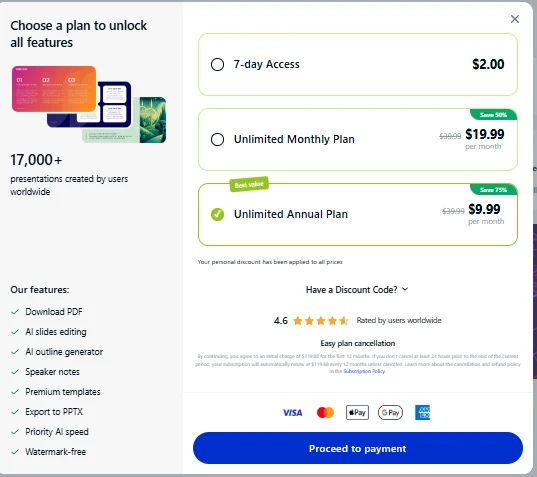
Slideonic has advertised one free presentation daily. Its annual plan is listed at $9.99 monthly.
3. Gamma
Concept & test results
Gamma creates visual content from prompts and imported material. It can also support workflows like AI Excel to PowerPoint when turning spreadsheet data into presentations. Its card-based format gives presentations a flexible feel. Users can quickly arrange topics and adjust the visual structure. This works well for people who want an early draft without designing everything themselves.
Gamma gave us a snappy visual to start off with for our fundraiser test. The presentation explains the audience before the goal is introduced. Next slides mention spending, promotion, risks and actions. We saw how the card-based layout separated the different topics. This made the story more scannable. But visual separation can’t account for all of the budget choices. Some of the details could have used better wording and stronger ties. The final action list needed space.
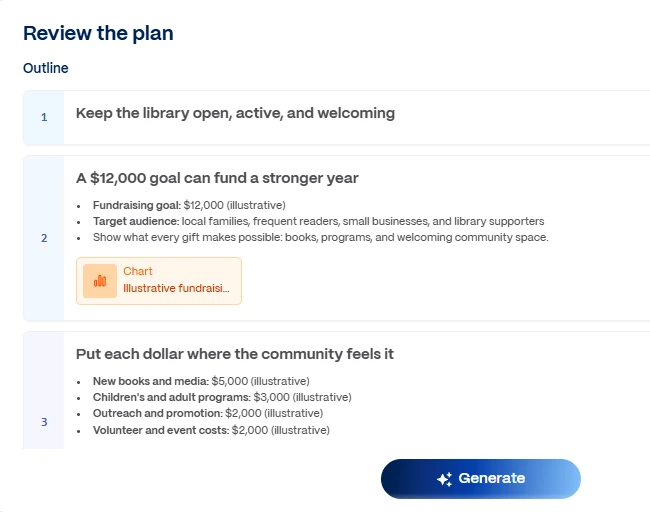
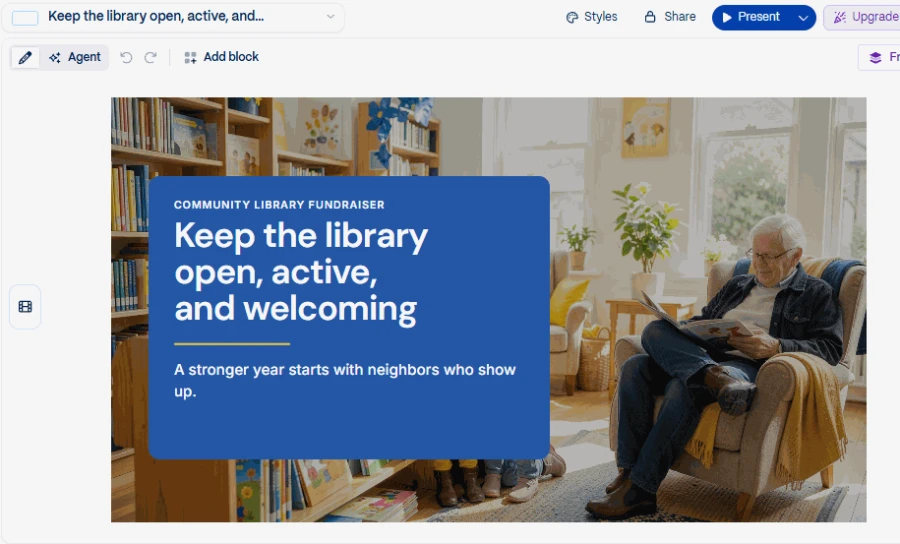
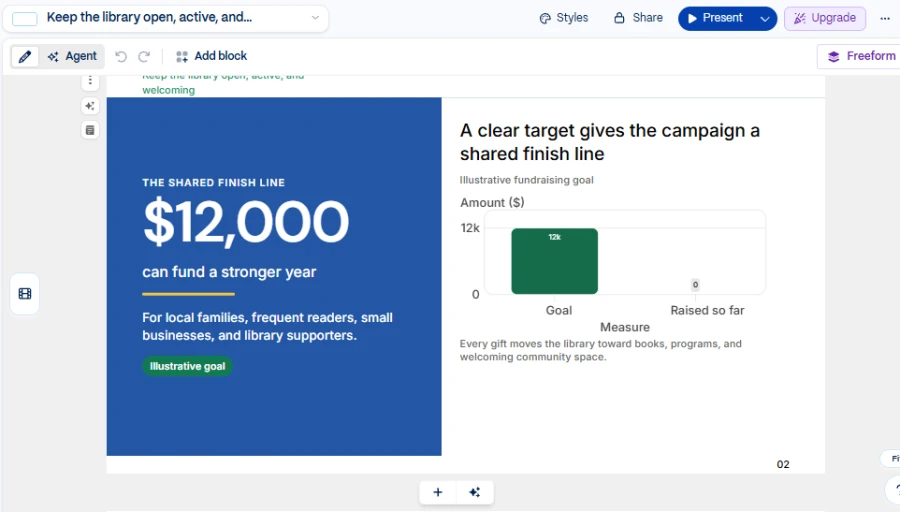
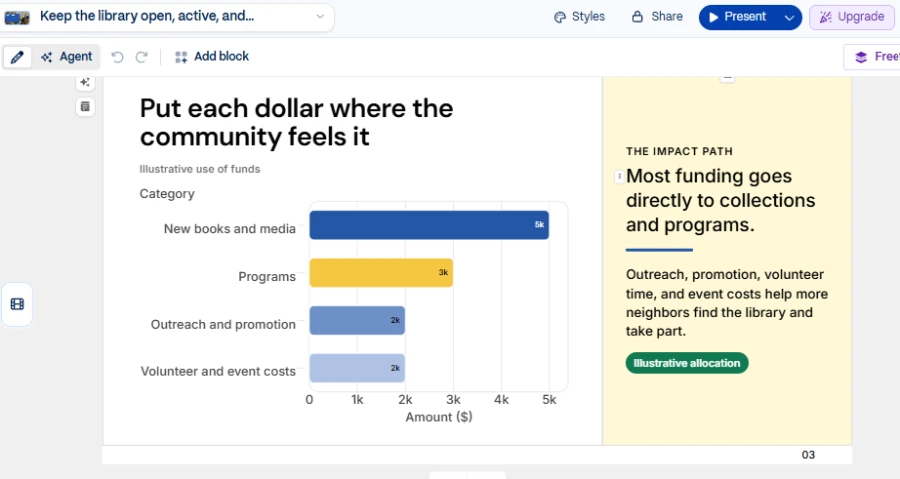
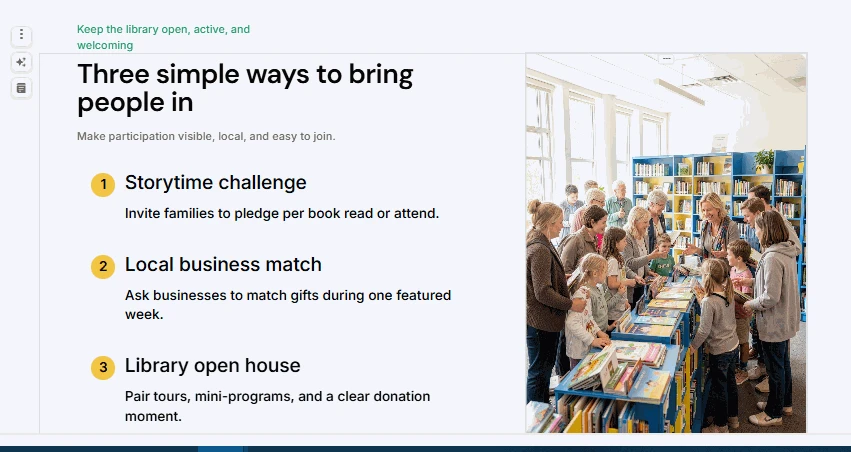
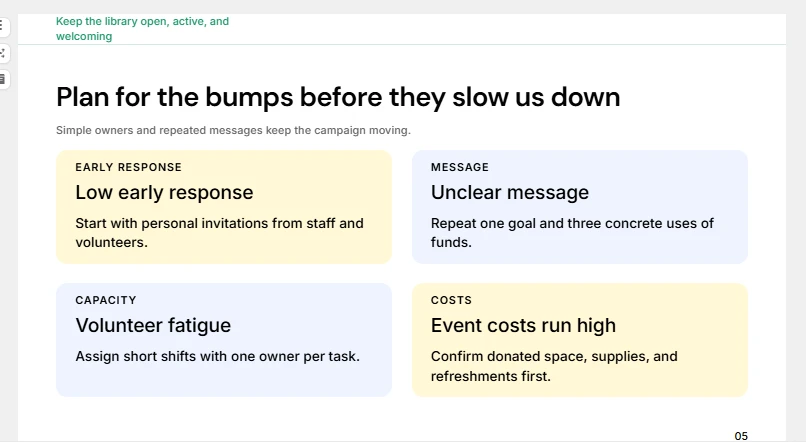
In terms of visual-first workflows, the Gamma AI alternatives are worth considering. The primary selling point is quick presentation generation, not complex task automation.
Pros & cons
Gamma is great for visual drafts and online presentations. Its flexible cards enable users to reorder ideas. New users get a starting point with a free plan. However, detailed source documents may need to be reorganized. Verify text density, slide order and export formatting. Key budget details need to be simple to read.
Pricing
Gamma has a free plan with limited generation. Paid plans provide extra features and usage.
4. Canva
Concept & test results
Canva is a presentation tool that blends presentation-making with templates, graphics, and branding tools. Users can also make posters and social media materials. This can help when one project needs several promotional formats.
We needed a consistent blue and yellow branding for our fundraising scenario. Promotion ideas also required visuals to support each message. Canva provided the flexibility to create distinct sections. Its templates maintained a consistent visual style. We saw why it is important to carefully place decorative elements. Budget labels and important figures still required sufficient space. The risks and next steps also had to remain visible. Graphics are fine, but too many may distract from the information.
A Canva AI alternative is especially useful when presentations are part of larger marketing materials.
Pros & cons
Canva is a good match for small businesses, educators and creative teams. Templates make it easier for you to create branded presentations. Its design tools also support associated promotional materials. But for long-source files, manual rearrangement may be needed. Users need to check chart labels, text density and exported slides.
Pricing
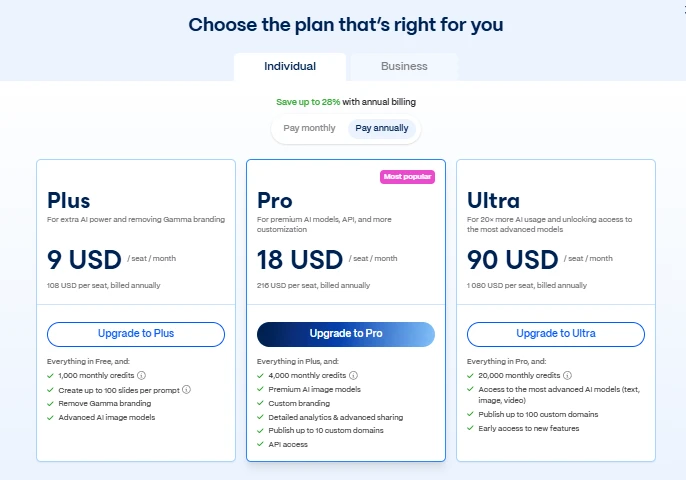
Canva has a free plan with limited features. Paid pricing varies across different regions and depends on the subscription type.
YEARLY PLANS:
MONTHLY PLANS:
5. Plus AI
Concept & test results
Plus AI works inside Google Slides and PowerPoint. It helps users create, insert, and rewrite slides. This is best for teams already using presentation software. They can continue working in familiar settings.
Every required topic had to have a readable section in our fundraiser test. The budget also had to include labels and explanations. Plus AI integration gives you a practical editing advantage. Users can edit content within their existing presentation workflow. This is helpful if you already have templates in your team. But the chosen layout influences the results. A few slides might need some manual spacing tweaks. Placement of charts and order of content also deserve attention.
Plus AI is for those who need Prezi AI presentation tool alternatives to build slides on a daily basis. It’s less focused on general-purpose research or automation.
Pros & cons
Plus AI is good for recurring reports and team presentations. Its familiar editing environment reduces the need to switch tools. It can also support existing presentation workflows. However, results depend partly on the selected template. Review spacing, visual hierarchy, and export quality.
Pricing
Plus AI has offered paid plans with different features. Its Basic plan starts at $10 per user monthly. Annual billing applies to that listed price.
YEARLY PLANS:
MONTHLY PLANS:
6. Microsoft PowerPoint
Concept & test results
PowerPoint gives you exact control over text, charts, pictures and layout. It also supports Microsoft 365’s workflows. It gives users more direct control over the formatting than automatic presentation makers. This is for those people who wish to personalize each slide.
This Prezi AI alternative gave us the ability to edit all six topics in our fundraiser test. Users can choose to highlight the fundraising goal and change budget labels. They could also provide promotional ideas with individual visual treatments. The final action slide may highlight tasks and timelines. We saw the value of direct control of spacing and hierarchy. But that flexibility means more manual work. Users must check that all the mandatory topics are there. They also need to maintain the branding throughout.
If you care more about detailed editing than automatic layout, PowerPoint presentation alternatives are a great choice.
Pros & cons
PowerPoint is useful for business presentations and teamwork. Its formatting controls allow for fine-tuning. It also has the familiar editing and sharing options. But it can take longer to build a slick deck.
Pricing
PowerPoint is included with eligible Microsoft 365 subscriptions. Personal and business plans have different prices.
Overall comparison
| Tool | Best use | Main strength | Main limitation |
| Decksy AI | Source-based presentations | Source-first structure and editable slides | Needs content verification |
| Slideonic.ai | File-to-deck workflows | Outline review and content reordering | Exported details need checking |
| Canva | Visual and branded presentations | Flexible templates and design tools | Long source documents may need manual restructuring |
| Plus AI | Google Slides and PowerPoint workflows | Editing within familiar tools | Results depend on the chosen template |
| Gamma | Quick, prompt-based presentations | Fast visual drafts | Complex content may need restructuring |
| PowerPoint | Detailed presentation editing | Flexible layout and formatting controls | Requires more hands-on work |
Final verdict
In testing the fundraiser, we found that the six alternatives to Prezi AI agent had different strengths. These tools may work better for traditional slides and file-based workflows. Your choice depends on your source files and what you need to edit with.
Use an AI tool to convert Excel spreadsheets to PowerPoint for budget presentations. Still, check every deck before you share or present. Markdown notes work best with an AI MD to PPT workflow. It’s better to always review figures, fonts, labels, and spacing after export.
- Best for source-based decks: Decksy AI.
- Best for outline control: Slideonic.ai.
- Best for quick visual drafts: Gamma.
- Best for branded content: Canva.
- Best for existing slide workflows: Plus AI.
- Best for detailed editing: PowerPoint.
Ultimately, the right Prezi alternative comes down to balancing speed, design control, and how much structure your source material needs.
FAQ
Are there free platforms to use instead of Prezi?
Some tools have free plans or limited access. Gamma and Canva provide free starting options. Features and export limits vary by plan. It’s better to check those limits before building a full project.
Which tool is best for students?
Decksy can help students turn notes into structured presentations. Canva has templates for school projects. PowerPoint is for students who need precise editing. An AI presentation maker for students should always be screened for accuracy.
What to look for before you pay?
Try the same brief in two or three tools. Compare structure, accuracy, readability, editing and exports. Also consider whether you need tools for presentations only. Broader workflows may require different software.
Which tool is easiest for changing presentation content?
That depends on how you like to work. Slideonic lets you adjust the outline first. Decksy supports individual slide regeneration. PowerPoint gives you direct control over every element.
Create awesome presentations with Prezi AI alternatives
Need a presentation made from existing material? Use Decksy AI for reports, spreadsheets, notes and Markdown. It keeps the main story clear with a source-first workflow. You can also regenerate individual slides without rebuilding the whole deck. It’s a good platform for users who like structure and editable output.

On decksyai.com, where clarity still matters, but results matter just as much, Alyssa Johnson, Chief Revenue Officer, looks at messaging through a growth lens. She pays attention to how structure drives action, how a well-timed pause improves conversion, and how AI is reshaping all of it — without ever replacing the human instinct behind the message.