Canva vs Beautiful.ai: Which AI Presentation Tool Is Worth Your Time?
- Decksy AI spends less time on slide decoration. It spends more time organizing ideas. That difference becomes noticeable on larger projects.
- Canva loves creative freedom.
- Beautiful.ai is an automated presentation design software.
- Decksy AI prefers logic-first presentation generation.
You have an important presentation due today. Two tabs are open. One shows Canva. The other shows Beautiful.ai. Both promise fast, professional slides. Both use artificial intelligence. Yet they solve different problems.
So which platform deserves your time?
The answer depends on your workflow. Canva shines as an all-in-one design platform. Beautiful.ai focuses on automated presentation design. One gives you creative freedom. The other prioritizes consistency.
We compare Canva vs Beautiful.ai tools using real criteria. We cover pricing, AI quality, templates, customization, exports, and presentation workflows. You will also see where each platform struggles and which users benefit most.
If your goal is to find the fastest way to create polished presentations, this comparison will help you decide.
| Feature | Beautiful.ai | Canva |
| Best for | Business presentations | All-purpose design |
| AI presentation quality | Excellent structure | Good starting point |
| Ease of use | Very easy | Easy |
| Template library | Smaller but polished | Massive collection |
| Design flexibility | Limited | Excellent |
| Brand management | Strong | Strong |
| Collaboration | Excellent | Excellent |
| PPT export | Available on paid plans | Available on paid plans |
| Best choice | Business teams | Creators, marketers, educators |
Beautiful.ai creates professional business slides faster. Canva offers far more creative freedom beyond presentations.
Prices, Free Plans, Packages & Target Audience
The price matters. Especially if you do presentations as part of your daily work. There are free plans for both tools. But the limitations are not the same.
Canva
Canva has a flexible freemium model that works for individuals, teams, and large organizations. The free plan offers 2+ million templates, 3+ million stock assets, 5 GB of cloud storage, and limited AI-powered design tools. It’s enough to do basic presentations and everyday design work.
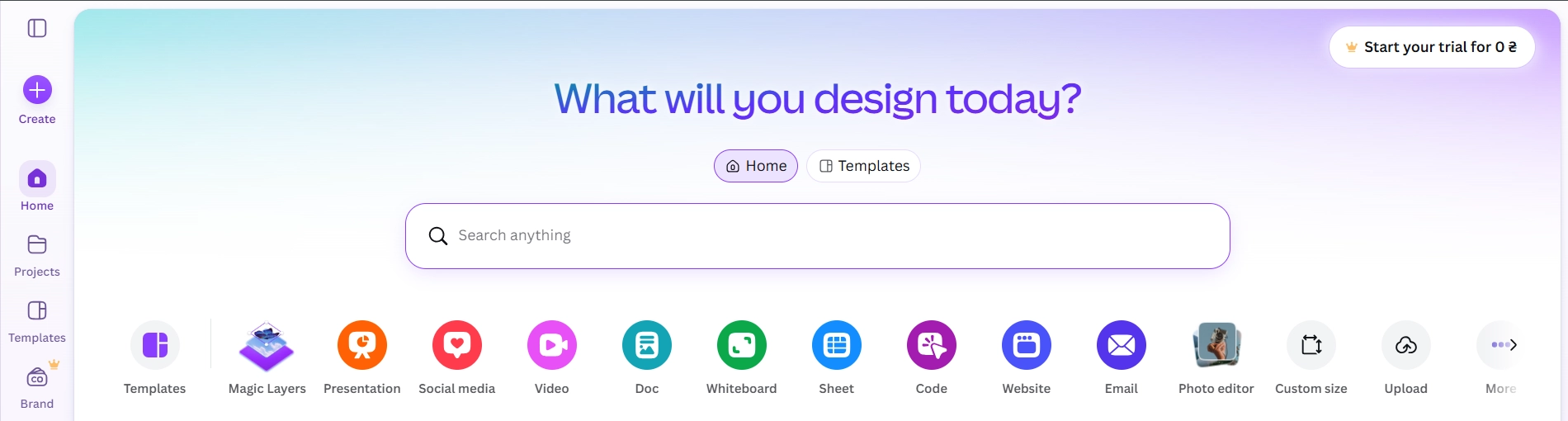
If you want premium templates, Brand Kit features, advanced AI tools, and larger content libraries, Canva has paid plans.
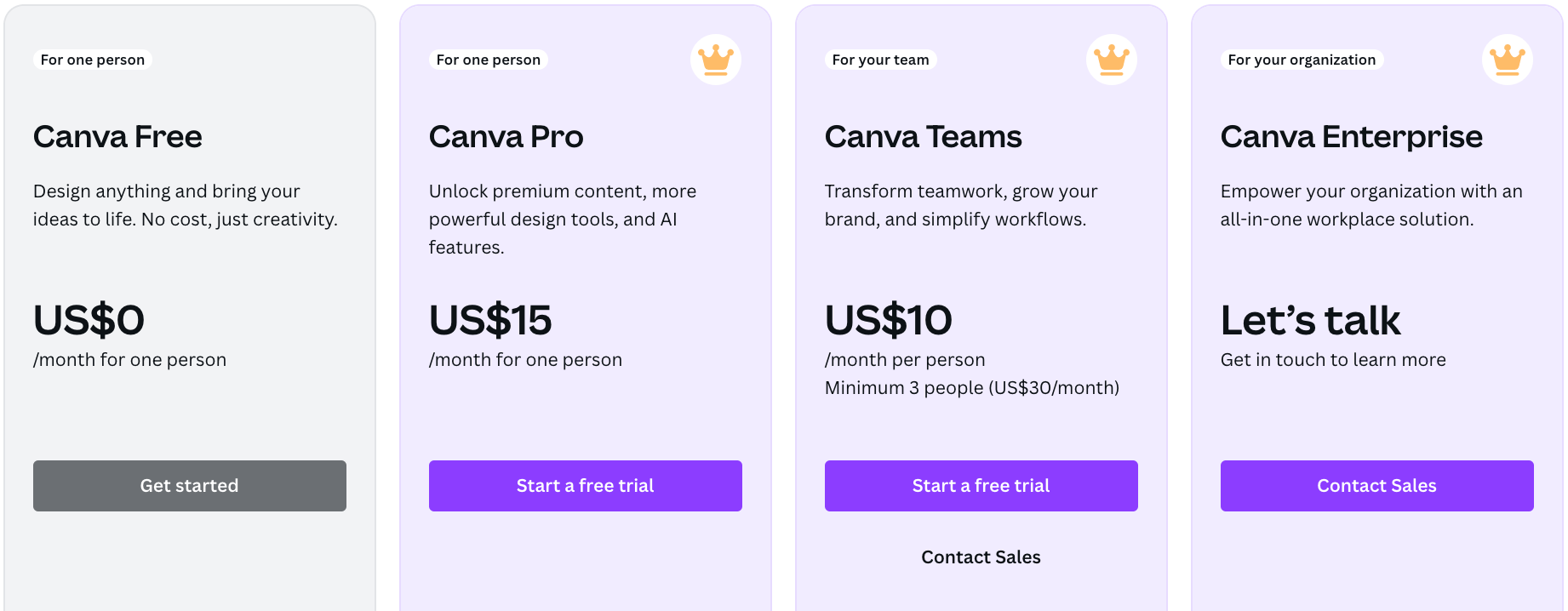
This platform also offers special plans for educators, universities, and nonprofit organizations, making it one of the most accessible design platforms on the market.
| Plan | Price | Best For | Key Features |
| Free | $0 | Casual users | 2M+ templates, 3M+ stock assets, 5 GB storage, basic AI tools |
| Canva Pro | $15/month or $120/year | Individuals, freelancers | Premium templates, Brand Kit, Magic Studio AI, unlimited folders, background remover |
| Canva Teams | $30/month for up to 3 users ($300/year) | Small businesses | Team collaboration, shared Brand Kits, approval workflows, and admin controls |
| Canva Enterprise | Custom pricing | Large organizations | Enterprise security, SSO, custom integrations, advanced administration |
| Canva for Education | Free | K–12 schools | LMS integrations, classroom templates, and collaboration features |
| Canva for Campus | Custom pricing | Universities | Enterprise-level collaboration and dedicated support |
| Canva for Nonprofits | Free (up to 50 users) | Eligible nonprofits | Canva Teams features with discounted expansion |
Canva is best for users who create content of different kinds. It also supports social media graphics, videos, posters, documents, websites, infographics, and presentations, making it perfect for creators, educators, marketers, and small businesses.
Beautiful.ai
Beautiful.ai’s pricing model is presentation-first for professionals and business teams. With the free version, users can try out the platform and create presentations, but they’ll need to subscribe to a paid plan to export their slides and unlock premium AI capabilities.
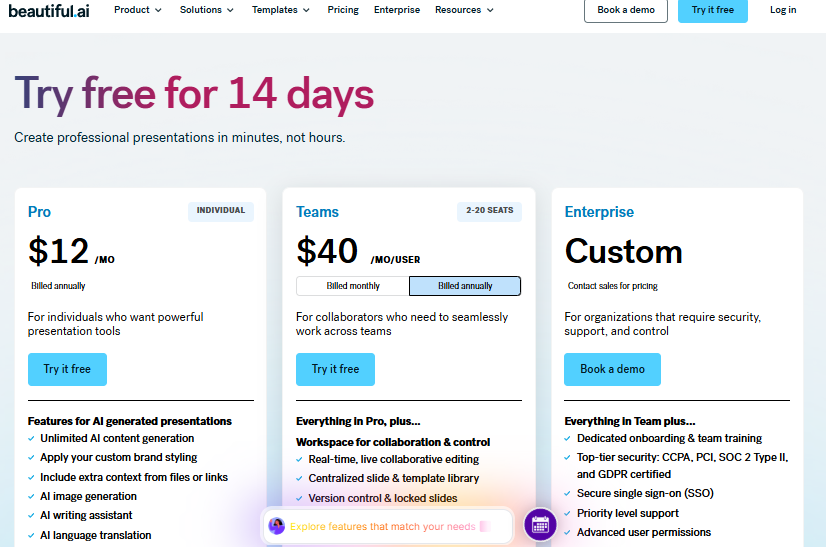
Beautiful has fewer plans than Canva, but it focuses on AI-powered presentation creation, brand consistency, and collaboration for business users.
| Plan | Price | Best For | Key Features |
| Free | $0 | Trying the platform | Create presentations, limited sharing, no advanced export features |
| Pro (Annual) | $12/month (billed annually) | Individuals | Unlimited presentations, AI content generation, Smart Slides, PowerPoint export, premium templates |
| Pro (Monthly) | $45/month | Individuals needing flexibility | Same features without an annual commitment |
| Team (Annual) | $40/user/month | Growing teams | Shared templates, Brand Library, collaboration, and admin tools |
| Team (Monthly) | $50/user/month | Business teams | Team collaboration with monthly billing |
| Enterprise | Custom pricing | Large organizations | SSO, advanced security, dedicated onboarding, priority support, enterprise governance |
Beautiful is best for consultants, sales teams, startups, executives, and companies that regularly create professional presentations. Its AI automatically adjusts layouts, spacing, and formatting. So, users can concentrate on their message, rather than the slide design.
Hidden Paywalls
Both tools have some key features behind a subscription. Beautiful.ai’s limitations are exports and advanced collaboration. Canva restricts access to premium templates, stock photos, Magic Design tools, and Brand Kits.
Neither platform feels inauthentic. Still, expect salary plans for professional work.
| Feature | Beautiful.ai | Canva |
| AI presentation builder | ✅ | ✅ |
| Social media design | ❌ | ✅ |
| Video editor | ❌ | ✅ |
| Website builder | ❌ | ✅ |
| Brand Kit | ✅ | ✅ |
| Stock library | Good | Excellent |
| Collaboration | Excellent | Excellent |
The main difference when you choose between Beautiful.ai or Canva is the focus. Beautiful is a presentation specialist. Canva tries to replace a whole bunch of creative tools. That difference affects the whole experience.
While many presentation tools are about decorating slides, Decksy AI slideshow maker takes a different approach to presentations. It doesn’t create isolated slides; it creates the presentation structure. Then it applies visual design.
Pricing is another plus. Many competitors only offer advanced export options on higher plans. Decksy AI is only $2 for a trial and $10/month for a full export with subscription. This makes it attractive for freelancers and small teams.
Design Assets, Templates & Customization
How fast you finish a presentation depends on the templates you use. The two platforms are doing the opposite here.
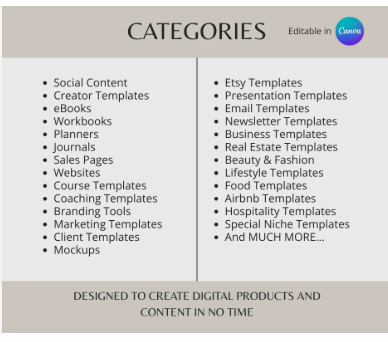
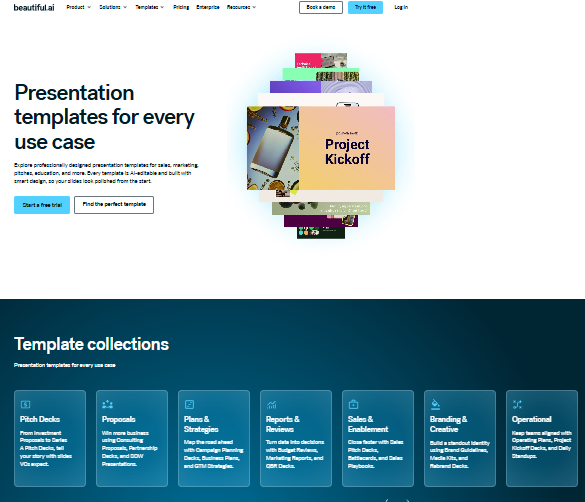
| Canva | Beautiful.ai |
 |
 |
Beautiful.ai
This tool cares about quality over quantity. It has a library of professional business communication templates.
In general categories, you will find:
- Investor pitches
- Sales decks
- Quarterly reports
- Company overviews
- Project proposals
- Marketing presentations
Most templates are designed with modern design principles in mind. White space feels right. Typography remains the same. Layouts don’t often get cluttered. The AI automatically changes the spacing when the content changes. It saves a lot of time when editing.
Flexibility is the downside. Some users may find the available layouts limiting.
Canva
Canva takes the volume award. There are hundreds of thousands of templates for almost every industry on the platform.
Presentation themes include:
- Education
- Startups
- Healthcare
- Technology
- Fashion
- Travel
- Real estate
- Nonprofit organizations
Many templates look good. Some feel dated. Canva blends official and community-generated designs, so the quality varies. Users should anticipate spending time browsing.
Template Quality
Beautiful.ai leans towards professional consistency, while Canva leans towards creative variety. If you have executives in your audience, Beautiful often delivers cleaner results right out of the box. If originality matters to you, there’s more freedom with Canva.
Stock Assets
Both platforms have massive media libraries. Beautiful.ai has a library of curated business images. Canva has a much wider array.
It has a library made up of:
- Photos
- Illustrations
- Videos
- Stickers
- Icons
- Animations
- Audio
Canva clearly wins this category.
Fonts and Brand Kits
Both platforms offer brand consistency. Upload custom fonts with paid plans. Both support brand colors, typography, and reusable templates. Both have support for logos.
That said, Beautiful is far stricter about these rules. That’s good for businesses that need consistent branding.
Canva offers designers greater creative freedom.
Customization
What sets these platforms apart is customization. Design changes are intentionally limited by Beautiful. The AI handles the spacing and alignment. Not all objects can be freely moved by users. Some designers like this protection. Some think it’s limiting.
Canva works a bit differently. Nearly anything can be moved. All objects are resizable. Each slide can be unique. That freedom fosters creativity. It also raises the risk of inconsistent presentation.
Ease of Building Attractive Slides
Beautiful feels like using a smart presentation program. Canva works more like a complete design studio. Neither approach is better for everyone. It depends on your workflow and priorities. If you want polished business slides with minimal effort, Beautiful is a strong choice. If you prefer full creative control, Canva offers much greater flexibility.
The difference between Canva and Beautiful.ai comes down to automation versus customization. One focuses on consistent presentation design, while the other gives you the freedom to build almost anything.
Data Visualization, Charts & Spreadsheet Links
Sooner or later, there is data in every presentation. You have to present sales figures, marketing data, and financial reports in a way that is visual and easy to understand. Both tools support charts, but in very different ways.
Beautiful.ai offers bar, line, pie, area, funnel charts, timelines, and process diagrams. Creating a chart is easy. Enter your data and let the artificial intelligence do the spacing and formatting. The results are clean and easy to achieve. However, larger datasets often require manual updates due to limitations in live spreadsheet support.
Canva also has bar, line, pie, doughnut, and progress charts. It gives users more design freedom, so that charts can be easily matched to any presentation style. However, complex reports often require additional formatting after data import.
Neither platform is a substitute for dedicated business intelligence software. Whether you choose Canva or Beautiful.ai, expect some manual work if your data changes frequently.
| Feature | Beautiful.ai | Canva |
| Built-in charts | ✅ | ✅ |
| Automatic formatting | Excellent | Good |
| Manual customization | Moderate | Excellent |
| Spreadsheet workflow | Basic | Moderate |
| Best for | Business reports | Marketing presentations |
Charts are only part of the story. Many presentation tools focus on making charts look attractive. Decksy AI PowerPoint presentation creator starts earlier. It first determines where charts belong within the narrative. Only then does it build the presentation. That reduces unnecessary data slides and improves presentation flow.
Deep 1-to-1 AI Test
This is the most important Canva vs Beautiful.ai comparison. We gave both tools the same prompt: a five-page PDF, a Word document, and meeting notes. Then we compared the results.
Narrative Logic
Beautiful.ai built a clear story. It introduced the problem, explained the trends, presented evidence, and ended with practical recommendations. The flow felt natural.
Canva created attractive slides, but the narrative needed more work. Some ideas were repeated, and a few slides felt out of order.
Winner: Beautiful.ai
Layout Quality
Beautiful.ai automatically kept slides clean and balanced. Text resized correctly, and layouts stayed consistent.
Canva produced visually appealing slides, but several required manual cleanup due to crowded content.
Winner: Beautiful.ai
Document Processing
Beautiful.ai summarized PDFs and Word files well. Most slides focused on one key idea and required only minor edits.
Canva imported the same files successfully. However, slides often contained more text, increasing editing time.
Winner: Beautiful.ai
Editing Flexibility
Beautiful.ai protects slide layouts, making edits safer but slightly more restrictive.
Canva offers almost unlimited editing. Every element can move, but maintaining consistency takes more effort.
Winner: Canva
Overall AI Performance
| Category | Beautiful.ai | Canva |
| Story structure | ⭐⭐⭐⭐⭐ | ⭐⭐⭐⭐☆ |
| Slide design | ⭐⭐⭐⭐⭐ | ⭐⭐⭐⭐☆ |
| Document understanding | ⭐⭐⭐⭐⭐ | ⭐⭐⭐⭐☆ |
| Editing freedom | ⭐⭐⭐⭐☆ | ⭐⭐⭐⭐⭐ |
Decksy AI’s Different Approach
Both tools generate slides first and refine them later. Decksy AI starts with the presentation outline. Then it designs each slide around that structure. It also lets users regenerate individual slides rather than the entire deck. That makes revisions much faster and keeps the presentation flow intact.
Export Options & Ecosystem Compatibility
When comparing PPT vs Canva, exports are as important as design. A great presentation should stay editable after download.
Beautiful.ai exports presentations as .pptx, PDF, and images. Most PowerPoint or Keynote elements remain editable. Text boxes are typically left as text and not converted to background images. However, more advanced layouts or fonts may require minor tweaking after export.
Canva supports more formats, like PDF, PPTX, PNG, JPG, SVG, MP4, and GIF. PowerPoint exports usually work great. Most text is still editable, but complex animations, effects, and custom fonts may not transfer perfectly. It’s worth reviewing the file before an important meeting.
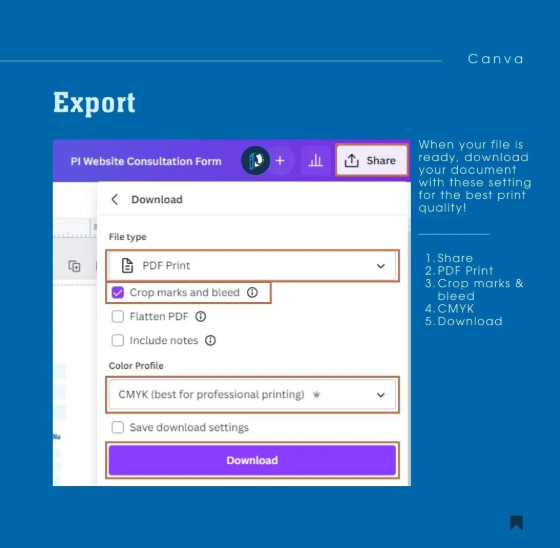
The good news is that neither platform locks you into presenting only in a browser. Both let you download presentations for offline use.
| Feature | Beautiful.ai | Canva |
| PowerPoint export | ✅ | ✅ |
| PDF export | ✅ | ✅ |
| Image export | ✅ | ✅ |
| Video export | Limited | Excellent |
| Editable text in PPT | Usually | Usually |
| Browser lock-in | No | No |
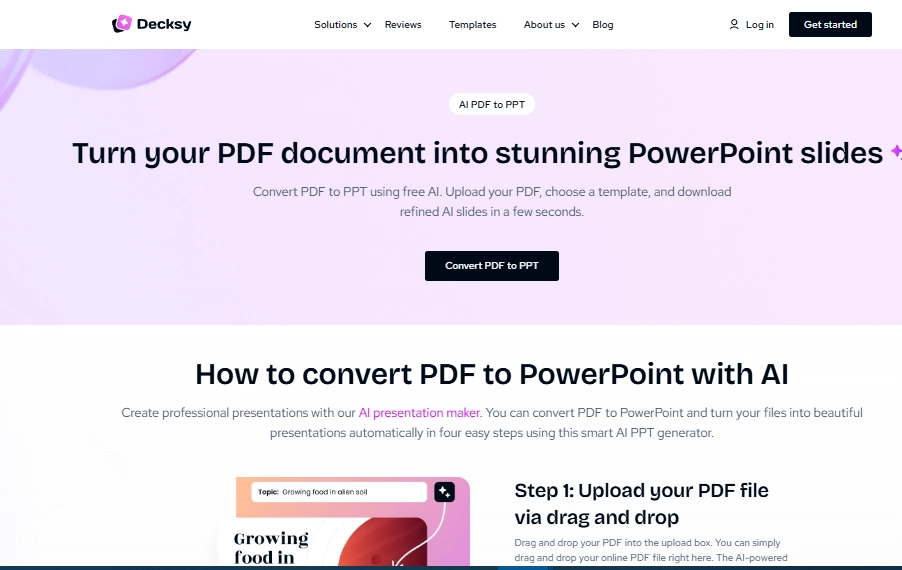
Many presentation generators still create exports that require cleanup. Decksy AI annual report presentation maker takes a different approach. It produces fully editable, native PowerPoint files. Objects remain ungrouped. Text stays editable. Slides work smoothly in Microsoft PowerPoint or Google Slides. Users spend less time fixing exports and more time presenting.
The Smart Alternative
Selecting the right presentation tool is not always a walk in the park. Beautiful.ai makes polished layouts for you, automatically. Canva offers more creative freedom. But each has its limits. Beautiful.ai may be limiting, and Canva often requires further editing. If you’re comparing Canva vs. PPT, you may also be looking for a tool that is specifically designed to create presentations from documents.
Decksy AI takes a different approach. It starts by understanding your content. Then it creates a logical story and designs the slides. This results in presentations that are clearer, more organized, and easier to follow.
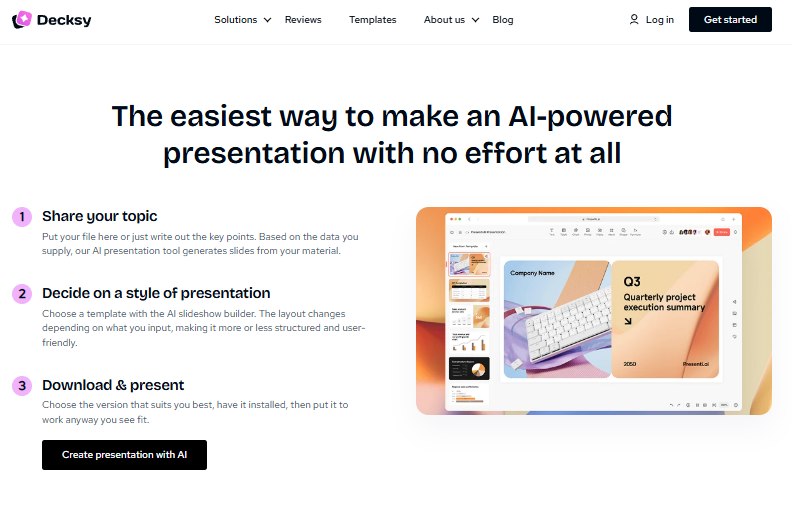
Decksy AI is especially good with PDFs, Word files, research papers, meeting notes, and reports. It does not copy text to slides; rather, it captures the essence and arranges it in a logical order. The result is shorter, clearer presentations with less manual editing.
Editing is also faster. Many AI tools regenerate an entire deck after changes. Decksy AI lets you regenerate individual slides while leaving the rest untouched.
PowerPoint users will appreciate the editable exports. Text, shapes, and objects remain easy to modify after download.
Pricing is simple. You can try Decksy AI for $2, and the full plan costs $10 per month with full export rights.
Decksy AI is the perfect solution for consultants, sales teams, marketers, researchers, educators, startups, and anyone who often converts documents into business presentations. It comes with a smart structure and editable slides. So, you can spend more time presenting and less time formatting.
Final Verdict and Recommendations
After comparing Beautiful.deai vs Canva, one thing is clear. Neither tool is objectively better. Each serves a different audience. The right choice depends on how you create presentations.
Canva remains one of the best creative platforms around if having the most flexible design options is your top priority. If you care most about having a consistent presentation, then Beautiful.ai will be more comfortable.
But those who often convert documents to presentations may find that both platforms demand more manual work than they expect. Decksy AI offers a compelling alternative to that.
Choose Beautiful.ai if:
- You build business presentations every week.
- You prefer automatic layouts.
- You want a consistent slide design.
- You dislike manual formatting.
- Your team follows strict branding rules.
Choose Canva if:
- You do a lot of different types of visuals.
- You want the most creative freedom.
- You work in social media and marketing design.
- You love a huge template library.
- You often edit graphics outside of presentations.
Choose Decksy AI if:
- You start with PDFs or Word files.
- You need presentations built from long documents.
- You want stronger presentation storytelling.
- You need editable PowerPoint exports.
- You frequently revise presentations before delivery.

On decksyai.com, where people come looking for clarity wrapped in a bit of personality, Julia leans into the details that make a message land: the pause between two ideas, the subtle shift in spacing, the moment a visual finally clicks.