How to Do an Outline for a Presentation [With Examples and Tools]
- Understand how a good structure keeps the audience engaged
- Learn about frameworks and templates that make outlining easier
- Learn to create and organize content
There are times when we sit down at a PowerPoint and feel completely unmotivated, staring at the blank page. When it comes to writing, even pros can experience writer’s block. This is the result of a lack of direction and a blueprint for clarity. This is where an organised presentation outline comes in handy.
It helps to keep things organised and provides a smooth transition from the introduction to the conclusion of our findings. Without it, we risk losing our audience’s attention before we even begin to convey our message. The article’s focus is on how a well-organised framework may facilitate the transmission of ideas and the improvement of flow.
What Is an Outline for a Presentation?
Having a solid presentation outline helps keep things organised and better engages the audience, whether we are preparing to deliver a sales pitch, a university lecture, or a meeting. This tutorial will show you how to build one and put it into action with ease.
Making a basic but effective template is a breeze with tried-and-true presentation abilities and a plan of action. This will make sure that the whole is well-organised and that each section is informative, inspiring, and convincing. Here is a practical, easy-to-follow, and adaptable example of an outline slide:
| Slide Outline | Selection | Time | Content |
| 1 | Introduction | 2 min | Hook, Agenda, Goal |
| 2-4 | Context, Problem | 5 min | Supporting Facts, Research data |
| 5-8 | Solution, Ideas | 7 min | Main points, Supporting data, Visual proof |
| 9 | Discussion | 3 min | Address comments, questions |
| 10 | Closing statements, CTA | 3 min | Key takeawaysActionables |
In order to write presentations fast, teams can use the aforementioned example of an outline slide as a reliable format. Library guides often have tried-and-true methods for easier planning, so perusing them can be a great source of additional ideas.
The Most Important Things to Consider When Beginning with an Outline and an Idea
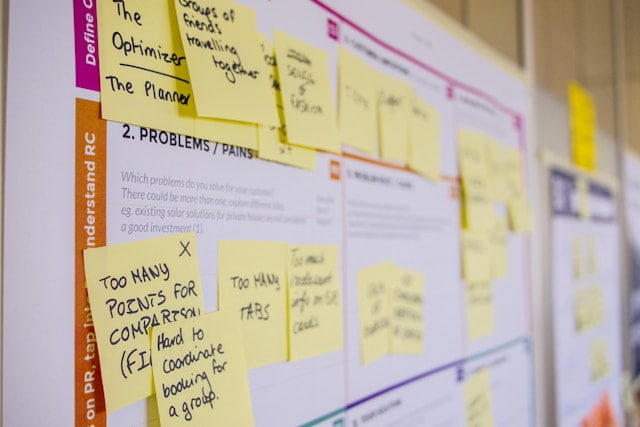
A well-structured presentation outline aids in segment organization, question preparation, and maintaining a logical flow. By following this format, you can maintain the attention and knowledge of your audience. Just a few of the main advantages are these:
- Boosts Confidence. Knowing the order allows for flow and easier, more powerful delivery.
- Saves Time. Starting with a clear, concise structure cuts the time of preparation significantly.
- Improves Collaboration. The outline allows for a quick skim-through and helps address anything that is missing before it is too late.
- Connect and Spark Engagement. Explain why this matters. Make it more powerful by adding information that the audience can relate to.
The likelihood of success can increase with this structure’s facilitation of timely problem-solving and prioritisation. You can use it to arrange your ideas as well. Regardless of whether the objective is to inform, inspire, team up, or make a sale.
Write a Winning Presentation Outline – Steps and Skills
After we have covered the groundwork, we can go into the nitty-gritty. To ensure consistent delivery, it is helpful to break the plan into clear, attainable steps. It might be helpful to have a sample outline presentation on hand. No matter the medium, the following will always lead to success:
-
Define the Goal and Connect With The Target Audience
An important question to ask at the outset is: What do we hope people will remember from this? Write down your subject, your thesis, and your intended result (such as “to educate,” “to persuade,” or “to sell”). Remember to also address the needs of your audience. Finding the essential requirements makes the rest much easier. The audience will pay attention from the very first slide to the very last if we arrange the presentation in this manner.
-
Choose a Compelling Outline Template
It is equally crucial to find a structure that suits the event. A problem-solution dynamical framework might provide the basis. Also, a plan of action. Maybe with an overarching plot that serves to educate and inspire the readers. Evaluate all of the options that are pertinent to the current meeting and pick the one that works best. Next, create the meat of the piece: the introduction, main body, and review. Slides for a 20-minute presentation, for instance, will be limited to 2-5 main points. For lengths comparable to these, our article on the subject may prove useful.
-
Break Down Sections Logically
The sections ought to be organised in a sensible fashion. Make a visual outline of the presentation and map out its essential components. Create a beginning, middle, and end. A leadership presentation like this one looks like this:
| Slide Outline | Section | Content Focus |
| 1 | Hook + Agenda | Problem statement + Goal |
| 2-5 | Main Ideas | 3 points + Data in PowerPoint |
| 6 | Leadership presentation insights | Team motivation tactics |
| 7 | Closing statements | Call to action |
-
Create a Basic Presentation Outline With Effective Supporting Points
Come up with some visuals and some transitions. A flow will be created by this. Look to see if it flows naturally. “Is it a natural progression from this segment to the next one?” Complement the main point with interesting facts and references. Additionally, the presentation will be easier to follow if a summary is written.
-
Review, Relate, and Rehearse
Verify that everything you omitted is in the draft. Send it to your classmates for comments when you’re done. Get to practicing by adding or removing sections as needed. Make sure you have all the time in the world to deliver the speech. The significance of honing one’s abilities in addition to having a strong draft is frequently disregarded. Delivering a speech with conviction, enthusiasm, and purpose is unparalleled.
Use the aforementioned structure as a guide to make effective outline presentations. If your presentation could use some professional polish, an AI presentation generator is up to the task. Our smart AI presentation platform helps boost efficiency and outcomes, even for complex scientific, medical, and investment presentations.
Tips and Tools That Help Enhance the Presentation Outline

Using tried-and-true methods that simplify the process, we can speed up the creation of presentation outline examples. From initial ideas to the final layout, these take care of it all. In this way, you can easily save time without sacrificing quality.
PowerPoint Outline View and Templates
In-built Outline in PowerPoint View allows us to construct one in an instant. To turn your notes into slides, simply type in the information you need. Here is an outline for a presentation example made by our AI PowerPoint generator in case of a quick sales deck:
- Slide 1: Hook and Agenda
Informative opener using statistics and a 3-part preview.
- Slides 2-3: Highlighting the Problem Using Examples
For instance, mention audience pain points and support issues at hand using market data.
- Slides 4-7: Proposed Effective Solution
Showcase the product demo, adding supporting data in PowerPoint.
- Slide 8: Closing statement
Summarize the presentation, articulate a call to action, and open the floor for discussion.
Digital Collaboration Tools that Connect Teams
- Miro/Mural:
Visual whiteboards for team brainstorming. Simply drag and drop your visual elements, texts, and more, and begin building.
- Notion:
A smart database-style platform. Combines templates with smart scheduling and customizable features.
Final Tips to Create an Outline and Structure
They need to be polished with proven tactics. These will elevate their delivery and boost their impact. With the help of these final tips, the outline can help craft an empowering performance that will engage and captivate the listeners:
- Adapt to the Audience:
The focus and structure need to be customized to the crowd at hand. For instance, if a presentation is given to executives, a great key point will be discussing ROIs, as they indicate the state of matters from their main potential interest.
- Use Emotional Hooks:
Use stories that are relatable. This will keep your listeners interested. Keeping them interested through tension and resolution is very powerful.
- Timing:
Precision is just as important as anything else in the process of creating a coherent and powerful presentation. Stick to 1-2 minutes per slide maximum.
- Rehearse With Real Data:
Time the test with the help of PowerPoint data. For a mastery of visualisation, see our article. Your good ideas will become great ones by following these tips. Influential speeches that move audiences to action. Want it done by pros? Learn how to create top-notch medical, investment, and scientific decks in a flash using Decksy’s AI presentation generator and a few simple instructions.
Frequently Asked Questions
What constitutes an effective presentation outline?
The difference can be as great as a well-crafted presentation outline. Using a well-organised framework, timed slides, and connecting ideas that strengthen and strengthen each other. Because of this, it is able to better communicate with humans. For a universal template, see our example of an outline slide.
How to build an outline for a presentation fast?
We must first ascertain the objectives. Choose a simple presentation outline and fill it out with the necessary components. Verify the path. Explain it to me. Powerpoint Outline View and similar tools make the process much faster.
For leadership presentations, what is the optimal presentation outline?
There should be an emphasis on goals, objectives, team morale, and return on investment (ROI) in this situation. Check out our leadership presentations article for proven templates and strategies.
What is the recommended number of slides for a 20-minute presentation?
The ideal number of slides is ten to fifteen, since each slide shouldn’t be more than one or two minutes long.
Are scientific presentations something that Decksy’s AI can produce?
Indeed, our AI presentation generator can convert dense scientific data and concepts into easily digestible visuals in an instant.
Is Decksy appropriate for use in medical presentations?
Our intelligent AI engine creates compliant medical decks in a matter of seconds, handling clinical data, patient results, and regulatory visuals with pinpoint accuracy.
Is it possible for AI to create investment presentations?
By rapidly producing outlines that concentrate on return on investment and enthralling visual storytelling, Decksy’s AI creates pitch decks that attract investors.

On decksyai.com, where people come looking for clarity wrapped in a bit of personality, Julia leans into the details that make a message land: the pause between two ideas, the subtle shift in spacing, the moment a visual finally clicks.