Gamma vs Beautiful.ai: Which Smart Presentation Tool Is the Best?
- If your work starts with long documents, Decksy AI can save you time. It builds the presentation structure first. Then it designs the slides. You spend less time editing and more time presenting.
- Ultimately, which is better, Gamma or Beautiful.ai depends on your workflow.
- Choose Gamma for flexibility.
- Choose Beautiful.ai for consistency.
- Choose Decksy AI for well-structured presentations with minimal editing.
You have an important presentation due today. Two browser tabs are open. One has Gamma. The other has Beautiful.ai. Both promise professional slides in minutes. Both can save hours of work. However, they solve the problem differently.
Gamma creates presentations, documents, and web pages from simple prompts. Beautiful.ai is for business presentations, with automatic layouts and consistent branding.
It all depends on your workflow when comparing Gamma vs Beautiful.ai. Some users love creative freedom. Some want polished slides with very little editing.
This guide compares pricing, presentation quality, templates, customization options, and document conversion & export features. At the end, you’ll know which platform is the better fit.
| Feature | Gamma | Beautiful.ai |
| Starting price | Free | Free |
| Best for | AI-first content creation | Business presentations |
| AI presentation quality | Excellent | Excellent |
| Doc-to-slide conversion | Excellent | Very Good |
| Design flexibility | Excellent | Moderate |
| Brand management | Good | Excellent |
| PowerPoint export | Paid plans | Paid plans |
| Best choice | Individuals and creators | Business teams |
Prices, Free Plans, Packages & Main Features
Both tools offer free plans. However, their paid features target different users.
Gamma
Gamma offers one of the most generous free plans among presentation builders. You can make presentations, documents, websites, and social content for free. New users get 400 credits, which is enough to give the platform’s main features a go. With the free plan, you can also export from text to PPTX or PDF, PNG, PowerPoint and Google Slides, but the presentations will be branded with Gamma. You will need to upgrade or earn more through referrals when you run out of credits.
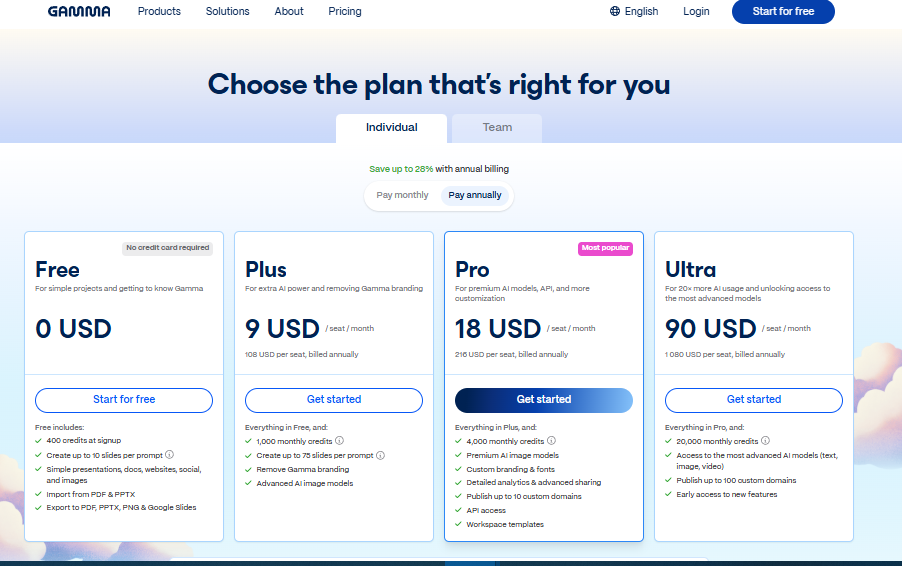
Paid plans include more monthly credits, advanced image models, branding tools and other customisation options.
| Plan | Price | Best For | Key Features |
| Free | $0 | New users | 400 credits, up to 10 cards per prompt, presentations, documents, websites, PDF/PPTX/PNG/Google Slides export, Gamma branding |
| Plus | $9/month (annual) | Individuals | 1,000 monthly credits, up to 20 cards per prompt, remove Gamma branding, advanced image models |
| Pro | $18/month (annual) | Professionals | 4,000 monthly credits, up to 60 cards per prompt, custom branding and fonts, API access, workspace templates, analytics |
| Ultra | $90/month (annual) | Heavy users | 20,000 monthly credits, up to 75 cards per prompt, premium models, early access to new features |
| Teams & Business | Custom | Organizations | Shared workspaces, centralized billing, brand management, collaboration, security, and administration tools |
Gamma is a good choice for:
- Freelance professionals
- Start-up founders
- Students
- Marketing groups
- Advisors
- Content producers
The best thing about it is that it can turn short prompts or documents into polished presentations in minutes.
Beautiful.ai
Beautiful.ai is for professionals who build presentations all the time. The free version lets you get a feel for the platform, but you’ll have to subscribe to unlock exports and premium AI features.
| Plan | Price | Best For | Key Features |
| Free | $0 | Testing | Basic presentations, limited sharing |
| Pro | $12/month (annual) or $45/month | Individuals | Unlimited presentations, AI features, PowerPoint export |
| Team | $40/user/month (annual) | Businesses | Brand Library, collaboration, admin controls |
| Enterprise | Custom | Large companies | Security, SSO, priority support |
Beautiful.ai is well suited for sales teams, consultants, startups, executives, and corporate departments. Its Smart Slides automatically adjust to new content, allowing users to spend less time formatting and more time perfecting their message.
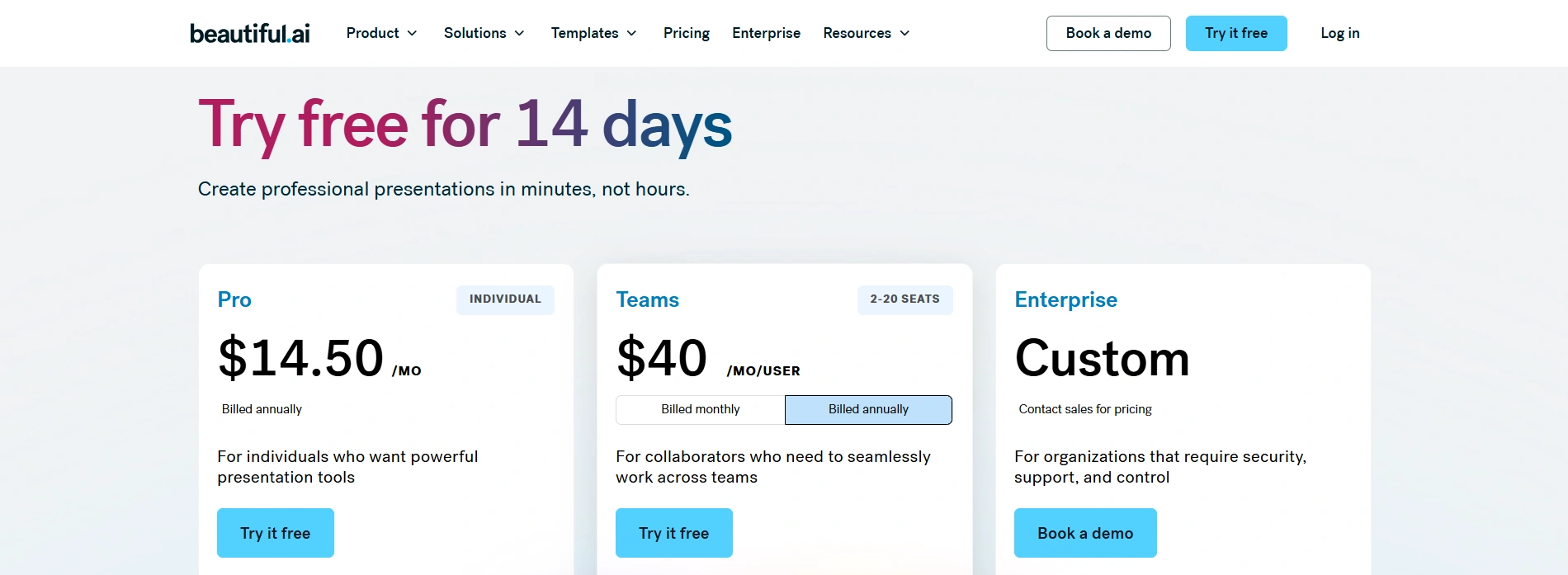
Hidden Paywalls
Neither platform includes every feature for free. Gamma limits credits and some export options, while Beautiful restricts exports and collaboration features. If you’re comparing Gamma vs. PPT, keep in mind that professional users will likely need a paid plan to unlock the most useful features.
Main Features
| Feature | Gamma | Beautiful.ai |
| AI presentation builder | ✅ | ✅ |
| AI documents | ✅ | ❌ |
| AI web pages | ✅ | ❌ |
| Smart layouts | Good | Excellent |
| Brand Kit | ✅ | ✅ |
| Collaboration | Excellent | Excellent |
So, when Gamma tries to replace several productivity tools, Beautiful focuses almost entirely on presentations.
Many smart tools place advanced exports behind expensive plans, whereas Decksy AI presentation maker keeps pricing simple. You can start with a $2 trial. The full plan costs $10 per month. It also includes full export rights and editable presentation files.
Design Assets, Templates & Customization
Templates shape the entire presentation experience. Gamma and Beautiful.ai follow different design philosophies.
Gamma
Gamma focuses on modern, minimal layouts. Many templates feel clean and interactive. Instead of traditional slides, presentations resemble responsive web pages. In the categories, you’ll see:
- Business
- Marketing
- Education
- Product launches
- Portfolios
- Reports
AI generates much of the design automatically. Users spend less time choosing layouts. However, customization sometimes feels limited once the AI finishes.
Beautiful.ai
This tool offers fewer templates. Its collection focuses on professional business presentations. Popular categories include:
- Sales decks
- Investor pitches
- Quarterly reports
- Company overviews
- Project proposals
- Marketing plans
Templates follow consistent design rules. Spacing adjusts automatically. Slides rarely become cluttered. The downside is reduced creative freedom.
Beautiful.ai vs Gamma Templates Comparison
| Gamma | 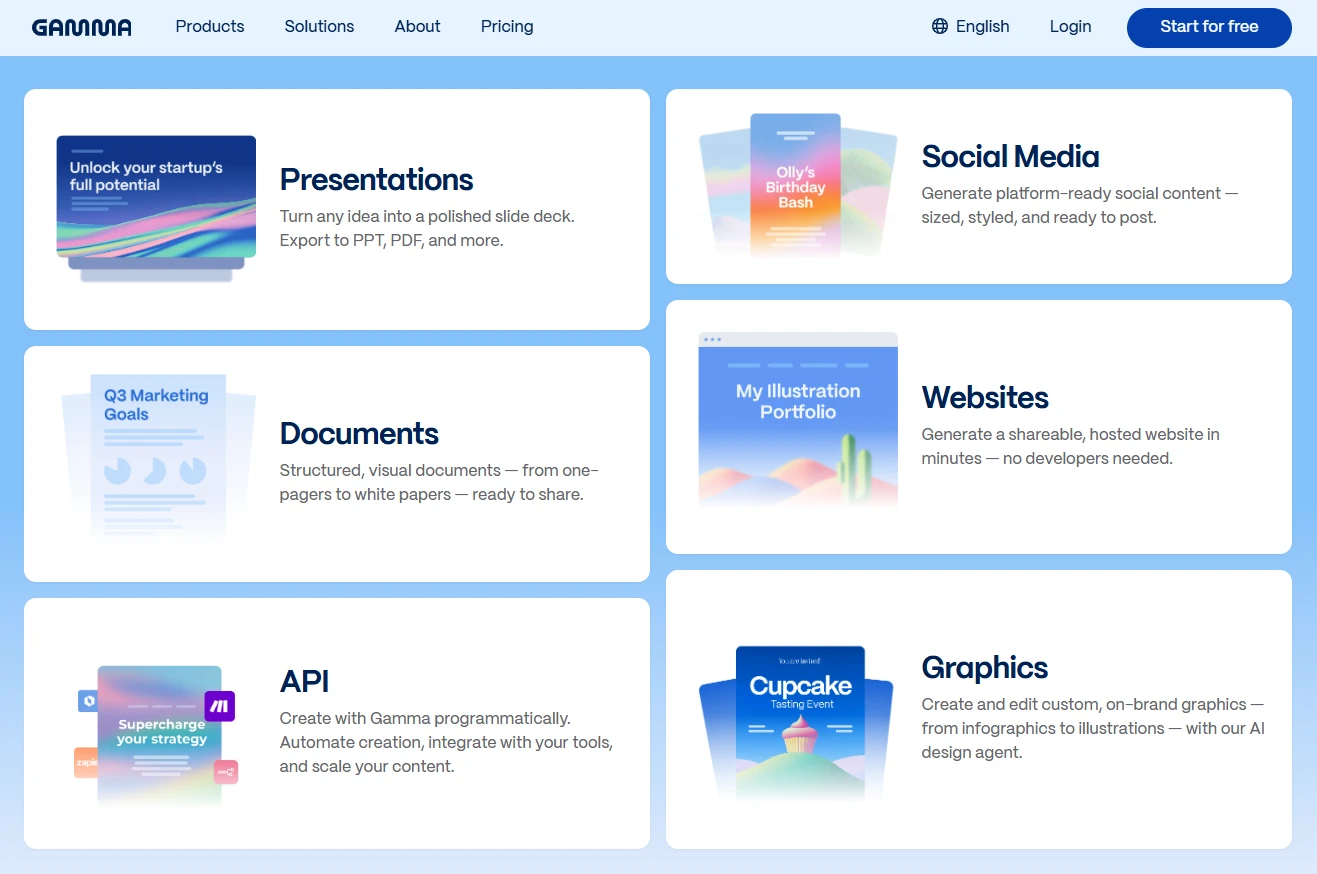 |
| Beautiful.ai | 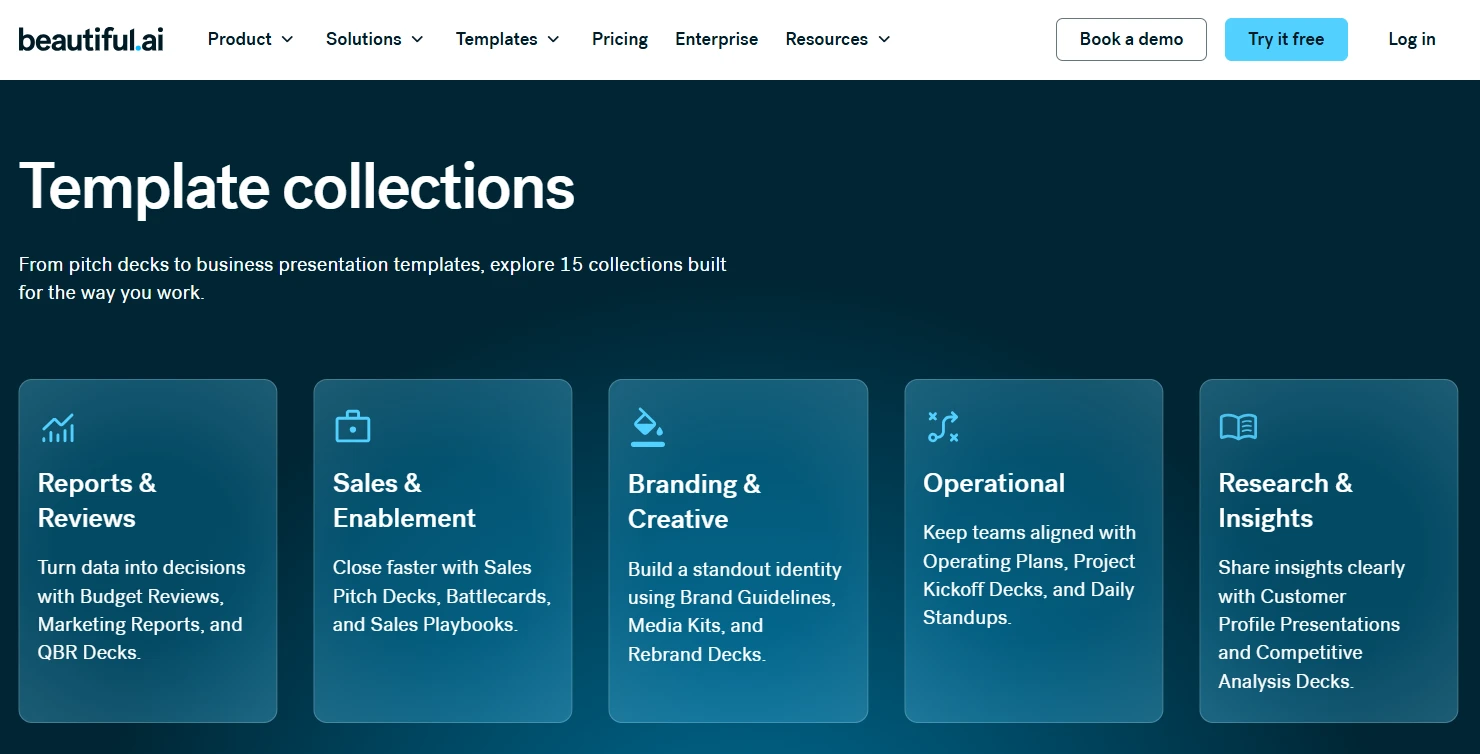 |
Template Quality
While Gamma emphasizes modern presentation design, Beautiful.ai emphasizes consistency. Gamma feels fresher for creative projects. Beautiful feels stronger for executive presentations.
Stock Assets
Both platforms include stock imagery and icons. Gamma offers modern visuals that integrate well with AI-generated slides. Beautiful.ai focuses more on professional business graphics. Neither library matches Canva’s size.
Fonts and Brand Kits
Both platforms support custom branding. Paid plans allow:
- Brand colors
- Logos
- Custom fonts
- Reusable themes
Still, Beautiful.ai enforces branding more strictly. Gamma offers greater creative flexibility.
Customization
Gamma gives users more control over layouts. Slides can be adjusted without rebuilding the entire presentation.
Beautiful.ai intentionally limits many design changes. Artificial intelligence automatically maintains spacing and alignment. That keeps presentations consistent.
Ease of Building Great Slides
When Gamma feels like working with a smart writing assistant, Beautiful.ai feels like working with a presentation designer. But both create attractive slides quickly.
The better choice depends on your priorities. Pick Gamma if flexibility matters most. Choose Beautiful if consistency matters more.
Data Visualization, Charts & Spreadsheet Links
If you’re comparing PPT vs Gamma, charts are an important part of the decision. Sales reports, financial forecasts, and project updates all need clear, easy-to-read visuals.
Beautiful.ai includes built-in bar, line, pie, funnel, and area charts. Creating them is simple. Enter your data, and the AI automatically adjusts spacing and formatting. The results look clean with little effort. However, spreadsheet integration is limited, so frequent updates require manual changes.
Gamma also supports charts and basic tables. It generates visuals from prompts and lets users edit them afterward. This works well for quick presentations. However, advanced financial dashboards still need some manual formatting.
Neither platform replaces business intelligence software. Whether you choose Beautiful.ai or Gamma, expect some manual work if your data changes frequently.
| Feature | Gamma | Beautiful.ai |
| Built-in charts | ✅ | ✅ |
| Automatic formatting | Good | Excellent |
| Manual customization | Excellent | Moderate |
| Spreadsheet support | Basic | Basic |
| Best for | AI-generated reports | Business dashboards |
Decksy approaches data differently. It first decides where charts belong in the story. Then it builds the presentation around them. That creates a clearer narrative instead of isolated data slides.
Deep 1-to-1 AI Test
This is the most important comparison. We tested both platforms using the same prompt: a five-page PDF, a Word document, and meeting notes.
Narrative Logic
Beautifully built a clear business presentation. The slides followed a logical sequence with smooth transitions.
Gamma produced a more conversational presentation. It felt creative and engaging, but some sections needed reordering.
Winner: Beautiful.ai
Layout Quality
Beautiful automatically created balanced layouts. Text resized correctly, and slides stayed clean.
Gamma generated modern-looking slides with rich visuals. However, a few contained too much text and needed editing.
Winner: Beautiful.ai
Document Processing
Gamma handled long documents surprisingly well. It summarized reports and meeting notes into readable slides.
Beautiful.ai also extracted the main ideas. However, its summaries felt slightly more concise and business-focused.
Generation speed was fast on both platforms.
Winner: Tie
Editing Flexibility
Gamma gives users much more control after generation. Almost every section can be edited freely.
Beautiful.ai protects slide layouts. That keeps presentations consistent but limits customization.
Winner: Gamma
Overall AI Performance
| Category | Gamma | Beautiful.ai |
| Story structure | ⭐⭐⭐⭐☆ | ⭐⭐⭐⭐⭐ |
| Slide design | ⭐⭐⭐⭐☆ | ⭐⭐⭐⭐⭐ |
| Document processing | ⭐⭐⭐⭐⭐ | ⭐⭐⭐⭐⭐ |
| Editing flexibility | ⭐⭐⭐⭐⭐ | ⭐⭐⭐⭐☆ |
So, both tools generate slides first. Users improve the structure afterward.
But Decksy reverses that workflow. It creates the presentation outline before designing slides. This logic-first approach produces stronger narratives from the beginning. Editing is also faster. Instead of regenerating an entire presentation, users can regenerate individual slides in seconds.
Export Options & Ecosystem Compatibility
Creating slides is only part of the process. Export quality matters just as much. Let’s see the difference between Gamma and Beautiful.ai.
Beautiful exports presentations as .pptx, PDF, and images. Most text remains editable in PowerPoint. However, some advanced layouts or custom fonts may need small adjustments.
Gamma also exports to PowerPoint, PDF, and other shareable formats on paid plans. Most content stays editable, although some design elements may shift after export. It’s worth reviewing the presentation before an important meeting.
Neither platform locks users into presenting inside a browser. Both support downloadable presentations for offline use.
| Feature | Gamma | Beautiful.ai |
| PowerPoint export | ✅ | ✅ |
| PDF export | ✅ | ✅ |
| Editable text in PPT | Usually | Usually |
| Browser lock-in | No | No |
| Custom font support | Good | Good |
Gamma integrates with popular productivity tools, making it useful for collaborative workflows. Beautiful.ai focuses more on business collaboration, branding, and presentation management.
Many automated presentation tools still require cleanup after export. Still, Decksy AI case study presentation generator exports fully editable PowerPoint files with ungrouped objects and editable text. Presentations also open smoothly in Microsoft PowerPoint and Google Slides. That means less time fixing slides and more time presenting.
The Smart Alternative
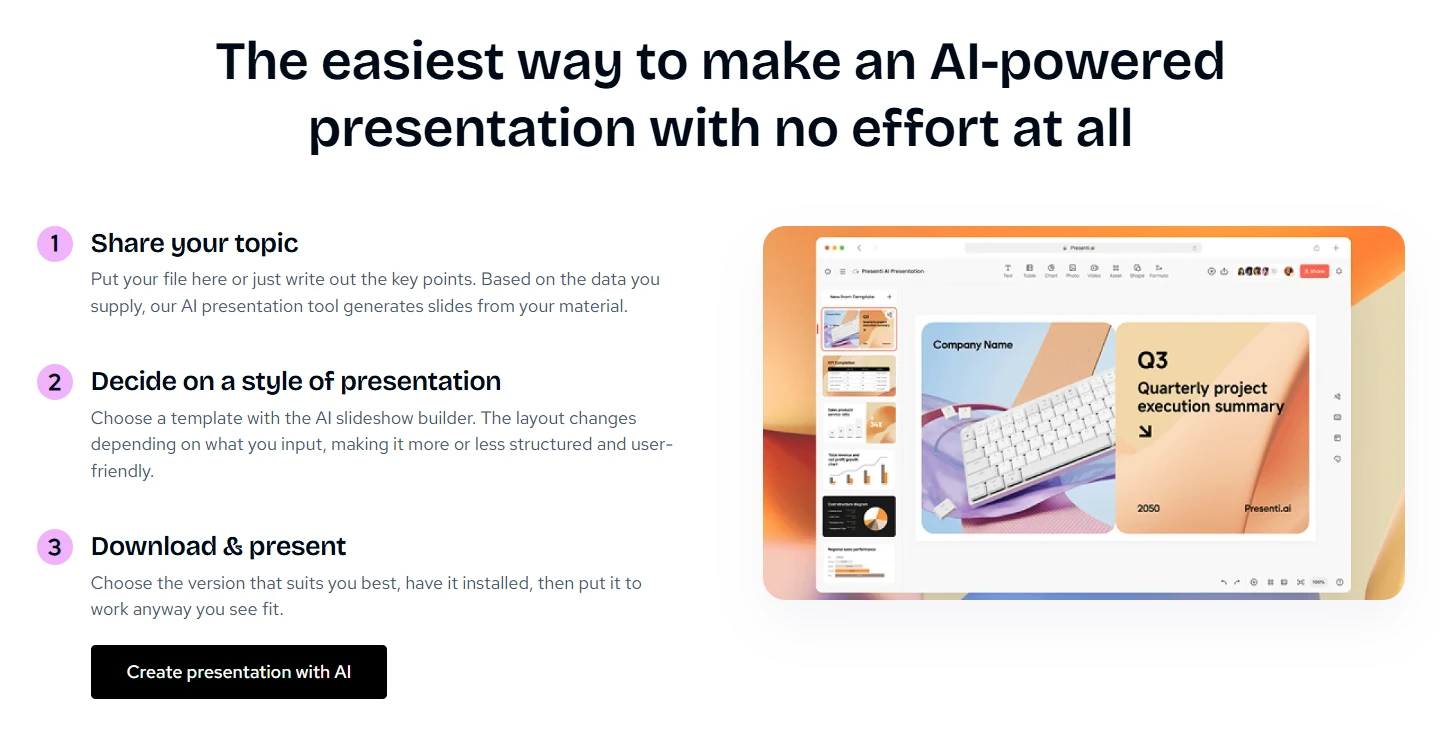
If Gamma or Beautiful.ai still leave you with too much editing, Decksy is worth a look. It works differently from most presentation tools. Instead of starting with slide layouts, it starts with your content. Upload a PDF, Word document, meeting notes, or a report, and Decksy finds the main ideas before creating the slides.
It works especially well with:
- PDFs
- Word documents
- Research papers
- Meeting notes
- Strategy documents
One feature many users appreciate is the presentation outline. You can review the structure before the slides are generated. If something feels out of place, it’s much easier to fix the story first than redesign slides later.
Editing is just as practical. If one slide needs improvement, you can regenerate only that slide. The rest of your presentation stays exactly as it is. This makes last-minute changes much faster.
Exports are fully editable, too. Text, shapes, and other objects remain easy to update in PowerPoint. The files also work smoothly in Google Slides, so sharing and collaboration stay simple.
Overall, Decksy helps you spend less time organizing information and more time refining your message. Instead of decorating slides first, it focuses on building a presentation that flows naturally from beginning to end.
Final Verdict & Recommendations
Making smart tool choices depends on your needs. In a Gamma vs Beautiful.ai comparison, we see that both platforms quickly create professional presentations. Best for polished business decks is Beautiful.ai. Gamma gives you more creative freedom and greater flexibility in content creation. Decksy AI adds structured storytelling to fully editable presentations.
Choose Gamma if you:
- Want maximum creative flexibility
- Create presentations from short prompts
- Need documents and web pages
- Prefer modern, interactive layouts
Choose Beautiful.ai if you:
- Create business presentations regularly
- Prefer automatic layouts
- Need consistent branding
- Want polished executive slides
Choose Decksy AI if you:
- Start with PDFs or Word documents
- Need structured presentations fast
- Want editable PowerPoint exports
- Frequently update individual slides
- Prefer a logic-first workflow

On decksyai.com, where people come looking for clarity wrapped in a bit of personality, Julia leans into the details that make a message land: the pause between two ideas, the subtle shift in spacing, the moment a visual finally clicks.