Plus AI vs Gamma Comparison for Faster, Better Presentation Workflows
- Our Plus AI vs Gamma testing showed a pretty clear difference in how these tools work. It mostly comes down to where you want to edit the slides and what kind of material you start with.
- Choose Plus AI if you prefer working in regular slide software and want to keep editing the same file after AI creates it.
- Choose Gamma if visuals and charts matter more, especially Smart Charts, Google Sheets syncing, and editing in the browser.
- Choose Decksy AI for longer documents or rough notes. It also lets you regenerate one slide instead of rebuilding the whole deck.
- Plus follows a familiar slide workflow. Gamma keeps more of the work inside its own editor. Decksy is more useful when there is a lot of source material to turn into slides, while still giving you an editable file at the end.
You need to turn a long document into a presentation, but generating the slides is only half the job. Plus AI and Gamma often come up in the same conversation because both use AI to turn prompts and source material into presentations, even though they handle the process quite differently. That is what makes Plus AI vs Gamma worth comparing beyond the basic feature lists.
We tested both with the same practical questions in mind. How well do they handle source material, how much cleanup is left afterward, and how easy is it to keep editing once the first version is ready?

Plus AI vs Gamma at a Glance
Both tools overlap on presentation generation, file imports, charts, AI editing, and branding. Their workflows are quite different, though. Plus AI stays close to traditional PowerPoint and Google Slides production, while Gamma gives us a more visual browser-based workspace.
| Parameter | Plus AI | Gamma.app |
| Price | From $10/month | Free; paid from $9/month |
| Free plan | No, 7-day trial | Yes |
| AI slides | Classic slides | More visual slides |
| Uploads | PDF, DOCX, TXT | PDF, PPTX, docs |
| Templates | Yes | Yes |
| Charts | Yes | Yes |
| Editing | AI and manual | AI and manual |
| Branding | Yes | Yes |
| Export | PowerPoint, Google Slides | PDF, PPTX, PNG |
| Best for | Work presentations | Quick visual presentations |
Neither approach is automatically better. The more useful question is whether the final presentation needs to remain deeply tied to PowerPoint or Google Slides, or whether most of the work can happen inside a separate presentation workspace.
Pricing, Free Access, and Who Each Tool Is for
Plus and Gamma are designed for different kinds of users and workflows. The primary audience for Plus is those who are already creating presentations in PowerPoint or Google Slides, and wish to bring AI to their familiar applications. It provides a short trial period before converting users to a paid subscription.
Gamma takes a different approach. Users can choose to start with a free membership and can build presentations straight in the browser. Its paid options bring increased AI capabilities, more design and branding options, analytics, and additional features for teams and companies.
Plus AI’s Plan Structure
In a Plus AI vs Gamma comparison, Plus takes a more traditional approach to pricing. There is no permanent free plan. You get a short trial, then need a paid subscription to keep using it. Four plans are available, and each step up gives you more AI credits and extra tools.
- Basic. $10 per user per month billed annually, or $15 monthly, with 1,500 AI credits each month.
- Pro. $20 annually or $25 monthly, with 3,000 credits, PDF, DOCX, and TXT uploads, longer prompts, and AI image generation.
- $30 annually or $40 monthly, with 6,000 credits, custom branding, advanced image models, shared presets, and team controls.
- $200 annually or $240 monthly, with unlimited AI credits and priority email support.
Plus does not give you a free account that you can keep using. Instead, new users get a seven-day trial. You need to enter a credit card to start it. If you do nothing, the trial turns into a paid subscription after seven days, and Plus charges the card you provided. You need to cancel before the trial ends if you do not want to pay.

Basic is good for creating presentations using prompts and editing existing presentations. It covers the basics of the most important AI tools without extra functionalities that could be unnecessary to you. Pro is better suited to analysts, consultants, and users who frequently use documents they have created in the past. File uploads begin here, and you can upload PDF, DOCX, and TXT files and use their content for new slides.
Gamma’s Individual Tier
Gamma is easier to try without making a billing decision. Its Free plan includes 400 sign-up credits, up to 10 slides per prompt in the supplied pricing data, plus PDF and PPTX import and exports to PDF, PPTX, PNG, and Google Slides.
- $0 with 400 sign-up credits.
- $9 per seat per month billed annually, with 1,000 monthly credits and removal of Gamma branding.
- $18 annually, with 4,000 monthly credits, premium image models, custom branding, analytics, API access, and up to 10 custom domains.
- $90 annually, with 20,000 monthly credits, the most advanced model access, and up to 100 custom domains.
Gamma gives you free credits when you first create an account. They are a one-time allowance, so you should not expect a new batch every month. Once you use them up, you will need a paid plan for more regular AI use. Paid subscriptions are charged per user. This matters more for teams, since adding more people means paying for more seats.

Gamma Plans for Larger Teams
Business costs $40 per seat per month when paid annually. The pricing screenshot lists 10,000 monthly credits for each seat. You also get SSO and more control over company data. SOC 2 documentation is available on request. For a team with several regular Gamma users, the per-seat pricing is worth keeping in mind because the cost grows as more accounts are added.
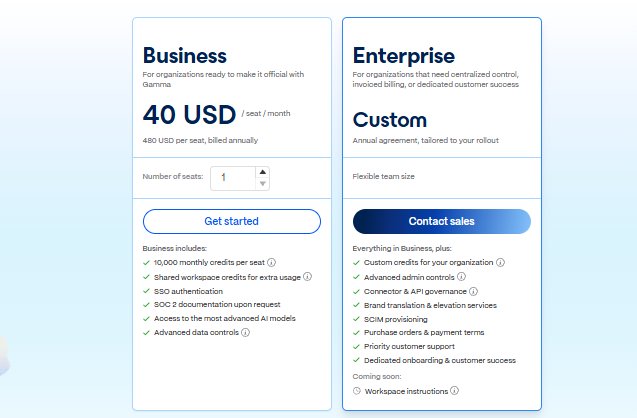
Enterprise does not have a fixed public price. Gamma quotes it annually based on what the company needs, including team size and credit limits. This plan adds SCIM, governance settings, onboarding, and extra support. Credit allowances can also be set based on the agreement.
Who Each Pricing Model Actually Suits
Plus is a good fit for teams that already build everything in PowerPoint or Google Slides. You stay in those apps and use the AI there. You can start for free and share a presentation with a link, which may work better for teachers, marketers, solo users, or teams that do not rely heavily on PowerPoint.
Enterprise buyers have a different checklist. Plus supports SOC 2 Type II practices and custom corporate templates, while Gamma Business adds centralized controls and SSO. For a team searching for an AI presentation platform for pharma, we would assess data handling, approved templates, review steps, and export fidelity before visual style.
Decksy is easier to understand from a pricing point of view. The first seven days cost $2. After the trial, the annual option costs $10 per month and includes editing and exports. There are fewer plans and limits to sort through.
The three tools start from very different places. Gamma lets you create an account and try its AI with free signup credits. Plus asks you to pay sooner, though it has the advantage of working directly in PowerPoint and Google Slides. Decksy uses a $2 trial before its annual subscription.
Design Assets, Templates, and Brand Control
This is where the products start to look much less alike. In our Plus AI vs Gamma design comparison, Gamma pushed further into automatic visual composition, while Plus stayed closer to familiar corporate slide layouts.
How the Visual Engines Feel
Gamma does more with the first draft before we touch anything ourselves. It can pull in AI images, stock photos, uploaded files, and saved themes. It also decides where much of that content goes. We usually get something that already looks worked on, rather than a set of basic slides waiting to be arranged.
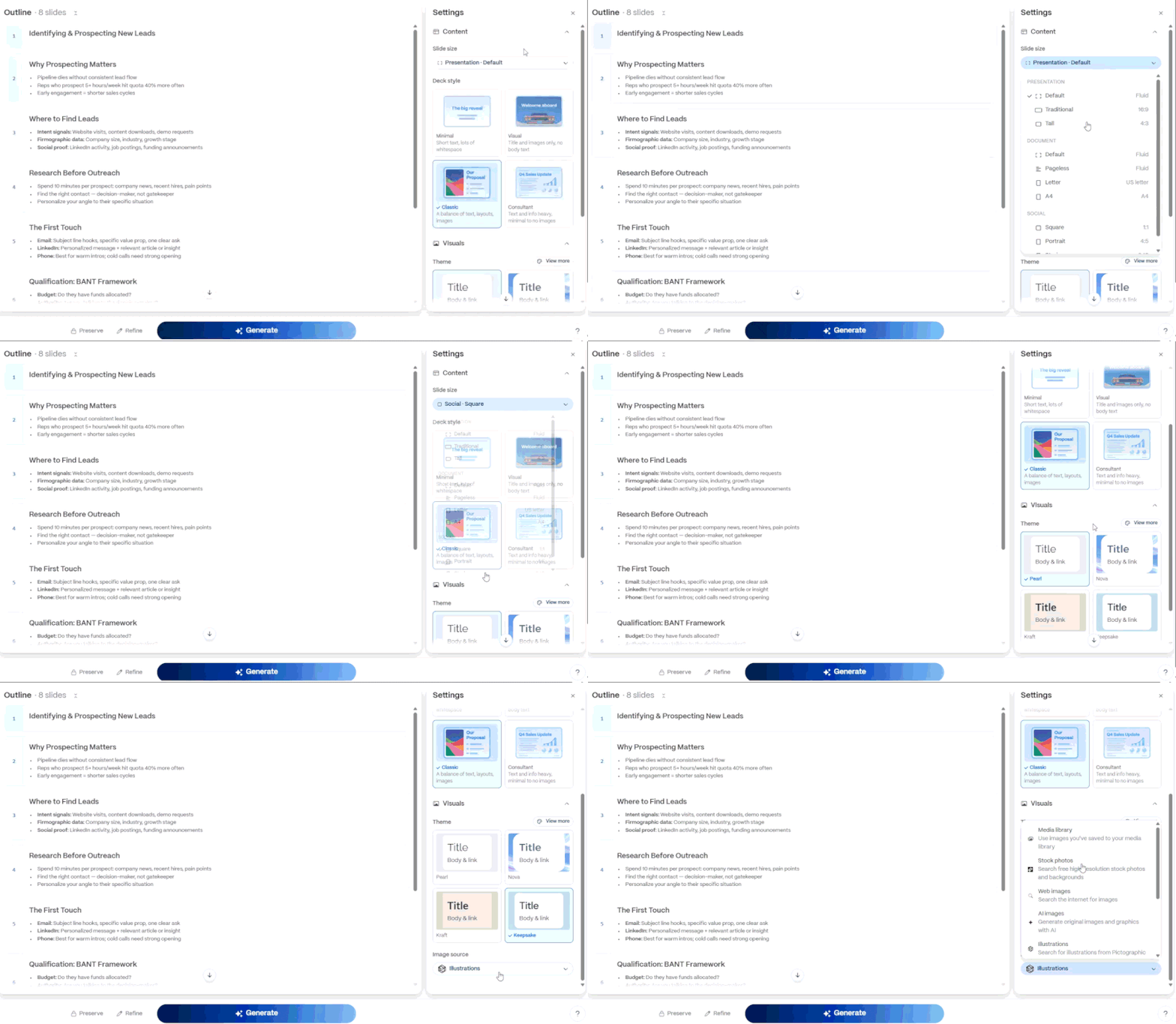
Plus sticks closer to PowerPoint. Titles, text boxes, images, and charts usually appear where we would expect them in a regular work deck. That can make the slides feel plain at first, but they are easy to pick up and edit. Templates help when the default layouts are too basic. We also found this approach useful for existing company decks, since there is less rebuilding to do just to keep the same presentation style.
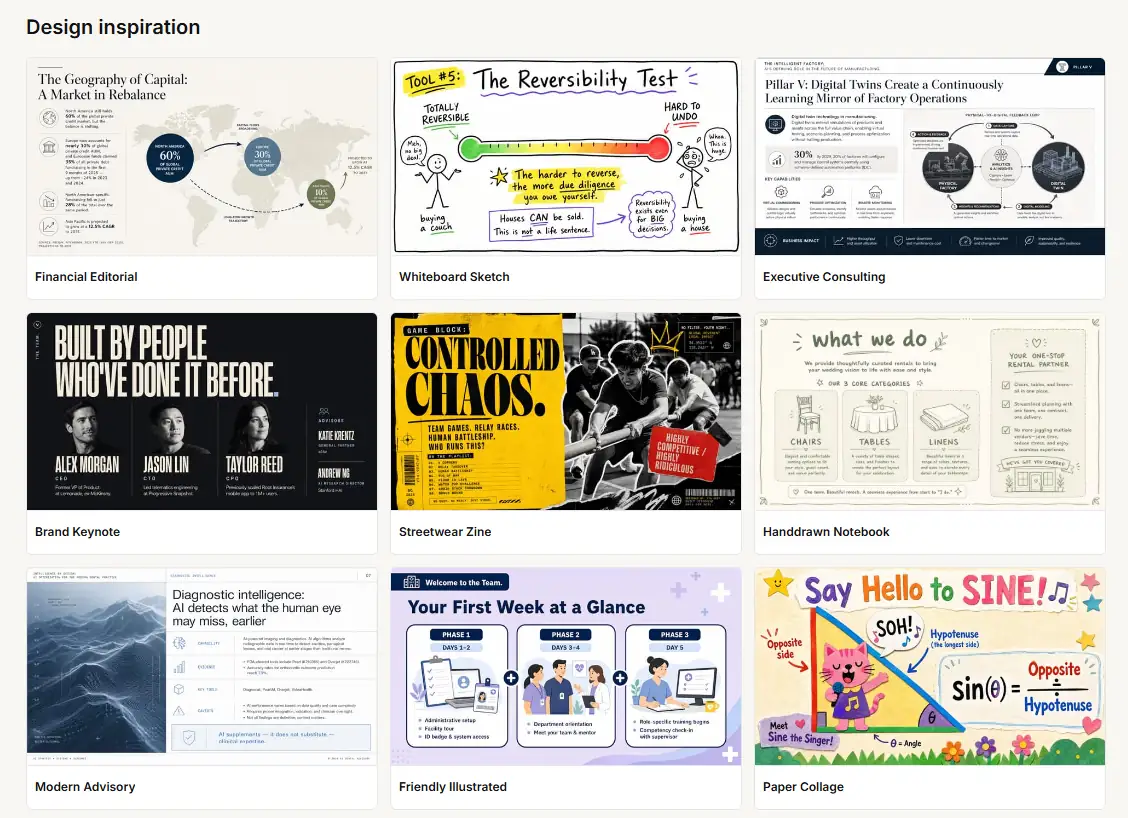
The distinction reminded us more of Canva vs PowerPoint than two tools trying to produce exactly the same kind of presentation. Gamma handles more of the visual composition itself. Plus leaves more of the final judgment to the person editing the deck.
Fonts, Themes, and Company Branding
The Plus AI vs Gamma.app design comparison changes again once company branding enters the picture. Plus becomes more interesting for teams that already have established PowerPoint or Google Slides templates, while Gamma provides more theme-level control inside its own workspace.
Plus places its stronger branding controls on the Team plan. We can define company colors, fonts, and a logo, although Google Slides itself still limits what can be done with locally installed or uploaded fonts.
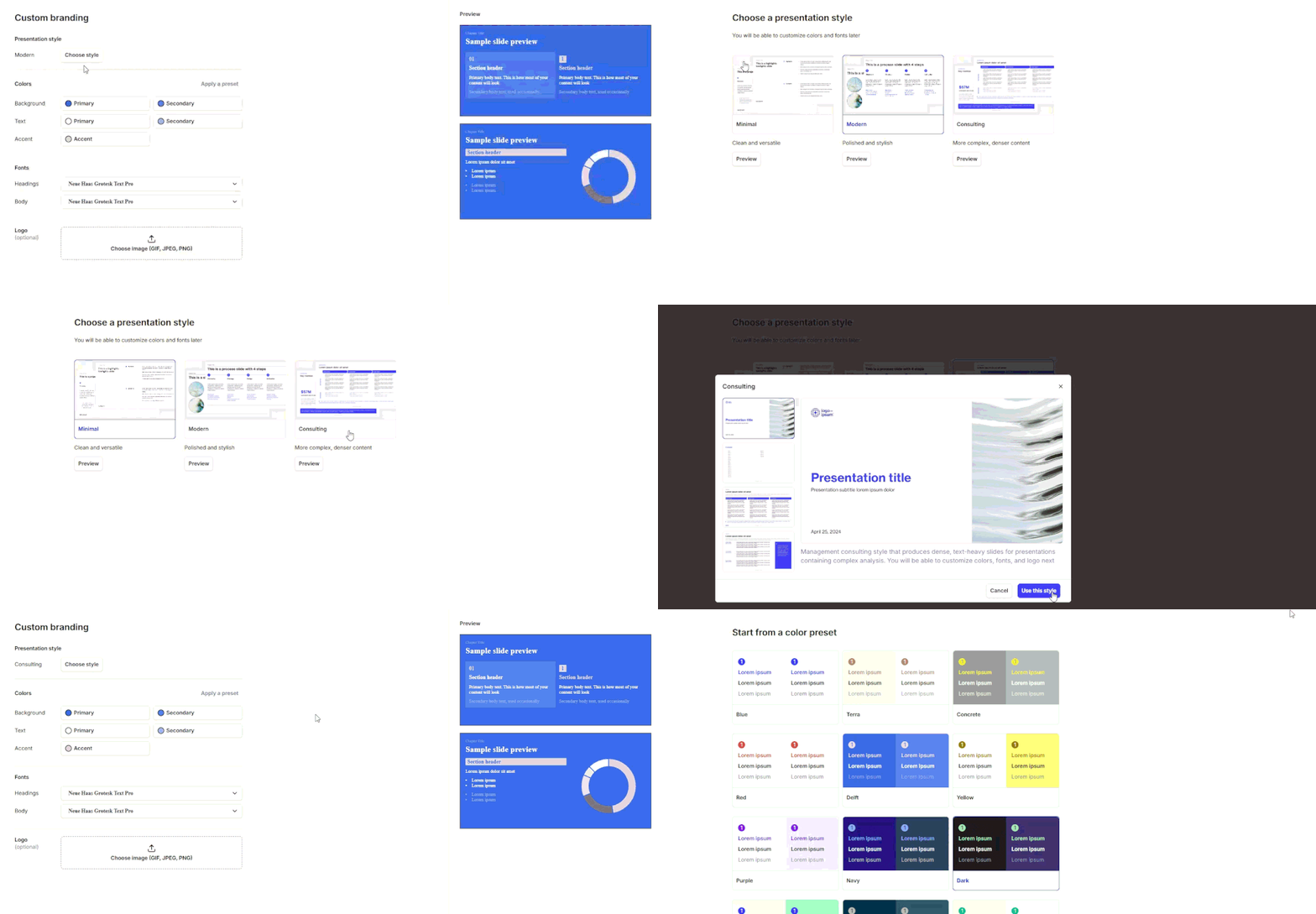
Gamma lets us control typography, logos, colors, shapes, strokes, shadows, and other theme elements directly inside the editor. You can save that theme too, so the next presentation can use the same design without setting everything up again.
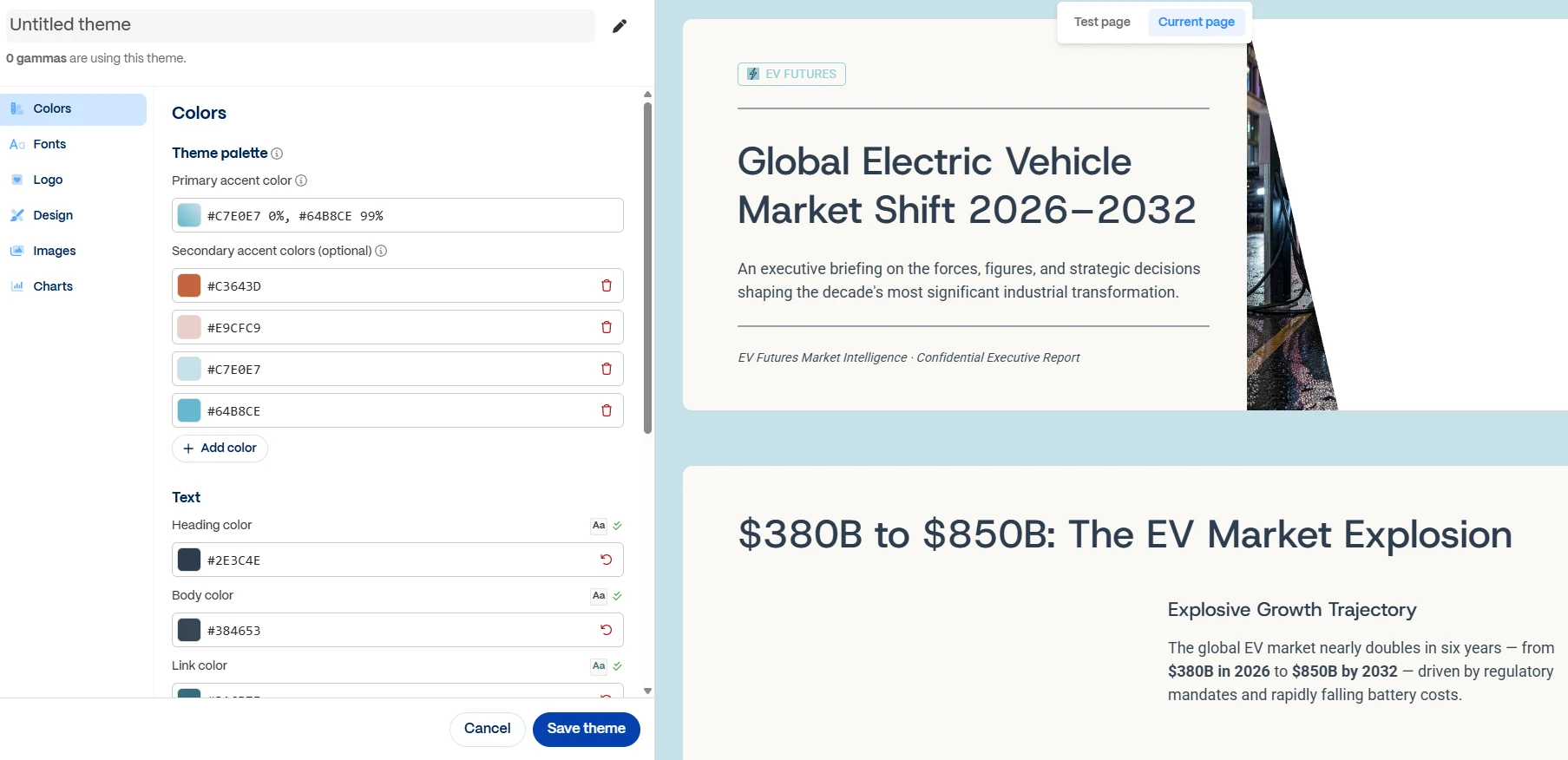
This is where Gamma starts to feel closer to a design app. The Canva vs Prezi comparison is useful here because templates are only one part of the story. Gamma lets us do much of the actual design work inside the tool. We can set the basic visual rules, then change individual parts when something does not look right.
Gamma makes more sense when the whole design can stay there. Plus works differently. If we already have a PowerPoint or Google Slides template that the company uses for every deck, Plus lets us keep working with it. We do not have to rebuild the same fonts, colours, logos, and layouts in another editor first.
Data Visualization, Charts, and Spreadsheet Links
The Gamma vs Plus AI difference becomes easier to see when a deck needs fresh numbers every week or month. Both can work with spreadsheet data. Plus keeps the presentation in PowerPoint or Google Slides, though, which is useful for teams already doing their reporting there. There is no separate file to move back and forth. The deck stays where the rest of the work happens.
Plus AI
Plus creates charts that can still be edited. They are not pasted in as flat images. In Google Slides, Plus can create a Google Sheet linked to the chart, with the numbers stored there. Change the data in the sheet, and the chart can be updated from the new figures.
That saves some repetitive work on reports. A finance team, for example, may use the same deck each month but replace revenue, costs, forecasts, and other figures. The layout can stay in place while the numbers change.
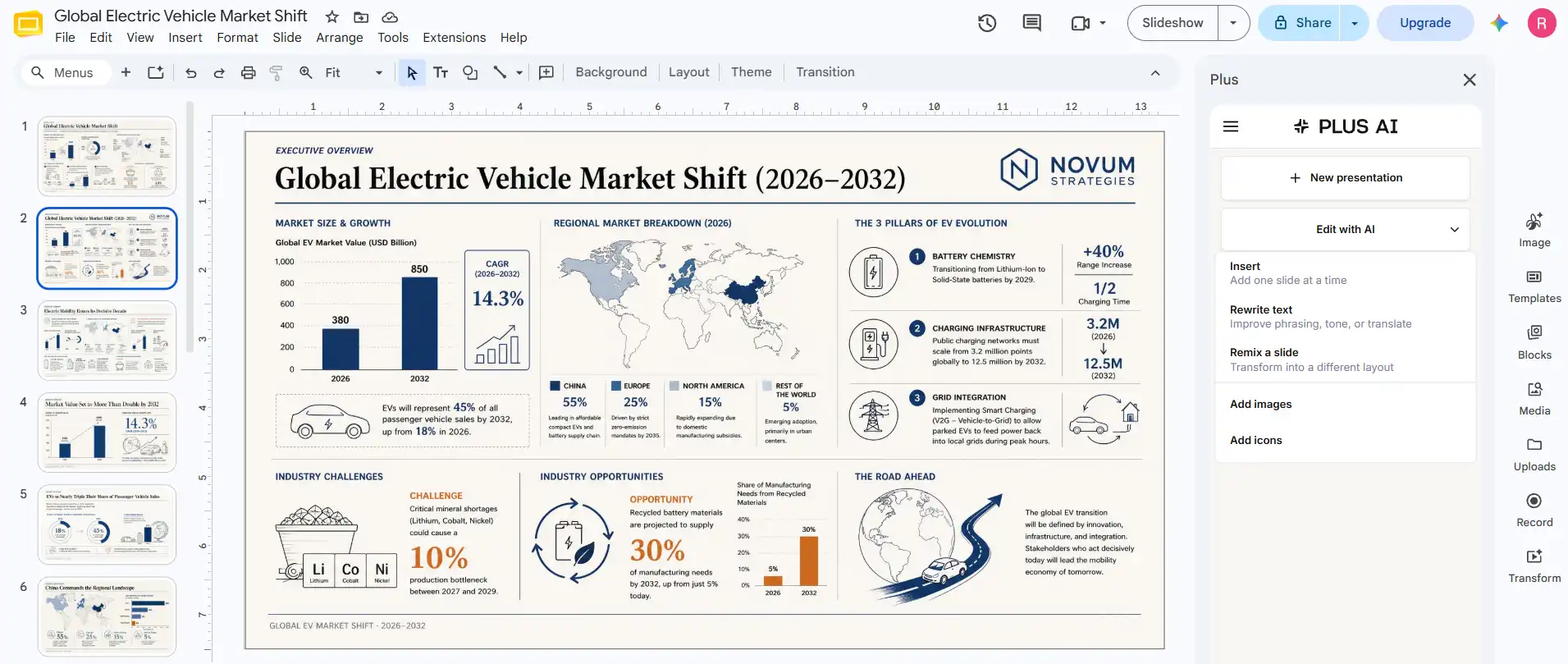
Plus also has Snapshots for bringing content from web apps into a presentation. They can be refreshed when the source changes. This works differently from a regular chart because it updates external content instead of letting users edit the chart data in a spreadsheet.
Gamma
Gamma handles charts a bit differently. Its Smart Charts can be edited inside Gamma, so we can change the chart type, labels, or numbers without leaving the editor. Once a sheet tab is connected, the chart can be synced again when the source changes.
The connection works in one direction, so updates from Google Sheets flow into Gamma rather than Gamma chart edits being written back to the spreadsheet.
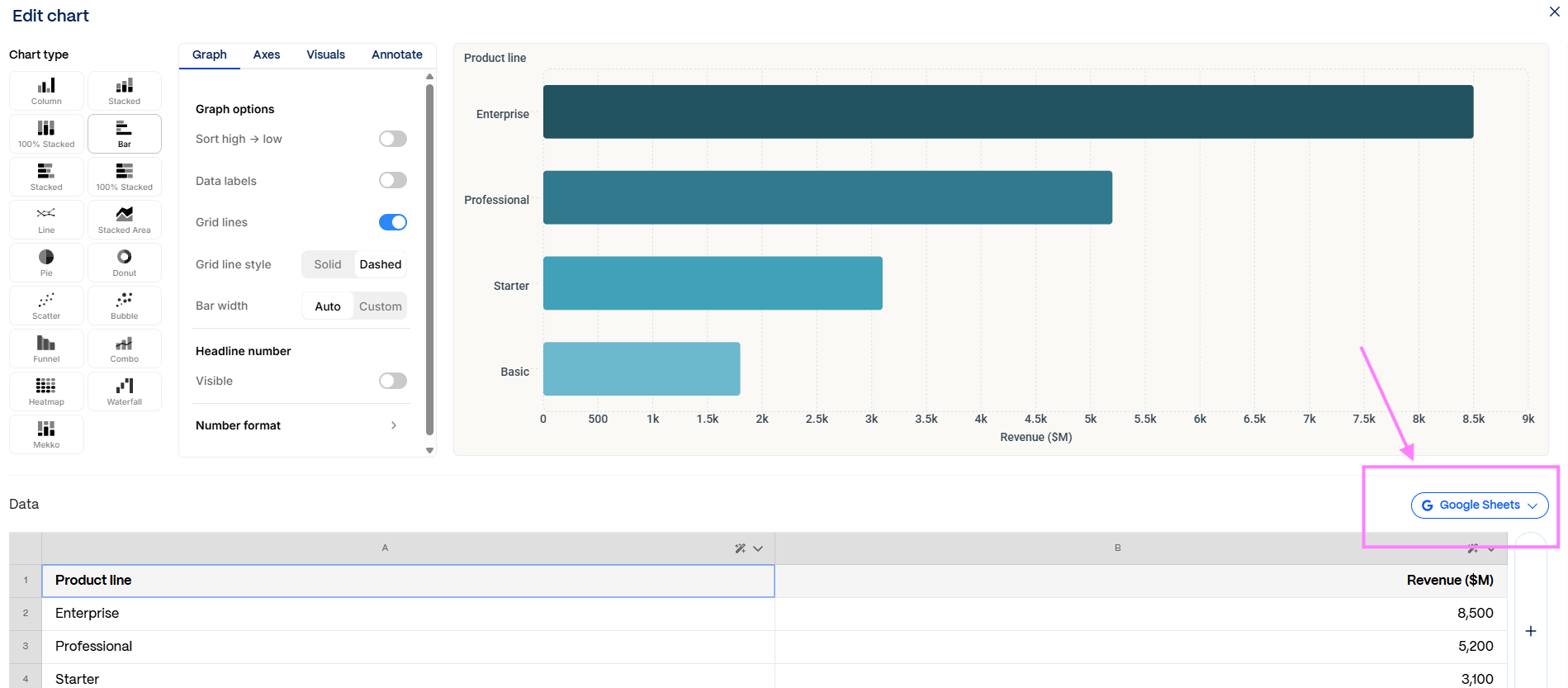
That is useful for recurring reports because the numbers do not have to be typed into the chart again each month. A marketing dashboard or monthly KPI presentation can keep the source table in Sheets and refresh the visual when new data is available.
For more complicated financial work, the final file format still matters. Gamma handles connected chart data better than some older comparisons suggest, while Plus can be more practical when the presentation needs regular editing after it is created.
Our One-to-one Document Test
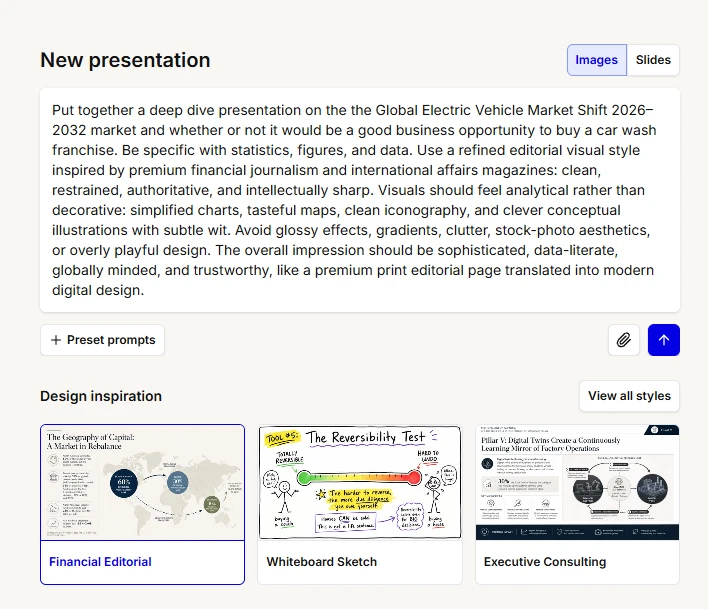
We gave both tools the same sample prompt on the Global Electric Vehicle Market Shift 2026–2032. It included market-size figures, growth rates, regional shares, infrastructure targets, and strategic recommendations, so the task went beyond simply turning a few paragraphs into slides.
The Plus AI vs Gamma App test was judged on story, layout, document handling, and what happened when one slide needed fixing.
Narrative Logic
Plus creates an outline from a prompt before generating the slides, and you can edit it first. Its file-upload mode stays closer to the source. Plus says it tries to quote directly from uploaded documents rather than adding extra details or shortening the original content.
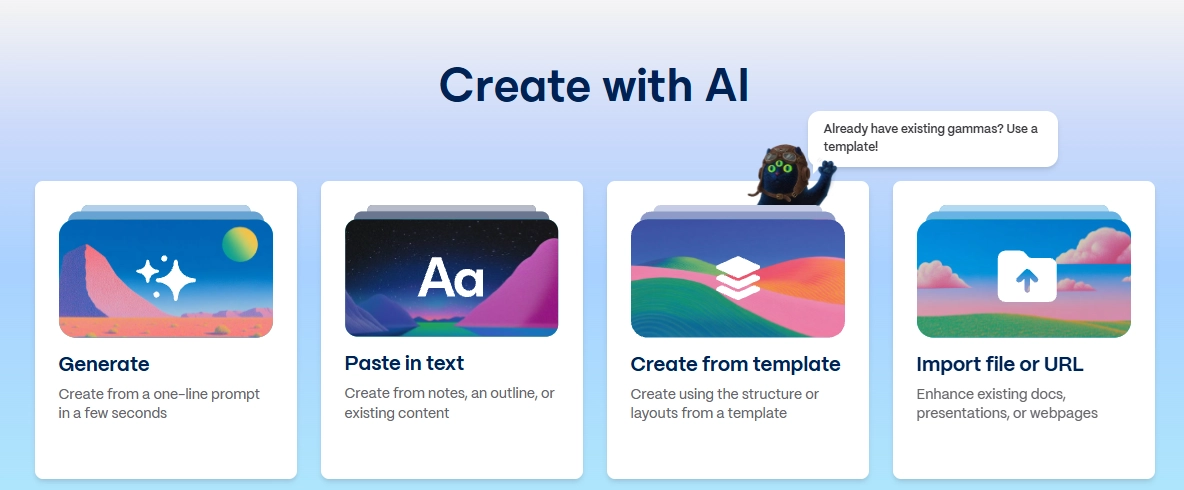
Gamma offers Generate, Paste, and Import as separate starting modes. Generate does more drafting from the topic, while Paste and Import turn existing content into Gamma’s card-based structure.
For Gamma vs Plus AI, our practical split is simple. Gamma is more useful when the source needs reshaping into a fresh story. Plus is safer when the wording and sequence already carry business meaning that should not drift.
Layout Quality
Plus makes slides that look like regular work presentations. We get titles, text boxes, charts, images, and the usual slide layouts. Nothing unusual here. That actually helped when we needed to fix a draft. We could open the deck, move a chart, delete some text, or replace an image without figuring out a new editing setup first.
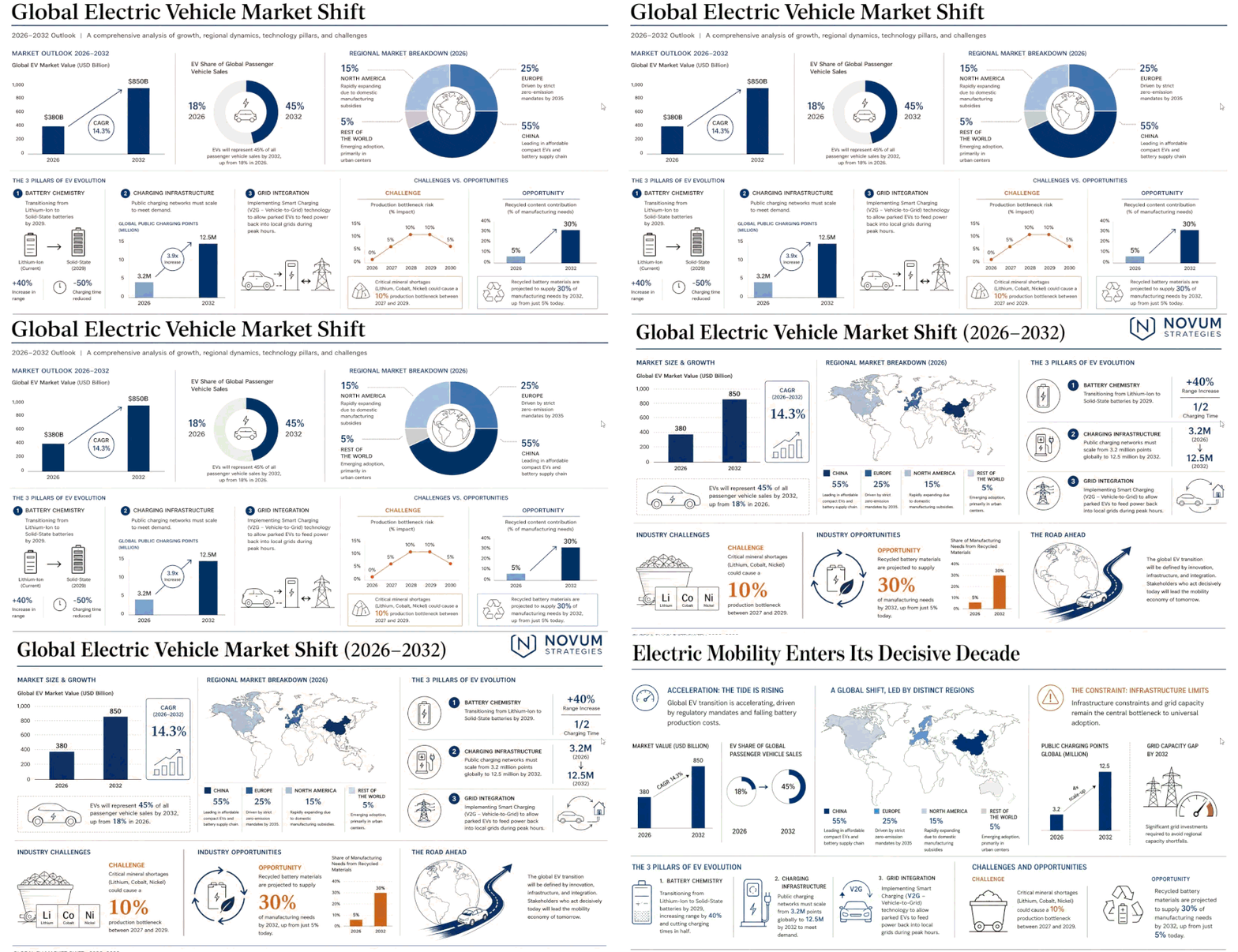
Gamma’s first draft is usually more visibly designed. Its flexible cards can expand vertically, and its visual system is built to organize mixed text and media quickly. Gamma says a working draft can be generated in under a minute, although final cleanup still depends on source complexity.

For an empty page, we preferred Gamma. It gave us a visual direction quickly and left more room to play with the layout. Plus was easier with board decks and reports where every slide had to stay within a familiar structure. We spent less time reshaping the content because it already looked like the type of deck we would normally build.
Document Processing and Speed
Our Plus AI vs Gamma app test exposed something that is easy to miss in short product demos. Generation time is only one part of the process. A deck that appears quickly but needs an hour of restructuring or conversion can be slower overall than one that takes longer to generate cleanly.
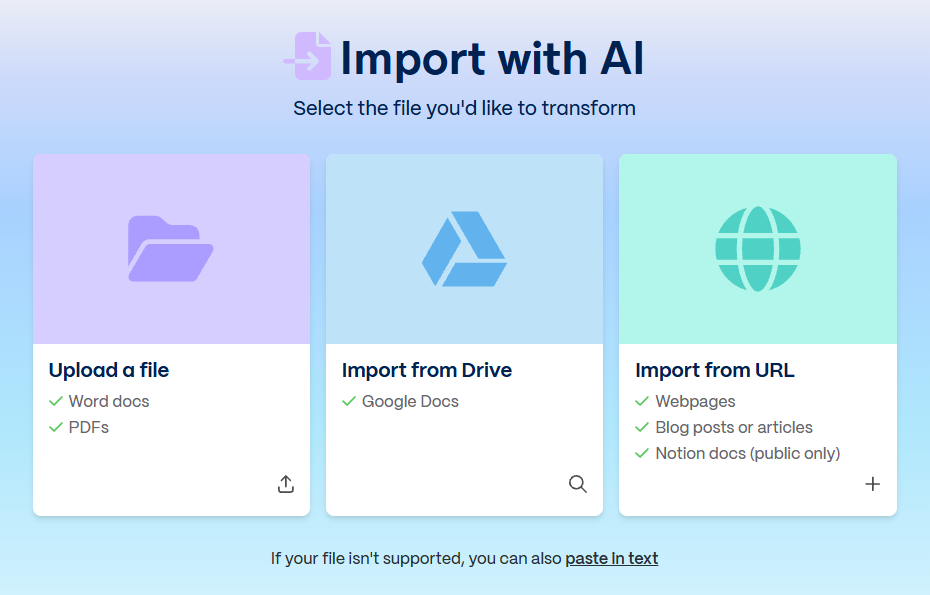
Plus file upload starts on Pro. It accepts existing content for conversion and can remix PPTX, PDF, or Google Slides files. Plus also caps a single AI generation at about 30 slides and recommends splitting longer material by chapter.
Gamma’s rebuilt import handles documents, PDFs, and supported web sources. Its current importer preserves PowerPoint layout and structure more faithfully than earlier versions, while some imported charts can still arrive as static images that need rebuilding as Gamma charts.
Editing Flexibility
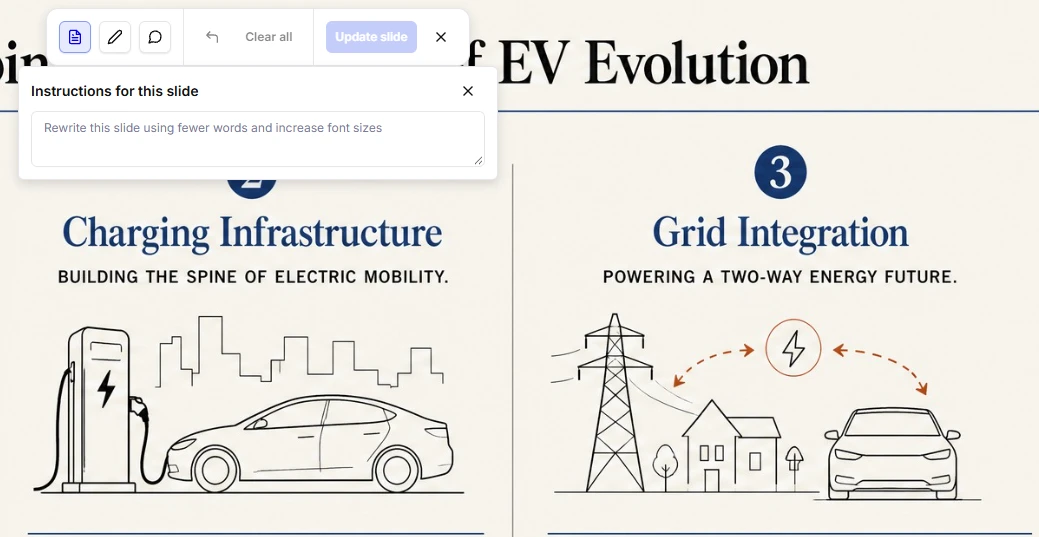
One bad slide doesn’t force us to remake the whole deck. In Plus, we can add a new slide, rewrite the one that isn’t working, or remix its layout. We can go smaller too. The Rewrite tool can change one text box, a single slide, or everything in the deck. If only a paragraph feels wrong, the rest can stay as it is.
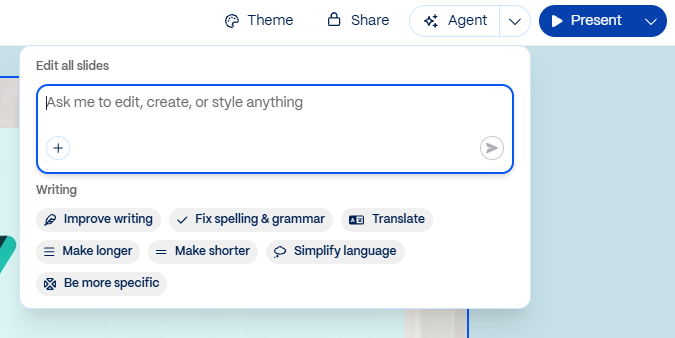
Gamma works in much the same way now. Agent can edit the full file, one slide, or just one element on that slide. Pro users can select several slides and apply AI changes to them together. That comes in handy when the same problem shows up in a few places, and we don’t want to fix each slide separately.
Decksy also lets us regenerate one slide without touching the rest. It builds the storyline before working on the visuals, which feels closer to Gamma’s approach. We liked that order. The content and its place in the story come first, then the design. If a slide looks wrong later, we can redo it without losing the structure around it.
Export and File Compatibility
A presentation still needs to work after it leaves the original tool. The recipient should be able to open the file, edit the slides, and present it without layout problems. Plus AI makes this easier because it creates slides directly in Google Slides or PowerPoint.
For a Google Slides vs PowerPoint workflow, that is a real operational advantage. The same Plus subscription covers both environments, so a team does not need a separate AI workflow for each editor. That matters for corporate decks passed through several hands because the file avoids an extra format conversion.
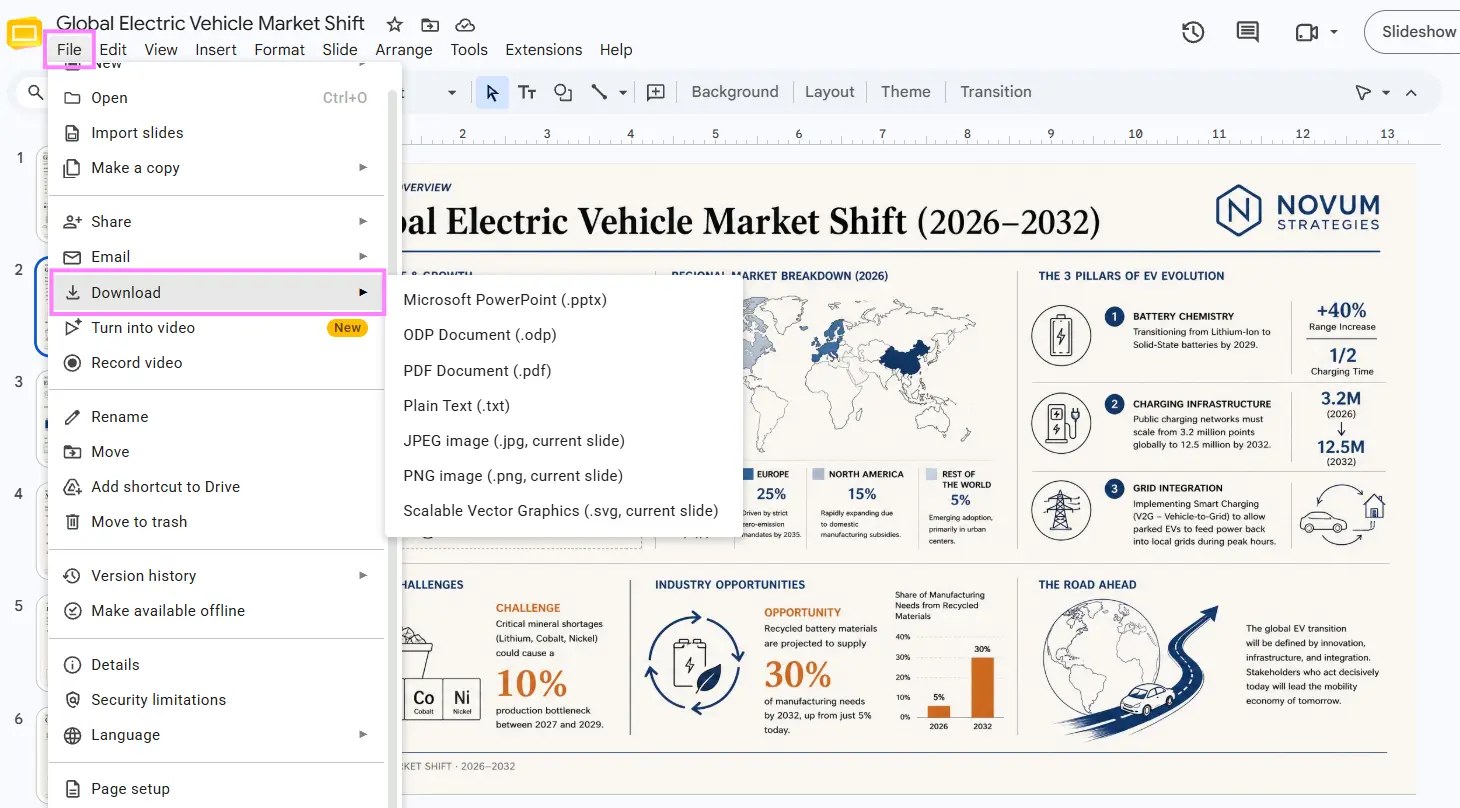
Gamma exports to PDF, PNG, and PowerPoint. Google Slides works by exporting a PPTX and then uploading that file to Slides. Current export documentation confirms that tables can remain editable, and Gamma embeds theme fonts in PPTX where the receiving app supports them.
There are still edge cases. Google Slides ignores fonts embedded in a PowerPoint file and substitutes supported fonts, while some advanced Gamma effects use fallback styling on export. Editable tables may also lose rounded corners because PowerPoint does not support them.
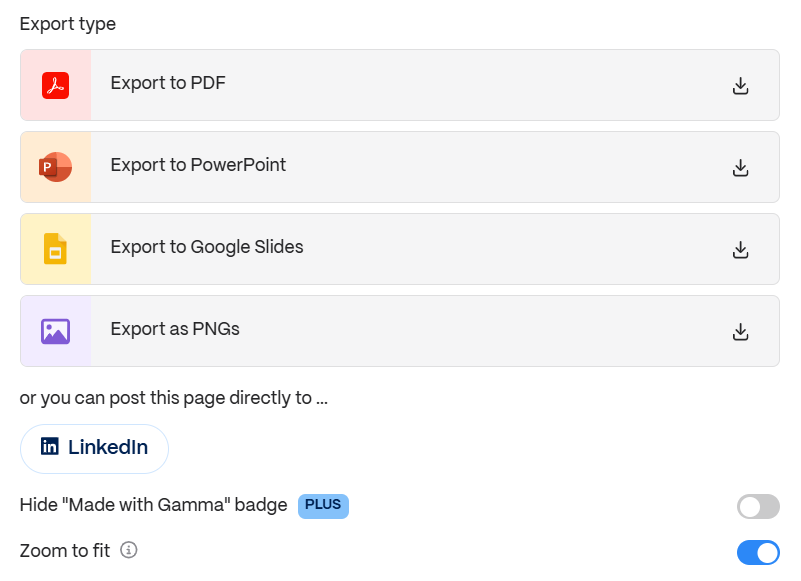
Decksy builds the slides in its browser editor and exports them as an editable PPTX. Text, charts, shapes, and icons stay separate, so you can change them in PowerPoint. Gamma also starts in the browser, but its card-based format is converted during export, which can cause some layout changes. Plus AI works directly inside PowerPoint or Google Slides from the start.
Decksy AI as the Smart Alternative
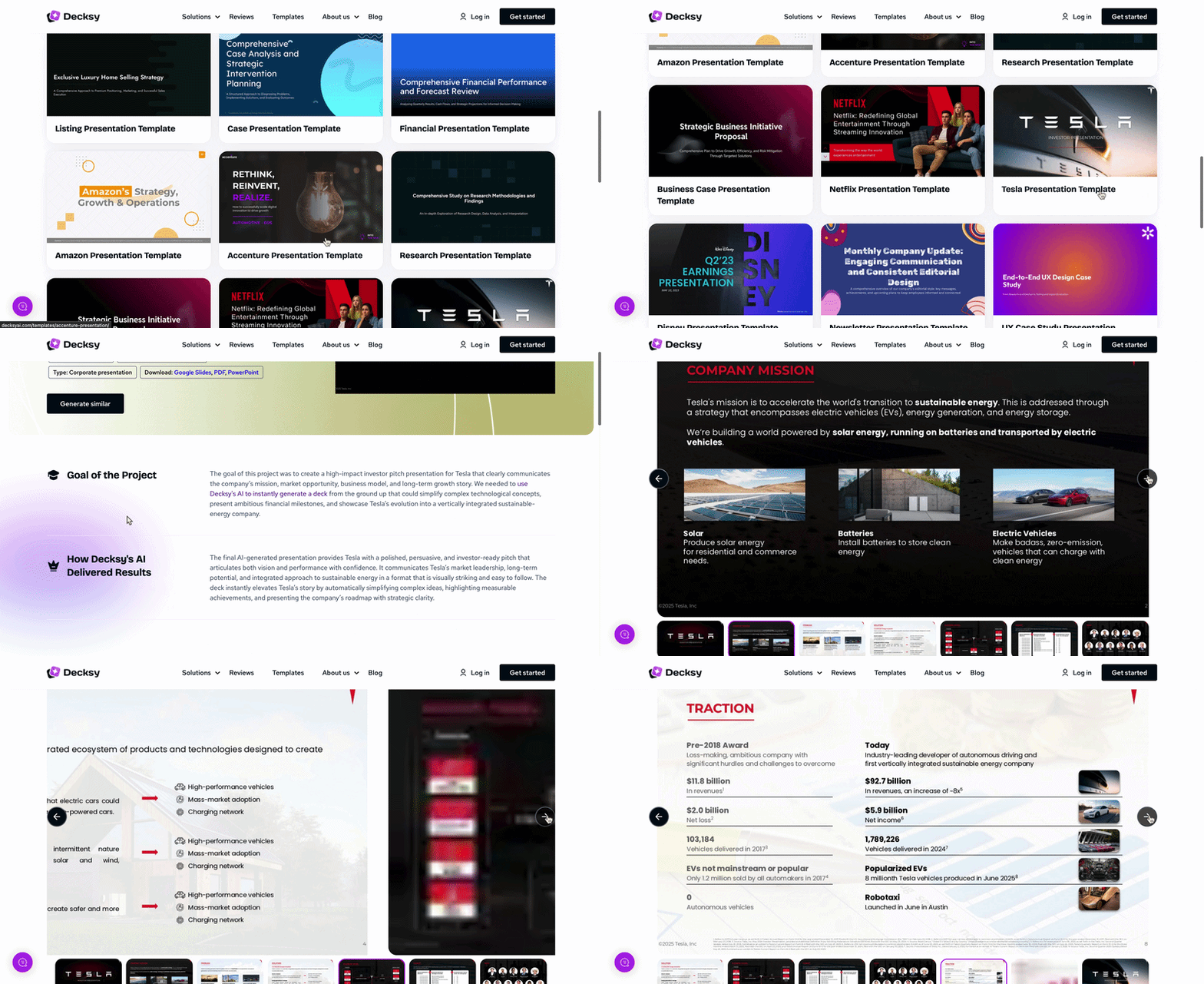
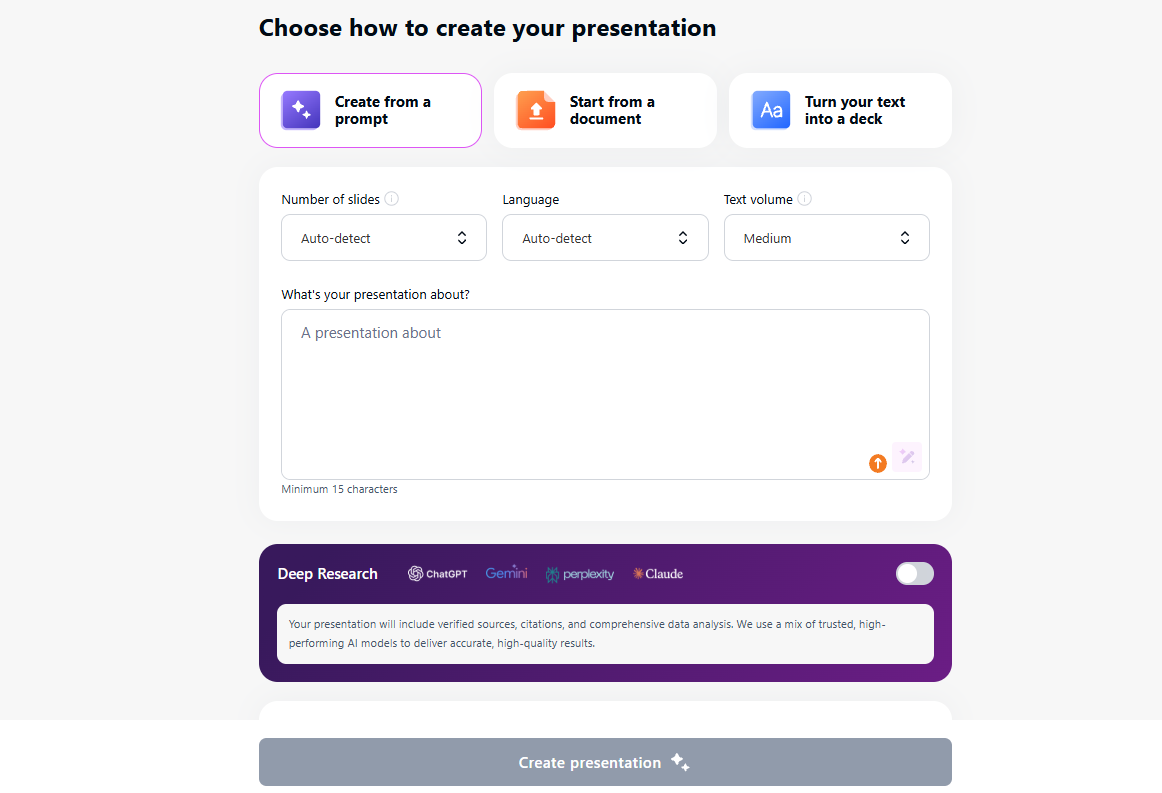
If Plus feels too tied to PowerPoint or Google Slides, Decksy gives us another way to start. We can upload a document or paste in raw text. Decksy first works out the storyline, then turns that content into slides. We like that order when there isn’t a deck yet. Once it’s done, we get an editable PowerPoint file and can make the final changes there.
For someone searching for an AI keynote presentation maker, this tool is still an indirect route. It generates a PPTX from text that can be imported rather than generating natively inside editor.
That workflow is useful for long reports, proposals, QBRs, and research-heavy presentations where deciding what belongs on each slide is harder than choosing a theme. A weak slide can be regenerated without rebuilding the rest of the deck.

On decksyai.com, where clarity still matters, but results matter just as much, Alyssa Johnson, Chief Revenue Officer, looks at messaging through a growth lens. She pays attention to how structure drives action, how a well-timed pause improves conversion, and how AI is reshaping all of it — without ever replacing the human instinct behind the message.