star

AI keynote presentation maker

Create polished Keynote reports in minutes

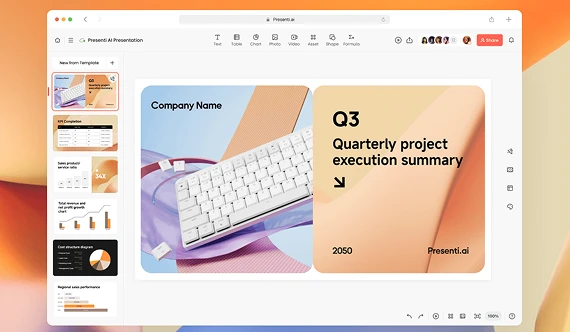
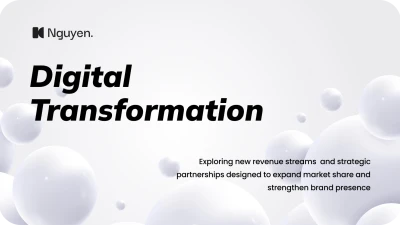
Convert your ideas and files into professional decks with smart technologies. The AI Keynote presentation generator organizes your content and quickly builds polished slides. Create a professional-looking deck without spending hours on design.
Generate an AI slideshow

Easy Keynote presentation generator for professional decks

Start with a topic, existing content, or a complete file, and Decksy organizes your information and creates a slide deck that fits your audience. It handles content structure and visual design.

Build slides from your existing files

Upload your Excel, Word, Text, PDF, PPT, or MD files into Keynote presentation AI generator. Our tool reviews your material, identifies the information worth presenting, and parses raw documents into a structured, presentation-ready format.

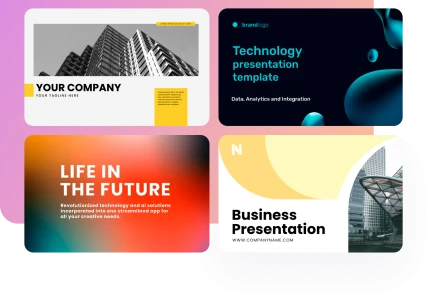
Make an AI slideshow
Build slides from your existing files

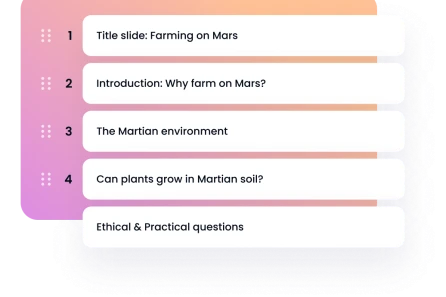
Adapt your deck to your audience

Decksy automatically adjusts vocabulary, slide length, and visual framing. Tailor your deck from a concise 5-slide overview to a comprehensive 25+ slide report to match the exact stakeholders sitting in the room.
Adapt your deck to your audience

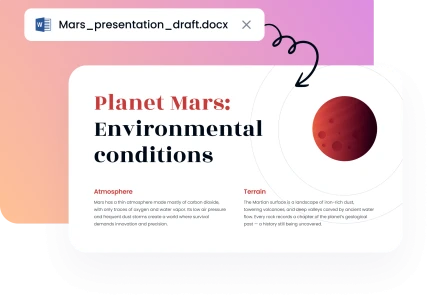
Regenerate specific slides in seconds

Select any individual slide to refine its content without altering the rest of your visual report. Adjust wording, structure, length, or tone in just a few clicks for precise, slide-level control.
Regenerate specific slides in seconds

Export in editable formats

When your presentation is ready, our Keynote presentation maker lets you export finished slides as a PDF or editable PPTX file. Keep full flexibility to make last-minute edits in PowerPoint or share a clean, finished deck immediately.

Make an AI slideshow
Export in editable formats
Trusted by professionals
image
image
image
image

Create your deck in three simple steps

1

1. Upload your files

Upload your Word, Text, PDF, PPT, Excel, or MD file. Decksy looks through your content and picks out the information that matters most.
2

2. Build your deck with AI

Choose your audience and reporting style, and let the AI Keynote presentation maker do the rest. It structures your content, changes the number of slides, and creates a layout that fits your deck.
3

3. Export & preview your file

Review your slides and adjust anything that doesn’t sound right. You can regenerate individual slides and export your finished deck as a PDF or PPTX file.
image
image

Why choose Decksy for Keynote presentations?

Decksy combines AI content generation with automated, well-thought-out design. You get more control while spending less time on repetitive work.
image

Get polished designs without extra work

A good visual document needs more than attractive templates. Decksy automatically balances spacing, typography, margins, and visual hierarchy across your slides.
image

Make your Keynote fit the audience

An executive Keynote needs a different approach from a classroom deck. Decksy adjusts vocabulary, slide length, and visual framing to suit your audience.
image

Export your finished Keynote deck

Download your completed document as a PDF or PPTX file. This also makes Decksy useful for creating an AI annual report presentation maker workflow for business reports.
image

Change only what needs changing

Small edits should not require rebuilding your whole visual report. Regenerate individual slides to change their wording, structure, length, or tone.
image

Save hours of design work

Creating slides manually can take an entire afternoon. Decksy handles much of that work, with plans starting at $2 for seven days and an unlimited plan at $10 per month with annual billing.
image

Turn existing files into presentations

Your content may already be stored in different formats. Decksy works with PDF, PPT, Word, Text, Excel, and MD files, and it can turn existing material into a presentation-ready structure.
Show more

One online Keynote presentation generator for many needs
Whether you are an executive, department head, project manager, or HR director, Decksy's AI pitch deck maker can help. Turn existing marketing, education, or finance reports into clear, polished decks.

Business
Business
Business
Business
Business
Business
Business
Business
Business
Business
Business
Business
Business
Business
faces

Why professionals prefer Decksy for Keynote presentations

Artificial intelligence can generate visuals quickly, but you still need to control it. Decksy mixes automation with flexible editing, so your presentations still feel personal and relevant.
stars
Turn rough ideas into slick slides
“I can write rough notes and quickly turn them into a clear presentation. It gives me a strong framework to build on, without spending hours planning every slide.”
icon
Liza R., Research Manager
stars
Make complicated things easier to follow
“I often have to deal with a lot of information and detailed reports. Using an AI presentation maker for HR helps me turn that material into simple, well-organized slides people can actually follow.”
icon
Peter F., Project Manager
stars
Simplify the preparation of presentations
“It would take me hours to make a Keynote presentation, particularly if I wanted a unified visual style. Decksy handles the look and feel, so I can concentrate on honing my message and practicing my delivery.”
icon
Marie T., Marketing Specialist
stars
Adapt your presentation for every audience
“I can easily change the level of detail without rebuilding the entire deck. I also use AI presentation tools for education to create materials that work for different teams and training sessions.”
icon
David P., Conference Speaker
stars
Create professional slides without a designer
“I do not have a design background, but my presentations now look much more polished. The automatic layouts, spacing, and typography save me a lot of time and make the final deck feel professional.”
icon
John D., Training Manager
stars
Get a killer Keynote deck based on your notes
“I have loads of ideas, but I have trouble putting it all together in a good Keynote presentation. Decksy helps me take those ideas and organize them into a clear story, with polished, professional-looking slides.”
icon
Michael G., Business Consultant
Show more

Frequently asked questions (FAQs)

What files can I upload to Decksy?

You can upload PDF, PPT, Word, Text, Excel, and MD files. For example, Decksy can use your content to build a PPT presentation with a structured visual story.

How many slides can Decksy create?

Create short reports with five slides. More detailed decks can have 25+ slides depending on your content.

Can I customize the slides one by one?

Yes. Decksy supports targeted, slide-level regeneration. You can change one slide without rebuilding your entire presentation.

Can I use Decksy for case study presentations?

Absolutely. This tool enables you to turn your existing case study material into a professional report. It’s a great alternative to an AI case study generator.

How do I export my Keynote file?

Decksy lets you export your finished file as a PDF or PPTX, making it easy to share or use elsewhere. Choose PPTX if you want to edit the file later in PowerPoint or another compatible editor.

Is design experience required to create AI presentations?

No. Decksy takes care of spacing, margins, typography, and visual hierarchy for you. You can concentrate on your content instead of manual design.

Create great Keynote presentations faster with AI

Build an AI deck