Best AI presentation makers: 9 popular tools tested & compared
- ⭐ Best for source handling: Decksy
- ⭐ Best for content quality: Plus AI
- ⭐ Best for design and layout: Beautiful.ai
- ⭐ Best value for money option: Slideonic.ai
- ⭐ Best for usability and workflow fit: Gamma
Your best AI presentation maker choice depends on where your content starts. Some tools build decks from prompts. Others convert documents into slides. A few work in PowerPoint or Google Slides.
🎯 The biggest difference comes down to workflow fit. Every AI tool can generate a nice first draft, but what matters most is how easily you can edit, export, and refine that draft in your daily routine.
This comparison reviews the most popular AI-powered tools for creating presentations using real output examples. Each tool should handle the same presentation brief. It should also support a realistic production workflow. That means imports, editing, exports, collaboration, and pricing all matter.
Our key test is practical, as each tool receives the same presentation brief. We then compare its output and overall workflow.
How we evaluated the AI presentation tools
A good comparison needs more than attractive templates. The first draft matters, but the full workflow matters too.
The right tool for presentations should handle real work. It should understand source material, produce a coherent story, and create usable slides. It should also work with the tools that people already use.
We tested 9 of the most popular presentation creation tools for this guide: Decksy, Gamma, Plus AI, Canva, Beautiful.ai, SlidesAI, Pitch, Slideonic.ai, and Presentations.ai.
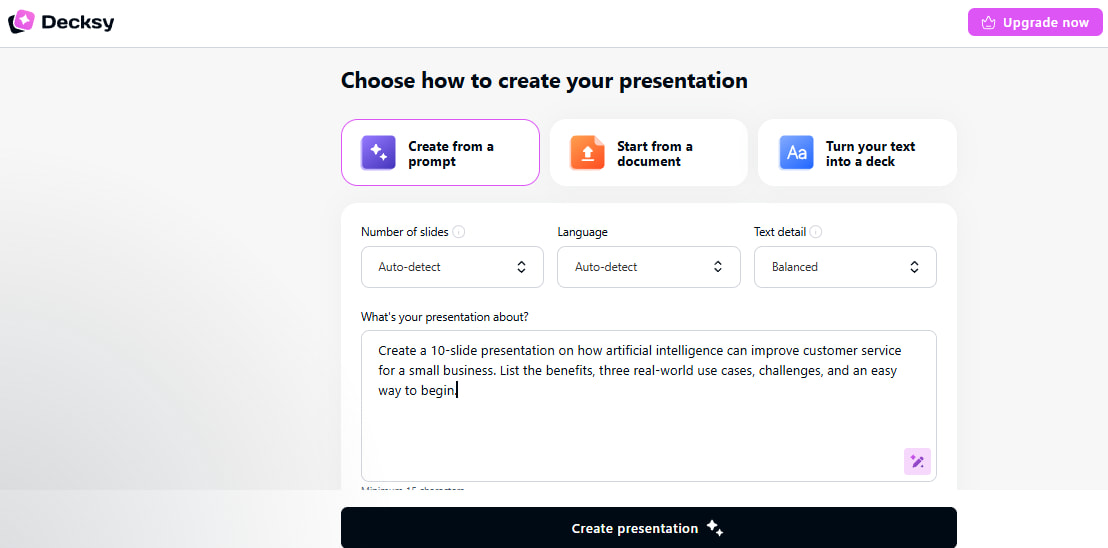
We ran each of the tools with the same prompt:
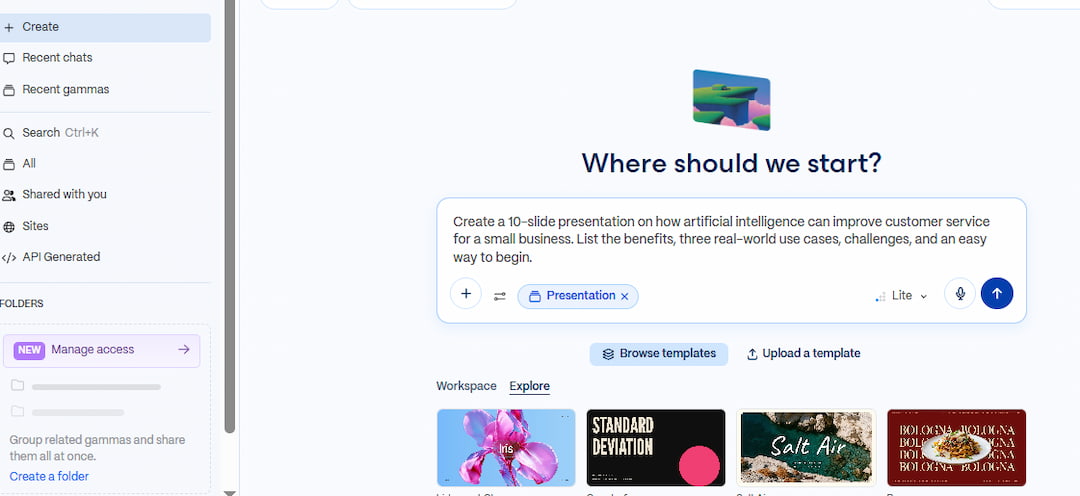
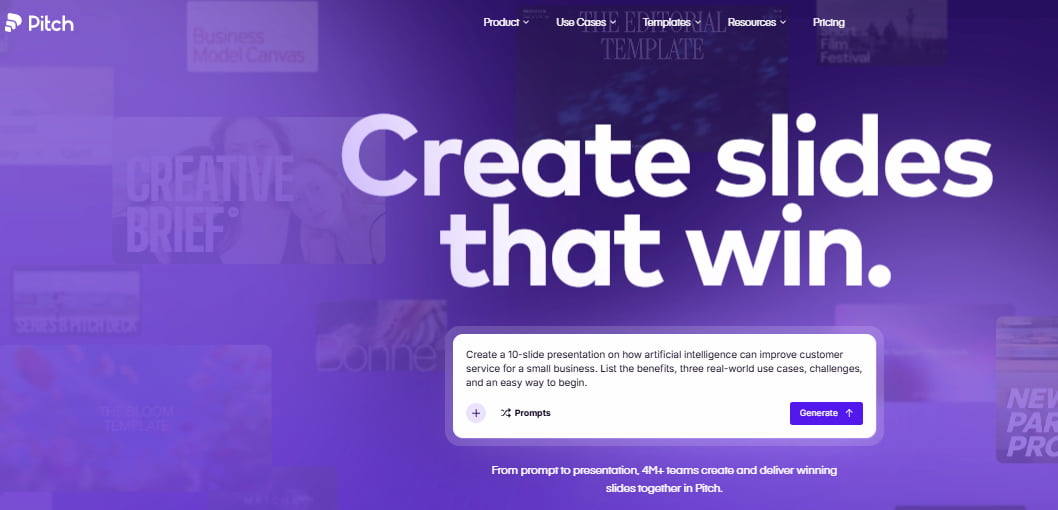
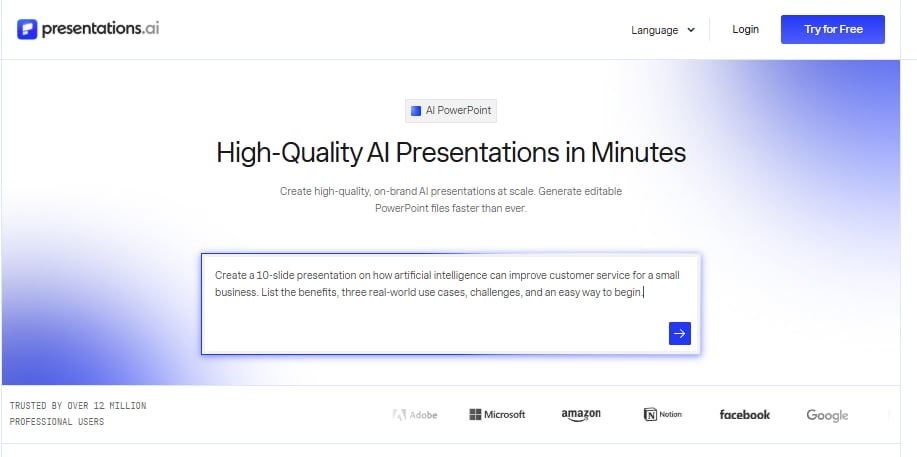
| Make a 10-slide presentation on how artificial intelligence can help small businesses improve customer service. Benefits, 3 real-world use cases, challenges, and an easy way to start. |
Then we reviewed the best AI presentation makers in 4 categories:
- Source handling – Is the tool able to handle existing documents, reports and other source material?
- Content quality – Does the AI generate a clear structure with useful and relevant information?
- Design and layout – Different layouts for charts, comparisons, key points, etc.?
- Usability – How much editing is required before the presentation is ready for sharing?
We also looked at how well this fits into the workflow. This includes things like PowerPoint and Google Slides compatibility, export options, collaboration features, and pricing.
This matters because presentation needs vary. A consultant may start with a long report. A marketer may start with a brief. A teacher may need a quick lesson deck. The best tool should fit the starting point, not force everyone into the same workflow.
Criterion 1: Source handling
Source handling was the first criterion because AI presentation makers differ in how they turn source material into slides. Some work mainly from prompts. Others are built to process reports, documents, spreadsheets, and existing presentations.
We used the same customer service topic across the nine tools tested. We compared how each platform interpreted the input, organized the information, handled source material, and prepared the content for further editing.
Decksy AI
- Decksy AI turns existing content into structured, editable presentations. It suits professionals working with reports, documents, and research.
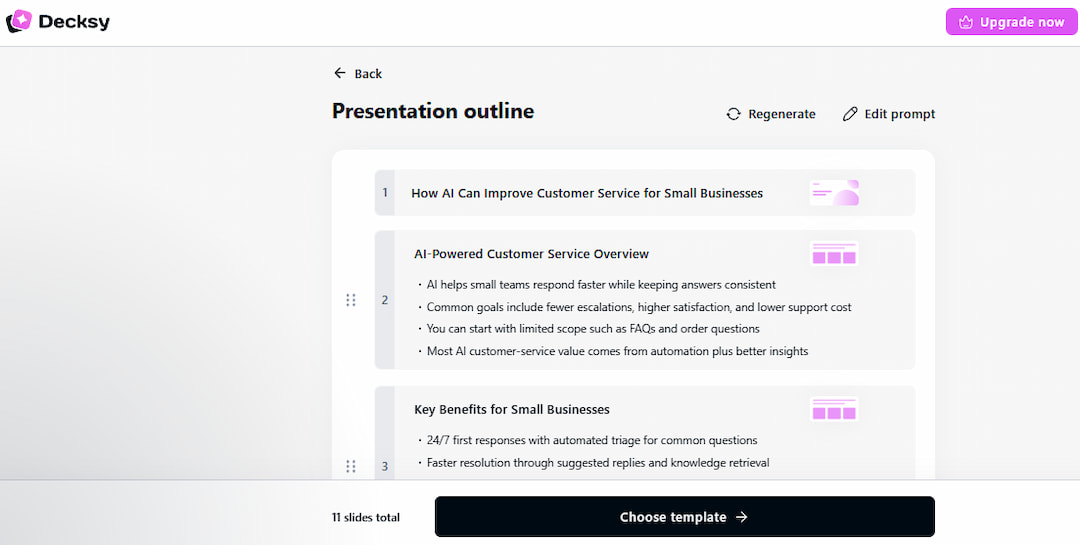
It supports prompt-to-presentation generation. Users can upload Word, PDF, PowerPoint, Excel, text, and Markdown files. Slide count and tone are adjustable. Audience controls are also available. Users can export PPTX files and regenerate individual slides.
Decksy also provides more than 100 presentation templates. This makes it a strong best AI PPT maker for source-based workflows.
💰 Price: Decksy currently offers a 7-day access option for $2, followed by subscription options. Its Word-to-PPT product lists a $9.99 monthly plan and a $6.99/month annual equivalent. Enterprise pricing is not publicly listed.
Test result
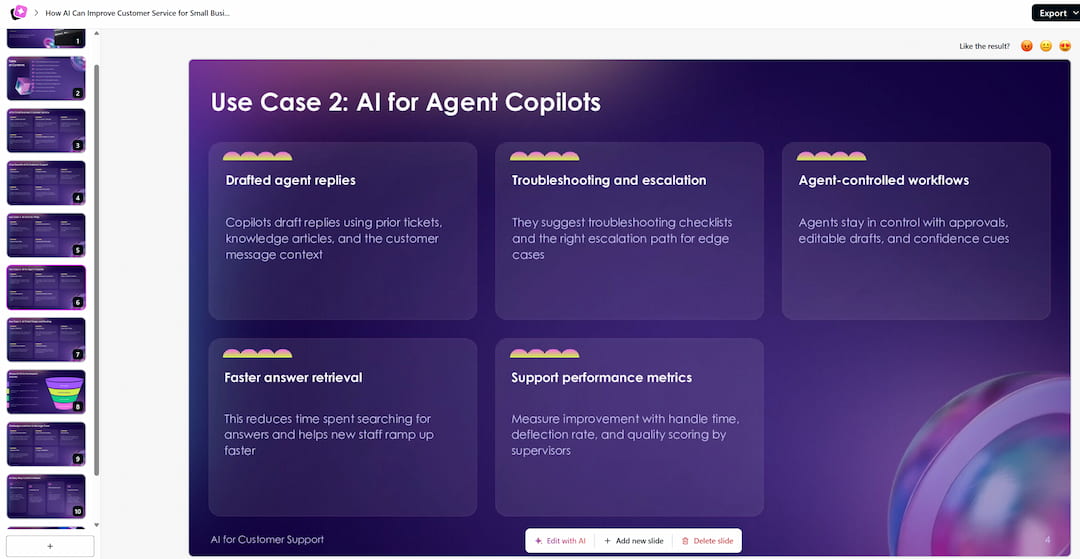
Our test shows that Decksy created a clear presentation structure. It did not simply divide the prompt into slides. Decksy worked well with document-to-PowerPoint workflows. It reorganized and condensed the source information effectively.
Plus AI
- Plus AI is designed for users who want AI presentation generation inside PowerPoint or Google Slides. This makes it a practical option for teams that want to create a first draft without leaving their existing office software.
The platform supports PowerPoint and Google Slides. It offers slide generation, rewriting, and remixing. Higher plans support document uploads. Users can also generate AI images. Team plans include custom branding instructions.
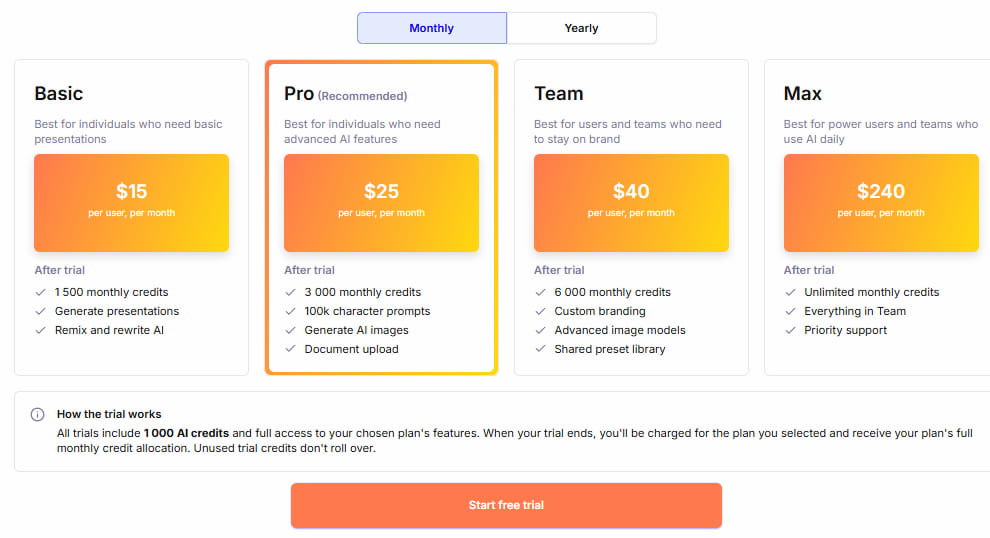
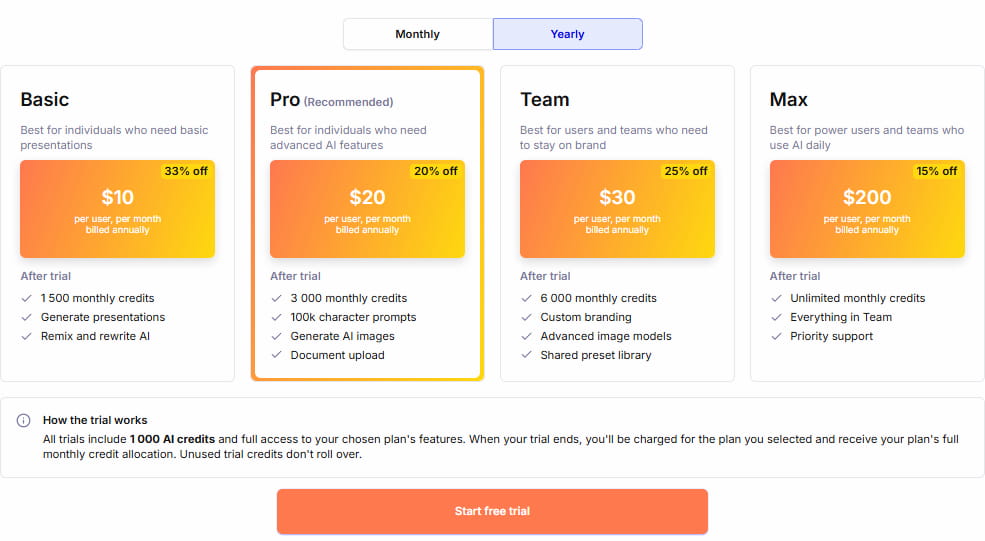
💰 Price: Plus AI does not have a permanent free plan. Paid plans include a 7-day trial with 1,000 AI credits. Basic starts at $15 per user/month when billed annually, Pro at $25, and Team at $40. Enterprise pricing is not separately published.
Test result
Plus AI created a usable presentation structure from the test input. Its main advantage was easy integration into workflows. The content moved directly into PowerPoint or Google Slides. This suited users already working with familiar office software. It also makes Plus AI a strong best AI PowerPoint presentation maker option.
BUT it does not allow you to generate even once without you giving them your credit card information.
Gamma
- Gamma is a web-first AI presentation platform. It turns short instructions into visual narratives. It can also work with source material. Gamma suits users who prefer creating and sharing online. It also supports online presentation publishing.
Its features include prompt-based presentation generation. Users can import PDF to PPTX files. Gamma supports exports to PDF, PPTX, PNG, and Google Slides. It offers AI image generation, web publishing, and higher-plan branding and analytics.
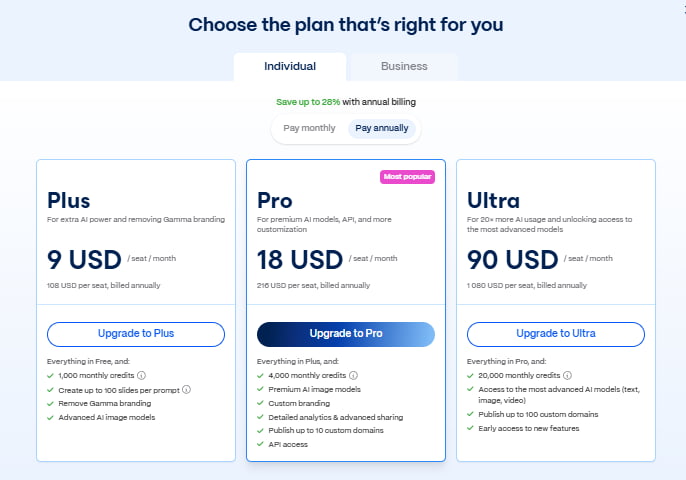
💰 Price: Gamma has a permanent Free plan that supports up to 10 slides per prompt. Paid plans increase AI limits and add advanced models, branding, analytics, and other features.
Test result
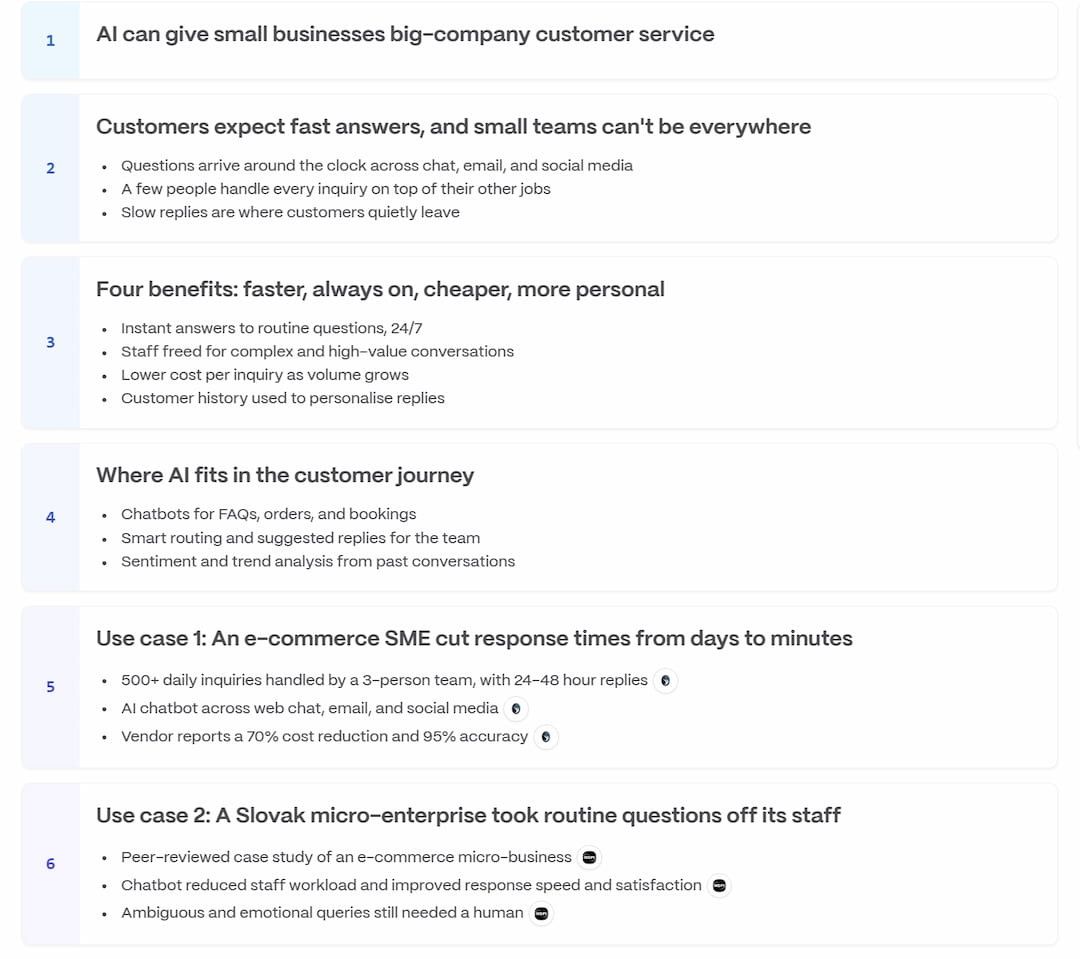
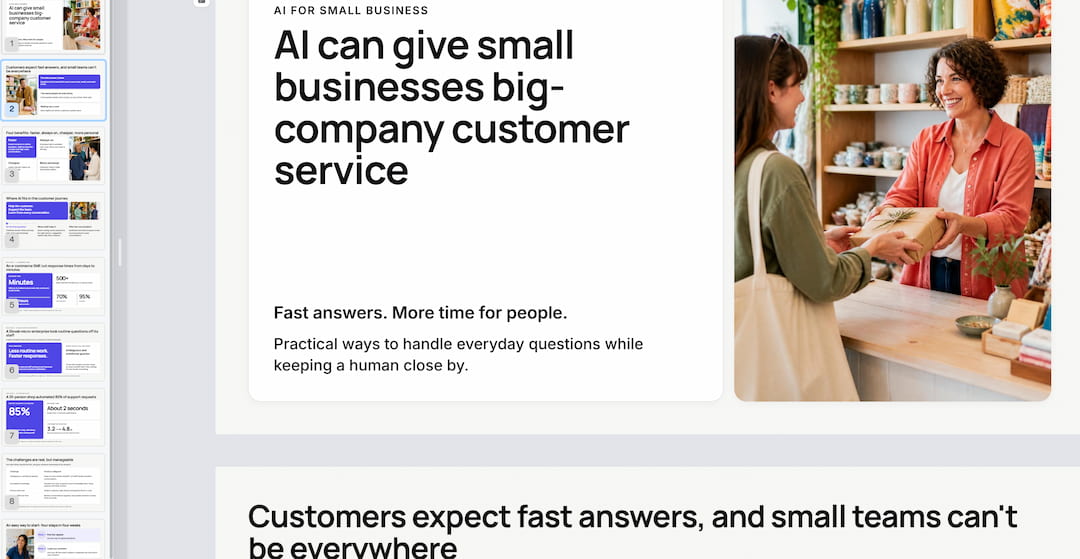
Gamma produced a complete narrative from the relatively short input. It needed less source detail than document-focused tools. It worked well with broad topics. The tool turned them into clear presentation sequences.
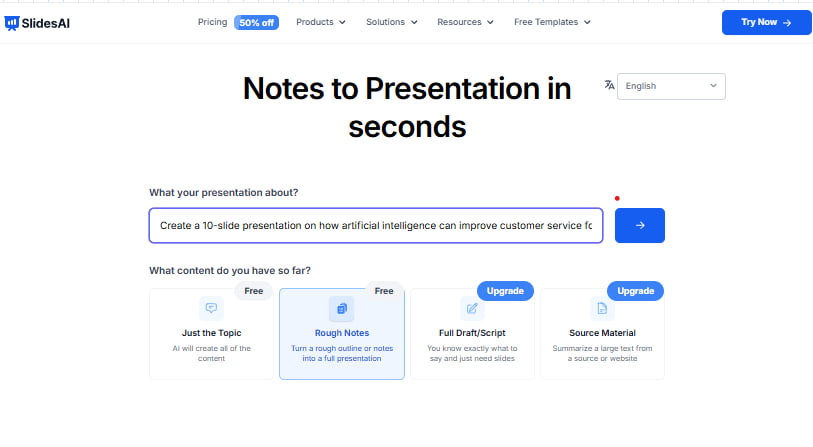
SlidesAI
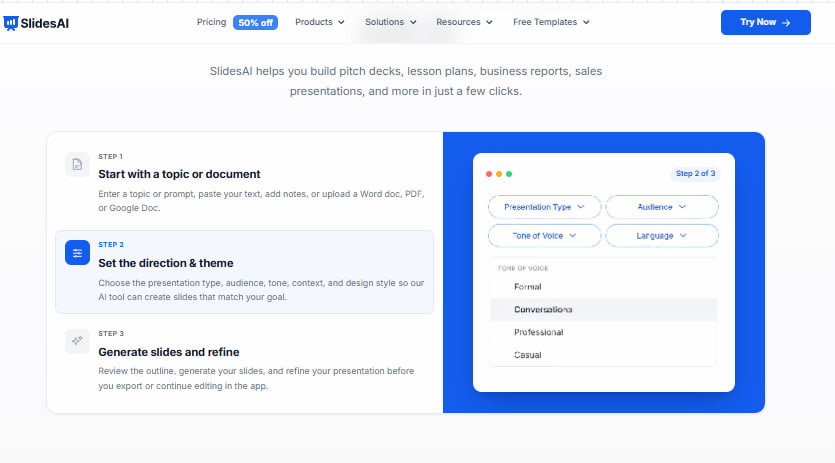
- SlidesAI is built to create presentations directly in Google Slides. It is aimed at users who want a simple text-to-slide workflow without having to switch to a separate presentation editor.
Its main capabilities include text-to-presentation generation. It integrates directly with Google Slides. Users can upload documents and generate AI images. It also supports text rewriting and the creation of prompt-based presentations.
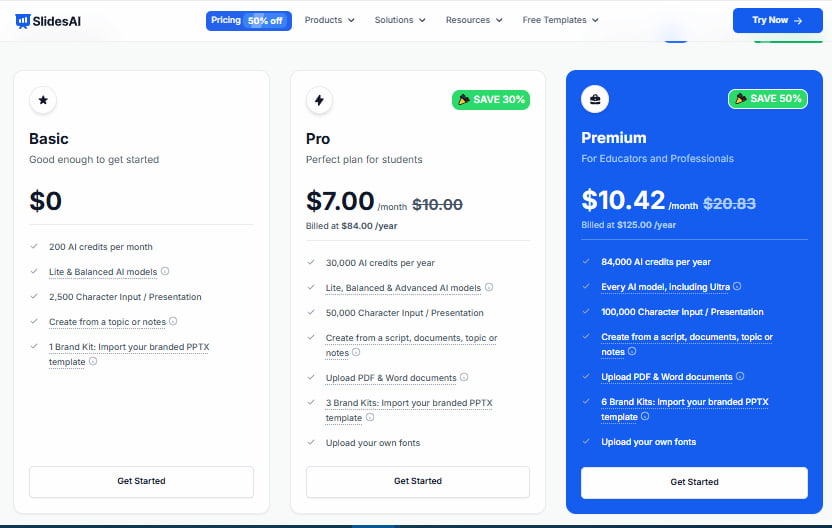
💰 Price: The Basic plan is free and allows 12 presentations per year, 1,000 characters per presentation, and 120 AI credits per year. Pro costs $7/month when billed annually, while Premium is $10.42/month on annual billing. Enterprise and institutional pricing is handled separately.
Test result
SlidesAI handled the customer service topic well in a straightforward presentation. Its strongest point was the direct Google Slides workflow. However, it was less suited to projects that depend on large or complex source documents.
Canva
- Canva combines AI presentation generation with a broad visual design platform. It’s for individuals, marketers, and teams creating branded content.
It has AI tools for building presentations and a massive media library. Users also get AI image and writing tools, Brand Kits, and drag-and-drop editing. The collaboration features make it easier to collaborate. That makes Canva a great choice for users looking for the best AI PowerPoint maker when visual flexibility is the priority.
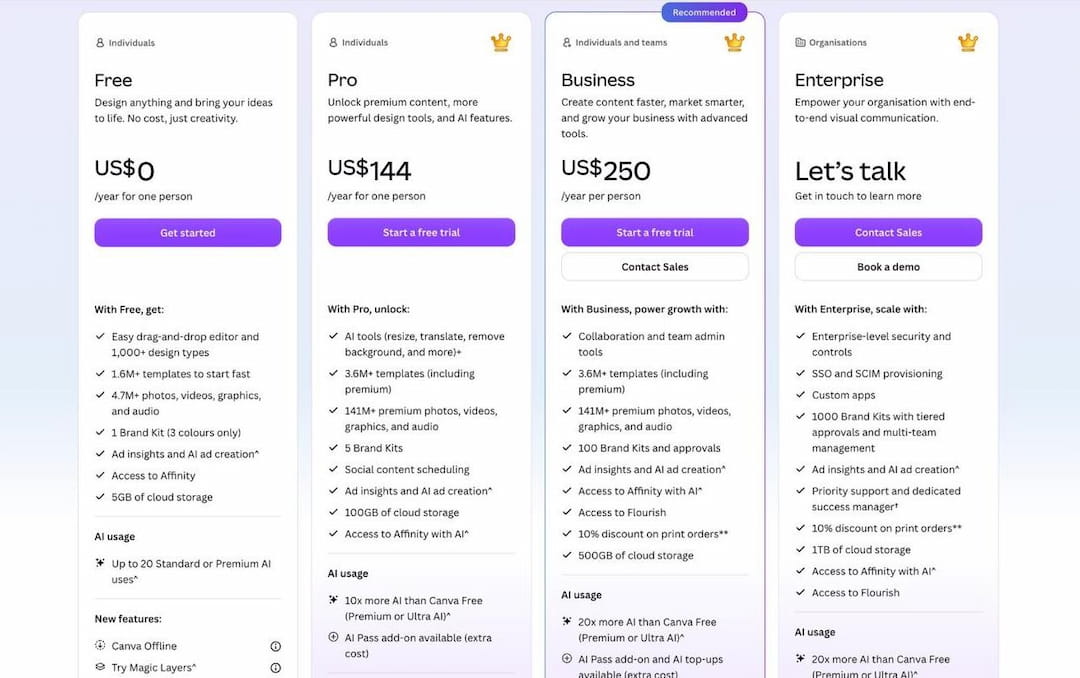
💰 Price: Canva Free is free with 5 GB of storage and limited AI access. Pro is listed at $144/year on the current pricing page, while Business is $250/year per person. Enterprise uses custom pricing. Canva notes that prices can vary by region.
YEARLY PLANS:
Test result
Canva turned the input into a usable presentation while leaving plenty of room for manual changes. It was less focused on deep source processing than document-first tools, but it gave users more options for visually adapting the result.
Slideonic
- Slideonic uses a content-first presentation workflow. Users review the outline before the final slide design is created. Suitable for professionals, sales teams, educators, and marketers. Works well with written source material.
Features include Text-to-PPT conversion and outline review. It also helps you to build presentations from documents and research. Provides professional templates, PPTX and PDF exports. It’s a good AI PowerPoint generator for users who want to customize the structure of the presentation before the final design.
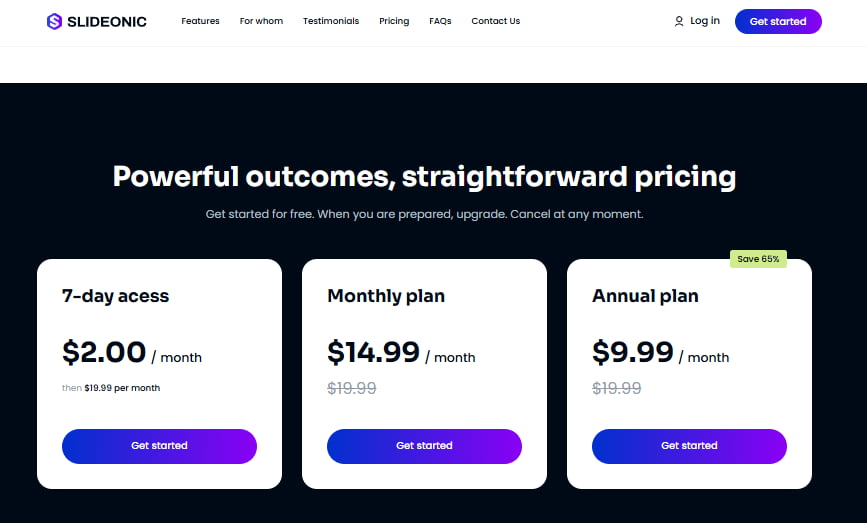
💰 Price: Slideonic offers a 7-day access option for $2, as well as monthly and annual subscription options. Its public pricing does not list a separate enterprise price.
Test result
Our analysis shows that Slideonic gives users more control over the story before design begins. This was useful when the presentation structure needed to be reviewed before the final slides were generated.
Criterion 2: Content quality
The second criterion focused on what the tools actually placed on the slides. We checked whether each presentation covered the main requirements. These included benefits, three use cases, and key challenges. We also checked the practical starting steps. Finally, we looked for unnecessary repetition.
Decksy AI
Decksy did a great job structuring the presentation and splitting the main topics. It was short enough to be slides, but still had the main points from the source.
Decksy does well with longer source material, as our test shows. It turns detailed content into shorter presentations. The main argument remains clear throughout the process.
Gamma
Gamma was strong at developing a complete story from relatively limited input. It followed a clear sequence throughout the presentation. The content moved from AI benefits to examples. It then covered challenges and practical implementation steps.
The result was more narrative-driven than source-heavy. This makes Gamma a strong choice when the user expects the AI to expand an idea rather than mainly reorganize existing material.
Plus AI
Plus AI created a solid business-oriented first draft. The main topics were covered without major gaps, although the result worked best as a starting point for further refinement.
This reflects the tool’s broader workflow: users can generate content and then rewrite or remix individual slides. For someone looking for the best AI to make a PowerPoint presentation, that editing approach can be as important as the initial generation.
Canva
Canva generated usable content with a clear presentation structure. Its main advantage was not unusually deep source interpretation but the balance between generated text and the ability to modify it immediately.
The result worked well for a general business audience. Users can also adjust individual sections when the first AI draft does not match the intended tone or level of detail.
Slideonic
Slideonic placed more emphasis on the presentation structure before the final visual design. The outline-first process helped keep the main points organized and reduced the risk of jumping directly into slide layouts before the story was clear.
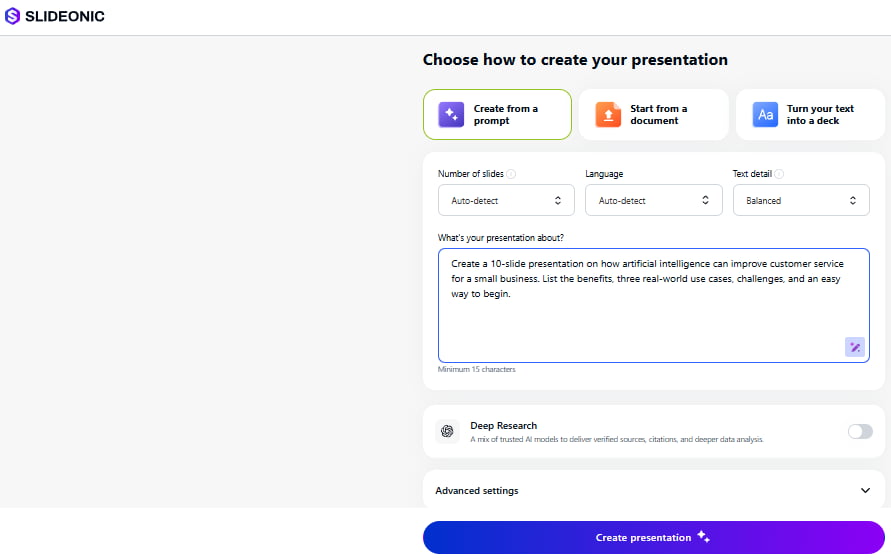
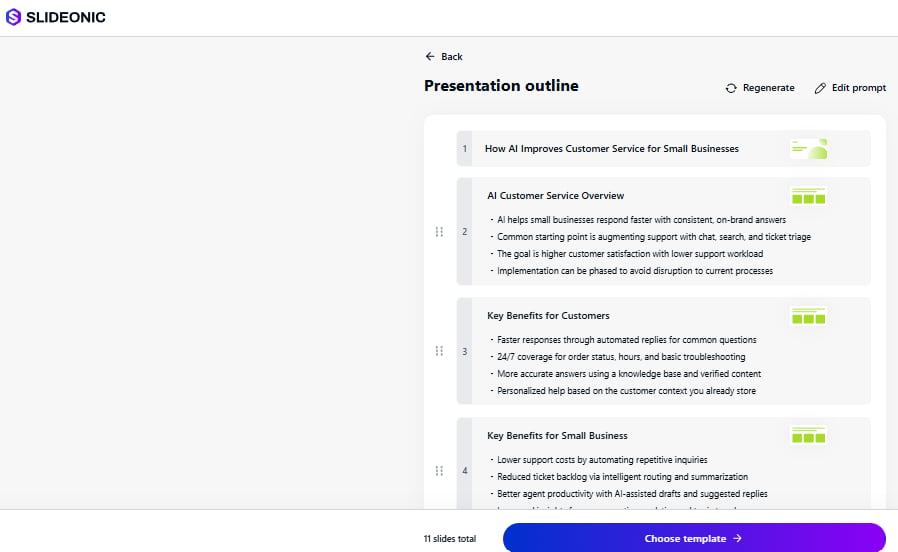
Our test shows that this approach can be useful for presentations where the order and hierarchy of information matter as much as the wording itself.
Criterion 3: Design and layout
For design, we compared hierarchy, spacing, visual variety, and consistency. We also checked whether the layout matched the purpose of each slide. A strong result should not use the same visual treatment for benefits, examples, challenges, and implementation steps.
Beautiful.ai
Beautiful.ai is built around automated slide design that adjusts layouts as content changes. It is aimed at individuals and teams that want consistent professional formatting with less manual design work.
Its key features include:
- Smart Slides with auto-adjusting layouts.
- 300+ Smart Slide layouts.
- AI content and image generation.
- Auto-formatting.
- Data visualizations.
- PowerPoint import and export.
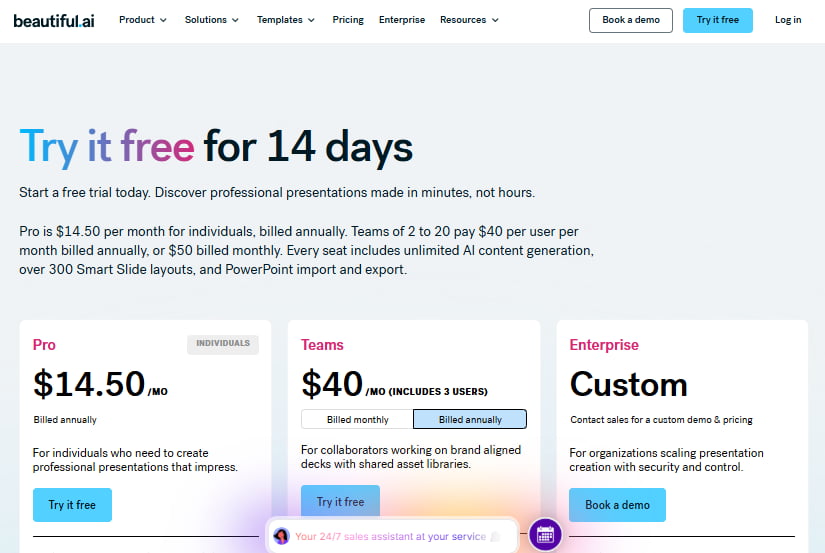
💰 Price: This tool has no permanent free tier, but offers a 14-day trial. Pro is currently listed at $14.5/month when billed annually on its main pricing page; Team costs $40/user/month annually, and Enterprise pricing is custom.
Test result
This tool’s main strength is design consistency. Its automated layouts reduced the amount of manual formatting required when content volume changed. This is useful for users who want the best AI presentation maker tools to handle much of the formatting automatically rather than manually adjusting every element.
Canva
Canva offered the broadest visual flexibility among the tested tools. Its large template and media ecosystem gave users many ways to change the look of the generated presentation.
The trade-off was the number of design decisions left to the user. Canva provides more creative freedom, but that freedom can also mean more manual work after generation.
Pitch
Pitch combines presentation design with a strong collaboration workflow. This makes it particularly relevant when several people need to review and develop the same deck. It can also work for education teams, making it a possible best AI presentation maker for teachers when collaboration and shared editing are important.
Pitch offers AI presentation generation, collaborative editing, custom presentation templates and fonts, engagement analytics, and sharing links. Paid plans also support PowerPoint import and export.
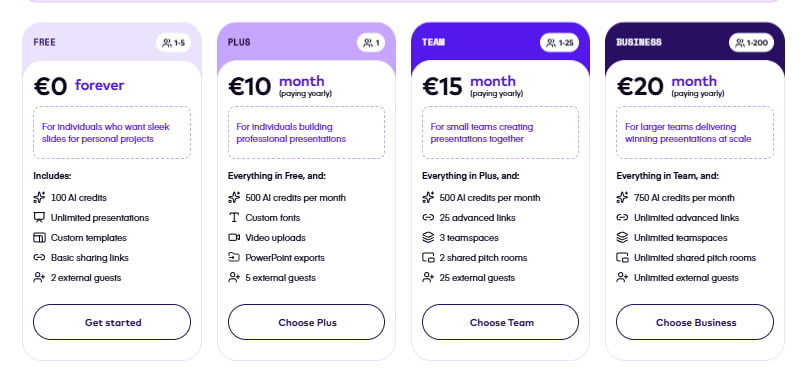
💰 Price: Pitch has a Free plan for up to five members with unlimited presentations and 100 one-time AI credits. Plus is €10/month for one member when billed annually, Business is €20/month when billed annually, and Enterprise is custom for larger organizations.
Test result
Pitch combines presentation design with a strong collaboration workflow. This makes it particularly relevant when several people need to review and develop the same deck.
Slideonic
Slideonic’s outline-first workflow also influenced its visual consistency. A quick check of the structure before final generation kept related information grouped together. This step ensured the slide design stayed connected to the main story.
The result was less about extensive visual experimentation and more about maintaining a coherent structure from the first slide to the last.
Criterion 4: Usability and workflow fit
The final criterion looked at what happens after the first AI draft. We considered editing, exports, integrations, branding, collaboration, and how easily each presentation could move into a real working environment.
Decksy AI
Decksy is strongest when editable PowerPoint output is a core requirement. Its support for multiple source formats also makes it suitable for workflows that begin with reports, Word files, spreadsheets, or existing presentations.
The ability to regenerate an individual slide was another useful result. If most of the deck already works, users can change one page without rebuilding the entire presentation.
Plus AI
Plus AI has a clear advantage for established office workflows. Presentations can be generated and then edited in PowerPoint or Google Slides, so users do not need to learn another presentation editor.
This makes the workflow especially useful for business teams that already use Microsoft or Google productivity software.
Gamma
If presentations are primarily created, shared, and viewed online, then Gamma is handy. Its web-first approach removes much of the setup associated with traditional presentation software.
It can also fit document-based workflows where users start with Markdown content. For example, an AI MD to PowerPoint workflow can turn structured Markdown material into a presentation that can later be exported and reviewed in PowerPoint.
However, PowerPoint-based workflows may require additional checking after export. For users who need an editable PPTX as the main final file, this can make Gamma less convenient than tools built around PowerPoint output.
Canva
Canva was easy to continue editing after the initial AI generation. Its broader visual ecosystem is especially useful for marketing teams that may need to reuse presentation content in social posts, documents, graphics, or other branded materials.
The platform also works well when branding is important. Brand Kits, templates, media, and collaboration features can all be part of the same workflow.
Slideonic
Slideonic connects written content, outline review, and final slide generation into a single process. This gives users more control over the presentation structure before they move to the final design.
The resulting PPTX or PDF can then be edited further in PowerPoint, Keynote, or Google Slides. This makes it a useful compromise between fully automated generation and traditional, manual slide creation.
Presentations.AI
Presentations.AI is all about professional business presentations, combining generation, branding, analytics, and presentation management. It’s for people and organizations that regularly create and share business decks.
💰 Price: The Starter plan is free and includes 100 credits and up to 20 slide presentations. Pro is $20/month when billed annually and includes 5,000 credits. Higher plans add more credits, models, branding, and business features.
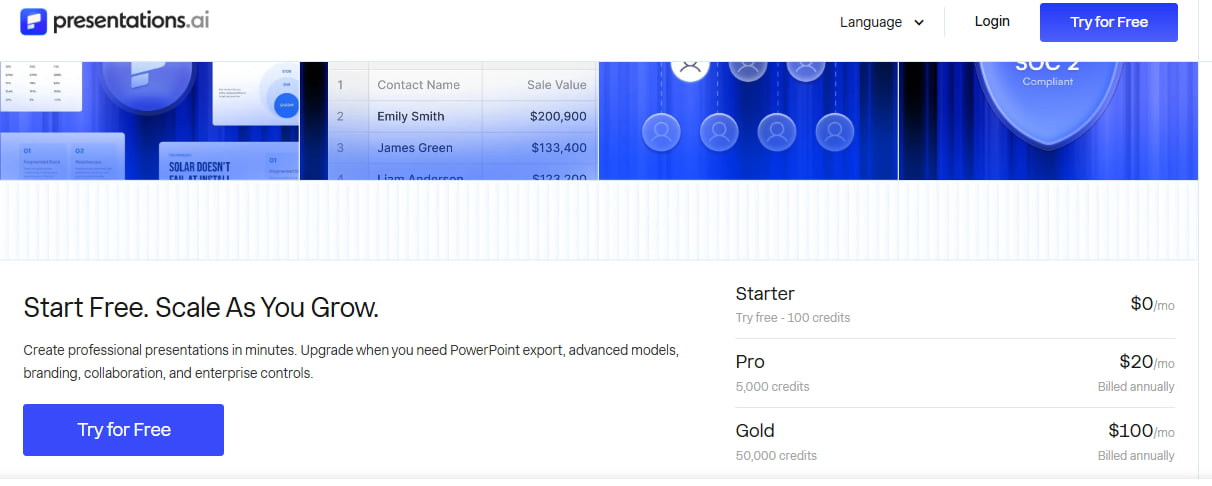
In our test, the platform showed a stronger fit for ongoing business presentation workflows than for simple one-off slide creation. Its branding and analytics features become more useful when teams regularly distribute and evaluate presentations.
Excel and structured data workflows
Spreadsheet handling is another useful distinction between AI presentation makers. Tools that accept structured files can turn tables and business data into presentation-ready content instead of requiring users to copy figures manually.
Decksy supports Excel input. This makes it relevant to an AI XLS to PPT workflow where spreadsheet information needs to become part of a larger presentation. This is particularly useful for reports, market analysis, financial summaries, and other business decks that combine written content with structured data.
The result and overall comparison
The nine tools take noticeably different approaches to the same prompt.
| Criterion | Strongest options | Main advantage |
| Source-to-PowerPoint workflow | Decksy, Plus AI | Turning existing documents into editable PowerPoint slides |
| AI story and structure | Decksy, Gamma, Slideonic | Building a clear narrative from a prompt or source material |
| Visual design and layout | Beautiful.ai, Canva | Automated layouts, visual variety, and design flexibility |
| Office and team workflow | Plus AI, Decksy | PowerPoint/Google Slides editing, exports, and integrations |
| Research and outline control | Slideonic, Gamma | Reviewing and shaping the presentation structure before design |
| Collaboration and engagement | Pitch, Presentations.AI | Team collaboration, sharing, and presentation analytics |
- Decksy is strongest when the workflow starts with source material and ends with editable PowerPoint slides.
- Plus AI fits teams that already live in PowerPoint or Google Slides.
- Gamma is better suited to web-first storytelling.
- Canva offers the broadest visual ecosystem.
- Beautiful.ai stands out for automated layout control.
- Pitch combines design with collaboration and engagement features.
- SlidesAI is a practical option for generating lightweight Google Slides.
- Slideonic sits at the intersection of document conversion, research, and guided presentation creation. Its editable outline is particularly useful when the story needs to be reviewed before the visual deck is built.
- Presentations.AI adds a stronger focus on business presentation automation and analytics.
Why Decksy is our first choice for document-centric workflows
If you’re in the business of turning existing reports, briefs and research into editable PowerPoint decks, then Decksy has a clear edge. It takes existing information and creates structured presentations from it without needing you to create slides on a blank canvas.
- Source processing: Turns PDF documents and Word into presentations.
- Content structure: Reorganize the existing information into a series of logical slides.
- Fast generation: Generates a first draft in less than a minute.
- Editable output: Export to editable PowerPoint files.
- Flexible controls: Change the number of slides, tone, and style of your deck.
- Workflow fit: Starts with existing content rather than manually rebuilding it.
- Pricing: Offers a low barrier to entry for routine presentation work.
Decksy works best for recurring presentations. Teams can quickly turn existing briefs and reports into editable slides. Besides, the low-cost trial makes it easy to test without commitment.
Ultimately, the right AI tool is the one that fits your process. That makes Decksy our top choice for document-to-PowerPoint conversion.
Final recommendations: Choosing the right tool
There is no single app that fits every need. Your personal top AI presentation maker choice will really depend on what you have to get started with and how you plan to share the final presentation.
If you regularly work with long documents, reports, or research, a document-first tool like Decksy is usually your best bet. It does all the hard work of turning raw text into structured slides, so you don’t have to manually copy and paste content.
However, if your team is already using Microsoft Office or Google Workspace, an add-on like Plus AI lets you create and edit slides in PowerPoint or Google Slides without switching tools.
If your project is meant for online viewing rather than on-screen presentation, Gamma provides a sleek, interactive layout that fits right in with a browser. And in the meantime, design-driven platforms like Canva or Beautiful.ai will likely be most useful to teams that prioritize visual polish and brand control above all else.
In the end, you don’t need the most feature-rich tool. You just want the one that fits into your daily routine with the least amount of extra work.
FAQ
What is the best AI presentation maker?
The best option depends on your workflow. Decksy is strongest for document-to-PowerPoint creation. Gamma suits web-native presentations. Plus AI suits existing PowerPoint and Google Slides workflows.
Can AI edit existing PowerPoint files?
Yes. Several AI tools can work with existing presentations. Plus AI supports PowerPoint and Google Slides editing. Gamma can import PPTX. Beautiful.ai supports PowerPoint import and export.
Can AI convert Word to PowerPoint?
Yes. Decksy directly supports DOC and DOCX files. It analyzes document structure and creates editable PowerPoint presentations.
Does AI transform a PDF to PPT?
Yes. Decksy can convert PDFs to PPT. It processes PDF content before creating slides. It supports text, images, tables, and graphs.
Can AI do PowerPoint presentations from spreadsheets?
Some presentation systems support spreadsheet-based workflows. The important question is data handling. A useful tool should preserve numbers and turn them into understandable charts.
What’s the best AI pitch deck generator?
Decksy is a great AI pitch deck generator option for document-heavy pitch workflows. Gamma is also strong for rapid pitch generation. Beautiful.ai works well when consistent visual formatting is the priority. Check our list of the best AI pitch deck generators in this article on our blog.
What should you test before buying an AI presentation tool?
Use the same prompt across every tool. Then inspect the first draft, edit one slide, export the deck, and review the final file. This reveals more than template galleries do.
Which AI presentation maker works best for existing documents?
Decksy is designed around this workflow. It turns source documents into editable PowerPoint presentations. That means you don’t have to build new information from existing information.
Is AI a PowerPoint replacement?
No, usually. AI tools can do a lot of the initial slide-building work. PowerPoint still matters for editing, collaboration, approvals, and final delivery. The strongest workflow often combines both. Use AI for the first draft and then use PowerPoint for final control.
Are free AI presentation maker websites good enough?
They can work for occasional presentations. Limits usually appear with AI credits, exports, branding, or document uploads. Heavy users should compare recurring limits against their actual monthly workload.

Sarah Michelle Carter is the Chief Human Resources Officer at Decksy, and the person most likely to remind you that a company's culture is built in the small decisions, not the mission statement on the wall. She's pragmatic about AI — not an evangelist, not a skeptic, just someone who's watched it quietly clear out the repetitive parts of the job so there's more room for judgment and attention. Known for asking better questions than she answers, she's a go-to voice on culture, leadership, and where AI genuinely helps teams versus where it gets in the way.