Best AI presentation maker for teachers this year
- Best for existing lesson materials - Decksy
- Best for visual customization - Canva
- Best for structured learning - Slideonic
- Best for prompt-based presentations - Gamma
- Best for PowerPoint and Google Slides - Plus AI
- Best for quick text-to-slides creation - SlidesAI
Teachers spend hours preparing lessons, revising materials, and creating slides. Smart technologies can assist with these tasks. They use their lesson notes, documents, and AI-generated prompts to draft presentations. But some instruments are better teachers than others.
Some tools handle existing materials better than others. Some pay attention to visual design or use familiar presentation software.
To compare them, we tested six tools with a single classroom assignment. We examined Decksy, Slideonic, Gamma, Plus AI, Canva, and SlidesAI to find THE best AI presentation maker for teachers specifically and understand how they work.
How we tested websites for making slides
All six platforms were assigned the same task. Each tool was asked to produce a 10-slide lesson on photosynthesis. The targeted audience was eighth graders.
📌 Our test prompt:
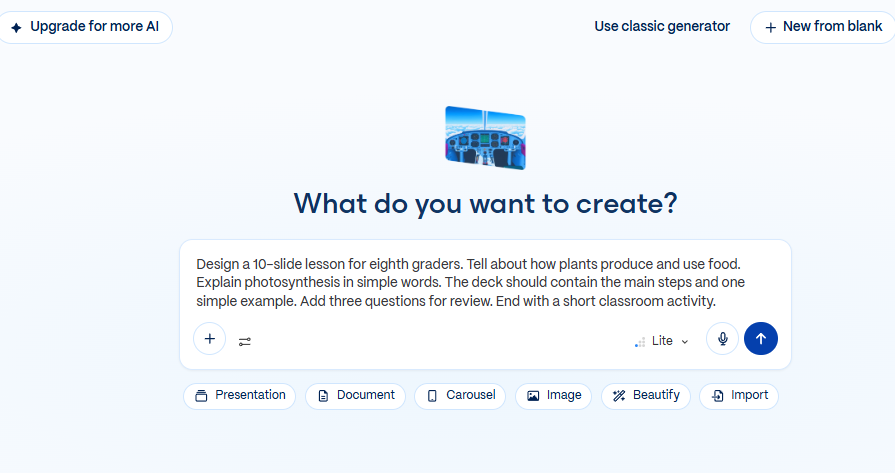
| Design a 10-slide lesson for eighth graders. Tell about how plants produce and use food. Explain photosynthesis in simple words. The deck should contain the main steps and one simple example. Add three questions for review. End with a short classroom activity. |
We used the same prompt across all our tools to make comparisons easier. Each platform had to cover the same topic. We also checked whether the slides followed our instructions.
To evaluate several platforms and find the best AI to make a PowerPoint presentation for teachers, we asked four questions:
- Could the tool use existing teaching materials?
- Were explanations clear, accurate, and appropriate to the students’ age?
- Were the slides readable and engaging?
- Could teachers edit the deck?
- Was the presentation’s design clean and clear?
We went over the layout of the lessons and required activities. Each presentation needed an example, three questions, and a closing activity.
In our testing, we found that each of the six platforms had its own strengths. Some are document converters, and some are design-based. Let’s see what their main features and limitations are.
Best for turning existing materials into lessons
Teachers often have past presentations, notes, and worksheets. Recycling these materials can be simpler than starting from scratch. But it still takes a while to make them into slides.
Decksy and Slideonic help teachers to repurpose existing content. Both have document-based workflows for creating presentations.
Decksy
Decksy is an AI presentation maker that turns existing documents into editable presentations. It supports conversion of Word, PDF, PowerPoint, Excel, text, and Markdown to PPT.
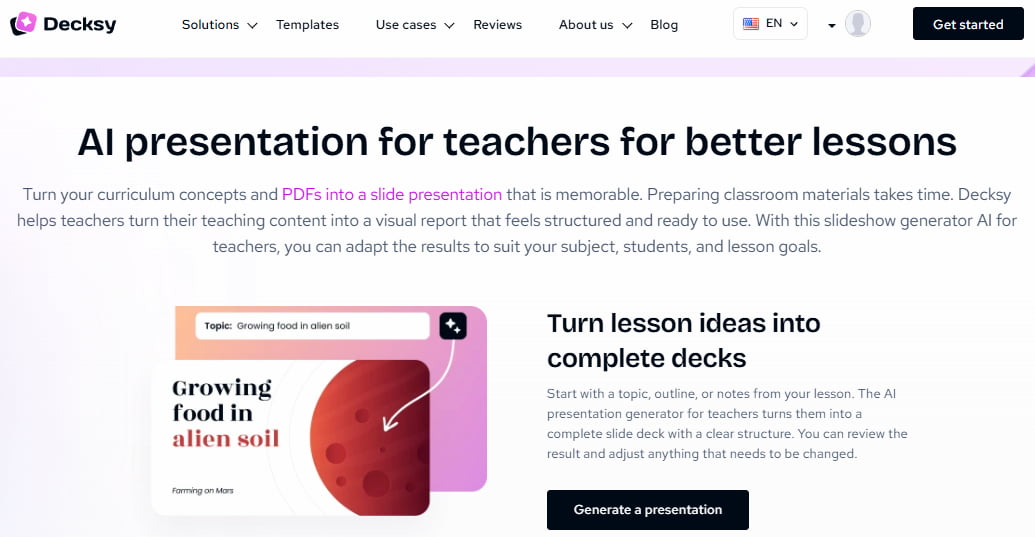
Users can adjust the audience and slide count. They can also regenerate individual slides and export PPTX or PDF files.
Price: Decksy offers 1 free presentation and 7-day access for $2. They also have subscriptions at $9.99/month or $6.99/month annually. Enterprise pricing isn’t public.
Our test results
We checked how well Decksy could organize the photosynthesis lesson. The presentation needed an introduction and a clear explanation of the process. It also needed an example, review questions, and an activity.
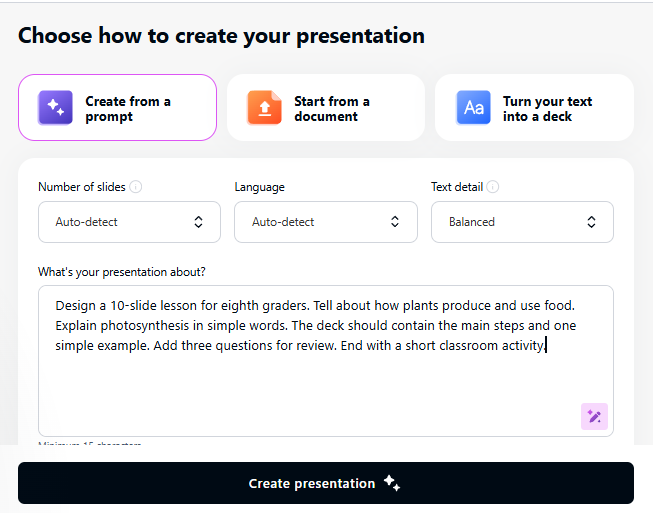
Its best strength is the content-first workflow. Teachers can swap out blank slides for their own notes. This method makes lesson preparation easier.
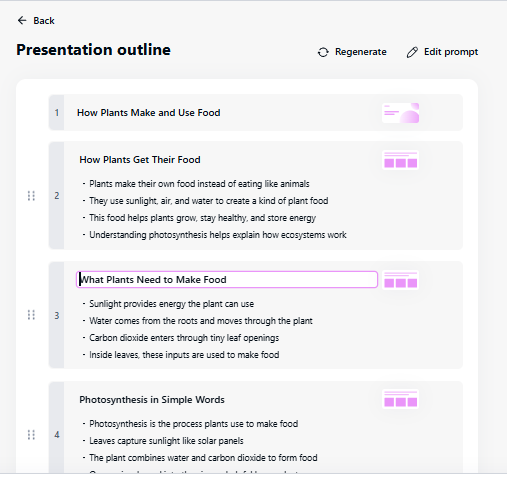
Another useful feature is the regeneration of separate slides. Teachers can simplify one explanation without rebuilding everything. For example, they might rewrite a difficult slide about photosynthesis.
The deck is finished, but it still needs a science review. Teachers should examine the function of water, sunlight, and carbon dioxide. They should also check the sugar and oxygen explanations.
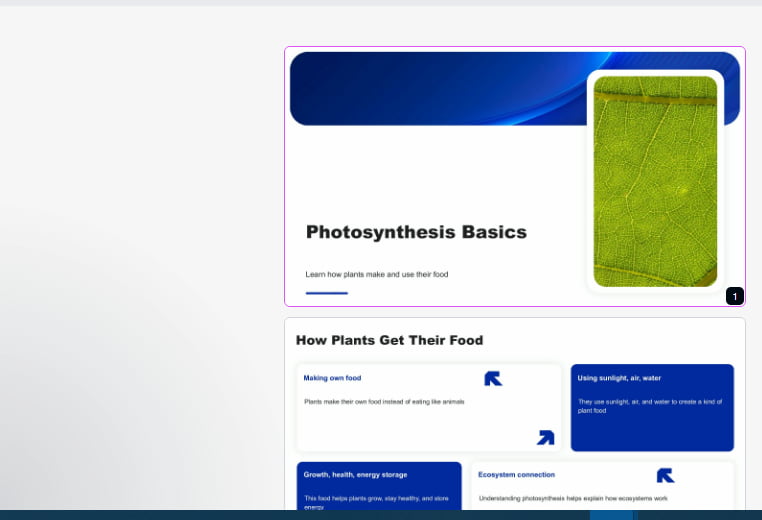
So, Decksy is for teachers who reuse their lesson materials a lot. The document support and targeted editing are especially helpful. Teachers can adapt individual slides to different classes.
Slideonic
Slideonic helps teachers turn written materials into presentations. You can review the outline before the AI PPT generator creates the slides.
It also supports document-based presentations, research materials, and professional templates. You can edit or share your lessons more easily with export options like PPTX and PDF.
Price: Slideonic offers 7-day access for $2, followed by monthly or annual subscriptions. Its website does not list separate enterprise pricing.

Our test results
Our assignment required a clear explanation of photosynthesis. The lesson also needed review questions and a final activity. We focused on how the material could follow a logical sequence.
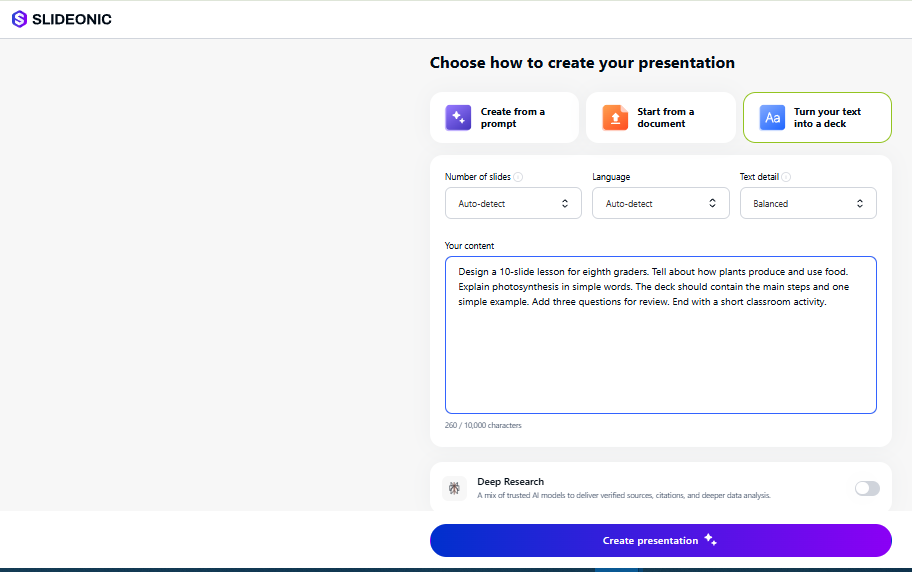
Slideonic is all about organizing the content while building a presentation. This can help teachers structure lecture notes and written explanations. Its academic templates provide another starting point for lessons.
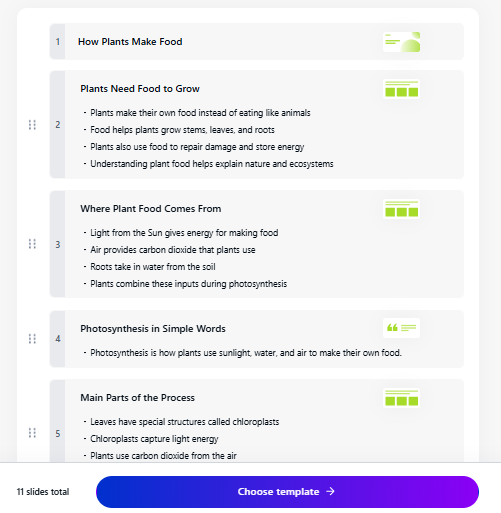
However, teachers should check whether each stage receives enough explanation. The questions should also match the concepts already covered. The final activity should reinforce the lesson.
Exporting to PPTX enables further editing using PowerPoint. Teachers can add in examples or modify the difficulty. PDF exports are good for sharing fixed copies.
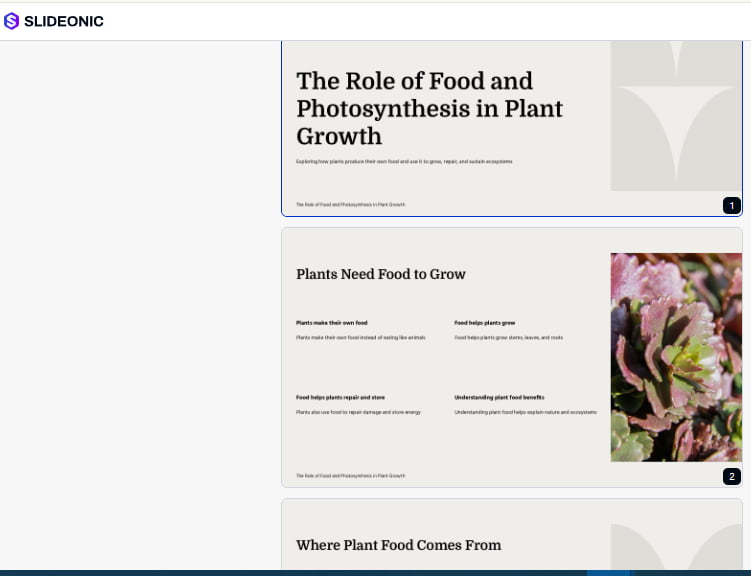
So, Slideonic is for teachers who need to organize their lessons. The file support helps with existing educational materials. Teachers should still go over the design and scientific content.
Decksy vs. Slideonic
Both AI presentation maker tools for teachers aim to transform documents into visual pages. Decksy supports individual slide revisions and flexible reuse of content. Slideonic is all about academic templates and structured educational content.
Decksy could be attractive to teachers who tend to simplify explanations. Those creating lecture notes might prefer Slideonic.
Best for creating engaging visual lessons
Some things are easier to understand when you can see them. Diagrams are good for science; maps and timelines are good for history. Canva and Gamma take different approaches to visual presentations.
Canva provides hands-on design controls and reusable templates. Gamma focuses on generating presentations from prompts.
Canva
Canva combines presentation creation with a broad design platform. It offers templates, illustrations, and a drag-and-drop editor. Teachers can choose fonts, colors, images, and layouts.
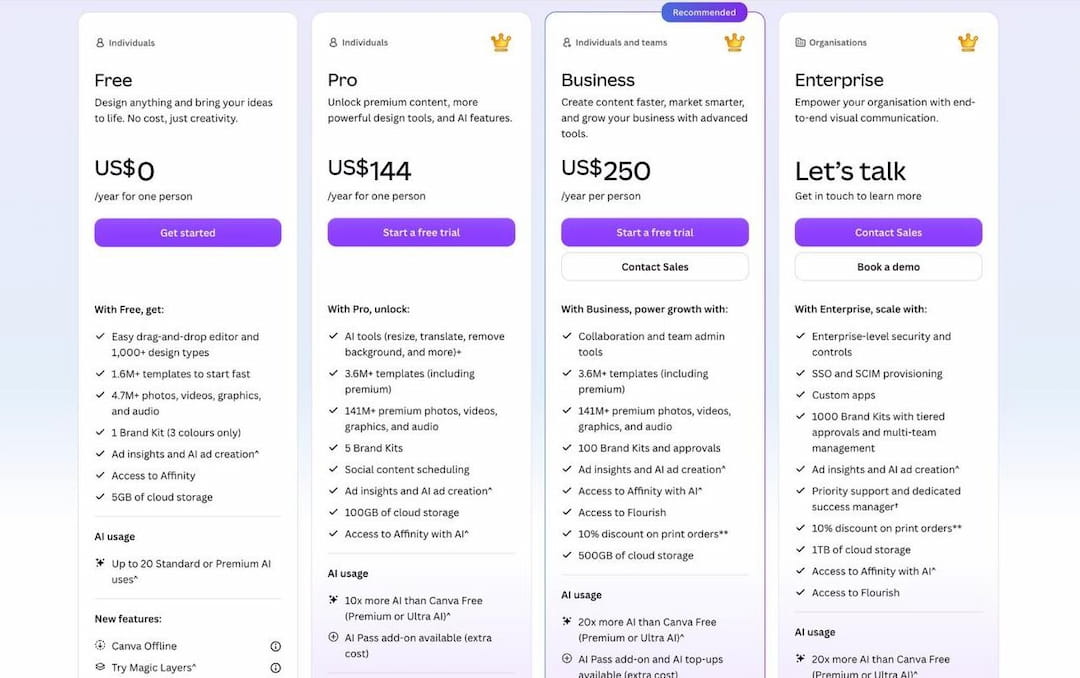
Price: It offers a free plan and a few paid plans. There are two paid plans: Pro is $144/year, and Business is $250/year per person. They add features and more access to AI tools.
Our test results
We needed visuals for our photosynthesis lesson to explain the process. For example, a diagram might show the sun, water, and carbon dioxide. Then it could mix these with sugar and oxygen.
With Canva, you can drill down and control these visual elements in detail. Teachers may substitute generic images for labeled diagrams. They may also use the same colors for each presentation.
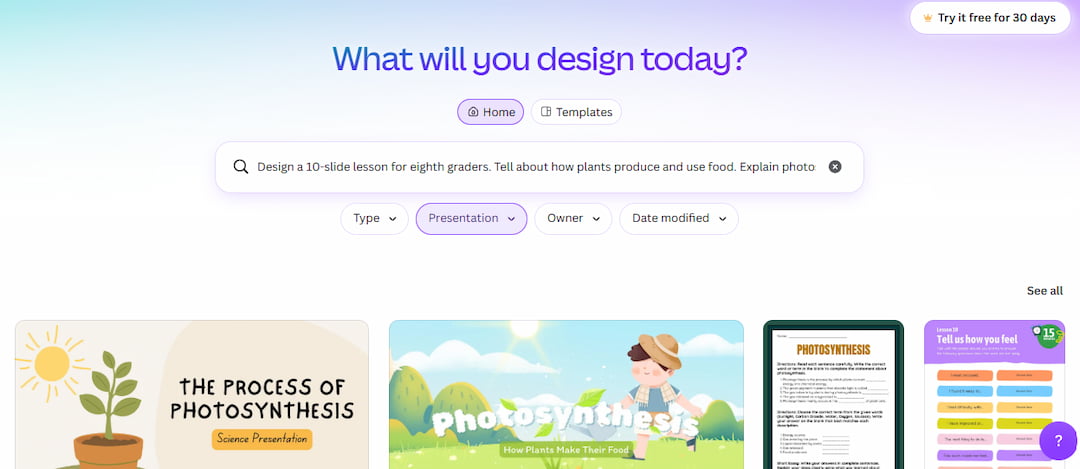
But good slides do not guarantee clear explanations. Students may be distracted by decorative images from the main idea. Teachers should choose visuals to assist in the lesson.
Canva is also great for other classroom materials. Teachers can create learning resources, posters, and worksheets. Designs are reusable in different subjects.
The main problem is the amount of choice. New users may want to spend some time exploring the editor. AI-generated drafts might need a bit of manual tweaking too.
So, Canva is the best AI PowerPoint maker for teachers who want to brush up on their design skills. It’s good for lessons that are rich in visuals and reusable resources. The main benefit is flexibility for customization.
Gamma
Gamma converts prompts to presentations and AI-generated layouts. The editor is interested in visual storytelling and linked ideas. Presentations can be exported in PDF, PPTX, and other formats.
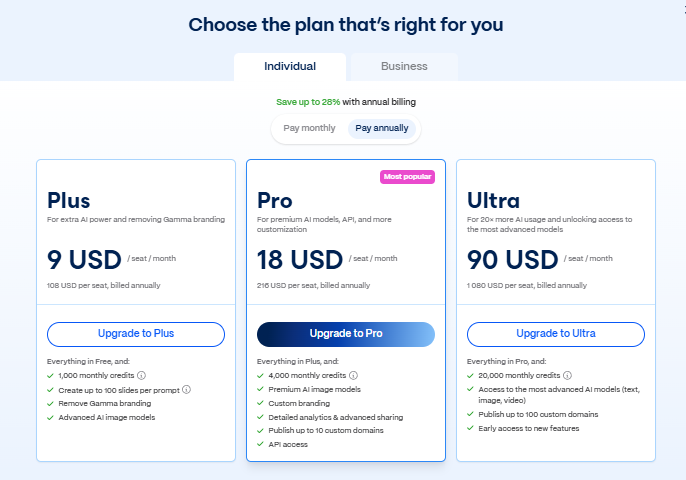
Price: Gamma offers a free plan with 400 starter credits. It allows up to 10 slides per prompt. Its paid Plus plan is listed at $9 per month. That price requires annual billing.
Our test results
We asked Gamma to create a complete photosynthesis lesson. The slides needed a clear introduction and process explanation. They also required an example, questions, and an activity.
What mattered the most was how ideas fit together. Once pupils comprehend the basic concept, the steps should be learned. The explanation should be supported by the example and questions.
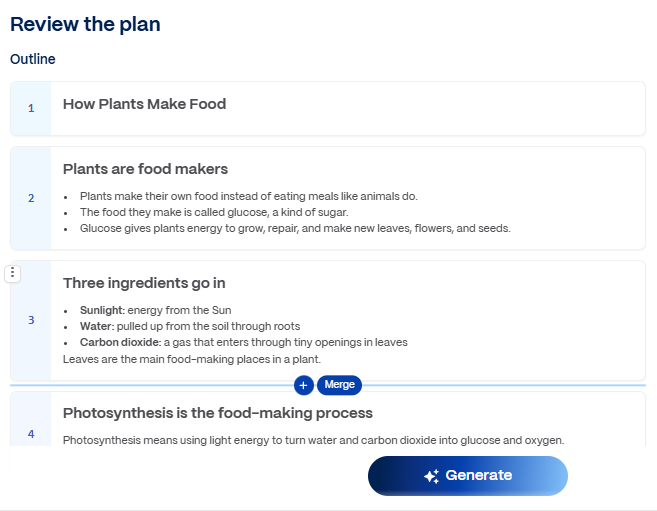
Gamma’s prompt-driven workflow provides a starting structure. Teachers can look over the draft rather than creating every slide. Its visual arrangements can help in associating related ideas.
But not all layouts are suitable for classroom presentations. Teachers need to check the text size and the density of the slides. They should also verify the exported presentation before teaching.
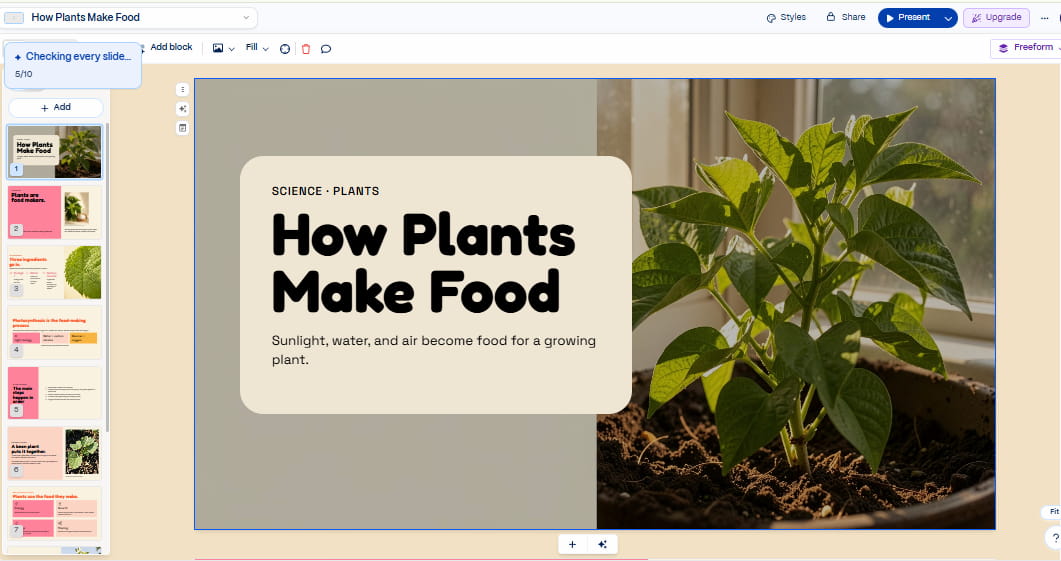
The free plan’s slide limit matches our assignment. However, repeated experiments may use the available credits.
So, Gamma suits teachers who start with a prompt. It combines automated structure with visual presentation styles. Teachers should review the content and exported layout.
Canva vs. Gamma
When it comes to Canva vs Gamma, Canva gives teachers more control over specific elements in a design. Gamma is about building a connected presentation from prompts.
Canva is a good tool for lessons that require custom diagrams and illustrations. Gamma is useful to teachers who need a quick visual draft.
Best for working with familiar presentation software
Most teachers are already using PowerPoint or Google Slides. They could have school templates and shared presentations. Changing tools can be disruptive to established habits.
Plus AI and SlidesAI plug into your existing presentation workflows. These best AI presentation maker tools for teachers enable users to create slides without changing everything.
Plus AI
Plus AI adds more capabilities to Google Slides and PowerPoint. Teachers can create visuals and edit existing slides. Its editing tools support familiar presentation workflows.
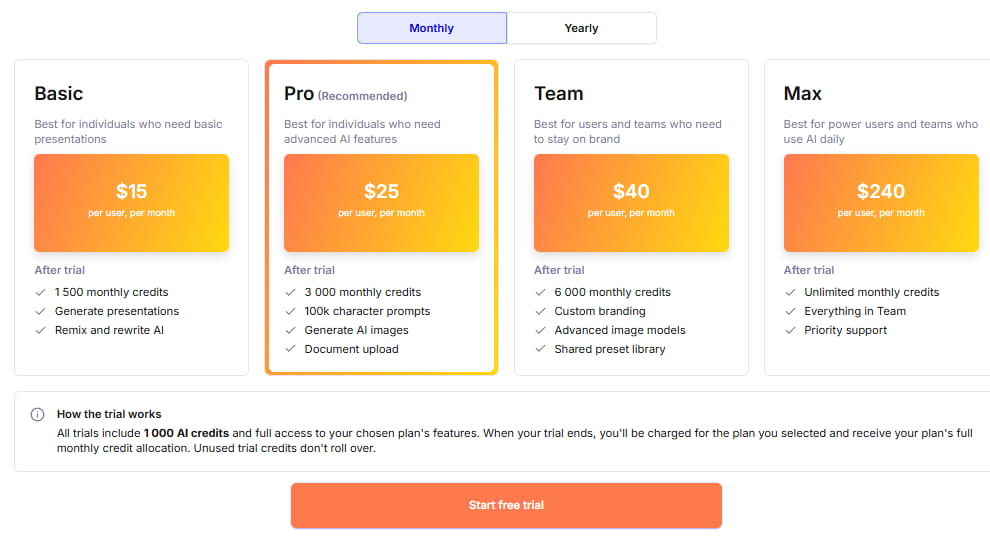
Price: This tool doesn’t have a free plan, but paid plans come with a 7-day trial. The price for a year begins at $15 per month for each user, with other plans at higher levels.
Our test results
Using our prompt, we checked the clarity of explanations and the accuracy of photosynthesis facts. We also assessed visual design and how easily teachers could edit the deck.
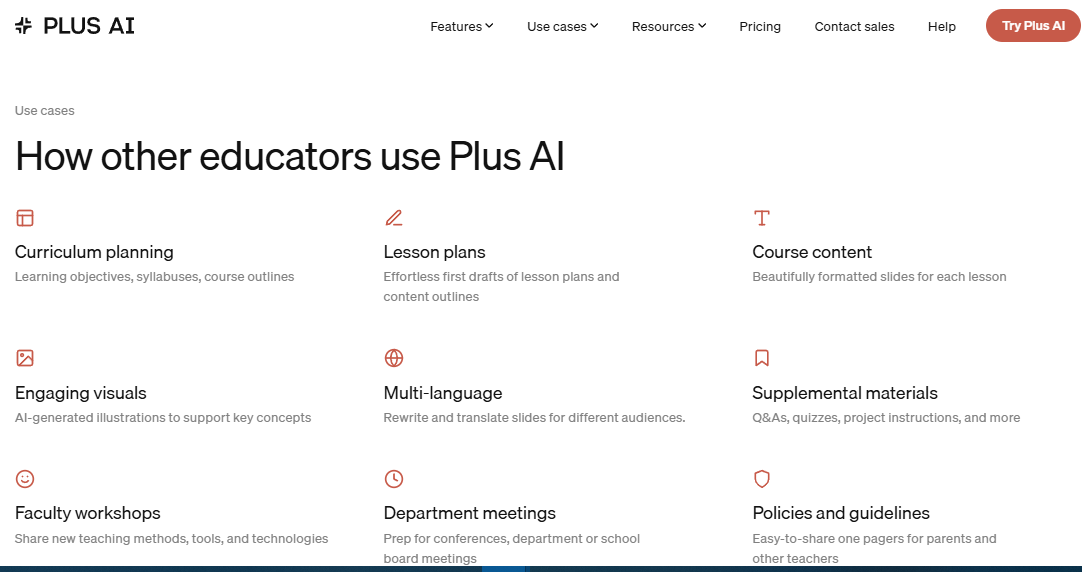
Plus AI works within familiar presentation software. Teachers can continue to use the existing templates and shared files. This can help collaboration across a school.
Its revision features also allow for rewriting and remixing. Teachers can make explanations simpler or reorganize slides. They don’t always have to redo the whole presentation.
The final deck has to be checked carefully. Users should make sure that all requested elements are included. They should also check readability in their school templates.
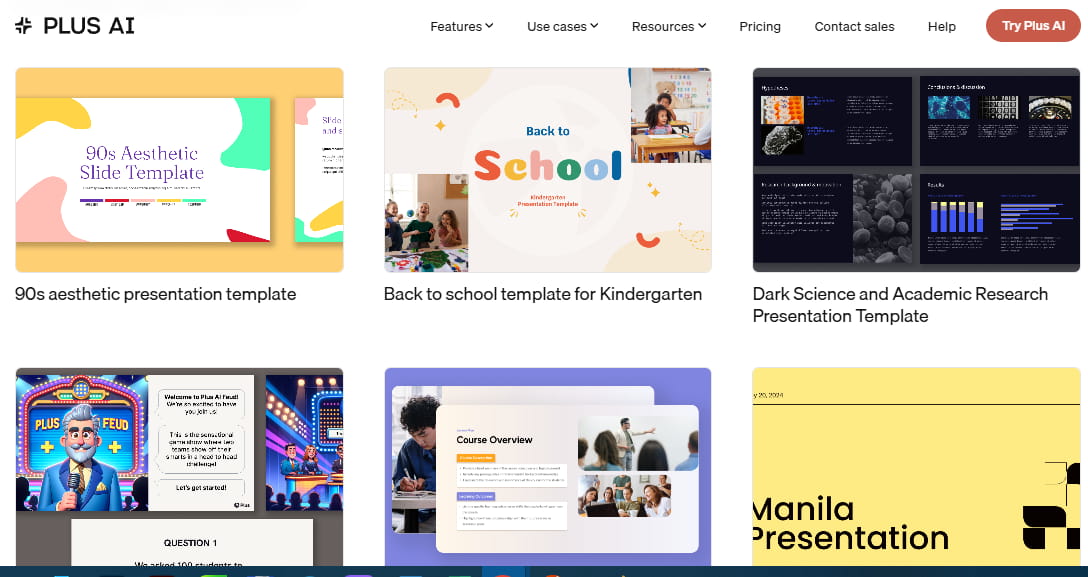
Plus AI suits teachers already using PowerPoint or Google Slides. Its main advantage is integration with familiar software. It also supports ongoing slide editing.
SlidesAI
SlidesAI turns text and prompts into presentation drafts. It integrates with Google Slides and has a simple workflow. Teachers may begin with notes or a written outline.
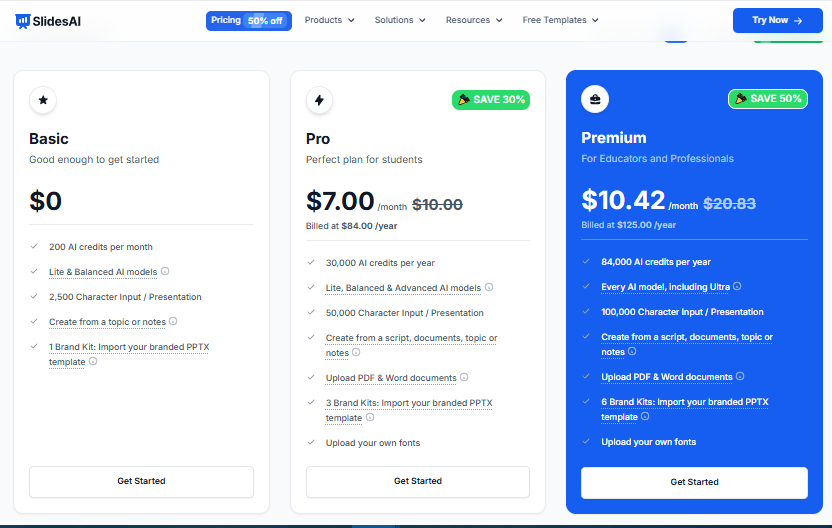
Price: This platform has a free plan with 12 presentations a year. Annual billing costs $7/month for Pro and $10.42/month for Premium. Enterprise and school pricing are available separately.
Our test results
When testing this best AI PowerPoint presentation maker for teachers, we checked whether the generated deck followed the requested lesson structure. We also checked the explanations, visual order, and relevance of the questions to photosynthesis.
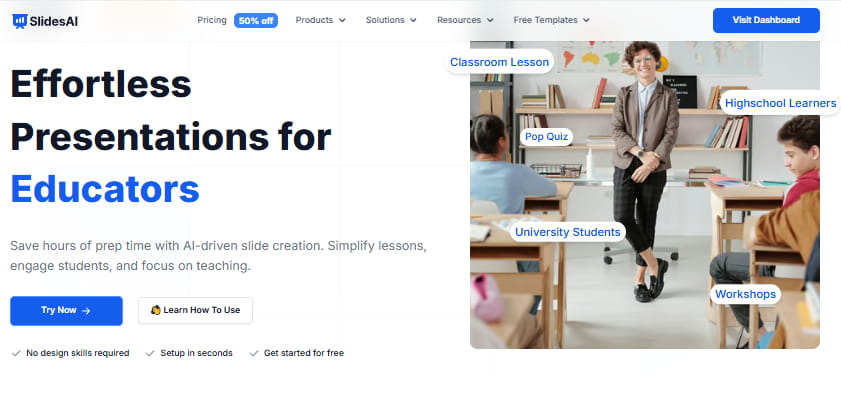
With SlidesAI, creating an outline is easy. Teachers can still edit in Google Slides. It’s helpful if they’re already familiar with the interface.
But complex visual lessons may take more work. Teachers can include diagrams or make different cluttered layouts. Also, they have to trim text when slides feel too packed.
The free plan might be ok for occasional classroom use. But the annual presentation limit still applies to those teaching lessons on a regular basis. Paid plans have higher usage limits and more features.
So, SlidesAI is great for teachers who need drafts based on text, fast. Its simple workflow works fine with Google Slides. More advanced lessons could get into more design work.
Plus AI vs. SlidesAI
Plus AI works on generation and editing in familiar software. SlidesAI helps turn written content into presentation drafts.
Plus AI works well for teachers who often update existing decks. SlidesAI might be enough for teachers who are new to written outlines. We also have a detailed comparison of Plus AI with Gamma, Tome, and Beautiful.ai.
What our test shows
The shared assignment highlighted different workflows across the six platforms. Each tool needed to support the same lesson requirements. Their main differences appeared in source handling, design, and editing.
Citation 1: Source handling
Decksy and Slideonic suit teachers with existing documents. Both support several common file formats. This helps educators reuse notes and worksheets.
Canva provides a free-form design space. Gamma is all about prompt-based creation. Plus AI and SlidesAI work with familiar presentation software.
The starting point matters when choosing the best AI PPT maker for teachers. Existing documents call for a different workflow than a new idea.
Citation 2: Content quality
Our assignment required a simple scientific explanation. It also needed a logical sequence and useful review questions.
A good lesson should connect ideas clearly. Students need more than a disconnected list of facts. Check whether the explanation is building understanding.
Content produced by artificial intelligence may include errors or ambiguous language. Teachers should check scientific facts and examples. They also need to adapt their language to the students’ abilities.
Citation 3: Design and layout
Canva lets you fine-tune your graphics. Gamma is designed for connected visual layouts. Other tools have different editing workflows.
Diagrams can help to clarify the steps involved in photosynthesis more clearly. Such an idea cannot be imparted by decorative plant images alone. Visuals should be selected by teachers to explain the material.
They should also test text size and contrast. When slides are crowded, lessons can be harder to follow. Well-structured layouts help students to focus on important information.
Citation 4: Usability
The easiest tool is one based on existing teaching habits. Google Slides users may prefer SlidesAI or Plus AI. If you are a teacher with a collection of documents, Decksy or Slideonic might be better choices.
Canva suits teachers who enjoy hands-on design. Gamma helps those who prefer prompt-based creation. All six tools require some review and editing.
Citation 5: Working with existing teaching materials
Teachers often have trusted explanations and examples. AI can turn these resources into presentation slides. However, important details must survive the conversion.
An AI PDF to PPT workflow can convert written resources into something else. Later, teachers should review diagrams, tables and formatting.
The power of AI document-to-presentation tools can transform lesson plans. It turns written explanations into a sequence of slides. Teachers should review the slides to make sure they are in line with their learning goals.
An effective platform can even refresh older presentations. Teachers can edit examples or rearrange content already there. They should get rid of repetition, but keep the useful information.
Overall comparison
So, how to choose a top AI presentation maker for teachers? It depends on what they are trying to do. First, teachers need to consider their source materials and their editing needs.
These six tools address a range of needs within the educational process. Decksy and Slideonic are content-driven. Canva and Gamma are both good for making visual presentations. Plus AI and SlidesAI both plug into your existing software workflows.
| Tool | Best in the classroom | Key strengths | Primary concern |
| Decksy | Updating existing lessons | Document processing and slide reconstitution | Confirm subject’s accuracy |
| Slideonic | Educational content layout | Method for structured presentation | Suitable review format |
| Canva | Visual lessons and learning resources | Design freedom and templates | Time for a custom fit |
| Gamma | Lesson design based on prompts | Automated visual designs | Check slide flow and exports |
| Plus AI | Existing PowerPoint/Google Slides workflows | Unified editing and generation | Paid subscription |
| SlidesAI | Google Slides draft from text | Create slides from text easily | Visual improvements might be needed |
Some educators also write pitches and proposals for school funding. The best AI pitch deck generators could be relevant in such cases. Everyday classroom lessons generally require different features.
Final recommendations
Most teachers have plenty of lesson material. They can have worksheets, textbook notes, PDFs, or old presentations. The trick is getting all that information into slides that are clear and engaging. Decksy can help with this by creating presentations from the same materials that teachers already use.
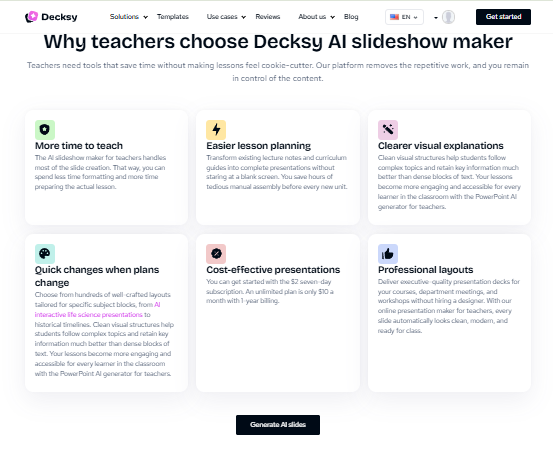
We found in our tests that Decksy can arrange the lesson content in a logical slide order. Teachers can edit the draft to fit their classes. They don’t have to build each slide from scratch. This is especially helpful when preparing lessons on similar topics.
Decksy also adds a few features that give you more flexibility in the process:
- You can upload Word, PDF, PowerPoint, Excel, and text files.
- You can organize existing materials into a presentation.
- You may change the number of slides, tone, and graphic style.
- No need to start from scratch. Refresh individual pages with ease.
- Download PowerPoint files and make edits as needed.
- Enjoy affordable access and use the tool without big expenses.
These features can make a difference in a busy school week. Teachers don’t need to copy everything into new slides. They can reuse the materials they already prepared. They are also able to generalize explanations to other classes. The first draft still needs work, but it gives them something to build on.
So, what is the best AI presentation maker for teachers? It is contingent upon how you structure your lessons. Decksy is a solid choice for teachers who often work on existing documents. It turns those materials into slides and lets you edit them further. That makes it easy to update lessons or to adapt them to another group of students.
Sure, AI-generated slides are not always ready for class. Teachers are advised to verify the facts, examples, and explanations prior to use. Some slides may need to be adapted to the age and learning needs of the students. But if you want to convert your existing teaching materials to presentations more easily, Decksy is worth a look.
FAQ
Are AI-generated classroom decks reliable?
Not all the time. AI sometimes gets facts wrong or doesn’t explain things well. Go through the slides ahead of time and fix anything that looks wrong.
Can I make a whole lesson deck using AI presentation maker websites for teachers?
Yes, smart technologies can generate a lesson draft from a simple prompt. It may contain explanations, examples and review questions.
Can teachers edit AI-generated slides?
Yes, most tools let you make corrections. Editing options will differ depending on the platform. Decksy lets you regenerate individual slides, instead of regenerating the entire presentation.
Should teachers use AI decks without looking over them?
Best not to. Smart technologies can save some preparation work, but they don’t know your students as well as you do. Check the facts, visuals, and activities to ensure that they all fit into your lesson.
Can teachers adjust AI presentations to various ages?
Artificial intelligence can explain things more simply or in more detail. It can also provide examples for various age groups.
Can AI turn a Word document into a PowerPoint presentation?
Yes, there are technologies such as these. Turn your lesson notes, worksheets or study guides into a presentation with an AI Word to PowerPoint tool. But you still want to check the order and formatting of your slides.

On decksyai.com, where clarity still matters, but results matter just as much, Alyssa Johnson, Chief Revenue Officer, looks at messaging through a growth lens. She pays attention to how structure drives action, how a well-timed pause improves conversion, and how AI is reshaping all of it — without ever replacing the human instinct behind the message.