Gamma AI vs Beautiful.ai vs Tome vs Plus AI: Which AI Gets Slides Done?
- The choice depends on what you actually do with presentations. Some people need a fast first draft. Others care more about editable files, spreadsheet data, or turning a long report into slides.
- Choose Gamma if: You want to type in a prompt, get a deck quickly, and still have room to change the design. The free plan is useful if you just want to try it first.
- Choose Beautiful.ai if: You do not want to spend much time moving text boxes and fixing spacing. Smart Slides handle most of the layout work, and spreadsheet imports are useful for reports with changing numbers.
- Choose Plus AI if: You already make presentations in PowerPoint or Google Slides. It works inside both, so there is no need to learn another editor or move your deck back and forth.
- Choose Tome if: You already have the content in a PDF, Word document, Excel file, or another file and simply need to turn it into slides. You can export the result as an editable PPTX.
- Choose Decksy AI if: You have notes, research, a long document, or just a topic and need a clear deck fast. You can also edit the exported slides later in PowerPoint or Google Slides.
You have to prepare a presentation, but you do not want to spend hours creating the slides. Gamma AI, Beautiful.ai, Tome, and Plus AI supposedly handle much of that. You provide a prompt or a file and get a deck. Sounds simple. The answer is that this isn’t the same, and some places need so much work done that others do.
This guide for Gamma AI vs Beautiful AI vs Tome AI vs Plus AI reveals what you will receive with the various AI presentation makers. We also have the same tasks and compare slides, text, file handling, editing, speed, and exports. This is a slightly different story with Tome. Today’s TomeApp.ai is not the original Tome, which closed in 2025. We’ll explain that part later and use the current TomeApp.ai in our tests.
| Feature | Gamma | Beautiful.ai | TomeApp.ai | Plus AI |
| Price | Free plan | From $14.50/mo | From $11.90/mo | From $10/mo |
| Free option | Yes | Trial | No | 7-day trial |
| AI | Good | Good | Good | Good |
| File uploads | PDF, PPTX, Word | PDF, docs, links | PDF, Word, Excel + more | PDF, PPTX, DOCX, TXT |
| Charts | Yes | Yes | Yes | Yes |
| Design | More control | More automatic | Basic controls | Edited in PPT/Slides |
| Export | PPTX, PDF, PNG, Slides | PPTX, PDF, Slides | PPTX | PPTX, Google Slides |
| Good for | Quick decks | Business decks | File-to-slides | PPT/Slides users |

Plans, Pricing and Paywalls: What You Need to Know
The prices and free plans work quite differently across these four tools. With Gamma vs Tome vs Plus AI vs Beautiful.ai, the biggest difference is how much you can actually do before paying for the best AI presentation makers. Some give you a free plan. Others offer a trial or a set number of credits. And once you start creating more decks, uploading files, or using extra AI features, the limits show up pretty quickly.
Gamma AI
There is no cost for using Gamma, nor do they require a card. There are 400 credits to be earned upon registration, but no renewal. Up to 10 slides may be created for each prompt, and PDF or PPTX files may be uploaded. Plus is $12/month with 1000 credits. Pro is $25 for 4,000 credits, plus brand, analytics, and API access. Ultra has a $100 monthly subscription, providing you with 20,000 credits and additional AI models.

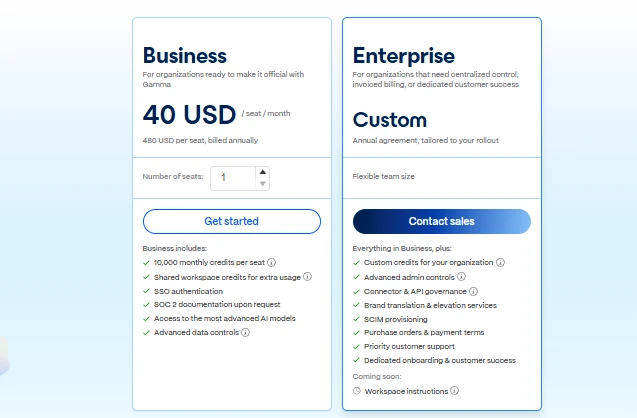
Larger teams have two more options. Business costs $40 per seat per month with annual billing and gives each user 10,000 monthly credits, SSO, extra data controls, and access to more AI models. Enterprise has custom pricing. It adds more admin controls, SCIM, invoiced billing, priority support, and dedicated onboarding.
Tome
Like the Tome that came before it, TomeApp.ai has a few paid plans. There’s one important detail, though. This isn’t the original Tome, which closed in 2025, so check the site and payment terms before paying. Monthly and annual billing are available. Starter is $11.90 a month with 1,000 credits. Standard costs $29.90 and gives you 3,000 credits. Premium is $59.90 for 7,500 credits, 100+ templates, 4K AI images, and access to a higher-tier Claude model.

Plus AI
Plus AI doesn’t have a free plan, but you can use it for free for 7 days with 1,000 AI credits. Basic costs $10 per user per month if you pay for a year, or $15 month-to-month. You get 1,500 credits. Pro is $20 with annual billing or $25 monthly and comes with 3,000 credits. It also lets you upload PDF, DOCX, and TXT files. This can make it a useful AI presentation maker for teachers working from lesson plans or class notes.
Team costs $30 per user per month with annual billing, or $40 monthly. It gives you 6,000 credits and adds custom branding, shared presets, and templates. Max costs a lot more: $200 with annual billing or $240 monthly. There’s no fixed AI credit limit, and you also get priority email support.

Beautiful.ai
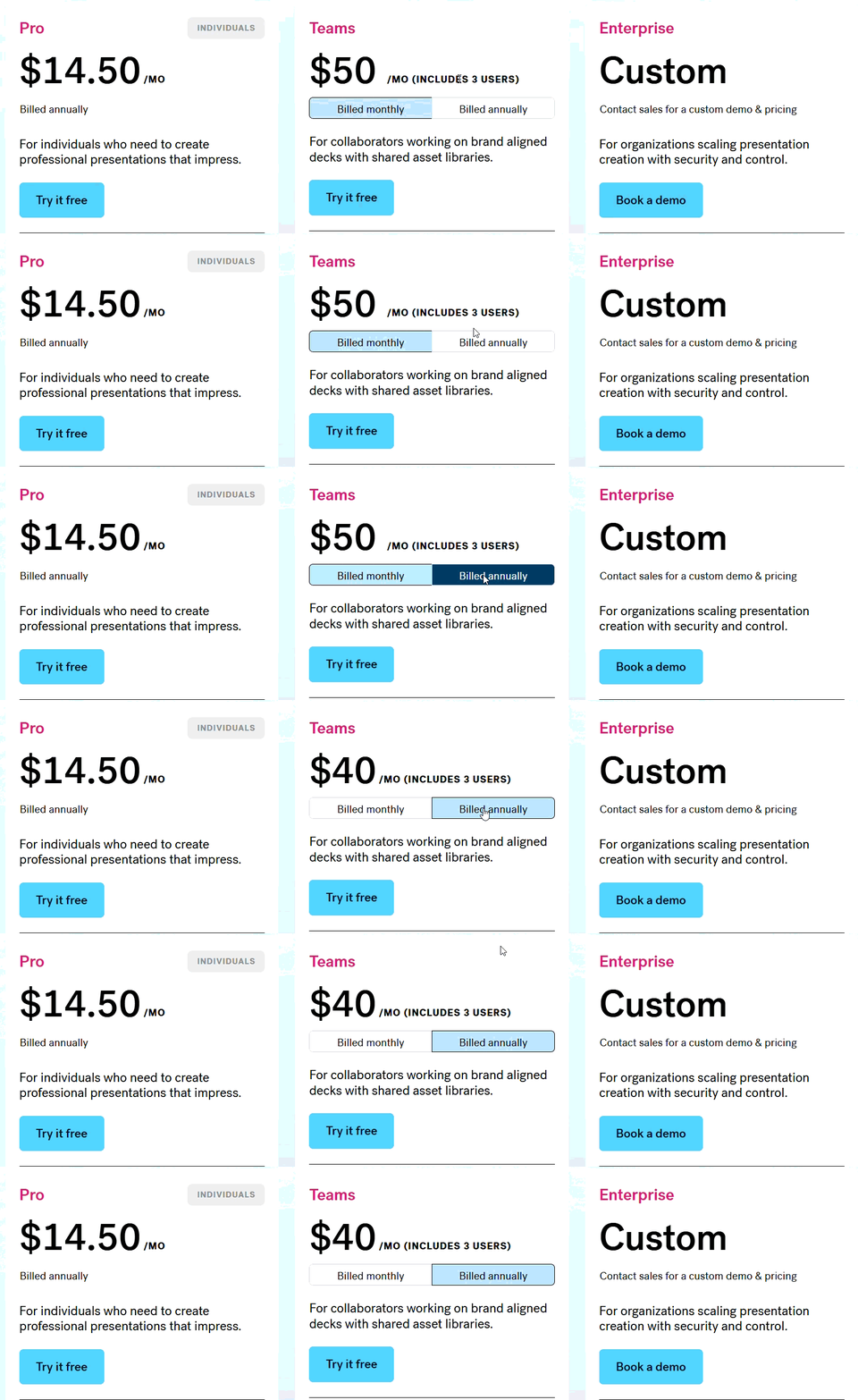
There’s no free plan here. You only get a free trial. Pro costs $14.50 a month when you pay for a year and includes AI content, 300+ slide layouts, AI images, file uploads, and branding tools. In Gamma vs Beautiful.ai, this matters because Gamma gives you a free option you can keep using. Teams costs $50 a month for three users, with shared templates, live editing, and analytics. Enterprise has custom pricing and adds SSO, SCIM, admin controls, and onboarding.
However, price isn’t the only thing to look at. Exports can cost extra too. Some tools keep certain file formats behind their more expensive plans, so getting the deck out can mean another upgrade. Decksy AI does it differently. The trial costs $2, and the $10/month plan includes full export rights. You can save the deck, open it elsewhere, and keep editing without paying for another plan.
Design Options, Templates and Brand Controls
Design options are very different in the Gamma app vs Tome vs Beautiful.ai vs Plus AI. Gamma provides pre-designed themes and some control over them. All colors, fonts, spacing, logos, shadows, shapes, and image styles can be customised with AI. Custom fonts can be uploaded, or a theme can be imported from PowerPoint or Google Slides. The colors, fonts, and logo can be retrieved from that file by Gamma.
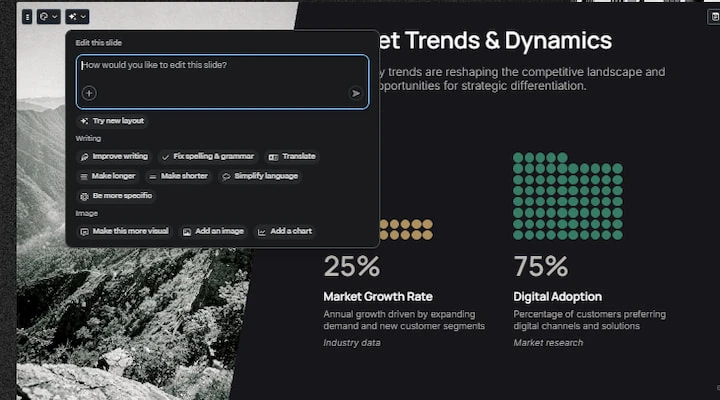
Beautiful.ai offers 300+ Smart Slide designs for a more fixed design system. You receive timelines, charts, comparisons, diagrams, image grids, and more. When including or removing content, the layout of the slide changes, so less manual arranging is required. Brand Kits include fonts, colors, logos, and icons. The majority of templates are business-inspired layouts, but after a few presentations, the same templates can get repetitive.

The situation with Plus AI is much easier, as it operates inside PowerPoint and Google Slides. The templates are available for business decks, lessons, proposals, case studies, and others, but the default templates are fairly basic. Team plans are available in brand colors, fonts, and logos. There’s also a beta custom-template option in Google Slides for Plus; however, there is a limit of 25 slides, and some elements in the complex templates remain static.
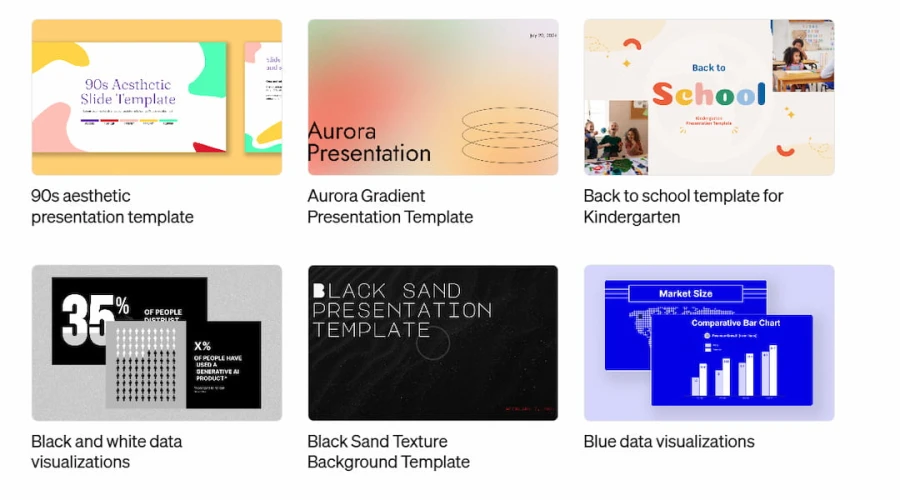
Premium users of TomeApp.ai receive 100+ templates. It can be used to begin with a prompt, convert a document into slides, or upload a pre-existing PowerPoint and redesign it. Slides are editable in the browser and can subsequently be exported as a PPT file. Its stock image library, custom font uploads, and Brand Kits, however, are less detailed, making them more difficult to compare across the boards.
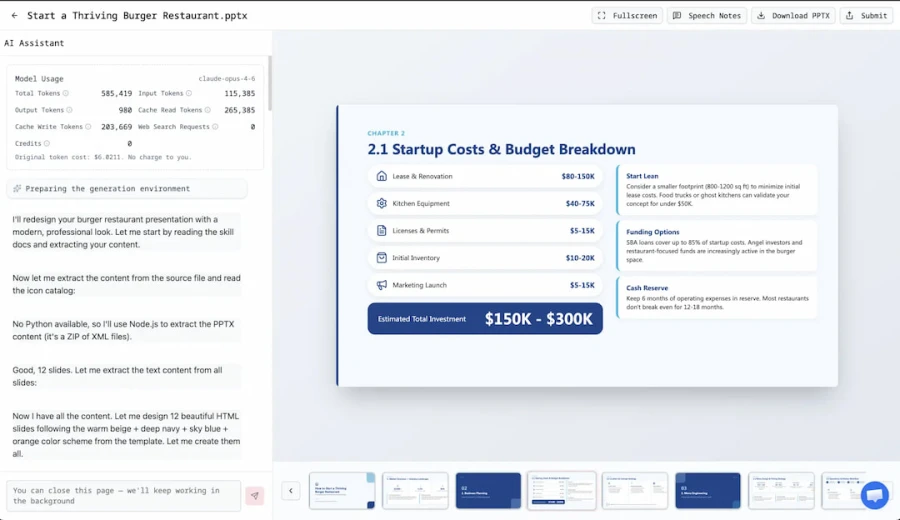
The primary difference between Gamma vs Beautiful.ai vs Tome vs Plus AI is how the tool deals with design. There is more freedom of themes and pictures in Gamma. Beautiful.ai retains slides in its Smart Slide layouts. Plus AI is more fundamental from the start, but you can continue to build the deck in PowerPoint or Google Slides. TomeApp.ai provides 100+ templates and can even redesign a PPT.
Data Visualization and Spreadsheet Connections
Numbers can be the awkward part of a presentation, especially when they keep changing. In Gamma.app vs Tome.app vs Beautiful.ai vs Plus AI, there’s a clear difference in how much work this takes. Some tools can pull data from spreadsheets and update it later. With others, changing a report means going back and replacing the numbers yourself.
Gamma AI
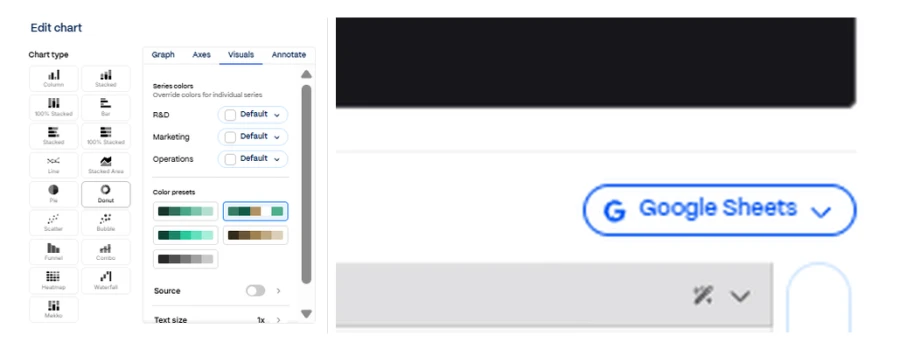
Gamma gives you a decent set of ways to show numbers. There are column, bar, line, pie, and donut charts, along with big numbers, bar stats, circle stats, and a simple three-row table. Add the data and adjust the labels, axes, colors, or series from there. If the numbers change regularly, link the chart to Google Sheets. Update the sheet, hit Sync, and Gamma pulls the latest figures into the chart.
Excel is a bit less convenient. Gamma cannot import XLSX files directly, so you first need to convert the file to CSV or move the data into Google Sheets. That is an important detail in a Gamma vs PowerPoint comparison if you work with Excel reports a lot. Imported charts can also arrive as static images. In that case, you have to rebuild the chart in Gamma before changing its numbers.
Tome
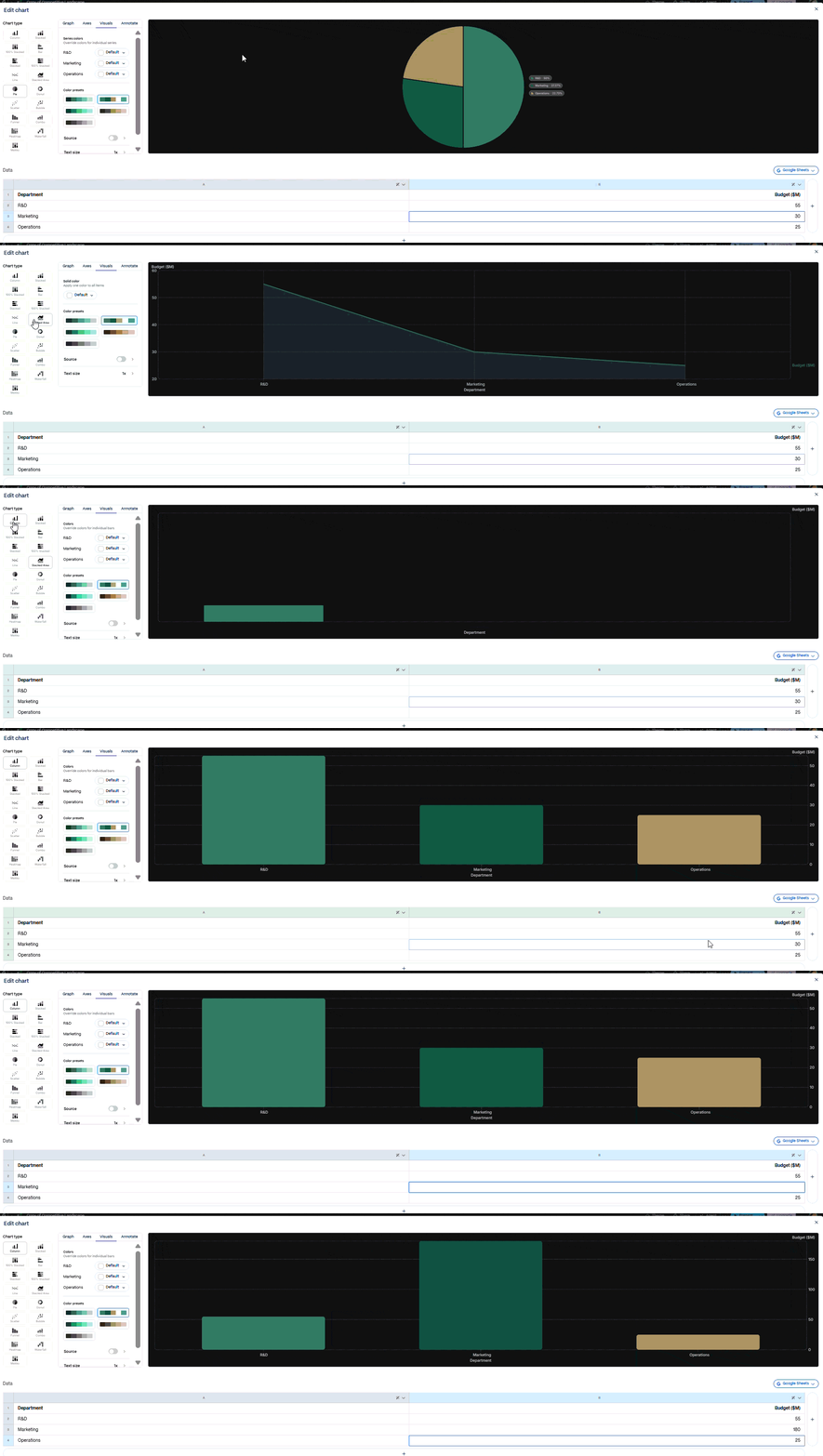
TomeApp.ai lets you upload XLS and XLSX files and turn the data into presentation slides. It can work with several sheets in one file and pull out tables, charts, formulas, and key figures. The finished deck comes as an editable PPTX, so you can still change the charts and text in PowerPoint.
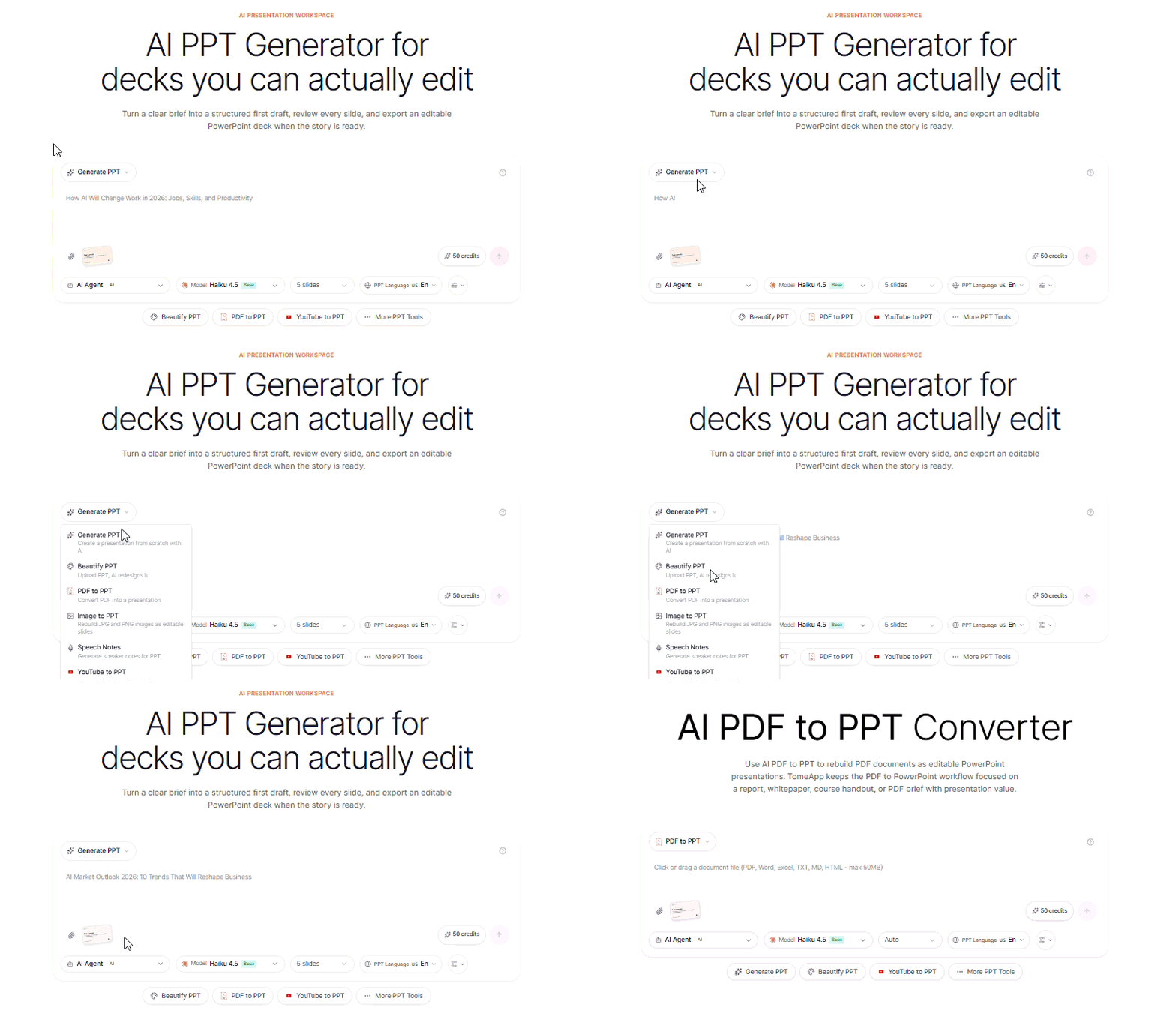
It also works as a text to PowerPoint AI tool. Paste in text or upload files such as Word, PDF, Markdown, or HTML, and TomeApp.ai can turn the content into slides. Spreadsheet updates are more limited. There is no clearly documented live link to Google Sheets or Excel, so if the numbers change, you may need to upload the updated file again.
Plus AI
In Gamma AI vs Beautiful.ai vs Tome vs Plus AI, Plus AI handles charts a little differently because it works inside PowerPoint and Google Slides. Give it the figures in a prompt, and it can build a chart from them. It can also add charts while creating the deck. They stay editable, so the numbers, labels, and chart settings can be changed later.
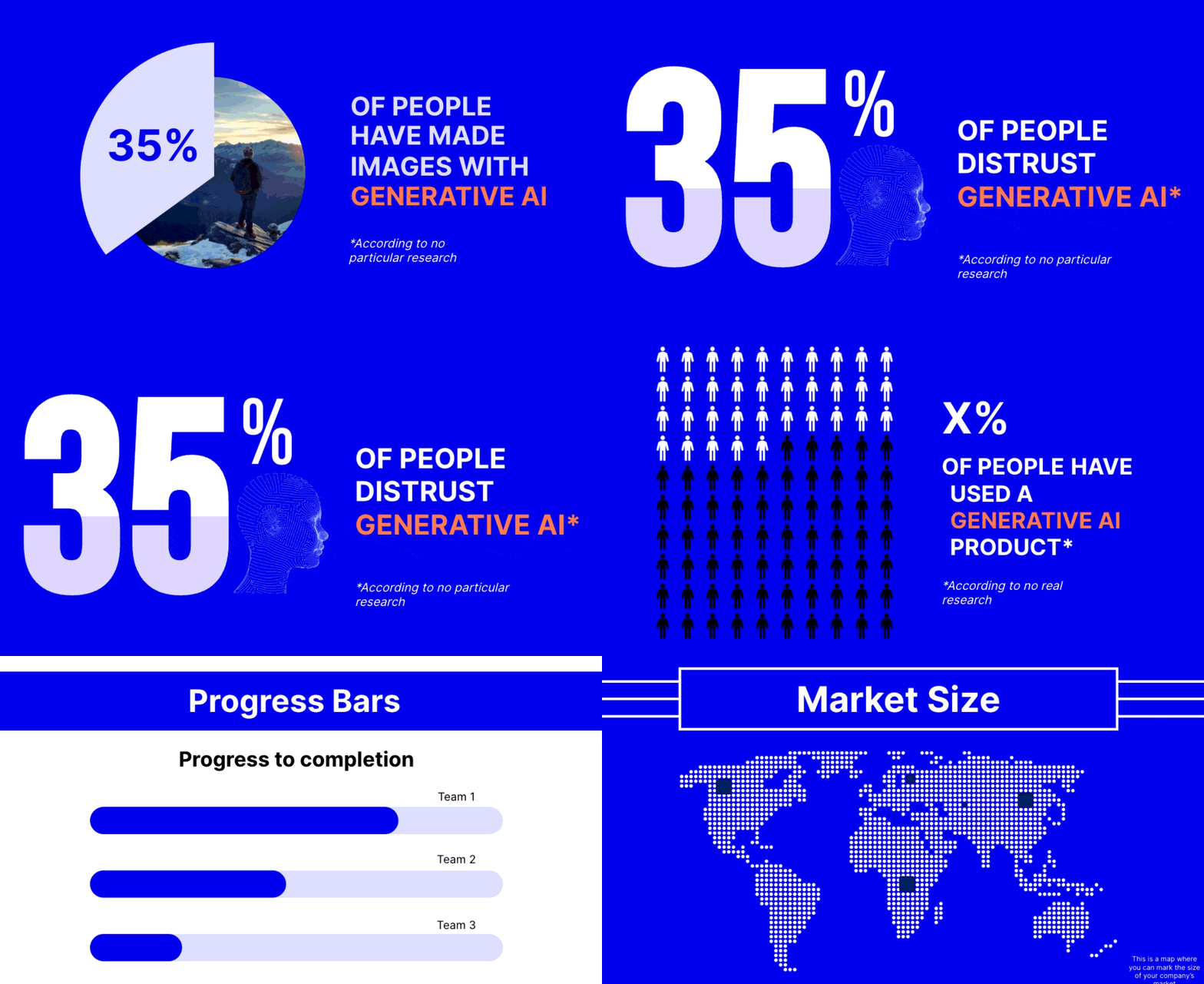
There is one thing to watch. If Plus AI creates a chart without enough data in the prompt, some figures may be generated by AI rather than taken from a real source. For reports with financial or business data, those numbers need to be checked before using the slides.
Beautiful.ai
There are a couple of ways to add numbers to a deck using Beautiful.ai. The data can be pasted manually or imported from Google Sheets, Excel, CSV, Box, or Dropbox. There, it can be selected as desired and then used for charts. Most common data contained in reports is covered – there are line, bar, pie, waterfall, area, and donut charts.
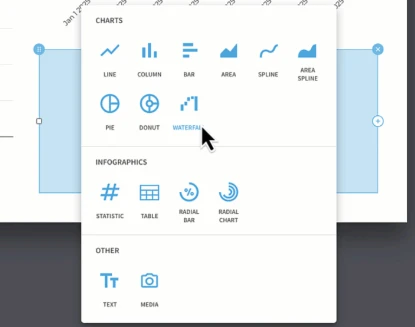
There are tables, Big Number layouts, and Data Dashboard slides for slides that have lots of numbers. This is helpful when you have more than one chart or metric to display on a single page. The published data can also be updated when the source changes, thus saving some effort in reports that are done weekly or monthly.
Gamma.app vs Tome vs Plus AI vs Beautiful.ai: Side-by-Side Test
All four tools got the same prompt and the same source file. No special instructions for one tool and no extra fixes before comparing the results. The Gamma AI vs Tome AI vs Beautiful.ai vs Plus AI test focused on five things: the story each deck built, slide layouts, file handling, generation time, and how much work it took to fix a single slide afterward.
Narrative Logic
In Gamma vs Tome vs Beautiful.ai vs Plus AI, the tools take slightly different routes before building the deck. Gamma creates a draft first, so the order can be changed before the slides are made. Beautiful.ai also shows an outline. Slides can be moved around, rewritten, added, or removed at this stage.

Plus AI starts with an outline too. Its Slide by Slide option is useful when the structure is already planned, and each page needs a specific point. Tome can work from either a prompt or a document. With a longer file, it picks out the main sections and splits them across slides, which cuts down the amount of planning needed before generation.
Layout Quality
The slides come out quite differently. Gamma gives you more freedom to move content around and change individual layouts. Beautiful.ai takes care of more of this automatically. Its Smart Slides arrange and resize content as you work, though this also gives you less control over exact placement.
Editing is easier to handle with Plus AI because the deck stays in PowerPoint or Google Slides. TomeApp.ai builds its layouts from the prompt or uploaded file. Looking at Gamma.app vs Beautiful.ai vs Tome vs Plus AI, the main differences show up in text length, spacing, image placement, and how much manual work each slide needs.
Document Processing and Speed
File handling is quite different in Gamma AI vs Beautiful.ai vs Tome vs Plus AI. Gamma can take PowerPoint, Word, PDF, Google Docs, and other sources and turn them into editable slides. You can keep the original structure or ask AI to restyle the content. Some imported charts can still come through as images instead of editable charts.
Beautiful.ai can use documents, PDFs, and links as source material. Plus AI accepts PDF, PPTX, DOCX, and TXT files, though it may leave images, charts, and diagrams behind. TomeApp.ai works with PDF, Word, Excel, Markdown, TXT, and HTML. Speed is harder to judge from feature lists alone, so the same file needs to be uploaded to each tool and timed from upload to finished deck.
Editing Flexibility
Gamma works card by card, which makes small fixes easy. You can shorten the text, replace an image, switch the layout, or add another card without rebuilding the full deck. The agent can also work on a selected block instead of changing everything on the slide.

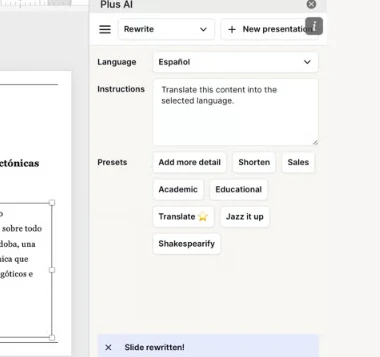
Beautiful.ai takes a similar approach with Slide AI. One slide can get a new layout, image, or rewritten content while the rest stays untouched. Plus AI keeps editing inside PowerPoint or Google Slides, with Rewrite for text, Remix for layouts, and Insert for new slides. TomeApp.ai has a browser editor and lets you export an editable PPTX for further changes. This is one of the more noticeable differences in Gamma.app vs Tome.app vs Plus AI vs Beautiful.ai when a generated deck only needs a few fixes.
Decksy starts with the story structure before it works on the design. The prompt or uploaded document is broken into a logical slide order first, so the deck is less likely to feel like text dropped into a set of layouts. Fixing a weak slide is also quick. If one page has too much text, the wrong visual, or a poor structure, you can regenerate that slide in seconds. The other slides stay as they are, so there is no need to generate the full deck again. It is similar to a Visio vs PowerPoint comparison: the tools cross over in places, but the way you use them can be quite different.
Export Options and File Compatibility
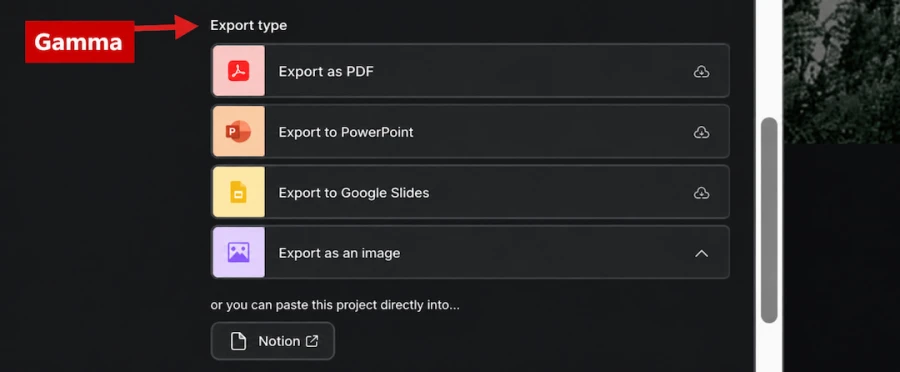
Exporting is where some limits start to show in Gamma.app vs Tome vs Beautiful.ai vs Plus AI. Gamma supports PPTX, PDF, PNG, and Google Slides. PowerPoint exports stay largely editable, though some design details may shift. Fonts can cause trouble too. Move the file to Google Slides, and an unsupported font may be replaced. Free exports also carry Gamma branding.
Beautiful.ai gives you two choices for PowerPoint. The standard export turns each slide into a static image. It looks right, but you cannot click into a text box and rewrite it. Editable PowerPoint fixes that problem. Google Slides export also keeps the content editable, though transitions, animations, video, and audio do not make the move. Plus AI is simpler here since it already works inside PowerPoint and Google Slides. TomeApp.ai takes another route: build the deck in its browser editor, then export an editable PPTX and continue in PowerPoint.
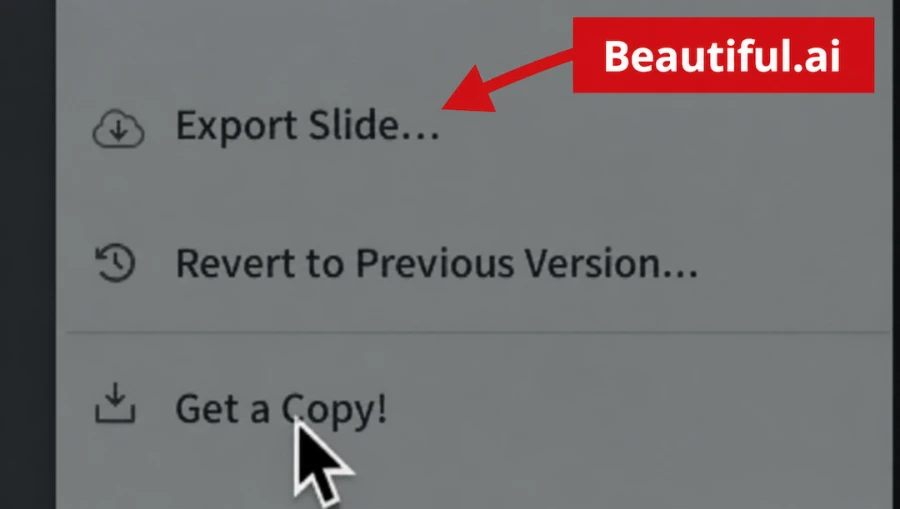
Decksy keeps the file open for further work. Its PPTX export leaves text boxes, images, and other elements separate instead of grouping the whole slide into one object. Open it in Microsoft PowerPoint, move things around, rewrite the copy, or import the file into Google Slides. There is no need to return to Decksy every time the presentation needs another edit.
Decksy AI: From Source Material to Editable Slides

After testing Gamma.app vs Tome vs Beautiful.ai vs Plus AI, Decksy makes sense for anyone who wants AI to do more than fill a template with text. Start with a topic, paste an outline, or upload a PDF or Word file. Decksy works out the presentation structure first and then builds the slides around it. That is useful with longer source files, where the important part is deciding what belongs on each slide and how one point should lead into the next.
There is more control once the first draft is ready. A single weak slide can be regenerated without rebuilding the rest of the presentation. Deep Research can also find sources, add citations, and cross-check information using models such as ChatGPT, Gemini, and DeepSeek. Need a different starting point? There are pre-made layouts too, so the design does not have to be built page by page.
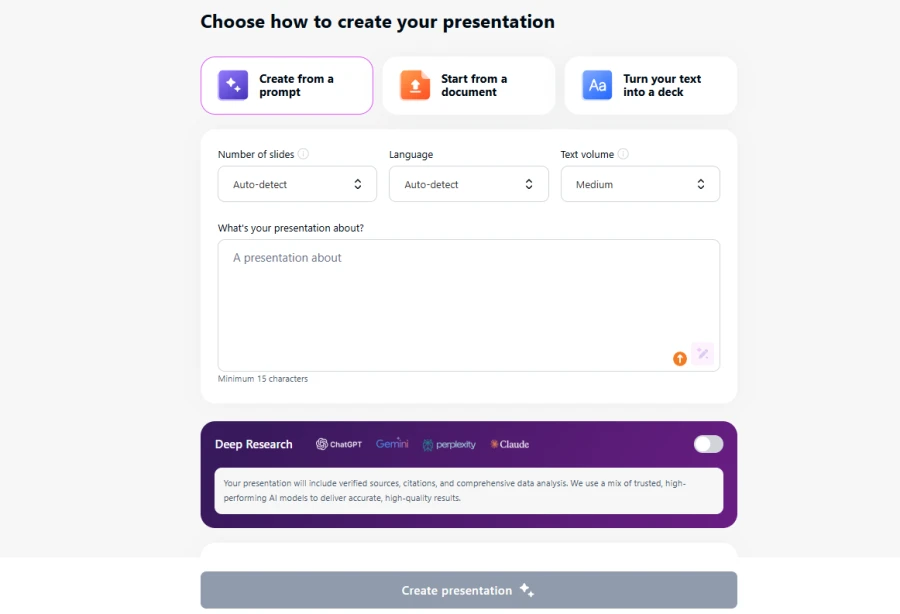
The deck stays usable after it leaves Decksy. Export it and continue editing the individual elements in PowerPoint or Google Slides rather than working with flattened slide images. The trial costs $2, while the $10/month annual plan includes full export rights. For people who want AI to handle the research, story structure, and first slide draft while leaving room for manual changes afterward, Decksy covers that middle ground.

On decksyai.com, where people come looking for clarity wrapped in a bit of personality, Julia leans into the details that make a message land: the pause between two ideas, the subtle shift in spacing, the moment a visual finally clicks.