Visio vs PowerPoint: Do You Need Both?
- Which is better, Visio or PowerPoint? This is the wrong question to ask. For one thing, each of them solves different problems, and picking one over the other depends on what you’re building.
- Select Decksy AI when you want to quickly generate a professional deck from long documents, meeting notes, or a rough idea, with full editing flexibility and none of the exported-out-flattening headaches that other tools leave behind.
- Choose Visio when you need technical diagrams, network maps, or process flows that live inside engineering or IT documentation and don’t mind its shapes auto-updating from Excel.
- Use PowerPoint if you're constructing a narrative deck for a live audience and want an AI that can draft, structure, and design an entire presentation from a prompt or document.
- The real comparison here was not about PowerPoint or Visio. The actual question is whether your next deliverable actually needs boxes and arrows or whether it needs a story that someone actually wants to sit through, and whether fixing after the fact one bad slide costs five minutes or a complete rebuild.
Your manager just asked you to build a process map and turn it in by Friday. You open Visio and PowerPoint, but forty minutes later, you’re still not sure which one to go with or if you just need both to get the job done.
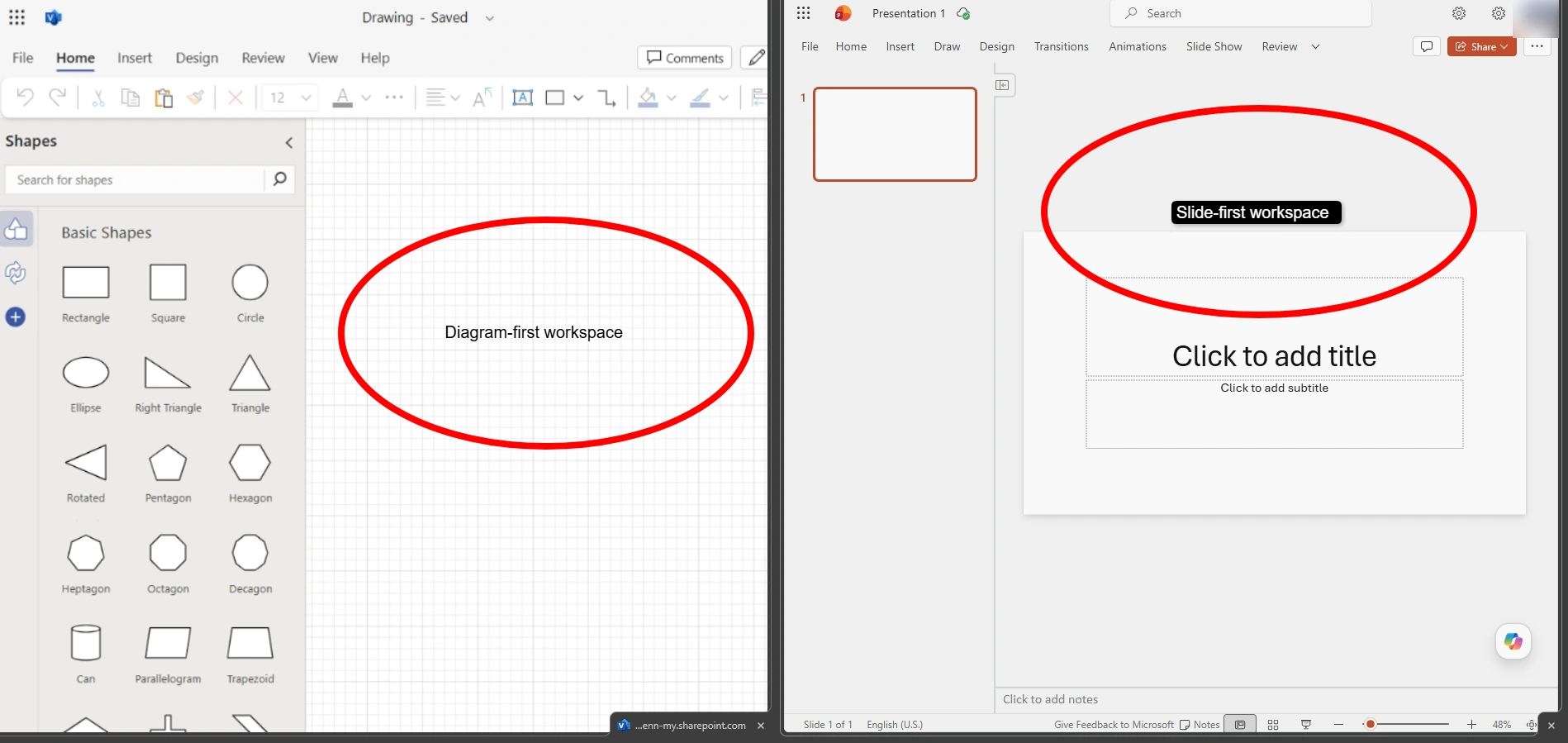
That confusion is the whole reason this Visio vs PowerPoint question keeps trending. First, these two tools don’t do the same thing. One comes up with structure while the other tells a story. This is a step-by-step breakdown of both Microsoft tools, including their pricing, AI capabilities, data handling, and how they compare.
Comparison Results at a Glance
| Feature | Visio | PowerPoint |
| Free tier | None; trial only | Free web version; full app needs Microsoft 365 |
| Entry paid price | $5/mo (Plan 1, web only) | $19.99/mo (Microsoft 365 Premium, adds Copilot) |
| Native AI generation | Not built in | Copilot, prompt-to-deck, doc-grounded |
| Primary output | Vector diagrams, flowcharts, floor plans | Slide-based presentations |
| Native PPTX export | No one-click export; copy-paste or flatten to image | Native format |
| Best suited for | IT architects, process mapping, engineers | Anyone building a narrative deck for an audience |
Pricing, Free Plans and Who’s Actually Buying Which One
Let’s talk about money first, because this is where the difference between Visio and PowerPoint starts. Both tools don’t even agree on what “free” means, so it’s important to look at each one on its own before comparing the final bill.
Visio
For starters, Visio doesn’t currently have a free tier, so you need a paid plan to use it. The closest you can get is a trial. Microsoft has never bundled Visio into standard Microsoft 365 plans, so you need to buy it separately.
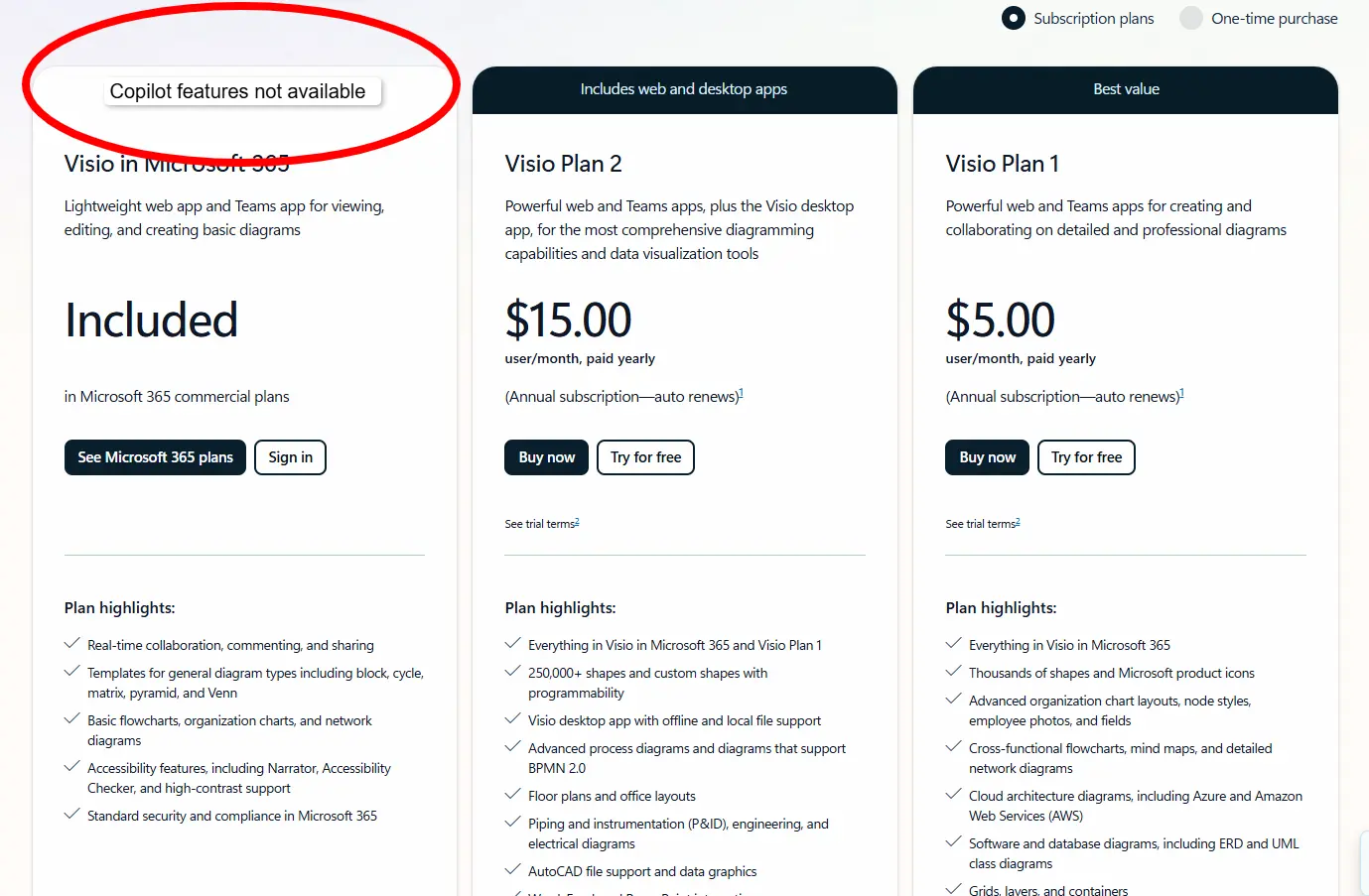
Plan 1 costs $5 per user per month and provides browser-only access, making it suitable for people who prefer to work online without installing additional software. However, it does not include the desktop application or offline access. To use the desktop app, you need to upgrade to Plan 2, which costs $15 per user per month and includes both browser and desktop access.
PowerPoint
PowerPoint, on the other hand, offers a free web version if you have a Microsoft account. However, you’ll need to purchase a paid Microsoft 365 plan starting at $19.99 a month for individuals if you need full desktop access and Copilot.
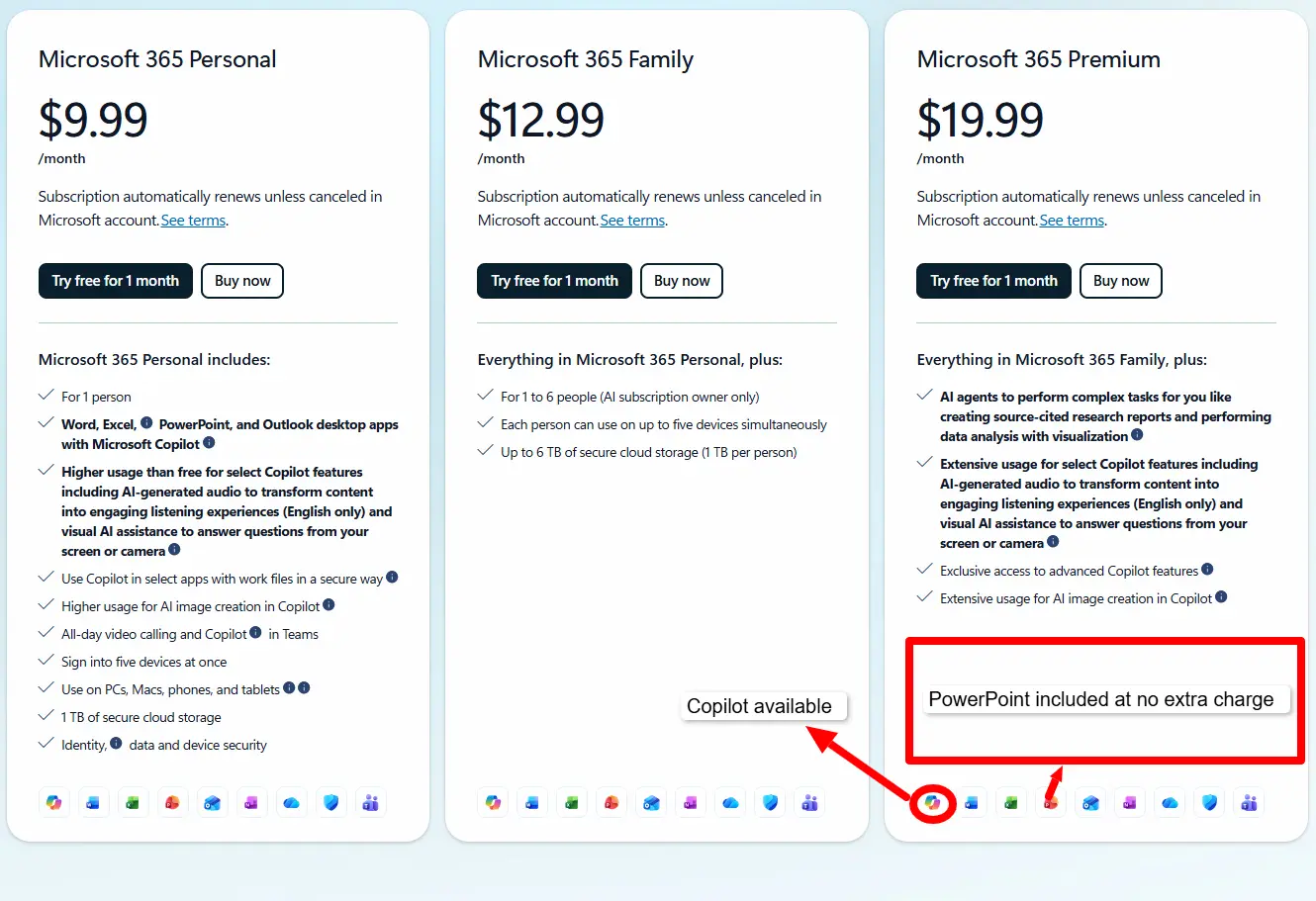
Most IT departments use Visio to map out network diagrams and organizational charts. Sales teams and anyone building something for an audience typically reach for PowerPoint instead. On the PPT vs Visio question, it’s rarely an either-or, given that both tools are designed to perform different tasks. Most organizations pay for both licenses and just switch tabs as needed.
That dual-license is exactly why a $2 trial followed by a flat $10 monthly plan with full export rights from Decksy AI slideshow maker is almost radical by comparison. Neither Visio nor PowerPoint offers anything close to that entry price once AI features come into the picture. Do the PowerPoint vs Visio math across a whole team for a year and Decksy’s price begins to make sense.
Design Assets, Templates and Customization
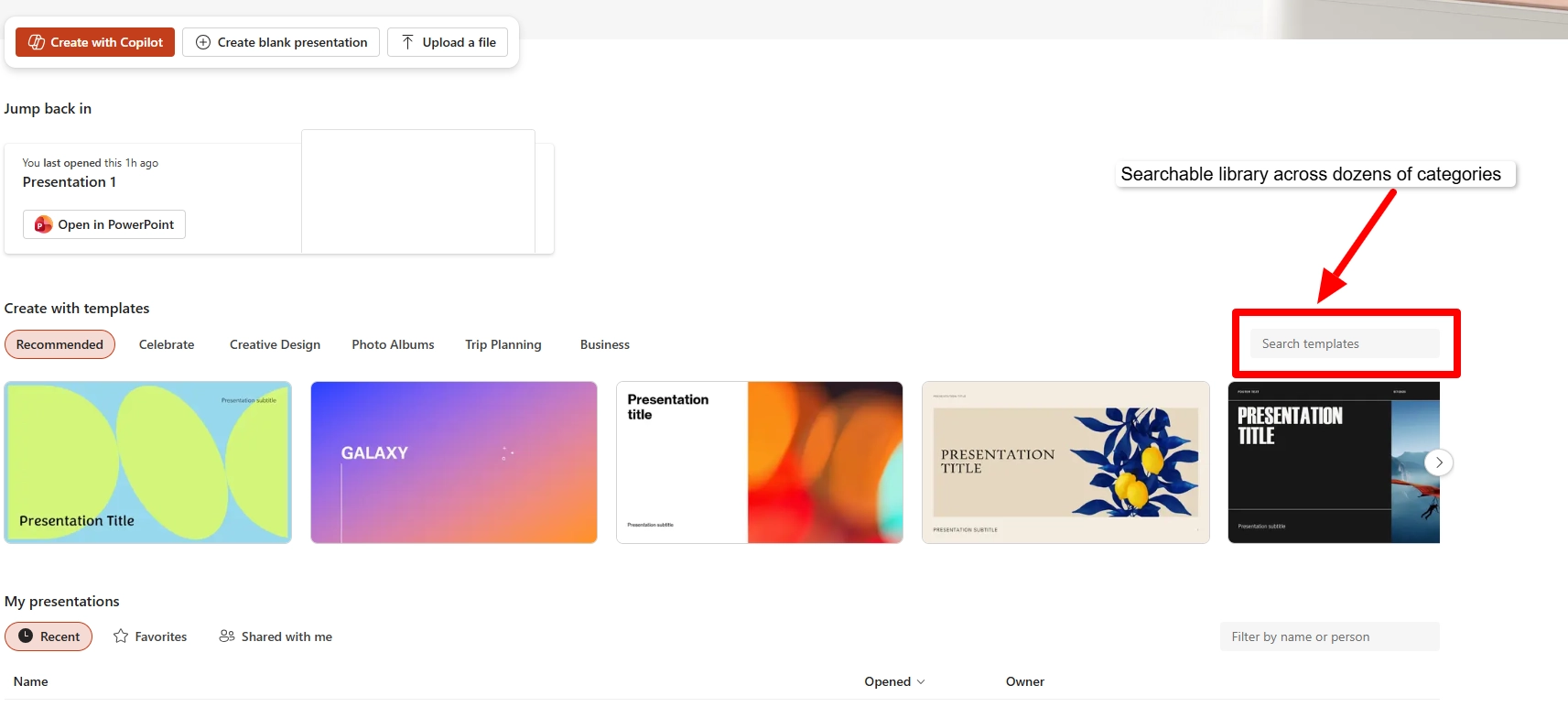
The difference between both platforms is clear once you open either editor. For one thing, templates and shape libraries determine how fast you can actually build something, so it’s worth seeing what each tool hands you before you start dragging elements onto the canvas.
Visio
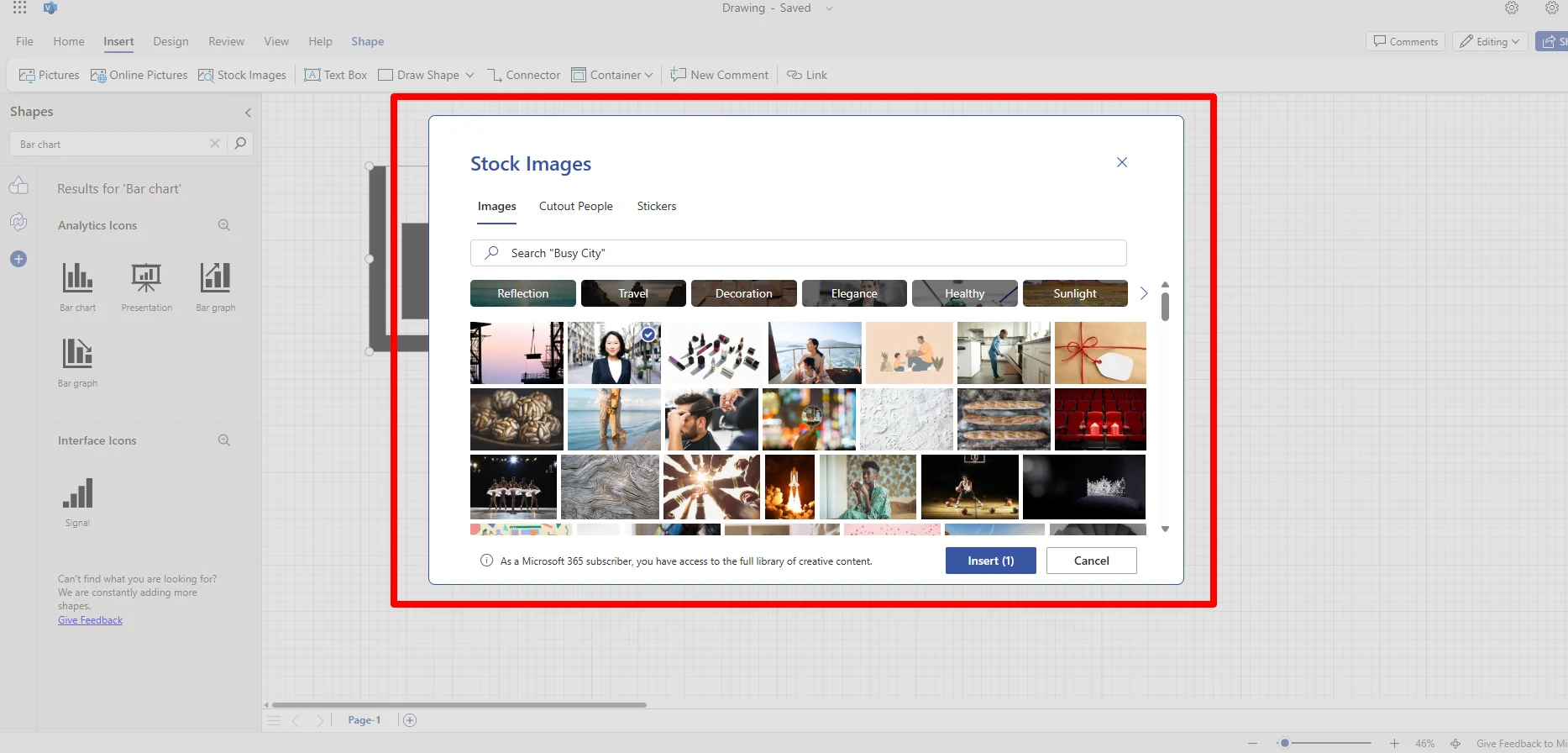
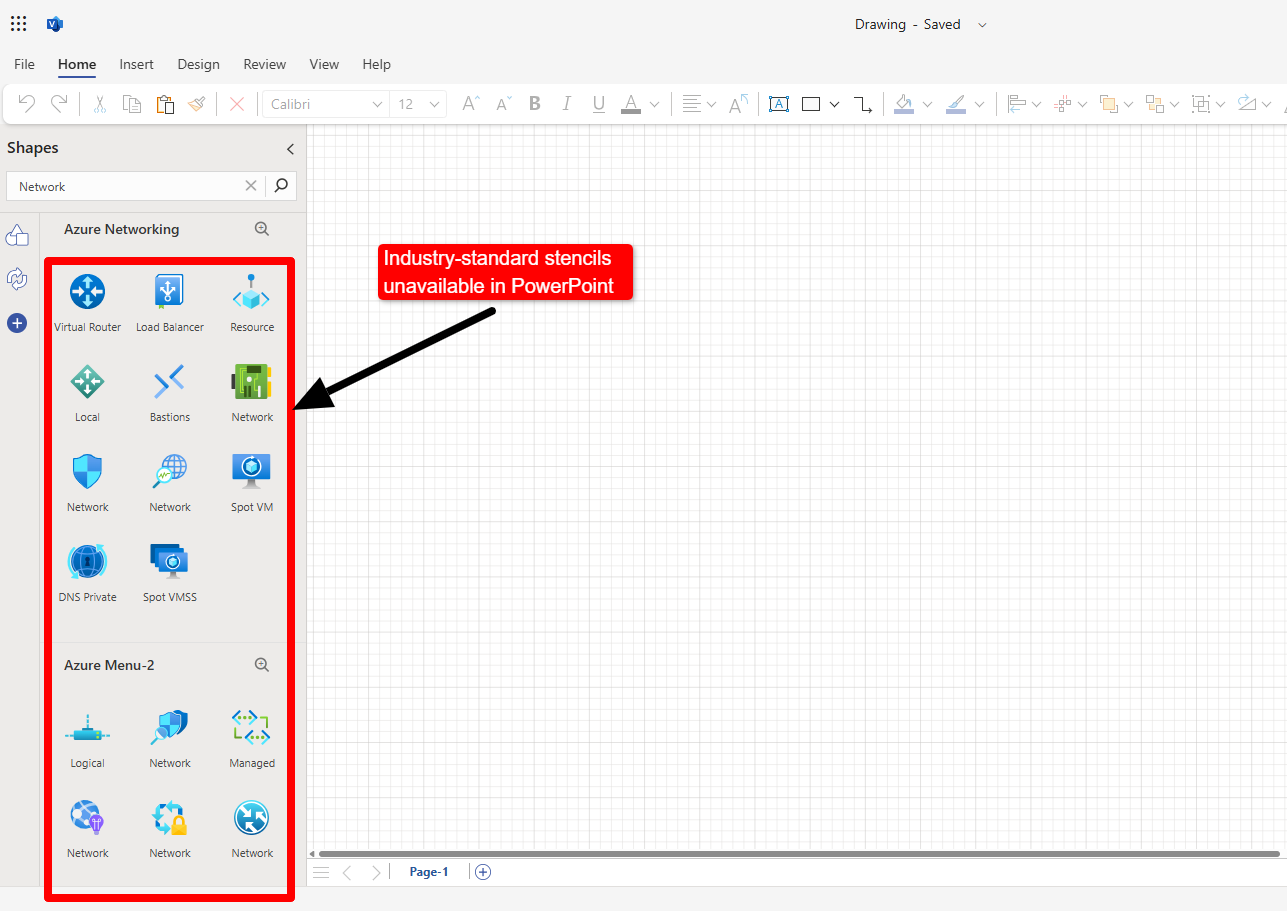
Visio gives you access to thousands of stencils, network icons, flowchart shapes, floor-plan symbols, and more, all neatly organized into categories. It also has a built-in photo content library that pulls from Microsoft’s curated multimedia collection.
Custom fonts generally work well in Visio’s desktop app, but getting an exact match for a company’s brand typeface can still be tricky. The font needs to be installed on the device, and if someone else opens the file without it, Visio may replace it with another option. This can slightly change the spacing and layout.
PowerPoint
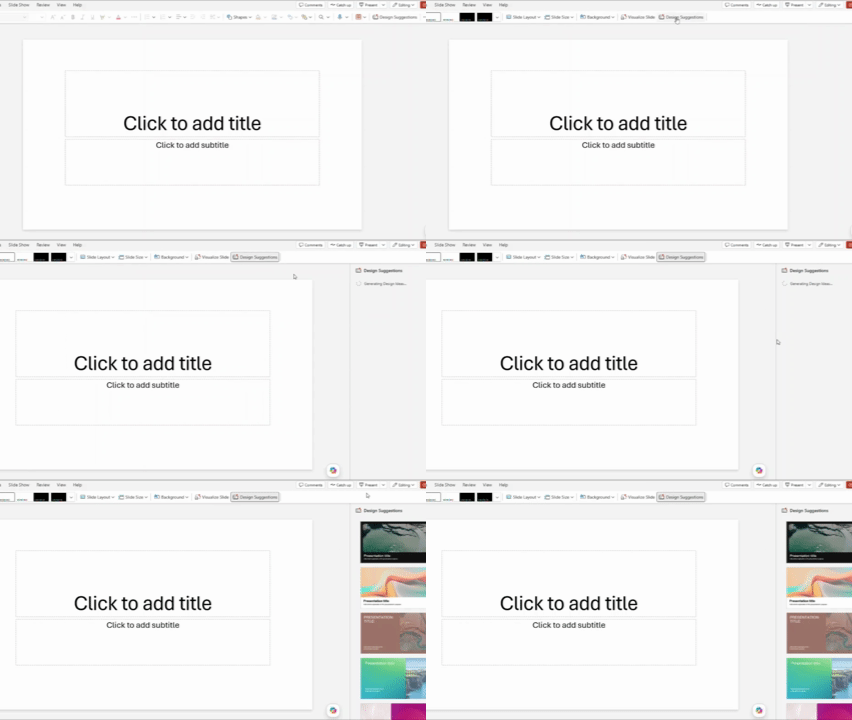
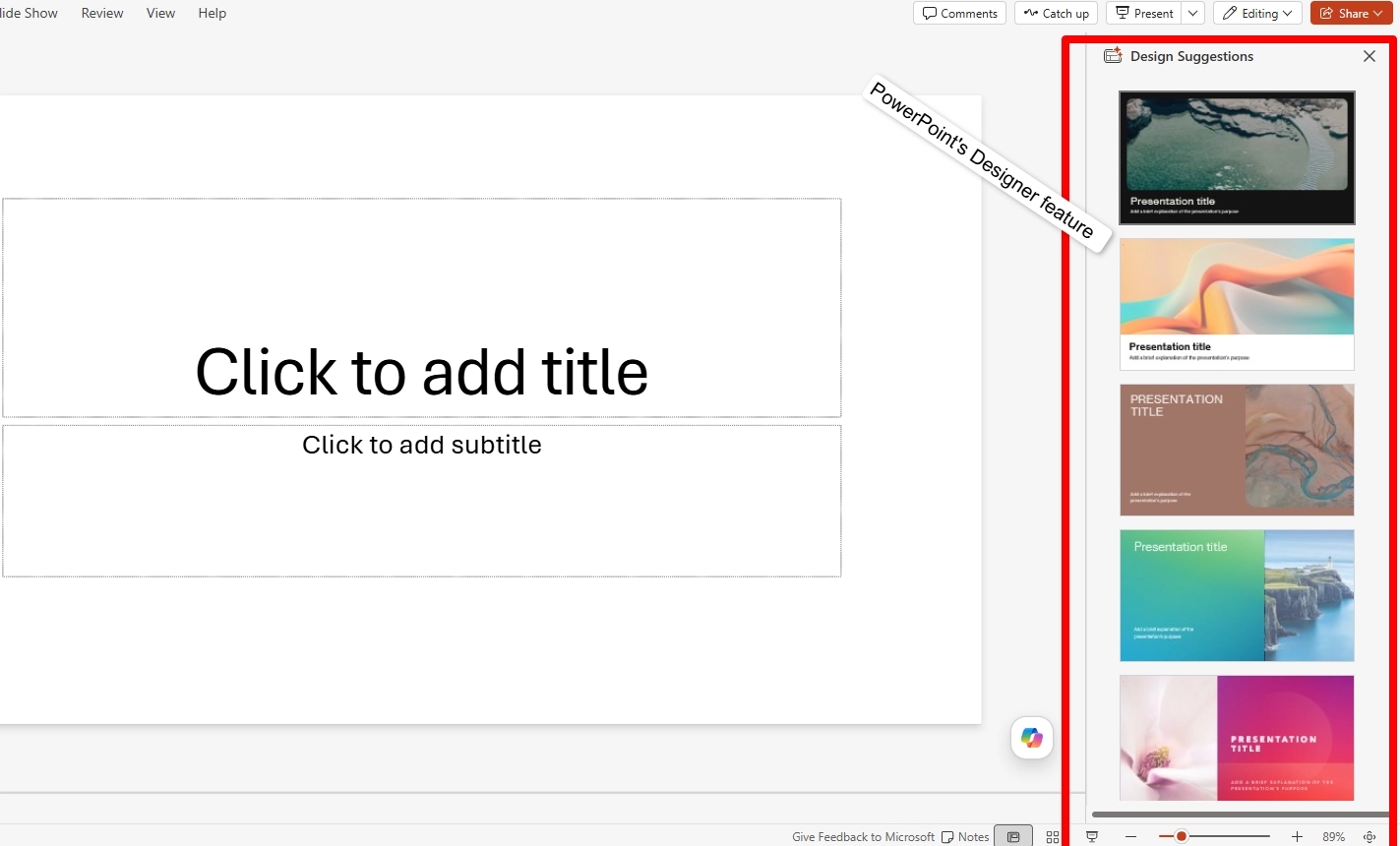
That’s different with PowerPoint. Its Designer feature recommends professional layouts and offers a large stock photo and icon library you can pick from. If you’re working with a team, you can embed custom fonts so they’re consistent across different devices.
Custom fonts usually transfer well between Visio and PowerPoint because both use the same Microsoft Office file format. This helps keep the design consistent when moving a diagram from one tool to the other. So when it comes to Visio or PowerPoint as a design question, each tool has its strong points.
Data Visualization and Spreadsheet Links
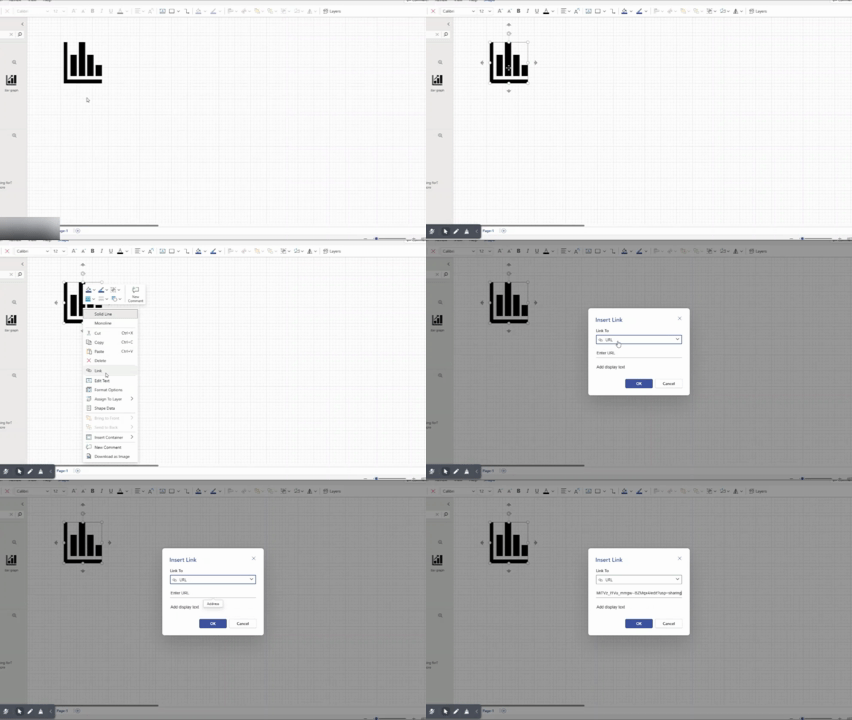
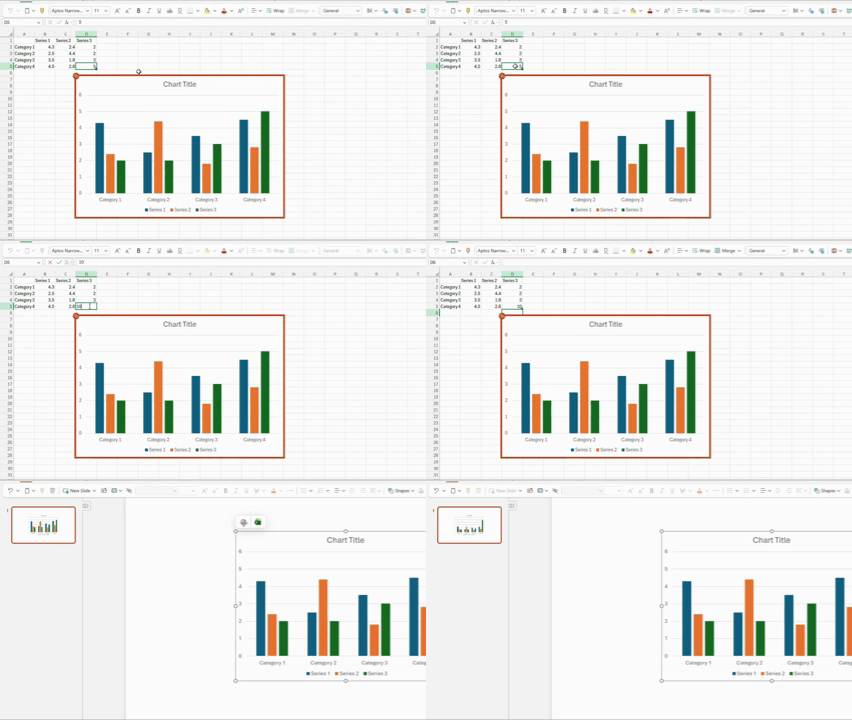
Visio scores some high points here, and it’s easy to see why. Its Data Visualizer feature can automatically pull data directly from an Excel table and generate an organizational chart from the rows in the sheet. It can also update shapes when the data in the table changes.
PowerPoint’s chart linking feature works in a similar way. Once you paste a linked Excel chart in a slide, it automatically updates when the numbers in the source sheet change. On the Visio vs. PPT question for reporting specifically, both tools reduce manual re-entry.
The Deep 1-to-1 AI test
We tried running the same prompt on both tools’ AI features to generate a structure or presentation from scratch, but only one of them actually has that feature. This is everything we found during the test.
Narrative Logic
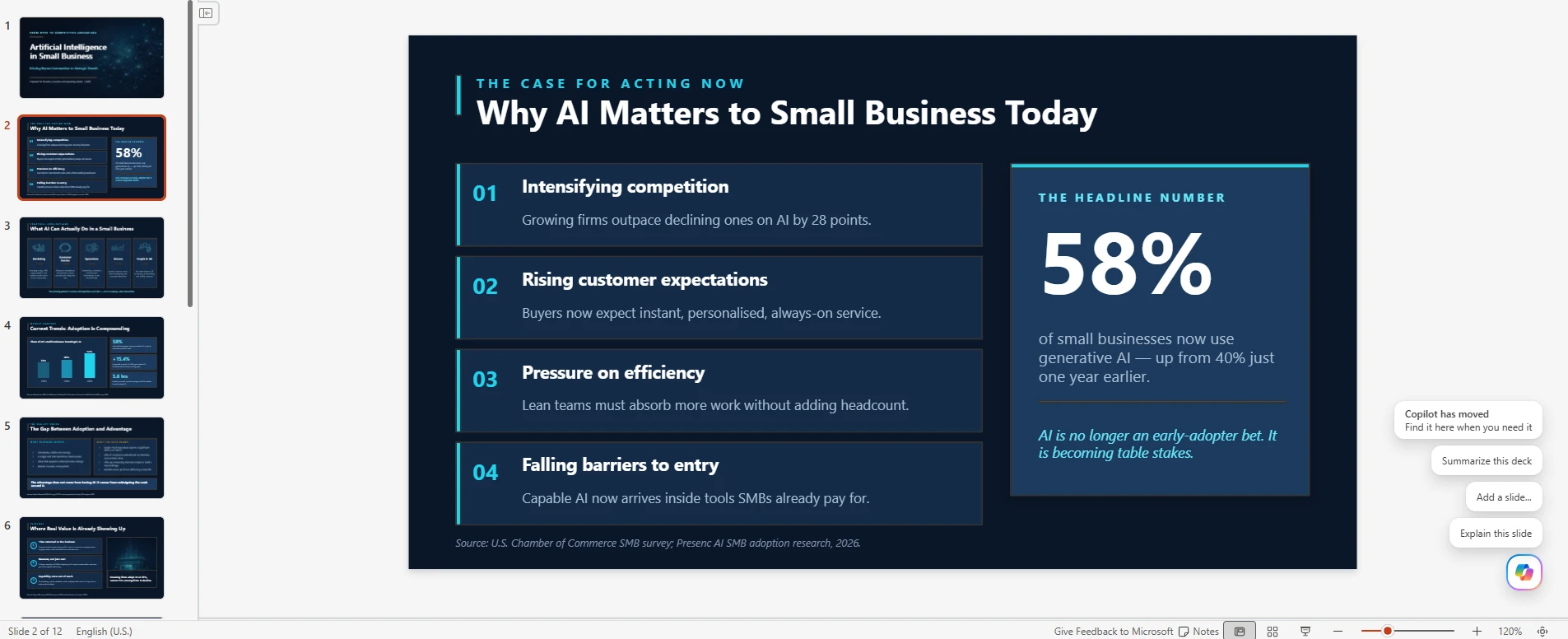
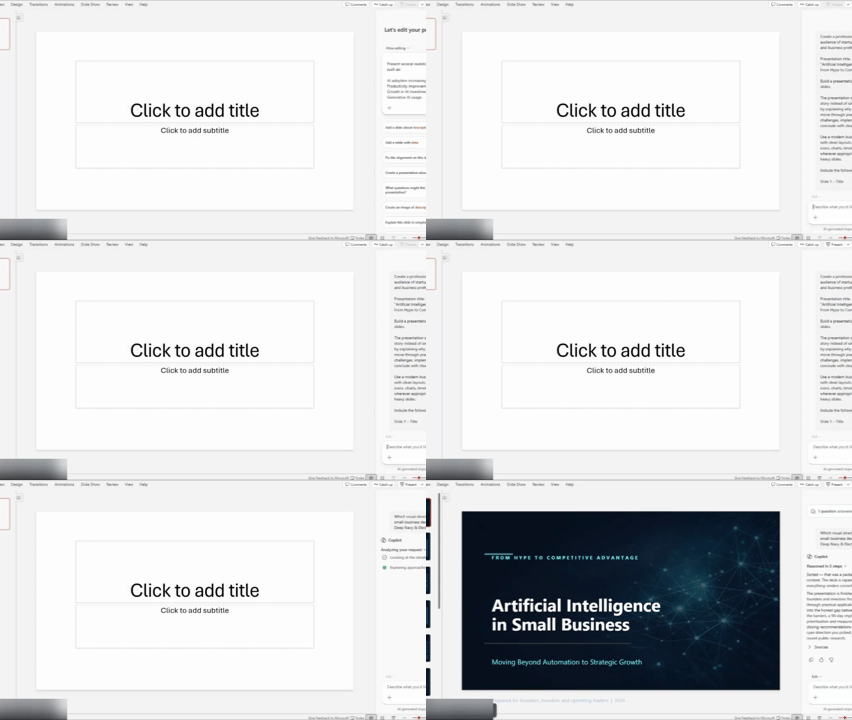
We started with PowerPoint’s Copilot, which built a reviewable outline first, then generated the slides. This produced a coherent story arc. On the other hand, Visio does not support native prompt-to-diagram generation, so it would be unfair to compare both tools based on their AI capabilities.
Layout Quality
The slides Copilot generated within PowerPoint were clean, although they were text-heavy sometimes. Seeing as Visio’s canvas doesn’t generate itself from a prompt, there’s nothing to compare on this front. Also, check our Visme vs Prezi, or Canva vs Prezi comparison if you look for more alternatives to these AI presentation making tools.
Document Processing and Speed
Copilot allows you to upload both PDF and Word documents on its paid plans in less than a minute for a typical deck. Visio, on its part, does not process anything from a prompt, so you still need to place every shape by hand.
Editing Flexibility
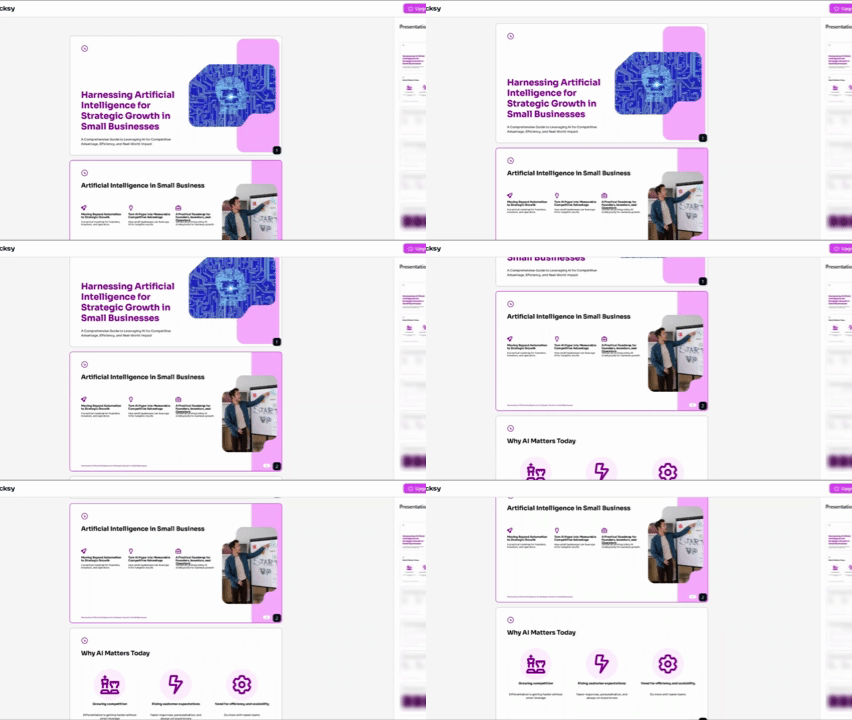
This is one area where both tools share a limitation. PowerPoint’s Copilot, for example, cannot regenerate a single bad slide without touching the rest of the presentation. Edits on Visio are entirely manual, so this limitation does not apply since the tool does not auto-generate anything with AI.
That single-slide limitation is the gap a tool like Decksy AI closes. Instead of forcing a complete regeneration because of one weak slide, Decksy’s logic-first approach structures the narrative first, then allows you to regenerate just the problematic slide.
Export Options and Ecosystem Compatibility
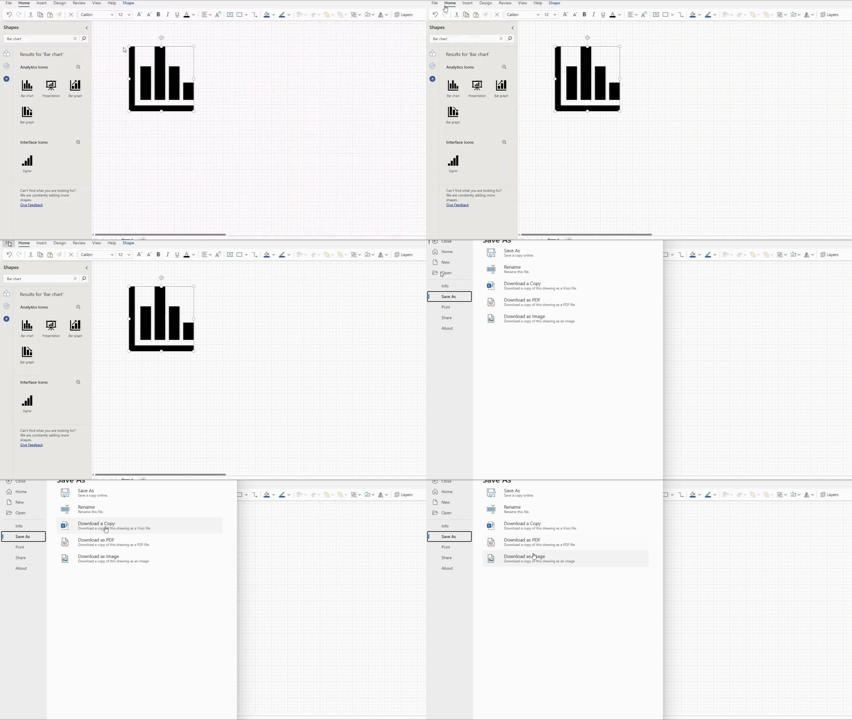
PowerPoint can export to PPTX as it is its own proprietary format. That’s not the same case for Visio, as it’s not possible to export to PowerPoint with one click.
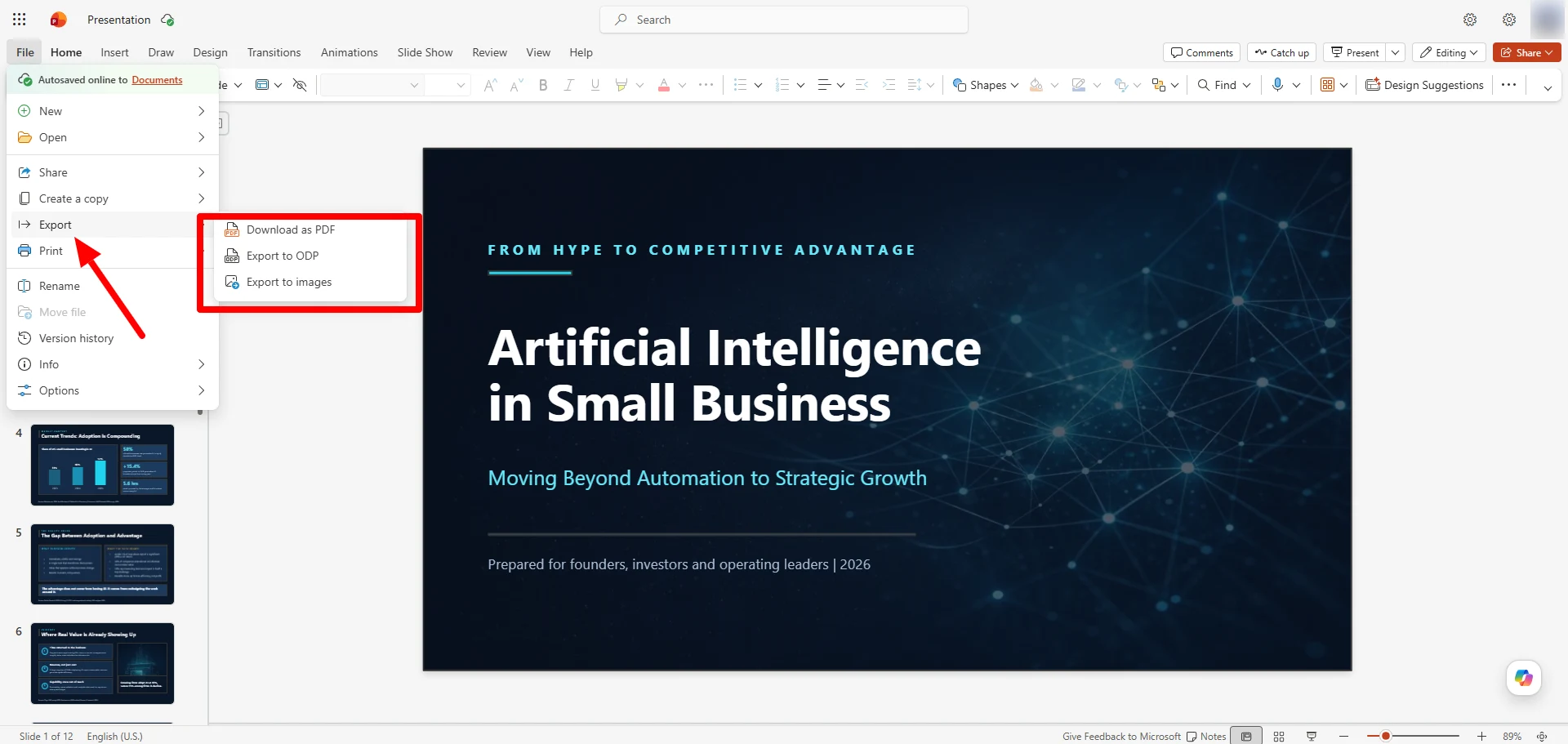
With Visio, you have two options. First, you have to paste a diagram into a slide as an embedded Visio object, which will remain double-click-editable but will only reopen in Visio itself, not as native PowerPoint text boxes. Alternatively, you can flatten the whole diagram into an EMF or PNG image file, which will lose all editability the moment you place it on the slide. When it comes to converters, we have a variety of tools for you, from text, Word, PDF, Excel and MD to PPT with AI.
On the wider Visio vs PowerPoint comparison for anyone building client-facing decks, this is more important than pricing. If a diagram is flat, it means you have to build it all over again just to change a number typo.
However, Decksy avoids this completely, as it can export natively into fully un-grouped, editable PPTX with no flattened objects. This means there’s no unnecessary round trip back through a separate app just to change one label.
The Smart Alternative Worth Knowing About
If you find yourself fixing a Visio diagram because the client doesn’t want it editable or PowerPoint’s Copilot forces a full regeneration over one bad slide, that’s a gap that Decksy fills. The tool can process uneditable documents, meeting notes, or a rough prompt, builds the narrative arc first, and gives you an editable deck in minutes.
PowerPoint, which locks its strongest AI behind a subscription for over $19 monthly, and Visio, which doesn’t offer prompt-based generation at all, make Decksy a good alternative. Decksy AI PowerPoint maker offers one presentation generation free to start, then a simple $2 trial followed by a flat $10 monthly plan with full export rights.

Sarah Michelle Carter is the Chief Human Resources Officer at Decksy, and the person most likely to remind you that a company's culture is built in the small decisions, not the mission statement on the wall. She's pragmatic about AI — not an evangelist, not a skeptic, just someone who's watched it quietly clear out the repetitive parts of the job so there's more room for judgment and attention. Known for asking better questions than she answers, she's a go-to voice on culture, leadership, and where AI genuinely helps teams versus where it gets in the way.